key HYUNDAI TUCSON 2009 Owner's Manual
[x] Cancel search | Manufacturer: HYUNDAI, Model Year: 2009, Model line: TUCSON, Model: HYUNDAI TUCSON 2009Pages: 273, PDF Size: 10.29 MB
Page 64 of 273

1
FEATURES OF YOUR HYUNDAI
53
B260T01O-GAT
4WD System Warning Light
(If installed)
When the key is turned to the "ON" position,
the 4WD(Four Wheel Drive) system warn-
ing light will come on and then go off in a
few seconds.CAUTION:
If the 4WD system warning light ( )
blinks while driving, this indicates that
there is a malfunction in the 4WD sys-
tem. If this occurs, have your vehicle
checked by an authorized Hyundai dealer
as soon as possible.
!
B265C02LZ-AAT
Electronic Stability
Control Indicator Lights(If installed)
The electronic stability control indicators
change operation according to the ignition
switch position and whether the system is
in operation or not.
They will illuminate when the ignition key
is turned to the "ON" position, but should go
out after three seconds. If the ESC or ESC-
OFF indicator stays on, take your car to
your authorized Hyundai dealer and have
the system checked. See section 2 for
more information about the ESC.
B260V01JM-GAT
4WD Lock Indicator Light
(If installed)
The 4WD (Four Wheel Drive) lock indica-
tor light in the instrument cluster is illumi-
nated when the The 4WD lock switch is
pushed. The purpose of this switch is to
increase the drive power when driving on
wet pavement, snow-covered roads and/
or off-road. The 4WD lock indicator light is
turned off by pushing the switch again.
NOTE:Do not use 4WD on normal dry pavement
conditions.
B260R01E-GAT
SET Indicator Light
(If installed)
The SET indicator light in the instrument
cluster is illuminated when the cruise con-
trol switch is pushed downward to "SET
(COAST)".
The SET indicator light does not illuminate
when the control switch is in the "CANCEL"
position.
B260Q01E-GAT
Cruise Indicator Light
(If installed)
The cruise indicator light in the instrument
cluster is illuminated when the cruise con-
trol main switch on the end of the barrel is
pushed.
When the cruise control main switch is
pushed a second time, the cruise control
system will be and the light will turn off.
Information on the use of cruise control
may be found on page 1-88.
B265C01O-AAT
Traction Control Indicator
Lights (If installed)
The traction control indicators change op-
eration according to the ignition switch
position and whether the system is in
operation or not.
They will illuminate when the ignition key
is turned to the "ON" position, but should go
out after three seconds. If the TCS or TCS-
OFF indicator stays on, take your car to
your authorized Hyundai dealer and have
the system checked. See section 2 for
more information about the TCS.
Page 65 of 273
1FEATURES OF YOUR HYUNDAI54
!
!
B270A01O-AATBRAKE PAD WEAR WARNING
SOUNDThe front and rear disc brake pads have
wear indicators that should make a high-
pitched squealing or scraping noise when
new pads are needed. The sound may
come and go or be heard all the time when
the vehicle is moving. It may also be heard
when the brake pedal is pushed down
firmly. Excessive rotor damage will result
if the worn pads are not replaced. See your
Hyundai dealer immediately.
WARNING:
Significantly low tire pressure makes
the vehicle unstable and can contribute
to loss of vehicle control and increased
braking distances.
Continued driving on low pressure tires
will cause the tires to overheat and fail.B260W02JM-GAT
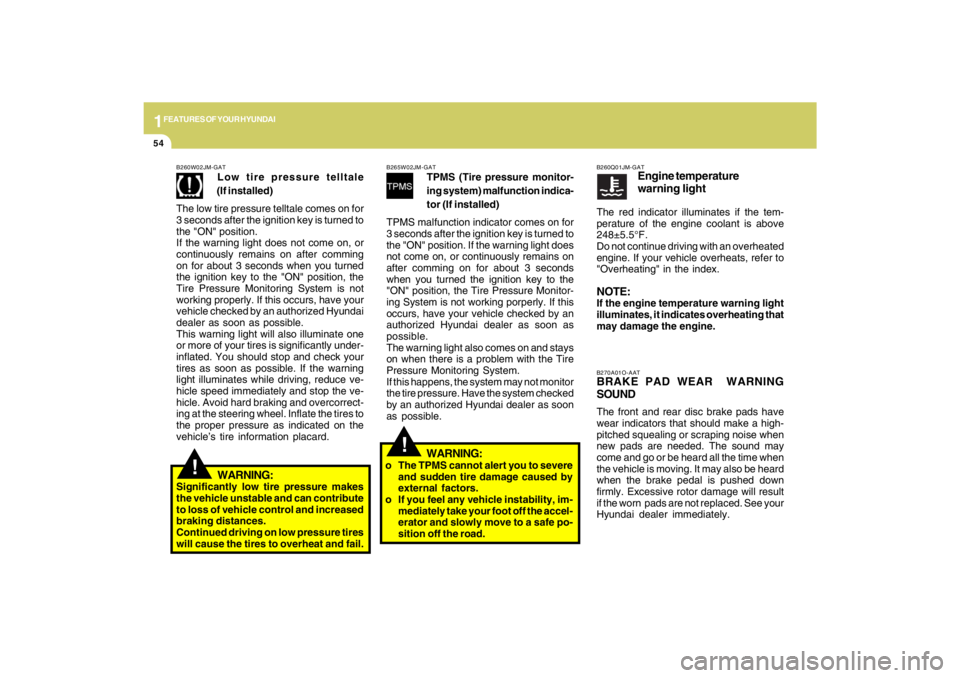
Low tire pressure telltale
(If installed)
The low tire pressure telltale comes on for
3 seconds after the ignition key is turned to
the "ON" position.
If the warning light does not come on, or
continuously remains on after comming
on for about 3 seconds when you turned
the ignition key to the "ON" position, the
Tire Pressure Monitoring System is not
working properly. If this occurs, have your
vehicle checked by an authorized Hyundai
dealer as soon as possible.
This warning light will also illuminate one
or more of your tires is significantly under-
inflated. You should stop and check your
tires as soon as possible. If the warning
light illuminates while driving, reduce ve-
hicle speed immediately and stop the ve-
hicle. Avoid hard braking and overcorrect-
ing at the steering wheel. Inflate the tires to
the proper pressure as indicated on the
vehicle’s tire information placard.
B265W02JM-GAT
TPMS (Tire pressure monitor-
ing system) malfunction indica-
tor (If installed)
TPMS malfunction indicator comes on for
3 seconds after the ignition key is turned to
the "ON" position. If the warning light does
not come on, or continuously remains on
after comming on for about 3 seconds
when you turned the ignition key to the
"ON" position, the Tire Pressure Monitor-
ing System is not working porperly. If this
occurs, have your vehicle checked by an
authorized Hyundai dealer as soon as
possible.
The warning light also comes on and stays
on when there is a problem with the Tire
Pressure Monitoring System.
If this happens, the system may not monitor
the tire pressure. Have the system checked
by an authorized Hyundai dealer as soon
as possible.WARNING:
o The TPMS cannot alert you to severe
and sudden tire damage caused by
external factors.
o If you feel any vehicle instability, im-
mediately take your foot off the accel-
erator and slowly move to a safe po-
sition off the road.
B260Q01JM-GAT
Engine temperature
warning light
The red indicator illuminates if the tem-
perature of the engine coolant is above
248±5.5°F.
Do not continue driving with an overheated
engine. If your vehicle overheats, refer to
"Overheating" in the index.NOTE:If the engine temperature warning light
illuminates, it indicates overheating that
may damage the engine.
Page 71 of 273
1FEATURES OF YOUR HYUNDAI60
B340D01A-AATHigh-beam SwitchTo turn on the headlight high beams, push
the lever forward (away from you). The
High Beam Indicator Light will come on at
the same time. For low beams, pull the
lever back toward you.
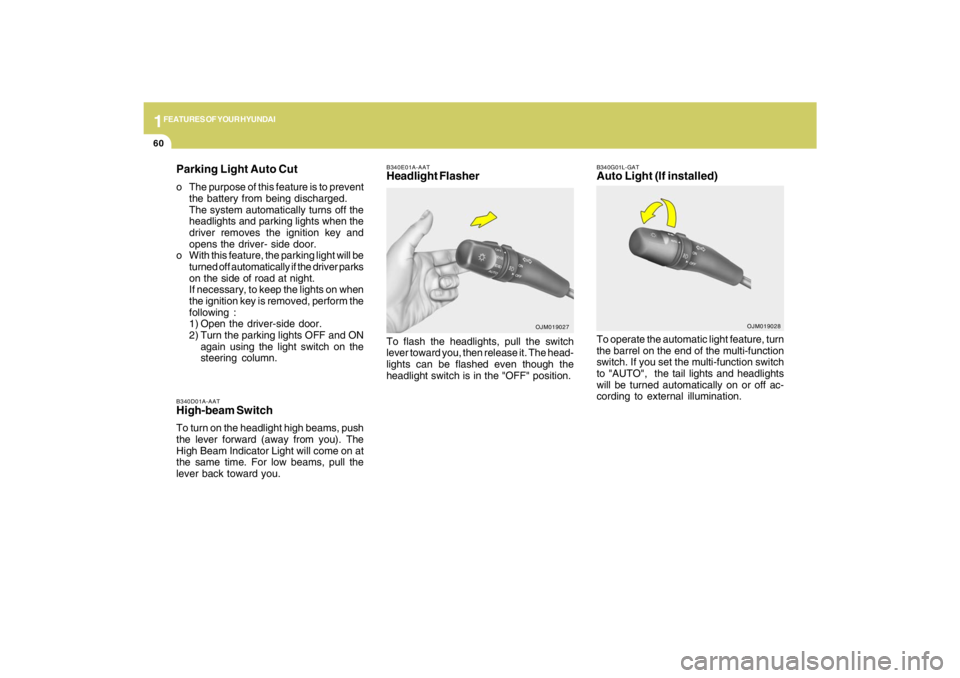
B340E01A-AATHeadlight FlasherTo flash the headlights, pull the switch
lever toward you, then release it. The head-
lights can be flashed even though the
headlight switch is in the "OFF" position.
OJM019027
Parking Light Auto Cuto The purpose of this feature is to prevent
the battery from being discharged.
The system automatically turns off the
headlights and parking lights when the
driver removes the ignition key and
opens the driver- side door.
o With this feature, the parking light will be
turned off automatically if the driver parks
on the side of road at night.
If necessary, to keep the lights on when
the ignition key is removed, perform the
following :
1) Open the driver-side door.
2) Turn the parking lights OFF and ON
again using the light switch on the
steering column.
B340G01L-GATAuto Light (If installed)To operate the automatic light feature, turn
the barrel on the end of the multi-function
switch. If you set the multi-function switch
to "AUTO", the tail lights and headlights
will be turned automatically on or off ac-
cording to external illumination.
OJM019028
Page 75 of 273
1FEATURES OF YOUR HYUNDAI64
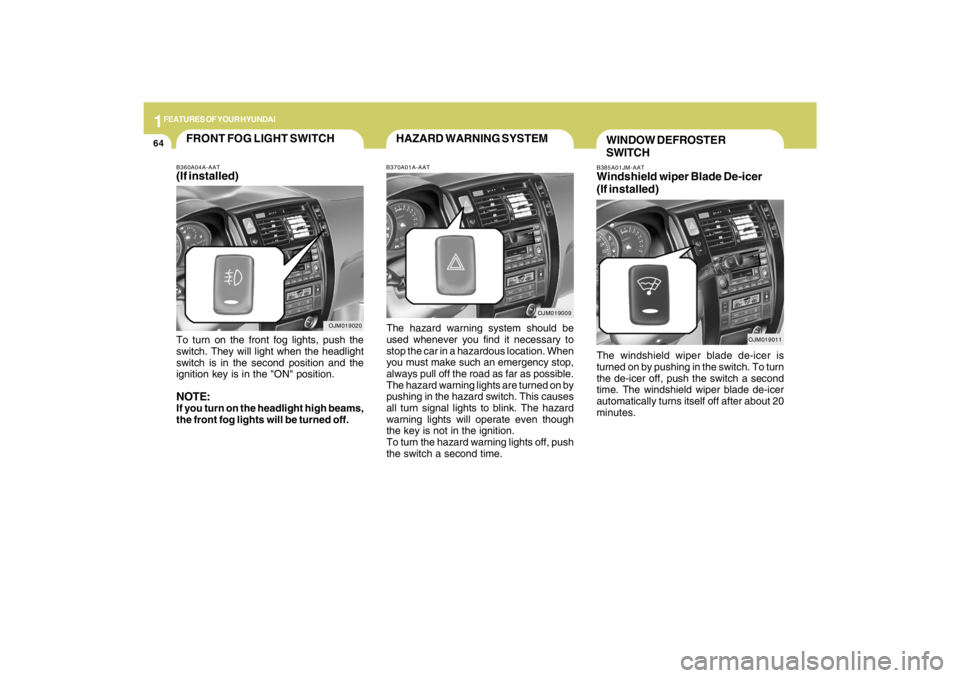
B385A01JM-AATWindshield wiper Blade De-icer
(If installed)The windshield wiper blade de-icer is
turned on by pushing in the switch. To turn
the de-icer off, push the switch a second
time. The windshield wiper blade de-icer
automatically turns itself off after about 20
minutes.
OJM019011
WINDOW DEFROSTER
SWITCH
OJM019009
HAZARD WARNING SYSTEMB370A01A-AATThe hazard warning system should be
used whenever you find it necessary to
stop the car in a hazardous location. When
you must make such an emergency stop,
always pull off the road as far as possible.
The hazard warning lights are turned on by
pushing in the hazard switch. This causes
all turn signal lights to blink. The hazard
warning lights will operate even though
the key is not in the ignition.
To turn the hazard warning lights off, push
the switch a second time.
OJM019020
FRONT FOG LIGHT SWITCHB360A04A-AAT(If installed)To turn on the front fog lights, push the
switch. They will light when the headlight
switch is in the second position and the
ignition key is in the "ON" position.NOTE:If you turn on the headlight high beams,
the front fog lights will be turned off.
Page 77 of 273
1FEATURES OF YOUR HYUNDAI66
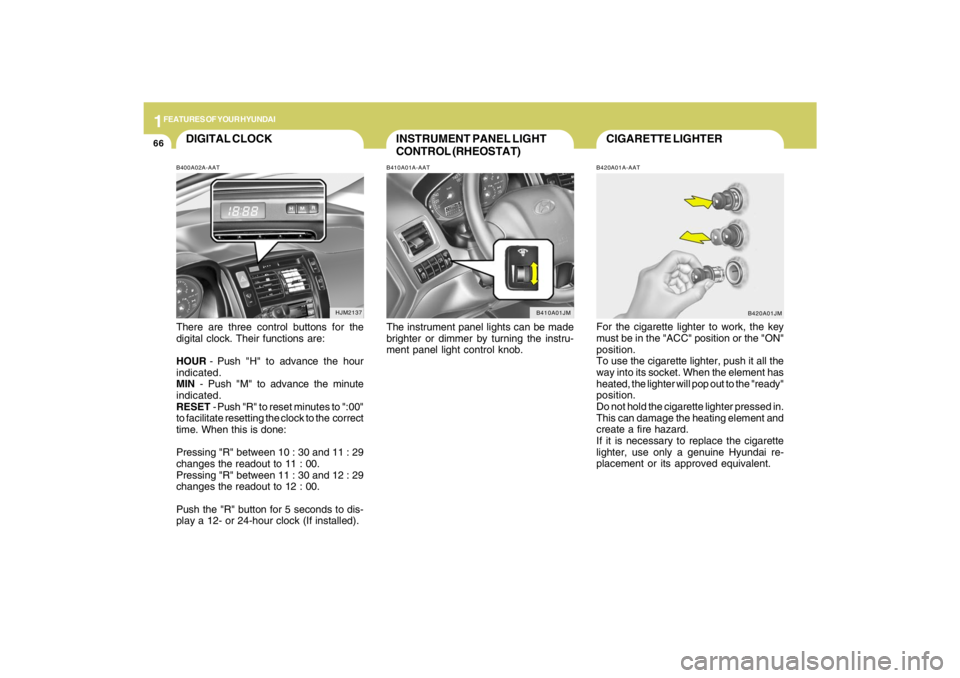
CIGARETTE LIGHTERB420A01A-AATFor the cigarette lighter to work, the key
must be in the "ACC" position or the "ON"
position.
To use the cigarette lighter, push it all the
way into its socket. When the element has
heated, the lighter will pop out to the "ready"
position.
Do not hold the cigarette lighter pressed in.
This can damage the heating element and
create a fire hazard.
If it is necessary to replace the cigarette
lighter, use only a genuine Hyundai re-
placement or its approved equivalent.
B420A01JM
INSTRUMENT PANEL LIGHT
CONTROL (RHEOSTAT)B410A01A-AATThe instrument panel lights can be made
brighter or dimmer by turning the instru-
ment panel light control knob.
B410A01JM
DIGITAL CLOCKB400A02A-AATThere are three control buttons for the
digital clock. Their functions are:
HOUR - Push "H" to advance the hour
indicated.
MIN - Push "M" to advance the minute
indicated.
RESET - Push "R" to reset minutes to ":00"
to facilitate resetting the clock to the correct
time. When this is done:
Pressing "R" between 10 : 30 and 11 : 29
changes the readout to 11 : 00.
Pressing "R" between 11 : 30 and 12 : 29
changes the readout to 12 : 00.
Push the "R" button for 5 seconds to dis-
play a 12- or 24-hour clock (If installed).
HJM2137
Page 78 of 273
1
FEATURES OF YOUR HYUNDAI
67
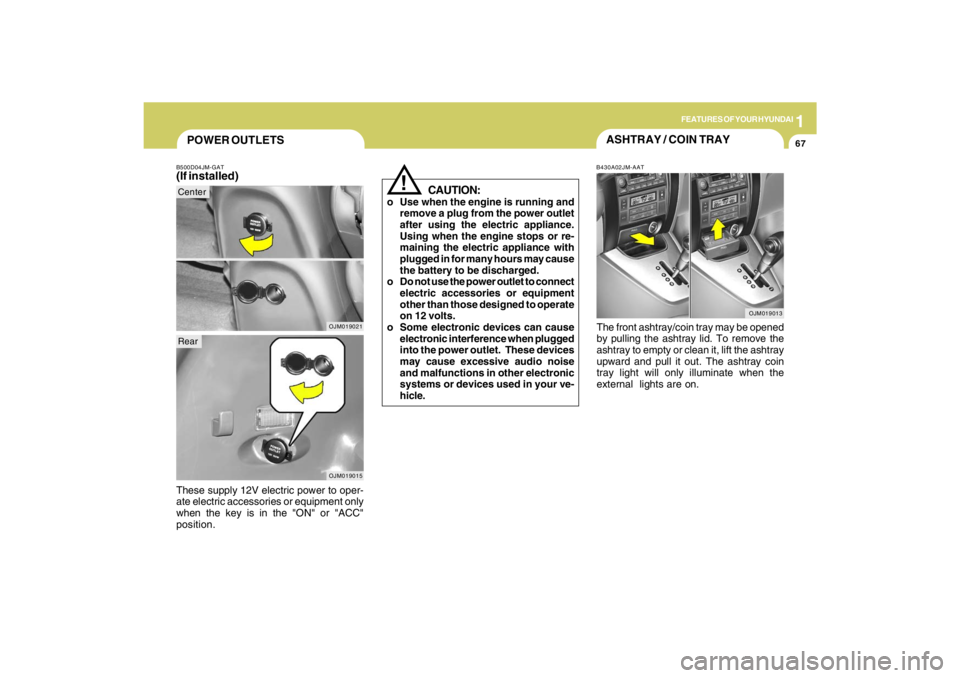
POWER OUTLETSB500D04JM-GAT(If installed)These supply 12V electric power to oper-
ate electric accessories or equipment only
when the key is in the "ON" or "ACC"
position.
OJM019021
!
CAUTION:
o Use when the engine is running and
remove a plug from the power outlet
after using the electric appliance.
Using when the engine stops or re-
maining the electric appliance with
plugged in for many hours may cause
the battery to be discharged.
o Do not use the power outlet to connect
electric accessories or equipment
other than those designed to operate
on 12 volts.
o Some electronic devices can cause
electronic interference when plugged
into the power outlet. These devices
may cause excessive audio noise
and malfunctions in other electronic
systems or devices used in your ve-
hicle.
ASHTRAY / COIN TRAYB430A02JM-AATThe front ashtray/coin tray may be opened
by pulling the ashtray lid. To remove the
ashtray to empty or clean it, lift the ashtray
upward and pull it out. The ashtray coin
tray light will only illuminate when the
external lights are on.
OJM019013
OJM019015
CenterRear
Page 81 of 273
1FEATURES OF YOUR HYUNDAI70
B460E02JM-GATResetting the sunroofWhenever the vehicle battery is disconnected
or discharged, you have to reset your sunroof
system as follows:
1. Turn the ignition key to the ON position.
2. According to the position of the sunroof,
do as follows.
1) In case that the sunroof has closed
completely or been tilted : Press the
TILT UP button for 1 second.
2) In case that the sunroof has slide-
opened: Press and hold the CLOSE
button for more than 5 seconds until
the sunroof has closed completely.
And then press the TILT UP button for
1 second
3. Then, release it.
4. Press and hold the TILT UP button once
again until the sunroof has returned to
the original position of TILT UP after it is
raised a little higher than the maximum
TILT UP position. When this is com-
plete, the sunroof system is reset.
CAUTION:
If the sunroof is not reset, it may not
operate properly.
!
CloseTo close the sunroof, press the CLOSE
button on the overhead console and hold
it until the sunroof is closed.NOTE:After washing the car or after there is
rain, be sure to wipe off any water that is
on the sunroof before operating it.
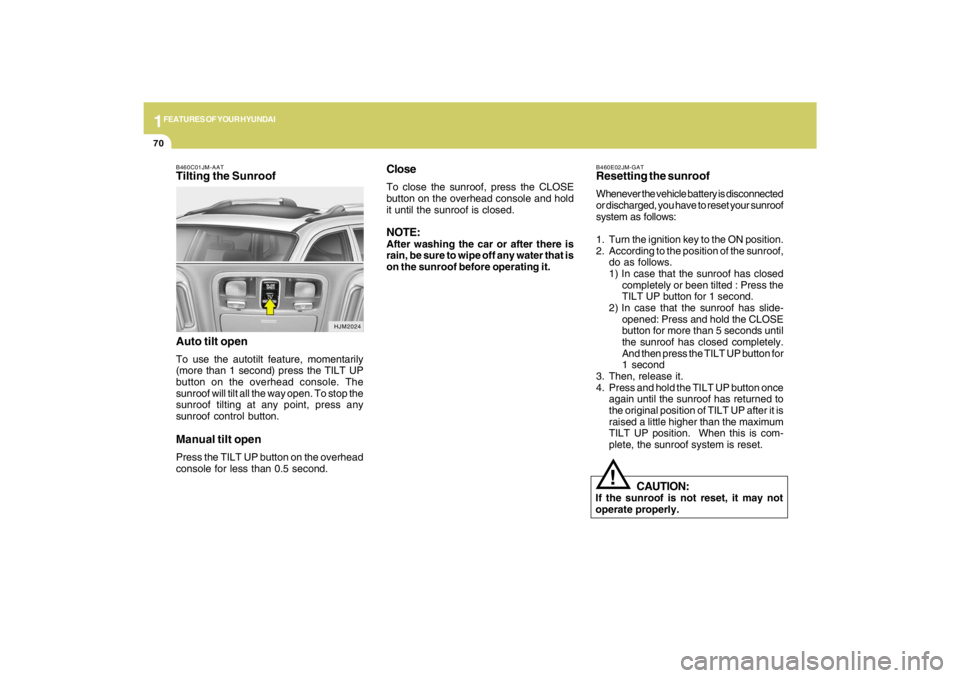
B460C01JM-AATTilting the Sunroof
Auto tilt openTo use the autotilt feature, momentarily
(more than 1 second) press the TILT UP
button on the overhead console. The
sunroof will tilt all the way open. To stop the
sunroof tilting at any point, press any
sunroof control button.Manual tilt openPress the TILT UP button on the overhead
console for less than 0.5 second.
HJM2024
Page 82 of 273
1
FEATURES OF YOUR HYUNDAI
71
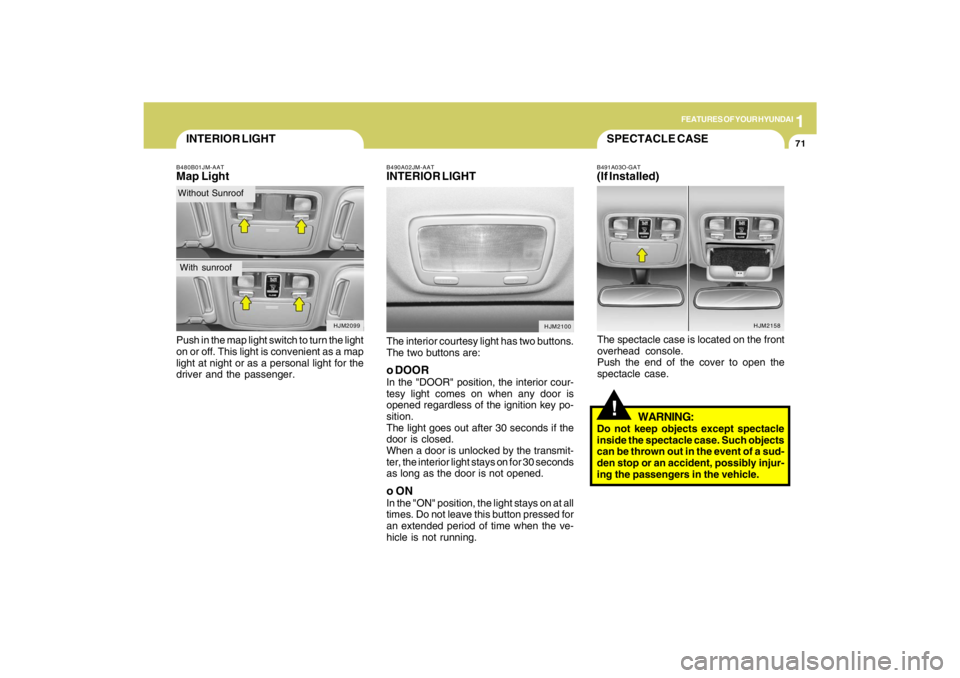
INTERIOR LIGHTB480B01JM-AATMap LightPush in the map light switch to turn the light
on or off. This light is convenient as a map
light at night or as a personal light for the
driver and the passenger.
HJM2099
Without SunroofWith sunroof
B490A02JM-AATINTERIOR LIGHTThe interior courtesy light has two buttons.
The two buttons are:o DOORIn the "DOOR" position, the interior cour-
tesy light comes on when any door is
opened regardless of the ignition key po-
sition.
The light goes out after 30 seconds if the
door is closed.
When a door is unlocked by the transmit-
ter, the interior light stays on for 30 seconds
as long as the door is not opened.o ONIn the "ON" position, the light stays on at all
times. Do not leave this button pressed for
an extended period of time when the ve-
hicle is not running.
HJM2100
HJM2158
SPECTACLE CASE!
B491A03O-GAT(If Installed)The spectacle case is located on the front
overhead console.
Push the end of the cover to open the
spectacle case.
WARNING:
Do not keep objects except spectacle
inside the spectacle case. Such objects
can be thrown out in the event of a sud-
den stop or an accident, possibly injur-
ing the passengers in the vehicle.
Page 83 of 273
1FEATURES OF YOUR HYUNDAI72
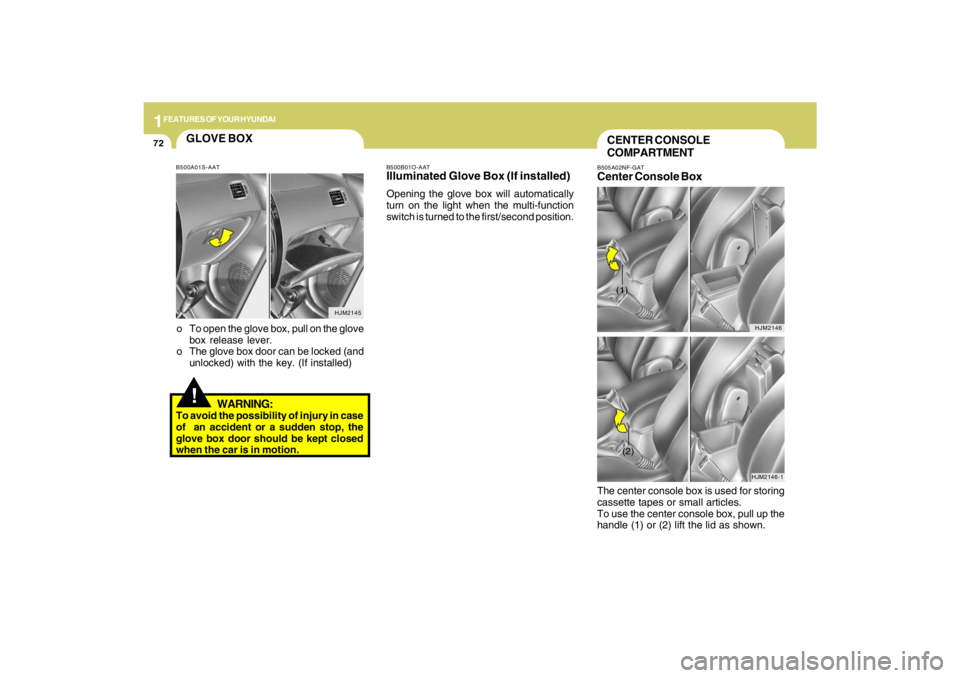
The center console box is used for storing
cassette tapes or small articles.
To use the center console box, pull up the
handle (1) or (2) lift the lid as shown.CENTER CONSOLE
COMPARTMENTB505A02NF-GATCenter Console Box
HJM2146
HJM2146-1
(1)(2)
HJM2145
GLOVE BOX!
o To open the glove box, pull on the glove
box release lever.
o The glove box door can be locked (and
unlocked) with the key. (If installed)
WARNING:
To avoid the possibility of injury in case
of an accident or a sudden stop, the
glove box door should be kept closed
when the car is in motion.
B500B01O-AATIlluminated Glove Box (If installed)Opening the glove box will automatically
turn on the light when the multi-function
switch is turned to the first/second position.
B500A01S-AAT
Page 90 of 273
1
FEATURES OF YOUR HYUNDAI
79
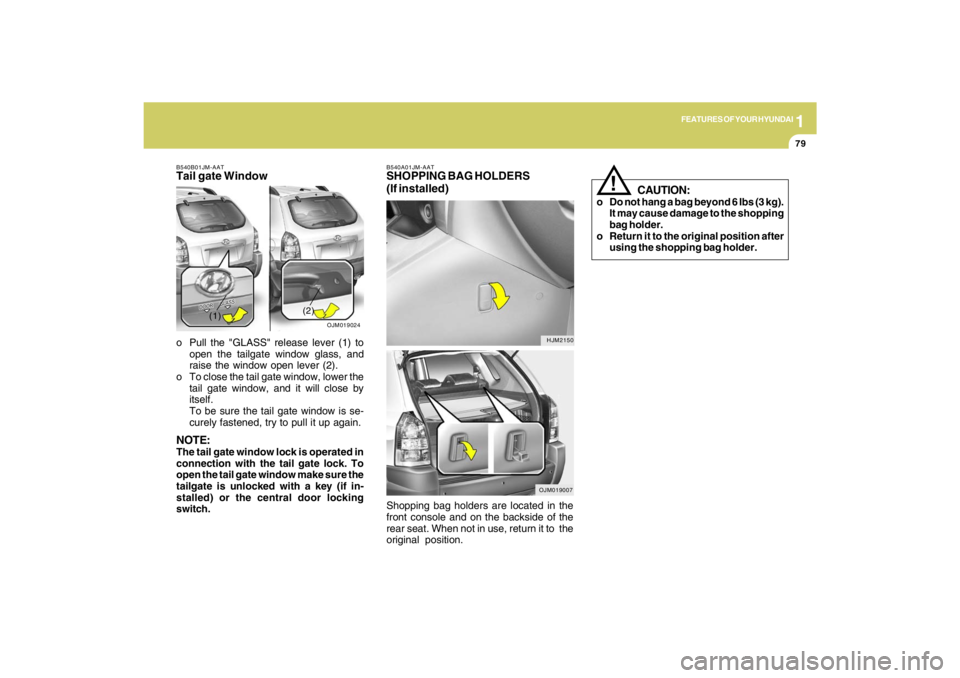
B540A01JM-AATSHOPPING BAG HOLDERS
(If installed)
HJM2150
OJM019007
B540B01JM-AATTail gate Windowo Pull the "GLASS" release lever (1) to
open the tailgate window glass, and
raise the window open lever (2).
o To close the tail gate window, lower the
tail gate window, and it will close by
itself.
To be sure the tail gate window is se-
curely fastened, try to pull it up again.NOTE:The tail gate window lock is operated in
connection with the tail gate lock. To
open the tail gate window make sure the
tailgate is unlocked with a key (if in-
stalled) or the central door locking
switch.
OJM019024
(1)(2)
Shopping bag holders are located in the
front console and on the backside of the
rear seat. When not in use, return it to the
original position.
CAUTION:
o Do not hang a bag beyond 6 Ibs (3 kg).
It may cause damage to the shopping
bag holder.
o Return it to the original position after
using the shopping bag holder.
!