lights HYUNDAI TUCSON 2014 Owner's Manual
[x] Cancel search | Manufacturer: HYUNDAI, Model Year: 2014, Model line: TUCSON, Model: HYUNDAI TUCSON 2014Pages: 542, PDF Size: 7.59 MB
Page 168 of 542
3-82
Convenient features of your vehicle
Headlight escort function
If the key is removed from the ignition
switch or placed in the ACC positionor the LOCK/OFF position with theheadlights ON, the headlights (and/or
parking lights) remain on for about 5
minutes. However, if the driver’s dooris opened and closed, the headlights
are turned off after 15 seconds.
The headlights can be turned off by
pressing the LOCK button on the
remote key or smart key twice or
turning the light switch to the OFF or
AUTO position. However, if you turn
the light switch to the AUTO position
when it is dark outside, the head-
lights will not be turned off.
Headlight welcome function
When the headlight switch is in the
ON position or in the AUTO positionand all doors (and tailgate) are closed
and locked, if you press the door
unlock button on the remote transmit-
ter or smart key, the headlights will
come on for about 15 seconds.
If the headlight switch is in the AUTO position, the function can only oper-ate at night.
To turn off the headlights immediately,
do one of the following:
Press the door lock button.
Press the unlock button twice with-in 4 seconds.
Press the unlock button once more after 4 seconds.
If the driver gets out of the vehi-
cle through other doors (except
the driver’s door), the battery
saver function does not operate
and the headlight escort function
does not turn off automatically.
Therefore, it causes the battery
to be discharged. In this case,make sure to turn off the lamp
before getting out of the vehicle.CAUTION
Page 169 of 542
3-83
Convenient features of your vehicle
3
Turn signals and lane changesignals
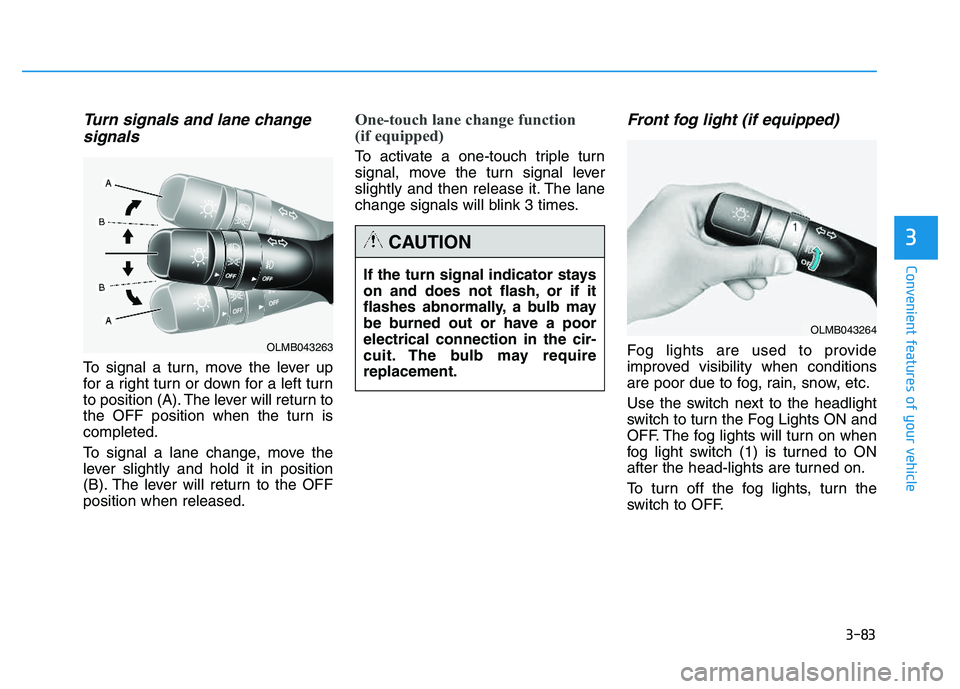
To signal a turn, move the lever up
for a right turn or down for a left turn
to position (A). The lever will return to
the OFF position when the turn iscompleted.
To signal a lane change, move the
lever slightly and hold it in position
(B). The lever will return to the OFFposition when released.
One-touch lane change function
(if equipped)
To activate a one-touch triple turn
signal, move the turn signal lever
slightly and then release it. The lane
change signals will blink 3 times.
Front fog light (if equipped)
Fog lights are used to provide
improved visibility when conditions
are poor due to fog, rain, snow, etc.
Use the switch next to the headlight
switch to turn the Fog Lights ON and
OFF. The fog lights will turn on when
fog light switch (1) is turned to ON
after the head-lights are turned on.
To turn off the fog lights, turn the
switch to OFF.
If the turn signal indicator stays
on and does not flash, or if it
flashes abnormally, a bulb may
be burned out or have a poorelectrical connection in the cir-
cuit. The bulb may requirereplacement.
CAUTION
OLMB043264
OLMB043263
Page 170 of 542
3-84
Convenient features of your vehicle
You can use the fog lights only when
the headlights are on low beam.
When the headlight switch is in the
AUTO position, you can also use the
fog lights when the headlights turn on
automatically. The fog lights will go
OFF when the headlights turn OFF.Hazard warning flasher
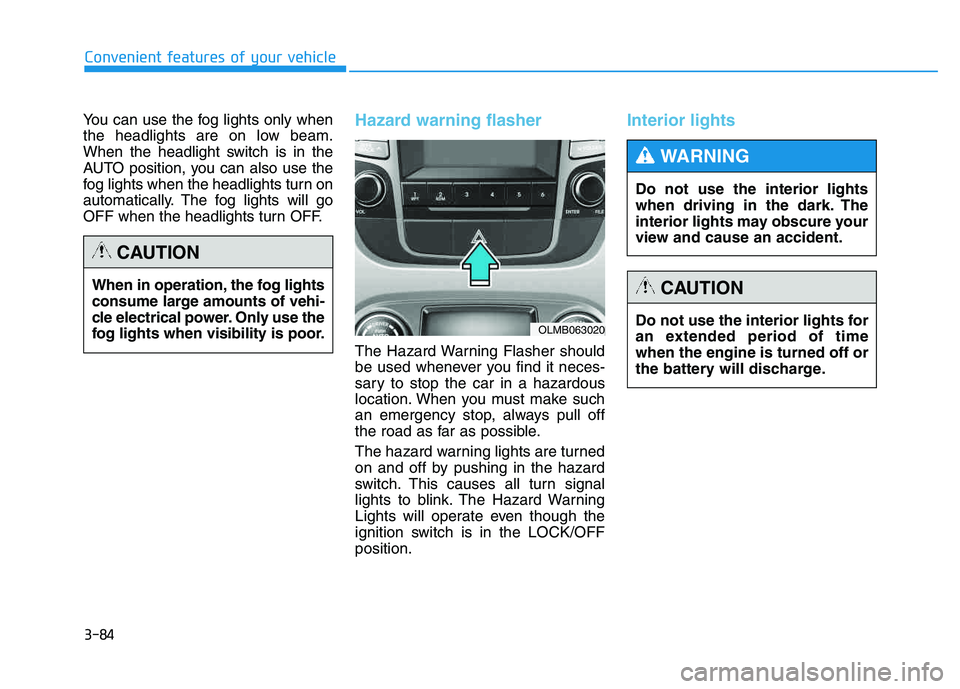
The Hazard Warning Flasher should
be used whenever you find it neces-
sary to stop the car in a hazardous
location. When you must make such
an emergency stop, always pull off
the road as far as possible.
The hazard warning lights are turned
on and off by pushing in the hazard
switch. This causes all turn signal
lights to blink. The Hazard Warning
Lights will operate even though the
ignition switch is in the LOCK/OFFposition.
Interior lights
When in operation, the fog lights
consume large amounts of vehi-
cle electrical power. Only use the
fog lights when visibility is poor.
CAUTION
OLMB063020Do not use the interior lights for
an extended period of timewhen the engine is turned off or
the battery will discharge.
CAUTION
Do not use the interior lights
when driving in the dark. The
interior lights may obscure your
view and cause an accident.
WARNING
Page 172 of 542
3-86
Convenient features of your vehicle
Vanity mirror lamp (if equipped)
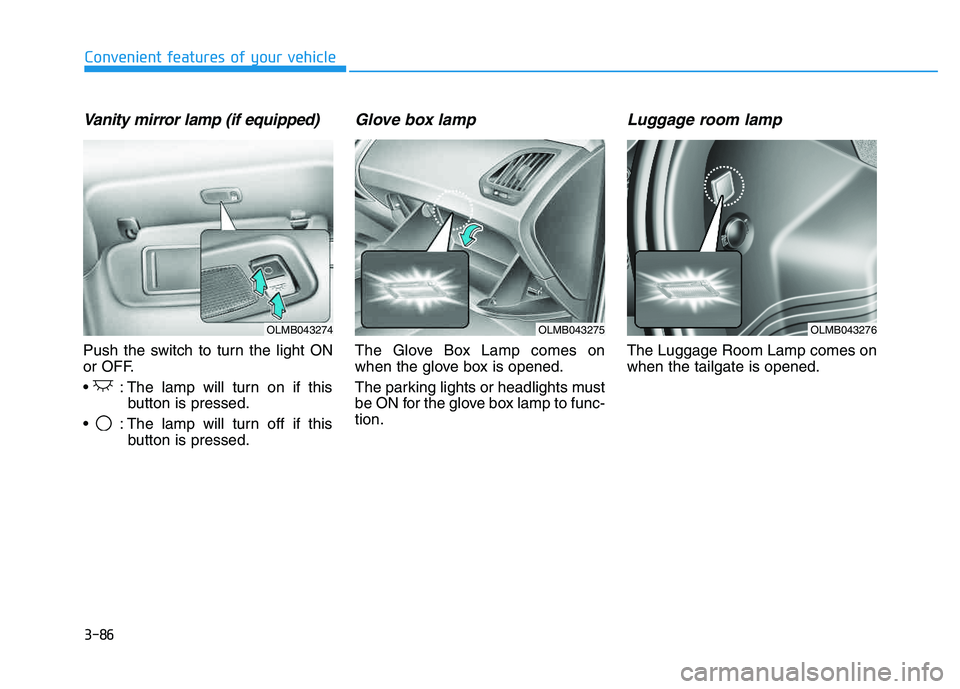
Push the switch to turn the light ON
or OFF.
: The lamp will turn on if thisbutton is pressed.
: The lamp will turn off if this button is pressed.
Glove box lamp
The Glove Box Lamp comes on
when the glove box is opened.
The parking lights or headlights must
be ON for the glove box lamp to func-tion.
Luggage room lamp
The Luggage Room Lamp comes onwhen the tailgate is opened.
OLMB043274OLMB043276OLMB043275
Page 339 of 542
5-3
Driving your vehicle
Before entering the vehicle
• Be sure all windows, outside mir-ror(s), and outside lights are clean
and unobstructed.
Remove frost, snow, or ice.
Visually check the tires for uneven wear and damage.
Check under the vehicle for any sign of leaks.
Be sure there are no obstacles behind you if you intend to back up.
Before starting
Make sure the hood, the tailgate,and the doors are securely closed
and locked.
Adjust the position of the seat and steering wheel.
Adjust the inside and outside rearview mirrors.
Verify all the lights work.
Fasten your seatbelt. Check that all passengers have fastened their
seatbelts.
Check the gauges and indicators in the instrument panel and the mes-
sages on the instrument display
when the ignition switch is in theON position.
Check that any items you are car- rying are stored properly or fas-
tened down securely.
5
CALIFORNIA PROPOSITION 65
WARNING
Engine exhaust and a wide vari- ety of automobile components
including components found inthe interior furnishings in a
vehicle, contain or emit harmful
chemicals known to the State of
California to cause cancer and
birth defects and reproductive
harm. In addition, certain fluids
contained in vehicles and cer-
tain products of components
contain or emit chemicals
known to the State of California
to cause cancer and birth
defects or other reproductiveharm.
WARNING
BBEEFFOO RREE DD RRIIVV IINN GG
Page 342 of 542
5-6
Driving your vehicle
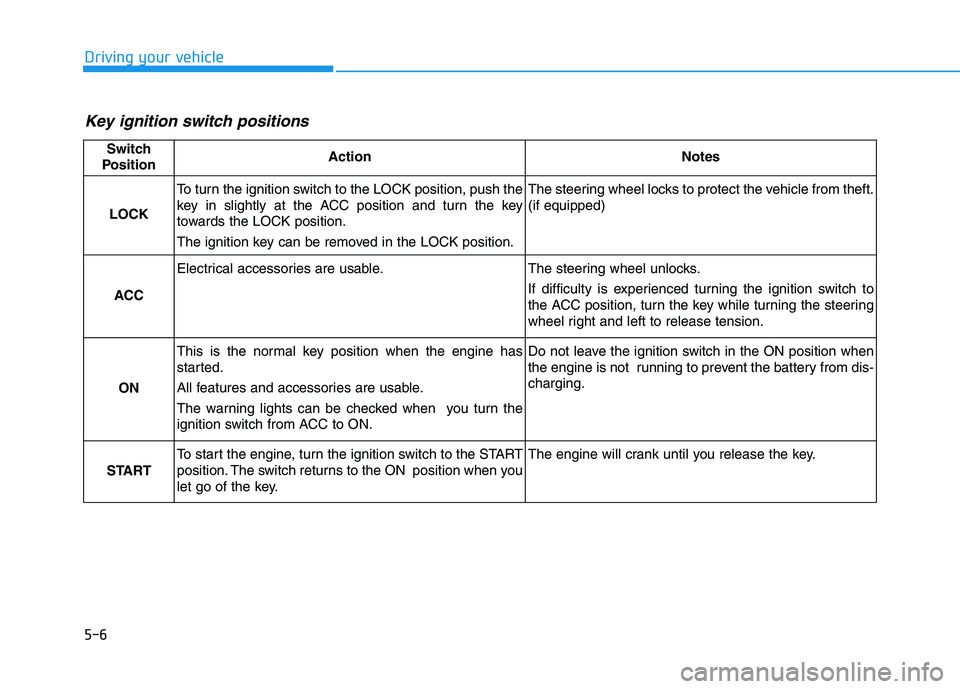
Key ignition switch positions
Switch
PositionActionNotes
LOCK
To turn the ignition switch to the LOCK position, push the
key in slightly at the ACC position and turn the key
towards the LOCK position.
The ignition key can be removed in the LOCK position.The steering wheel locks to protect the vehicle from theft. (if equipped)
ACC
Electrical accessories are usable.The steering wheel unlocks.
If difficulty is experienced turning the ignition switch to
the ACC position, turn the key while turning the steering
wheel right and left to release tension.
ON
This is the normal key position when the engine has
started.
All features and accessories are usable.
The warning lights can be checked when you turn the
ignition switch from ACC to ON.Do not leave the ignition switch in the ON position when
the engine is not running to prevent the battery from dis-charging.
START
To start the engine, turn the ignition switch to the START
position. The switch returns to the ON position when you
let go of the key.The engine will crank until you release the key.
Page 346 of 542
5-10
Driving your vehicle
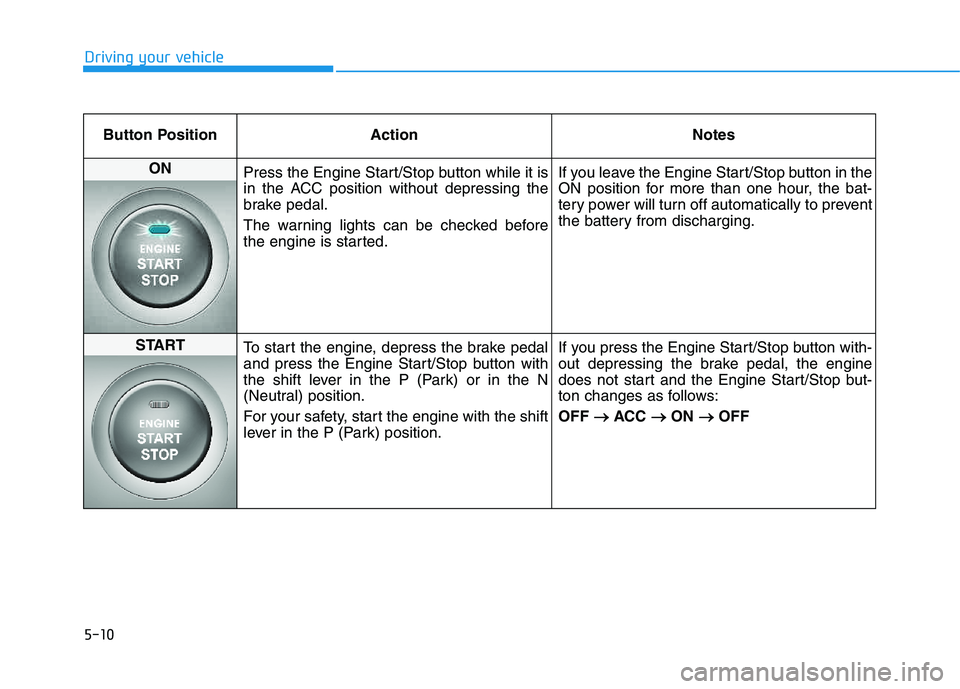
Button Position ActionNotes
ON
Press the Engine Start/Stop button while it is
in the ACC position without depressing the
brake pedal.
The warning lights can be checked before
the engine is started. If you leave the Engine Start/Stop button in the
ON position for more than one hour, the bat-
tery power will turn off automatically to prevent
the battery from discharging.
START
To start the engine, depress the brake pedal
and press the Engine Start/Stop button with
the shift lever in the P (Park) or in the N
(Neutral) position.
For your safety, start the engine with the shift
lever in the P (Park) position. If you press the Engine Start/Stop button with-
out depressing the brake pedal, the engine
does not start and the Engine Start/Stop but-
ton changes as follows: OFF
ACC
ON
OFF
Page 371 of 542
5-35
Driving your vehicle
5
Electronic Stability Control (ESC)
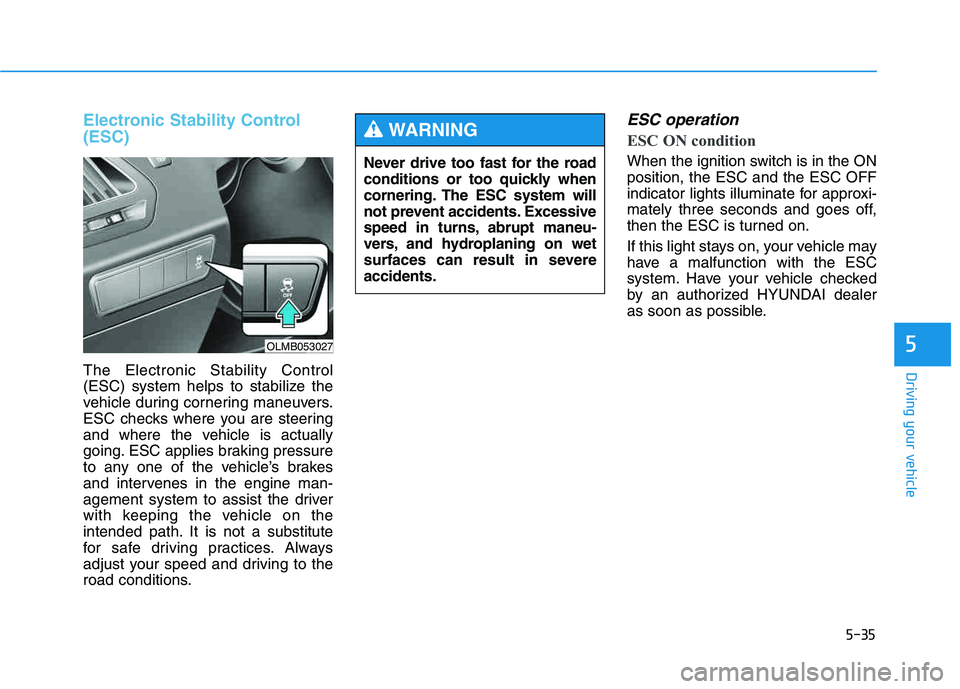
The Electronic Stability Control
(ESC) system helps to stabilize the
vehicle during cornering maneuvers.
ESC checks where you are steering
and where the vehicle is actually
going. ESC applies braking pressure
to any one of the vehicle’s brakes
and intervenes in the engine man-
agement system to assist the driver
with keeping the vehicle on the
intended path. It is not a substitute
for safe driving practices. Always
adjust your speed and driving to the
road conditions.
ESC operation
ESC ON condition
When the ignition switch is in the ON position, the ESC and the ESC OFF
indicator lights illuminate for approxi-
mately three seconds and goes off,
then the ESC is turned on.
If this light stays on, your vehicle may
have a malfunction with the ESC
system. Have your vehicle checked
by an authorized HYUNDAI dealer
as soon as possible.
Never drive too fast for the road
conditions or too quickly when
cornering. The ESC system will
not prevent accidents. Excessive
speed in turns, abrupt maneu-
vers, and hydroplaning on wet
surfaces can result in severeaccidents.
WARNING
OLMB053027
Page 373 of 542
5-37
Driving your vehicle
5
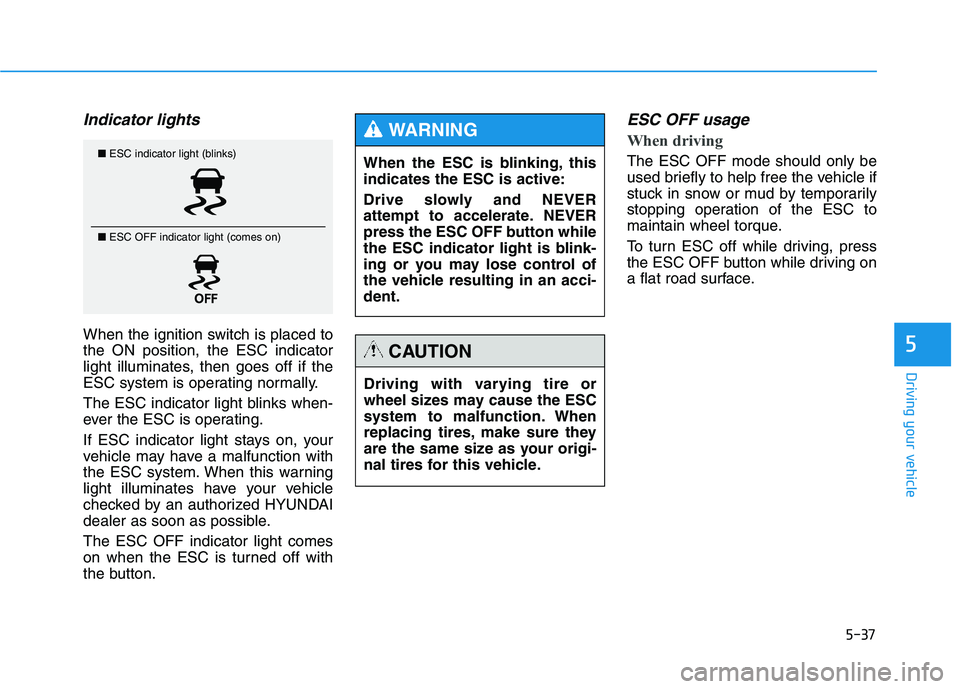
Indicator lights
When the ignition switch is placed to the ON position, the ESC indicator
light illuminates, then goes off if the
ESC system is operating normally.
The ESC indicator light blinks when-
ever the ESC is operating.
If ESC indicator light stays on, your
vehicle may have a malfunction with
the ESC system. When this warning
light illuminates have your vehicle
checked by an authorized HYUNDAI
dealer as soon as possible. The ESC OFF indicator light comes
on when the ESC is turned off with
the button.
ESC OFF usage
When driving
The ESC OFF mode should only be
used briefly to help free the vehicle if
stuck in snow or mud by temporarily
stopping operation of the ESC to
maintain wheel torque.
To turn ESC off while driving, press
the ESC OFF button while driving on
a flat road surface.■ESC indicator light (blinks)
■ ESC OFF indicator light (comes on)When the ESC is blinking, this indicates the ESC is active:
Drive slowly and NEVER
attempt to accelerate. NEVER
press the ESC OFF button while
the ESC indicator light is blink-
ing or you may lose control of
the vehicle resulting in an acci-dent.
WARNING
Driving with varying tire or
wheel sizes may cause the ESC
system to malfunction. When
replacing tires, make sure they
are the same size as your origi-
nal tires for this vehicle.
CAUTION
Page 374 of 542
5-38
Driving your vehicle
✽✽NOTICE
Turning the ESC OFF does not
affect ABS or standard brake sys-
tem operation.Vehicle Stability Management (VSM)
Vehicle Stability Management (VSM)
helps ensure the vehicle stays stable
when accelerating or braking sud-
denly on wet, slippery and rough
roads where traction over the four
tires can suddenly become uneven.
To prevent damage to thetransaxle:
Do not allow wheel(s) of one
axle to spin excessively while
the ESC, ABS, and brake
warning lights are displayed.
The repairs would not be cov-
ered by the vehicle warranty.
Reduce engine power and do
not spin the wheel(s) exces-
sively while these lights are
displayed.
When operating the vehicle
on a dynamometer, ensure theESC is turned off (ESC OFFlight illuminated).
CAUTION
Take the following precautions
when using the Vehicle Stability
Management (VSM):
ALWAYS check the speed and
the distance to the vehicle
ahead. The VSM is not a sub-
stitute for safe driving prac-tices.
Never drive too fast for the
road conditions. The VSM sys-
tem will not prevent acci-
dents. Excessive speed in bad
weather, slippery and uneven
roads can result in severeaccidents.
WARNING