audio HYUNDAI TUCSON 2014 Service Manual
[x] Cancel search | Manufacturer: HYUNDAI, Model Year: 2014, Model line: TUCSON, Model: HYUNDAI TUCSON 2014Pages: 542, PDF Size: 7.59 MB
Page 283 of 542
4-72
Multimedia System
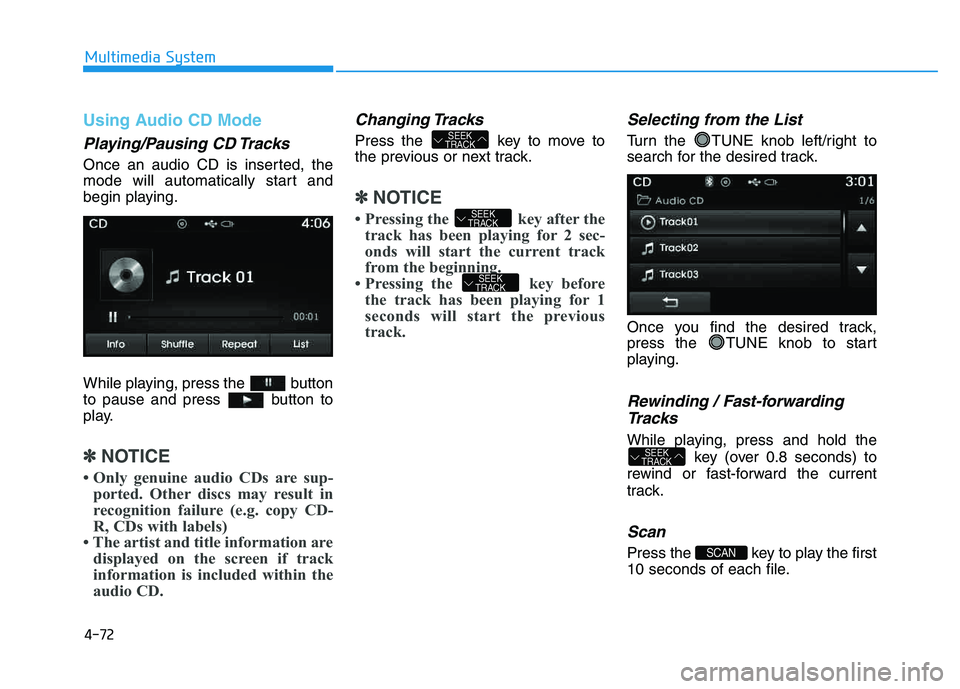
Using Audio CD Mode
Playing/Pausing CD Tracks
Once an audio CD is inserted, the
mode will automatically start and
begin playing.
While playing, press the button
to pause and press button to
play.
✽✽NOTICE
Only genuine audio CDs are sup- ported. Other discs may result in
recognition failure (e.g. copy CD-
R, CDs with labels)
The artist and title information are displayed on the screen if track
information is included within the
audio CD.
Changing Tracks
Press the key to move to
the previous or next track.
✽✽ NOTICE
Pressing the key after the track has been playing for 2 sec-
onds will start the current track
from the beginning.
Pressing the key before the track has been playing for 1
seconds will start the previous
track.
Selecting from the List
Turn the TUNE knob left/right to
search for the desired track.
Once you find the desired track,
press the TUNE knob to start
playing.
Rewinding / Fast-forwarding
Tracks
While playing, press and hold the key (over 0.8 seconds) to
rewind or fast-forward the current
track.
Scan
Press the key to play the first
10 seconds of each file.SCAN
SEEK
TRACK
SEEK
TRACK
SEEK
TRACK
SEEK
TRACK
Page 284 of 542
4-73
Multimedia System
4
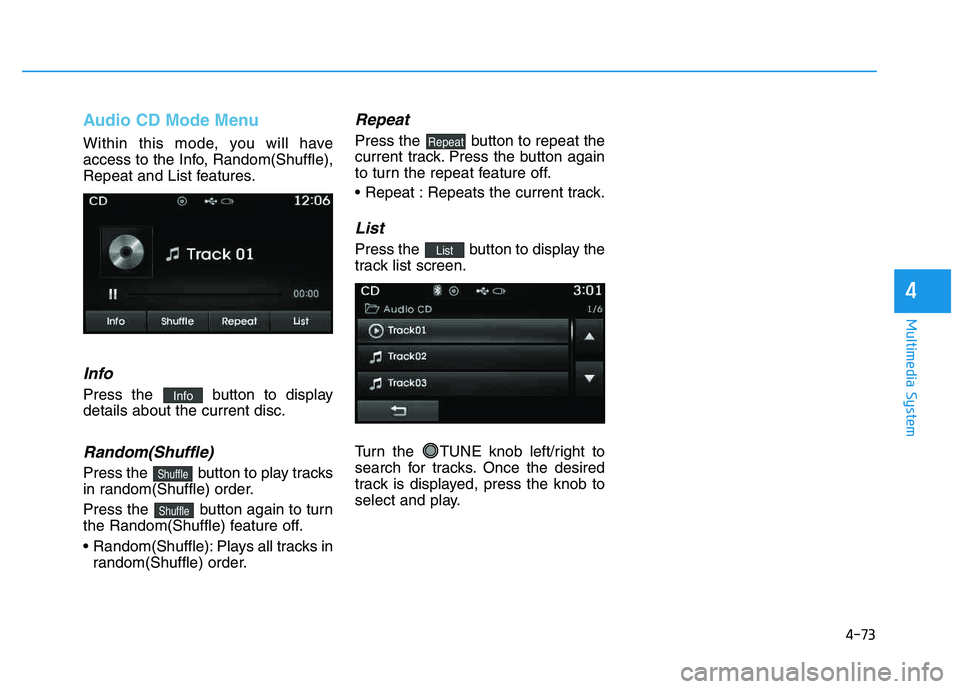
Audio CD Mode Menu
Within this mode, you will have
access to the Info, Random(Shuffle),
Repeat and List features.
Info
Press the button to displaydetails about the current disc.
Random(Shuffle)
Press the button to play tracks
in random(Shuffle) order.
Press the button again to turn
the Random(Shuffle) feature off.
Random(Shuffle): Plays all tracks inrandom(Shuffle) order.
Repeat
Press the button to repeat the
current track. Press the button again
to turn the repeat feature off.
Repeats the current track.
List
Press the button to display the
track list screen.
Turn the TUNE knob left/right to
search for tracks. Once the desired
track is displayed, press the knob to
select and play.List
Repeat
Shuffle
Shuffle
Info
Page 289 of 542
4-78
Multimedia System
✽✽NOTICE - USING THE USB DEVICE
Connect the USB device after turning on the engine. The USB
device may become damaged if
it is already connected when the
ignition is turned on.The USB
device may not operate properly
if the car ignition is turned on or
off with the USB device connect-
ed.
Heed caution to static electricity when connecting/disconnecting
USB devices.
Encoded MP3 Players will not be recognized when connected
as an external device.
When connecting an external USB device, the device may not
properly recognize the USB is in
some states.
Only products formatted with byte/sectors under 64Kbyte will
be recognized.
This device recognizes USB devices formatted in FAT
12/16/32 file formats. This
device does not recognize files in
NTFS file format. (Continued)(Continued)
Some USB devices may not be supported due to compatibility
issues.
Avoid contact between the USB connector with bodily parts or
foreign objects.
Repeated connecting/discon- necting of USB devices within
short periods of time may result
in product malfunction.
A strange noise may occur when disconnecting the USB.
Make sure to connect/discon- nect external USB devices with
the audio power turned off.
The amount of time required to recognize the USB device may
differ depending on the type,
size or file formats stored in the
USB. Such differences in time
are not indications of malfunc-
tions.
The device only supports USB devices used to play music files.
USB images and videos are not supported. (Continued)(Continued)
Do not use the USB I/F to charge batteries or USB acces-
sories that generate heat. Such
acts may lead to worsened per-
formance or damage to the
device.
The device may not recognize the USB device if separately
purchased USB hubs and exten-
sion cables are being used.
Connect the USB directly with
the multimedia terminal of the
vehicle.
When using mass storage USB devices with separate logical
drives, only files saved to the
root drive can be played.
Files may not properly operate if application programs are
installed to the USBs.
The device may not operate nor- mally if MP3 Players, cellular
phones, digital cameras, or
other electronic devices (USB
devices not recognized as
portable disk drives) are con-
nected with the device.
Page 290 of 542
4-79
Multimedia System
4
(Continued)
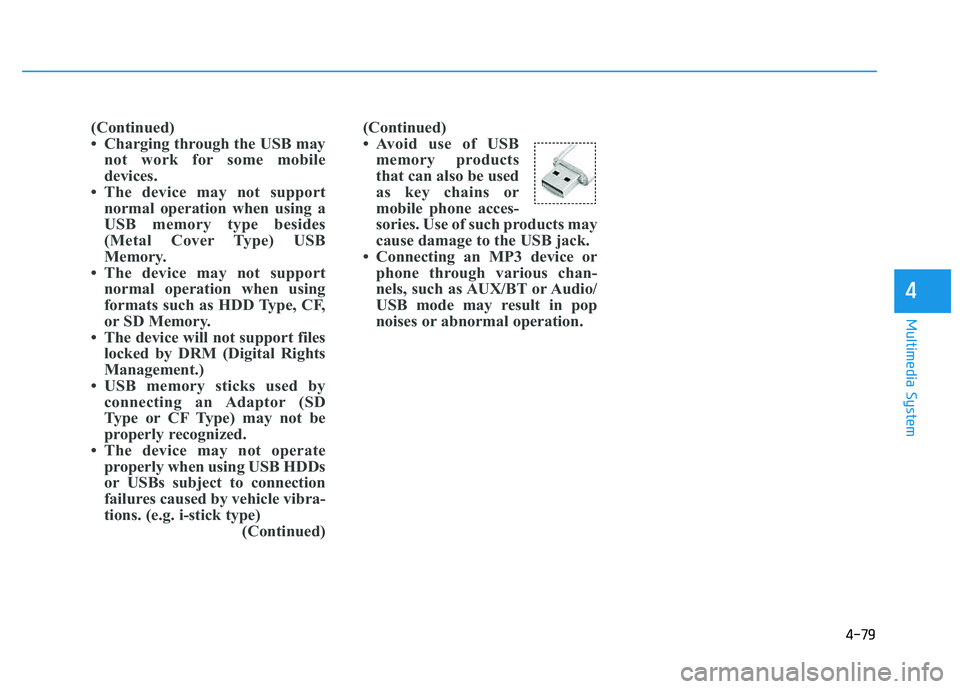
Avoid use of USBmemory products
that can also be used
as key chains or
mobile phone acces-
sories. Use of such products may
cause damage to the USB jack.
Connecting an MP3 device or phone through various chan-
nels, such as AUX/BT or Audio/
USB mode may result in pop
noises or abnormal operation.
(Continued)
Charging through the USB may
not work for some mobile
devices.
The device may not support normal operation when using a
USB memory type besides
(Metal Cover Type) USB
Memory.
The device may not support normal operation when using
formats such as HDD Type, CF,
or SD Memory.
The device will not support files locked by DRM (Digital Rights
Management.)
USB memory sticks used by connecting an Adaptor (SD
Type or CF Type) may not be
properly recognized.
The device may not operate properly when using USB HDDs
or USBs subject to connection
failures caused by vehicle vibra-
tions. (e.g. i-stick type) (Continued)
Page 295 of 542
4-84
Multimedia System
✽✽NOTICE - USING THE
iPod ®
DEVICE
iPod ®
is a registered trademark
of Apple Inc.
In order to use the iPod ®
while
operating the keys, you must use
a dedicated iPod ®
cable. (the
cable that is supplied when pur-
chasing iPod ®
/iPhone ®
prod-
ucts)
If the iPod ®
is connected to the
vehicle while it is playing, a high
pitch sound could occur for
approximately 1-2 seconds
immediately after connecting. If
possible, connect the iPod to the
vehicle with the iPod ®
stopped/paused.
During ACC ON state, connect- ing the iPod ®
through the iPod ®
cable will charge the iPod ®
through the car audio system.
When connecting with the iPod ®
cable, make sure to fully insert
the jack to prevent communica-
tion interference. (Continued)(Continued)
When the EQ features of an
external device, such as the
iPod ®
, and the audio system are
both active, EQ effects could
overlap and cause sound deteri-
oration and distortion.
Whenever possible, turn off the
EQ feature within the external
device upon use by connecting
with the audio system.
Noise may occur when an iPod ®
or AUX device is connected.
When such devices are not
being used, disconnect the
device for storage.
When the iPod ®
or AUX device
power is connected to the power
jack, playing the external device
may result in noise. In such
cases, disconnect the power con-
nection before use.
Skipping or improper operation may occur depending on the
characteristics of your iPod ®
/Phone ®
device.
(Continued) (Continued)
If your iPhone
®
is connected to
both the Bluetooth®
Wireless
Technology and USB, the sound
may not be properly played. In
your iPhone ®
, select the Dock
connector or Bluetooth®
Wireless Technology to change
the sound output (source).
iPod mode cannot be operated when the iPod ®
cannot be recog-
nized due to versions that do not
support communication proto-
cols.
For fifth generation iPod ®
Nano
devices, the iPod ®
may not be
recognized when the battery
level is low. Please charge the
iPod ®
for use.
Search/play orders shown within the iPod ®
device may differ with
the orders shown within the
audio system.
If the iPod ®
malfunctions due to
an iPod ®
device defect, reset the
iPod ®
and try again. (To learn
more, refer to your iPod®
manu-
al) (Continued)
Page 297 of 542
4-86
Multimedia System
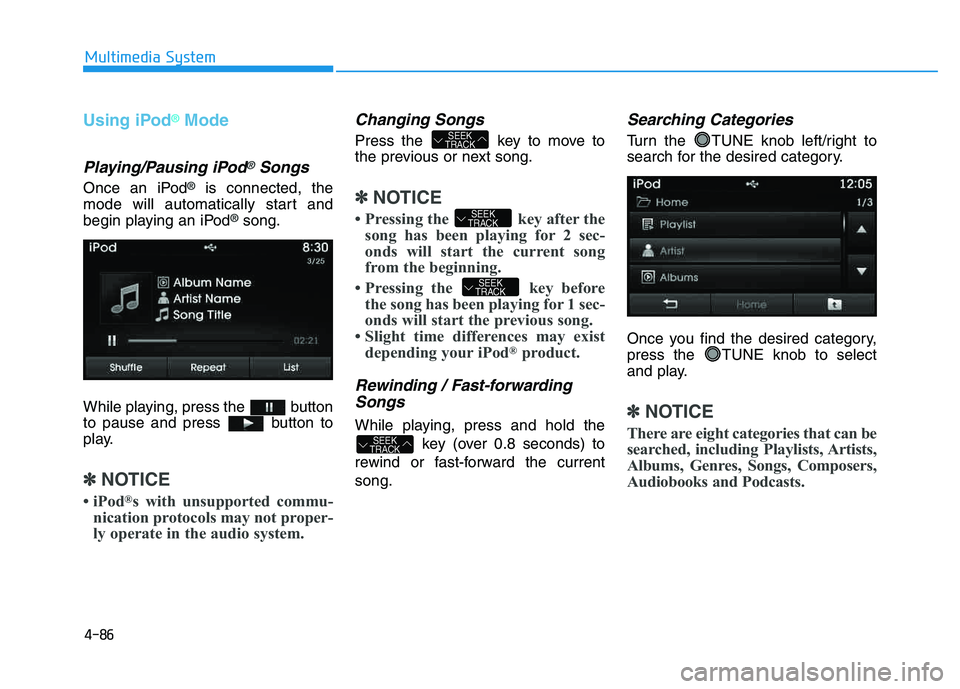
Using iPod®Mode
Playing/Pausing iPod®Songs
Once an iPod®is connected, the
mode will automatically start and
begin playing an iPod
®song.
While playing, press the button
to pause and press button to
play.
✽✽ NOTICE
iPod ®
s with unsupported commu-
nication protocols may not proper-
ly operate in the audio system.
Changing Songs
Press the key to move to
the previous or next song.
✽✽ NOTICE
Pressing the key after the song has been playing for 2 sec-
onds will start the current song
from the beginning.
Pressing the key before the song has been playing for 1 sec-
onds will start the previous song.
Slight time differences may exist depending your iPod ®
product.
Rewinding / Fast-forwarding
Songs
While playing, press and hold the
key (over 0.8 seconds) to
rewind or fast-forward the current song.
Searching Categories
Turn the TUNE knob left/right to
search for the desired category.
Once you find the desired category,
press the TUNE knob to select
and play.
✽✽ NOTICE
There are eight categories that can be
searched, including Playlists, Artists,
Albums, Genres, Songs, Composers,
Audiobooks and Podcasts.
SEEK
TRACK
SEEK
TRACK
SEEK
TRACK
SEEK
TRACK
Page 300 of 542
4-89
Multimedia System
4
Connecting an External Device
External audio players (Camcorders,
car VCR, etc.) can be played through
a dedicated cable.
✽✽NOTICE
If an external device connector is connected with the AUX terminal,
then AUX mode will automatically
operate. Once the connector is dis-
connected, the previous mode will
be restored.
AUX mode can be used only when an external audio player (cam-
corder, car VCR, etc.) has been
connected.
The AUX volume can be con- trolled separately from other
audio modes.
Connecting a connector jack to the AUX terminal without an external
device will convert the system to
AUX mode, but only output noise.
When an external device is not
being used, also remove the con-
nector jack.
When the external device power is connected to the power jack, play-
ing the external device may output
noise. In such cases, disconnect the
power connection before use.
Fully insert the AUX cable to the AUX jack upon use.
Page 304 of 542
4-93
Multimedia System
4
After selecting the files you want to
delete, press the button to
delete the selected files.
✽✽NOTICE
If there is memory available, up to 6,000 files can be saved.
Identical files cannot be copied more than 1,000 times.
To check memory information, go to [System] [Memory
Information] ✽
✽
NOTICE - USING THE
Bluetooth®Wireless
Technology Audio Mode
Bluetooth ®
Wireless Technology
Audio Mode can be used only
when a Bluetooth®
Wireless
Technology phone has been con-
nected.
Bluetooth ®
Wireless Technology
Audio Mode will not be available
when connecting mobile phones
that do not support this feature.
While Bluetooth®
Wireless
Technology Audio is playing, if the
Bluetooth ®
Wireless Technology
phone is connected, then the music
will also stop.
Moving the Track up/down while playing Bluetooth®
Wireless
Technology audio mode may
result in pop noises in some mobile
phones.
Bluetooth ®
Wireless Technology
streaming audio may not be sup-
ported in some mobile phones. (Continued)(Continued)
When returning to Bluetooth®
Wireless Technology Audio mode
after ending a call, the mode may
not automatically restart in some
mobile phones.
Receiving an incoming call or mak- ing an outgoing call while playing
Bluetooth ®
Wireless Technology
Audio may result in audio interfer-
ence.
SETUP
Delete
Page 305 of 542
4-94
Multimedia System
BBlluu eettoo oo tthh®®WW iirr ee llee ssss
T
T eecchh nnoo lloo ggyy AAUU DDIIOO MM OODDEE
Using Bluetooth®Wireless
Technology Audio Mode
Playing/Pausing Bluetooth®
Wireless TechnologyAudio
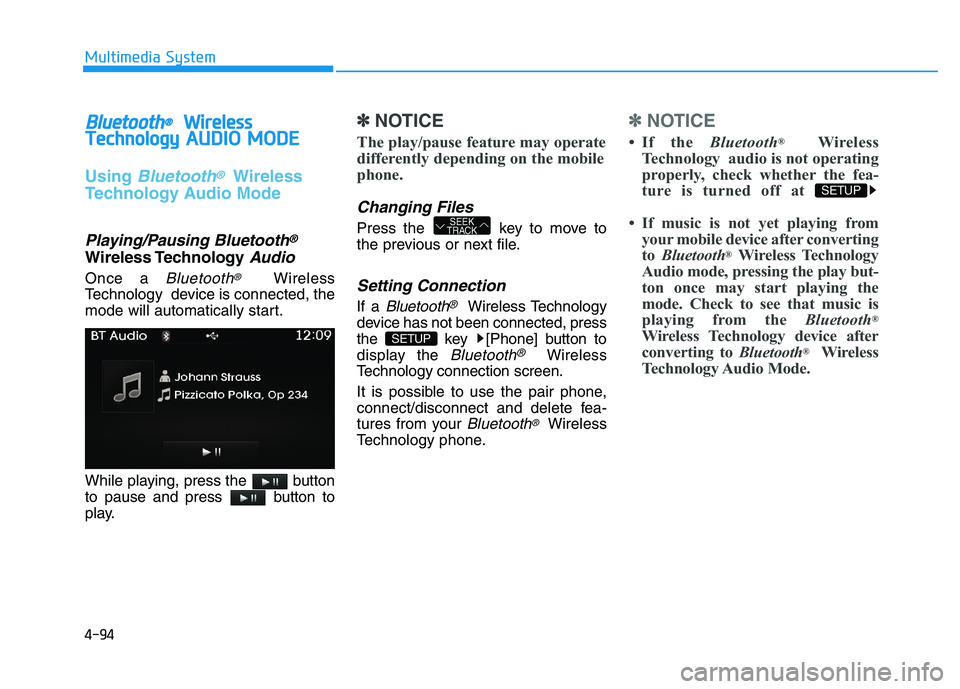
Once a Bluetooth®Wireless
Technology device is connected, the
mode will automatically start.
While playing, press the button
to pause and press button to
play.
✽✽ NOTICE
The play/pause feature may operate
differently depending on the mobile
phone.
Changing Files
Press the key to move to
the previous or next file.
Setting Connection
If a Bluetooth®Wireless Technology
device has not been connected, press
the key [Phone] button to
display the
Bluetooth®Wireless
Technology connection screen.
It is possible to use the pair phone,
connect/disconnect and delete fea-
tures from your
Bluetooth®Wireless
Technology phone.
✽✽ NOTICE
If the Bluetooth®
Wireless
Technology audio is not operating
properly, check whether the fea-
ture is turned off at
If music is not yet playing from your mobile device after convertingto Bluetooth ®
Wireless Technology
Audio mode, pressing the play but-
ton once may start playing the
mode. Check to see that music is
playing from the Bluetooth®
Wireless Technology device after
converting to Bluetooth®
Wireless
Technology Audio Mode.
SETUP
SETUP
SEEK
TRACK
Page 306 of 542
4-95
Multimedia System
4
Pairing a Bluetooth®Wireless
Technology Device
What is Bluetooth® Wireless
Technology Pairing?
Pairing refers to the process of syn-
chronizing your
Bluetooth®Wireless
Technology phone or device with the
car audio system for connection.
Pairing is necessary to connect anduse the
Bluetooth®Wireless
Technology feature.
Pairing Key / Key
on the Steering Remote
Controller
When No Devices have been
Paired
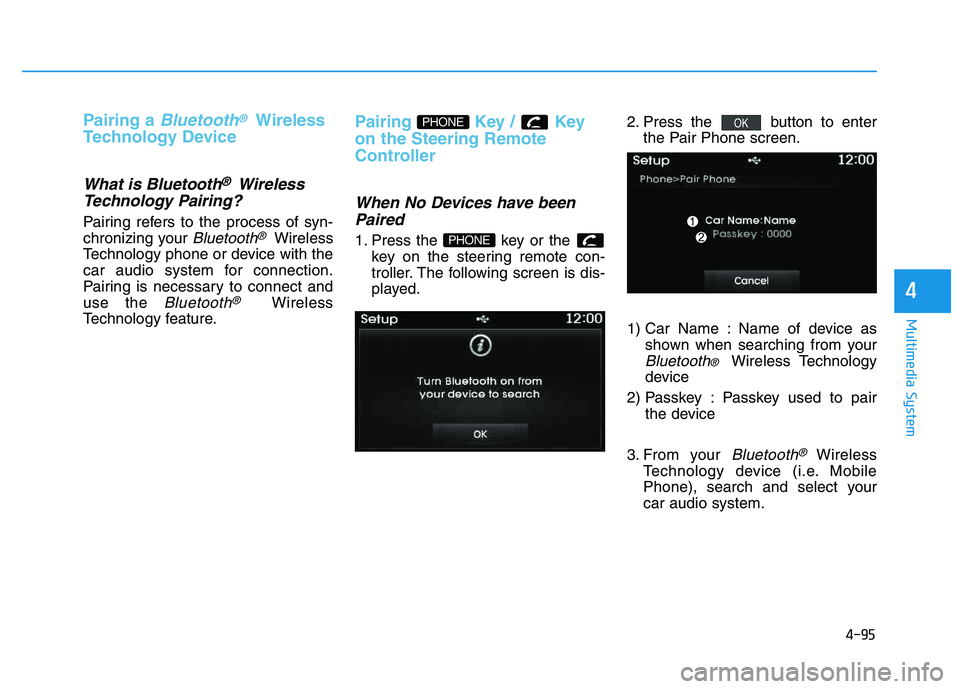
1. Press the key or the key on the steering remote con-
troller. The following screen is dis-
played. 2. Press the button to enter
the Pair Phone screen.
1) Car Name : Name of device as shown when searching from your
Bluetooth® Wireless Technology
device
2) Passkey : Passkey used to pair the device
3. From your
Bluetooth®Wireless
Technology device (i.e. Mobile
Phone), search and select yourcar audio system.
OK
PHONE
PHONE