CD player HYUNDAI TUCSON 2014 Owners Manual
[x] Cancel search | Manufacturer: HYUNDAI, Model Year: 2014, Model line: TUCSON, Model: HYUNDAI TUCSON 2014Pages: 542, PDF Size: 7.59 MB
Page 19 of 542
2-2
You will find many safety precautions and recommendations throughoutthis section, and throughout this man-
ual. The safety precautions in this sec-
tion are among the most important.
Always wear your seat belt
A seat belt is your best protection in
all types of accidents. Air bags are
designed to supplement seat belts,
not replace them. So even though
your vehicle is equipped with air bags,
ALWAYS make sure you and your
passengers wear your seat belts, and
wear them properly.
Restrain all children
All children under age 13 should ride
in your vehicle properly restrained in
a rear seat, not the front seat. Infantsand small children should be
restrained in an appropriate child
restraint. Larger children should usea booster seat with the lap/shoulder
belt until they can use the seat belt
properly without a booster seat.
Air bag hazards
While air bags can save lives, they
can also cause serious or fatal
injuries to occupants who sit tooclose to them, or who are not prop-
erly restrained. Infants, young chil-
dren, and shorter adults are at the
greatest risk of being injured by an
inflating air bag. Follow all instruc-
tions and warnings in this manual.
Driver distraction
Driver distraction presents a serious
and potentially deadly danger, espe-
cially for inexperienced drivers. Safety
should be the first concern when
behind the wheel and drivers need to
be aware of the wide array of potential
distractions, such as drowsiness,
reaching for objects, eating, personal
grooming, other passengers, and
using cellular phones, to name a few.
Drivers can become distracted when
they take their eyes and attention offthe road or their hands off the wheel
to focus on activities other than driv-
ing. To reduce your risk of distractionor getting into an accident:
• ALWAYS set up your mobile devices(i.e., MP3 players, phones, naviga-
tion units, etc.) when your vehicle is
parked or safely stopped.
ONLY use your mobile device when allowed by laws and when conditions
permit safe use. NEVER text or
email while driving. Most states have
laws prohibiting drivers from texting.Some states and cities also prohibit
drivers from using handheld phones.
IIMM PPOO RRTTAA NN TT SS AA FFEE TT YY PP RR EECCAA UU TTIIOO NNSS
Safety system of your vehicle
Page 212 of 542
Multimedia System
AUDIO SYSTEM ......................................................4-2
HOW VEHICLE AUDIO WORKS .............................4-4
CD PLAYER : AC110TMKN, AC1B0TMKN, AC1B1TMAN ..................................4-16
System controllers and functions ...............................4-17
Setup ..................................................................................4-20
Radio : FM, AM OR XM .................................................4-24
Basic method of use ......................................................4-27
Bluetooth®Wireless Technology Audio .....................4-34
Phone .................................................................................4-36
Voice command list .........................................................4-53
CD PLAYER : AC111TMAN, AC110TMAN ..........4-59
System controllers and functions ...............................4-60
Steering remote controller ...........................................4-62
RADIO mode .....................................................................4-64 XM RADIO TM
mode...........................................................4-66
MEDIA mode .....................................................................4-70
AUDIO CD mode ...............................................................4-71
MP3 CD mode ..................................................................4-74
USB mode..........................................................................4-80
iPod ®
mode........................................................................4-85
AUX mode .........................................................................4-88
MY MUSIC mode .............................................................4-90
Bluetooth ®Wireless Technology Audio .....................4-94
Pairing a
Bluetooth ®Wireless Technology Device....4-95 Using
Bluetooth
® Wireless Technology....................4-100
Voice recognition ..........................................................4-108
Setup ................................................................................4-115
Rear view camera .........................................................4-121 Blue Link ®
........................................................................4-122
4
Page 218 of 542
4-7
Multimedia System
4
Caring for disc
If the temperature inside the car is toohigh, open the car windows to venti-
late before using the system.
It is illegal to copy and use MP3/WMA files without permission.
Use CDs that are created only by
lawful means.
Do not apply volatile agents, such as benzene, or thinner, normal
cleaners, magnetic sprays made
for analogue disc onto CDs.
To prevent the disc surface from getting damaged, hold CDs by the
edges or the center hole only.
Clean the disc surface with a piece of soft cloth before playback (wipeit from the center to the outside edge).
Do not damage the disc surface or attach pieces of sticky tape or
paper.
Make certain only CDs are insert- ed into the CD player (Do not insertmore than one CD at a time).
Keep CDs in their cases after use to protect them from scratches or dirt. Depending on the type of CD-
R/CD-RW CDs, certain CDs may
not operate normally according to
the manufacturing companies. In
such circumstances, continued
use may cause malfunctions to
your audio system.
✽✽ NOTICE
- Playing an Incompatible
Copy Protected Audio CD
Some copy protected CDs, which do
not comply with international audio
CD standards (Red Book), may not
play on your car audio. Please note
that inabilities to properly play a
copy protected CD may indicate
that the CD is defective, not the CD
player.
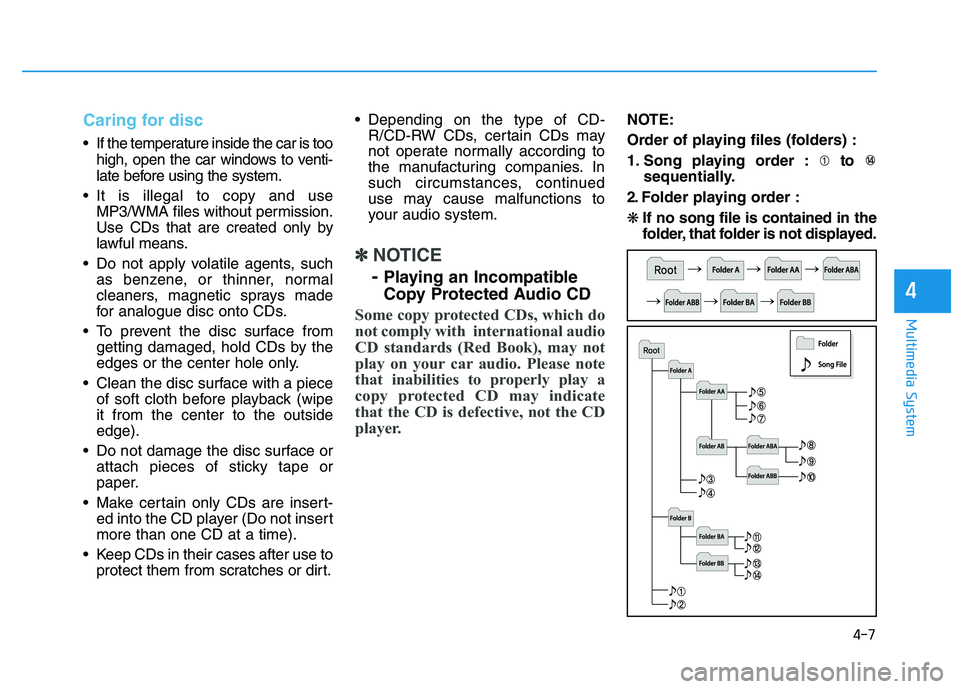
NOTE:
Order of playing files (folders) :
1. Song playing order : to
sequentially.
2. Folder playing order :❋ If no song file is contained in the
folder, that folder is not displayed.
Page 221 of 542
4-10
Multimedia System
✽✽NOTICE - USING THE USB DEVICE
To use an external USB device, make sure the device is not con-
nected when starting up the
vehicle. Connect the device after
starting up.
If you start the engine when the USB device is connected, it may
damage the USB device. (USB
flashdrives are very sensitive to
electric shock.)
If the engine is started up or turned off while the external USB
device is connected, the external
USB device may not work.
The System may not play unau- thenticated MP3 or WMA files.
1) It can only play MP3 files with the compression rate between
8Kbps~320Kbps.
2) It can only play WMA music files with the compression rate
between 8Kbps~320Kbps.
Take precautions for static elec- tricity when connecting or dis-
connecting the external USB
device. (Continued)(Continued)
An encrypted MP3 PLAYER is
not recognizable.
Depending on the condition of the external USB device, the
connected external USB device
can be unrecognizable.
When the formatted byte/sector setting of External USB device
is not either 512BYTE or
2048BYTE, then the device will
not be recognized.
Use only a USB device format- ted to FAT 12/16/32.
USB devices without USB I/F authentication may not be rec-
ognizable.
Make sure the USB connection terminal does not come in con-
tact with the human body or
other objects.
If you repeatedly connect or dis- connect the USB device in a
short period of time, it may
break the device.
You may hear a strange noise when connecting or disconnect-
ing a USB device. (Continued)(Continued)
If you disconnect the external
USB device during playback in
USB mode, the external USB
device can be damaged or may
malfunction. Therefore, discon-
nect the external USB device
when the audio is turned off or
in another mode. (e.g, Radio,
CD)
Depending on the type and capacity of the external USB
device or the type of the files
stored in the device, there is a
difference in the time taken for
recognition of the device.
Do not use the USB device for purposes other than playing
music files.
Playing videos through the USB is not supported.
Use of USB accessories such as rechargers or heaters using USB
I/F may lower performance or
cause trouble. (Continued)
Page 222 of 542
4-11
Multimedia System
4
(Continued)
Some USB flash memory readers(such as CF, SD, micro SD, etc.) or
external-HDD type devices can be
unrecognizable.
Music files protected by DRM (DIGITAL RIGHTS MANAGE-
MENT) are not recognizable.
The data in the USB memory may be lost while using this audio.
Always back up important data
on a personal storage device.
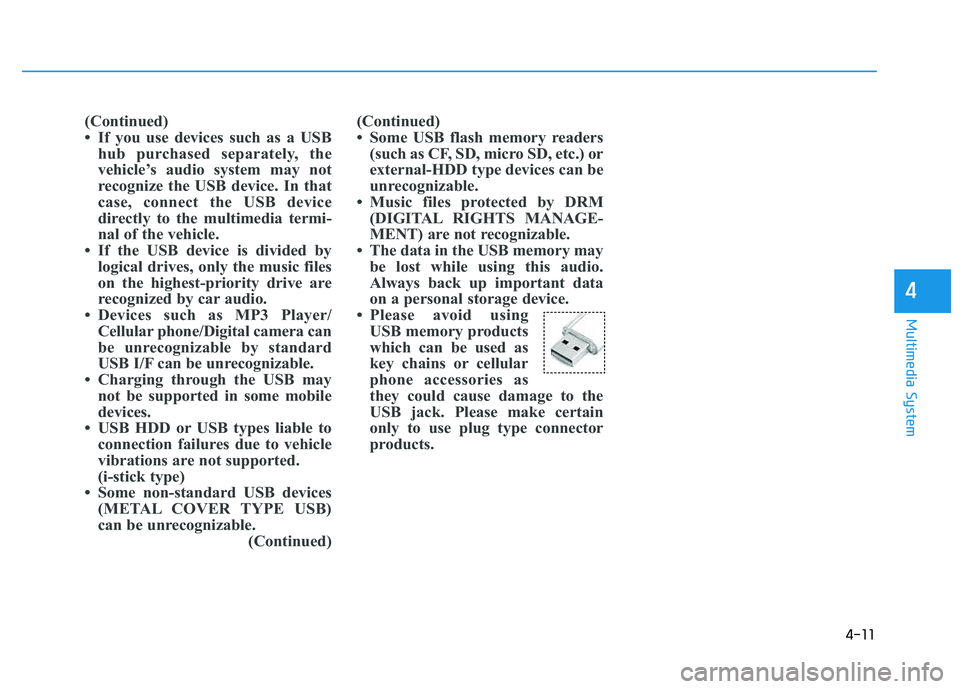
Please avoid using USB memory products
which can be used as
key chains or cellular
phone accessories as
they could cause damage to the
USB jack. Please make certain
only to use plug type connector
products.(Continued)
If you use devices such as a USBhub purchased separately, the
vehicle’s audio system may not
recognize the USB device. In that
case, connect the USB device
directly to the multimedia termi-
nal of the vehicle.
If the USB device is divided by logical drives, only the music files
on the highest-priority drive are
recognized by car audio.
Devices such as MP3 Player/ Cellular phone/Digital camera can
be unrecognizable by standard
USB I/F can be unrecognizable.
Charging through the USB may not be supported in some mobile
devices.
USB HDD or USB types liable to connection failures due to vehicle
vibrations are not supported.
(i-stick type)
Some non-standard USB devices (METAL COVER TYPE USB)
can be unrecognizable. (Continued)
Page 227 of 542
4-16
Multimedia System
■■
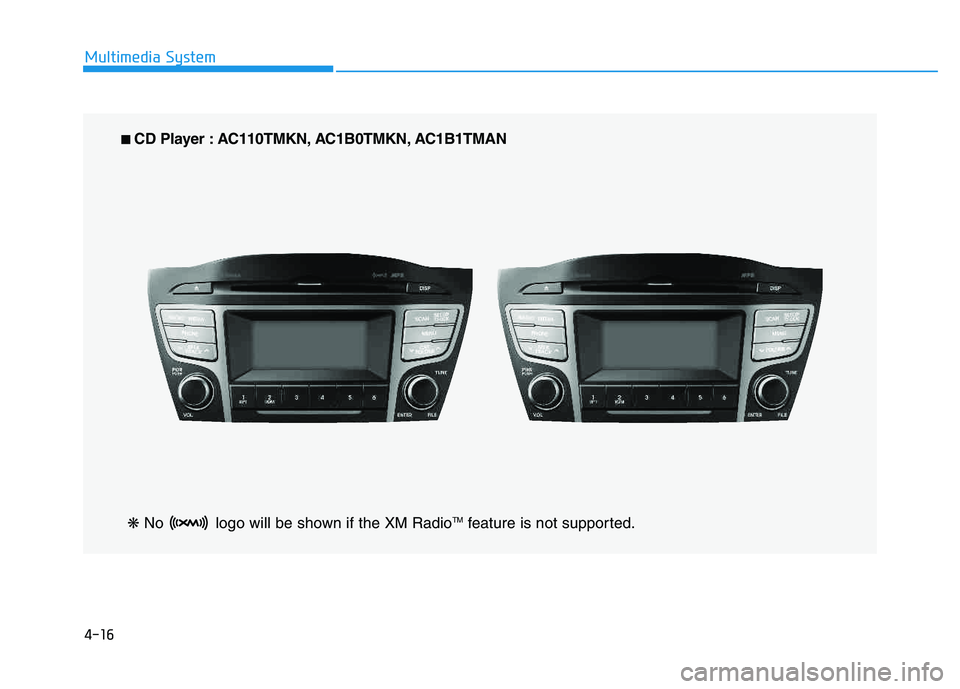
CD Player : AC110TMKN, AC1B0TMKN, AC1B1TMAN
❋ No logo will be shown if the XM Radio TM
feature is not supported.
Page 270 of 542
4-59
Multimedia System
4
■■
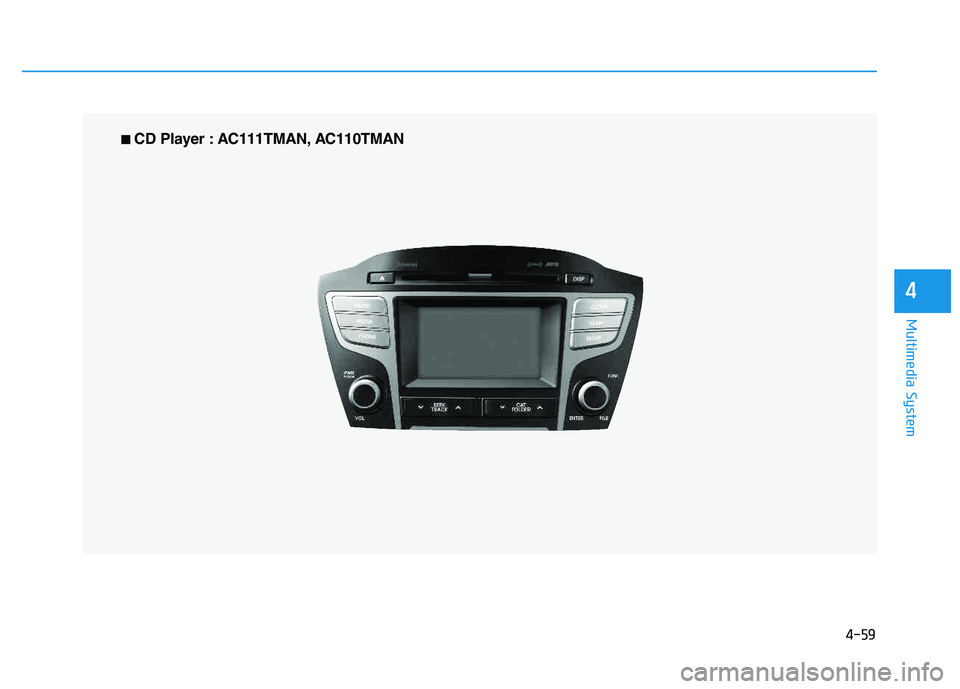
CD Player : AC111TMAN, AC110TMAN
Page 280 of 542
4-69
Multimedia System
4
✽✽NOTICE - USING THE DISCS
This device has been manufac- tured to be compatible with soft-
ware bearing the following logo
marks.
Do not clean discs with chemical solutions, such as record sprays,
antistatic sprays, antistatic liq-
uids, benzene, or thinners.
After using a disc, put the disc back in its original case to prevent
disc scratches.
Hold discs by their edges or with- in the center hole to prevent dam-
ages to disc surfaces.
Do not introduce foreign sub- stances into the disc insert/eject slot.
Introducing foreign substances
could damage the device interior.
Do not insert two discs simultane- ously.
When using CD-R/CD-RW discs, differences in disc reading and
playing times may occur depend-
ing on the disc manufacturer, pro-
duction method and the recording
method as used by the user. (Continued)(Continued)
Clean fingerprints and dust off
the disc surface (coated side) with
a soft cloth.
The use of CD-R/CD-RW discs attached with labels may result in
disc slot jams or difficulties in disc
removal. Such discs may also
result in noise while playing.
Some CD-R/CD-RW discs may not properly operate depending
on the disc manufacturer, produc-
tion method and the record
method as used by the user. If
problems persist, trying using a
different CD as continued use
may result in malfunctions.
The performance of this product may differ depending on the CD-
RW Drive Software.
Copy-protected CDs such as S- type CDs may not function in the
device. DATA discs cannot be
played. (However, such discs may
still operate but will do so abnor-
mally.) (Continued)(Continued)
Do not use abnormally shaped
discs (8cm, heart-shaped, octa-
gon-shaped) as such discs could
lead to malfunctions.
If the disc is straddled on the disc slot without removal for 10 sec-
onds, the disc will automatically
be re-inserted into the disc player.
Only genuine audio CDs are sup- ported. Other discs may result in
recognition failure (e.g. copy CD-
R, CDs with labels)
Page 289 of 542
4-78
Multimedia System
✽✽NOTICE - USING THE USB DEVICE
Connect the USB device after turning on the engine. The USB
device may become damaged if
it is already connected when the
ignition is turned on.The USB
device may not operate properly
if the car ignition is turned on or
off with the USB device connect-
ed.
Heed caution to static electricity when connecting/disconnecting
USB devices.
Encoded MP3 Players will not be recognized when connected
as an external device.
When connecting an external USB device, the device may not
properly recognize the USB is in
some states.
Only products formatted with byte/sectors under 64Kbyte will
be recognized.
This device recognizes USB devices formatted in FAT
12/16/32 file formats. This
device does not recognize files in
NTFS file format. (Continued)(Continued)
Some USB devices may not be supported due to compatibility
issues.
Avoid contact between the USB connector with bodily parts or
foreign objects.
Repeated connecting/discon- necting of USB devices within
short periods of time may result
in product malfunction.
A strange noise may occur when disconnecting the USB.
Make sure to connect/discon- nect external USB devices with
the audio power turned off.
The amount of time required to recognize the USB device may
differ depending on the type,
size or file formats stored in the
USB. Such differences in time
are not indications of malfunc-
tions.
The device only supports USB devices used to play music files.
USB images and videos are not supported. (Continued)(Continued)
Do not use the USB I/F to charge batteries or USB acces-
sories that generate heat. Such
acts may lead to worsened per-
formance or damage to the
device.
The device may not recognize the USB device if separately
purchased USB hubs and exten-
sion cables are being used.
Connect the USB directly with
the multimedia terminal of the
vehicle.
When using mass storage USB devices with separate logical
drives, only files saved to the
root drive can be played.
Files may not properly operate if application programs are
installed to the USBs.
The device may not operate nor- mally if MP3 Players, cellular
phones, digital cameras, or
other electronic devices (USB
devices not recognized as
portable disk drives) are con-
nected with the device.
Page 300 of 542
4-89
Multimedia System
4
Connecting an External Device
External audio players (Camcorders,
car VCR, etc.) can be played through
a dedicated cable.
✽✽NOTICE
If an external device connector is connected with the AUX terminal,
then AUX mode will automatically
operate. Once the connector is dis-
connected, the previous mode will
be restored.
AUX mode can be used only when an external audio player (cam-
corder, car VCR, etc.) has been
connected.
The AUX volume can be con- trolled separately from other
audio modes.
Connecting a connector jack to the AUX terminal without an external
device will convert the system to
AUX mode, but only output noise.
When an external device is not
being used, also remove the con-
nector jack.
When the external device power is connected to the power jack, play-
ing the external device may output
noise. In such cases, disconnect the
power connection before use.
Fully insert the AUX cable to the AUX jack upon use.