battery HYUNDAI TUCSON 2014 Owners Manual
[x] Cancel search | Manufacturer: HYUNDAI, Model Year: 2014, Model line: TUCSON, Model: HYUNDAI TUCSON 2014Pages: 542, PDF Size: 7.59 MB
Page 17 of 542
1-6
Your vehicle at a glance
EENN GGIINN EE CC OO MM PPAA RRTTMM EENN TT
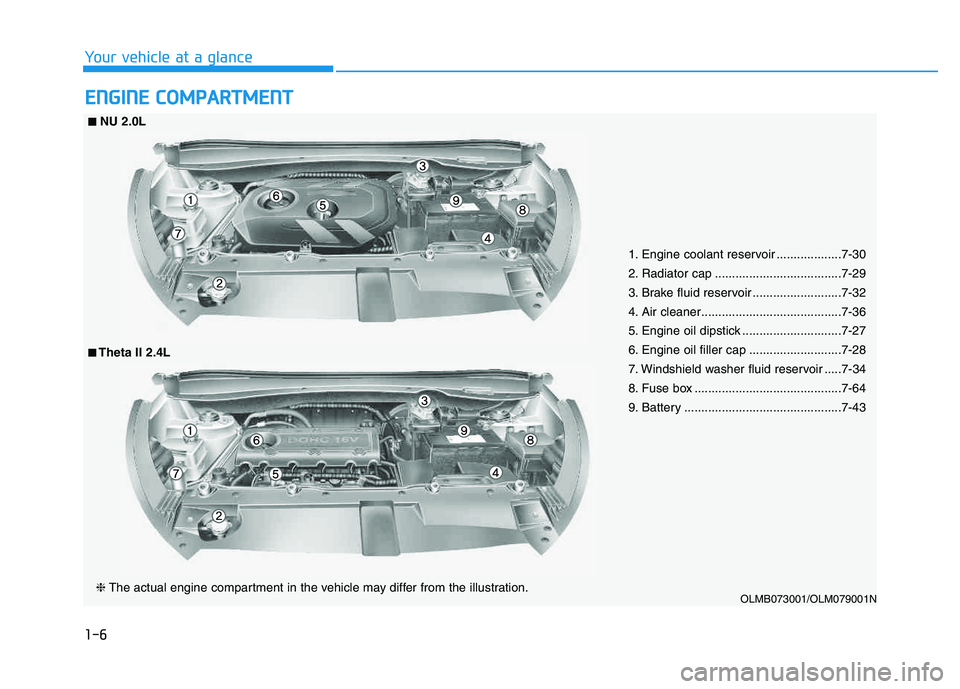
1. Engine coolant reservoir ...................7-30
2. Radiator cap .....................................7-29
3. Brake fluid reservoir ..........................7-32
4. Air cleaner.........................................7-36
5. Engine oil dipstick .............................7-27
6. Engine oil filler cap ...........................7-28
7. Windshield washer fluid reservoir .....7-34
8. Fuse box ...........................................7-64
9. Battery ..............................................7-43
OLMB073001/OLM079001N
■■NU 2.0L
❈ The actual engine compartment in the vehicle may differ from the illustration.
■■Theta II 2.4L
Page 26 of 542
2-9
Safety system of your vehicle
2
Power adjustment
The front seat can be adjusted by
using the control switches located on
the outside of the seat cushion. Before
driving, adjust the seat to the proper
position so that you can easily control
the steering wheel, foot pedals and
controls on the instrument panel.
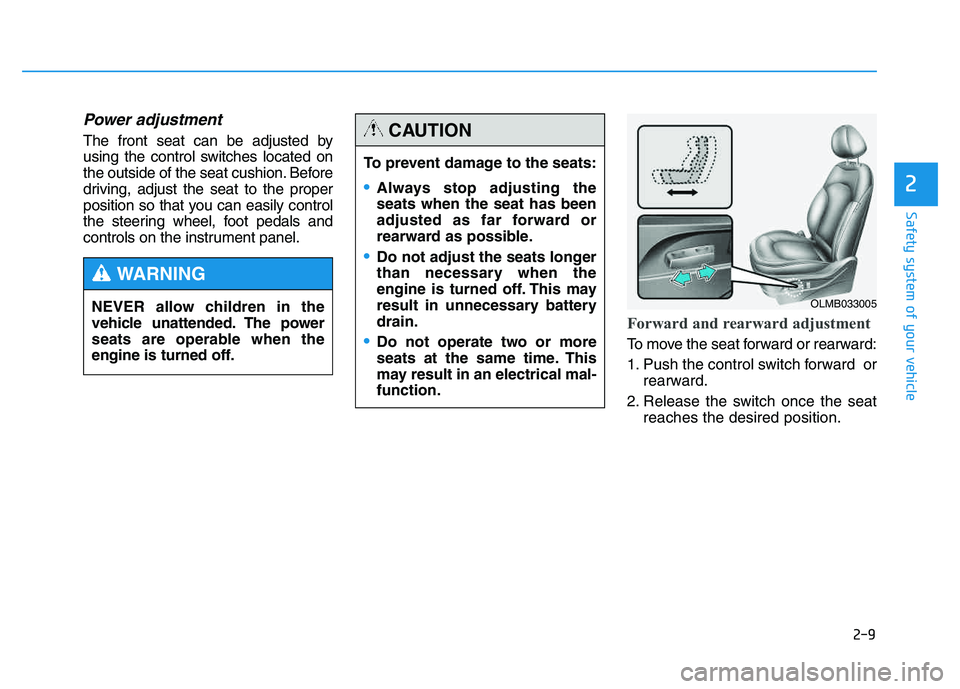
Forward and rearward adjustment
To move the seat forward or rearward:
1. Push the control switch forward orrearward.
2. Release the switch once the seat reaches the desired position.
To prevent damage to the seats:
Always stop adjusting the seats when the seat has been
adjusted as far forward or
rearward as possible.
Do not adjust the seats longer
than necessary when the
engine is turned off. This may
result in unnecessary batterydrain.
Do not operate two or more
seats at the same time. This
may result in an electrical mal-function.
CAUTION
NEVER allow children in the
vehicle unattended. The power
seats are operable when the
engine is turned off.
WARNING
OLMB033005
Page 91 of 542
3-5
Convenient features of your vehicle
3
Remote key precautions
The remote key will not work if any of
the following occur:
The key is in the ignition switch.
You exceed the operating distancelimit (about 30 m [90 feet]).
The remote key battery is weak.
Other vehicles or objects may be blocking the signal.
The weather is extremely cold.
The remote key is close to a radio transmitter such as a radio station
or an airport which can interfere
with normal operation of the remote
key.
When the remote key does not work
correctly, open and close the door
with the mechanical key. If you have
a problem with the remote key, con-
tact an authorized HYUNDAI dealer. (Continue)(Continue)
If the remote key is in close proximi-
ty to your mobile phone, the signal
could be blocked by your mobile
phones normal operational signals.
This is especially important when the
phone is active such as making and
receiving calls, text messaging,
and/or sending/receiving emails.
Avoid placing the remote key and
your mobile phone in the same pants
or jacket pocket and always try tomaintain an adequate distance
between the two devices.
This device complies with Part 15of the FCC rules.
Operation is subject to the following
two conditions:
1. This device may not cause harm-
ful interference, and
2. This device must accept any inter- ference received, including inter-
ference that may cause undesired
operation.
✽✽ NOTICE
Changes or modifications not
expressly approved by the party
responsible for compliance could
void the user's authority to operate
the device.
Page 92 of 542
3-6
Convenient features of your vehicle
Battery replacement
If the remote key is not working prop-
erly, try replacing the battery with a
new one.
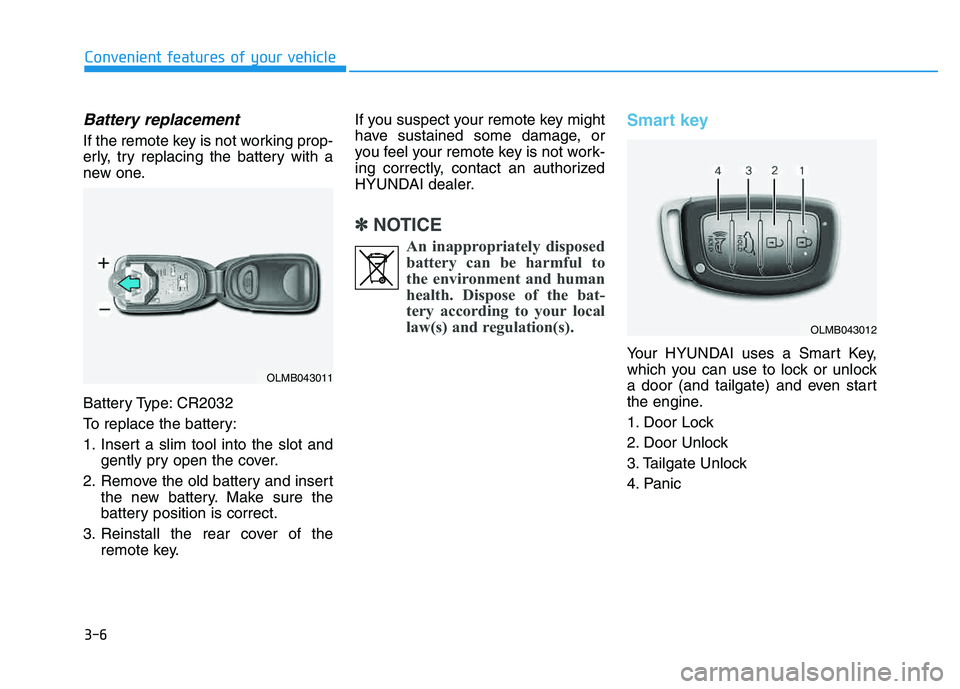
Battery Type: CR2032
To replace the battery:
1. Insert a slim tool into the slot andgently pry open the cover.
2. Remove the old battery and insert the new battery. Make sure the
battery position is correct.
3. Reinstall the rear cover of the remote key. If you suspect your remote key might
have sustained some damage, or
you feel your remote key is not work-
ing correctly, contact an authorized
HYUNDAI dealer.
✽✽
NOTICE
An inappropriately disposedbattery can be harmful to
the environment and human
health. Dispose of the bat-
tery according to your local
law(s) and regulation(s).
Smart key
Your HYUNDAI uses a Smart Key,
which you can use to lock or unlock
a door (and tailgate) and even start
the engine.
1. Door Lock
2. Door Unlock
3. Tailgate Unlock
4. Panic
OLMB043011
OLMB043012
Page 97 of 542
3-11
Convenient features of your vehicle
3
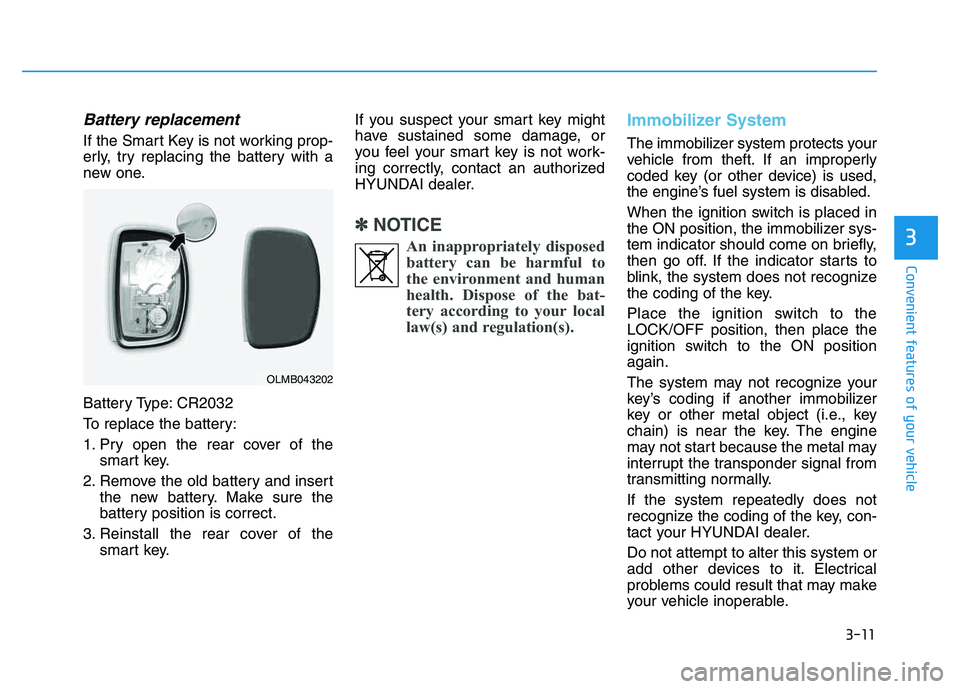
Battery replacement
If the Smart Key is not working prop-
erly, try replacing the battery with a
new one.
Battery Type: CR2032
To replace the battery:
1. Pry open the rear cover of thesmart key.
2. Remove the old battery and insert the new battery. Make sure the
battery position is correct.
3. Reinstall the rear cover of the smart key. If you suspect your smart key might
have sustained some damage, or
you feel your smart key is not work-
ing correctly, contact an authorized
HYUNDAI dealer.
✽✽
NOTICE
An inappropriately disposedbattery can be harmful to
the environment and human
health. Dispose of the bat-
tery according to your local
law(s) and regulation(s).
Immobilizer System
The immobilizer system protects your
vehicle from theft. If an improperly
coded key (or other device) is used,
the engine’s fuel system is disabled.
When the ignition switch is placed in
the ON position, the immobilizer sys-
tem indicator should come on briefly,
then go off. If the indicator starts to
blink, the system does not recognize
the coding of the key.
Place the ignition switch to the LOCK/OFF position, then place the
ignition switch to the ON positionagain.
The system may not recognize your
key’s coding if another immobilizer
key or other metal object (i.e., key
chain) is near the key. The engine
may not start because the metal may
interrupt the transponder signal from
transmitting normally. If the system repeatedly does not
recognize the coding of the key, con-
tact your HYUNDAI dealer. Do not attempt to alter this system or
add other devices to it. Electrical
problems could result that may make
your vehicle inoperable.
OLMB043202
Page 111 of 542
3-25
Convenient features of your vehicle
3
The trip computer is a microcomput-
er-controlled driver information sys-
tem that displays information related
to driving.
✽✽NOTICE
All driving information stored in the
trip computer (except Odometer
and Distance to empty) resets if the
battery is disconnected.
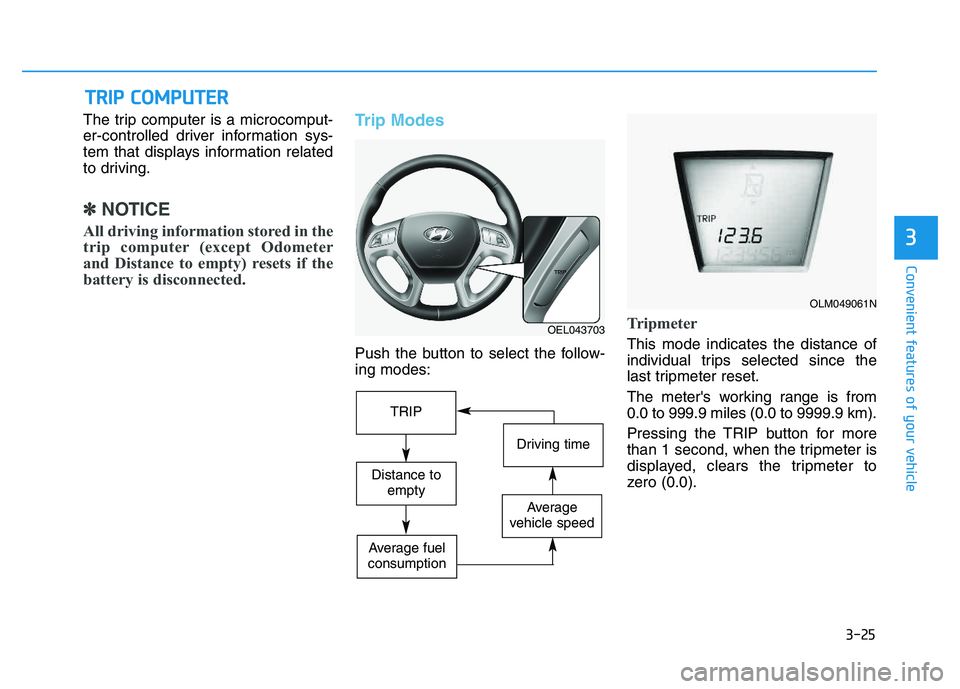
Trip Modes
Push the button to select the follow- ing modes:
Tripmeter
This mode indicates the distance of
individual trips selected since the
last tripmeter reset.
The meter's working range is from 0.0 to 999.9 miles (0.0 to 9999.9 km).
Pressing the TRIP button for more
than 1 second, when the tripmeter is
displayed, clears the tripmeter to
zero (0.0).
TT RR IIPP CC OO MM PPUU TTEERR
OEL043703
OLM049061N
TRIP
Driving time
Distance to
empty
Average
vehicle speed
Average fuel
consumption
Page 112 of 542
3-26
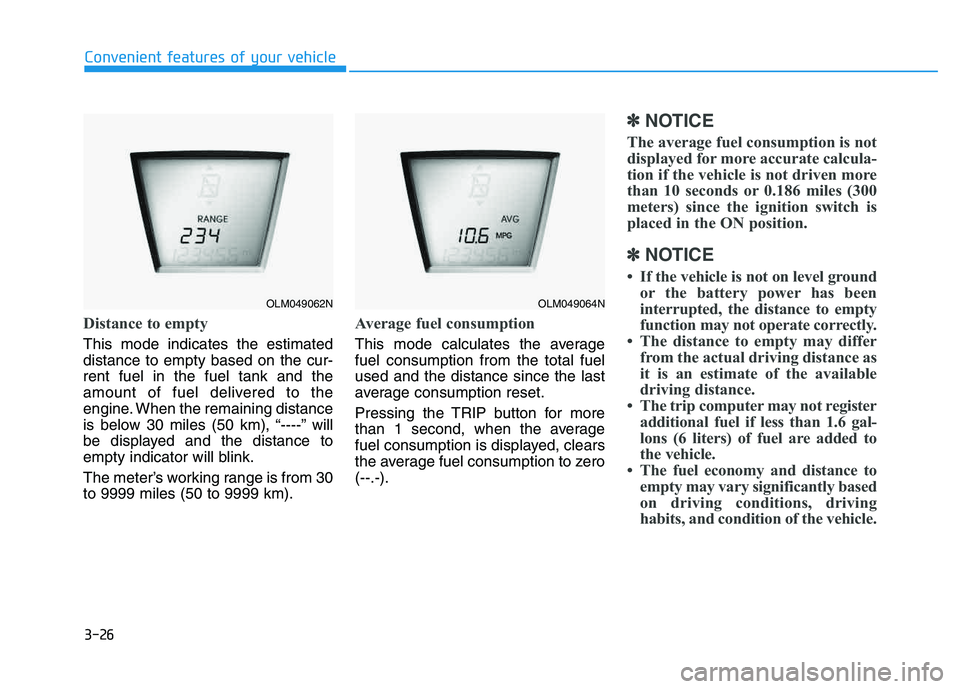
Distance to empty
This mode indicates the estimated distance to empty based on the cur-rent fuel in the fuel tank and the
amount of fuel delivered to the
engine. When the remaining distance
is below 30 miles (50 km), “----” will
be displayed and the distance to
empty indicator will blink.
The meter’s working range is from 30 to 9999 miles (50 to 9999 km).
Average fuel consumption
This mode calculates the average fuel consumption from the total fuelused and the distance since the last
average consumption reset.
Pressing the TRIP button for more
than 1 second, when the average
fuel consumption is displayed, clears
the average fuel consumption to zero(--.-).
✽✽NOTICE
The average fuel consumption is not
displayed for more accurate calcula-
tion if the vehicle is not driven more
than 10 seconds or 0.186 miles (300
meters) since the ignition switch is
placed in the ON position.
✽
✽ NOTICE
If the vehicle is not on level ground or the battery power has been
interrupted, the distance to empty
function may not operate correctly.
The distance to empty may differ from the actual driving distance as
it is an estimate of the available
driving distance.
The trip computer may not register additional fuel if less than 1.6 gal-
lons (6 liters) of fuel are added to
the vehicle.
The fuel economy and distance to empty may vary significantly based
on driving conditions, driving
habits, and condition of the vehicle.
Convenient features of your vehicle
OLM049062NOLM049064N
Page 120 of 542
3-34
Convenient features of your vehicle
Immobilizer indicator (if equipped)
Without smart key system
This indicator illuminates when the
immobilizer key is inserted and
turned to the ON position to start the
engine.
At this time, you can start the engine. The indicator goes out after the
engine is running.
If this indicator blinks when the igni-
tion switch is in the ON position
before starting the engine, have the
system checked by an authorized
HYUNDAI dealer.
With smart key system
If any of the following occurs in a vehi-
cle equipped with the smart key, the
immobilizer indicator illuminates, blinks
or goes off.
When the smart key is in the vehi- cle, if the Engine Start/Stop button
is in the ACC or ON position, the
indicator will illuminate for approxi-mately 30 seconds to indicate that
you are able to start the engine.
However, when the smart key is
not in the vehicle, if the Engine
Start/Stop button is pressed, the
indicator will blink for a few sec-
onds to indicate that you are not be
able to start the engine.
If the indicator illuminates only for 2 seconds and goes out when the
Engine Start/Stop button is turned
to ON position with the smart key in
the vehicle, have the system
checked by an authorized
HYUNDAI dealer. When the battery is weak, if the
Engine Start/Stop button is
pressed, the indicator will blink and
you are not able to start the
engine. However, you are able to
start the engine by inserting the
smart key in the smart key holder.
Also, if the smart key system relat-
ed parts have a problem, the indi-
cator will blink.
Malfunction indicator
(MIL) (check engine light)
This indicator light is part of theEngine Control System which moni-
tors various emission control system
components. If this light illuminates
while driving, it indicates that apotential malfunction has been
detected somewhere in the emissioncontrol system.
Page 155 of 542
3-69
Convenient features of your vehicle
3
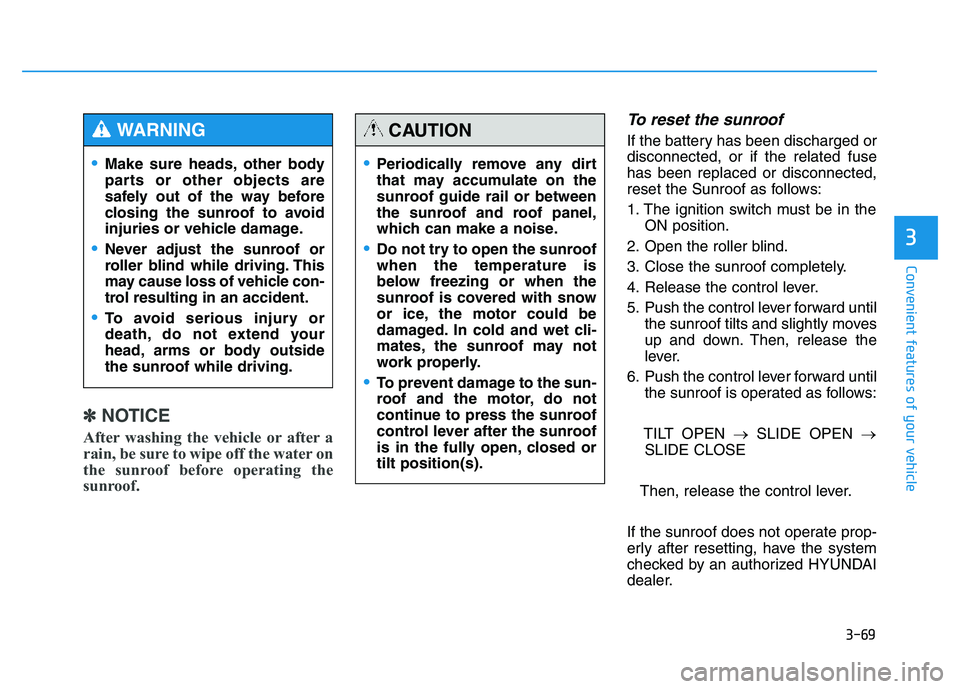
✽✽NOTICE
After washing the vehicle or after a
rain, be sure to wipe off the water on
the sunroof before operating the
sunroof.
To reset the sunroof
If the battery has been discharged or disconnected, or if the related fusehas been replaced or disconnected,
reset the Sunroof as follows:
1. The ignition switch must be in the ON position.
2. Open the roller blind.
3. Close the sunroof completely.
4. Release the control lever.
5. Push the control lever forward until the sunroof tilts and slightly moves
up and down. Then, release the
lever.
6. Push the control lever forward until the sunroof is operated as follows:
TILT OPEN SLIDE OPEN
SLIDE CLOSE
Then, release the control lever.
If the sunroof does not operate prop-
erly after resetting, have the system
checked by an authorized HYUNDAI
dealer.
Periodically remove any dirt
that may accumulate on the
sunroof guide rail or between
the sunroof and roof panel,
which can make a noise.
Do not try to open the sunroof when the temperature is
below freezing or when the
sunroof is covered with snow
or ice, the motor could be
damaged. In cold and wet cli-
mates, the sunroof may not
work properly.
To prevent damage to the sun-
roof and the motor, do not
continue to press the sunroof
control lever after the sunroof
is in the fully open, closed ortilt position(s).
CAUTION
Make sure heads, other body
parts or other objects are
safely out of the way before
closing the sunroof to avoid
injuries or vehicle damage.
Never adjust the sunroof or
roller blind while driving. This
may cause loss of vehicle con-
trol resulting in an accident.
To avoid serious injury or
death, do not extend your
head, arms or body outside
the sunroof while driving.
WARNING
Page 167 of 542
3-81
Convenient features of your vehicle
3
High beam operation
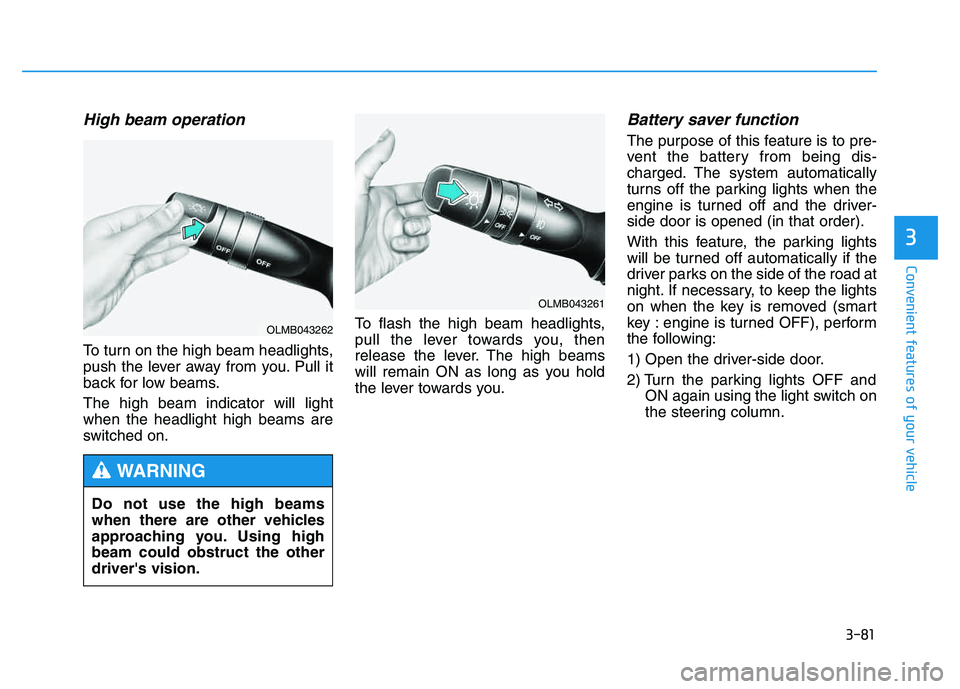
To turn on the high beam headlights,
push the lever away from you. Pull it
back for low beams. The high beam indicator will light when the headlight high beams are
switched on.To flash the high beam headlights,
pull the lever towards you, then
release the lever. The high beams
will remain ON as long as you hold
the lever towards you.
Battery saver function
The purpose of this feature is to pre-
vent the battery from being dis-
charged. The system automatically
turns off the parking lights when the
engine is turned off and the driver-side door is opened (in that order).
With this feature, the parking lights
will be turned off automatically if the
driver parks on the side of the road at
night. If necessary, to keep the lights
on when the key is removed (smart
key : engine is turned OFF), perform
the following:
1) Open the driver-side door.
2) Turn the parking lights OFF and
ON again using the light switch on
the steering column.
Do not use the high beams
when there are other vehicles
approaching you. Using highbeam could obstruct the otherdriver's vision.
WARNING
OLMB043261
OLMB043262