battery HYUNDAI TUCSON 2014 Owner's Manual
[x] Cancel search | Manufacturer: HYUNDAI, Model Year: 2014, Model line: TUCSON, Model: HYUNDAI TUCSON 2014Pages: 542, PDF Size: 7.59 MB
Page 342 of 542
5-6
Driving your vehicle
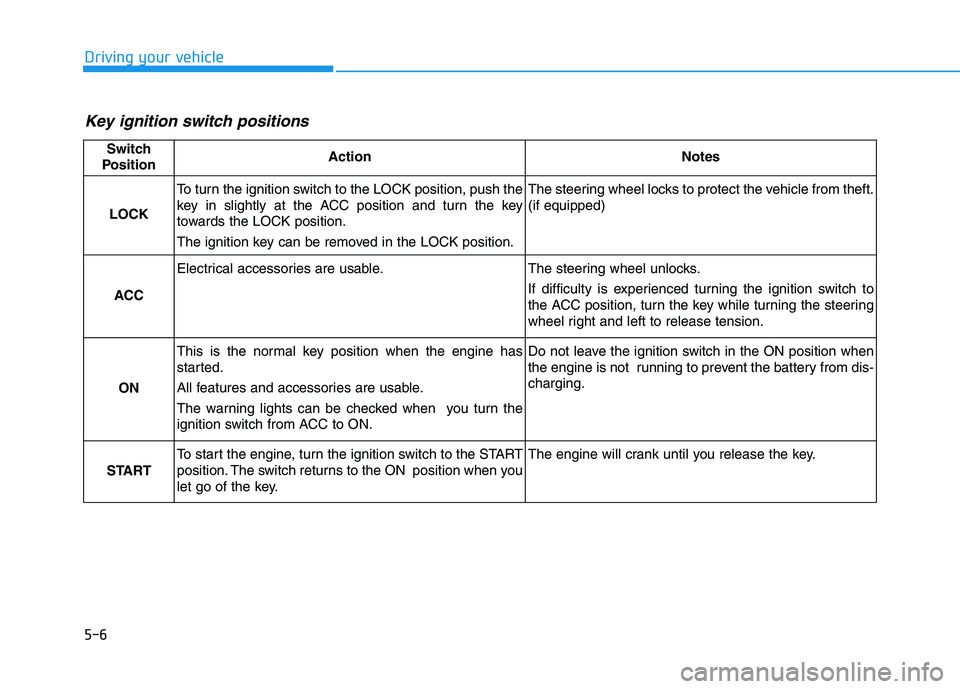
Key ignition switch positions
Switch
PositionActionNotes
LOCK
To turn the ignition switch to the LOCK position, push the
key in slightly at the ACC position and turn the key
towards the LOCK position.
The ignition key can be removed in the LOCK position.The steering wheel locks to protect the vehicle from theft. (if equipped)
ACC
Electrical accessories are usable.The steering wheel unlocks.
If difficulty is experienced turning the ignition switch to
the ACC position, turn the key while turning the steering
wheel right and left to release tension.
ON
This is the normal key position when the engine has
started.
All features and accessories are usable.
The warning lights can be checked when you turn the
ignition switch from ACC to ON.Do not leave the ignition switch in the ON position when
the engine is not running to prevent the battery from dis-charging.
START
To start the engine, turn the ignition switch to the START
position. The switch returns to the ON position when you
let go of the key.The engine will crank until you release the key.
Page 345 of 542
5-9
Driving your vehicle
5
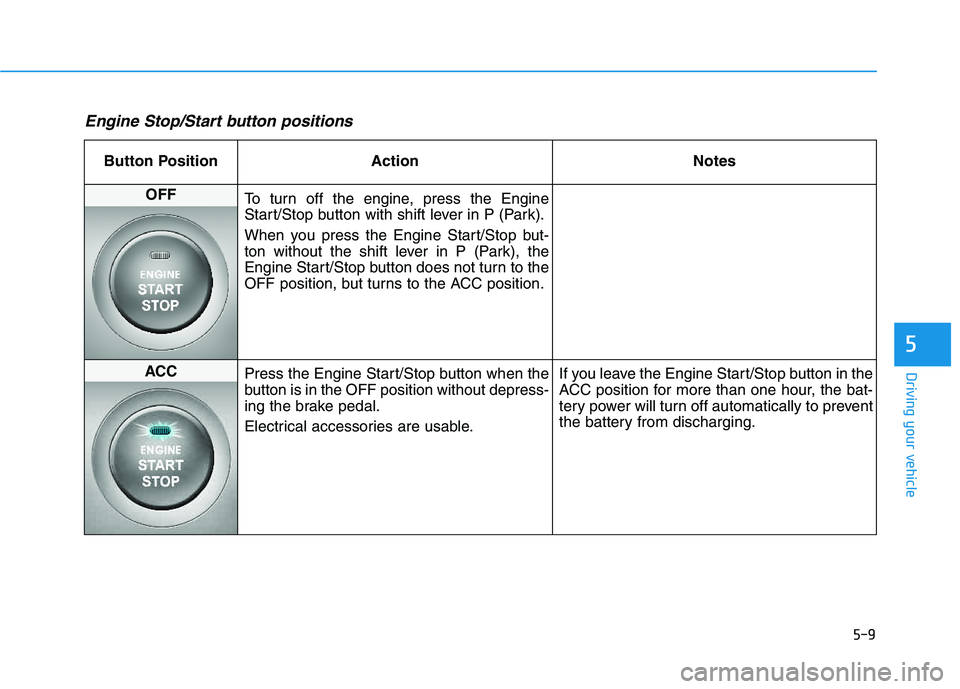
Engine Stop/Start button positions
Button Position ActionNotes
OFF
To turn off the engine, press the Engine
Start/Stop button with shift lever in P (Park).
When you press the Engine Start/Stop but-
ton without the shift lever in P (Park), the
Engine Start/Stop button does not turn to the
OFF position, but turns to the ACC position.
ACC Press the Engine Start/Stop button when the
button is in the OFF position without depress-
ing the brake pedal.
Electrical accessories are usable. If you leave the Engine Start/Stop button in the
ACC position for more than one hour, the bat-
tery power will turn off automatically to prevent
the battery from discharging.
Page 346 of 542
5-10
Driving your vehicle
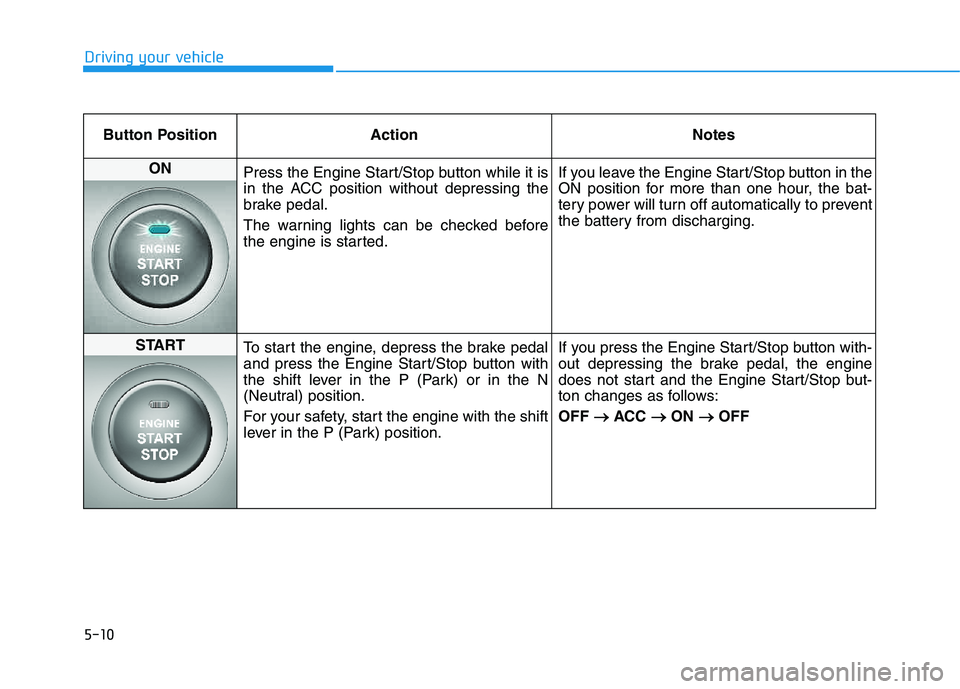
Button Position ActionNotes
ON
Press the Engine Start/Stop button while it is
in the ACC position without depressing the
brake pedal.
The warning lights can be checked before
the engine is started. If you leave the Engine Start/Stop button in the
ON position for more than one hour, the bat-
tery power will turn off automatically to prevent
the battery from discharging.
START
To start the engine, depress the brake pedal
and press the Engine Start/Stop button with
the shift lever in the P (Park) or in the N
(Neutral) position.
For your safety, start the engine with the shift
lever in the P (Park) position. If you press the Engine Start/Stop button with-
out depressing the brake pedal, the engine
does not start and the Engine Start/Stop but-
ton changes as follows: OFF
ACC
ON
OFF
Page 348 of 542
5-12
Driving your vehicle
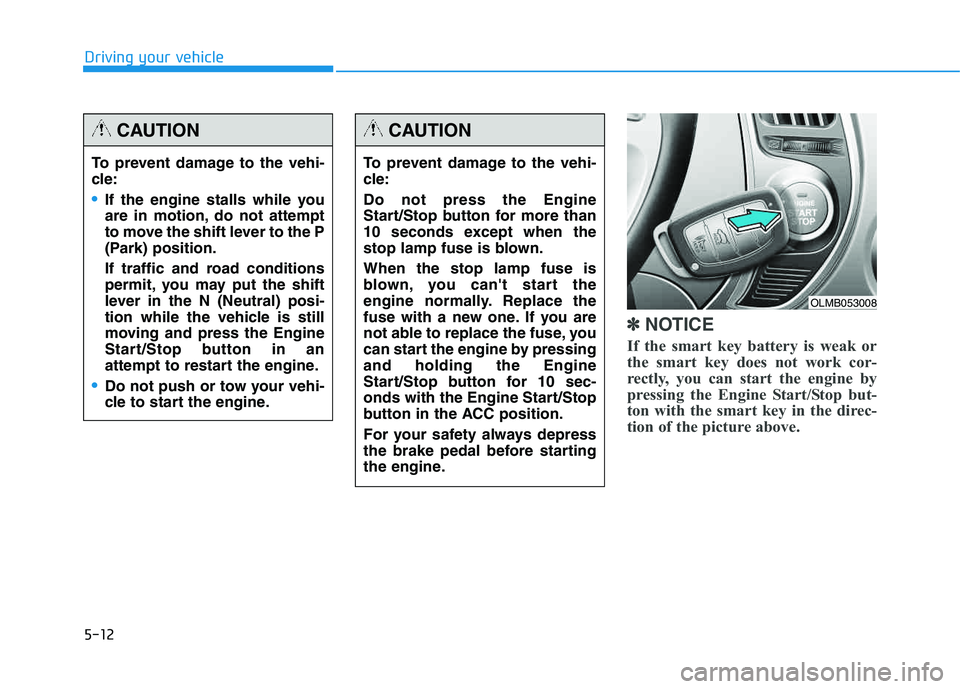
✽✽NOTICE
If the smart key battery is weak or
the smart key does not work cor-
rectly, you can start the engine by
pressing the Engine Start/Stop but-
ton with the smart key in the direc-
tion of the picture above.
To prevent damage to the vehi-
cle:
If the engine stalls while you
are in motion, do not attempt
to move the shift lever to the P
(Park) position.
If traffic and road conditions
permit, you may put the shift
lever in the N (Neutral) posi-
tion while the vehicle is still
moving and press the Engine
Start/Stop button in an
attempt to restart the engine.
Do not push or tow your vehi-
cle to start the engine.
CAUTION
To prevent damage to the vehi-
cle: Do not press the Engine
Start/Stop button for more than
10 seconds except when the
stop lamp fuse is blown. When the stop lamp fuse is
blown, you can't start the
engine normally. Replace the
fuse with a new one. If you are
not able to replace the fuse, you
can start the engine by pressingand holding the Engine
Start/Stop button for 10 sec-
onds with the Engine Start/Stop
button in the ACC position.
For your safety always depress
the brake pedal before starting
the engine.
CAUTION
OLMB053008
Page 370 of 542
5-34
Driving your vehicle
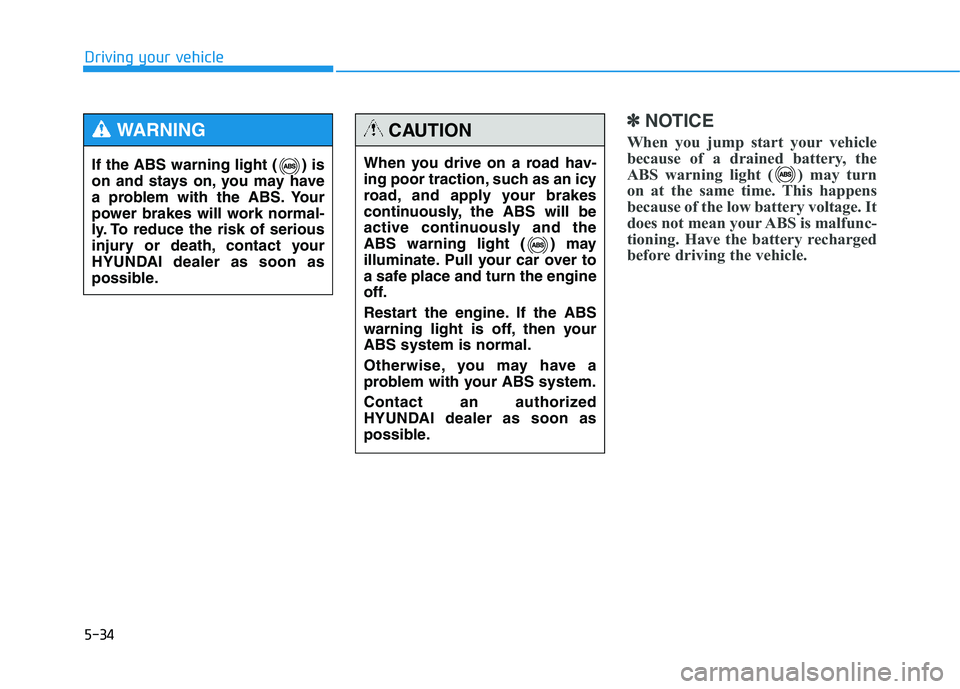
✽✽NOTICE
When you jump start your vehicle
because of a drained battery, the
ABS warning light ( ) may turn
on at the same time. This happens
because of the low battery voltage. It
does not mean your ABS is malfunc-
tioning. Have the battery recharged
before driving the vehicle.
If the ABS warning light ( ) is
on and stays on, you may have
a problem with the ABS. Your
power brakes will work normal-
ly. To reduce the risk of serious
injury or death, contact your
HYUNDAI dealer as soon as
possible.
WARNING
When you drive on a road hav-
ing poor traction, such as an icy
road, and apply your brakes
continuously, the ABS will be
active continuously and the
ABS warning light ( ) may
illuminate. Pull your car over to
a safe place and turn the engine
off.
Restart the engine. If the ABS
warning light is off, then yourABS system is normal.
Otherwise, you may have a
problem with your ABS system.
Contact an authorized
HYUNDAI dealer as soon as
possible.
CAUTION
Page 410 of 542
6-4
IIFF TT HH EE EE NN GGIINN EE WW IILL LL NN OO TT SS TT AA RRTT
What to do in an emergency
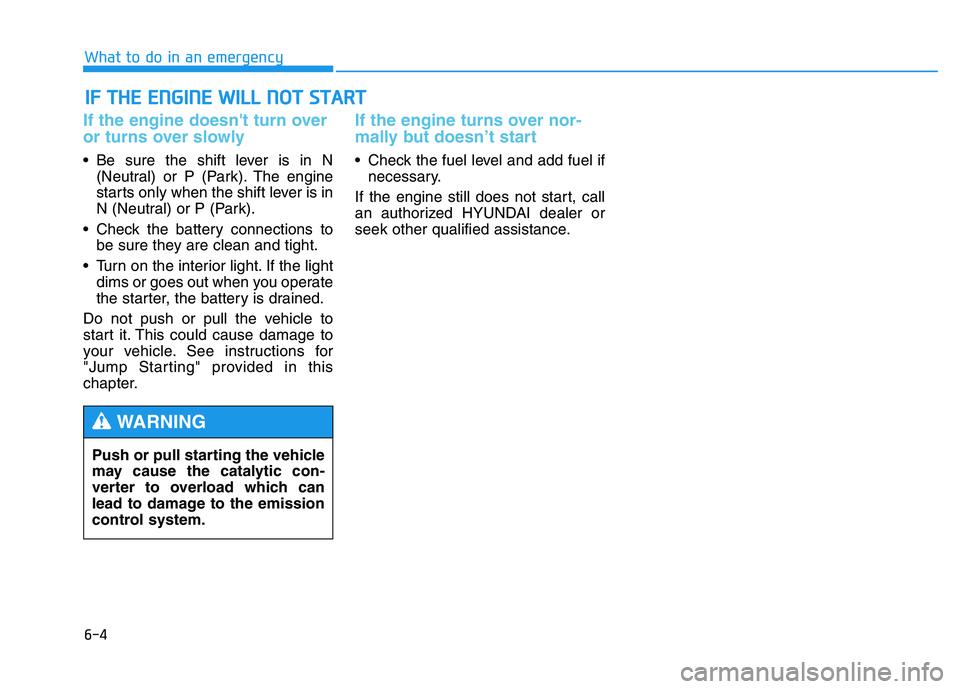
If the engine doesn't turn over
or turns over slowly
Be sure the shift lever is in N
(Neutral) or P (Park). The engine
starts only when the shift lever is in
N (Neutral) or P (Park).
Check the battery connections to be sure they are clean and tight.
Turn on the interior light. If the light dims or goes out when you operate
the starter, the battery is drained.
Do not push or pull the vehicle to
start it. This could cause damage to
your vehicle. See instructions for
"Jump Starting" provided in this
chapter.
If the engine turns over nor-
mally but doesn’t start
Check the fuel level and add fuel if necessary.
If the engine still does not start, call
an authorized HYUNDAI dealer or
seek other qualified assistance.
Push or pull starting the vehicle
may cause the catalytic con-
verter to overload which can
lead to damage to the emission
control system.
WARNING
Page 411 of 542
6-5
What to do in an emergency
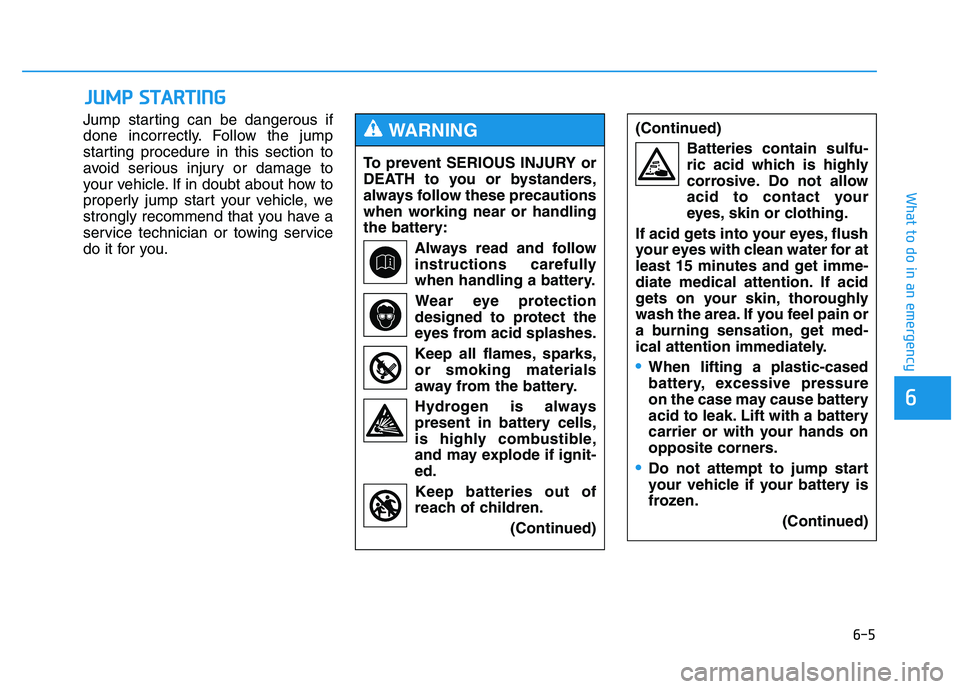
Jump starting can be dangerous if
done incorrectly. Follow the jump
starting procedure in this section to
avoid serious injury or damage to
your vehicle. If in doubt about how to
properly jump start your vehicle, we
strongly recommend that you have a
service technician or towing service
do it for you.
JJUU MM PP SS TT AA RRTTIINN GG
6
To prevent SERIOUS INJURY or
DEATH to you or bystanders,
always follow these precautions
when working near or handling
the battery:
Always read and follow
instructions carefully
when handling a battery.Wear eye protection
designed to protect the
eyes from acid splashes.
Keep all flames, sparks, or smoking materials
away from the battery.
Hydrogen is always present in battery cells,
is highly combustible,
and may explode if ignit-ed.
Keep batteries out of
reach of children.
(Continued)
WARNING (Continued)Batteries contain sulfu-
ric acid which is highly
corrosive. Do not allow
acid to contact your
eyes, skin or clothing.
If acid gets into your eyes, flush
your eyes with clean water for at
least 15 minutes and get imme-
diate medical attention. If acid
gets on your skin, thoroughly
wash the area. If you feel pain or
a burning sensation, get med-
ical attention immediately.
When lifting a plastic-cased
battery, excessive pressure
on the case may cause battery
acid to leak. Lift with a battery
carrier or with your hands on
opposite corners.
Do not attempt to jump start
your vehicle if your battery is
frozen. (Continued)
Page 412 of 542
6-6
What to do in an emergency
✽✽NOTICE
An inappropriately disposedbattery can be harmful to
the environment and human
health. Dispose the battery
according to your local
law(s) or regulation.Jump starting procedure
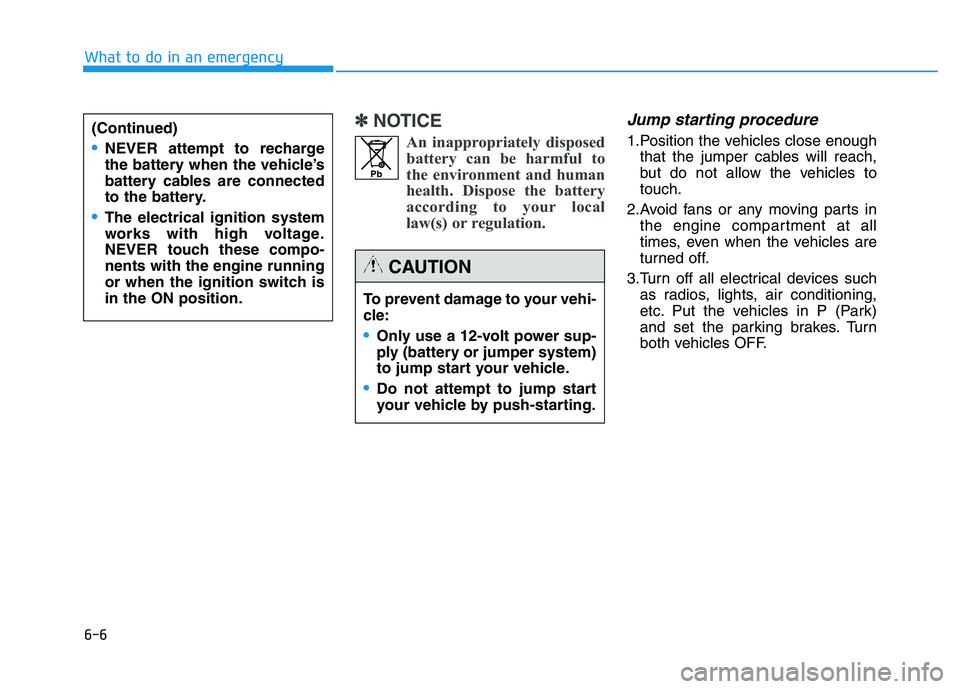
1.Position the vehicles close enough that the jumper cables will reach,
but do not allow the vehicles totouch.
2.Avoid fans or any moving parts in the engine compartment at all
times, even when the vehicles are
turned off.
3.Turn off all electrical devices such as radios, lights, air conditioning,
etc. Put the vehicles in P (Park)
and set the parking brakes. Turn
both vehicles OFF.(Continued)
NEVER attempt to recharge
the battery when the vehicle’s
battery cables are connected
to the battery.
The electrical ignition system
works with high voltage.
NEVER touch these compo-nents with the engine running
or when the ignition switch isin the ON position.
To prevent damage to your vehi-
cle:
Only use a 12-volt power sup-
ply (battery or jumper system)
to jump start your vehicle.
Do not attempt to jump start
your vehicle by push-starting.
CAUTION
Pb
Page 413 of 542
6-7
What to do in an emergency
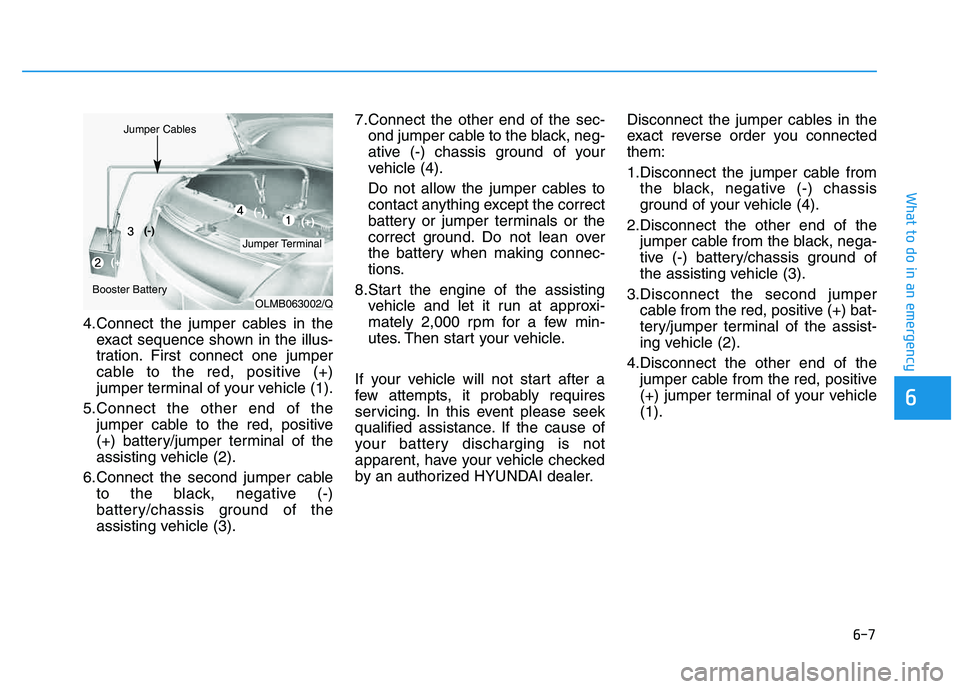
4.Connect the jumper cables in theexact sequence shown in the illus-
tration. First connect one jumper
cable to the red, positive (+)
jumper terminal of your vehicle (1).
5.Connect the other end of the jumper cable to the red, positive
(+) battery/jumper terminal of the
assisting vehicle (2).
6.Connect the second jumper cable to the black, negative (-)
battery/chassis ground of the
assisting vehicle (3). 7.Connect the other end of the sec-
ond jumper cable to the black, neg-
ative (-) chassis ground of your
vehicle (4).
Do not allow the jumper cables to
contact anything except the correct
battery or jumper terminals or the
correct ground. Do not lean over
the battery when making connec-
tions.
8.Start the engine of the assisting vehicle and let it run at approxi-
mately 2,000 rpm for a few min-
utes. Then start your vehicle.
If your vehicle will not start after a
few attempts, it probably requires
servicing. In this event please seek
qualified assistance. If the cause of
your battery discharging is not
apparent, have your vehicle checked
by an authorized HYUNDAI dealer. Disconnect the jumper cables in the
exact reverse order you connectedthem:
1.Disconnect the jumper cable from
the black, negative (-) chassis
ground of your vehicle (4).
2.Disconnect the other end of the jumper cable from the black, nega-
tive (-) battery/chassis ground of
the assisting vehicle (3).
3.Disconnect the second jumper cable from the red, positive (+) bat-
tery/jumper terminal of the assist-
ing vehicle (2).
4.Disconnect the other end of the jumper cable from the red, positive
(+) jumper terminal of your vehicle(1).
6
OLMB063002/Q
Jumper Terminal
Jumper Cables
Booster Battery(-)
(+) (+)
(-)
Page 431 of 542
7
Maintenance
7
Maintenance
ENGINE COMPARTMENT .....................................7-3
MAINTENANCE SERVICES .....................................7-4
Owner's responsibility ...................................................7-4
Owner maintenance precautions ..................................7-4
OWNER MAINTENANCE .......................................7-6
Owner maintenance schedule ........................................7-7
SCHEDULED MAINTENANCE SERVICES ..............7-8
Normal maintenance schedule .......................................7-9
Maintenance under severe usage conditions ..........7-22
EXPLANATION OF SCHEDULED MAINTENANCE ITEMS .....................................7-24
ENGINE OIL ...........................................................7-27
Checking the engine oil level .......................................7-27
Checking the engine oil and filter ..............................7-28
ENGINE COOLANT ................................................7-29
Checking the engine coolant level..............................7-29
Changing engine coolant .............................................7-31
BRAKE FLUID ........................................................7-32
Checking the brake fluid level .....................................7-32
WASHER FLUID.....................................................7-34
Checking the washer fluid level .............................7-34
PARKING BRAKE...................................................7-35
Checking the parking brake .........................................7-35
AIR CLEANER .......................................................7-36
Filter replacement ........................................................7-36
CLIMATE CONTROL AIR CLEANER ....................7-38
Filter inspection ...............................................................7-38
WIPER BLADES.....................................................7-40
Blade inspection ..............................................................7-40
Blade replacement .......................................................7-40
BATTERY ...............................................................7-43
For best battery service................................................7-44
Battery recharging .........................................................7-44
Reset features .................................................................7-46
TIRES AND WHEELS ............................................7-47
Tire care ............................................................................7-47
Recommended cold tire inflation pressures.............7-48
Check tire inflation pressure........................................7-49
Tire rotation .....................................................................7-50
Wheel alignment and tire balance ..............................7-51
Tire replacement .............................................................7-51
Wheel replacement .........................................................7-52
Tire traction ......................................................................7-52
Tire maintenance ............................................................7-53
Tire sidewall labeling ......................................................7-53
Tire terminology and definitions.................................7-57
All season tires ................................................................7-60
Summer tires ....................................................................7-60
7