steering HYUNDAI TUCSON 2015 Service Manual
[x] Cancel search | Manufacturer: HYUNDAI, Model Year: 2015, Model line: TUCSON, Model: HYUNDAI TUCSON 2015Pages: 653, PDF Size: 8.45 MB
Page 444 of 653
4-233
Multimedia System
4
2. Save Destination
“Save Destination” VR command is
used to assign a voice tag to the last
downloaded destination and store it
in a destination directory.
NOTE:
The Turn by Turn(TBT) feature sup-
ports the store of ten(10) destina-
tions in the TBT destinations
directory.
3. Route Preview
“Route Preview” VR command allows
the user to preview the route instruc-
tions (upcoming maneuver instruc-
tions) at any time during the route
guidance.
4. Destinations List
“Destinations List” VR command
allows the user to preview and deletethe stored destinations with their
associated voice tags in the Turn by
Turn destinations directory.5. Voice Guidance
“Voice Guidance” VR command allows
the user to mute/unmute the Turn by
Turn(TBT) direction announcements.
6. Suspend Route
“Suspend Route” VR command
allows the user to suspend and
pause Turn by Turn(TBT) route guid-
ance while in the guidance mode.
7. Resume Route
“Resume Route” VR command
allows the user to resume Turn by
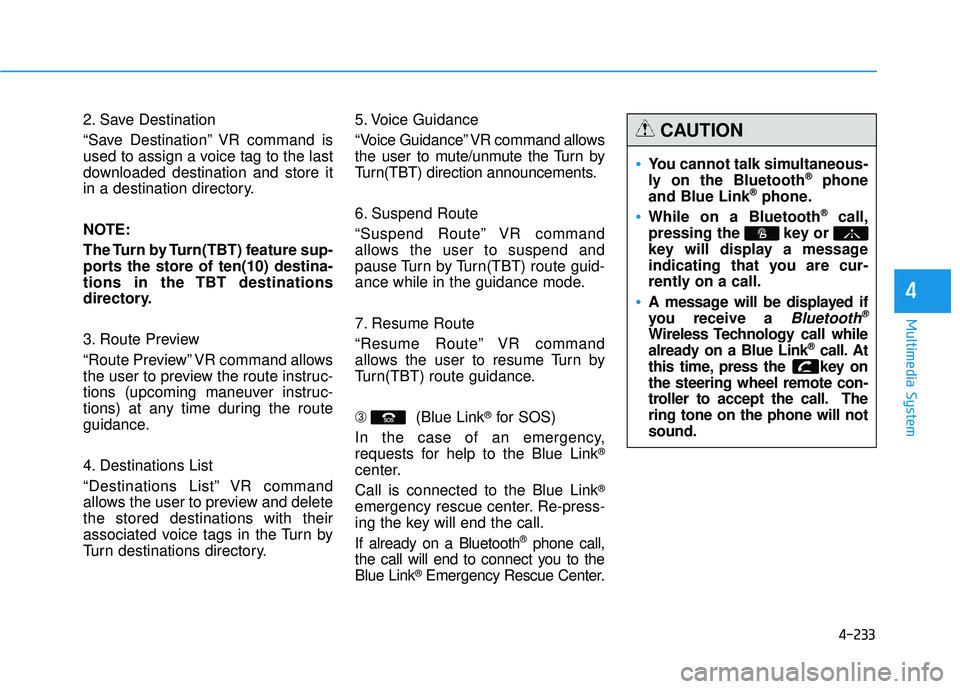
Turn(TBT) route guidance. ➂
(Blue Link
®for SOS)
In the case of an emergency,
requests for help to the Blue Link
®
center. Call is connected to the Blue Link
®
emergency rescue center. Re-press-
ing the key will end the call. If already on a Bluetooth
®phone call,
the call will end to connect you to the Blue Link
®Emergency Rescue Center.
You cannot talk simultaneous-
ly on the Bluetooth®phone
and Blue Link®phone.
While on a Bluetooth®call,
pressing the key or
key will display a message
indicating that you are cur-
rently on a call.
A message will be displayed if
you receive a
Bluetooth®
Wireless Technology call while
already on a Blue Link®call. At
this time, press the key onthe steering wheel remote con-
troller to accept the call. Thering tone on the phone will notsound.
CAUTION
Page 449 of 653
5-3
Driving your vehicle
Before entering the vehicle
• Be sure all windows, outside mir-ror(s), and outside lights are clean
and unobstructed.
Remove frost, snow, or ice.
Visually check the tires for uneven wear and damage.
Check under the vehicle for any sign of leaks.
Be sure there are no obstacles behind you if you intend to back up.
Before starting
Make sure the hood, the tailgate,and the doors are securely closed
and locked.
Adjust the position of the seat and steering wheel.
Adjust the inside and outside rearview mirrors.
Verify all the lights work.
Fasten your seatbelt. Check that all passengers have fastened their
seatbelts.
Check the gauges and indicators in the instrument panel and the mes-
sages on the instrument display
when the ignition switch is in theON position.
Check that any items you are car- rying are stored properly or fas-
tened down securely.
5
CALIFORNIA PROPOSITION 65
WARNING
Engine exhaust and a wide vari- ety of automobile components
including components found inthe interior furnishings in a
vehicle, contain or emit harmful
chemicals known to the State of
California to cause cancer and
birth defects and reproductive
harm. In addition, certain fluids
contained in vehicles and cer-
tain products of components
contain or emit chemicals
known to the State of California
to cause cancer and birth
defects or other reproductiveharm.
WARNING
BBEEFFOO RREE DD RRIIVV IINN GG
Page 451 of 653
5-5
Driving your vehicle
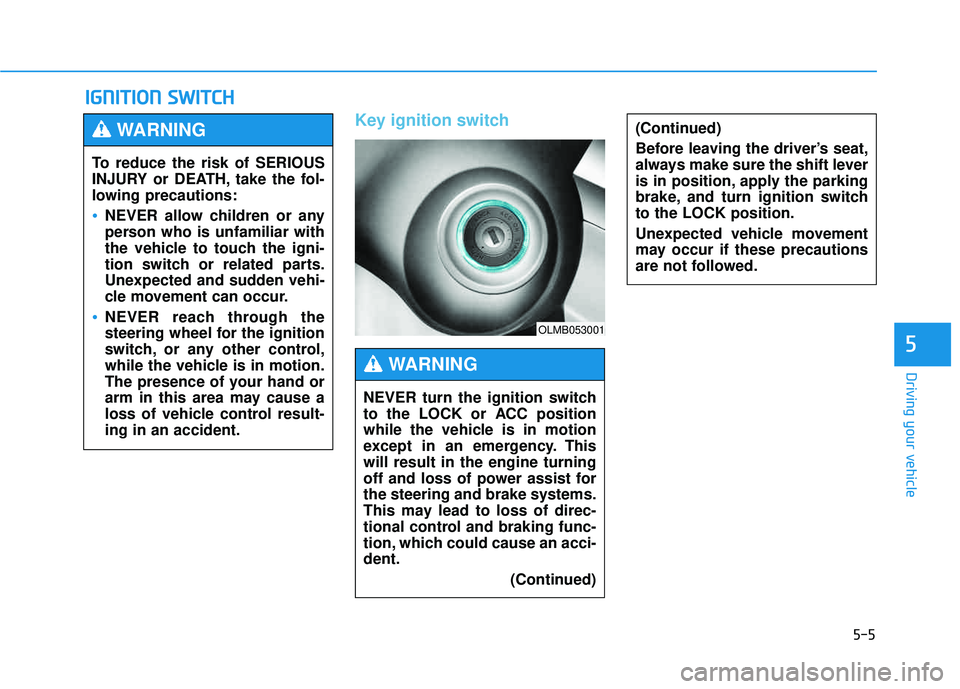
Key ignition switch
IIGG NN IITT IIOO NN SS WW IITT CCHH
5
(Continued)
Before leaving the driver’s seat,
always make sure the shift lever
is in position, apply the parking
brake, and turn ignition switchto the LOCK position.
Unexpected vehicle movement
may occur if these precautions
are not followed.
To reduce the risk of SERIOUS
INJURY or DEATH, take the fol-
lowing precautions:
NEVER allow children or any
person who is unfamiliar with
the vehicle to touch the igni-
tion switch or related parts.
Unexpected and sudden vehi-
cle movement can occur.
NEVER reach through the
steering wheel for the ignition
switch, or any other control,
while the vehicle is in motion.
The presence of your hand or
arm in this area may cause a
loss of vehicle control result-ing in an accident.
WARNING
NEVER turn the ignition switch
to the LOCK or ACC position
while the vehicle is in motion
except in an emergency. Thiswill result in the engine turning
off and loss of power assist forthe steering and brake systems.
This may lead to loss of direc-
tional control and braking func-
tion, which could cause an acci-dent.
(Continued)
WARNING
OLMB053001
Page 452 of 653
5-6
Driving your vehicle
Key ignition switch positions
Switch
PositionActionNotes
LOCK
To turn the ignition switch to the LOCK position, push the
key in slightly at the ACC position and turn the key
towards the LOCK position.
The ignition key can be removed in the LOCK position.The steering wheel locks to protect the vehicle from theft. (if equipped)
ACC
Electrical accessories are usable.The steering wheel unlocks.
If difficulty is experienced turning the ignition switch to
the ACC position, turn the key while turning the steering
wheel right and left to release tension.
ON
This is the normal key position when the engine has
started.
All features and accessories are usable.
The warning lights can be checked when you turn the
ignition switch from ACC to ON.Do not leave the ignition switch in the ON position when
the engine is not running to prevent the battery from dis- charging.
START
To start the engine, turn the ignition switch to the START
position. The switch returns to the ON position when you
let go of the key.The engine will crank until you release the key.
Page 454 of 653
5-8
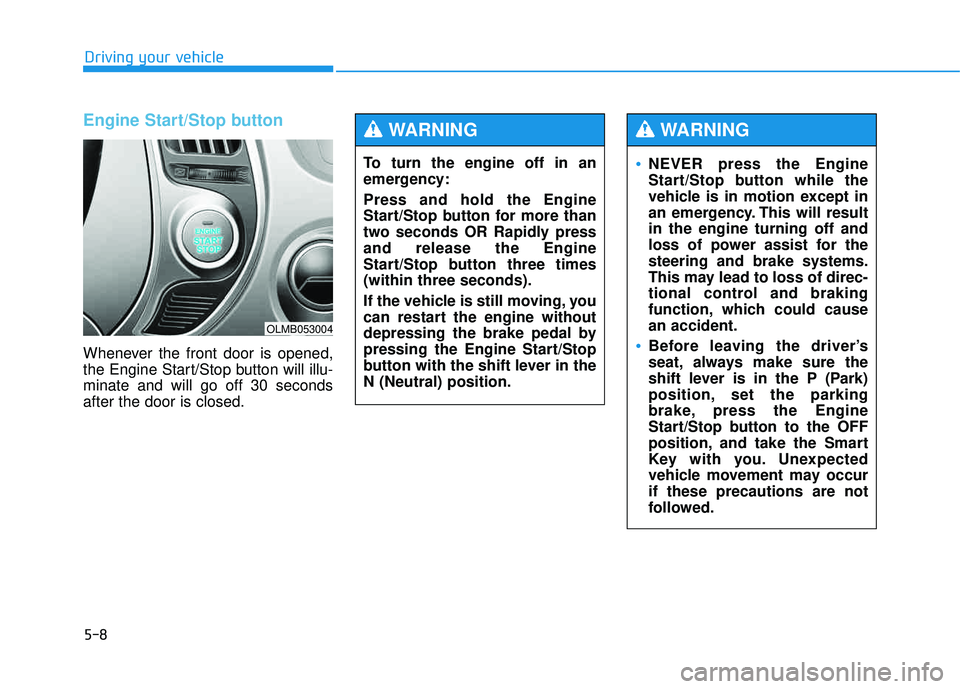
Engine Start/Stop button
Whenever the front door is opened,
the Engine Start/Stop button will illu-minate and will go off 30 secondsafter the door is closed.
Driving your vehicle
OLMB053004
To turn the engine off in an
emergency: Press and hold the Engine
Start/Stop button for more than
two seconds OR Rapidly pressand release the Engine
Start/Stop button three times(within three seconds).
If the vehicle is still moving, you
can restart the engine without
depressing the brake pedal by
pressing the Engine Start/Stop
button with the shift lever in theN (Neutral) position.
WARNING
NEVER press the Engine
Start/Stop button while the
vehicle is in motion except in
an emergency. This will resultin the engine turning off and
loss of power assist for thesteering and brake systems.
This may lead to loss of direc-
tional control and braking
function, which could causean accident.
Before leaving the driver’s
seat, always make sure the
shift lever is in the P (Park)
position, set the parking
brake, press the Engine
Start/Stop button to the OFF
position, and take the Smart
Key with you. Unexpected
vehicle movement may occurif these precautions are not
followed.
WARNING
Page 465 of 653
5-19
Driving your vehicle
5
Always apply the parking brakewhen leaving the vehicle. Do not
depend on placing the transaxle in
P (Park) to keep the vehicle from
moving.
Exercise extreme caution when driving on a slippery surface. Be
especially careful when braking,
accelerating or shifting gears. On a
slippery surface, an abrupt change
in vehicle speed can cause the
drive wheels to lose traction and
may cause loss of vehicle controlresulting in an accident.
Optimum vehicle performance and economy is obtained by smoothlydepressing and releasing the
accelerator. To reduce the risk of SERIOUS
INJURY or DEATH:
ALWAYS wear your seatbelt.
In a collision, an unbelted
occupant is significantly more
likely to be seriously injured
or killed than a properly belt-ed occupant.
Avoid high speeds when cor- nering or turning.
Do not make quick steering
wheel movements, such as
sharp lane changes or fast,sharp turns.
The risk of rollover is greatly
increased if you lose control
of your vehicle at highwayspeeds.
Loss of control often occurs if
two or more wheels drop off
the roadway and the driver
over steers to reenter the
roadway.
(Continued)
WARNING (Continued)
In the event your vehicle
leaves the roadway, do not
steer sharply. Instead, slow
down before pulling back into
the travel lanes.
HYUNDAI recommends you
follow all posted speed limits.
Page 466 of 653
5-20
Driving your vehicle
The All Wheel Drive (AWD) System
delivers engine power to all front
and rear wheels for maximum trac-
tion. AWD is useful when extra trac-tion is required on roads such slip-
pery, muddy, wet, or snow-covered
roads. Occasional off-road use such as
established unpaved roads and trails
are OK. It is always important that
the driver carefully reduces the
speed to a level that does not exceed
the safe operating speed for those
conditions.✽✽NOTICE
Do not drive in water if the level is higher than the bottom of the vehi-
cle.
Check your brake condition once you are out of mud or water.
Depress the brake pedal several
times as you move slowly until you
feel normal braking return.
Shorten your scheduled mainte- nance interval if you drive in off-
road conditions such as sand, mud
or water (see “Maintenance Under
Severe Usage Conditions” in chap-
ter 7).
Always wash your vehicle thor- oughly after off road use, especial-
ly the bottom of the vehicle.
Be sure to equip the vehicle with four tires of the same size and
type.
Make sure that a full time AWD vehicle is towed by a flat bed tow
truck.
AALLLL WW HHEEEE LL DD RRIIVV EE (( AA WW DD)) (( IIFF EE QQ UUIIPP PPEEDD ))
To reduce the risk of SERIOUS
INJURY or DEATH:
Do not drive in conditions that
exceed the vehicles intended
design such as challenging
off-road conditions.
Avoid high speeds when cor- nering or turning.
Do not make quick steering
wheel movements, such as
sharp lane changes or fast,sharp turns.
The risk of a rollover is great-
ly increased if you lose con-
trol of your vehicle at highwayspeeds.
Loss of control often occurs if
two or more wheels drop off
the roadway and the driver
over steers to reenter the
roadway.
In the event your vehicle
leaves the roadway, do not
steer sharply. Instead, slow
down before pulling back into
the travel lanes.
WARNING
Page 468 of 653
5-22
Driving your vehicle
✽✽NOTICE
When the AWD LOCK mode is
deactivated, a sensation may be felt
as the driving power is delivered
entirely to the front wheels.
For safe AWD operation
Before driving
Make sure all passengers are wearing seat belts.
Sit upright and closer to the steer- ing wheel than usual. Adjust the
steering wheel to a position com-
fortable for you to drive.
Driving on snow-covered or icy
roads
Start off slowly by applying theaccelerator pedal gently.
Use snow tires or tire chains.
Keep sufficient distance between your vehicle and the vehicle in front
of you.
Use engine braking during deceler- ation.
Avoid speeding, rapid acceleration, sudden brake applications, and
sharp turns to prevent skids.
Driving in sand or mud
Maintain slow and constant speed.
Use tire chains driving in mud ifnecessary.
Keep sufficient distance between your vehicle and the vehicle in front
of you.
Reduce vehicle speed and always check the road condition.
Avoid speeding, rapid acceleration, sudden brake applications, and
sharp turns to prevent getting
stuck.
When driving on normal roads,
deactivate the AWD LOCK mode
by pushing the AWD LOCK but-
ton (AWD LOCK indicator light
goes off). Driving on normal
roads with the AWD LOCK
mode, especially, when corner-
ing may cause mechanical
noise or vibration. The noiseand vibration will disappear
when the AWD LOCK mode is
deactivated. Prolong drivingwith the noise and vibration
may damage some parts of the
power train.CAUTION
When the vehicle is stuck in
snow, sand or mud, place a non-slip material under the drive
wheels to provide traction OR
Slowly spin the wheels in for-
ward and reverse directions
which causes a rocking motion
that may free the vehicle.
However, avoid running the
engine continuously at high
rpm, doing so may damage the
AWD system.
CAUTION
Page 470 of 653
5-24
Driving your vehicle
Driving through water
Try to avoid driving in deep stand-ing water. It may stall your engine
and clog your exhaust pipes.
If you need to drive in water, stop your vehicle, set the vehicle in
AWD LOCK mode and drive under5mph (8 km/h).
Do not change gear while driving in water.
Additional driving conditions
Become familiar with the off-roadconditions before driving.
Always pay attention when driving off-road and avoid dangerous
areas.
Drive slowly when driving in heavy wind.
Reduce vehicle speed when cor- nering. The center of gravity of
AWD vehicles is higher than con-
ventional 2WD vehicles, making
them more likely to roll over when
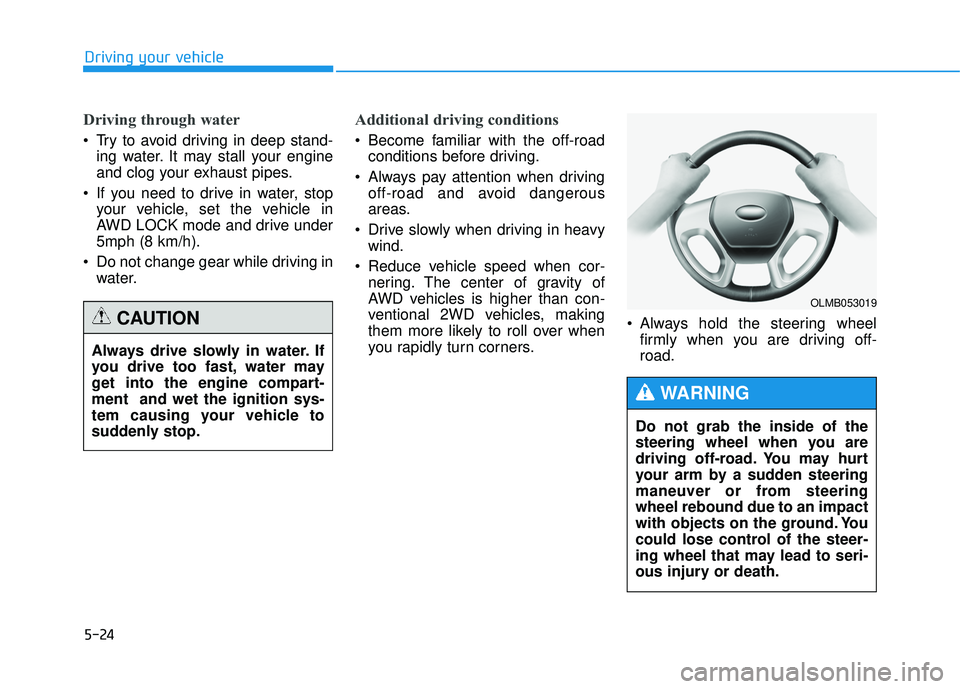
you rapidly turn corners. Always hold the steering wheel
firmly when you are driving off-road.
Always drive slowly in water. If
you drive too fast, water may
get into the engine compart-ment and wet the ignition sys-
tem causing your vehicle to
suddenly stop.
CAUTION
OLMB053019
Do not grab the inside of the
steering wheel when you are
driving off-road. You may hurt
your arm by a sudden steering
maneuver or from steeringwheel rebound due to an impact
with objects on the ground. You
could lose control of the steer-
ing wheel that may lead to seri-
ous injury or death.
WARNING
Page 471 of 653
5-25
Driving your vehicle
5
Emergency precautions
Tires
Do not use tire and wheel with differ-
ent size and type from the one origi-
nally installed on your vehicle. It can
affect the safety and performance of
your vehicle, which could lead to
steering failure or rollover causing
serious injury.
When replacing the tires, be sure to
equip all four tires with the tire and
wheel of the same size, type, tread,
brand and load-carrying capacity. If
you equip your vehicle with anytire/wheel combination not recom-
mended by HYUNDAI for off-road
driving, you should not use these
tires for highway driving.
Towing
AWD vehicles must be towed with awheel lift and dollies or flatbed equip-ment with all the wheels off the
ground. For more information, refer
to “Towing” in chapter 6.
Dynamometer testing
A full-time AWD vehicle must be test-
ed on a special four wheel chassis
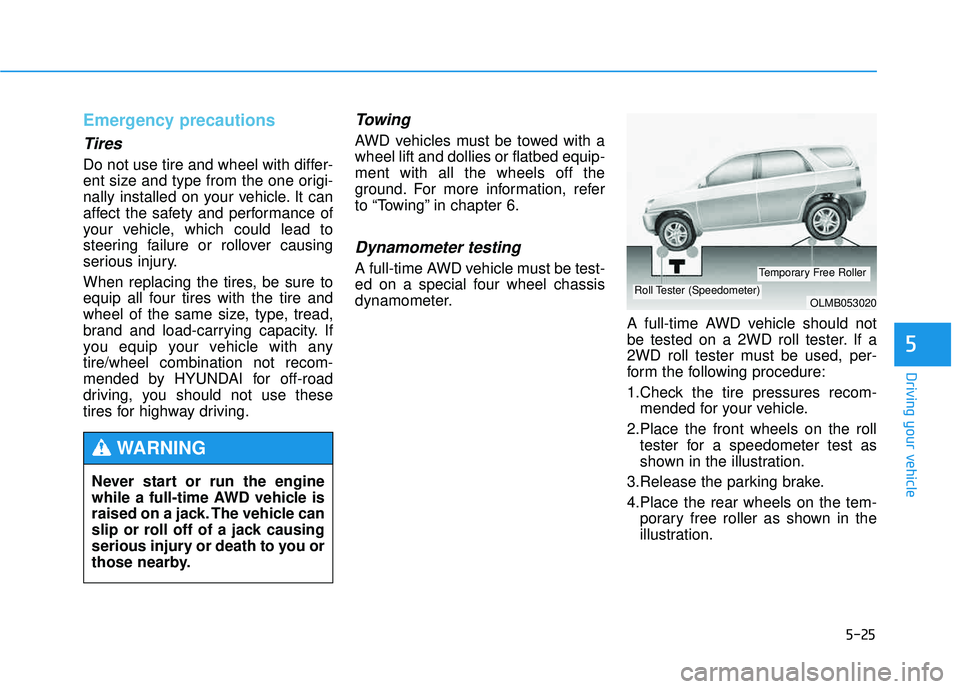
dynamometer.A full-time AWD vehicle should not
be tested on a 2WD roll tester. If a
2WD roll tester must be used, per-
form the following procedure:
1.Check the tire pressures recom-mended for your vehicle.
2.Place the front wheels on the roll tester for a speedometer test as
shown in the illustration.
3.Release the parking brake.
4.Place the rear wheels on the tem- porary free roller as shown in the
illustration.
Never start or run the engine
while a full-time AWD vehicle is
raised on a jack. The vehicle can
slip or roll off of a jack causing
serious injury or death to you or
those nearby.
WARNING
OLMB053020Roll Tester (Speedometer)
Temporary Free Roller