Start button HYUNDAI TUCSON 2016 User Guide
[x] Cancel search | Manufacturer: HYUNDAI, Model Year: 2016, Model line: TUCSON, Model: HYUNDAI TUCSON 2016Pages: 642, PDF Size: 9.78 MB
Page 129 of 642
3-31
Convenient features of your vehicle
3
To adjust the Zone setting:
1. Determine the desired ZoneNumber based upon your current
location on the Zone Map.
2. Press and hold the button for 6 seconds, the current Zone
Number will appear on the display.
3. Pressing and holding the button again will cause the numbers to
increment (Note: they will repeat
…13, 14, 15, 1, 2, …). Releasing
the button when the desired Zone
Number appears on the display
will set the new Zone.
4. Within about 5 seconds the com- pass will start displaying a com-pass heading again.
There are some conditions that can
cause changes to the vehicle mag-
nets, such as installing a ski rack or
a CB antenna. Body repair work on
the vehicle can also cause changes
to the vehicle’s magnetic field. In
these situations, the compass will
need to be re-calibrated to quickly
correct these changes. If you need to recalibrate the com-pass:
1. Press and hold the button for
more than 9 seconds. When the
compass memory is cleared a "C"
will appear in the display.
2. Drive the vehicle in 2 complete cir- cles at less than 5 mph (8 km/h).Integrated HomeLink ®
Wireless
Control System
The HomeLink®Wireless Control
System can replace up to three hand-
held radio-frequency (RF) transmit-
ters with a single built-in device. This
innovative feature will learn the radiofrequency codes of most current
transmitters to operate devices such
as gate operators, garage door open-
ers, entry door locks, security sys-
tems, even home lighting. Both stan-
dard and rolling code-equipped trans-
mitters can be programmed by fol-
lowing the outlined procedures. Additional HomeLink
®information
can be found at: www.homelink.com
or by calling 1-800-355-3515.
Retain the original transmitter of the
RF device you are programming for
use in other vehicles as well as forfuture HomeLink
®programming. It is
also suggested that upon the sale of
the vehicle, the programmedHomeLink
®buttons be erased for
security purposes.
Page 163 of 642
3-65
Convenient features of your vehicle
3
Gauges
Speedometer
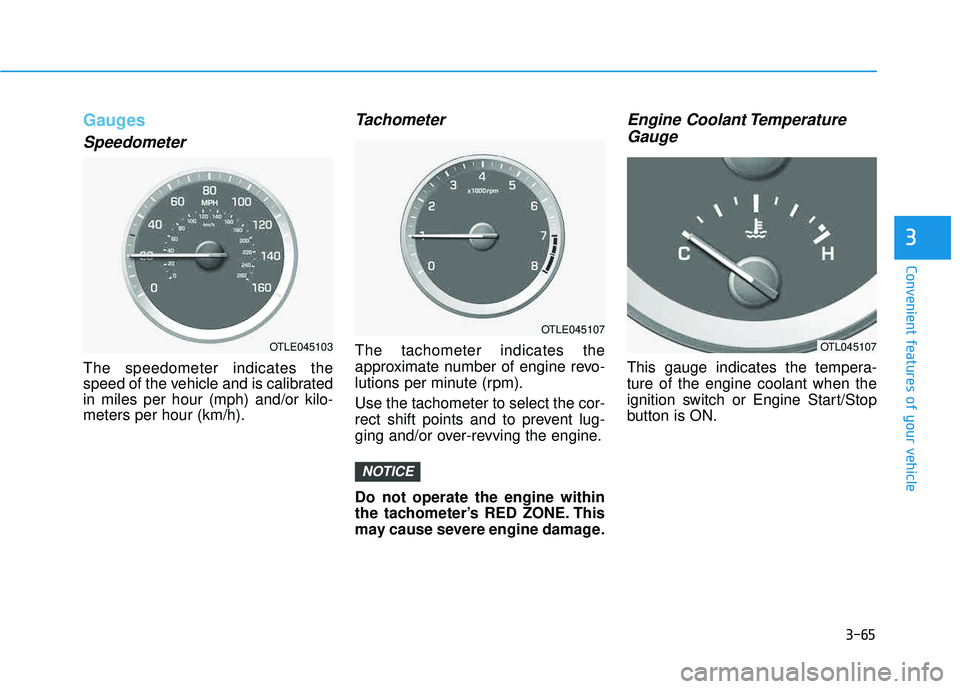
The speedometer indicates the
speed of the vehicle and is calibratedin miles per hour (mph) and/or kilo-meters per hour (km/h).
Tachometer
The tachometer indicates the
approximate number of engine revo-
lutions per minute (rpm). Use the tachometer to select the cor-
rect shift points and to prevent lug-
ging and/or over-revving the engine. Do not operate the engine within
the tachometer’s RED ZONE. This
may cause severe engine damage.
Engine Coolant TemperatureGauge
This gauge indicates the tempera-ture of the engine coolant when the
ignition switch or Engine Start/Stop
button is ON.
NOTICE
OTLE045103
OTLE045107
OTL045107
Page 171 of 642
3-73
Convenient features of your vehicle
3
Information Mode
Service Interval
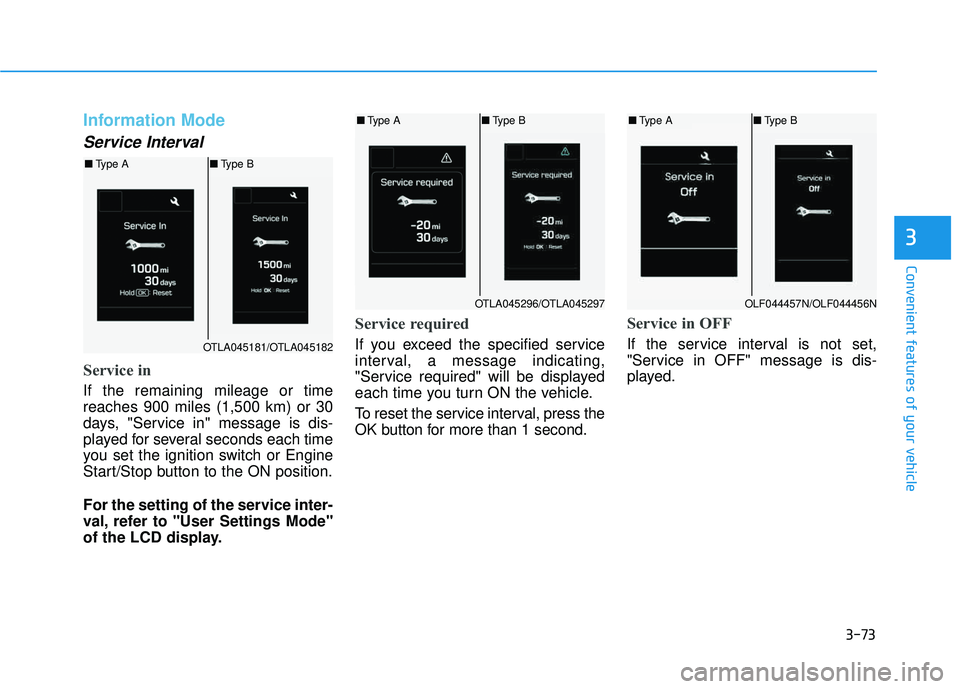
Service in
If the remaining mileage or time reaches 900 miles (1,500 km) or 30
days, "Service in" message is dis-
played for several seconds each time
you set the ignition switch or Engine
Start/Stop button to the ON position.
For the setting of the service inter-
val, refer to "User Settings Mode"
of the LCD display.
Service required
If you exceed the specified service
interval, a message indicating,
"Service required" will be displayed
each time you turn ON the vehicle.
To reset the service interval, press the
OK button for more than 1 second.
Service in OFF
If the service interval is not set,
"Service in OFF" message is dis-
played.OTLA045181/OTLA045182
■Type A ■Type B
OTLA045296/OTLA045297
■Type A ■Type B
OLF044457N/OLF044456N
■Type A ■Type B
Page 179 of 642
3-81
Convenient features of your vehicle
3
Warning Messages (if equipped)
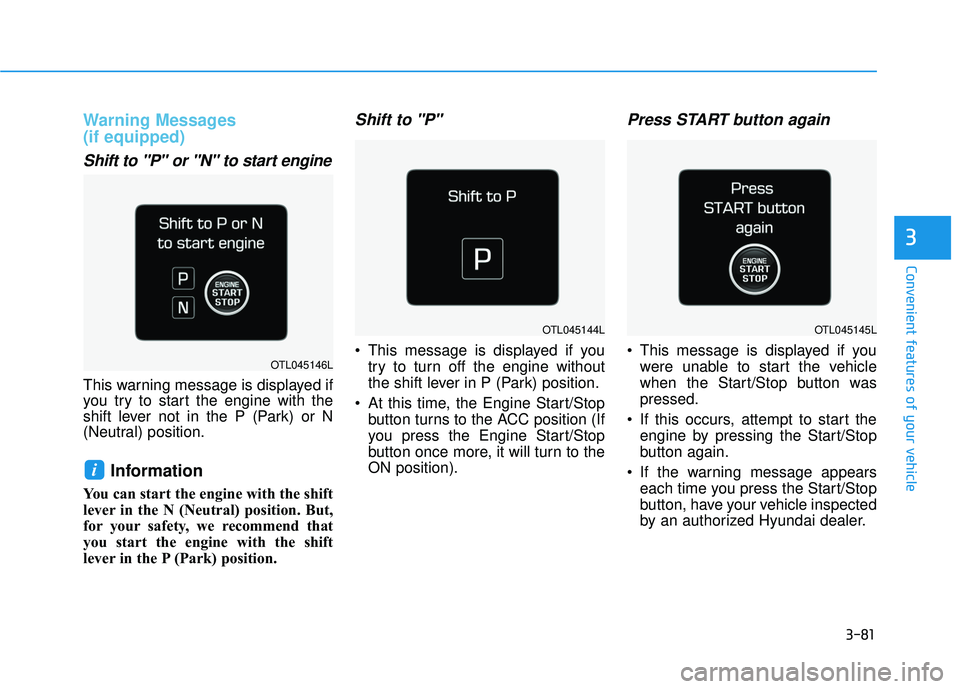
Shift to "P" or "N" to start engine
This warning message is displayed if
you try to start the engine with the
shift lever not in the P (Park) or N
(Neutral) position.
Information
You can start the engine with the shift
lever in the N (Neutral) position. But,
for your safety, we recommend that
you start the engine with the shift
lever in the P (Park) position.
Shift to "P"
This message is displayed if youtry to turn off the engine without
the shift lever in P (Park) position.
At this time, the Engine Start/Stop button turns to the ACC position (If
you press the Engine Start/Stop
button once more, it will turn to theON position).
Press START button again
This message is displayed if youwere unable to start the vehicle
when the Start/Stop button waspressed.
If this occurs, attempt to start the engine by pressing the Start/Stop
button again.
If the warning message appears each time you press the Start/Stop
button, have your vehicle inspected
by an authorized Hyundai dealer.
i
OTL045144L
OTL045146L
OTL045145L
Page 180 of 642
3-82
Convenient features of your vehicle
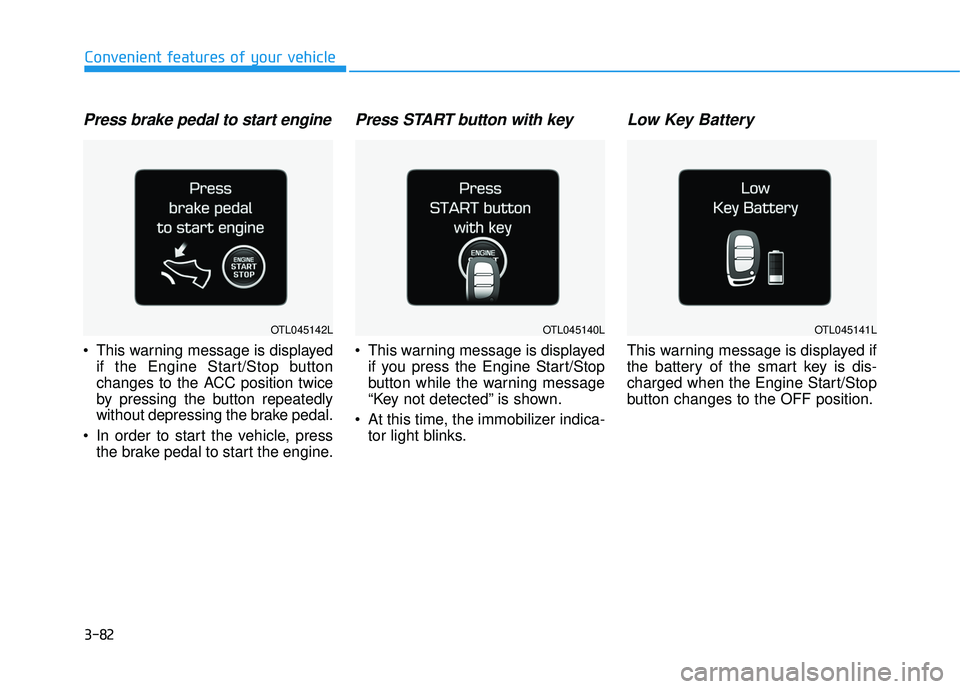
Press brake pedal to start engine
This warning message is displayedif the Engine Start/Stop button
changes to the ACC position twice
by pressing the button repeatedly
without depressing the brake pedal.
In order to start the vehicle, press the brake pedal to start the engine.
Press START button with key
This warning message is displayedif you press the Engine Start/Stop
button while the warning message
“Key not detected” is shown.
At this time, the immobilizer indica- tor light blinks.
Low Key Battery
This warning message is displayed if
the battery of the smart key is dis-
charged when the Engine Start/Stop
button changes to the OFF position.
OTL045142LOTL045140LOTL045141L
Page 181 of 642
3-83
Convenient features of your vehicle
3
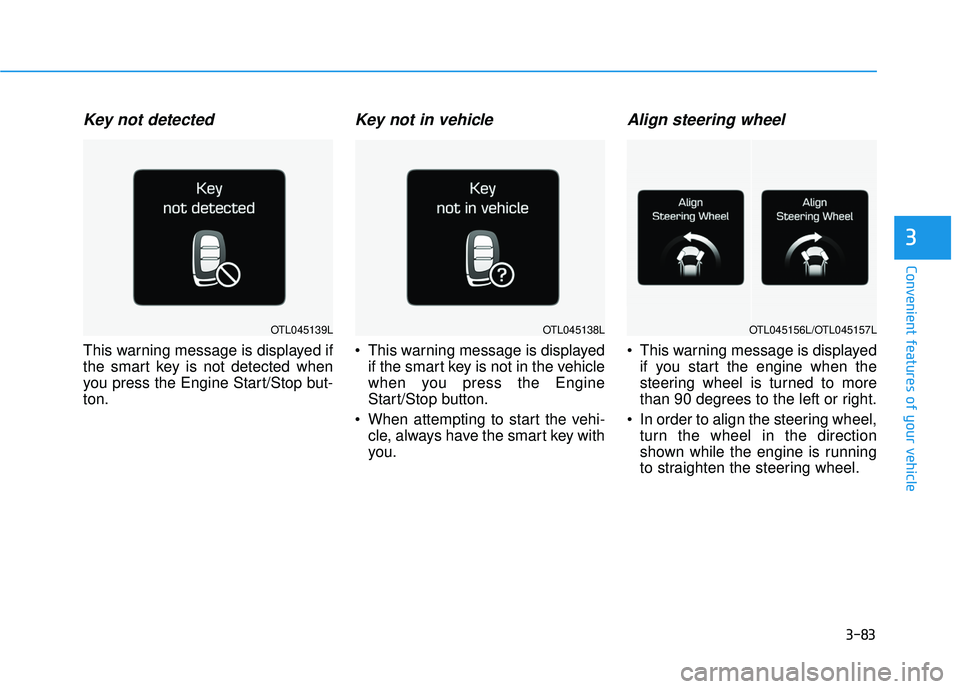
Key not detected
This warning message is displayed if
the smart key is not detected when
you press the Engine Start/Stop but-ton.
Key not in vehicle
This warning message is displayedif the smart key is not in the vehicle
when you press the Engine
Start/Stop button.
When attempting to start the vehi- cle, always have the smart key with
you.
Align steering wheel
This warning message is displayedif you start the engine when the
steering wheel is turned to more
than 90 degrees to the left or right.
In order to align the steering wheel, turn the wheel in the direction
shown while the engine is running
to straighten the steering wheel.
OTL045138LOTL045139LOTL045156L/OTL045157L
Page 183 of 642
3-85
Convenient features of your vehicle
3
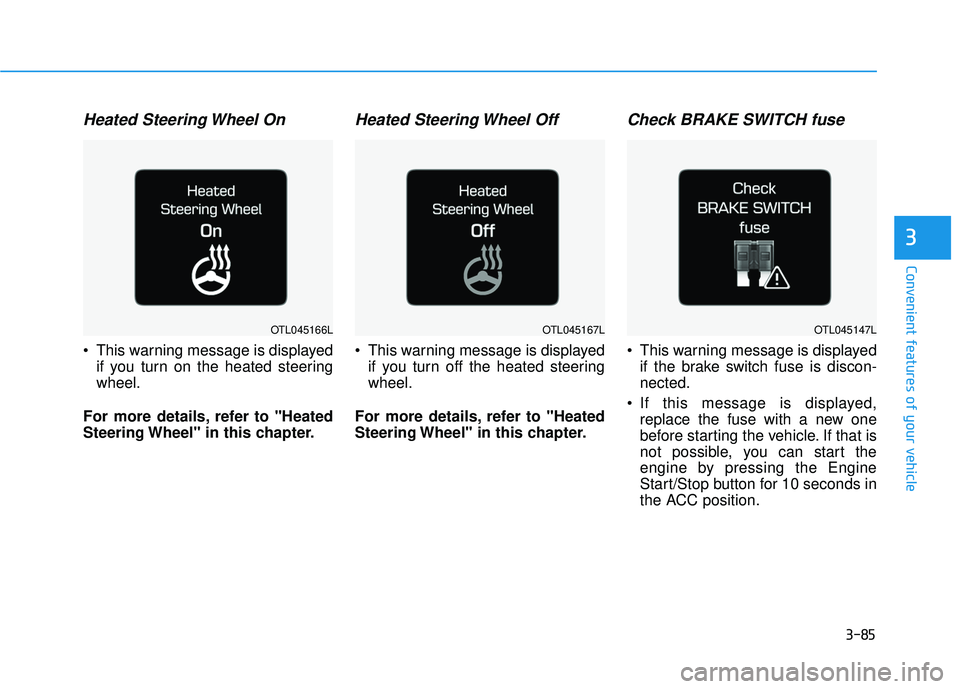
Heated Steering Wheel On
This warning message is displayedif you turn on the heated steering wheel.
For more details, refer to "Heated
Steering Wheel" in this chapter.
Heated Steering Wheel Off
This warning message is displayed if you turn off the heated steeringwheel.
For more details, refer to "Heated
Steering Wheel" in this chapter.
Check BRAKE SWITCH fuse
This warning message is displayed if the brake switch fuse is discon-nected.
If this message is displayed, replace the fuse with a new one
before starting the vehicle. If that is
not possible, you can start the
engine by pressing the Engine
Start/Stop button for 10 seconds in
the ACC position.
OTL045147LOTL045166LOTL045167L
Page 188 of 642
3-90
Convenient features of your vehicle
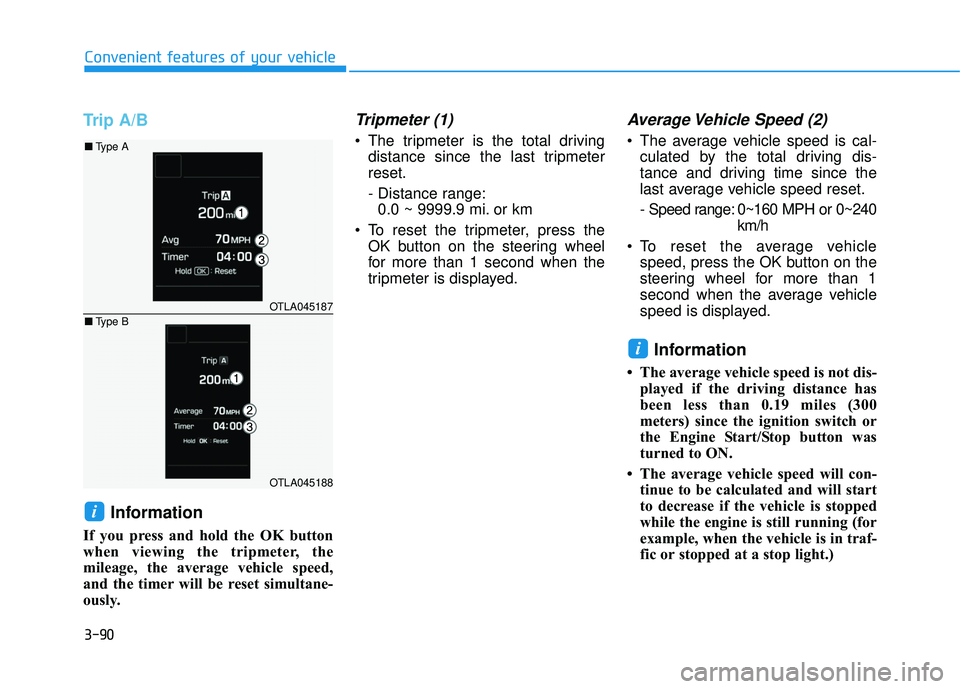
Trip A/B
Information
If you press and hold the OK button
when viewing the tripmeter, the
mileage, the average vehicle speed,
and the timer will be reset simultane-
ously.
Tripmeter (1)
The tripmeter is the total drivingdistance since the last tripmeterreset.
- Distance range:0.0 ~ 9999.9 mi. or km
To reset the tripmeter, press the OK button on the steering wheel
for more than 1 second when the
tripmeter is displayed.
Average Vehicle Speed (2)
The average vehicle speed is cal-culated by the total driving dis-
tance and driving time since the
last average vehicle speed reset.
- Speed range: 0~160 MPH or 0~240 km/h
To reset the average vehicle speed, press the OK button on the
steering wheel for more than 1
second when the average vehicle
speed is displayed.
Information
The average vehicle speed is not dis-played if the driving distance has
been less than 0.19 miles (300
meters) since the ignition switch or
the Engine Start/Stop button was
turned to ON.
The average vehicle speed will con- tinue to be calculated and will start
to decrease if the vehicle is stopped
while the engine is still running (for
example, when the vehicle is in traf-
fic or stopped at a stop light.)
i
i
OTLA045187
OTLA045188
■Type A
■ Type B
Page 192 of 642
3-94
WWAARRNN IINN GG AA NN DD IINN DDIICC AA TTOO RR LL IIGG HH TTSS
Convenient features of your vehicle
Warning Lights
Information
Make sure that all warning lights are
OFF after starting the engine. If any
light is still ON, this indicates a situa-
tion that needs attention.
Supplemental Restraint
System Warning Light
This warning light illuminates:
Once you set the ignition switch or the Engine Start/Stop button to the ON position.
- It illuminates for approximately 6seconds and then goes off.
When there is a malfunction with the SRS.
In this case, have your vehicle
inspected by an authorized
HYUNDAI dealer.
Seat Belt Warning Light
This warning light informs the driver
that the seat belt is not fastened.
For more information, refer to the
"Seat Belts" in chapter 2.
i
Page 193 of 642
3-95
Convenient features of your vehicle
3
Parking Brake & BrakeFluid Warning Light
This warning light illuminates:
Once you set the ignition switch or the Engine Start/Stop button to the ON position.
- It illuminates for approximately 3seconds.
- It remains on if the parking brake is applied.
When the parking brake is applied.
When the brake fluid level in the reservoir is low.
- If the warning light illuminateswith the parking brake released, it
indicates the brake fluid level in
reservoir is low.
If the brake fluid level in the reser-
voir is low:
1. Drive carefully to the nearest safe location and stop your vehicle.
2. With the engine stopped, check the brake fluid level immediately and add fluid as required (For more
information, refer to "Brake
Fluid" in chapter 7) . After adding
brake fluid, check all brake compo-
nents for fluid leaks. If a brake fluid
leak is found, or if the warning light
remains on, or if the brakes do not
operate properly, do not drive the
vehicle. Have the vehicle inspected
by an authorized HYUNDAI dealer.
Dual-diagonal braking system
Your vehicle is equipped with dual-
diagonal braking systems. This
means you still have braking on two
wheels even if one of the dual sys-
tems should fail. With only one of the dual systems
working, more than normal pedal
travel and greater pedal pressure is
required to stop the vehicle.
Also, the vehicle will not stop in as
short a distance with only a portion
of the brake system working.
If the brakes fail while you are driv-
ing, shift to a lower gear for addition-
al engine braking and stop the vehi-
cle as soon as it is safe to do so.