Start button HYUNDAI TUCSON 2016 Owner's Guide
[x] Cancel search | Manufacturer: HYUNDAI, Model Year: 2016, Model line: TUCSON, Model: HYUNDAI TUCSON 2016Pages: 642, PDF Size: 9.78 MB
Page 237 of 642
3-139
Convenient features of your vehicle
3
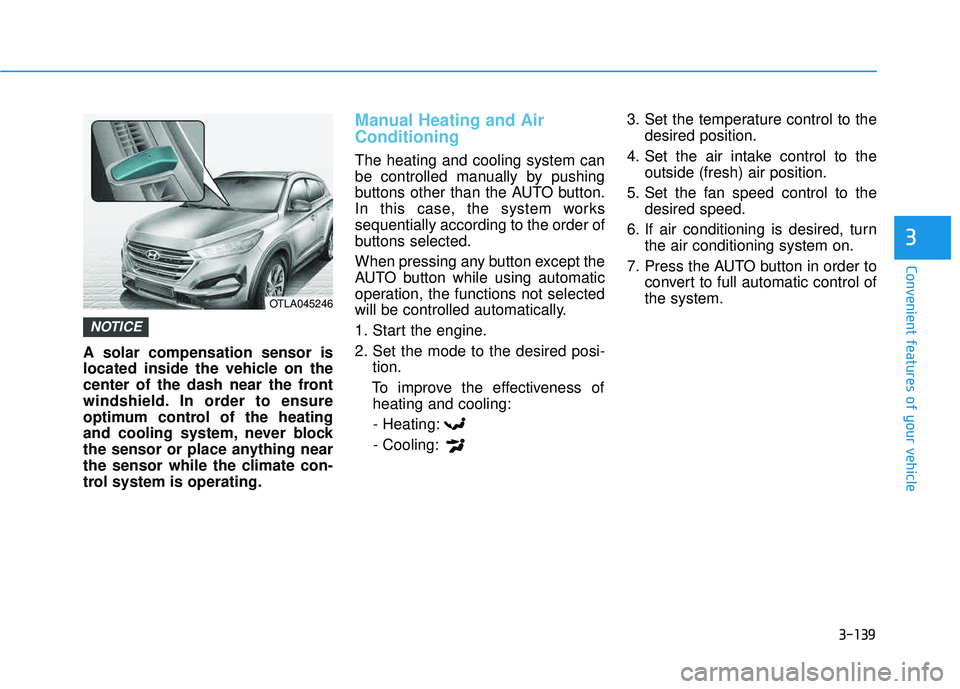
A solar compensation sensor is
located inside the vehicle on the
center of the dash near the front
windshield. In order to ensure
optimum control of the heating
and cooling system, never block
the sensor or place anything near
the sensor while the climate con-
trol system is operating.
Manual Heating and Air Conditioning
The heating and cooling system can
be controlled manually by pushing
buttons other than the AUTO button.
In this case, the system workssequentially according to the order of
buttons selected.
When pressing any button except the
AUTO button while using automatic
operation, the functions not selected
will be controlled automatically.
1. Start the engine.
2. Set the mode to the desired posi-tion.
To improve the effectiveness of heating and cooling:
- Heating:- Cooling: 3. Set the temperature control to the
desired position.
4. Set the air intake control to the outside (fresh) air position.
5. Set the fan speed control to the desired speed.
6. If air conditioning is desired, turn the air conditioning system on.
7. Press the AUTO button in order to convert to full automatic control of the system.
NOTICE
OTLA045246
Page 244 of 642
3-146
Convenient features of your vehicle
Operation Tips
To keep dust or unpleasant fumesfrom entering the car through the
ventilation system, temporarily set
the air intake control to the recircu-
lated air position. Return the con-trol to the fresh air position whenthe dust or odor has dissipated.
This will help keep the driver alert
and comfortable.
To prevent the inside of the wind- shield from fogging, set the air
intake control to the fresh air posi-
tion and fan speed to the desired
position, turn on the air conditioning
system, and adjust the temperature
control to desired temperature.
Air conditioning
All HYUNDAI Air Conditioning
Systems are filled with environmen-
tally friendly R-134a refrigerant.
1. Start the engine.
2. Push the air conditioning button.
3. Set the mode to the Face Level mode.
4. Set the air intake control to the recirculated air position. However,
prolonged operation of the recircu-
lated air position will excessively
dry the air. In this case, switch the
air intake control to the outside(fresh) air position.
5. Adjust the fan speed control and temperature control to maintain
maximum comfort.
When maximum cooling is desired,
rotate the temperature control knob
until the temperature display indi-
cates Lo. Then set the fan speed
control button to the highest speed. When using the air conditioning
system, monitor the engine tem-
perature gauge closely while driv-
ing up hills or in heavy trafficwhen outside temperatures are
high. Air conditioning system
operation can cause engine over-
heating. Continue to use the blow-
er fan, but turn the air condition-ing system off if the engine tem-
perature gauge indicates engine
overheating.
NOTICE
Page 247 of 642
3-149
Convenient features of your vehicle
3
WWIINN DDSSHH IIEE LLDD DD EEFFRR OO SSTT IINN GG AA NN DD DD EEFFOO GGGGIINN GG
For maximum windshield defrost-
ing, set the temperature control
knob to the highest temperature
setting and the fan control knob to
the highest fan speed. Select the
front defrost button on the climate
control display. After the engine
warm-up period, warm air will bedirected to the front windshield.
If warm air to the floor is desired while defrosting or defogging, set themode to the floor-defrost position.
Before driving, clear all snow and ice from the windshield, rear win-
dow, outside rear view mirrors, and
all side windows.
Clear all snow and ice from the hood and air inlet in the cowl grill to
improve heater and defroster effi-ciency and to reduce the probability
of fogging up the inside of the wind-shield.
If the engine temperature is still
cold after starting, then a brief
engine warm up period may be
required for the vented air flow tobecome warm or hot.Manual Climate Control System
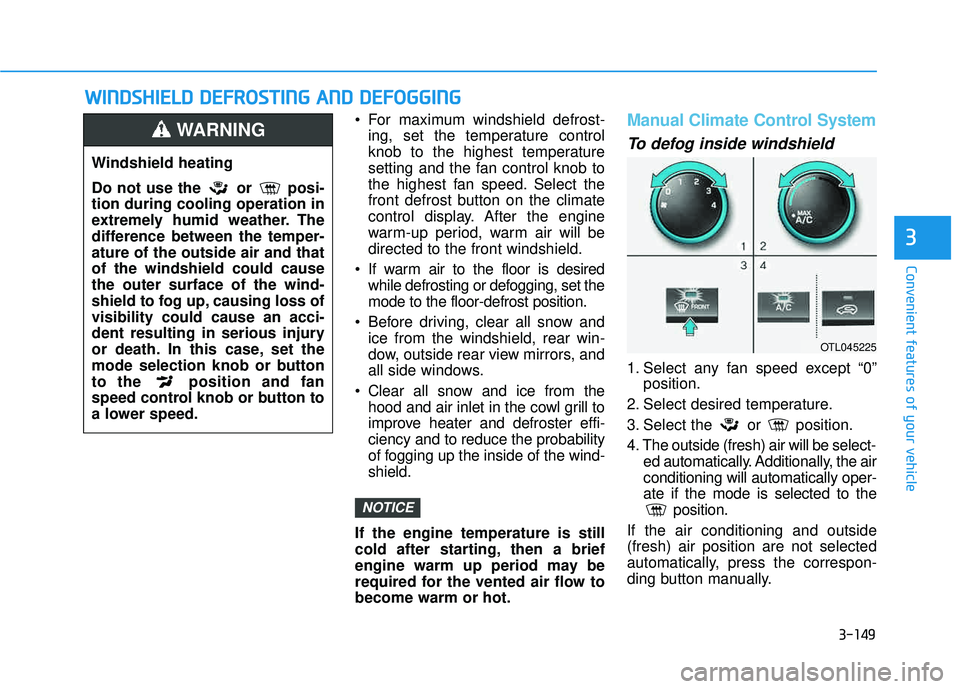
To defog inside windshield
1. Select any fan speed except “0” position.
2. Select desired temperature.
3. Select the or position.
4. The outside (fresh) air will be select- ed automatically. Additionally, the air conditioning will automatically oper-ate if the mode is selected to the position.
If the air conditioning and outside(fresh) air position are not selected
automatically, press the correspon-
ding button manually.
NOTICE
Windshield heating
Do not use the or posi- tion during cooling operation in
extremely humid weather. The
difference between the temper-ature of the outside air and thatof the windshield could causethe outer surface of the wind-
shield to fog up, causing loss ofvisibility could cause an acci-
dent resulting in serious injury
or death. In this case, set the
mode selection knob or button
to the position and fan
speed control knob or button to
a lower speed.
WARNING
OTL045225
Page 292 of 642
4-29
Multimedia System
4
AAuuddiioo CC DD MM ooddee
Using Audio CD Mode
Playing/Pausing CD Tracks
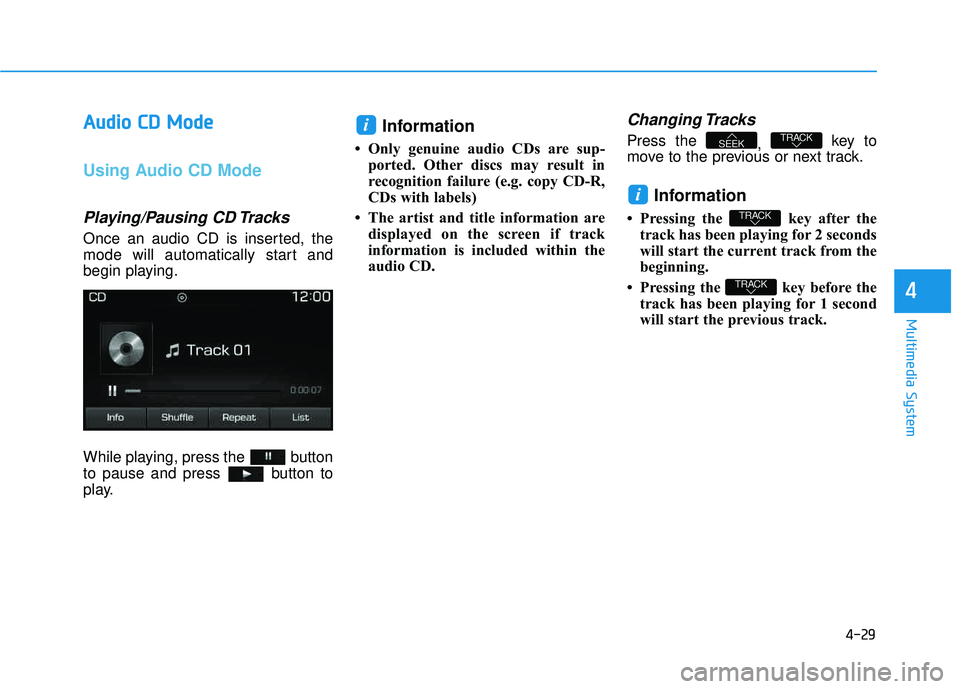
Once an audio CD is inserted, the
mode will automatically start and
begin playing.
While playing, press the button
to pause and press button to
play.
Information
Only genuine audio CDs are sup-
ported. Other discs may result in
recognition failure (e.g. copy CD-R,
CDs with labels)
The artist and title information are displayed on the screen if track
information is included within the
audio CD.
Changing Tracks
Press the , key to
move to the previous or next track.
Information
Pressing the key after the track has been playing for 2 seconds
will start the current track from the
beginning.
Pressing the key before the track has been playing for 1 second
will start the previous track.
TRACK
TRACK
i
TRACKSEEK
i
Page 293 of 642
4-30
Multimedia System
Selecting from the List
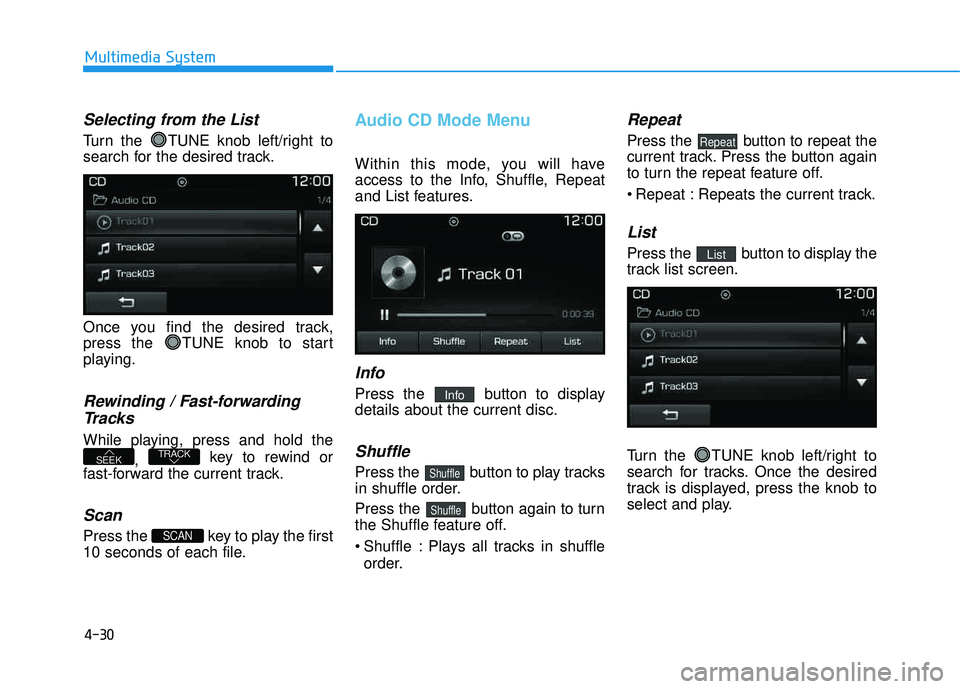
Turn the TUNE knob left/right to
search for the desired track.
Once you find the desired track,
press the TUNE knob to start
playing.
Rewinding / Fast-forwardingTracks
While playing, press and hold the
, key to rewind or
fast-forward the current track.
Scan
Press the key to play the first
10 seconds of each file.
Audio CD Mode Menu
Within this mode, you will have
access to the Info, Shuffle, Repeat
and List features.
Info
Press the button to displaydetails about the current disc.
Shuffle
Press the button to play tracks
in shuffle order.
Press the button again to turn
the Shuffle feature off.
Shuffle : Plays all tracks in shuffle order.
Repeat
Press the button to repeat the
current track. Press the button again
to turn the repeat feature off.
Repeat : Repeats the current track.
List
Press the button to display the
track list screen.
Turn the TUNE knob left/right to
search for tracks. Once the desired
track is displayed, press the knob to
select and play.List
Repeat
Shuffle
Shuffle
Info
SCAN
TRACKSEEK
Page 294 of 642
4-31
Multimedia System
4
MMPP33 CC DD MM ooddee
Using MP3 CD Mode
Playing/Pausing MP3 Files
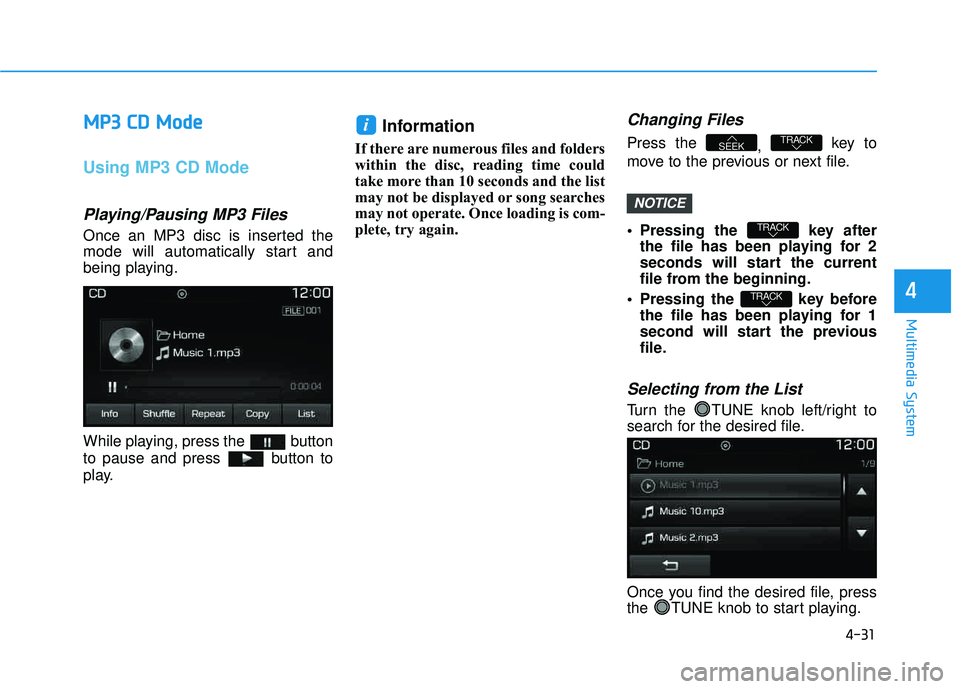
Once an MP3 disc is inserted the
mode will automatically start and
being playing.
While playing, press the button
to pause and press button to
play.
Information
If there are numerous files and folders
within the disc, reading time could
take more than 10 seconds and the list
may not be displayed or song searches
may not operate. Once loading is com-
plete, try again.
Changing Files
Press the
, key to
move to the previous or next file.
Pressing the key after the file has been playing for 2
seconds will start the current
file from the beginning.
Pressing the key before the file has been playing for 1
second will start the previous
file.
Selecting from the List
Turn the TUNE knob left/right to
search for the desired file.
Once you find the desired file, press
the TUNE knob to start playing.
TRACK
TRACK
TRACKSEEK
i
NOTICE
Page 297 of 642
4-34
Multimedia System
UUSSBB MM ooddee
Using USB Mode
Playing/Pausing USB Files
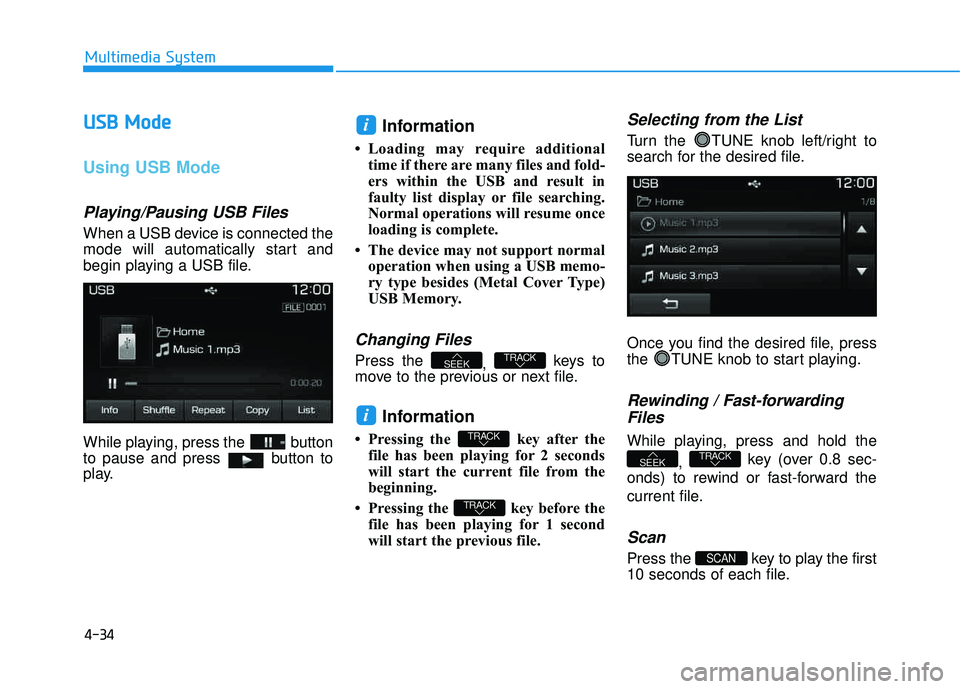
When a USB device is connected the
mode will automatically start and
begin playing a USB file.
While playing, press the button
to pause and press button to
play.
Information
Loading may require additional
time if there are many files and fold-
ers within the USB and result in
faulty list display or file searching.
Normal operations will resume once
loading is complete.
The device may not support normal operation when using a USB memo-
ry type besides (Metal Cover Type)
USB Memory.
Changing Files
Press the , keys to
move to the previous or next file.
Information
Pressing the key after the file has been playing for 2 seconds
will start the current file from the
beginning.
Pressing the key before the file has been playing for 1 second
will start the previous file.
Selecting from the List
Turn the TUNE knob left/right to
search for the desired file.
Once you find the desired file, press
the TUNE knob to start playing.
Rewinding / Fast-forwarding
Files
While playing, press and hold the
, key (over 0.8 sec-
onds) to rewind or fast-forward the
current file.
Scan
Press the key to play the first
10 seconds of each file.SCAN
TRACKSEEK
TRACK
TRACK
i
TRACKSEEK
i
Page 300 of 642
4-37
Multimedia System
4
iiPP oodd ®®
MMooddee
Using iPod®Mode
Playing/Pausing iPod®Songs
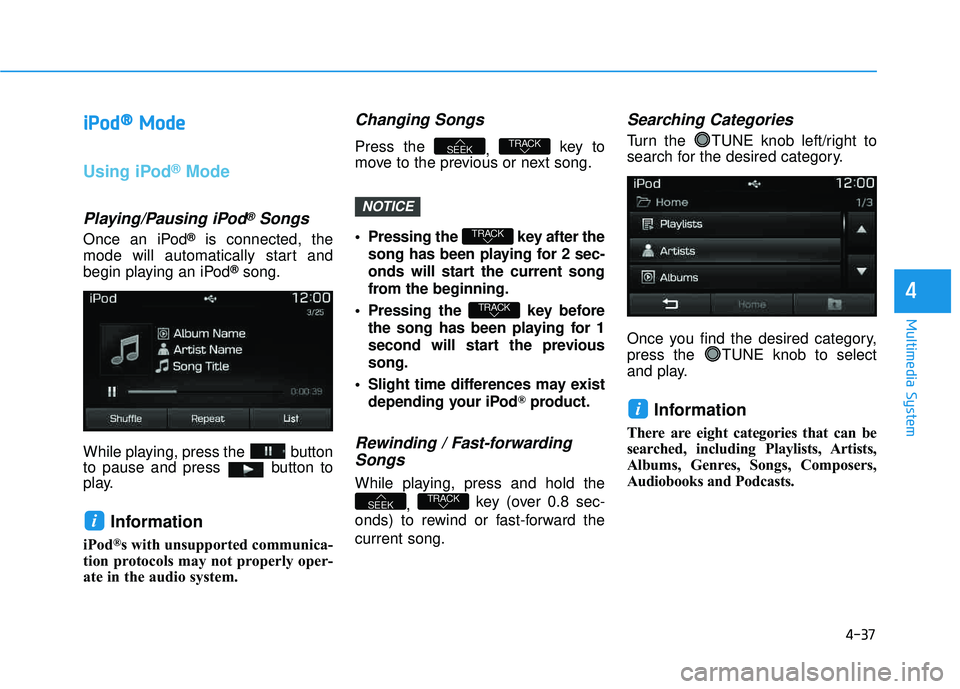
Once an iPod®is connected, the
mode will automatically start and
begin playing an iPod
®song.
While playing, press the button
to pause and press button to
play.
Information
iPod®s with unsupported communica-
tion protocols may not properly oper-
ate in the audio system.
Changing Songs
Press the , key to
move to the previous or next song.
Pressing the key after the
song has been playing for 2 sec-
onds will start the current song
from the beginning.
Pressing the key before the song has been playing for 1
second will start the previoussong.
Slight time differences may exist depending your iPod
®product.
Rewinding / Fast-forwardingSongs
While playing, press and hold the
, key (over 0.8 sec-
onds) to rewind or fast-forward the current song.
Searching Categories
Turn the TUNE knob left/right to
search for the desired category.
Once you find the desired category,
press the TUNE knob to select
and play.
Information
There are eight categories that can be
searched, including Playlists, Artists,
Albums, Genres, Songs, Composers,
Audiobooks and Podcasts.
i
TRACKSEEK
TRACK
TRACK
TRACKSEEK
i
NOTICE
Page 303 of 642
4-40
Multimedia System
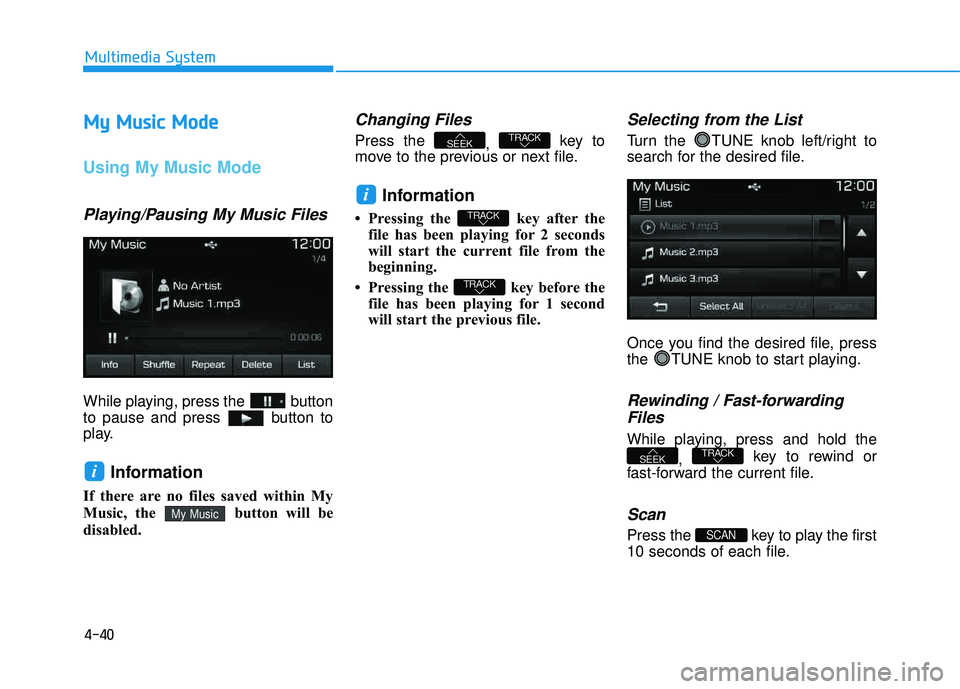
MMyy MM uussiicc MM ooddee
Using My Music Mode
Playing/Pausing My Music Files
While playing, press the button
to pause and press button to
play.
Information
If there are no files saved within My
Music, the button will be
disabled.
Changing Files
Press the
, key to
move to the previous or next file.
Information
Pressing the key after the file has been playing for 2 seconds
will start the current file from the
beginning.
Pressing the key before the file has been playing for 1 second
will start the previous file.
Selecting from the List
Turn the TUNE knob left/right to
search for the desired file.
Once you find the desired file, press
the TUNE knob to start playing.
Rewinding / Fast-forwarding
Files
While playing, press and hold the
, key to rewind or
fast-forward the current file.
Scan
Press the key to play the first
10 seconds of each file.SCAN
TRACKSEEK
TRACK
TRACK
i
TRACKSEEK
My Music
i
Page 306 of 642
4-43
Multimedia System
4
Information - Using the
Bluetooth®Wireless Technology
audio mode
Bluetooth
®Wireless Technology
Audio Mode can be used only when a Bluetooth
®Wireless Technology
phone has been connected.
Bluetooth
®Wireless Technology
Audio Mode will not be available
when connecting mobile phones that
do not support this feature.
While Bluetooth
®Wireless Technology
Audio is playing, if the Bluetooth®
Wireless Technology phone is con-
nected, then the music will also stop.
Moving the Track up/down while playing Bluetooth
®Wireless Technology
audio mode may result in pop noises
in some mobile phones.
Bluetooth
®Wireless Technology
streaming audio may not be sup-
ported in some mobile phones.
(Continued)(Continued)
When returning to Bluetooth
®
Wireless Technology Audio mode
after ending a call, the mode may
not automatically restart in some
mobile phones.
Receiving an incoming call or mak- ing an outgoing call while playing
Bluetooth
®Wireless Technology
Audio may result in audio interfer-
ence.
BB lluu eettoo ootthh®®WW iirr ee llee ssss
T
T eecchh nnoo lloo ggyy AAuuddiioo MM ooddee
Using Bluetooth®Wireless
Technology Audio Mode
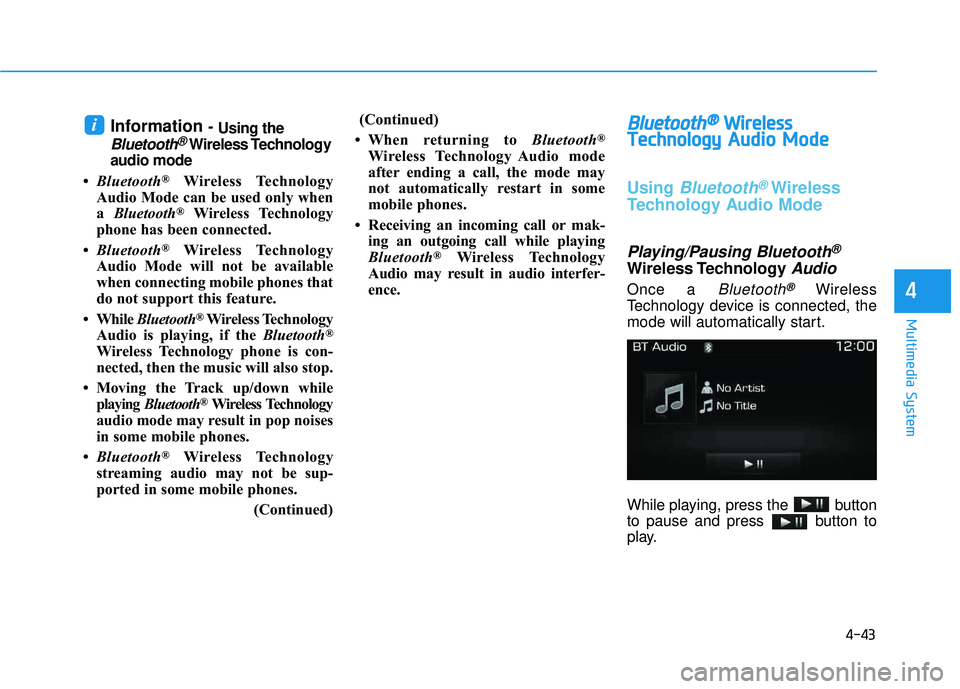
Playing/Pausing Bluetooth®
Wireless TechnologyAudio
Once a Bluetooth®Wireless
Technology device is connected, the
mode will automatically start.
While playing, press the button
to pause and press button to
play.
i