charging HYUNDAI TUCSON 2016 User Guide
[x] Cancel search | Manufacturer: HYUNDAI, Model Year: 2016, Model line: TUCSON, Model: HYUNDAI TUCSON 2016Pages: 642, PDF Size: 9.78 MB
Page 514 of 642
7
Maintenance
7
Maintenance
Engine compartment .............................................7-3
Maintenance services ...........................................7-5
Owner's Responsibility .....................................................7-5
Owner Maintenance Precautions..................................7-5
Owner maintenance ...............................................7-6
Owner Maintenance Schedule .......................................7-7
Scheduled maintenance services.........................7-8
Explanation of scheduled maintenance items..7-26
Engine oil ..............................................................7-30
Checking the Engine Oil Level .....................................7-30
Checking the Engine Oil and Filter .............................7-31
Engine coolant......................................................7-32
Checking the Engine Coolant Level ............................7-32
Changing Engine Coolant ..............................................7-35
Brake fluid ............................................................7-36
Checking the Brake Fluid Level ...................................7-36
Washer fluid .........................................................7-37
Checking the Washer Fluid Level................................7-37
Parking brake .......................................................7-37
Checking the Parking Brake .........................................7-37
Air cleaner ............................................................7-38
Filter Replacement ..........................................................7-38
Climate control air filter .....................................7-40
Filter Inspection ...............................................................7-40
Wiper blades .........................................................7-42
Blade Inspection ..............................................................7-42
Blade Replacement .........................................................7-42
Battery...................................................................7-45
For Best Battery Service ..............................................7-46
Battery Recharging ........................................................7-46
Reset features .................................................................7-47
Tires and wheels ..................................................7-48
Tire Care ............................................................................7-48
Recommended Cold Tire Inflation Pressures ...........7-49
Check Tire Inflation Pressure ......................................7-50
Tire Rotation.....................................................................7-51
Wheel Alignment and Tire Balance ............................7-52
Tire Replacement ............................................................7-52
Wheel Replacement ........................................................7-53
Tire Traction .....................................................................7-53
Tire Maintenance ............................................................7-54
Tire Sidewall Labeling ....................................................7-54
Tire Terminology and Definitions................................7-58
All Season Tires ...............................................................7-61
Summer Tires ...................................................................7-61
Snow Tires ........................................................................7-61
Radial-Ply Tires ...............................................................7-62
Low Aspect Ratio Tires..................................................7-62
7
Page 559 of 642
7-46
Maintenance
When you do not use the vehiclefor a long time in a low tempera-
ture area, disconnect the battery
and keep it indoors.
Always charge the battery fully to prevent battery case damage
in low temperature areas.
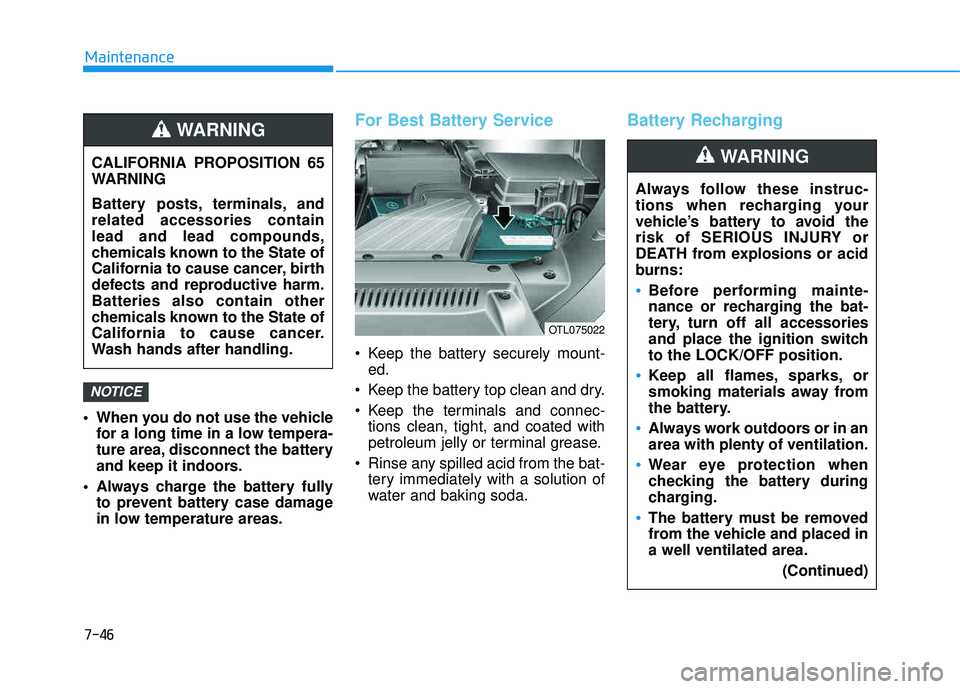
For Best Battery Service
Keep the battery securely mount-ed.
Keep the battery top clean and dry.
Keep the terminals and connec- tions clean, tight, and coated with
petroleum jelly or terminal grease.
Rinse any spilled acid from the bat- tery immediately with a solution of
water and baking soda.
Battery Recharging
NOTICE
CALIFORNIA PROPOSITION 65
WARNING
Battery posts, terminals, and related accessories containlead and lead compounds,
chemicals known to the State of
California to cause cancer, birth
defects and reproductive harm.Batteries also contain other
chemicals known to the State of
California to cause cancer.
Wash hands after handling.
WARNING
Always follow these instruc-
tions when recharging your
vehicle’s battery to avoid the
risk of SERIOUS INJURY or
DEATH from explosions or acid
burns:
Before performing mainte-
nance or recharging the bat-
tery, turn off all accessories
and place the ignition switchto the LOCK/OFF position.
Keep all flames, sparks, or
smoking materials away from
the battery.
Always work outdoors or in an area with plenty of ventilation.
Wear eye protection when
checking the battery during
charging.
The battery must be removed
from the vehicle and placed ina well ventilated area.
(Continued)
WARNING
OTL075022
Page 560 of 642
7-47
7
Maintenance
By jump starting
After a jump start from a good bat-
tery, drive the vehicle for 20-30 min-
utes before it is shutoff. The vehicle
may not restart if you shut it off
before the battery had a chance to
adequately recharge. See "Jump
Starting" in chapter 6 for more infor-
mation on jump starting procedures.
Information
An inappropriately disposedbattery can be harmful to
the environment and human
health.
Dispose the battery according to your
local law(s) or regulation.
Reset features
Some items need to be reset after
the battery has been discharged or
the battery has been disconnected.
See chapter 3 for:
Power Windows
Trip Computer
Climate Control System
Clock
Audio System
Sunroof
Integrated Memory System
i
(Continued)
Watch the battery during
charging, and stop or reduce
the charging rate if the battery
cells begin boiling violently.
The negative battery cable
must be removed first and
installed last when the battery
is disconnected. Disconnect
the battery charger in the fol-
lowing order:
(1) Turn off the battery charg- er main switch.
(2) Unhook the negative
clamp from the negative
battery terminal.
(3) Unhook the positive clamp from the positive batteryterminal.
Always use a genuine
HYUNDAI approved battery
when you replace the battery.