fuel HYUNDAI TUCSON 2016 Owner's Manual
[x] Cancel search | Manufacturer: HYUNDAI, Model Year: 2016, Model line: TUCSON, Model: HYUNDAI TUCSON 2016Pages: 642, PDF Size: 9.78 MB
Page 168 of 642
3-70
LCD Modes
LLCC DD DD IISS PP LLAA YY
Convenient features of your vehicle
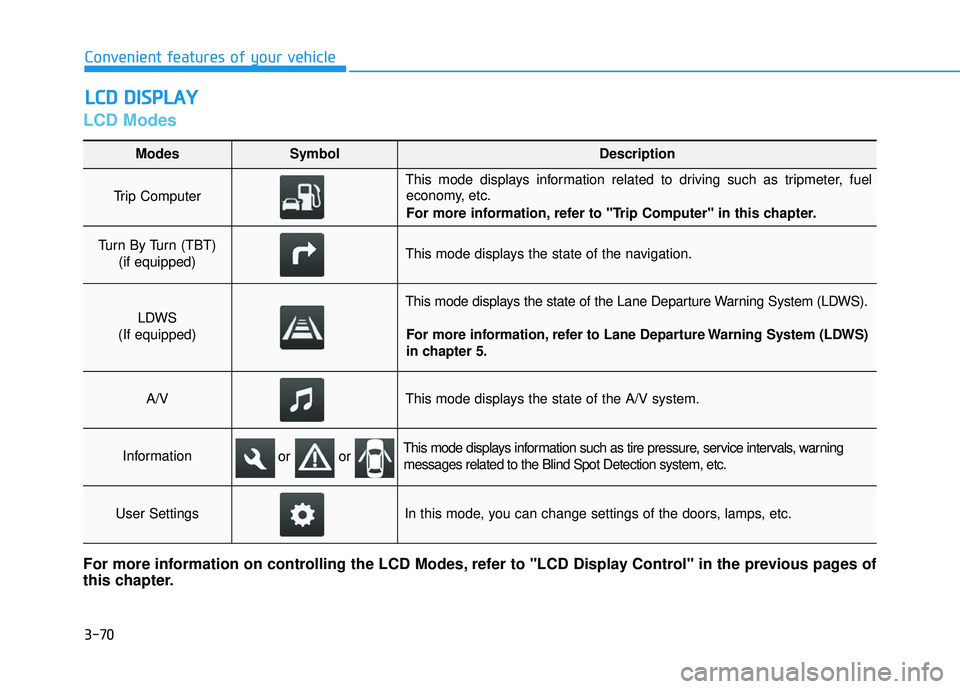
Modes SymbolDescription
Trip Computer
This mode displays information related to driving such as tripmeter, fuel
economy, etc.
For more information, refer to "Trip Computer" in this chapter.
Turn By Turn (TBT)
(if equipped)This mode displays the state of the navigation.
LDWS
(If equipped)
This mode displays the state of the Lane Departure Warning System (LDWS).
For more information, refer to Lane Departure Warning System (LDWS)
in chapter 5.
A/VThis mode displays the state of the A/V system.
InformationThis mode displays information such as tire pressure, service intervals, warningmessages related to the Blind Spot Detection system, etc.
User SettingsIn this mode, you can change settings of the doors, lamps, etc.
For more information on controlling the LCD Modes, refer to "LCD Display Control" in the previous pages of
this chapter.
or or
Page 169 of 642
3-71
Convenient features of your vehicle
3
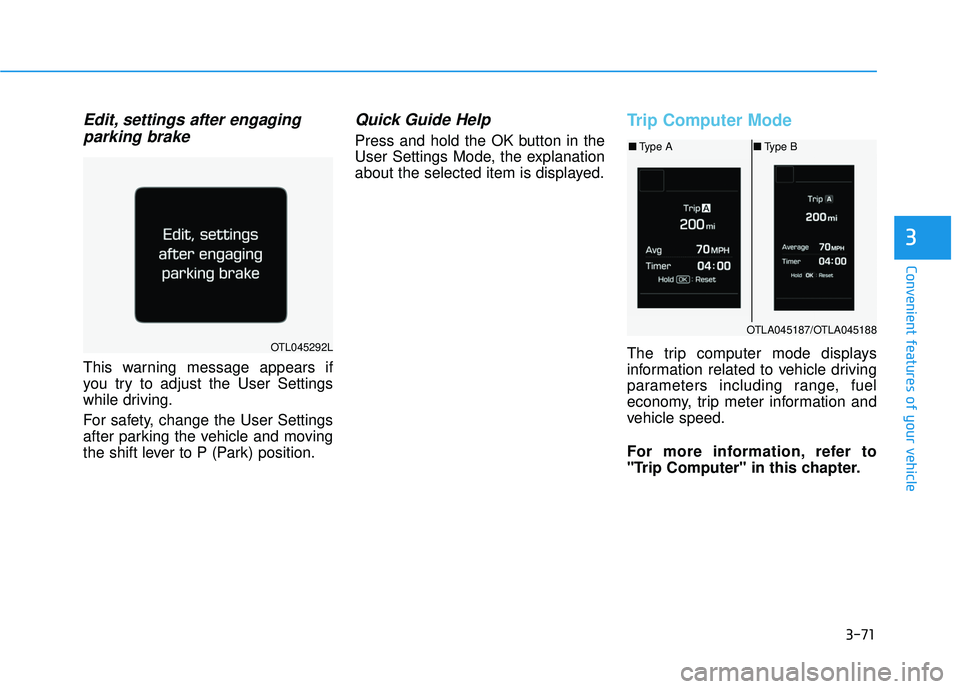
Edit, settings after engagingparking brake
This warning message appears if
you try to adjust the User Settings
while driving.
For safety, change the User Settings
after parking the vehicle and moving
the shift lever to P (Park) position.
Quick Guide Help
Press and hold the OK button in the
User Settings Mode, the explanation
about the selected item is displayed.
Trip Computer Mode
The trip computer mode displays
information related to vehicle driving
parameters including range, fuel
economy, trip meter information and
vehicle speed.
For more information, refer to
"Trip Computer" in this chapter.OTL045292L
OTLA045187/OTLA045188
■ Type A ■Type B
Page 178 of 642
3-80
Convenient features of your vehicle
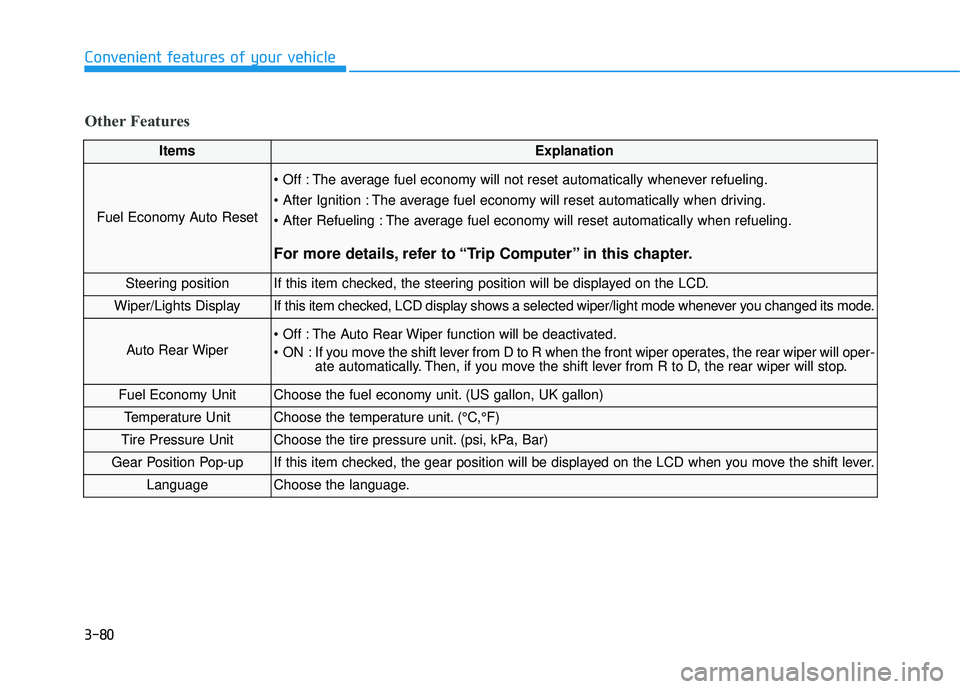
ItemsExplanation
Fuel Economy Auto Reset
The average fuel economy will not reset automatically whenever refueling.
The average fuel economy will reset automatically when driving.
The average fuel economy will reset automatically when refueling.
For more details, refer to “Trip Computer” in this chapter.
Steering positionIf this item checked, the steering position will be displayed on the LCD.
Wiper/Lights DisplayIf this item checked, LCD display shows a selected wiper/light mode whenever you changed its mode.
Auto Rear Wiper
The Auto Rear Wiper function will be deactivated.
ON : If you move the shift lever from D to R when the front wiper operates, the rear wiper will oper-ate automatically. Then, if you move the shift lever from R to D, the rear wiper will stop.
Fuel Economy UnitChoose the fuel economy unit. (US gallon, UK gallon)
Temperature UnitChoose the temperature unit. (°C,°F)
Tire Pressure UnitChoose the tire pressure unit. (psi, kPa, Bar)
Gear Position Pop-upIf this item checked, the gear position will be displayed on the LCD when you move the shift lever.
LanguageChoose the language.
Other Features
Page 185 of 642
3-87
Convenient features of your vehicle
3
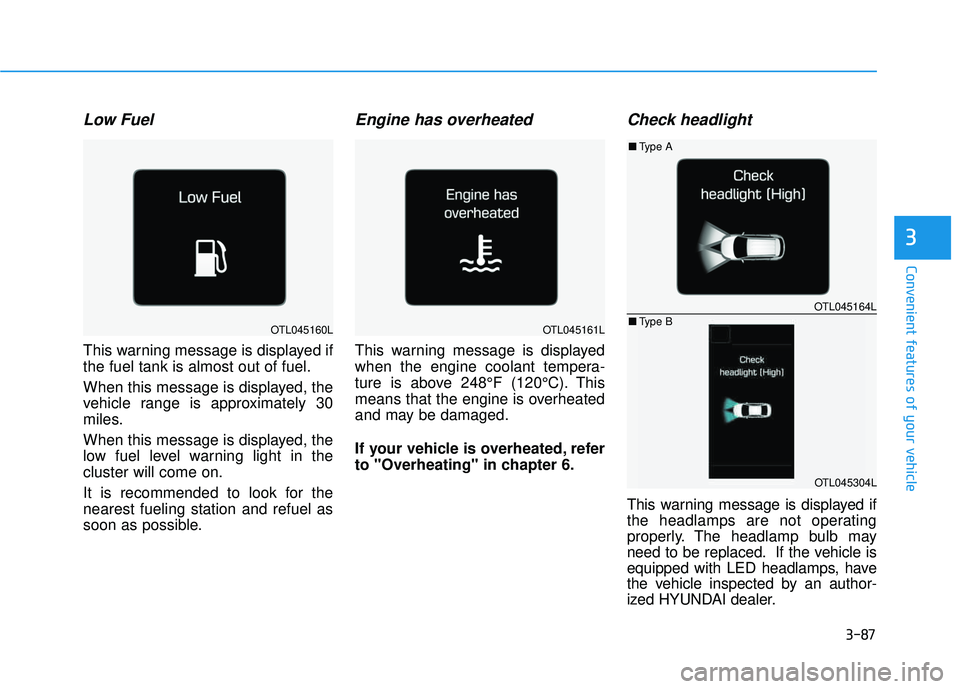
Low Fuel
This warning message is displayed if the fuel tank is almost out of fuel.
When this message is displayed, the
vehicle range is approximately 30
miles.
When this message is displayed, the
low fuel level warning light in thecluster will come on.
It is recommended to look for the nearest fueling station and refuel as
soon as possible.
Engine has overheated
This warning message is displayed
when the engine coolant tempera-
ture is above 248°F (120°C). This
means that the engine is overheated
and may be damaged.
If your vehicle is overheated, refer
to "Overheating" in chapter 6.
Check headlight
This warning message is displayed if
the headlamps are not operating
properly. The headlamp bulb may
need to be replaced. If the vehicle is
equipped with LED headlamps, have
the vehicle inspected by an author-
ized HYUNDAI dealer.
OTL045164L
OTL045304L
■Type A
■ Type B
OTL045160LOTL045161L
Page 187 of 642
3-89
Convenient features of your vehicle
Overview
The trip computer is a microcomput-
er-controlled driver information sys-
tem that displays information related
to driving.
Information
Some driving information stored in
the trip computer (for example
Average Vehicle Speed) resets if the
battery is disconnected.
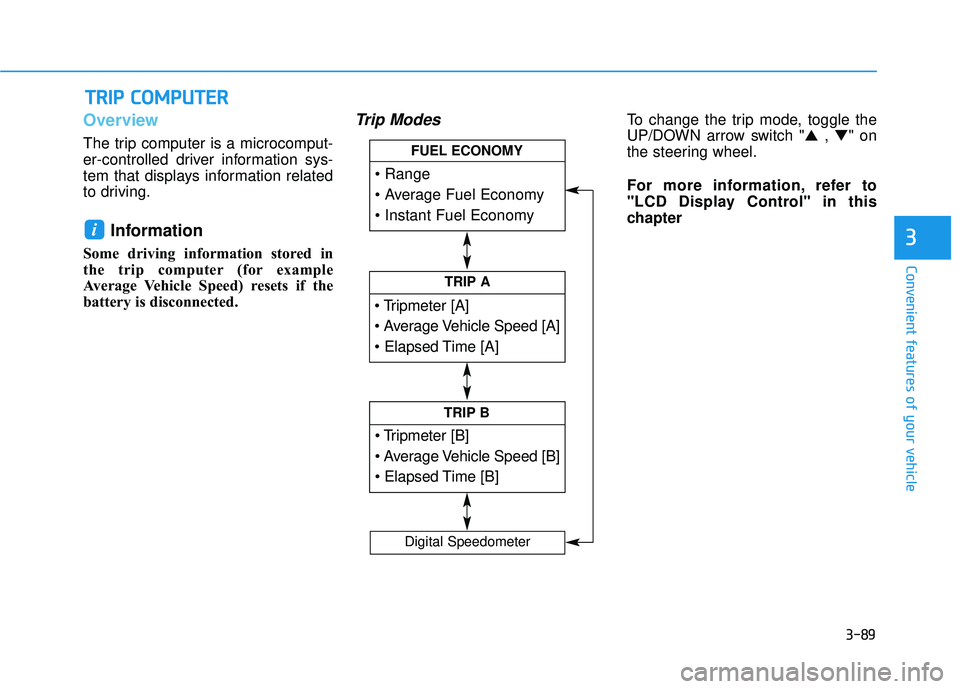
Trip ModesTo change the trip mode, toggle the
UP/DOWN arrow switch "▲ , ▼ " on
the steering wheel.
For more information, refer to
"LCD Display Control" in this
chapter
i
TT RR IIPP CC OO MM PPUU TTEERR
3
TRIP A
TRIP B
FUEL ECONOMY
Digital Speedometer
Page 189 of 642
3-91
Convenient features of your vehicle
3
Elapsed Time (3)
The elapsed time is the total driv-ing time since the last elapsed time reset.
- Time range (hh:mm): 00:00 ~ 99:59
To reset the elapsed time, press the OK button on the steering wheel for more than 1 second when the
elapsed time is displayed.
Information
The elapsed time will continue to be
counted while the engine is still run-
ning (for example, when the vehicle is
in traffic or stopped at a stop light.)
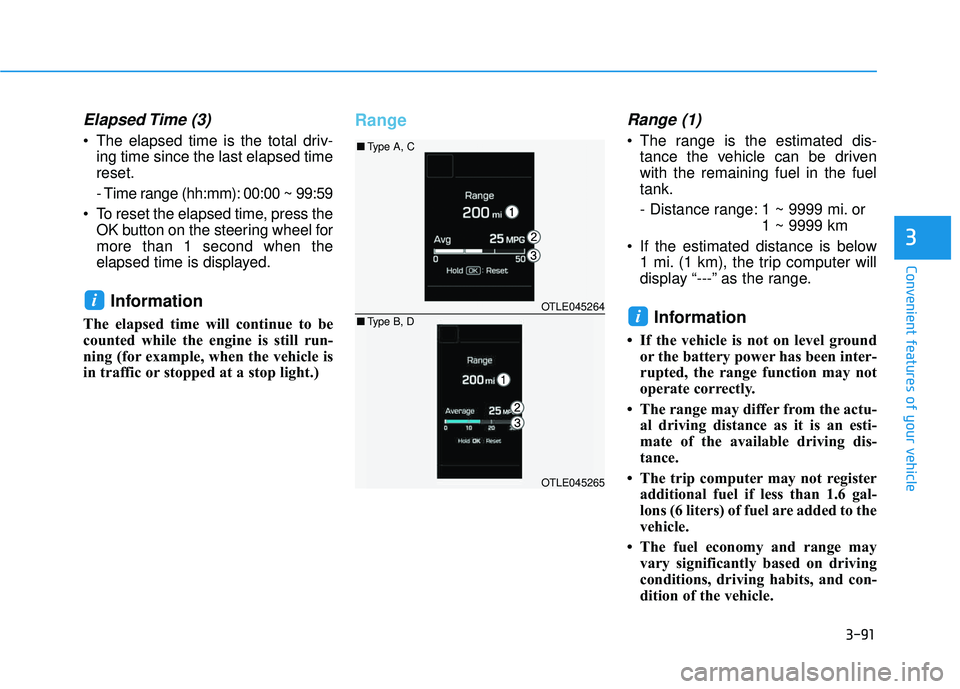
RangeRange (1)
The range is the estimated dis-tance the vehicle can be driven with the remaining fuel in the fueltank.
- Distance range: 1 ~ 9999 mi. or 1 ~ 9999 km
If the estimated distance is below 1 mi. (1 km), the trip computer will
display “---” as the range.
Information
If the vehicle is not on level groundor the battery power has been inter-
rupted, the range function may not
operate correctly.
The range may differ from the actu- al driving distance as it is an esti-
mate of the available driving dis-
tance.
The trip computer may not register additional fuel if less than 1.6 gal-
lons (6 liters) of fuel are added to the
vehicle.
The fuel economy and range may vary significantly based on driving
conditions, driving habits, and con-
dition of the vehicle.
i
iOTLE045264
OTLE045265
■Type A, C
■ Type B, D
Page 190 of 642
3-92
Convenient features of your vehicle
Average Fuel Economy (2)
The average fuel economy is calcu-lated by the total driving distance and fuel consumption since the last
average fuel economy reset.
- Fuel economy range:0.0 ~ 99.9 MPG or L/100km or km/L
The average fuel economy can be reset both manually and automati-
cally.
Manual reset
To clear the average fuel economy
manually, press the OK button on the
steering wheel for more than 1 sec-
ond when the average fuel economy
is displayed.
For more information on the OK
button, refer to the "LCD Display
Control" in this chapter.
Automatic reset
To reset the average fuel economy
automatically whenever refueling,select the "After refueling" mode in
User Setting menu of the LCD display(Refer to "LCD Display" ).
Under "After refueling" mode, the
average fuel economy will be cleared
to zero (---) when the vehicle speed
exceeds 1 km/h after refueling morethan 1.6 gallons (6 liters).
Information
The vehicle must be driven for a min-
imum of 0.19 mile [0.3 km] since the
last ignition key cycle before the aver-
age fuel economy will be recalculated.
Instant Fuel Economy (3)
This mode displays the instanta-
neous fuel economy while driving
when the vehicle speed is greaterthan 6.2 mph [10 kph].
- Fuel economy range: 0 ~ 50 MPG or 0 ~ 30 L/100km
i
Page 191 of 642
3-93
Convenient features of your vehicle
3
Digital Speedometer
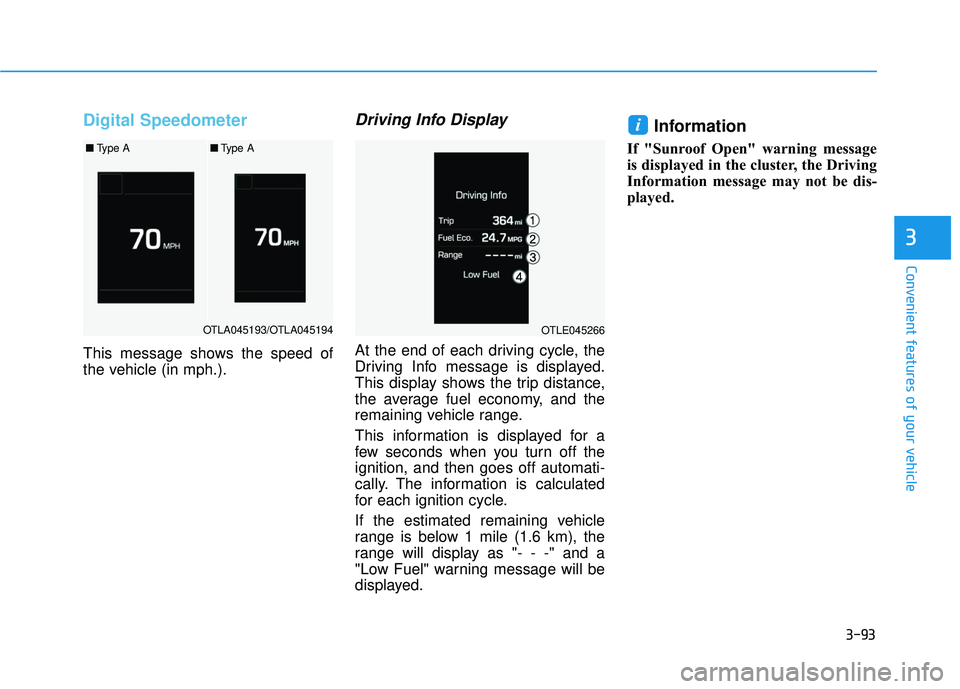
This message shows the speed of
the vehicle (in mph.).
Driving Info Display
At the end of each driving cycle, the
Driving Info message is displayed.
This display shows the trip distance,
the average fuel economy, and the
remaining vehicle range.
This information is displayed for a
few seconds when you turn off theignition, and then goes off automati-
cally. The information is calculated
for each ignition cycle.
If the estimated remaining vehicle
range is below 1 mile (1.6 km), the
range will display as "- - -" and a
"Low Fuel" warning message will be
displayed.
Information
If "Sunroof Open" warning message
is displayed in the cluster, the Driving
Information message may not be dis-
played.
i
OTLA045193/OTLA045194
■Type A■Type A
OTLE045266
Page 196 of 642
3-98
Convenient features of your vehicle
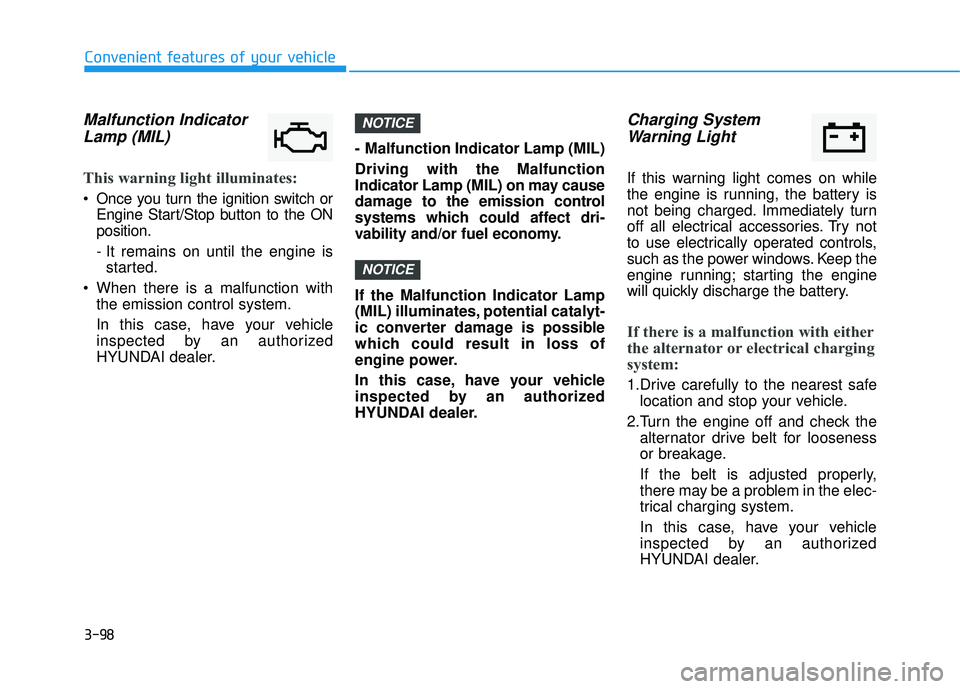
Malfunction IndicatorLamp (MIL)
This warning light illuminates:
Once you turn the ignition switch or Engine Start/Stop button to the ON position.
- It remains on until the engine isstarted.
When there is a malfunction with the emission control system.
In this case, have your vehicle
inspected by an authorized
HYUNDAI dealer. - Malfunction Indicator Lamp (MIL) Driving with the Malfunction
Indicator Lamp (MIL) on may cause
damage to the emission control
systems which could affect dri-
vability and/or fuel economy. If the Malfunction Indicator Lamp
(MIL) illuminates, potential catalyt-
ic converter damage is possible
which could result in loss of
engine power.
In this case, have your vehicle
inspected by an authorized
HYUNDAI dealer.
Charging System
Warning Light
If this warning light comes on while
the engine is running, the battery is
not being charged. Immediately turn
off all electrical accessories. Try not
to use electrically operated controls,
such as the power windows. Keep the
engine running; starting the engine
will quickly discharge the battery.
If there is a malfunction with either
the alternator or electrical charging
system:
1.Drive carefully to the nearest safe location and stop your vehicle.
2.Turn the engine off and check the alternator drive belt for looseness
or breakage.
If the belt is adjusted properly,
there may be a problem in the elec-
trical charging system.
In this case, have your vehicle
inspected by an authorized
HYUNDAI dealer.
NOTICE
NOTICE
Page 197 of 642
3-99
Convenient features of your vehicle
3
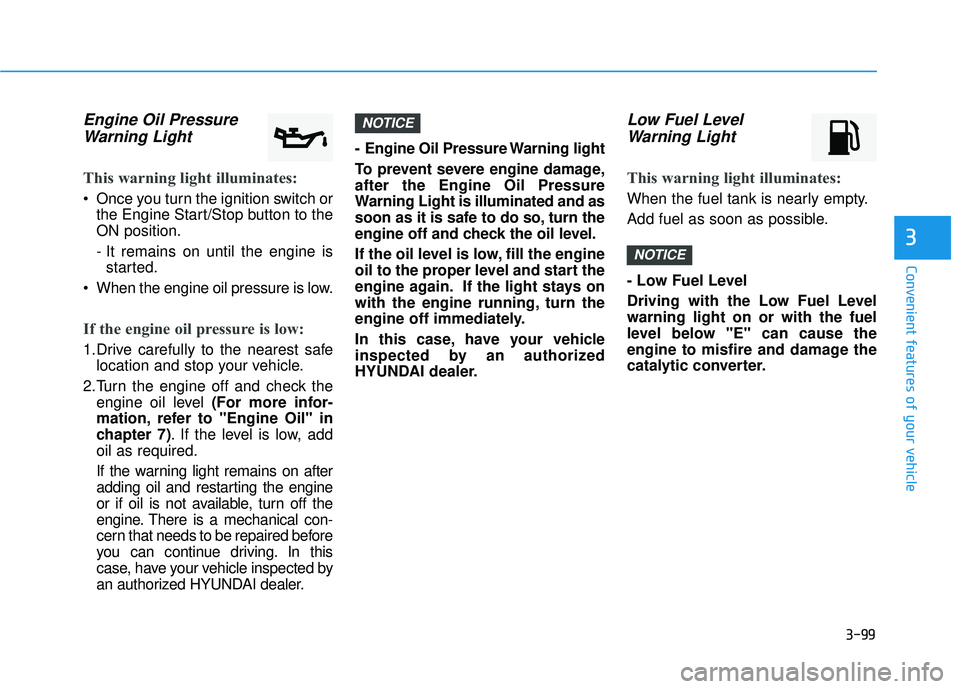
Engine Oil PressureWarning Light
This warning light illuminates:
Once you turn the ignition switch or the Engine Start/Stop button to the ON position.
- It remains on until the engine isstarted.
When the engine oil pressure is low.
If the engine oil pressure is low:
1.Drive carefully to the nearest safe location and stop your vehicle.
2.Turn the engine off and check the engine oil level (For more infor-
mation, refer to "Engine Oil" in
chapter 7) . If the level is low, add
oil as required.
If the warning light remains on after
adding oil and restarting the engine
or if oil is not available, turn off the
engine. There is a mechanical con-
cern that needs to be repaired before
you can continue driving. In this
case, have your vehicle inspected by
an authorized HYUNDAI dealer. - Engine Oil Pressure Warning light
To prevent severe engine damage, after the Engine Oil Pressure
Warning Light is illuminated and as
soon as it is safe to do so, turn the
engine off and check the oil level.
If the oil level is low, fill the engine
oil to the proper level and start the
engine again. If the light stays on
with the engine running, turn the
engine off immediately.
In this case, have your vehicle
inspected by an authorized
HYUNDAI dealer.
Low Fuel Level
Warning Light
This warning light illuminates:
When the fuel tank is nearly empty.
Add fuel as soon as possible.
- Low Fuel Level
Driving with the Low Fuel Level warning light on or with the fuel
level below "E" can cause the
engine to misfire and damage the
catalytic converter.
NOTICE
NOTICE