clutch Hyundai Tucson 2019 - RHD (UK, Australia) User Guide
[x] Cancel search | Manufacturer: HYUNDAI, Model Year: 2019, Model line: Tucson, Model: Hyundai Tucson 2019Pages: 685, PDF Size: 17.76 MB
Page 172 of 685
3-80
Convenient features of your vehicle
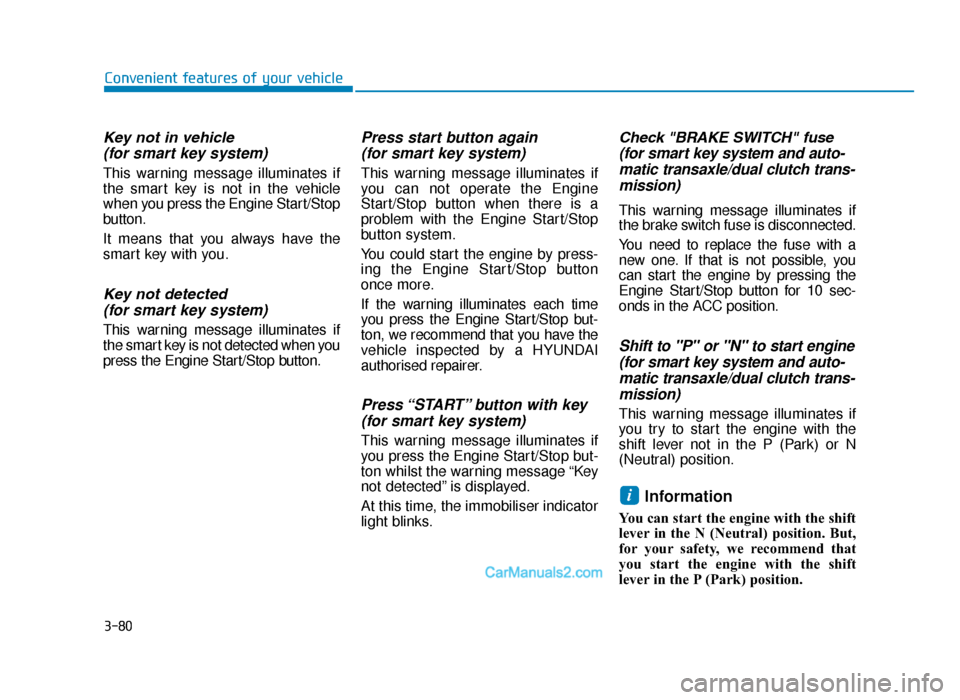
Key not in vehicle(for smart key system)
This warning message illuminates if
the smart key is not in the vehicle
when you press the Engine Start/Stop
button.
It means that you always have the
smart key with you.
Key not detected (for smart key system)
This warning message illuminates if
the smart key is not detected when you
press the Engine Start/Stop button.
Press start button again (for smart key system)
This warning message illuminates if
you can not operate the Engine
Start/Stop button when there is a
problem with the Engine Start/Stop
button system.
You could start the engine by press-
ing the Engine Start/Stop button
once more.
If the warning illuminates each time
you press the Engine Start/Stop but-
ton, we recommend that you have the
vehicle inspected by a HYUNDAI
authorised repairer.
Press “START” button with key(for smart key system)
This warning message illuminates if
you press the Engine Start/Stop but-
ton whilst the warning message “Key
not detected” is displayed.
At this time, the immobiliser indicator
light blinks.
Check "BRAKE SWITCH" fuse(for smart key system and auto-matic transaxle/dual clutch trans-mission)
This warning message illuminates if
the brake switch fuse is disconnected.
You need to replace the fuse with a
new one. If that is not possible, you
can start the engine by pressing the
Engine Start/Stop button for 10 sec-
onds in the ACC position.
Shift to "P" or "N" to start engine(for smart key system and auto-matic transaxle/dual clutch trans-mission)
This warning message illuminates if
you try to start the engine with the
shift lever not in the P (Park) or N
(Neutral) position.
Information
You can start the engine with the shift
lever in the N (Neutral) position. But,
for your safety, we recommend that
you start the engine with the shift
lever in the P (Park) position.
i
TLe UK 3a(~109).qxp 6/12/2018 2:27 PM Page 80
Page 182 of 685
3-90
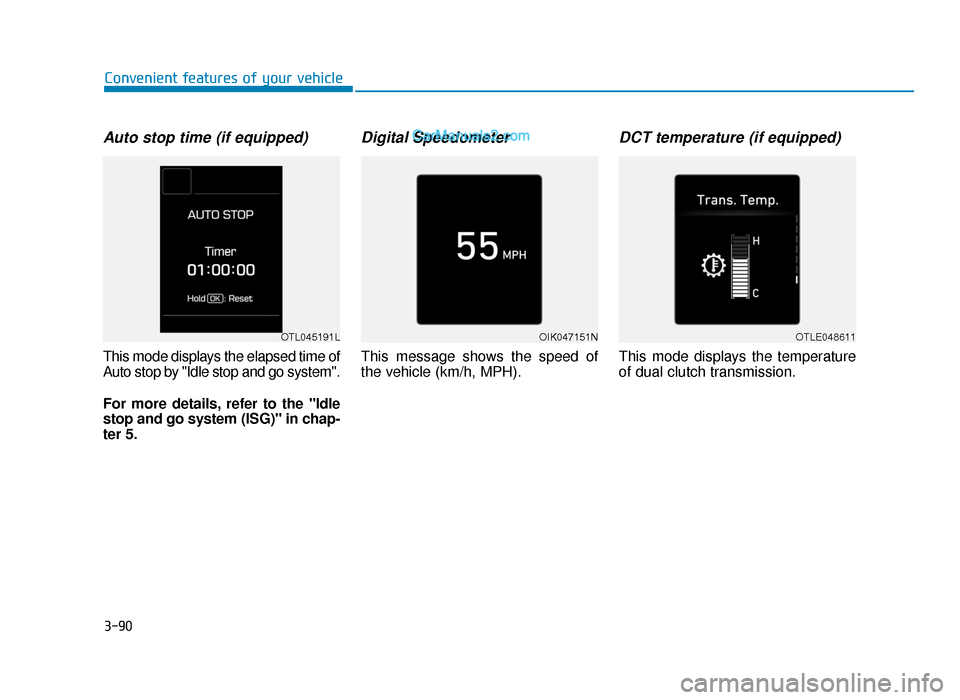
Auto stop time (if equipped)
This mode displays the elapsed time of
Auto stop by "Idle stop and go system".
For more details, refer to the "Idle
stop and go system (ISG)" in chap-
ter 5.
Digital Speedometer
This message shows the speed of
the vehicle (km/h, MPH).
DCT temperature (if equipped)
This mode displays the temperature
of dual clutch transmission.
Convenient features of your vehicle
OTL045191LOTLE048611OIK047151N
TLe UK 3a(~109).qxp 6/12/2018 2:28 PM Page 90
Page 325 of 685
Driving your vehicle
Before driving.........................................................5-5
Before entering the vehicle ...........................................5-5
Before starting...................................................................5-5
Ignition switch ........................................................5-6
Key ignition switch ............................................................5-6
Engine start/Stop button ..............................................5-11
Manual transaxle .................................................5-20
Manual transaxle operation .........................................5-20
Good driving practices ...................................................5-22
Automatic transaxle ............................................5-24
Automatic transaxle operation ....................................5-24
Parking ........................................................................\
.......5-29
Good driving practices ...................................................5-29
Dual clutch transmission .....................................5-31
Dual clutch transmission operation ...........................5-31
LCD display for transmission temperature
and warning message ....................................................5-33
Parking ........................................................................\
.......5-41
Good driving practices ...................................................5-41
Braking system.....................................................5-43
Power brakes ...................................................................5-43
Disc brakes wear indicator ...........................................5-44
Parking brake (hand type) ............................................5-44
Electronic Parking Brake (EPB)...................................5-46
Auto hold ........................................................................\
...5-52
Anti-lock Brake System (ABS) ....................................5-56
Electronic Stability Control (ESC)................................5-58
Vehicle Stability Management (VSM).........................5-62
Hill-Start Assist Control (HAC) ....................................5-63
Downhill Brake Control (DBC) ......................................5-64
Emergency Stop Signal (ESS) ......................................5-66
Good braking practices..................................................5-67
Four wheel drive (4WD) ......................................5-68
4WD operation .................................................................5-69
Emergency precautions .................................................5-73
Reducing the risk of a rollover ...................................5-74
Idle Stop and Go (ISG) system ...........................5-76
To activate the ISG system ...........................................5-76
To deactivate the ISG system ......................................5-80
ISG system malfunction .................................................5-80
The battery sensor deactivation .................................5-81
5
TLe UK 5.qxp 5/10/2018 12:18 PM Page 1
Page 330 of 685
5-6
Driving your vehicle
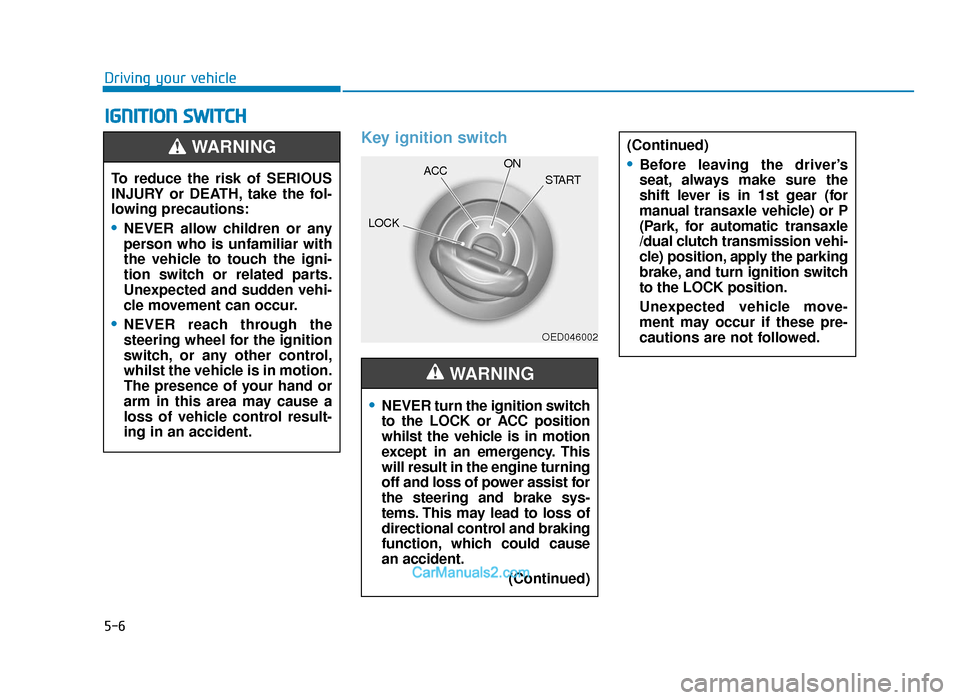
IGNITION SWITCH
Key ignition switch•
NEVER turn the ignition switch
to the LOCK or ACC position
whilst the vehicle is in motion
except in an emergency. This
will result in the engine turning
off and loss of power assist for
the steering and brake sys-
tems. This may lead to loss of
directional control and braking
function, which could cause
an accident. (Continued)
WARNING
(Continued)
•Before leaving the driver’s
seat, always make sure the
shift lever is in 1st gear (for
manual transaxle vehicle) or P
(Park, for automatic transaxle
/dual clutch transmission vehi-
cle) position, apply the parking
brake, and turn ignition switch
to the LOCK position.
Unexpected vehicle move-
ment may occur if these pre-
cautions are not followed.To reduce the risk of SERIOUS
INJURY or DEATH, take the fol-
lowing precautions:
•NEVER allow children or any
person who is unfamiliar with
the vehicle to touch the igni-
tion switch or related parts.
Unexpected and sudden vehi-
cle movement can occur.
•NEVER reach through the
steering wheel for the ignition
switch, or any other control,
whilst the vehicle is in motion.
The presence of your hand or
arm in this area may cause a
loss of vehicle control result-
ing in an accident.
WARNING
OED046002
LOCKACC
ON
START
TLe UK 5.qxp 5/10/2018 12:19 PM Page 6
Page 332 of 685
5-8
Driving your vehicle
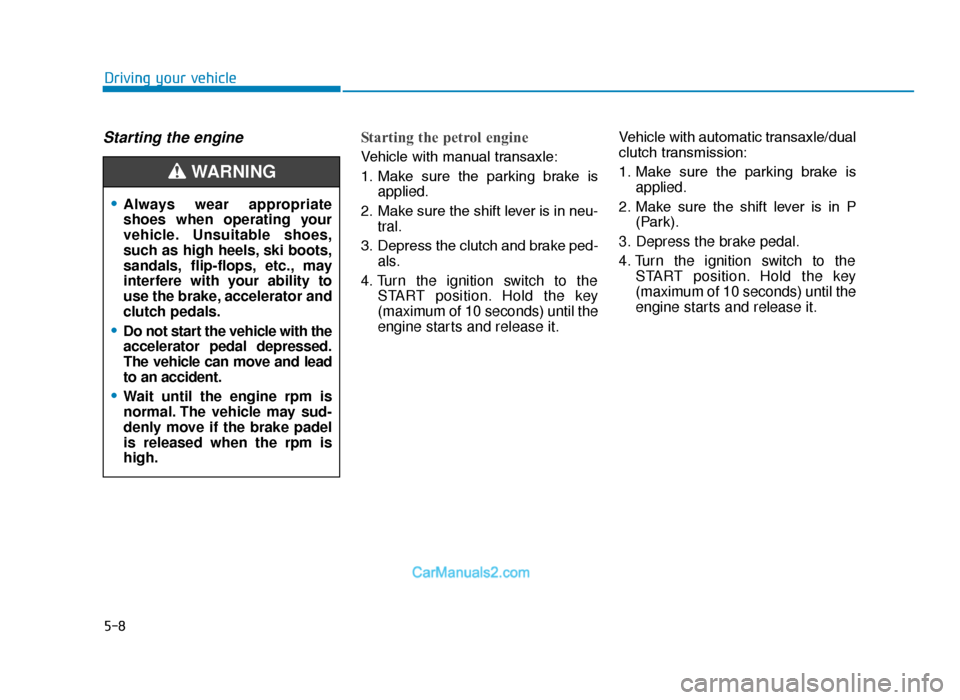
Starting the engine Starting the petrol engine
Vehicle with manual transaxle:
1. Make sure the parking brake isapplied.
2. Make sure the shift lever is in neu- tral.
3. Depress the clutch and brake ped- als.
4. Turn the ignition switch to the START position. Hold the key
(maximum of 10 seconds) until the
engine starts and release it. Vehicle with automatic transaxle/dual
clutch transmission:
1. Make sure the parking brake is
applied.
2. Make sure the shift lever is in P (Park).
3. Depress the brake pedal.
4. Turn the ignition switch to the START position. Hold the key
(maximum of 10 seconds) until the
engine starts and release it.
•Always wear appropriate
shoes when operating your
vehicle. Unsuitable shoes,
such as high heels, ski boots,
sandals, flip-flops, etc., may
interfere with your ability to
use the brake, accelerator and
clutch pedals.
•Do not start the vehicle with the
accelerator pedal depressed.
The vehicle can move and lead
to an accident.
•Wait until the engine rpm is
normal. The vehicle may sud-
denly move if the brake padel
is released when the rpm is
high.
WARNING
TLe UK 5.qxp 5/10/2018 12:19 PM Page 8
Page 333 of 685
5-9
Driving your vehicle
5
Information
• Do not wait for the engine to warmup whilst the vehicle remains sta-
tionary.
Start driving at moderate engine
speeds. (Steep accelerating and
decelerating should be avoided.)
• Always start the vehicle with your foot on the brake pedal. Do not
depress the accelerator whilst start-
ing the vehicle. Do not race the
engine whilst warming it up.
Starting the diesel engine
To start the diesel engine when the
engine is cold, it has to be pre-heat-
ed before starting the engine and
then have to be warmed up before
starting to drive.
Vehicle with manual transaxle:
1. Make sure the parking brake is applied.
2. Make sure the shift lever is in neu- tral.
3. Depress the clutch and brake ped- als.
4. Turn the ignition switch to the ON position to pre-heat the engine.
The glow indicator light ( ) will
illuminate.
5. When the glow indicator light ( ) goes out, turn the key ignition
switch to the START position. Hold
the key (maximum of 10 seconds)
until the engine starts and release
it. Vehicle with automatic transaxle:
1. Make sure the parking brake is
applied.
2. Make sure the shift lever is in P (Park).
3. Depress the brake pedal.
4. Turn the ignition switch to the ON position to pre-heat the engine.
The glow indicator light ( ) will
illuminate.
5. When the glow indicator light ( ) goes out, turn the key ignition
switch to the START position. Hold
the key (maximum of 10 seconds)
until the engine starts and release
it.
If the engine does not start within
10 seconds after preheating is
completed, turn the ignition
switch once more to the LOCK
position and wait for 10 seconds.
Then turn the ignition switch to
the ON position in order to pre-
heat the engine again.
NOTICE
i
TLe UK 5.qxp 5/10/2018 12:19 PM Page 9
Page 336 of 685
5-12
Driving your vehicle
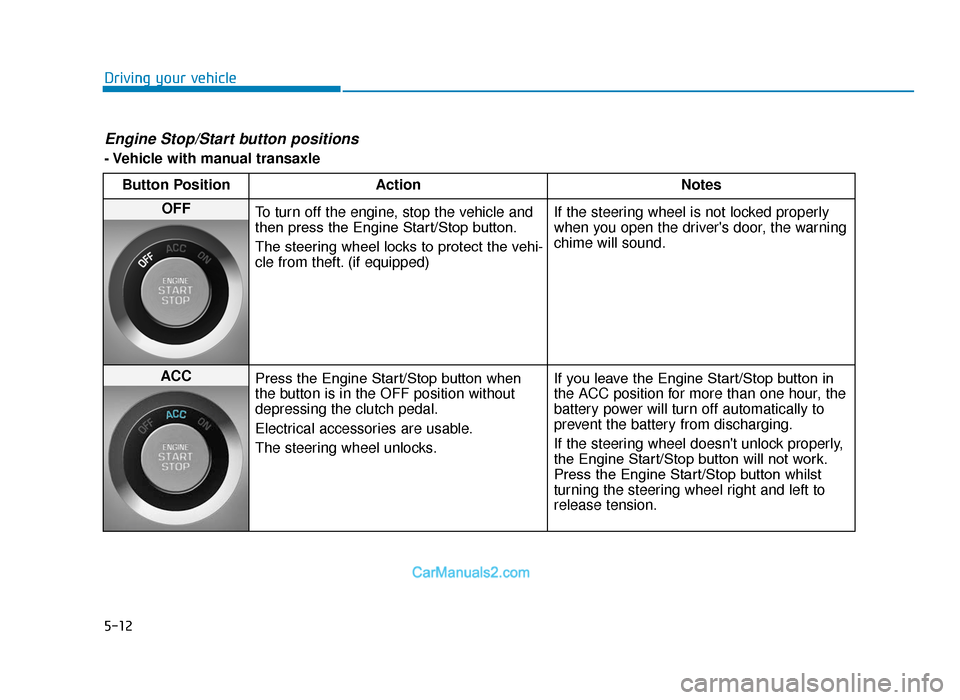
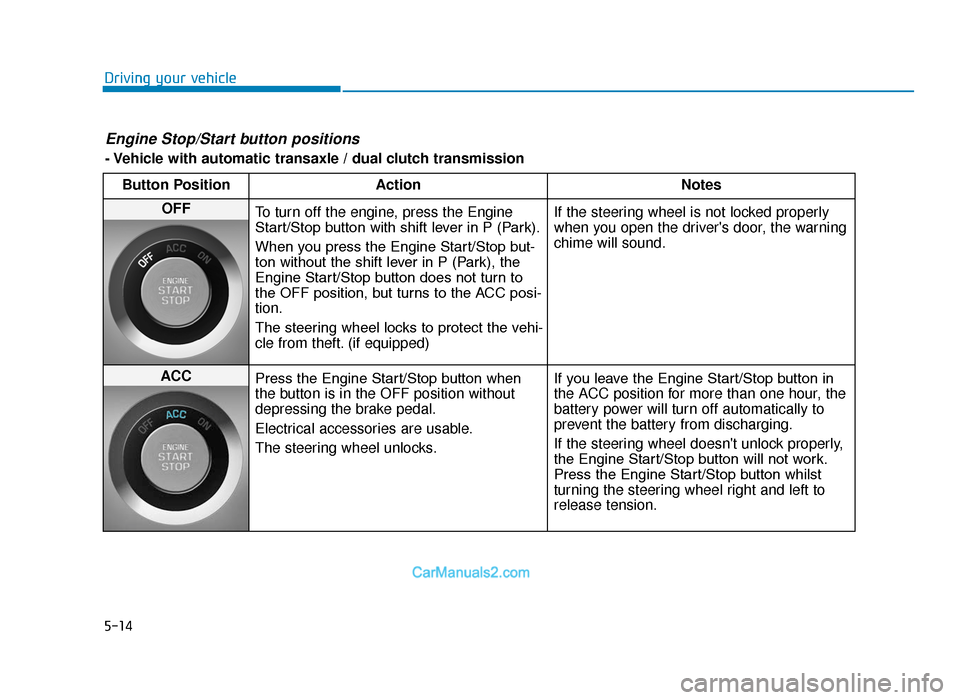
Engine Stop/Start button positions
- Vehicle with manual transaxleButton Position Action Notes
OFF
To turn off the engine, stop the vehicle and
then press the Engine Start/Stop button.
The steering wheel locks to protect the vehi-
cle from theft. (if equipped) If the steering wheel is not locked properly
when you open the driver's door, the warning
chime will sound.
ACC
Press the Engine Start/Stop button when
the button is in the OFF position without
depressing the clutch pedal.
Electrical accessories are usable.
The steering wheel unlocks. If you leave the Engine Start/Stop button in
the ACC position for more than one hour, the
battery power will turn off automatically to
prevent the battery from discharging.
If the steering wheel doesn't unlock properly,
the Engine Start/Stop button will not work.
Press the Engine Start/Stop button whilst
turning the steering wheel right and left to
release tension.
TLe UK 5.qxp 5/10/2018 12:19 PM Page 12
Page 337 of 685
5-13
Driving your vehicle
5
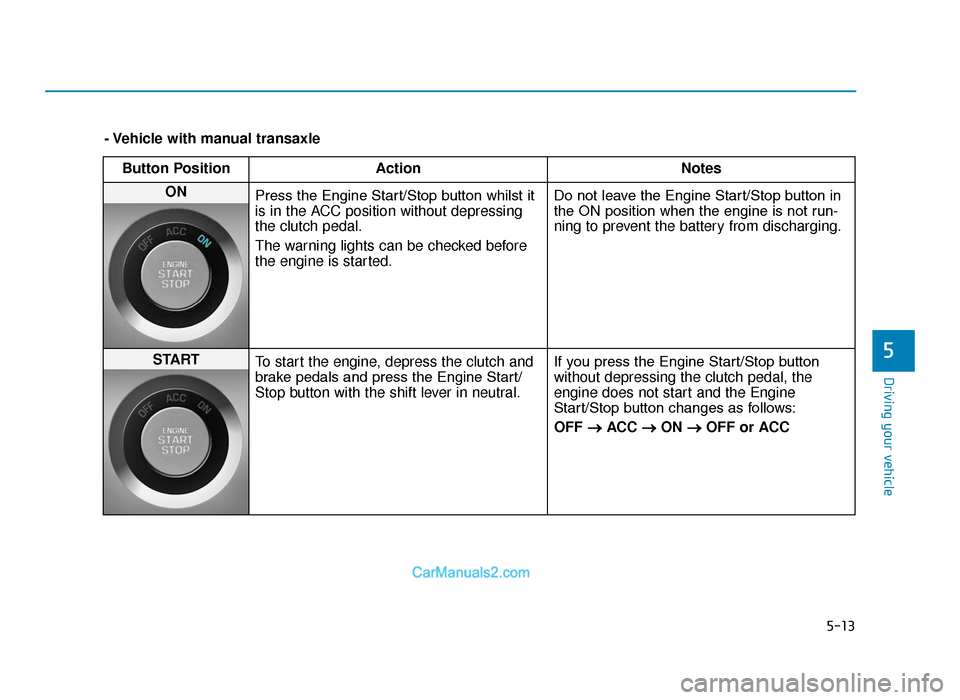
- Vehicle with manual transaxleButton Position Action Notes
ON
Press the Engine Start/Stop button whilst it
is in the ACC position without depressing
the clutch pedal.
The warning lights can be checked before
the engine is started. Do not leave the Engine Start/Stop button in
the ON position when the engine is not run-
ning to prevent the battery from discharging.
START
To start the engine, depress the clutch and
brake pedals and press the Engine Start/
Stop button with the shift lever in neutral. If you press the Engine Start/Stop button
without depressing the clutch pedal, the
engine does not start and the Engine
Start/Stop button changes as follows:
OFF
→
ACC →ON →OFF or ACC
TLe UK 5.qxp 5/10/2018 12:19 PM Page 13
Page 338 of 685
5-14
Driving your vehicle
Engine Stop/Start button positions
- Vehicle with automatic transaxle / dual clutch transmissionButton Position Action Notes
OFF
To turn off the engine, press the Engine
Start/Stop button with shift lever in P (Park).
When you press the Engine Start/Stop but-
ton without the shift lever in P (Park), the
Engine Start/Stop button does not turn to
the OFF position, but turns to the ACC posi-
tion.
The steering wheel locks to protect the vehi-
cle from theft. (if equipped) If the steering wheel is not locked properly
when you open the driver's door, the warning
chime will sound.
ACC
Press the Engine Start/Stop button when
the button is in the OFF position without
depressing the brake pedal.
Electrical accessories are usable.
The steering wheel unlocks. If you leave the Engine Start/Stop button in
the ACC position for more than one hour, the
battery power will turn off automatically to
prevent the battery from discharging.
If the steering wheel doesn't unlock properly,
the Engine Start/Stop button will not work.
Press the Engine Start/Stop button whilst
turning the steering wheel right and left to
release tension.
TLe UK 5.qxp 5/10/2018 12:19 PM Page 14
Page 339 of 685
5-15
Driving your vehicle
5
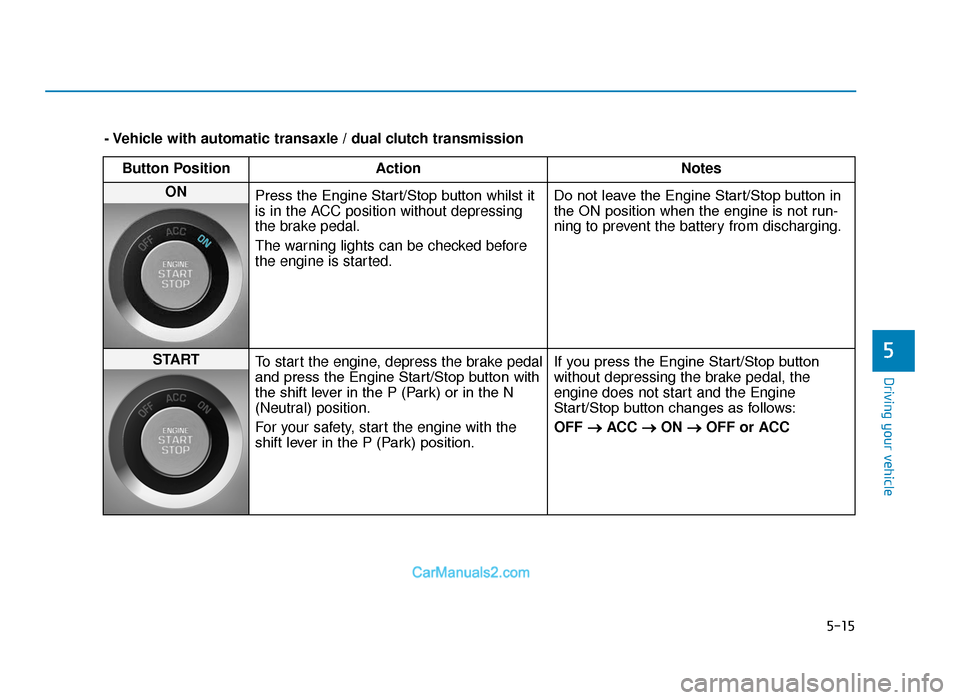
- Vehicle with automatic transaxle / dual clutch transmissionButton Position Action Notes
ON
Press the Engine Start/Stop button whilst it
is in the ACC position without depressing
the brake pedal.
The warning lights can be checked before
the engine is started. Do not leave the Engine Start/Stop button in
the ON position when the engine is not run-
ning to prevent the battery from discharging.
START
To start the engine, depress the brake pedal
and press the Engine Start/Stop button with
the shift lever in the P (Park) or in the N
(Neutral) position.
For your safety, start the engine with the
shift lever in the P (Park) position. If you press the Engine Start/Stop button
without depressing the brake pedal, the
engine does not start and the Engine
Start/Stop button changes as follows:
OFF
→
ACC →ON →OFF or ACC
TLe UK 5.qxp 5/10/2018 12:19 PM Page 15