heating Hyundai Tucson 2019 - RHD (UK, Australia) Owner's Guide
[x] Cancel search | Manufacturer: HYUNDAI, Model Year: 2019, Model line: Tucson, Model: Hyundai Tucson 2019Pages: 685, PDF Size: 17.76 MB
Page 485 of 685
5-161
Driving your vehicle
5
Information
The ESC system (if equipped) must be
turned OFF before rocking the vehi-
cle.
If you are still stuck after rocking
the vehicle a few times, have the
vehicle pulled out by a tow vehicle
to avoid engine overheating, pos-
sible damage to the transaxle, and
tyre damage. See "Towing" in
chapter 6.
Smooth cornering
Avoid braking or gear changing in
corners, especially when roads are
wet. Ideally, corners should always
be taken under gentle acceleration.
Driving at night
Night driving presents more hazards
than driving in the daylight. Here are
some important tips to remember:
• Slow down and keep more dis-tance between you and other vehi-
cles, as it may be more difficult to
see at night, especially in areas
where there may not be any street
lights.
• Adjust your mirrors to reduce the glare from other driver's head-
lamps.
• Keep your headlamps clean and properly aimed. Dirty or improperly
aimed headlamps will make it
much more difficult to see at night.
• Avoid staring directly at the head- lamps of oncoming vehicles. You
could be temporarily blinded, and it
will take several seconds for your
eyes to readjust to the darkness.
Driving in the rain
Rain and wet roads can make driving
dangerous. Here are a few things to
consider when driving in the rain or on
slick pavement:
• Slow down and allow extra followingdistance. A heavy rainfall makes it
harder to see and increases the dis-
tance needed to stop your vehicle.
• Turn OFF your Cruise Control. (if equipped)
• Replace your windscreen wiper blades when they show signs of
streaking or missing areas on the
windscreen.
• Be sure your tyres have enough tread. If your tyres do not have
enough tread, making a quick stop
on wet pavement can cause a skid
and possibly lead to an accident.
See "Tyre Replacement" in chap-
ter 7.
• Turn on your headlamps to make it easier for others to see you.
• Driving too fast through large pud- dles can affect your brakes. If you
must go through puddles, try to
drive through them slowly.
NOTICE
i
TLe UK 5.qxp 5/10/2018 12:32 PM Page 161
Page 500 of 685
5-176
Driving your vehicle
Driving on hills
Reduce speed and shift to a lower
gear before you start down a long or
steep downgrade. If you don’t shift
down, you might have to use your
brakes so much that they would get
overheated and may not operate effi-
ciently.
On a long uphill grade, shift down
and reduce your speed to around 45
mph (70 km/h) to reduce the possi-
bility of engine and transaxle over-
heating.
If your trailer weighs more than the
maximum trailer weight without trail-
er brakes and you have an automat-
ic transaxle/dual clutch transmission,
you should drive in D (Drive) when
towing a trailer.
Operating your vehicle in D (Drive)
when towing a trailer will minimise
heat build-up and extend the life of
your transaxle.To prevent engine and/or transaxle
overheating:
• When towing a trailer on steep
grades (in excess of 6%) pay
close attention to the engine
coolant temperature gauge to
ensure the engine does not
overheat. If the needle of the
coolant temperature gauge
moves towards "H" (HOT), pull
over and stop as soon as it is
safe to do so, and allow the
engine to idle until it cools
down. You may proceed once the
engine has cooled sufficiently.
• You must decide your vehicle speed according to trailer weight
and uphill grade.
• Vehicles equipped with a dual clutch transmission when tow-
ing a trailer on steep grades, the
clutch in the transmission could
overheat.
(Continued)(Continued)
When the clutch is overheated,
the safe protection mode
engages. If the safe protection
mode engages, the gear posi-
tion indicator on the cluster
blinks with a chime sound.
At this time, a warning message
will appear on the LCD display
and driving may not be smooth.
If you ignore this warning, the
driving condition may become
worse.
To return to normal driving con-
dition, stop the vehicle on a flat
road and apply the foot brake for
a few minutes before driving off.
NOTICE
TLe UK 5.qxp 5/10/2018 12:33 PM Page 176
Page 502 of 685
5-178
Driving your vehicle
Maintenance when towing a
trailer
Your vehicle will need service more
often when you regularly pull a trail-
er. Important items to pay particular
attention to include engine oil, auto-
matic transaxle fluid, axle lubricant
and cooling system fluid. Brake con-
dition is another important item to
frequently check. If you’re trailering,
it’s a good idea to review these items
before you start your trip. Don’t forget
to also maintain your trailer and tow-
bar. Follow the maintenance sched-
ule that accompanied your trailer and
check it periodically. Preferably, con-
duct the check at the start of each
day’s driving. Most importantly, all
towbar nuts and bolts should be
tight.To prevent vehicle damage:
• Due to higher load during trailer
usage, overheating might occur
on hot days or during uphill driv-
ing. If the coolant gauge indi-
cates over-heating, switch off
the air conditioner and stop the
vehicle in a safe area to cool
down the engine.
• When towing check automatic transaxle fluid more frequently.
• If your vehicle is not equipped with an air conditioner, you
should install a condenser fan
to improve engine performance
when towing a trailer.
NOTICE
TLe UK 5.qxp 5/10/2018 12:33 PM Page 178
Page 511 of 685
6-8
What to do in an emergency
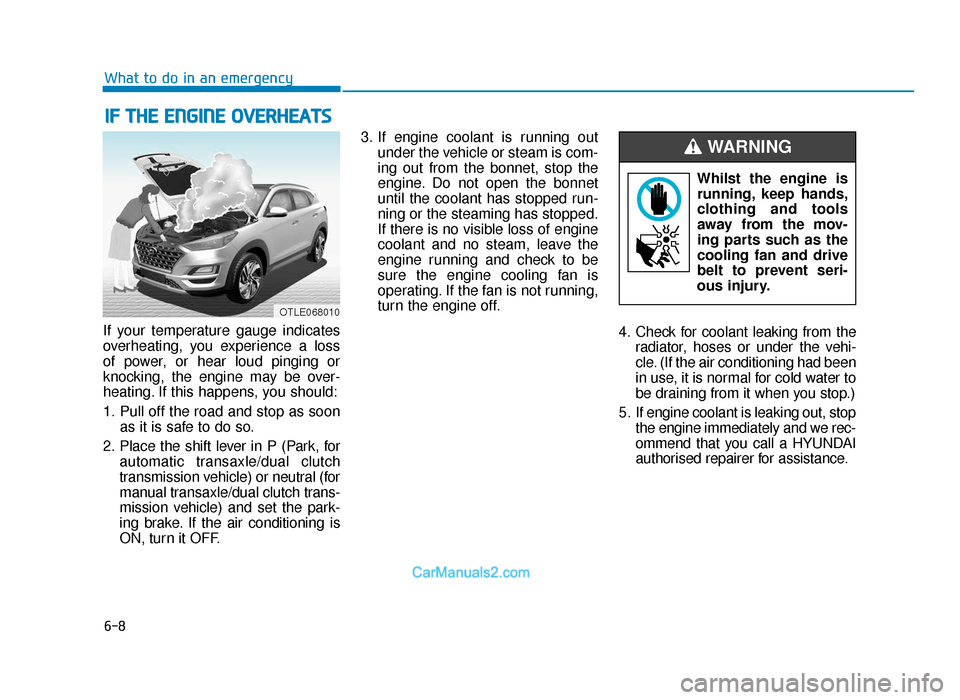
If your temperature gauge indicates
overheating, you experience a loss
of power, or hear loud pinging or
knocking, the engine may be over-
heating. If this happens, you should:
1. Pull off the road and stop as soon as it is safe to do so.
2. Place the shift lever in P (Park, for automatic transaxle/dual clutch
transmission vehicle) or neutral (for
manual transaxle/dual clutch trans-
mission vehicle) and set the park-
ing brake. If the air conditioning is
ON, turn it OFF. 3. If engine coolant is running out
under the vehicle or steam is com-
ing out from the bonnet, stop the
engine. Do not open the bonnet
until the coolant has stopped run-
ning or the steaming has stopped.
If there is no visible loss of engine
coolant and no steam, leave the
engine running and check to be
sure the engine cooling fan is
operating. If the fan is not running,
turn the engine off.
4. Check for coolant leaking from theradiator, hoses or under the vehi-
cle. (If the air conditioning had been
in use, it is normal for cold water to
be draining from it when you stop.)
5. If engine coolant is leaking out, stop the engine immediately and we rec-
ommend that you call a HYUNDAI
authorised repairer for assistance.
IF THE ENGINE OVERHEATS
Whilst the engine isrunning, keep hands,
clothing and tools
away from the mov-
ing parts such as the
cooling fan and drive
belt to prevent seri-
ous injury.
WARNING
OTLE068010
TLe UK 6.qxp 5/10/2018 1:20 PM Page 8
Page 512 of 685
6-9
What to do in an emergency
6
6. If you cannot find the cause of theoverheating, wait until the engine
temperature has returned to nor-
mal. Then, if coolant has been
lost, carefully add coolant to the
reservoir to bring the fluid level in
the reservoir up to the halfway
mark.
7. Proceed with caution, keeping alert for further signs of overheat-
ing. If overheating happens again,
we recommend that you call a
HYUNDAI authorised repairer for
assistance.
•Serious loss of coolant indi-
cates a leak in the cooling
system and we recommend
the system be checked by a
HYUNDAI authorised repairer.
•When the engine overheats
from low engine coolant, sud-
denly adding engine coolant
may cause cracks in the
engine. To prevent damage,
add engine coolant slowly in
small quantities.
CAUTION
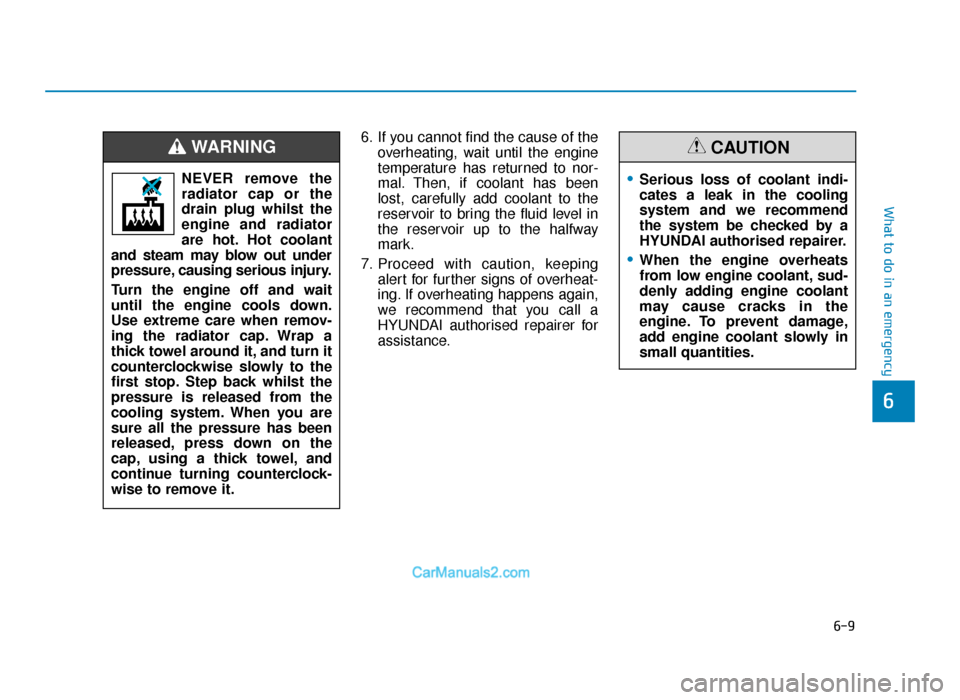
NEVER remove the
radiator cap or the
drain plug whilst the
engine and radiator
are hot. Hot coolant
and steam may blow out under
pressure, causing serious injury.
Turn the engine off and wait
until the engine cools down.
Use extreme care when remov-
ing the radiator cap. Wrap a
thick towel around it, and turn it
counterclockwise slowly to the
first stop. Step back whilst the
pressure is released from the
cooling system. When you are
sure all the pressure has been
released, press down on the
cap, using a thick towel, and
continue turning counterclock-
wise to remove it.
WARNING
TLe UK 6.qxp 5/10/2018 1:20 PM Page 9
Page 675 of 685
I-2
Accessing your vehicle ...................................................3-4Immobiliser system....................................................3-13
Remote key ..................................................................3-4
Smart key .....................................................................3-8\
Active bonnet lift system..............................................2-70 Non-activation situations ...........................................2-71
Possible activation situations .....................................2-70
System malfunction ...................................................2-72
Adding the urea solution ............................................7-102
Air bag - supplemental restraint system .......................2-50 Additional safety precautions ....................................2-69
Air bag warning labels...............................................2-69
Do not install a Child Restraint System on the front passenger seat unless the air bag is deactivated ......2-62
How does the air bags system operate?.....................2-57
SRS care.....................................................................2-6\
8
What to expect after an air bag inflates.....................2-61
Where are the air bags? .............................................2-52
Why didn't my air bag go off in a collision?.............2-63
Air cleaner ....................................................................7-27\
Air conditioner compressor label .................................8-16
Antenna ........................................................................\
...4-3 Anti-lock Brake System (ABS) ....................................5-56
Appearance care ...........................................................7-83
Exterior care...............................................................7-83
Interior care................................................................7-89
Ashtray........................................................................\
3-171
Audio (without touch screen) .......................................4-15 Getting to know the basic operations ........................4-21
System layout - control panel ....................................4-15
System layout - steering wheel remote control .........4-17
Turning the display on or off .....................................4-20
Turning the system on or off .....................................4-20
Audio / Video / Navigation system (AVN) ....................4-5
Audio system specifications .........................................4-46 Bluetooth....................................................................4-47\
USB........................................................................\
....4-46
Auto hold ......................................................................5-\
52
Automatic climate control system ..............................3-150 Automatic heating and air conditioning ..................3-151
Manual heating and air conditioning .......................3-152
System maintenance ................................................3-160
System operation .....................................................3-158
Automatic transaxle ......................................................5-24
AUX, USB and iPod
®port .............................................4-2
Index
A
TLe UK Index.qxp 6/12/2018 3:27 PM Page 2
Page 681 of 685
I-8
IndexKey ignition switch.........................................................5-6
Lane keeping assist(LKA) system..............................5-108
LCD display..................................................................3-68 LCD modes ................................................................3-69
Warning messages ....................................................3-79
Light ........................................................................\
....3-110 Exterior lights ..........................................................3-110
Interior lights ...........................................................3-121
Low Beam Assist-Static light ..................................3-120
Welcome system ......................................................3-120
Light bulbs ....................................................................7-68\
Front fog lamp ...........................................................7-71
Headlamp and front fog lamp aiming........................7-73
Headlamp, low beam assist - static, position lamp, turn signal lamp and fog lamp light bulb
replacement ..............................................................7-69
High mounted stop lamp replacement .......................7-80
Interior light bulb replacement ..................................7-81
License plate light bulb replacement .........................7-80
Rear combination light bulb replacement..................7-77
Side repeater lamp replacement.................................7-72 Load and speed capacity tyres........................................8-6
Low urea warning message ..........................................7-99
Luggage net (holder) ..................................................3-179
Luggage tray ...............................................................3-182
Luggage volume .............................................................8-8
Maintenance services......................................................7-6
Owner maintenance precautions ..................................7-6
Owner's responsibility .................................................7-6
Malfunction with the SCR system .............................7-100
Manual climate control system...................................3-140 Heating and air conditioning ...................................3-141
System maintenance ................................................3-148
System operation .....................................................3-145
Manual transaxle...........................................................5-20
Media player .................................................................4-25 Using the AUX mode ................................................4-31
Using the iPod mode .................................................4-28
Using the media player ..............................................4-25
Using the USB mode .................................................4-26
M
K
L
TLe UK Index.qxp 6/12/2018 3:27 PM Page 8