warning light Hyundai Tucson 2019 - RHD (UK, Australia) Owner's Guide
[x] Cancel search | Manufacturer: HYUNDAI, Model Year: 2019, Model line: Tucson, Model: Hyundai Tucson 2019Pages: 685, PDF Size: 17.76 MB
Page 149 of 685
3-57
Convenient features of your vehicle
1. Setting
To activate the Smart Tailgate, go to
User Settings Mode and select
Smart Tailgate on the LCD display.
❈For more details, refer to "LCD
Display" in this chapter.
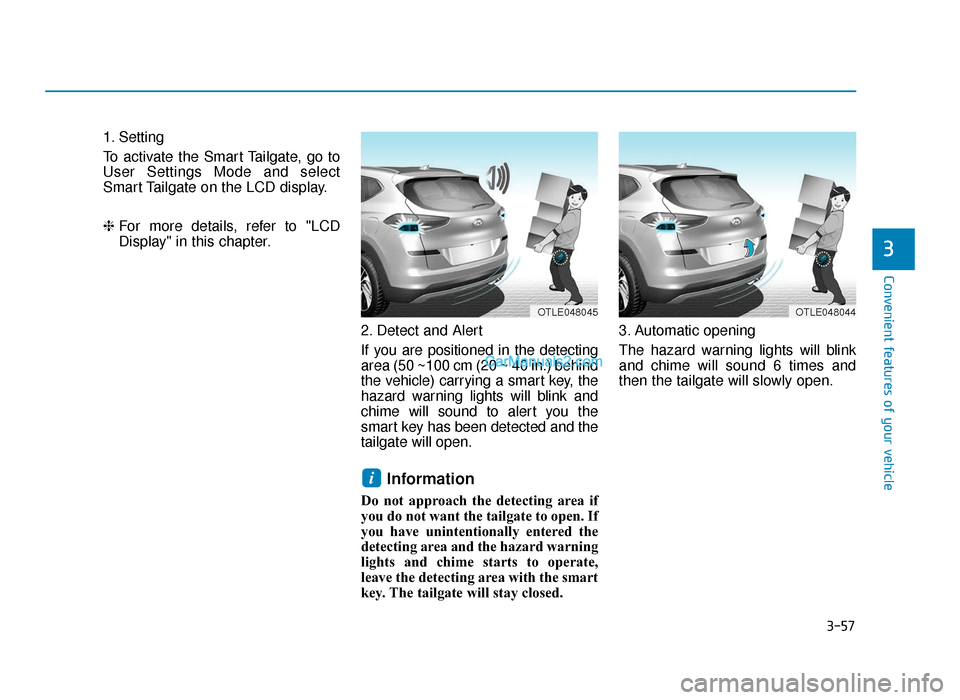
2. Detect and Alert
If you are positioned in the detecting
area (50 ~100 cm (20 ~ 40 in.) behind
the vehicle) carrying a smart key, the
hazard warning lights will blink and
chime will sound to alert you the
smart key has been detected and the
tailgate will open.
Information
Do not approach the detecting area if
you do not want the tailgate to open. If
you have unintentionally entered the
detecting area and the hazard warning
lights and chime starts to operate,
leave the detecting area with the smart
key. The tailgate will stay closed. 3. Automatic opening
The hazard warning lights will blink
and chime will sound 6 times and
then the tailgate will slowly open.
i
3
OTLE048044OTLE048045
TLe UK 3a(~109).qxp 6/12/2018 2:25 PM Page 57
Page 152 of 685
3-60
INSTRUMENT CLUSTER
Convenient features of your vehicle
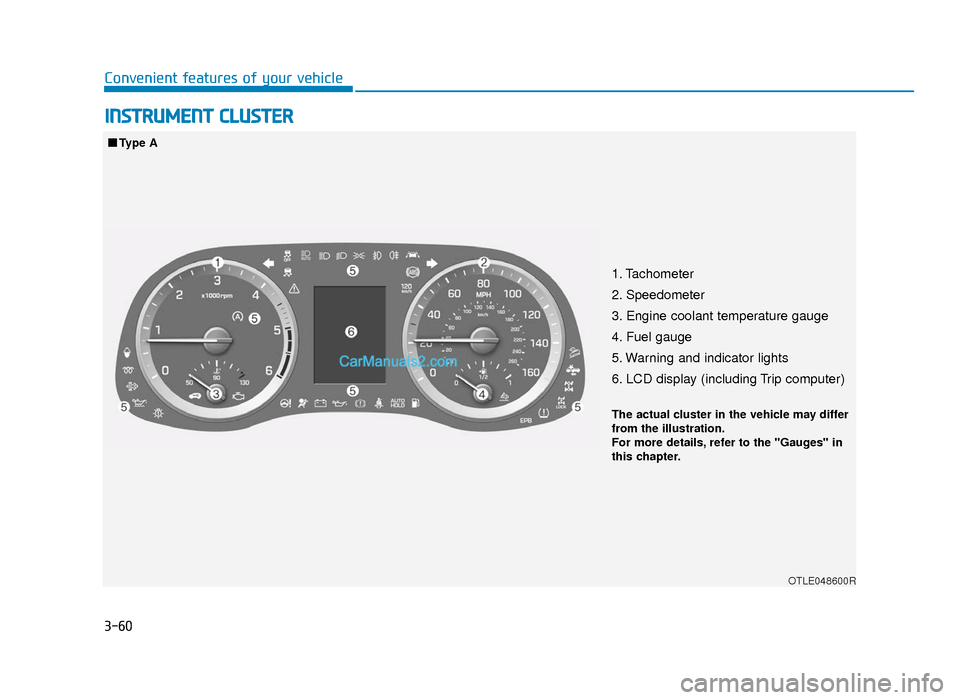
1. Tachometer
2. Speedometer
3. Engine coolant temperature gauge
4. Fuel gauge
5. Warning and indicator lights
6. LCD display (including Trip computer)
OTLE048600R
■Type AThe actual cluster in the vehicle may differ
from the illustration.
For more details, refer to the "Gauges" in
this chapter.
TLe UK 3a(~109).qxp 6/12/2018 2:25 PM Page 60
Page 153 of 685
3-61
Convenient features of your vehicle
3
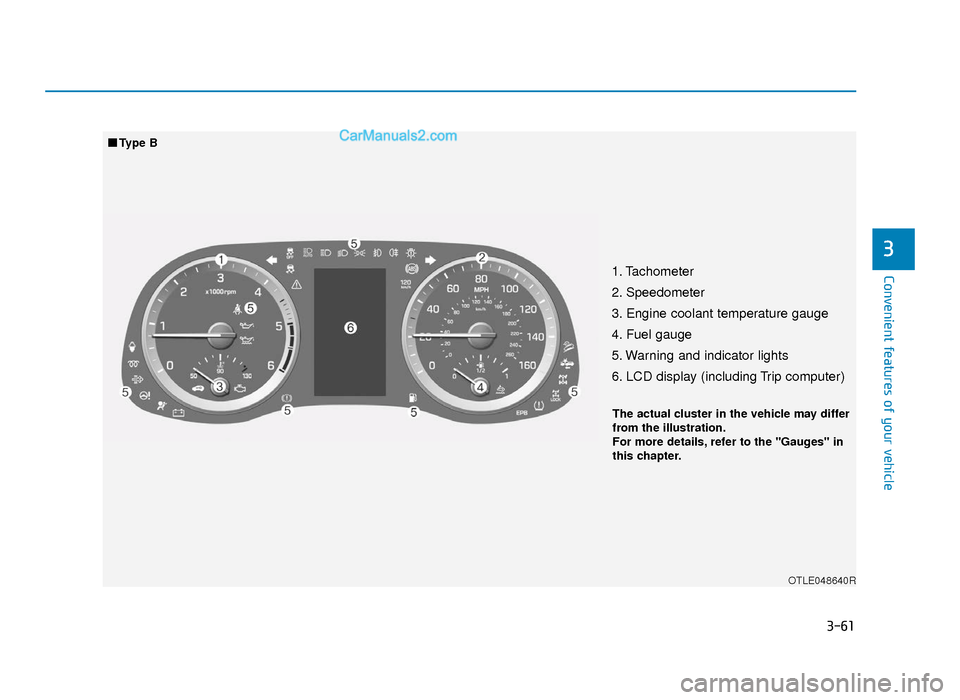
1. Tachometer
2. Speedometer
3. Engine coolant temperature gauge
4. Fuel gauge
5. Warning and indicator lights
6. LCD display (including Trip computer)
OTLE048640R
■Type B The actual cluster in the vehicle may differ
from the illustration.
For more details, refer to the "Gauges" in
this chapter.
TLe UK 3a(~109).qxp 6/12/2018 2:25 PM Page 61
Page 154 of 685
3-62
Convenient features of your vehicle
Instrument cluster control
Instrument panel illumination
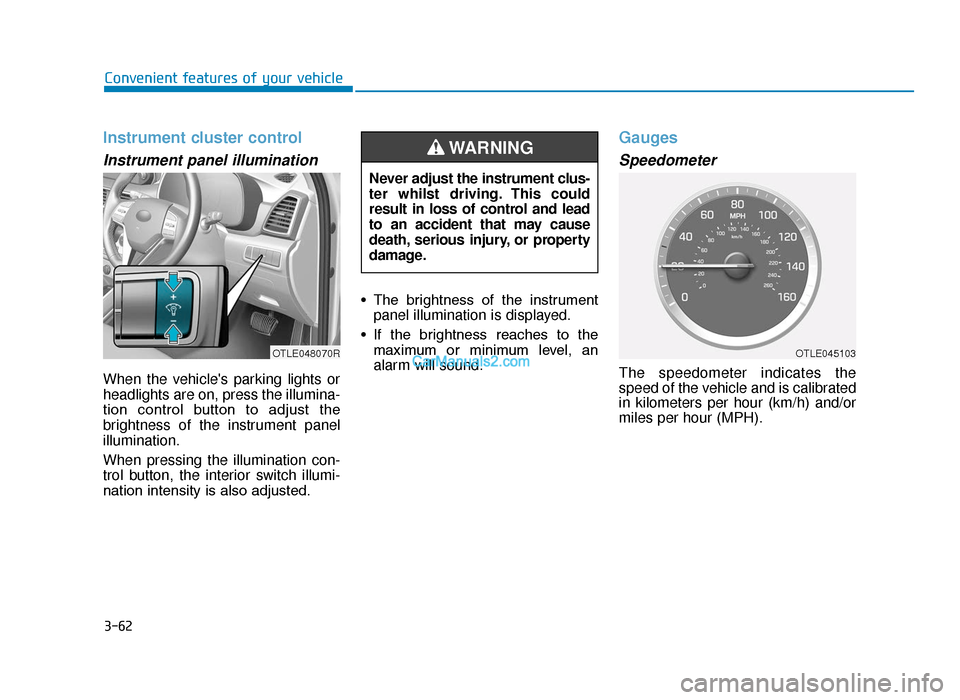
When the vehicle's parking lights or
headlights are on, press the illumina-
tion control button to adjust the
brightness of the instrument panel
illumination.
When pressing the illumination con-
trol button, the interior switch illumi-
nation intensity is also adjusted.• The brightness of the instrument
panel illumination is displayed.
• If the brightness reaches to the maximum or minimum level, an
alarm will sound.
Gauges
Speedometer
The speedometer indicates the
speed of the vehicle and is calibrated
in kilometers per hour (km/h) and/or
miles per hour (MPH).
Never adjust the instrument clus-
ter whilst driving. This could
result in loss of control and lead
to an accident that may cause
death, serious injury, or property
damage.
WARNING
OTLE048070ROTLE045103
TLe UK 3a(~109).qxp 6/12/2018 2:25 PM Page 62
Page 156 of 685
3-64
Convenient features of your vehicle
Fuel Gauge
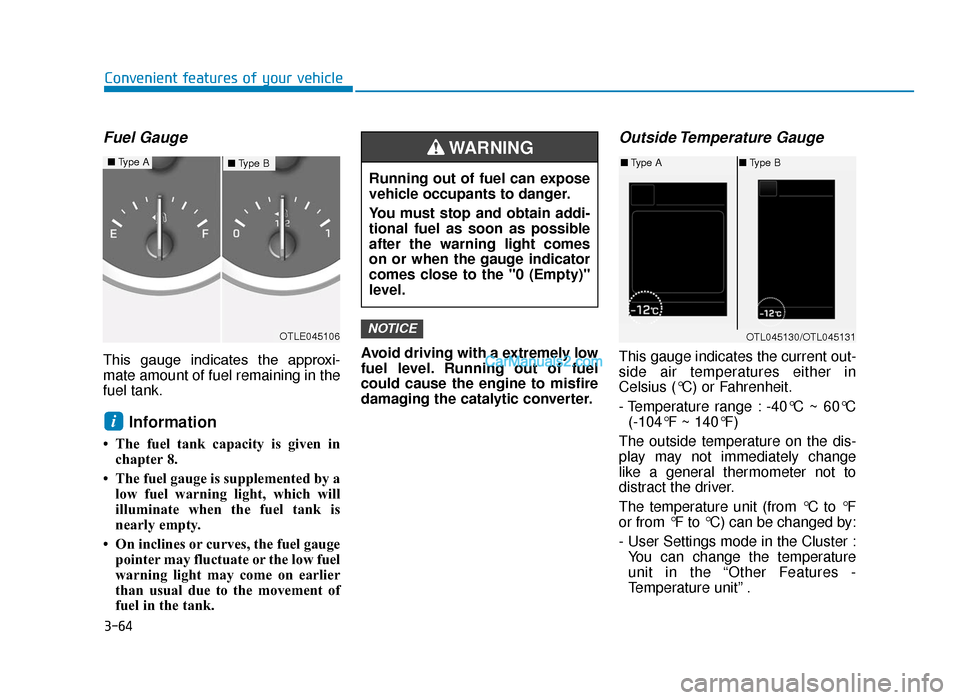
This gauge indicates the approxi-
mate amount of fuel remaining in the
fuel tank.
Information
• The fuel tank capacity is given inchapter 8.
• The fuel gauge is supplemented by a low fuel warning light, which will
illuminate when the fuel tank is
nearly empty.
• On inclines or curves, the fuel gauge pointer may fluctuate or the low fuel
warning light may come on earlier
than usual due to the movement of
fuel in the tank. Avoid driving with a extremely low
fuel level. Running out of fuel
could cause the engine to misfire
damaging the catalytic converter.
Outside Temperature Gauge
This gauge indicates the current out-
side air temperatures either in
Celsius (°C) or Fahrenheit.
- Temperature range : -40°C ~ 60°C
(-104°F ~ 140°F)
The outside temperature on the dis-
play may not immediately change
like a general thermometer not to
distract the driver.
The temperature unit (from °C to °F
or from °F to °C) can be changed by:
- User Settings mode in the Cluster : You can change the temperature
unit in the “Other Features -
Temperature unit” .
NOTICE
i
OTLE045106
Running out of fuel can expose
vehicle occupants to danger.
You must stop and obtain addi-
tional fuel as soon as possible
after the warning light comes
on or when the gauge indicator
comes close to the "0 (Empty)"
level.
WARNING
OTL045130/OTL045131
■ Type A ■Type B■Type B■Type A
TLe UK 3a(~109).qxp 6/12/2018 2:25 PM Page 64
Page 157 of 685
3-65
Convenient features of your vehicle
3
- Automatic climate control system :Whilst pressing the OFF button,
press the AUTO button for 3 sec-
onds or more.
The temperature unit of the instrument
cluster and climate control system will
change at once.
Icy Road Warning Light
(if equipped)
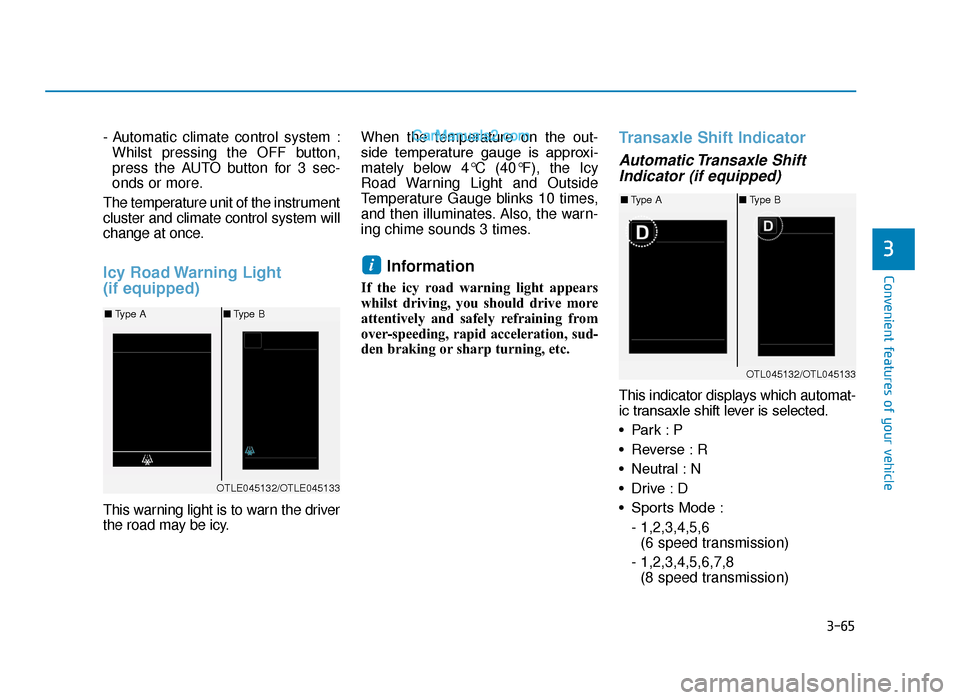
This warning light is to warn the driver
the road may be icy. When the temperature on the out-
side temperature gauge is approxi-
mately below 4°C (40°F), the Icy
Road Warning Light and Outside
Temperature Gauge blinks 10 times,
and then illuminates. Also, the warn-
ing chime sounds 3 times.
Information
If the icy road warning light appears
whilst driving, you should drive more
attentively and safely refraining from
over-speeding, rapid acceleration, sud-
den braking or sharp turning, etc.
Transaxle Shift Indicator
Automatic Transaxle Shift
Indicator (if equipped)
This indicator displays which automat-
ic transaxle shift lever is selected.
• Park : P
• Reverse : R
• Neutral : N
• Drive : D
• Sports Mode :
- 1,2,3,4,5,6 (6 speed transmission)
- 1,2,3,4,5,6,7,8 (8 speed transmission)
i
OTLE045132/OTLE045133
■ Type A ■Type B
OTL045132/OTL045133
■Type A ■Type B
TLe UK 3a(~109).qxp 6/12/2018 2:25 PM Page 65
Page 164 of 685
3-72
Convenient features of your vehicle
Driving force distribution (4WD)
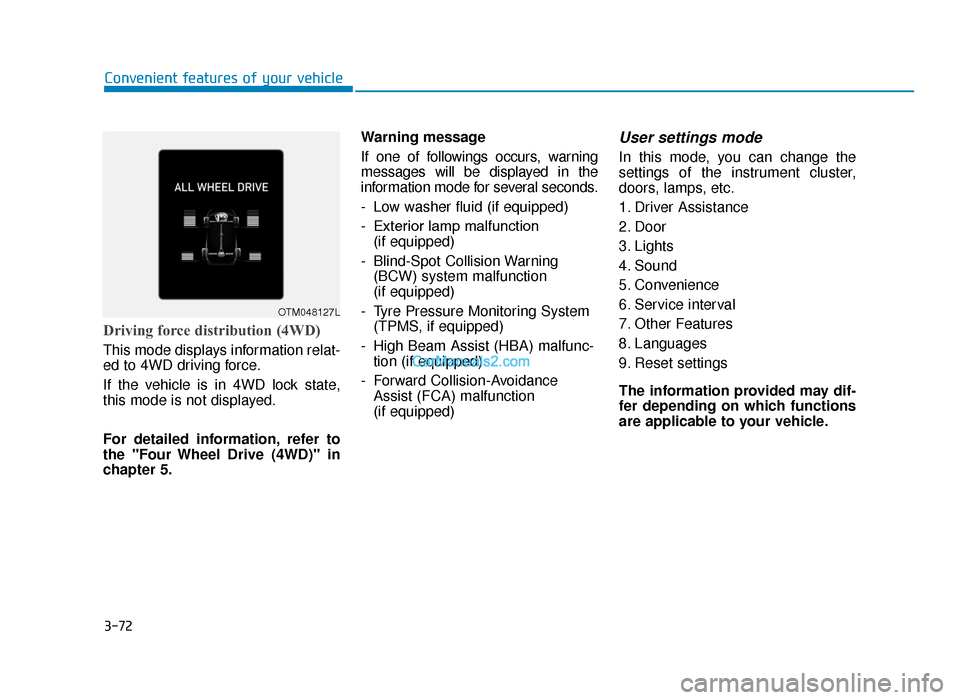
This mode displays information relat-
ed to 4WD driving force.
If the vehicle is in 4WD lock state,
this mode is not displayed.
For detailed information, refer to
the "Four Wheel Drive (4WD)" in
chapter 5.Warning message
If one of followings occurs, warning
messages will be displayed in the
information mode for several seconds.
- Low washer fluid (if equipped)
- Exterior lamp malfunction
(if equipped)
- Blind-Spot Collision Warning (BCW) system malfunction
(if equipped)
- Tyre Pressure Monitoring System (TPMS, if equipped)
- High Beam Assist (HBA) malfunc- tion (if equipped)
- Forward Collision-Avoidance Assist (FCA) malfunction
(if equipped)
User settings mode
In this mode, you can change the
settings of the instrument cluster,
doors, lamps, etc.
1. Driver Assistance
2. Door
3. Lights
4. Sound
5. Convenience
6. Service interval
7. Other Features
8. Languages
9. Reset settings
The information provided may dif-
fer depending on which functions
are applicable to your vehicle.
OTM048127L
TLe UK 3a(~109).qxp 6/12/2018 2:27 PM Page 72
Page 167 of 685
3-75
Convenient features of your vehicle
3
ItemsExplanation
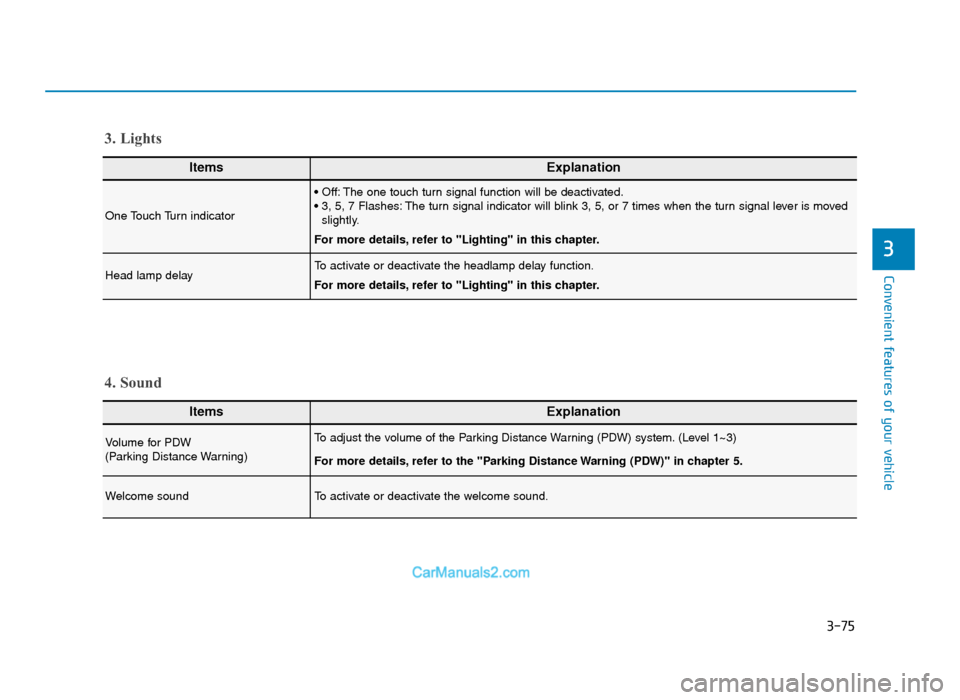
One Touch Turn indicator
• Off: The one touch turn signal function will be deactivated.
• 3, 5, 7 Flashes: The turn signal indicator will blink 3, 5, or 7 times when the turn signal lever is movedslightly.
For more details, refer to "Lighting" in this chapter.
Head lamp delayTo activate or deactivate the headlamp delay function.
For more details, refer to "Lighting" in this chapter.
3. Lights
ItemsExplanation
Volume for PDW
(Parking Distance Warning)To adjust the volume of the Parking Distance Warning (PDW) system. (Level 1~3)
For more details, refer to the "Parking Distance Warning (PDW)" in chapter 5.
Welcome soundTo activate or deactivate the welcome sound.
4. Sound
TLe UK 3a(~109).qxp 6/12/2018 2:27 PM Page 75
Page 168 of 685
3-76
Convenient features of your vehicle
ItemsExplanation
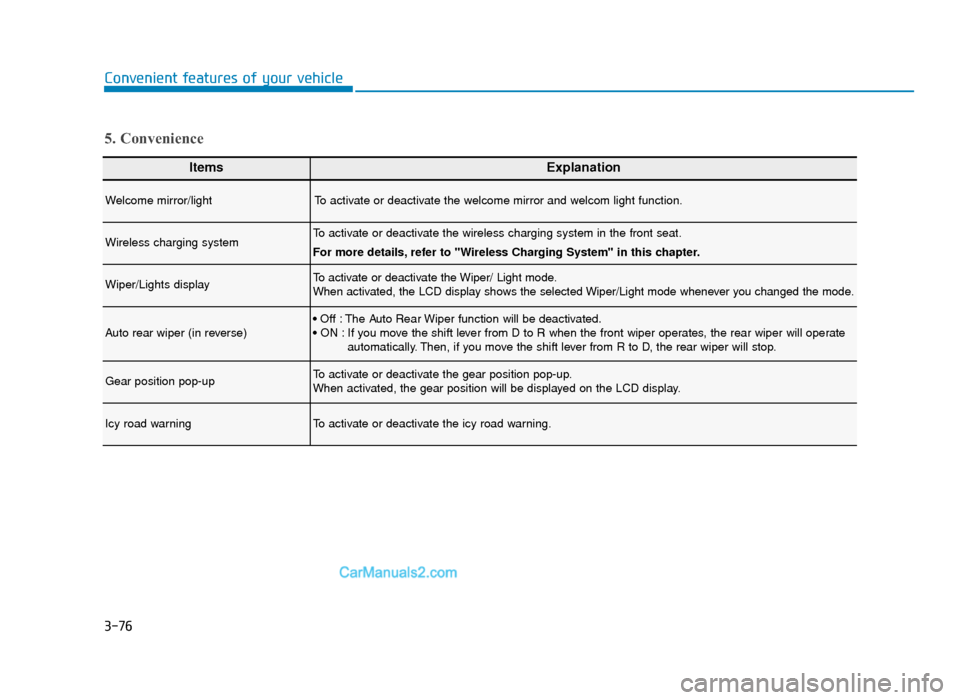
Welcome mirror/lightTo activate or deactivate the welcome mirror and welcom light function.
Wireless charging systemTo activate or deactivate the wireless charging system in the front seat.
For more details, refer to "Wireless Charging System" in this chapter.
Wiper/Lights displayTo activate or deactivate the Wiper/ Light mode.
When activated, the LCD display shows the selected Wiper/Light mode whenever you changed the mode.
Auto rear wiper (in reverse)• Off : The Auto Rear Wiper function will be deactivated.
• ON : If you move the shift lever from D to R when the front wiper operates, the rear wiper will operateautomatically. Then, if you move the shift lever from R to D, the rear wiper will stop.
Gear position pop-upTo activate or deactivate the gear position pop-up.
When activated, the gear position will be displayed on the LCD display.
Icy road warningTo activate or deactivate the icy road warning.
5. Convenience
TLe UK 3a(~109).qxp 6/12/2018 2:27 PM Page 76
Page 172 of 685
3-80
Convenient features of your vehicle
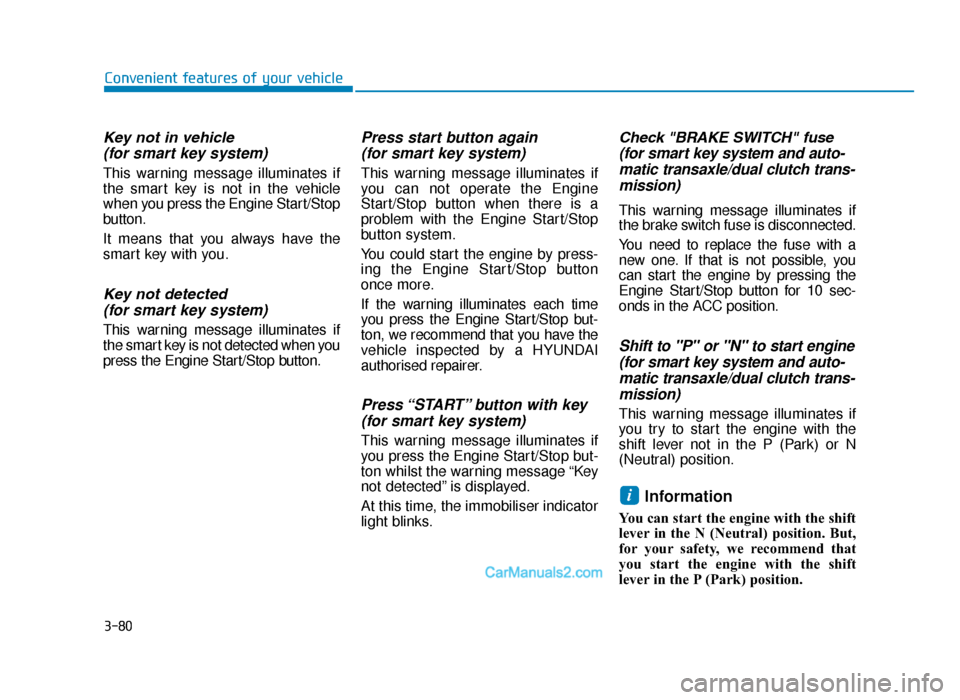
Key not in vehicle(for smart key system)
This warning message illuminates if
the smart key is not in the vehicle
when you press the Engine Start/Stop
button.
It means that you always have the
smart key with you.
Key not detected (for smart key system)
This warning message illuminates if
the smart key is not detected when you
press the Engine Start/Stop button.
Press start button again (for smart key system)
This warning message illuminates if
you can not operate the Engine
Start/Stop button when there is a
problem with the Engine Start/Stop
button system.
You could start the engine by press-
ing the Engine Start/Stop button
once more.
If the warning illuminates each time
you press the Engine Start/Stop but-
ton, we recommend that you have the
vehicle inspected by a HYUNDAI
authorised repairer.
Press “START” button with key(for smart key system)
This warning message illuminates if
you press the Engine Start/Stop but-
ton whilst the warning message “Key
not detected” is displayed.
At this time, the immobiliser indicator
light blinks.
Check "BRAKE SWITCH" fuse(for smart key system and auto-matic transaxle/dual clutch trans-mission)
This warning message illuminates if
the brake switch fuse is disconnected.
You need to replace the fuse with a
new one. If that is not possible, you
can start the engine by pressing the
Engine Start/Stop button for 10 sec-
onds in the ACC position.
Shift to "P" or "N" to start engine(for smart key system and auto-matic transaxle/dual clutch trans-mission)
This warning message illuminates if
you try to start the engine with the
shift lever not in the P (Park) or N
(Neutral) position.
Information
You can start the engine with the shift
lever in the N (Neutral) position. But,
for your safety, we recommend that
you start the engine with the shift
lever in the P (Park) position.
i
TLe UK 3a(~109).qxp 6/12/2018 2:27 PM Page 80