tyre pressure Hyundai Tucson 2019 Owner's Manual - RHD (UK, Australia)
[x] Cancel search | Manufacturer: HYUNDAI, Model Year: 2019, Model line: Tucson, Model: Hyundai Tucson 2019Pages: 685, PDF Size: 17.76 MB
Page 161 of 685
3-69
Convenient features of your vehicle
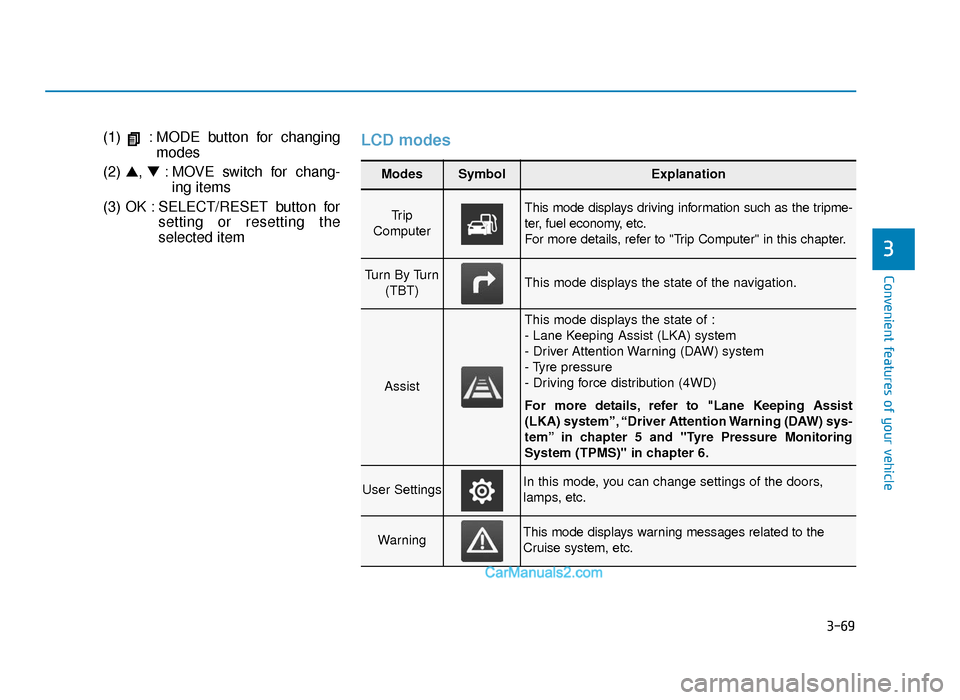
(1) : MODE button for changingmodes
(2) ▲, ▼: MOVE switch for chang-
ing items
(3) OK : SELECT/RESET button for setting or resetting the
selected itemLCD modes
3
Modes SymbolExplanation
Tr i p
Computer This mode displays driving information such as the tripme-
ter, fuel economy, etc.
For more details, refer to "Trip Computer" in this chapter.
Turn By Turn (TBT)This mode displays the state of the navigation.
Assist
This mode displays the state of :
- Lane Keeping Assist (LKA) system
- Driver Attention Warning (DAW) system
- Tyre pressure
- Driving force distribution (4WD)
For more details, refer to "Lane Keeping Assist
(LKA) system”, “Driver Attention Warning (DAW) sys-
tem” in chapter 5 and "Tyre Pressure Monitoring
System (TPMS)" in chapter 6.
User SettingsIn this mode, you can change settings of the doors,
lamps, etc.
WarningThis mode displays warning messages related to the
Cruise system, etc.
TLe UK 3a(~109).qxp 6/12/2018 2:26 PM Page 69
Page 163 of 685
3-71
Convenient features of your vehicle
3
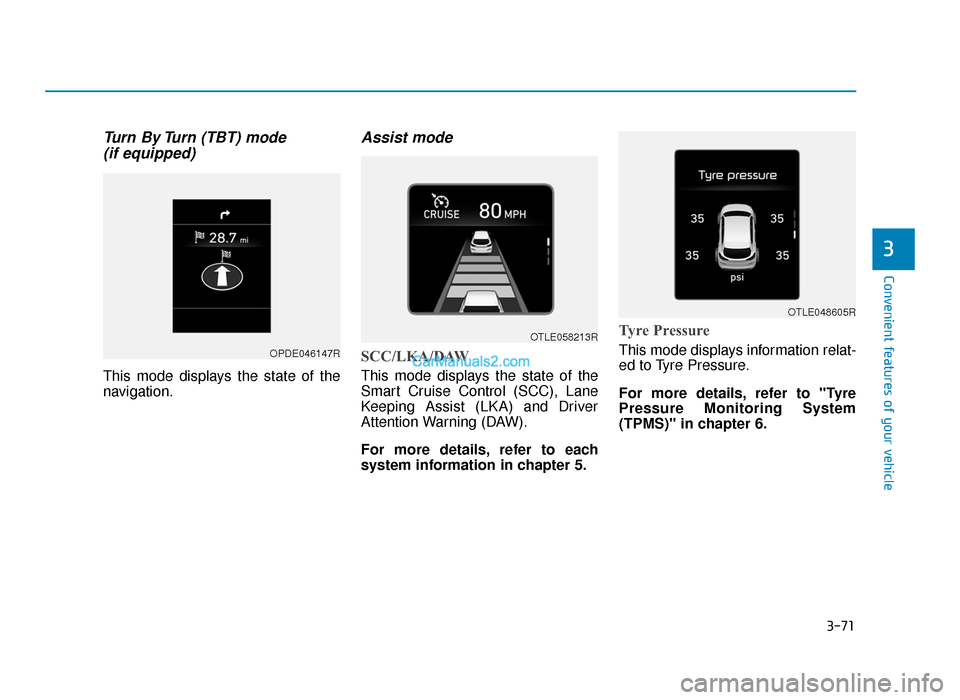
Turn By Turn (TBT) mode (if equipped)
This mode displays the state of the
navigation.
Assist mode
SCC/LKA/DAW
This mode displays the state of the
Smart Cruise Control (SCC), Lane
Keeping Assist (LKA) and Driver
Attention Warning (DAW).
For more details, refer to each
system information in chapter 5.
Tyre Pressure
This mode displays information relat-
ed to Tyre Pressure.
For more details, refer to "Tyre
Pressure Monitoring System
(TPMS)" in chapter 6.OPDE046147R
OTLE058213R
OTLE048605R
TLe UK 3a(~109).qxp 6/12/2018 2:27 PM Page 71
Page 164 of 685
3-72
Convenient features of your vehicle
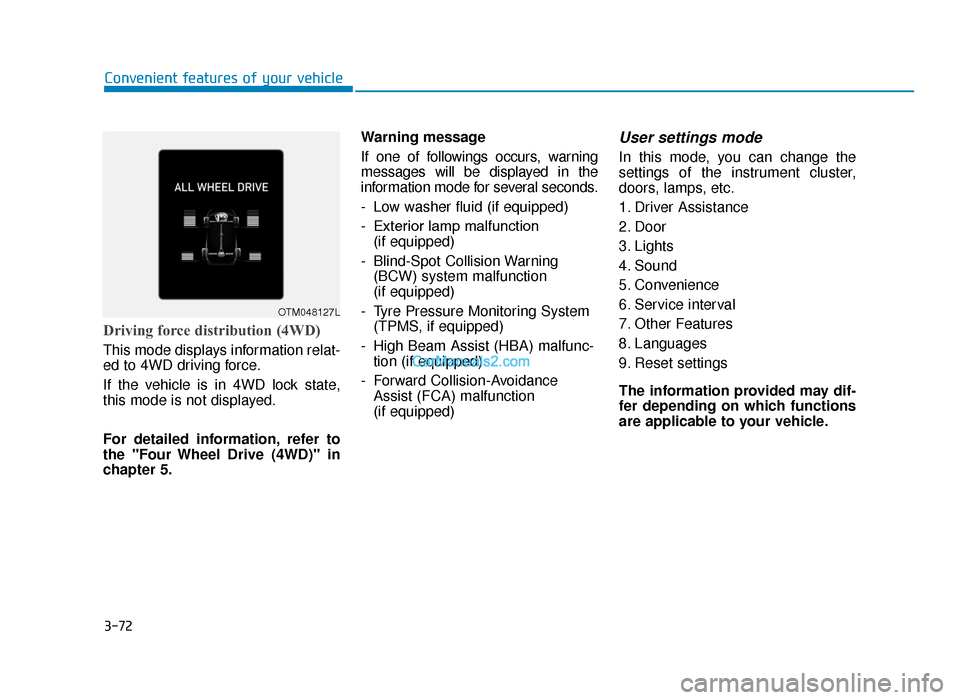
Driving force distribution (4WD)
This mode displays information relat-
ed to 4WD driving force.
If the vehicle is in 4WD lock state,
this mode is not displayed.
For detailed information, refer to
the "Four Wheel Drive (4WD)" in
chapter 5.Warning message
If one of followings occurs, warning
messages will be displayed in the
information mode for several seconds.
- Low washer fluid (if equipped)
- Exterior lamp malfunction
(if equipped)
- Blind-Spot Collision Warning (BCW) system malfunction
(if equipped)
- Tyre Pressure Monitoring System (TPMS, if equipped)
- High Beam Assist (HBA) malfunc- tion (if equipped)
- Forward Collision-Avoidance Assist (FCA) malfunction
(if equipped)
User settings mode
In this mode, you can change the
settings of the instrument cluster,
doors, lamps, etc.
1. Driver Assistance
2. Door
3. Lights
4. Sound
5. Convenience
6. Service interval
7. Other Features
8. Languages
9. Reset settings
The information provided may dif-
fer depending on which functions
are applicable to your vehicle.
OTM048127L
TLe UK 3a(~109).qxp 6/12/2018 2:27 PM Page 72
Page 170 of 685
3-78
Convenient features of your vehicle
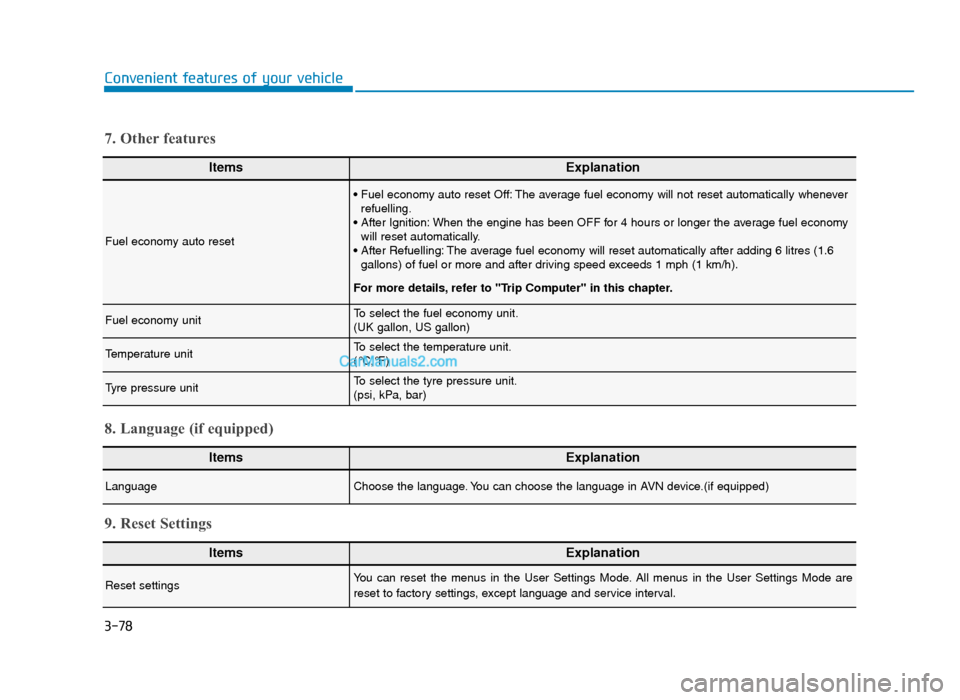
ItemsExplanation
Fuel economy auto reset
• Fuel economy auto reset Off: The average fuel economy will not reset automatically wheneverrefuelling.
• After Ignition: When the engine has been OFF for 4 hours or longer the average fuel economy will reset automatically.
• After Refuelling: The average fuel economy will reset automatically after adding 6 litres (1.6 gallons) of fuel or more and after driving speed exceeds 1 mph (1 km/h).
For more details, refer to "Trip Computer" in this chapter.
Fuel economy unitTo select the fuel economy unit.
(UK gallon, US gallon)
Temperature unitTo select the temperature unit.
(°C,°F)
Tyre pressure unitTo select the tyre pressure unit.
(psi, kPa, bar)
7. Other features
ItemsExplanation
LanguageChoose the language. You can choose the language in AVN device.(if equipped)
8. Language (if equipped)
ItemsExplanation
Reset settingsYou can reset the menus in the User Settings Mode. All menus in the User Settings Mode are
reset to factory settings, except language and service interval.
9. Reset Settings
TLe UK 3a(~109).qxp 6/12/2018 2:27 PM Page 78
Page 174 of 685
3-82
Convenient features of your vehicle
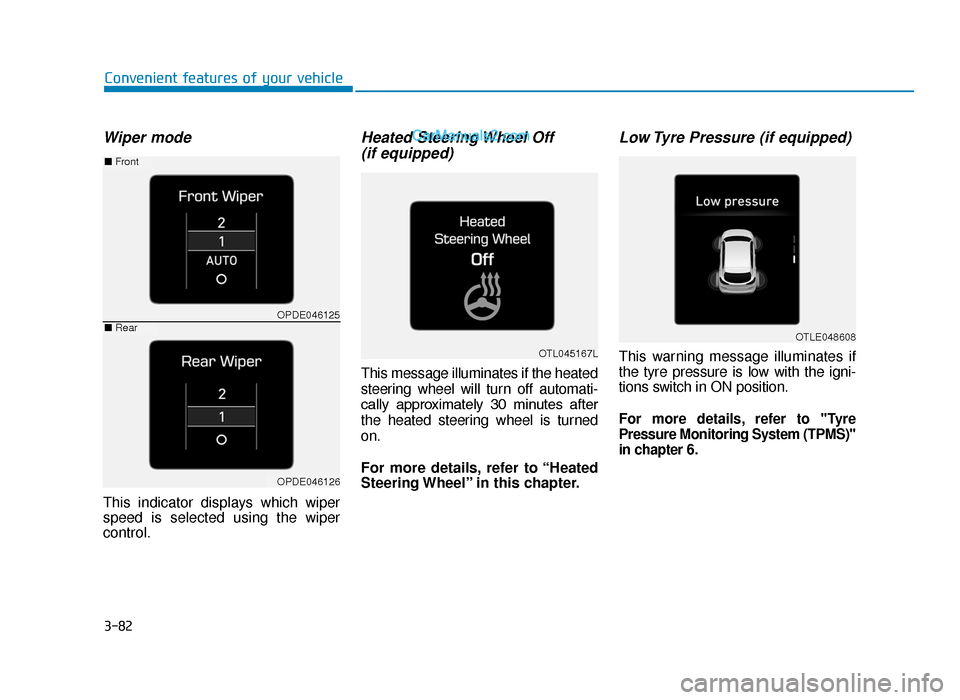
Wiper mode
This indicator displays which wiper
speed is selected using the wiper
control.
Heated Steering Wheel Off (if equipped)
This message illuminates if the heated
steering wheel will turn off automati-
cally approximately 30 minutes after
the heated steering wheel is turned
on.
For more details, refer to “Heated
Steering Wheel” in this chapter.
Low Tyre Pressure (if equipped)
This warning message illuminates if
the tyre pressure is low with the igni-
tions switch in ON position.
For more details, refer to "Tyre
Pressure Monitoring System (TPMS)"
in chapter 6.
OTL045167L
OTLE048608
OPDE046125
OPDE046126
■ Front
■Rear
TLe UK 3a(~109).qxp 6/12/2018 2:27 PM Page 82
Page 192 of 685
3-100
Convenient features of your vehicle
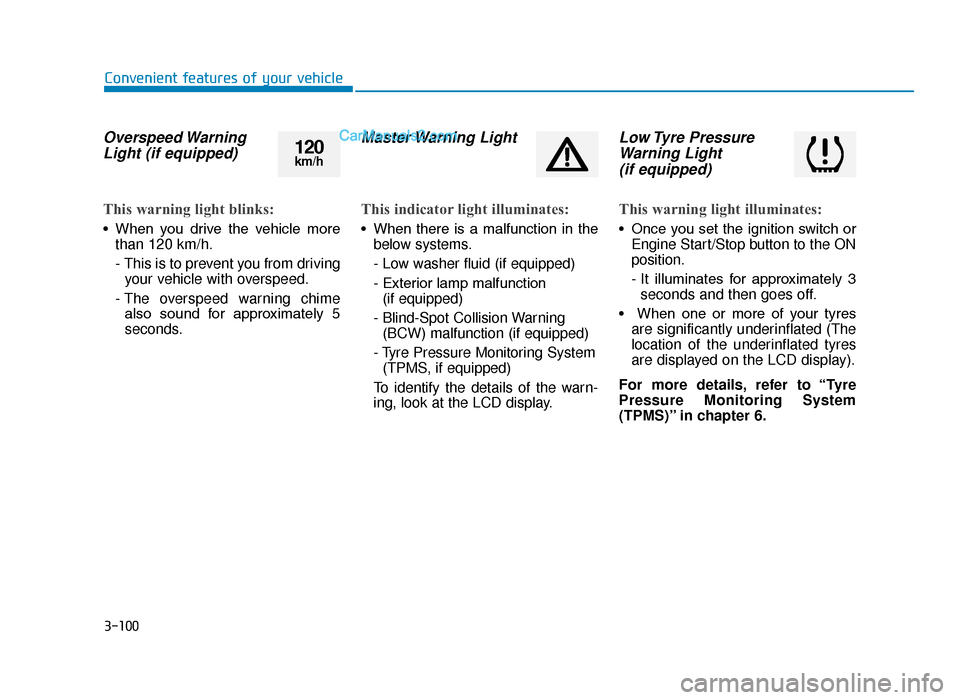
Overspeed WarningLight (if equipped)
This warning light blinks:
• When you drive the vehicle more
than 120 km/h.
- This is to prevent you from drivingyour vehicle with overspeed.
- The overspeed warning chime also sound for approximately 5
seconds.
Master Warning Light
This indicator light illuminates:
• When there is a malfunction in the below systems.
- Low washer fluid (if equipped)
- Exterior lamp malfunction(if equipped)
- Blind-Spot Collision Warning (BCW) malfunction (if equipped)
- Tyre Pressure Monitoring System (TPMS, if equipped)
To identify the details of the warn-
ing, look at the LCD display.
Low Tyre Pressure Warning Light (if equipped)
This warning light illuminates:
• Once you set the ignition switch or
Engine Start/Stop button to the ON
position.
- It illuminates for approximately 3seconds and then goes off.
• When one or more of your tyres are significantly underinflated (The
location of the underinflated tyres
are displayed on the LCD display).
For more details, refer to “Tyre
Pressure Monitoring System
(TPMS)” in chapter 6.
120km/h
TLe UK 3a(~109).qxp 6/12/2018 2:28 PM Page 100
Page 193 of 685
3-101
Convenient features of your vehicle
3
This warning light remains on after
blinking for approximately 60 sec-
onds or repeats blinking and off at
the intervals of approximately 3
seconds:
• When there is a malfunction withthe TPMS.
In this case, we recommend that
you have the vehicle inspected by
a HYUNDAI authorised repairer as
soon as possible.
For more details, refer to
“Tyre Pressure Monitoring
System (TPMS)” in chapter 6.
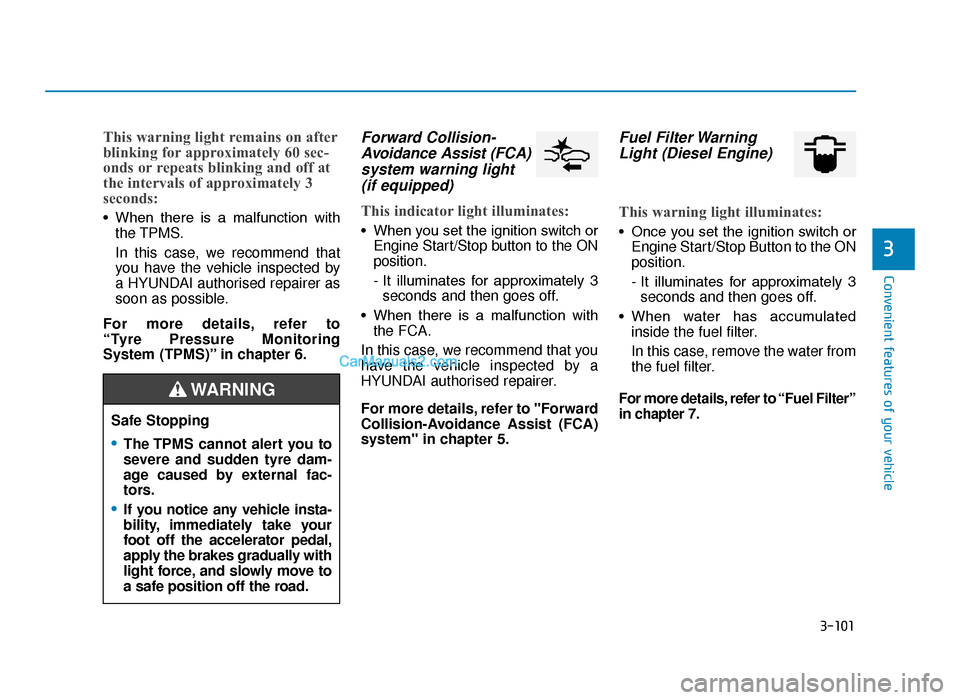
Forward Collision- Avoidance Assist (FCA)system warning light (if equipped)
This indicator light illuminates:
• When you set the ignition switch or
Engine Start/Stop button to the ON
position.
- It illuminates for approximately 3seconds and then goes off.
• When there is a malfunction with the FCA.
In this case, we recommend that you
have the vehicle inspected by a
HYUNDAI authorised repairer.
For more details, refer to "Forward
Collision-Avoidance Assist (FCA)
system" in chapter 5.
Fuel Filter Warning Light (Diesel Engine)
This warning light illuminates:
• Once you set the ignition switch or
Engine Start/Stop Button to the ON
position.
- It illuminates for approximately 3seconds and then goes off.
• When water has accumulated inside the fuel filter.
In this case, remove the water from
the fuel filter.
For more details, refer to “Fuel Filter”
in chapter 7.
Safe Stopping
•The TPMS cannot alert you to
severe and sudden tyre dam-
age caused by external fac-
tors.
•If you notice any vehicle insta-
bility, immediately take your
foot off the accelerator pedal,
apply the brakes gradually with
light force, and slowly move to
a safe position off the road.
WARNING
TLe UK 3a(~109).qxp 6/12/2018 2:29 PM Page 101
Page 381 of 685
5-57
Driving your vehicle
5
ABS is an electronic braking system
that helps prevent a braking skid.
ABS allows the driver to steer and
brake at the same time.
Using ABS
To obtain the maximum benefit from
your ABS in an emergency situation,
do not attempt to modulate your
brake pressure and do not try to
pump your brakes. Depress your
brake pedal as hard as possible.
When you apply your brakes under
conditions which may lock the
wheels, you may hear sounds from
the brakes, or feel a corresponding
sensation in the brake pedal. This is
normal and it means your ABS is
active.
ABS does not reduce the time or dis-
tance it takes to stop the vehicle.
Always maintain a safe distance from
the vehicle in front of you.
ABS will not prevent a skid that
results from sudden changes in
direction, such as trying to take a
corner too fast or making a sudden
lane change. Always drive at a safe
speed for the road and weather con-
ditions.ABS cannot prevent a loss of stabili-
ty. Always steer moderately when
braking hard. Severe or sharp steer-
ing wheel movement can still cause
your vehicle to veer into oncoming
traffic or off the road.
On loose or uneven road surfaces,
operation of the anti-lock brake sys-
tem may result in a longer stopping
distance than for vehicles equipped
with a conventional brake system.
The ABS warning light ( ) will stay
on for several seconds after the
Engine Start/Stop button is in the ON
position. During that time, the ABS
will go through self-diagnosis and the
light will go off if everything is nor-
mal. If the light stays on, you may
have a problem with your ABS. We
recommend that you contact a
HYUNDAI authorised repairer as
soon as possible.(Continued)
•On roads where the road sur-
face is pitted or has different
surface height.
•Tyre chains are installed on
your vehicle.
The safety features of an ABS
or ESC equipped vehicle should
not be tested by high speed
driving or cornering. This could
endanger the safety of yourself
or others.
TLe UK 5.qxp 5/10/2018 12:22 PM Page 57
Page 391 of 685
5-67
Driving your vehicle
5
The hazard warning flasher turns
OFF, when the driving speed exceeds
6 mph (10 km/h) after a complete
stop. The hazard warning flasher
turns OFF, when the vehicle drives at
a low speed for a certain period of
time. The driver can manually turn
OFF the hazard warning flasher by
pressing the button.
Information
The Emergency Stop Signal (ESS) sys-
tem will not activate, when the hazard
warning flasher already blinks.
Good braking practices
Wet brakes can be dangerous! The
brakes may get wet if the vehicle is
driven through standing water or if it
is washed. Your vehicle will not stop
as quickly if the brakes are wet. Wet
brakes may cause the vehicle to pull
to one side.To dry the brakes, apply the brakes
lightly until the braking action returns
to normal, taking care to keep the
vehicle under control at all times. If
the braking action does not return to
normal, stop as soon as it is safe to
do so and we recommend that you
call a HYUNDAI authorised repairer
for assistance.
DO NOT drive with your foot resting
on the brake pedal. Even light, but
constant pedal pressure can result in
the brakes overheating, brake wear,
and possibly even brake failure.
If a tyre goes flat whilst you are driv-
ing, apply the brakes gently and
keep the vehicle pointed straight
ahead whilst you slow down. When
you are moving slowly enough for it
to be safe to do so, pull off the road
and stop in a safe location.
Keep your foot firmly on the brake
pedal when the vehicle is stopped to
prevent the vehicle from rolling for-
ward.
i
Whenever leaving the vehicle or
parking, always come to a com-
plete stop and continue to
depress the brake pedal. Move
the shift lever into the P (Park)
position, then apply the parking
brake, and place the Engine
Start/Stop button in the OFF
position.
Vehicles with the parking brake
not fully engaged are at risk for
moving inadvertently and caus-
ing injury to yourself or others.
WARNING
TLe UK 5.qxp 5/10/2018 12:23 PM Page 67
Page 398 of 685
5-74
Driving your vehicle
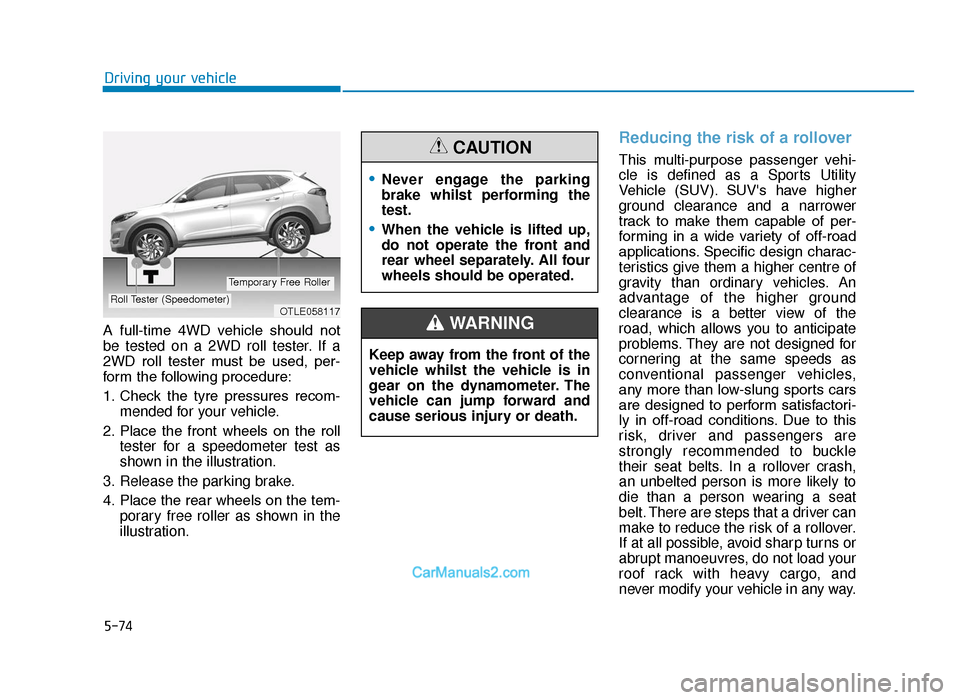
A full-time 4WD vehicle should not
be tested on a 2WD roll tester. If a
2WD roll tester must be used, per-
form the following procedure:
1. Check the tyre pressures recom- mended for your vehicle.
2. Place the front wheels on the roll tester for a speedometer test as
shown in the illustration.
3. Release the parking brake.
4. Place the rear wheels on the tem- porary free roller as shown in the
illustration.
Reducing the risk of a rollover
This multi-purpose passenger vehi-
cle is defined as a Sports Utility
Vehicle (SUV). SUV's have higher
ground clearance and a narrower
track to make them capable of per-
forming in a wide variety of off-road
applications. Specific design charac-
teristics give them a higher centre of
gravity than ordinary vehicles. An
advantage of the higher ground
clearance is a better view of the
road, which allows you to anticipate
problems. They are not designed for
cornering at the same speeds as
conventional passenger vehicles,
any more than low-slung sports cars
are designed to perform satisfactori-
ly in off-road conditions. Due to this
risk, driver and passengers are
strongly recommended to buckle
their seat belts. In a rollover crash,
an unbelted person is more likely to
die than a person wearing a seat
belt. There are steps that a driver can
make to reduce the risk of a rollover.
If at all possible, avoid sharp turns or
abrupt manoeuvres, do not load your
roof rack with heavy cargo, and
never modify your vehicle in any way.
OTLE058117Roll Tester (Speedometer)
Temporary Free Roller
•Never engage the parking
brake whilst performing the
test.
•When the vehicle is lifted up,
do not operate the front and
rear wheel separately. All four
wheels should be operated.
CAUTION
Keep away from the front of the
vehicle whilst the vehicle is in
gear on the dynamometer. The
vehicle can jump forward and
cause serious injury or death.
WARNING
TLe UK 5.qxp 5/10/2018 12:23 PM Page 74