side Hyundai Tucson 2019 Owner's Manual
[x] Cancel search | Manufacturer: HYUNDAI, Model Year: 2019, Model line: Tucson, Model: Hyundai Tucson 2019Pages: 546, PDF Size: 61.38 MB
Page 320 of 546
5-54
Driving your vehicle
The second stage alarm may be
deactivated.
- To deactivate the warning chime:
Go to the ''User Settings →Driver
Assistance and deselect Blind-
Spot Collision Warning sound'' on
the LCD display.
- To activate the warning chime:
Go to the ''User Settings →Driver
Assistance and select Blind-Spot
Collision Warning sound'' on the
LCD display.
Information
The warning chime function helps
alert the driver. Deactivate this func-
tion only when it is necessary.
i
OTL055029
■ Left side
OTL055030
■ Right side
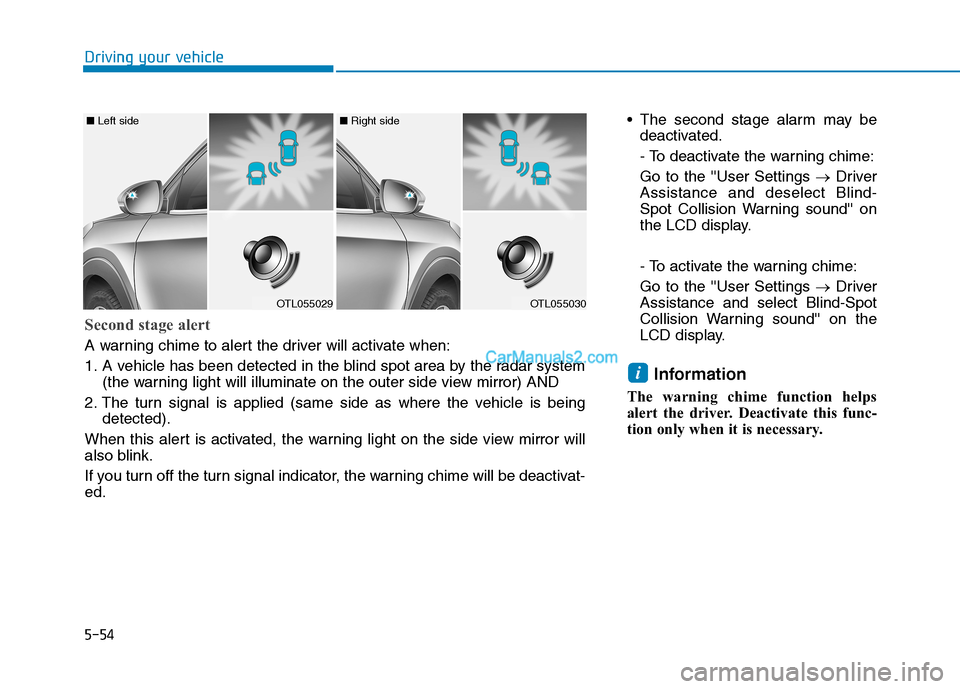
Second stage alert
A warning chime to alert the driver will activate when:
1. A vehicle has been detected in the blind spot area by the radar system
(the warning light will illuminate on the outer side view mirror) AND
2. The turn signal is applied (same side as where the vehicle is being
detected).
When this alert is activated, the warning light on the side view mirror will
also blink.
If you turn off the turn signal indicator, the warning chime will be deactivat-
ed.
Page 321 of 546
5-55
Driving your vehicle
5
RCCW (Rear Cross-Traffic
Collision Warning)
The Rear Cross-Traffic Collision
Warning function monitors approach-
ing cross traffic from the left and right
side of the vehicle when your vehicle
is in reverse.
Operating conditions
To operate:
Go to the 'User Settings →Driver
Assistance and select Rear Cross-
Traffic Collision Warning' on the LCD
display.(For more details, refer to
"LCD Display" in chapter 3.)
The system will turn on and standby
to activate. The system will activate
when vehicle speed is below 6 mph
(10 km/h) and with the shift lever in R
(Reverse).
Information
The Rear Cross-Traffic Collision
Warning (RCCW) detecting range is
approximately 1 - 65 ft (0.5 – 20 m).
An approaching vehicle will be detect-
ed if their vehicle speed is within 2.5 -
22.5 mph (4 - 36 km/h).
Note that the detecting range may
vary under certain conditions. As
always, use caution and pay close
attention to your surroundings when
backing up your vehicle.
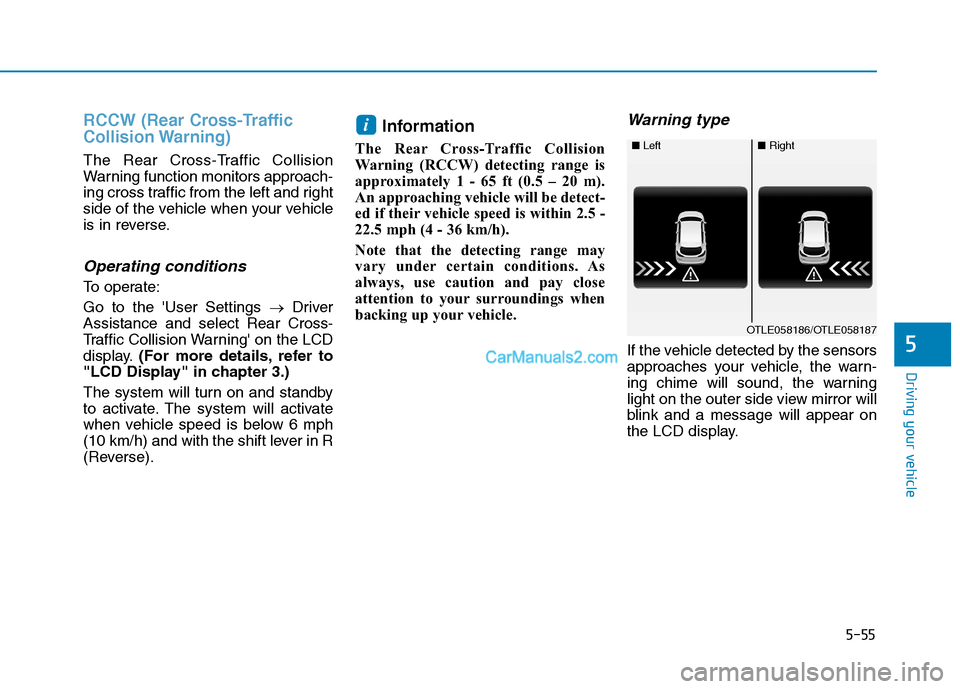
Warning type
If the vehicle detected by the sensors
approaches your vehicle, the warn-
ing chime will sound, the warning
light on the outer side view mirror will
blink and a message will appear on
the LCD display.
i
■ Left■Right
OTLE058186/OTLE058187
Page 322 of 546
5-56
Driving your vehicle
Information
• The warning chime will turn off
when:
- The detected vehicle moves out of
the sensing area or
- when the vehicle is right behind
your vehicle or
- when the vehicle is not approach-
ing your vehicle or
- when the other vehicle slows down.
• The system may not operate proper-
ly due to other factors or circum-
stances. Always pay attention to
your surroundings.
• If the sensing area near the rear
bumper is blocked by either a wall
or barrier or by a parked vehicle,
the system sensing area may be
reduced. The system may not work prop-
erly when the bumper has been
damaged, or if the rear bumper
has been replaced or repaired.
The sensing range differs some-
what according to the width of
the road. When the road is nar-
row, the system may detect
other vehicles in the next lane
OR when the road is wide, the
system may not detect other
vehicles in the next lane.
The system may turn off due to
strong electromagnetic waves.
NOTICE
i
The warning light on the outer
side view mirror will illumi-
nate whenever a vehicle is
detected at the rear side by
the system.
To avoid accidents, do not
focus only on the warning
light and neglect to see the
surrounding of the vehicle.
Drive safely even though the
vehicle is equipped with a
Blind-Spot Collision Warning
(BCW) system and Rear
Cross-Traffic Collision
Warning (RCCW). Do not sole-
ly rely on the system but
check your surrounding
before changing lanes or
backing the vehicle up.
The system may not alert the
driver in some conditions so
always check your surround-
ings while driving.
The Blind-Spot Collision
Warning (BCW) system and
Rear Cross-Traffic Collision
Warning (RCCW) are not a
substitute for proper and safe
driving practices. Always
drive safely and use caution
when changing lanes or back-
ing up your vehicle. The Blind-
Spot Collision Warning (BCW)
system may not detect every
object alongside the vehicle.WARNING
Page 323 of 546
5-57
Driving your vehicle
5
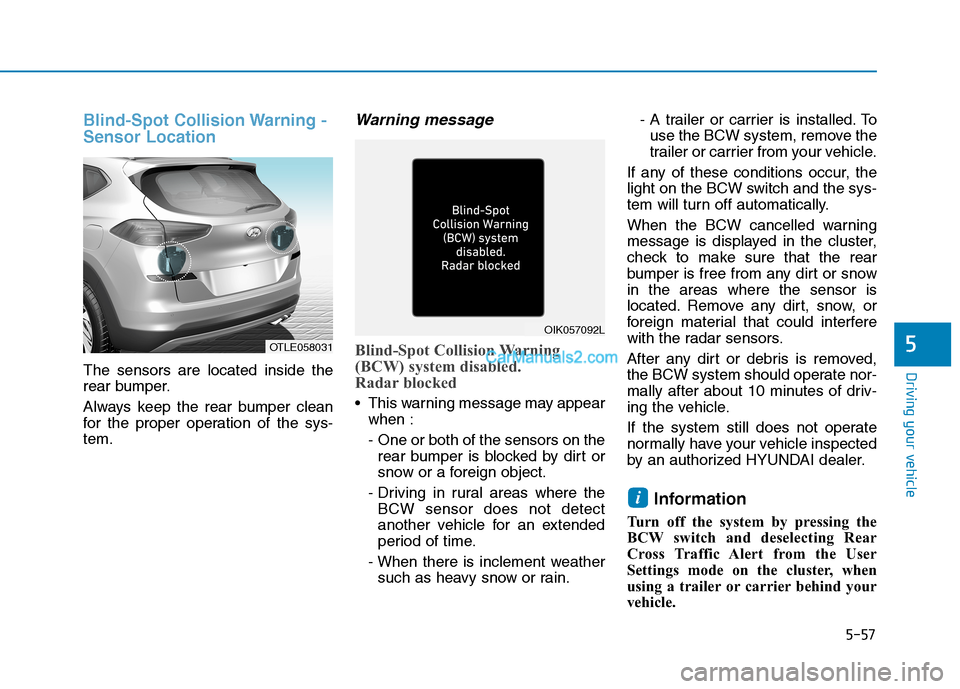
Blind-Spot Collision Warning -
Sensor Location
The sensors are located inside the
rear bumper.
Always keep the rear bumper clean
for the proper operation of the sys-
tem.
Warning message
Blind-Spot Collision Warning
(BCW) system disabled.
Radar blocked
This warning message may appear
when :
- One or both of the sensors on the
rear bumper is blocked by dirt or
snow or a foreign object.
- Driving in rural areas where the
BCW sensor does not detect
another vehicle for an extended
period of time.
- When there is inclement weather
such as heavy snow or rain.- A trailer or carrier is installed. To
use the BCW system, remove the
trailer or carrier from your vehicle.
If any of these conditions occur, the
light on the BCW switch and the sys-
tem will turn off automatically.
When the BCW cancelled warning
message is displayed in the cluster,
check to make sure that the rear
bumper is free from any dirt or snow
in the areas where the sensor is
located. Remove any dirt, snow, or
foreign material that could interfere
with the radar sensors.
After any dirt or debris is removed,
the BCW system should operate nor-
mally after about 10 minutes of driv-
ing the vehicle.
If the system still does not operate
normally have your vehicle inspected
by an authorized HYUNDAI dealer.
Information
Turn off the system by pressing the
BCW switch and deselecting Rear
Cross Traffic Alert from the User
Settings mode on the cluster, when
using a trailer or carrier behind your
vehicle.
i
OTLE058031
OIK057092L
Page 324 of 546
5-58
Driving your vehicle
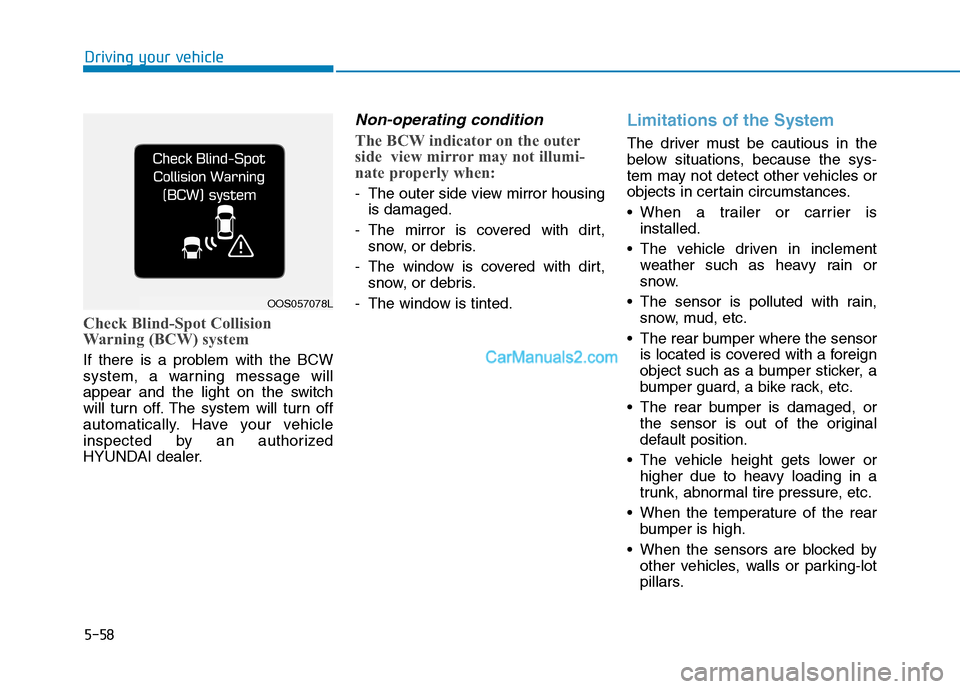
Check Blind-Spot Collision
Warning (BCW) system
If there is a problem with the BCW
system, a warning message will
appear and the light on the switch
will turn off. The system will turn off
automatically. Have your vehicle
inspected by an authorized
HYUNDAI dealer.
Non-operating condition
The BCW indicator on the outer
side view mirror may not illumi-
nate properly when:
- The outer side view mirror housing
is damaged.
- The mirror is covered with dirt,
snow, or debris.
- The window is covered with dirt,
snow, or debris.
- The window is tinted.
Limitations of the System
The driver must be cautious in the
below situations, because the sys-
tem may not detect other vehicles or
objects in certain circumstances.
When a trailer or carrier is
installed.
The vehicle driven in inclement
weather such as heavy rain or
snow.
The sensor is polluted with rain,
snow, mud, etc.
The rear bumper where the sensor
is located is covered with a foreign
object such as a bumper sticker, a
bumper guard, a bike rack, etc.
The rear bumper is damaged, or
the sensor is out of the original
default position.
The vehicle height gets lower or
higher due to heavy loading in a
trunk, abnormal tire pressure, etc.
When the temperature of the rear
bumper is high.
When the sensors are blocked by
other vehicles, walls or parking-lot
pillars.
OOS057078L
Page 331 of 546
5-65
Driving your vehicle
5
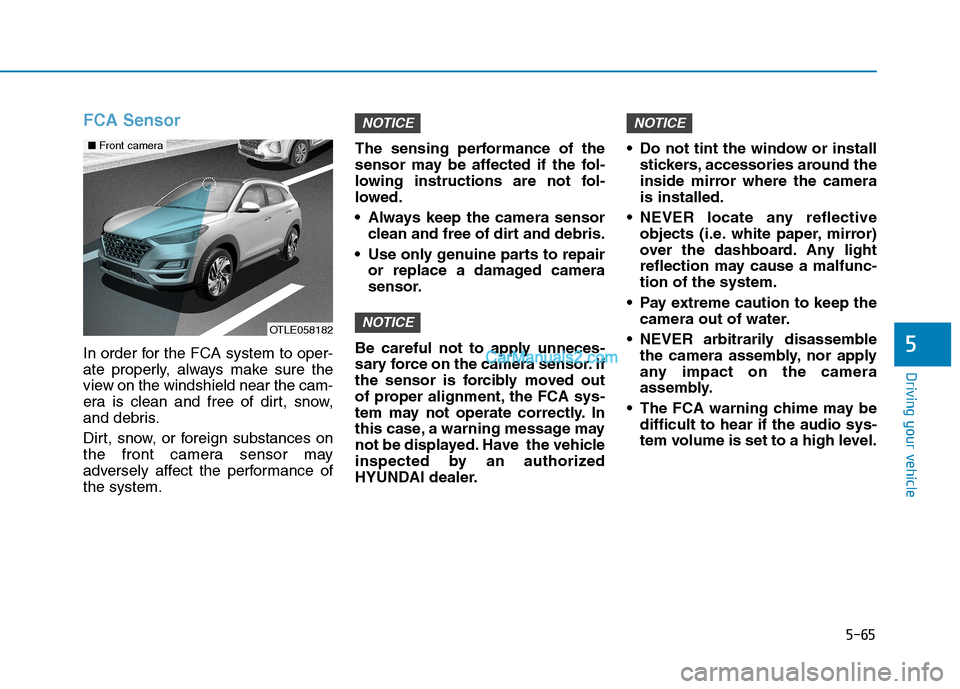
FCA Sensor
In order for the FCA system to oper-
ate properly, always make sure the
view on the windshield near the cam-
era is clean and free of dirt, snow,
and debris.
Dirt, snow, or foreign substances on
the front camera sensor may
adversely affect the performance of
the system.The sensing performance of the
sensor may be affected if the fol-
lowing instructions are not fol-
lowed.
Always keep the camera sensor
clean and free of dirt and debris.
Use only genuine parts to repair
or replace a damaged camera
sensor.
Be careful not to apply unneces-
sary force on the camera sensor. If
the sensor is forcibly moved out
of proper alignment, the FCA sys-
tem may not operate correctly. In
this case, a warning message may
not be displayed. Have the vehicle
inspected by an authorized
HYUNDAI dealer. Do not tint the window or install
stickers, accessories around the
inside mirror where the camera
is installed.
NEVER locate any reflective
objects (i.e. white paper, mirror)
over the dashboard. Any light
reflection may cause a malfunc-
tion of the system.
Pay extreme caution to keep the
camera out of water.
NEVER arbitrarily disassemble
the camera assembly, nor apply
any impact on the camera
assembly.
The FCA warning chime may be
difficult to hear if the audio sys-
tem volume is set to a high level.
NOTICE
NOTICE
NOTICE
OTLE058182
■ Front camera
Page 334 of 546
5-68
Driving your vehicle
Limitations of the System
The Forward Collision-Avoidance
Assist (FCA) system is designed to
help monitor the vehicle ahead in the
roadway through camera recognition
to warn the driver that a collision is
imminent, and if necessary, apply
emergency braking.
In certain situations, the camera may
not be able to detect the vehicle
ahead. In these cases, the FCA sys-
tem may not operate normally. The
driver must pay careful attention in
the following situations where the
FCA operation may be limited.Occupants may get injured, if
the vehicle abruptly stops by
the activated FCA system. Pay
extreme caution.
The FCA system operates
only to help detect vehicles in
front of the vehicle.
The FCA system does not
operate when the vehicle is in
reverse.
The FCA system is not
designed to detect other
objects on the road such as
animals.
The FCA system does not
detect vehicles in the oppo-
site lane.
The FCA system does not
detect cross traffic vehicles
that are approaching.
The FCA system cannot
detect the driver approaching
the side view of a parked vehi-
cle (for example on a dead
end street.)
In these cases, you must main-
tain a safe braking distance,
and if necessary, depress the
brake pedal to reduce the driv-
ing speed in order to maintain a
safe distance.
WARNING
Page 335 of 546
5-69
Driving your vehicle
5
Detecting vehicles
The sensor may be limited when:
The camera is blocked with a for-
eign object or debris
The camera lens is contaminated
due to tinted, filmed or coated
windshield, damaged glass, or
stuck of foreign matter (sticker,
bug, etc.) on the glass
Inclement weather such as heavy
rain or snow obscures the field of
view of the camera
The vehicle is on unpaved or
uneven rough surfaces, or road
with sudden gradient changes.
The camera sensor recognition is
limited
The vehicle in front is too small to
be detected (for example a motor-
cycle or a bicycle, etc.)
The camera does not recognize
the entire vehicle in front.
The vehicle in front is an oversize
vehicle or trailer that is too big to
be detected by the camera recog-
nition system (for example a tractor
trailer, etc.) The camera's field of view is not
well illuminated (either too dark or
too much reflection or too much
backlight that obscures the field of
view)
The vehicle in front does not have
their rear lights properly turned ON
The outside brightness changes
suddenly, for example when enter-
ing or exiting a tunnel
Light coming from a street light or
an oncoming vehicle is reflected on
a wet road surface such as a pud-
dle in the road
The field of view in front is
obstructed by sun glare
The vehicle drives inside a build-
ing, such as a basement parking
lot
The adverse road conditions cause
excessive vehicle vibrations while
driving
The camera is damaged.
The brightness outside is too low
such as when the headlamps are
not on at night or the vehicle is
going through a tunnel. The shadow is on the road by a
median strip, trees, etc.
The vehicle drives through a toll-
gate.
The windshield glass is fogged up;
a clear view of the road is obstruct-
ed
The rear part of the vehicle in front
is not normally visible (for example,
the vehicle is spinning or the vehi-
cle is overturned)
The sensor recognition changes
suddenly when passing over a
speed bump
The vehicle in front is driving errat-
ically
The vehicle in front is moving verti-
cally to the driving direction
The vehicle in front is stopped ver-
tically
The vehicle in front is driving
towards your vehicle or reversing
You are on a roundabout and the
vehicle in front circles
Page 345 of 546
5-79
Driving your vehicle
5
Do not tint the window or install
stickers, accessories around the
inside mirror where the camera
is installed.
NEVER locate any reflective
objects (i.e. white paper, mirror)
over the dashboard. Any light
reflection may cause a malfunc-
tion of the system.
Pay extreme caution to keep the
camera out of water.
NEVER arbitrarily disassemble
the camera assembly, nor apply
any impact on the camera
assembly.
The FCA warning chime may be
difficult to hear if the audio sys-
tem volume is set to a high level.
Information
Have the system checked by an
authorized HYUNDAI dealer when:
• The windshield glass is replaced.
• The front bumper is replaced.
• The radar sensor or cover gets dam-
aged or replaced.
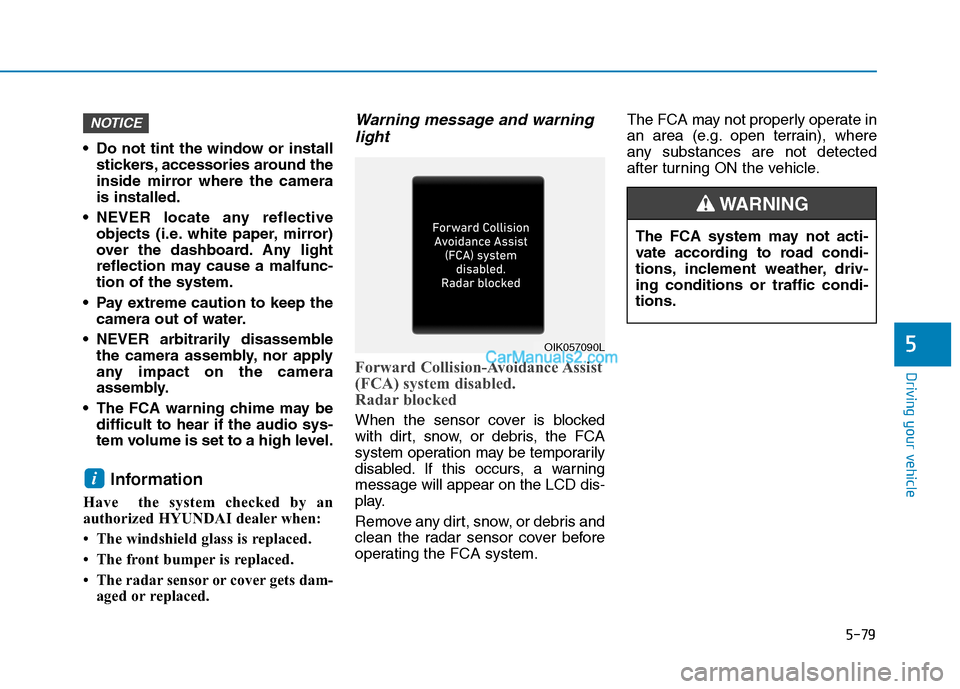
Warning message and warning
light
Forward Collision-Avoidance Assist
(FCA) system disabled.
Radar blocked
When the sensor cover is blocked
with dirt, snow, or debris, the FCA
system operation may be temporarily
disabled. If this occurs, a warning
message will appear on the LCD dis-
play.
Remove any dirt, snow, or debris and
clean the radar sensor cover before
operating the FCA system.The FCA may not properly operate in
an area (e.g. open terrain), where
any substances are not detected
after turning ON the vehicle.
i
NOTICE
OIK057090L
The FCA system may not acti-
vate according to road condi-
tions, inclement weather, driv-
ing conditions or traffic condi-
tions.
WARNING
Page 347 of 546
5-81
Driving your vehicle
5
Limitations of the System
The Forward Collision-Avoidance
Assist (FCA) system is designed to
help monitor the vehicle ahead or a
pedestrian in the roadway through
radar signals and camera recognition
to warn the driver that a collision is
imminent, and if necessary, apply
emergency braking.
In certain situations, the radar sen-
sor or the camera may not be able to
detect the vehicle or pedestrian
ahead. In these cases, the FCA sys-
tem may not operate normally. The
driver must pay careful attention in
the following situations where the
FCA operation may be limited.Occupants may get injured, if
the vehicle abruptly stops by
the activated FCA system. Pay
extreme caution.
The FCA system operates
only to help detect vehicles or
pedestrians in front of the
vehicle.
The FCA system does not
operate when the vehicle is in
reverse.
The FCA system is not
designed to detect other
objects on the road such as
animals.
The FCA system does not
detect vehicles in the oppo-
site lane.
The FCA system does not
detect cross traffic vehicles
that are approaching.
The FCA system cannot
detect the driver approaching
the side view of a parked vehi-
cle (for example on a dead
end street.)
In these cases, you must main-
tain a safe braking distance,
and if necessary, depress the
brake pedal to reduce the driv-
ing speed in order to maintain a
safe distance.
WARNING