break Hyundai Tucson 2019 User Guide
[x] Cancel search | Manufacturer: HYUNDAI, Model Year: 2019, Model line: Tucson, Model: Hyundai Tucson 2019Pages: 546, PDF Size: 61.38 MB
Page 363 of 546
5-97
Driving your vehicle
5
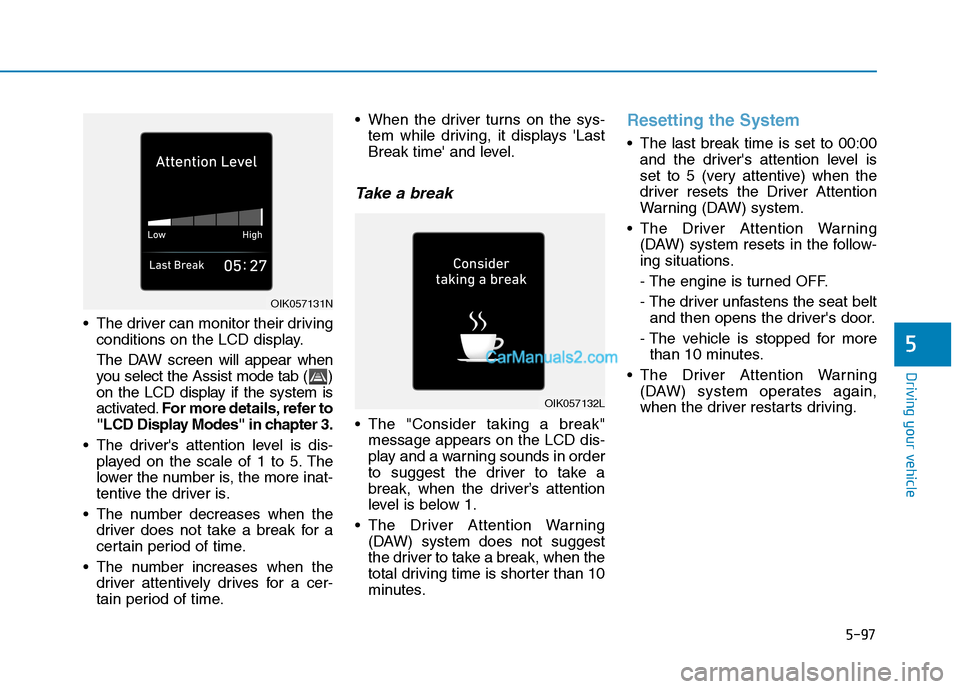
The driver can monitor their driving
conditions on the LCD display.
The DAW screen will appear when
you select the Assist mode tab ( )
on the LCD display if the system is
activated.For more details, refer to
"LCD Display Modes" in chapter 3.
The driver's attention level is dis-
played on the scale of 1 to 5. The
lower the number is, the more inat-
tentive the driver is.
The number decreases when the
driver does not take a break for a
certain period of time.
The number increases when the
driver attentively drives for a cer-
tain period of time. When the driver turns on the sys-
tem while driving, it displays 'Last
Break time' and level.
Take a break
The "Consider taking a break"
message appears on the LCD dis-
play and a warning sounds in order
to suggest the driver to take a
break, when the driver’s attention
level is below 1.
The Driver Attention Warning
(DAW) system does not suggest
the driver to take a break, when the
total driving time is shorter than 10
minutes.
Resetting the System
The last break time is set to 00:00
and the driver's attention level is
set to 5 (very attentive) when the
driver resets the Driver Attention
Warning (DAW) system.
The Driver Attention Warning
(DAW) system resets in the follow-
ing situations.
- The engine is turned OFF.
- The driver unfastens the seat belt
and then opens the driver's door.
- The vehicle is stopped for more
than 10 minutes.
The Driver Attention Warning
(DAW) system operates again,
when the driver restarts driving.
OIK057132L
OIK057131N
Page 364 of 546
5-98
Driving your vehicle
System Standby
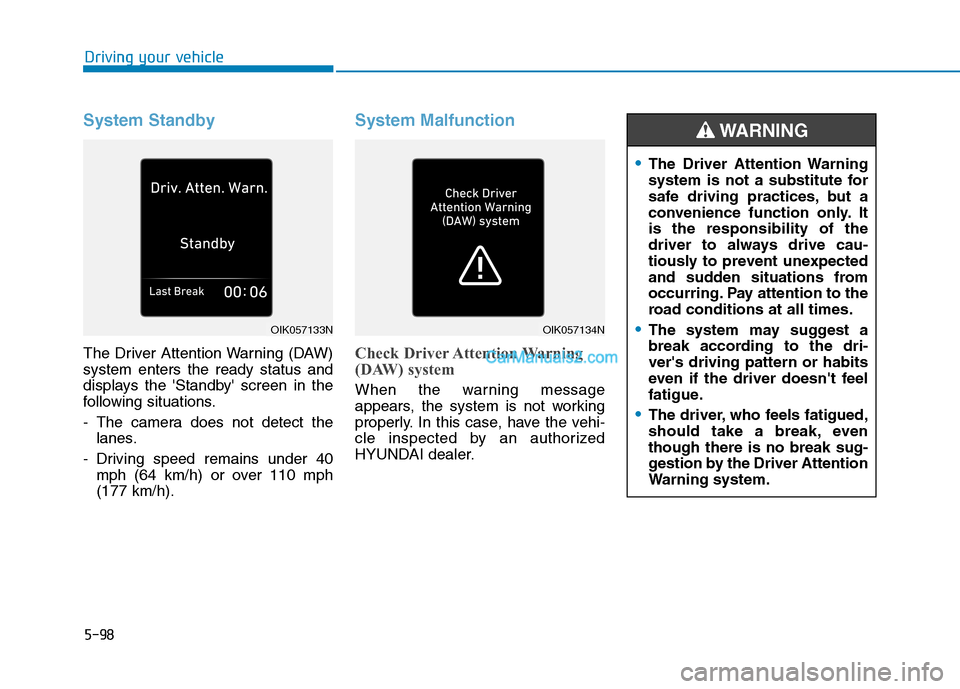
The Driver Attention Warning (DAW)
system enters the ready status and
displays the 'Standby' screen in the
following situations.
- The camera does not detect the
lanes.
- Driving speed remains under 40
mph (64 km/h) or over 110 mph
(177 km/h).
System Malfunction
Check Driver Attention Warning
(DAW) system
When the warning message
appears, the system is not working
properly. In this case, have the vehi-
cle inspected by an authorized
HYUNDAI dealer.
The Driver Attention Warning
system is not a substitute for
safe driving practices, but a
convenience function only. It
is the responsibility of the
driver to always drive cau-
tiously to prevent unexpected
and sudden situations from
occurring. Pay attention to the
road conditions at all times.
The system may suggest a
break according to the dri-
ver's driving pattern or habits
even if the driver doesn't feel
fatigue.
The driver, who feels fatigued,
should take a break, even
though there is no break sug-
gestion by the Driver Attention
Warning system.
WARNING
OIK057133NOIK057134N
Page 396 of 546
5-130
Driving your vehicle
If you are considering to tow with your
vehicle, you should first check with
your state's Department of Motor
Vehicles to determine legal require-
ments. Since laws vary from state to
state the requirements for towing
trailers, vehicles, or other types of
vehicles or apparatus may differ. Ask
an authorized HYUNDAI dealer for
further details before towing.
Remember that trailering is different
than just driving your vehicle by itself.
Trailering means changes in han-
dling, durability, and fuel economy.
Successful, safe trailering requires
correct equipment, and it has to be
used properly. Damage to your vehi-
cle caused by improper trailer towing
is not covered by your vehicle manu-
facturer’s warranty.
This section contains many time-
tested, important trailering tips and
safety rules. Many of these are
important for your safety and that of
your passengers. Please read this
section carefully before you pull a
trailer.
If you decide to pull a trailer
Here are some important points if
you decide to pull a trailer:
Consider using a sway control. You
can ask a trailer hitch dealer about
sway control.
Do not do any towing with your
vehicle during its first 1,200 miles
(2,000 km) in order to allow the
engine to properly break in. Failure
to heed this caution may result in
serious engine or transmission
damage.
When towing a trailer, be sure to
consult an authorized HYUNDAI
dealer for further information on
additional requirements such as a
towing kit, etc.
Always drive your vehicle at a mod-
erate speed (less than 60 mph
(100 km/h)) or posted towing
speed limit.
On a long uphill grade, do not
exceed 45 mph (70 km/h) or the
posted towing speed limit,
whichever is lower.
Carefully observe the weight and
load limits provided in the following
pages.
T TR
RA
AI
IL
LE
ER
R
T
TO
OW
WI
IN
NG
G
Take the following precautions:
If you don't use the correct
towing equipment, or if you
drive improperly while towing,
you can lose control of the
vehicle when pulling a trailer.
For example, if the trailer is
too heavy, the braking per-
formance may be reduced.
You and your passengers
could be seriously or fatally
injured. Pull a trailer only if
you have followed all the
steps in this section.
Before towing, make sure the
total trailer weight, GCW
(Gross Combination Weight),
GVW (Gross Vehicle Weight),
GAW (Gross Axle Weight ) and
trailer tongue load are all with-
in the limits.
WARNING
Page 407 of 546
5-141
Driving your vehicle
5
5. Determine the combined weight of
luggage and cargo being loaded
on the vehicle. That weight may
not safely exceed the available
cargo and luggage load capacity
calculated in Step 4.
6. If your vehicle will be towing a trail-
er, load from your trailer will be
transferred to your vehicle. Consult
this manual to determine how this
reduces the available cargo and
luggage load capacity of your vehi-
cle.Do not overload the vehicle as
there is a limit to the total
weight, or load limit, including
occupants and cargo, the vehi-
cle can carry. Overloading can
shorten the life of the vehicle. If
the GVWR or the GAWR is
exceeded, parts on the vehicle
can break, and it can change the
handling of your vehicle. These
could cause you to lose control
and result in an accident.WARNING
Page 481 of 546
7-47
7
Maintenance
Normal Occupant Weight
The number of occupants a vehicle
is designed to seat multiplied by 150
pounds (68 kg).
Occupant Distribution
Designated seating positions.
Outward Facing Sidewall
An asymmetrical tire has a particular
side that faces outward when mount-
ed on a vehicle. The outward facing
sidewall bears white lettering or
bears manufacturer, brand, and/or
model name molding that is higher or
deeper than the same moldings on
the inner facing sidewall.
Passenger (P-Metric) tire
A tire used on passenger cars and
some light duty trucks and multipur-
pose vehicles.
Ply
A layer of rubber-coated parallel
cords
Pneumatic tire
A mechanical device made of rubber,
chemicals, fabric and steel or other
materials, that, when mounted on an
automotive wheel provides the trac-
tion and contains the gas or fluid that
sustains the load.
Pneumatic options weight
The combined weight of installed
regular production options weighing
over 5 lb. (2.3 kg) in excess of the
standard items which they replace,
not previously considered in curb
weight or accessory weight, includ-
ing heavy duty breaks, ride levelers,
roof rack, heavy duty battery, and
special trim.
Recommended Inflation
Pressure
Vehicle manufacturer’s recommend-
ed tire inflation pressure as shown
on the tire placard.
Radial Ply Tire
A pneumatic tire in which the ply
cords that extend to the beads are
laid at 90 degrees to the centerline of
the tread.
Rim
A metal support for a tire and upon
which the tire beads are seated.
Sidewall
The portion of a tire between the
tread and the bead.
Speed Rating
An alphanumeric code assigned to a
tire indicating the maximum speed at
which a tire can operate.
Traction
The friction between the tire and the
road surface. The amount of grip pro-
vided.