park assist Hyundai Tucson 2020 Owner's Manual - RHD (UK, Australia)
[x] Cancel search | Manufacturer: HYUNDAI, Model Year: 2020, Model line: Tucson, Model: Hyundai Tucson 2020Pages: 637, PDF Size: 64.45 MB
Page 88 of 637
Trip computer .......................................................3-87
Trip modes ........................................................................3-87
Warning and indicator lights ..............................3-91
Warning lights ..................................................................3-91
Indicator lights ...............................................................3-101
Light .....................................................................3-108
Exterior lights ................................................................3-108
Low Beam Assist-Static light .....................................3-118
Welcome system ...........................................................3-118
Interior lights..................................................................3-120
Wipers and washers ..........................................3-124
Windscreen wipers .......................................................3-124
Windscreen washers ....................................................3-126
Rear window wiper and washer switch ..................3-127
Driver assist system ..........................................3-128
Rear View Monitor .......................................................3-128
Surround View Monitor ...............................................3-129
Parking Distance Warning (Reverse) system .........3-131
Parking Distance Warning (Reverse/Forward)
system..............................................................................3-134
Defroster .............................................................3-139
Rear window defroster ...............................................3-139
Manual climate control system........................3-141
Heating and air conditioning......................................3-142
System operation ..........................................................3-147
System maintenance ....................................................3-150
Air Conditioning refrigerant label .............................3-150
Checking the amount of air conditioner
refrigerant and compressor lubricant .....................3-151
Automatic climate control system ...................3-152
Automatic heating and air conditioning ..................3-153
Manual heating and air conditioning .......................3-154
System operation ..........................................................3-161
System maintenance ....................................................3-163
Air Conditioning refrigerant label .............................3-164
Checking the amount of air conditioner
refrigerant and compressor lubricant .....................3-165
Windscreen defrosting and defogging ...........3-166
Manual climate control system .................................3-166
Automatic climate control system ............................3-167
Defogging logic..............................................................3-168
Climate control additional features.................3-171
Cluster ionizer ................................................................3-171
Sunroof inside air recirculation.................................3-171
3
Page 179 of 637
3-93
Convenient features of your vehicle
3
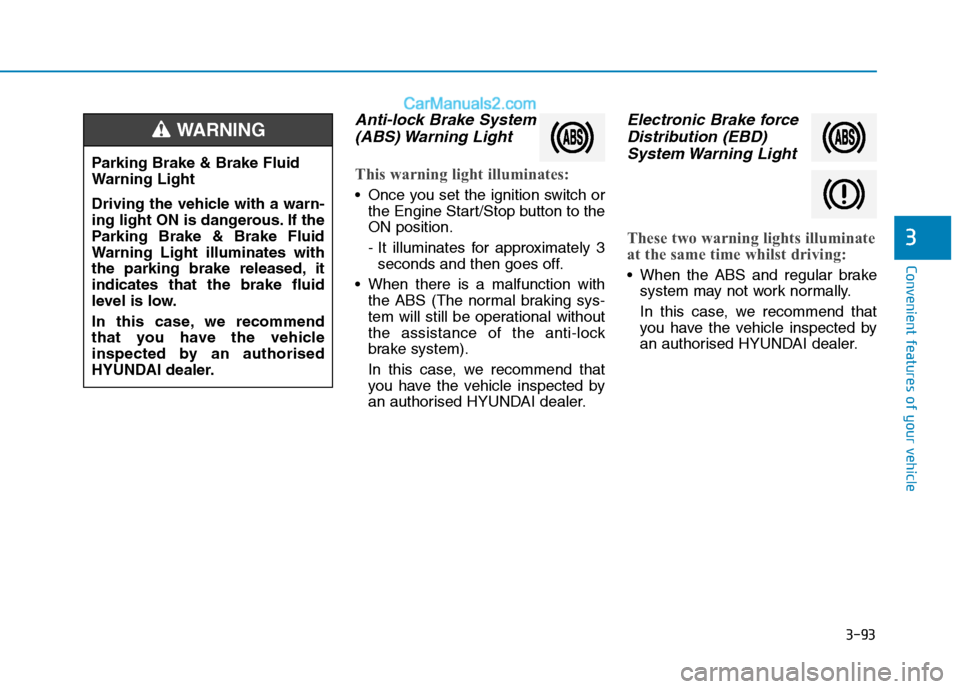
Anti-lock Brake System
(ABS) Warning Light
This warning light illuminates:
Once you set the ignition switch or
the Engine Start/Stop button to the
ON position.
- It illuminates for approximately 3
seconds and then goes off.
When there is a malfunction with
the ABS (The normal braking sys-
tem will still be operational without
the assistance of the anti-lock
brake system).
In this case, we recommend that
you have the vehicle inspected by
an authorised HYUNDAI dealer.
Electronic Brake force
Distribution (EBD)
System Warning Light
These two warning lights illuminate
at the same time whilst driving:
When the ABS and regular brake
system may not work normally.
In this case, we recommend that
you have the vehicle inspected by
an authorised HYUNDAI dealer.
Parking Brake & Brake Fluid
Warning Light
Driving the vehicle with a warn-
ing light ON is dangerous. If the
Parking Brake & Brake Fluid
Warning Light illuminates with
the parking brake released, it
indicates that the brake fluid
level is low.
In this case, we recommend
that you have the vehicle
inspected by an authorised
HYUNDAI dealer.
WARNING
Page 215 of 637
3-129
Convenient features of your vehicle
3
Information
Always keep the camera lens clean.
The camera may not work normally if
the lens is covered with foreign mate-
rial.
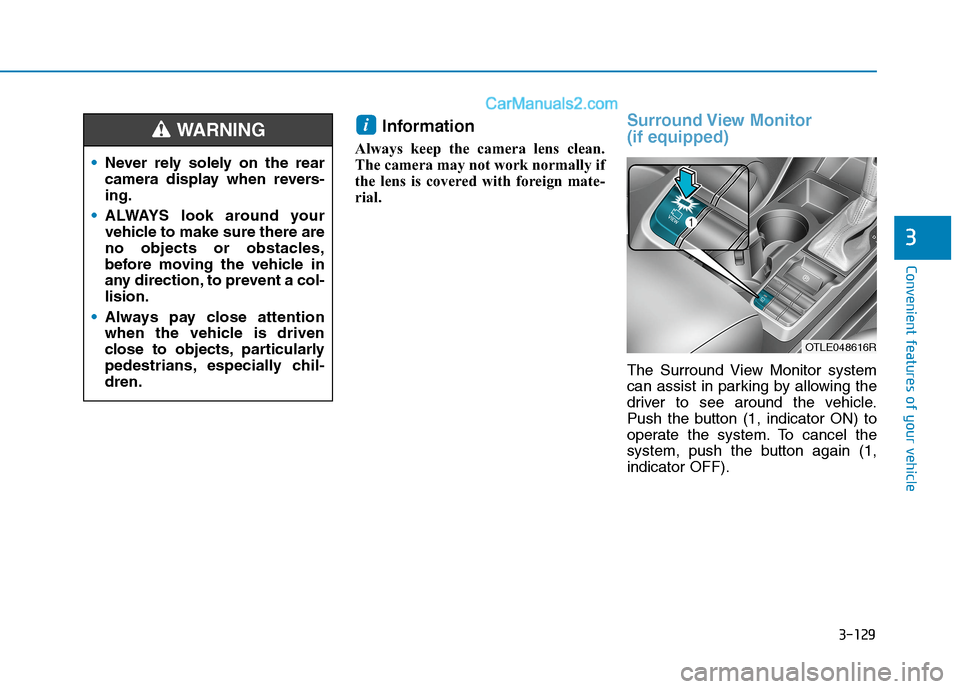
Surround View Monitor
(if equipped)
The Surround View Monitor system
can assist in parking by allowing the
driver to see around the vehicle.
Push the button (1, indicator ON) to
operate the system. To cancel the
system, push the button again (1,
indicator OFF).
i
Never rely solely on the rear
camera display when revers-
ing.
ALWAYS look around your
vehicle to make sure there are
no objects or obstacles,
before moving the vehicle in
any direction, to prevent a col-
lision.
Always pay close attention
when the vehicle is driven
close to objects, particularly
pedestrians, especially chil-
dren.
WARNING
OTLE048616R
Page 216 of 637
3-130
Convenient features of your vehicle
Operating conditions
When the Engine Start/Stop button
is in the ON position
When the transmission is in D, N or
R
When vehicle speed is under
15km/h
Information
• When vehicle speed is over 15km/h,
the system will turn off. The system
will not automatically turn on again,
even though vehicle speed gets
below 15 km/h. Push the button (1,
indicator ON) again, to turn on the
system.
• When the vehicle is reversing, the
system will turn ON regardless of
vehicle speed or button status.
However, if vehicle speed is over 15
km/h when driving forward, the
SVM system will turn off. • A warning appears on the system
when:
- The tailgate is opened
- The driver's door is opened
- The passenger's door is opened
- The outside rearview mirrors are
folded
• If the system is not operating nor-
mally, we recommend that you take
your vehicle to an authorised
HYUNDAI dealer and have the sys-
tem checked.For more details, refer to the sep-
arately supplied manual with your
vehicle.
Always keep the camera lens
clean. The camera may not work
normally if the lens is covered
with foreign material.
NOTICE
i
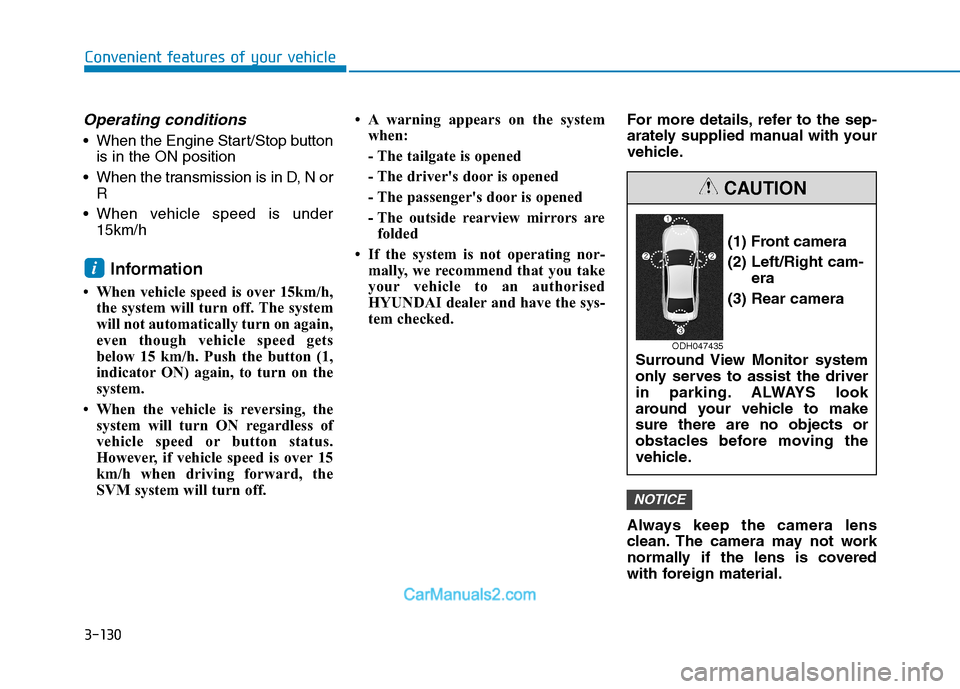
(1) Front camera
(2) Left/Right cam-
era
(3) Rear camera
Surround View Monitor system
only serves to assist the driver
in parking. ALWAYS look
around your vehicle to make
sure there are no objects or
obstacles before moving the
vehicle.
CAUTION
ODH047435
Page 217 of 637
![Hyundai Tucson 2020 Owners Manual - RHD (UK, Australia) 3-131
Convenient features of your vehicle
3
Parking Distance Warning
(Reverse) system (if equipped)
[B] : Sensor
The Parking Distance Warning
(Reverse) system assists the driver
during reverse movemen](/img/35/19693/w960_19693-216.png "Hyundai Tucson 2020 Owners Manual - RHD (UK, Australia) 3-131
Convenient features of your vehicle
3
Parking Distance Warning
(Reverse) system (if equipped)
[B] : Sensor
The Parking Distance Warning
(Reverse) system assists the driver
during reverse movemen")
3-131
Convenient features of your vehicle
3
Parking Distance Warning
(Reverse) system (if equipped)
[B] : Sensor
The Parking Distance Warning
(Reverse) system assists the driver
during reverse movement of the vehi-
cle by chiming if any object is sensed
within a distance of 120 cm behind
the vehicle.
This system is a supplemental sys-
tem that senses objects within the
range and location of the sensors, it
cannot detect objects in other areas
where sensors are not installed.
Operation of the Parking
Distance Warning (Reverse)
system
Operating condition
This system will activate when
reversing with the ignition switch in
the ON position. However, if vehi-
cle speed exceeds 5 km/h, the sys-
tem may not detect objects.
If vehicle speed exceeds 10 km/h,
the system will not warn you even
though objects are detected.
When more than two objects are
sensed at the same time, the clos-
est one will be recognised first. ALWAYS look around your
vehicle to make sure there are
not any objects or obstacles,
before moving the vehicle in
any direction, to prevent a col-
lision.
Always pay close attention
when the vehicle is driven
close to objects, particularly
pedestrians, and especially
children.
Be aware that some objects
may not be visible on the
screen or be detected by the
sensors, due to the objects
distance, size or material, all
of which can limit the effec-
tiveness of the sensor.
WARNING
OTLE048601
Page 221 of 637
3-135
Convenient features of your vehicle
3
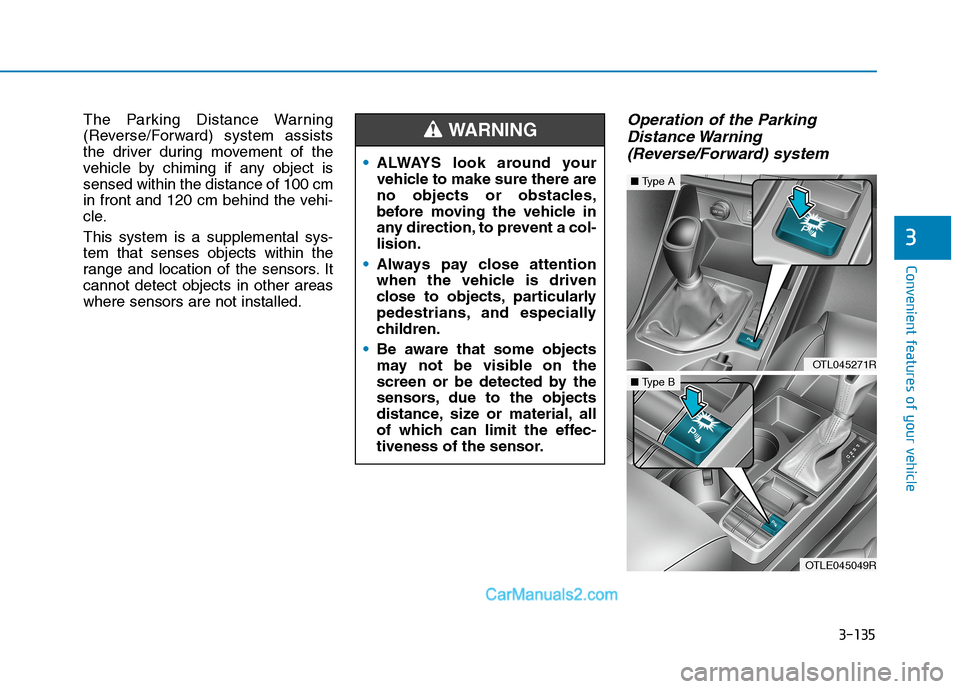
The Parking Distance Warning
(Reverse/Forward) system assists
the driver during movement of the
vehicle by chiming if any object is
sensed within the distance of 100 cm
in front and 120 cm behind the vehi-
cle.
This system is a supplemental sys-
tem that senses objects within the
range and location of the sensors. It
cannot detect objects in other areas
where sensors are not installed.Operation of the Parking
Distance Warning
(Reverse/Forward) system
ALWAYS look around your
vehicle to make sure there are
no objects or obstacles,
before moving the vehicle in
any direction, to prevent a col-
lision.
Always pay close attention
when the vehicle is driven
close to objects, particularly
pedestrians, and especially
children.
Be aware that some objects
may not be visible on the
screen or be detected by the
sensors, due to the objects
distance, size or material, all
of which can limit the effec-
tiveness of the sensor.
WARNING
OTL045271R
■Type A
OTLE045049R
■Type B
Page 318 of 637
Driving your vehicle
Before driving.........................................................5-4
Before entering the vehicle ...........................................5-4
Before starting...................................................................5-4
Ignition switch ........................................................5-6
Key ignition switch ............................................................5-6
Engine Start/Stop button ..............................................5-11
Manual transmission............................................5-20
Manual transmission operation ...................................5-20
Good driving practices ...................................................5-22
Automatic transmission .......................................5-24
Automatic transmission operation ..............................5-24
Parking ...............................................................................5-29
Good driving practices ...................................................5-29
Dual clutch transmission .....................................5-31
Dual clutch transmission operation ............................5-31
LCD display for transmission temperature and
warning message.............................................................5-33
Parking ...............................................................................5-41
Good driving practices ...................................................5-41
Braking system.....................................................5-43
Power brakes ...................................................................5-43
Disc brakes wear indicator ...........................................5-44
Parking brake ...................................................................5-44
Electronic Parking Brake (EPB)...................................5-46
AUTO HOLD ......................................................................5-52
Anti-lock Brake System (ABS) ....................................5-56Electronic Stability Control (ESC)................................5-58
Vehicle Stability Management......................................5-62
Hill-Start Assist Control (HAC) ....................................5-63
Downhill Brake Control (DBC) ......................................5-63
Low Vacuum Assist (LVA) ..............................................5-65
Emergency Stop Signal (ESS) ......................................5-65
Good braking practices ................................................5-66
Four wheel drive (4WD) ......................................5-66
4WD operation .................................................................5-68
Emergency precautions .................................................5-72
Reducing the risk of a rollover ...................................5-73
Flex steering wheel .............................................5-75
Drive mode integrated control system .............5-77
Forward collision-avoidance assist (FCA)
system - camera type .........................................5-79
System setting and activation......................................5-79
FCA warning message and system control ..............5-81
FCA sensor........................................................................5-84
System malfunction ........................................................5-86
Limitations of the system .............................................5-87
Forward collision-avoidance assist (FCA)
system- sensor fusion type
(front radar + front camera) .............................5-92
System setting and activation......................................5-92
FCA warning message and system control ..............5-94
FCA sensor........................................................................5-97
5
Page 323 of 637
5-6
Driving your vehicle
I IG
GN
NI
IT
TI
IO
ON
N
S
SW
WI
IT
TC
CH
H
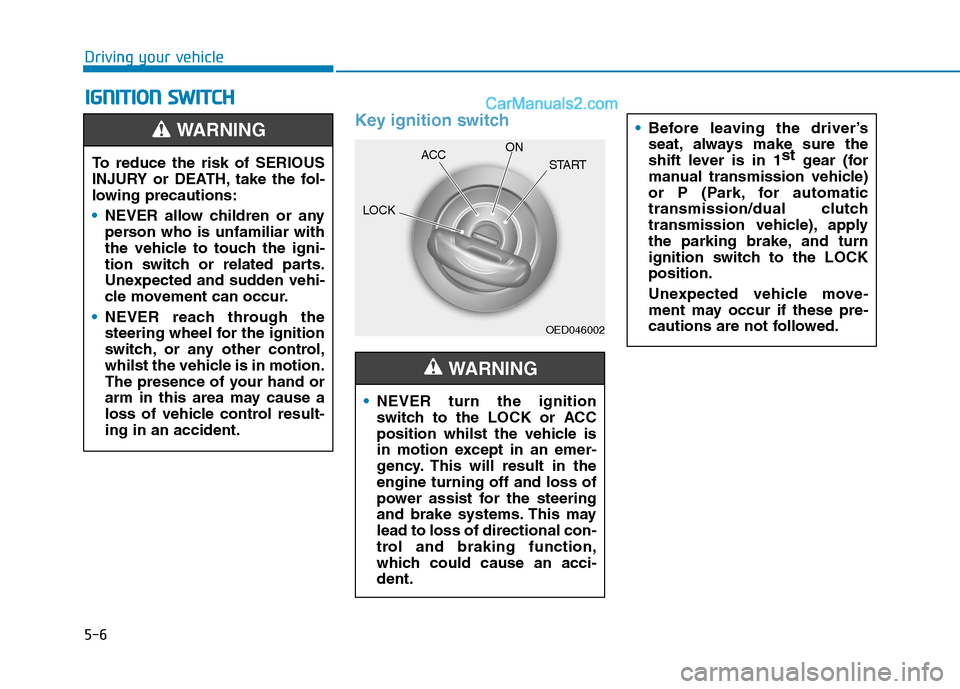
Key ignition switch
OED046002
NEVER turn the ignition
switch to the LOCK or ACC
position whilst the vehicle is
in motion except in an emer-
gency. This will result in the
engine turning off and loss of
power assist for the steering
and brake systems. This may
lead to loss of directional con-
trol and braking function,
which could cause an acci-
dent.
WARNING
Before leaving the driver’s
seat, always make sure the
shift lever is in 1st
gear (for
manual transmission vehicle)
or P (Park, for automatic
transmission/dual clutch
transmission vehicle), apply
the parking brake, and turn
ignition switch to the LOCK
position.
Unexpected vehicle move-
ment may occur if these pre-
cautions are not followed.
To reduce the risk of SERIOUS
INJURY or DEATH, take the fol-
lowing precautions:
NEVER allow children or any
person who is unfamiliar with
the vehicle to touch the igni-
tion switch or related parts.
Unexpected and sudden vehi-
cle movement can occur.
NEVER reach through the
steering wheel for the ignition
switch, or any other control,
whilst the vehicle is in motion.
The presence of your hand or
arm in this area may cause a
loss of vehicle control result-
ing in an accident.
WARNING
LOCKACCON
START
Page 328 of 637
5-11
Driving your vehicle
5
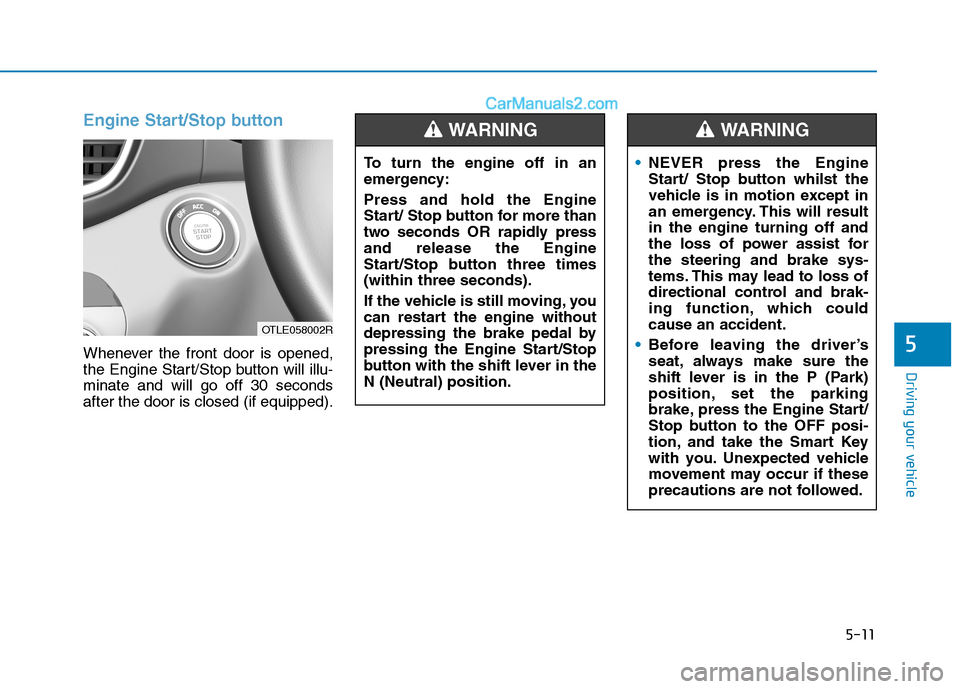
Engine Start/Stop button
Whenever the front door is opened,
the Engine Start/Stop button will illu-
minate and will go off 30 seconds
after the door is closed (if equipped).To turn the engine off in an
emergency:
Press and hold the Engine
Start/ Stop button for more than
two seconds OR rapidly press
and release the Engine
Start/Stop button three times
(within three seconds).
If the vehicle is still moving, you
can restart the engine without
depressing the brake pedal by
pressing the Engine Start/Stop
button with the shift lever in the
N (Neutral) position.
WARNING
NEVER press the Engine
Start/ Stop button whilst the
vehicle is in motion except in
an emergency. This will result
in the engine turning off and
the loss of power assist for
the steering and brake sys-
tems. This may lead to loss of
directional control and brak-
ing function, which could
cause an accident.
Before leaving the driver’s
seat, always make sure the
shift lever is in the P (Park)
position, set the parking
brake, press the Engine Start/
Stop button to the OFF posi-
tion, and take the Smart Key
with you. Unexpected vehicle
movement may occur if these
precautions are not followed.
WARNING
OTLE058002R
Page 367 of 637
5-50
Driving your vehicle
Do not apply the accelerator
pedal whilst the parking brake is
engaged. If you depress the
accelerator pedal with the EPB
engaged, a warning will sound
and a message will appear.
Damage to the parking brake
may occur.
Driving with the parking brake
on can overheat the braking sys-
tem and cause premature wear
or damage to brake parts. Make
sure the EPB is released and the
Parking Brake Warning Light is
off before driving.
Information
• A clicking sound may be heard
whilst operating or releasing the
EPB. This condition is normal and
indicate that the EPB is functioning
properly.
• When leaving your keys with a
parking attendant or assistant,
make sure to inform him/her how to
operate the EPB.
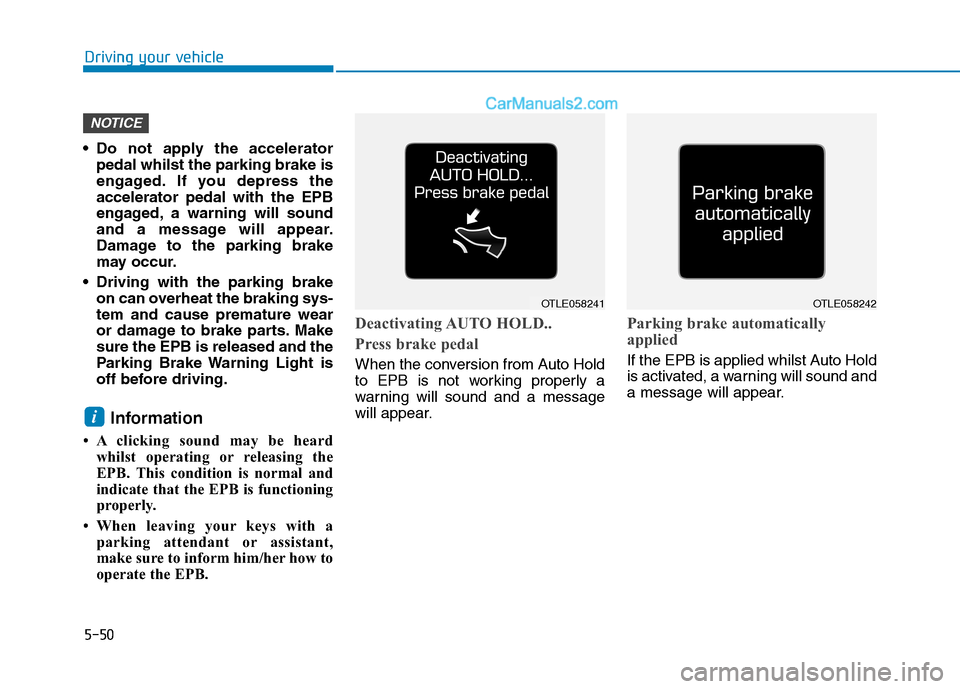
Deactivating AUTO HOLD..
Press brake pedal
When the conversion from Auto Hold
to EPB is not working properly a
warning will sound and a message
will appear.
Parking brake automatically
applied
If the EPB is applied whilst Auto Hold
is activated, a warning will sound and
a message will appear.
i
NOTICE
OTLE058241OTLE058242