led HYUNDAI TUCSON 2022 Owners Manual
[x] Cancel search | Manufacturer: HYUNDAI, Model Year: 2022, Model line: TUCSON, Model: HYUNDAI TUCSON 2022Pages: 638, PDF Size: 82.3 MB
Page 357 of 638
Driving your vehicle
6-72
NOTICE
To prevent engine and/or transmission
overheating:
• When towing a trailer on steep
grades (in excess of 6%) pay close
attention to the engine coolant
temperature gauge to ensure the
engine does not overheat. If the
needle of the coolant temperature
gauge moves towards “H” (HOT),
pull over and stop as soon as it is
safe to do so, and allow the engine
to idle until it cools down. You may
proceed once the engine has cooled
sufficiently.
• If you tow a trailer with the maximum
gross vehicle weight and maximum
trailer weight, it can cause the
engine or transmission to overheat.
When driving in such conditions,
allow the engine to idle until it cools
down. You may proceed once the
engine or transmission has cooled
sufficiently.
• When towing a trailer, your vehicle
speed may be much slower than the
general flow of traffic, especially
when climbing an uphill grade. Use
the right hand lane when towing a
trailer on an uphill grade. Choose
your vehicle speed according to the
maximum posted speed limit for
vehicles with trailers, the steepness
of the grade, and your trailer weight.
Parking on hills
Generally, if you have a trailer attached
to your vehicle, you should not park your
vehicle on a hill.
However, if you ever have to park your
trailer on a hill, here’s how to do it:
1. Pull the vehicle into the parking space.
Turn the steering wheel in the
direction of the curb (right if headed
down hill, left if headed up hill).
2. Shift the gear to P (Park).
3. Set the parking brake and shut off the
vehicle.
4. Place wheel chocks under the trailer
wheels on the down hill side of the
wheels.
5. Start the vehicle, hold the brakes, shift
to neutral, release the parking brake
and slowly release the brakes until the
trailer chocks absorb the load.
6. Reapply the brakes and parking
brakes.
7. Shift the gear to P (Park) when the
vehicle is parked on a uphill grade and
in R (Reverse) on a downhill.
8. Shut off the vehicle and release the
vehicle brakes but leave the parking
brake set.
WARNING
To prevent serious or fatal injury:
• Do not get out of the vehicle without
the parking brake firmly set. If you
have left the engine running, the
vehicle can move suddenly. You and
others could be seriously or fatally
injured.
• Do not apply the accelerator pedal to
hold the vehicle on an uphill.
Page 363 of 638
Driving your vehicle
6-78
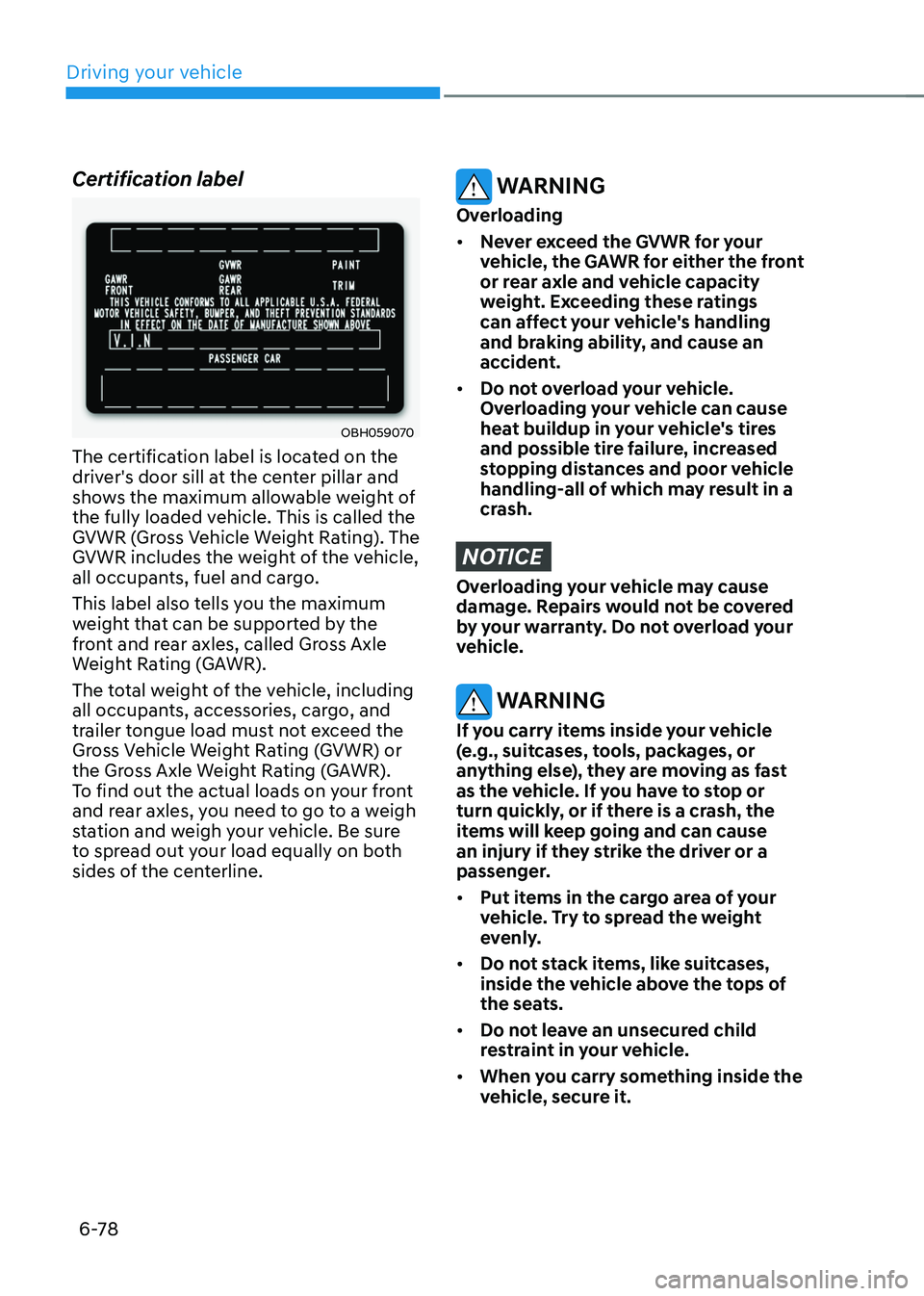
Certification label
OBH059070
The certification label is located on the
driver's door sill at the center pillar and
shows the maximum allowable weight of
the fully loaded vehicle. This is called the
GVWR (Gross Vehicle Weight Rating). The
GVWR includes the weight of the vehicle,
all occupants, fuel and cargo.
This label also tells you the maximum
weight that can be supported by the
front and rear axles, called Gross Axle
Weight Rating (GAWR).
The total weight of the vehicle, including
all occupants, accessories, cargo, and
trailer tongue load must not exceed the
Gross Vehicle Weight Rating (GVWR) or
the Gross Axle Weight Rating (GAWR).
To find out the actual loads on your front
and rear axles, you need to go to a weigh
station and weigh your vehicle. Be sure
to spread out your load equally on both
sides of the centerline.
WARNING
Overloading
• Never exceed the GVWR for your
vehicle, the GAWR for either the front
or rear axle and vehicle capacity
weight. Exceeding these ratings
can affect your vehicle's handling
and braking ability, and cause an
accident.
• Do not overload your vehicle.
Overloading your vehicle can cause
heat buildup in your vehicle's tires
and possible tire failure, increased
stopping distances and poor vehicle
handling-all of which may result in a
crash.
NOTICE
Overloading your vehicle may cause
damage. Repairs would not be covered
by your warranty. Do not overload your
vehicle.
WARNING
If you carry items inside your vehicle
(e.g., suitcases, tools, packages, or
anything else), they are moving as fast
as the vehicle. If you have to stop or
turn quickly, or if there is a crash, the
items will keep going and can cause
an injury if they strike the driver or a
passenger.
• Put items in the cargo area of your
vehicle. Try to spread the weight
evenly.
• Do not stack items, like suitcases,
inside the vehicle above the tops of
the seats.
• Do not leave an unsecured child
restraint in your vehicle.
• When you carry something inside the
vehicle, secure it.
Page 365 of 638
Driver assistance system
7-2
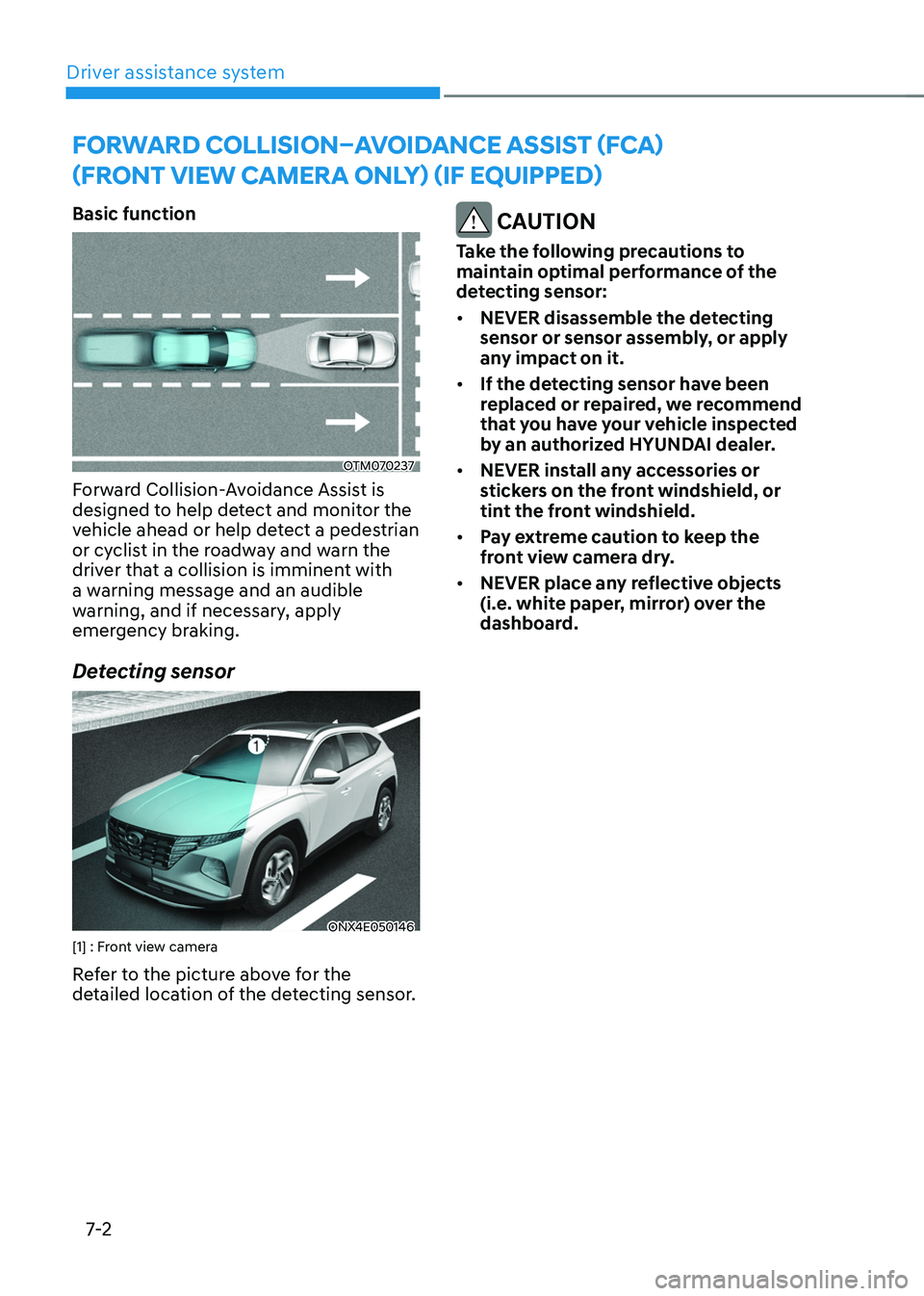
Basic function
OTM070237
Forward Collision-Avoidance Assist is
designed to help detect and monitor the
vehicle ahead or help detect a pedestrian
or cyclist in the roadway and warn the
driver that a collision is imminent with
a warning message and an audible
warning, and if necessary, apply
emergency braking.
Detecting sensor
ONX4E050146[1] : Front view camera
Refer to the picture above for the
detailed location of the detecting sensor.
CAUTION
Take the following precautions to
maintain optimal performance of the
detecting sensor:
• NEVER disassemble the detecting
sensor or sensor assembly, or apply
any impact on it.
• If the detecting sensor have been
replaced or repaired, we recommend
that you have your vehicle inspected
by an authorized HYUNDAI dealer.
• NEVER install any accessories or
stickers on the front windshield, or
tint the front windshield.
• Pay extreme caution to keep the
front view camera dry.
• NEVER place any reflective objects
(i.e. white paper, mirror) over the
dashboard.
FORWARD COLLISION–AVOIDANCE ASSIST (FCA)
(FRONT VIEW CAMERA ONLY) (IF EQUIPPED)
Page 371 of 638
Driver assistance system
7-8
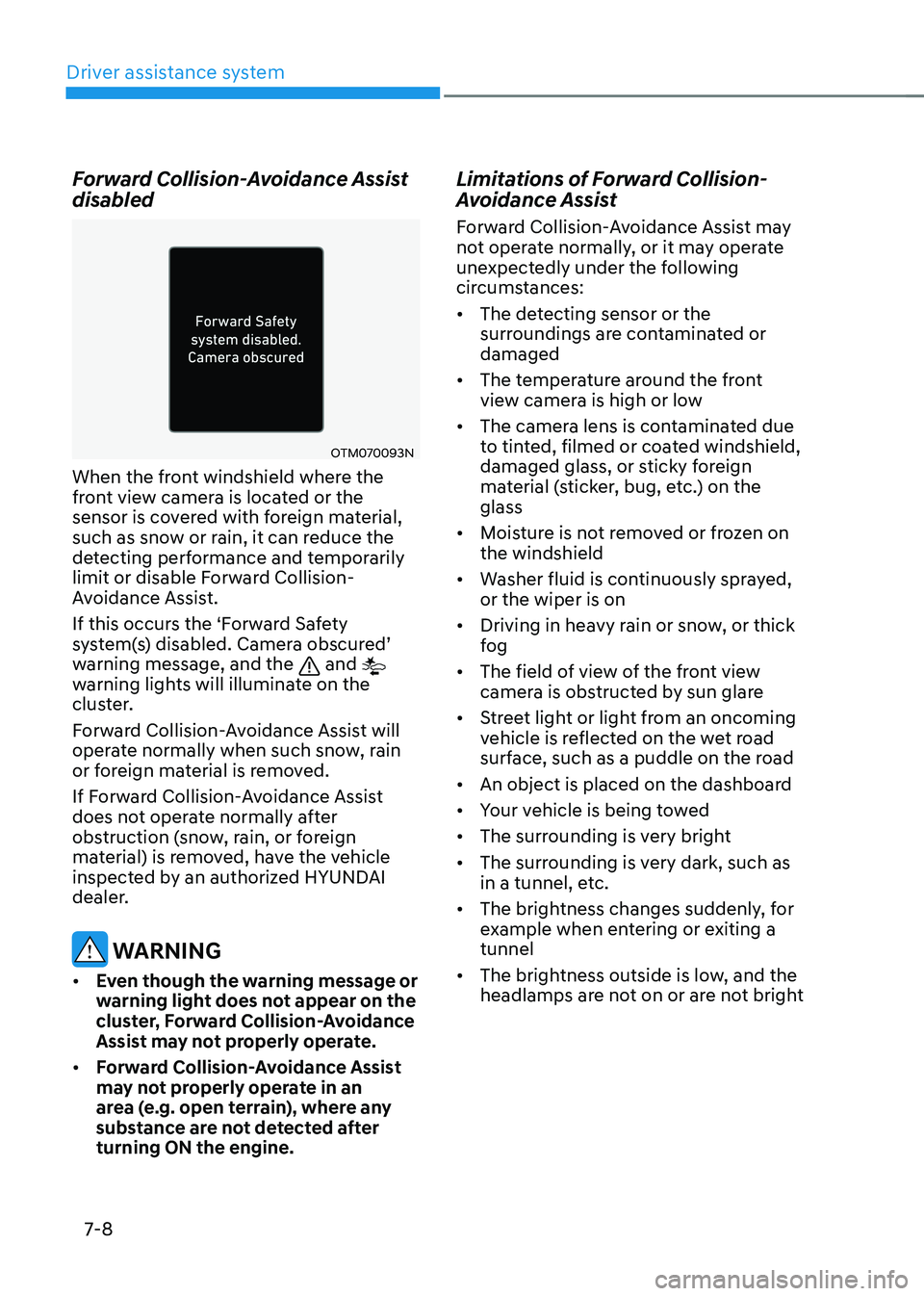
Forward Collision-Avoidance Assist
disabled
OTM070093N
When the front windshield where the
front view camera is located or the
sensor is covered with foreign material,
such as snow or rain, it can reduce the
detecting performance and temporarily
limit or disable Forward Collision-
Avoidance Assist.
If this occurs the ‘Forward Safety
system(s) disabled. Camera obscured’ warning message, and the and
warning lights will illuminate on the
cluster.
Forward Collision-Avoidance Assist will
operate normally when such snow, rain
or foreign material is removed.
If Forward Collision-Avoidance Assist
does not operate normally after
obstruction (snow, rain, or foreign
material) is removed, have the vehicle
inspected by an authorized HYUNDAI
dealer.
WARNING
• Even though the warning message or
warning light does not appear on the
cluster, Forward Collision-Avoidance
Assist may not properly operate.
• Forward Collision-Avoidance Assist
may not properly operate in an
area (e.g. open terrain), where any
substance are not detected after
turning ON the engine.
Limitations of Forward Collision-
Avoidance Assist
Forward Collision-Avoidance Assist may
not operate normally, or it may operate
unexpectedly under the following
circumstances:
• The detecting sensor or the
surroundings are contaminated or
damaged
• The temperature around the front
view camera is high or low
• The camera lens is contaminated due
to tinted, filmed or coated windshield,
damaged glass, or sticky foreign
material (sticker, bug, etc.) on the
glass
• Moisture is not removed or frozen on
the windshield
• Washer fluid is continuously sprayed,
or the wiper is on
• Driving in heavy rain or snow, or thick
fog
• The field of view of the front view
camera is obstructed by sun glare
• Street light or light from an oncoming
vehicle is reflected on the wet road
surface, such as a puddle on the road
• An object is placed on the dashboard
• Your vehicle is being towed
• The surrounding is very bright
• The surrounding is very dark, such as
in a tunnel, etc.
• The brightness changes suddenly, for
example when entering or exiting a
tunnel
• The brightness outside is low, and the
headlamps are not on or are not bright
Page 377 of 638
Driver assistance system
7-14
WARNING
• When you are towing a trailer or
another vehicle, we recommend that
Forward Collision-Avoidance Assist is
turned off due to safety reasons.
• Forward Collision-Avoidance Assist
may operate if objects that are
similar in shape or characteristics to
vehicles, pedestrians and cyclists are
detected.
• Forward Collision-Avoidance Assist
does not operate on bicycles,
motorcycles, or smaller wheeled
objects, such as luggage bags,
shopping carts, or strollers.
• Forward Collision-Avoidance
Assist may not operate normally if
interfered by strong electromagnetic
waves.
• Forward Collision-Avoidance Assist
may not operate for 15 seconds after
the vehicle is started, or the front
view camera is initialized.
Page 378 of 638
07
7-15
FORWARD COLLISION–AVOIDANCE ASSIST (FCA) (SENSOR
FUSION) (IF EQUIPPED)
Basic function
OJX1070255L
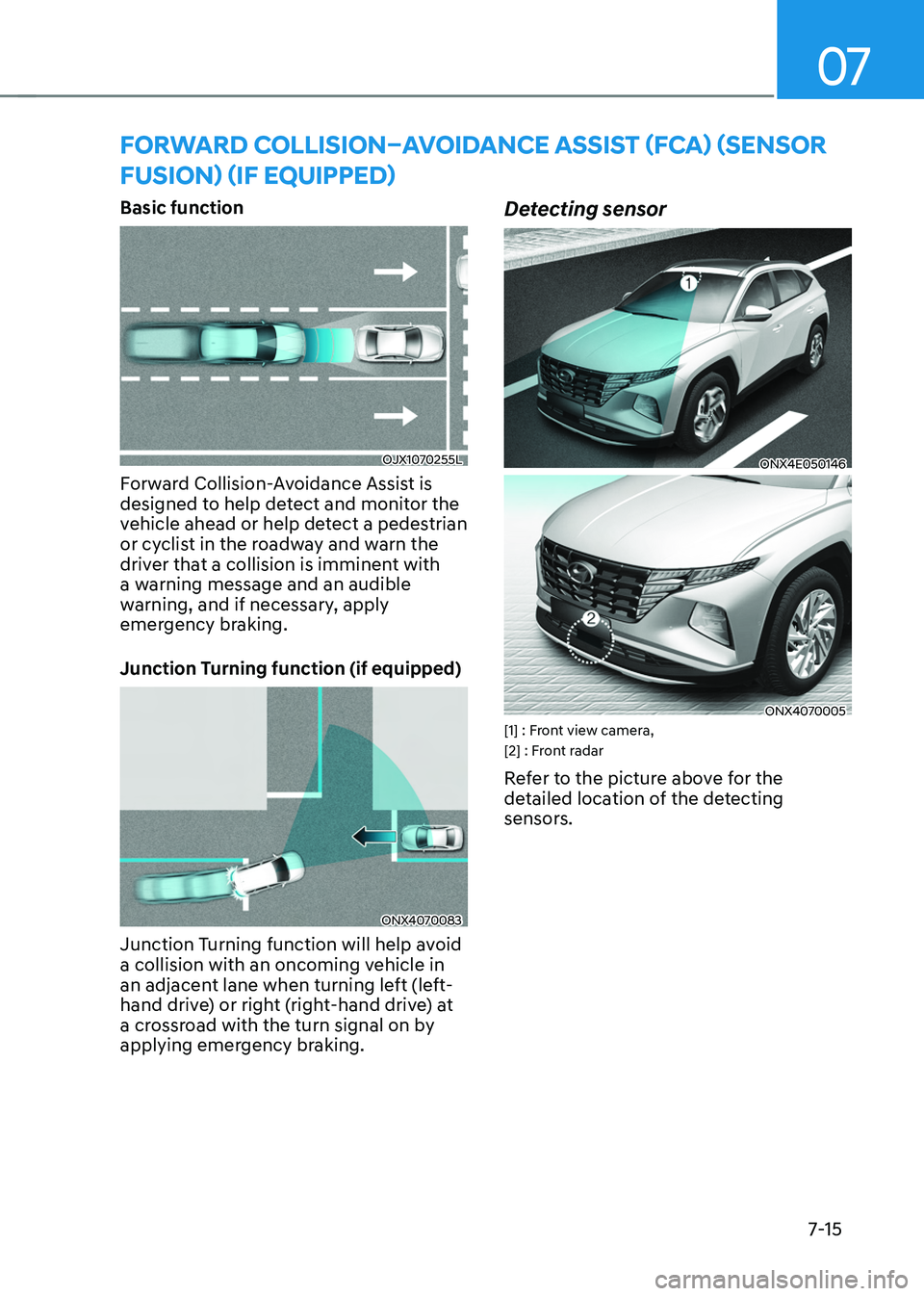
Forward Collision-Avoidance Assist is
designed to help detect and monitor the
vehicle ahead or help detect a pedestrian
or cyclist in the roadway and warn the
driver that a collision is imminent with
a warning message and an audible
warning, and if necessary, apply
emergency braking.
Junction Turning function (if equipped)
ONX4070083
Junction Turning function will help avoid
a collision with an oncoming vehicle in
an adjacent lane when turning left (left-
hand drive) or right (right-hand drive) at
a crossroad with the turn signal on by
applying emergency braking.
Detecting sensor
ONX4E050146
ONX4070005[1] : Front view camera,
[2] : Front radar
Refer to the picture above for the
detailed location of the detecting
sensors.
Page 387 of 638
Driver assistance system
7-24
Forward Collision-Avoidance Assist
disabled
OTM070093NOTM070095N
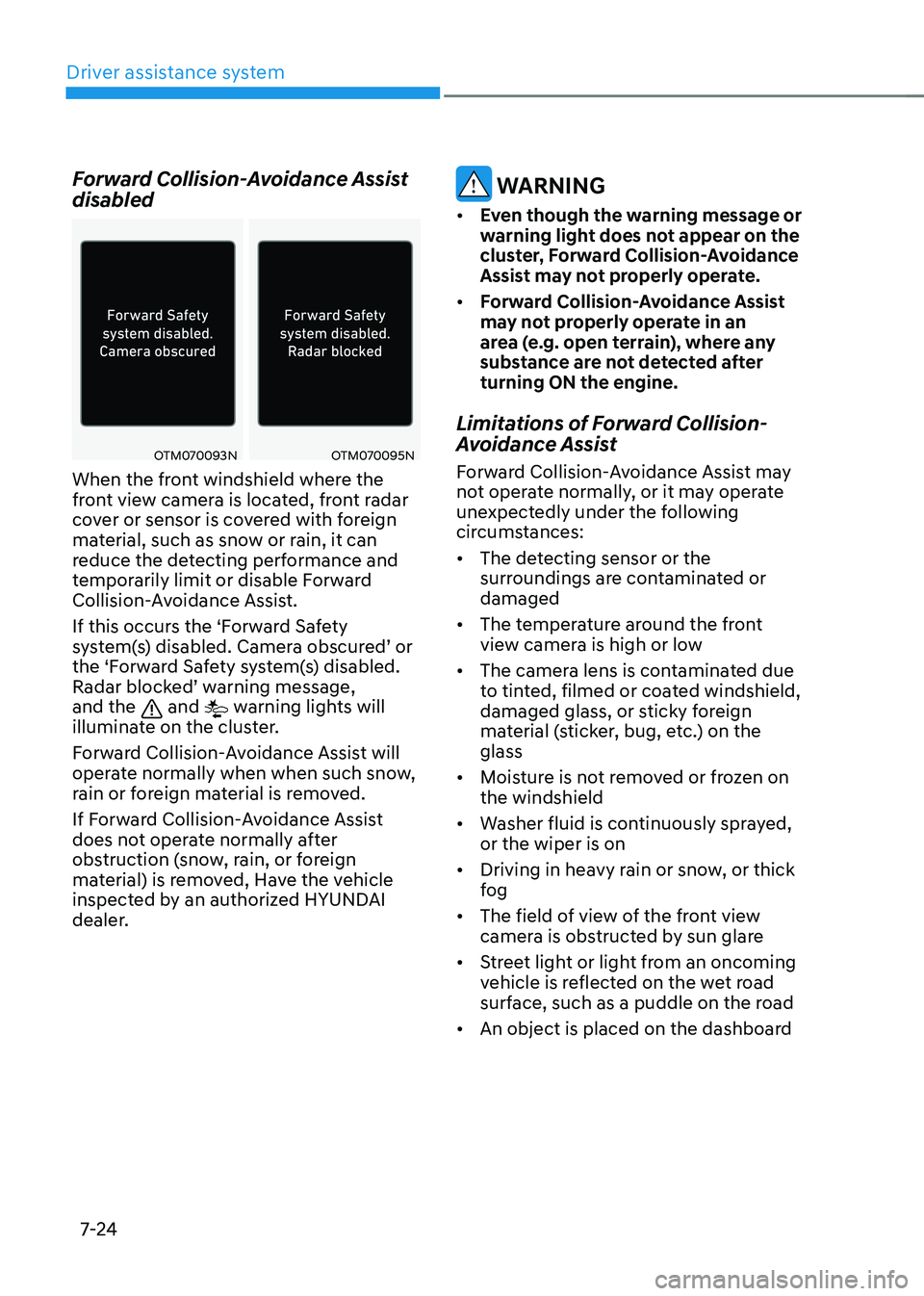
When the front windshield where the
front view camera is located, front radar
cover or sensor is covered with foreign
material, such as snow or rain, it can
reduce the detecting performance and
temporarily limit or disable Forward
Collision-Avoidance Assist.
If this occurs the ‘Forward Safety
system(s) disabled. Camera obscured’ or the ‘Forward Safety system(s) disabled. Radar blocked’ warning message, and the and warning lights will
illuminate on the cluster.
Forward Collision-Avoidance Assist will
operate normally when when such snow,
rain or foreign material is removed.
If Forward Collision-Avoidance Assist
does not operate normally after
obstruction (snow, rain, or foreign
material) is removed, Have the vehicle
inspected by an authorized HYUNDAI
dealer.
WARNING
• Even though the warning message or
warning light does not appear on the
cluster, Forward Collision-Avoidance
Assist may not properly operate.
• Forward Collision-Avoidance Assist
may not properly operate in an
area (e.g. open terrain), where any
substance are not detected after
turning ON the engine.
Limitations of Forward Collision-
Avoidance Assist
Forward Collision-Avoidance Assist may
not operate normally, or it may operate
unexpectedly under the following
circumstances:
• The detecting sensor or the
surroundings are contaminated or
damaged
• The temperature around the front
view camera is high or low
• The camera lens is contaminated due
to tinted, filmed or coated windshield,
damaged glass, or sticky foreign
material (sticker, bug, etc.) on the
glass
• Moisture is not removed or frozen on
the windshield
• Washer fluid is continuously sprayed,
or the wiper is on
• Driving in heavy rain or snow, or thick
fog
• The field of view of the front view
camera is obstructed by sun glare
• Street light or light from an oncoming
vehicle is reflected on the wet road
surface, such as a puddle on the road
• An object is placed on the dashboard
Page 393 of 638
Driver assistance system
7-30
WARNING
• When you are towing a trailer or
another vehicle, we recommend that
Forward Collision-Avoidance Assist is
turned off due to safety reasons.
• Forward Collision-Avoidance Assist
may operate if objects that are
similar in shape or characteristics to
vehicles, pedestrians and cyclists are
detected.
• Forward Collision-Avoidance Assist
does not operate on bicycles,
motorcycles, or smaller wheeled
objects, such as luggage bags,
shopping carts, or strollers.
• Forward Collision-Avoidance
Assist may not operate normally if
interfered by strong electromagnetic
waves.
• Forward Collision-Avoidance Assist
may not operate for 15 seconds after
the vehicle is started, or the front
view camera is initialized.
Information
This device complies with Part 15 of the
FCC rules.
Operation is subject to the following three
conditions:
1. This device may not cause harmful
interference, and
2. This device must accept any
interference received, including
interference that may cause undesired
operation.
3. Changes or modifications not expressly
approved by the party responsible
for compliance could void the user's
authority to operate the device.
Information
Radio frequency radiation exposure
information:
This equipment complies with FCC
radiation exposure limits set forth for an
uncontrolled environment.
This equipment should be installed and
operated with minimum distance of 8 in.
(20 cm) between the radiator (antenna)
and your body.
This transmitter must not be co-located or
operating in conjunction with any other
antenna or transmitter.
Page 394 of 638
07
7-31
LANE KEEPING ASSIST (LKA)
Lane Keeping Assist is designed to help
detect lane markings (or road edges)
while driving over a certain speed. Lane
Keeping Assist will warn the driver if the
vehicle leaves the lane without using the
turn signal, or will automatically assist
the driver’s steering to help prevent the vehicle from departing the lane.
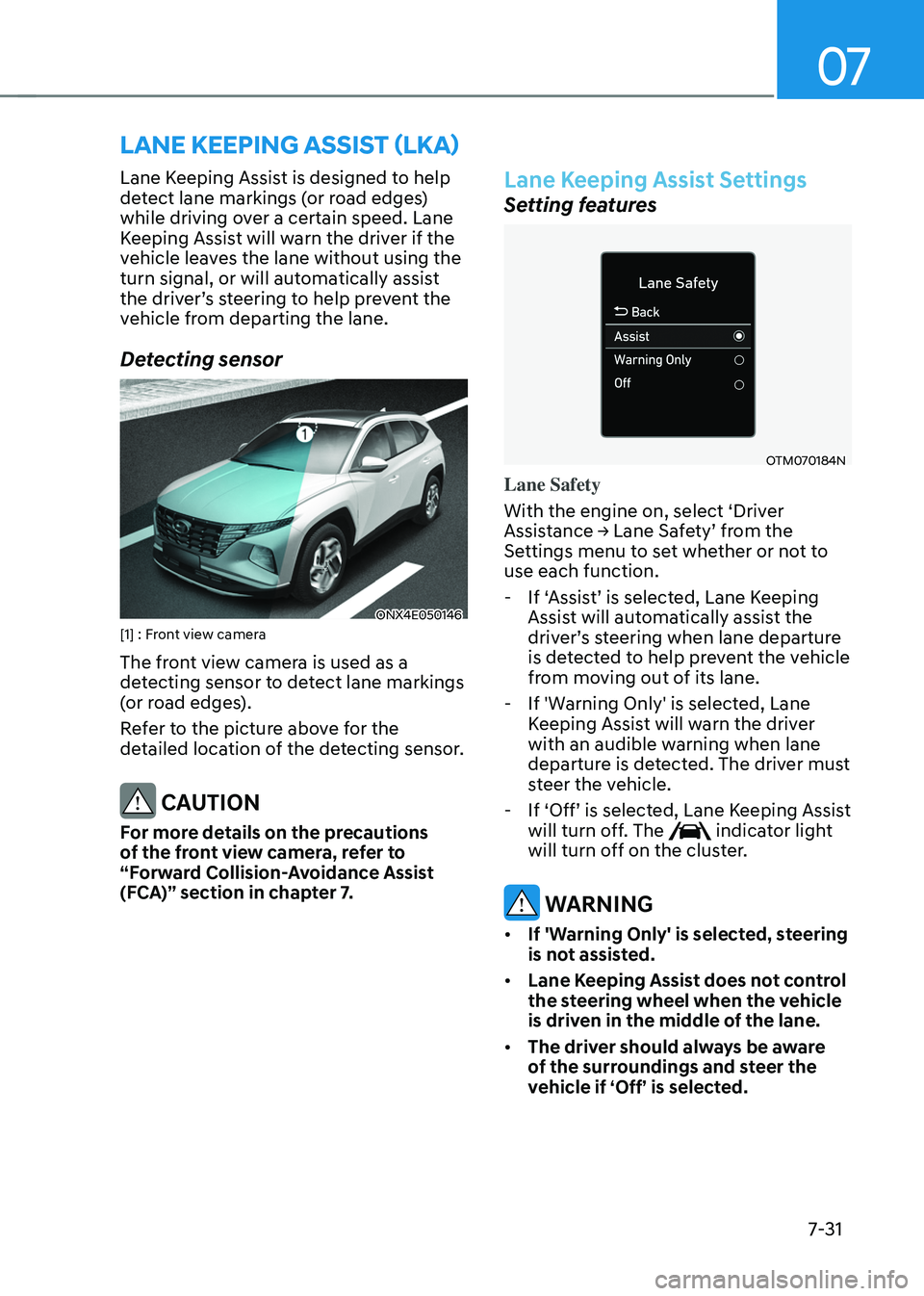
Detecting sensor
ONX4E050146[1] : Front view camera
The front view camera is used as a
detecting sensor to detect lane markings
(or road edges).
Refer to the picture above for the
detailed location of the detecting sensor.
CAUTION
For more details on the precautions
of the front view camera, refer to
“Forward Collision-Avoidance Assist
(FCA)” section in chapter 7.
Lane Keeping Assist Settings
Setting features
OTM070184N
Lane Safety
With the engine on, select ‘Driver
Assistance → Lane Safety’ from the Settings menu to set whether or not to
use each function.
-If ‘Assist’ is selected, Lane Keeping Assist will automatically assist the driver’s steering when lane departure is detected to help prevent the vehicle
from moving out of its lane.
-If 'Warning Only' is selected, Lane
Keeping Assist will warn the driver
with an audible warning when lane
departure is detected. The driver must
steer the vehicle.
-If ‘Off’ is selected, Lane Keeping Assist will turn off. The indicator light
will turn off on the cluster.
WARNING
• If 'Warning Only' is selected, steering
is not assisted.
• Lane Keeping Assist does not control
the steering wheel when the vehicle
is driven in the middle of the lane.
• The driver should always be aware
of the surroundings and steer the
vehicle if ‘Off’ is selected.
Page 399 of 638
Driver assistance system
7-36
• There is a road edge without a lane
• There is a boundary structure in the
roadway, such as a tollgate, sidewalk,
curb, etc.
• The distance to the front vehicle is
extremely short or the vehicle in front
is covering the lane marking (or road
edge)
Information
For more details on the limitations of the
front view camera, refer to “Forward
Collision-Avoidance Assist (FCA)” section
in chapter 7.
WARNING
Take the following precautions when
using Lane Keeping Assist:
• The driver should hold the
responsibility to safely drive and
control the vehicle. Do not solely rely
on Lane Keeping Assist and drive
dangerously.
• The operation of Lane Keeping
Assist can be cancelled or not
work properly depending on road
conditions and surroundings. Always
be cautious while driving.
• Refer to “Limitations of Lane Keeping
Assist” if the lane is not detected
properly.
• When you are towing a trailer or
another vehicle, we recommend that
Lane Keeping Assist is turned off due
to safety reasons.
• If the vehicle is driven at high speed,
the steering wheel will not be
controlled. The driver must always
follow the speed limit when using
Lane Keeping Assist. •
If any other system’s warning
message is displayed or audible
warning is generated, Lane Keeping
Assist warning message may not be
displayed and audible warning may
not be generated.
• You may not hear the warning
sound of Lane Keeping Assist if the
surrounding is noisy.
• If you attach objects to the steering
wheel, steering may not be assisted
properly.
• Lane Keeping Assist may not operate
for 15 seconds after the vehicle is
started, or the front view camera is
initialized.
• Lane Keeping Assist will not operate
when: -The turn signal or hazard warning
flasher is turned on
-The vehicle is not driven in the
center of the lane when Lane
Keeping Assist is turned on or right
after changing a lane
-ESC (Electronic Stability Control)
or VSM (Vehicle Stability
Management) is activated
-The vehicle is driven on a sharp
curve
-Below 35 mph (55 km/h) or above
130 mph (210 km/h)
-The vehicle makes sharp lane
changes
-The vehicle brakes suddenly