Information system HYUNDAI TUCSON 2022 Workshop Manual
[x] Cancel search | Manufacturer: HYUNDAI, Model Year: 2022, Model line: TUCSON, Model: HYUNDAI TUCSON 2022Pages: 638, PDF Size: 82.3 MB
Page 189 of 638
05
5-45
Integrated HomeLink® Wireless Control
System
The HomeLink® Wireless Control System
provides a convenient way to replace
up to three hand held radio-frequency
transmitters used to activate compatible
devices such as gate operators, garage
door openers, entry door locks, security
systems, and home lighting.
NOTICE
HomeLink® operates while the ignition
switch is in the ACC or ON position
for safety reasons. It is to prevent
unintentional security problems from
happening when the vehicle is parked
outside the garage.
WARNING
Before programming HomeLink® to a
garage door opener or gate operator,
make sure people and objects are out
of the way of the device to prevent
potential harm or damage. Do not
use the HomeLink® with any garage
door opener that lacks the safety
stop and reverse features required
by U.S. federal safety standards (this
includes any garage door opener model
manufactured before April 1, 1982).
A garage door that cannot detect an
object - signaling the door to stop and
reverse - does not meet current U.S.
federal safety standards. Using a garage
door opener without these features
increases the risk of serious injury or
death.
For more information, contact
HomeLink® at www.homelink.com, or
call Home-Link customer support at
1-800-355-3515.
It is also recommended that a new
battery be replaced in the handheld
transmitter of the device being trained
to HomeLink® for quicker training and
accurate transmission of the radio
frequency. 1. Programming HomeLink
®
The following steps show how to
program HomeLink. If you have any
questions or are having difficulty
programming your HomeLink buttons,
refer to the HomeLink website or call the
HomeLink customer support toll-free
number. Do this before going back to the
dealer who sold you the car.
•
Visit the HomeLink website at: www.
homelink.com. Then at the top of the
page, choose your vehicle make. Then
watch the You Tube video, and/or
access additional website information.
• If you choose to access the website
via your cell phone, scan the QR code.
• Or call HomeLink customer support
at 1-800-355-3515 (Please have the
vehicle make/model and the opener
device make/model readily available.)
Page 216 of 638
Convenient features
5-72
Resetting the power liftgate
ONX4E050145
If the battery has been discharged or
disconnected, or if the power liftgate
fuse has been replaced or removed, reset
the power liftgate by performing the
following procedure:
1. Put the gear in P (Park).
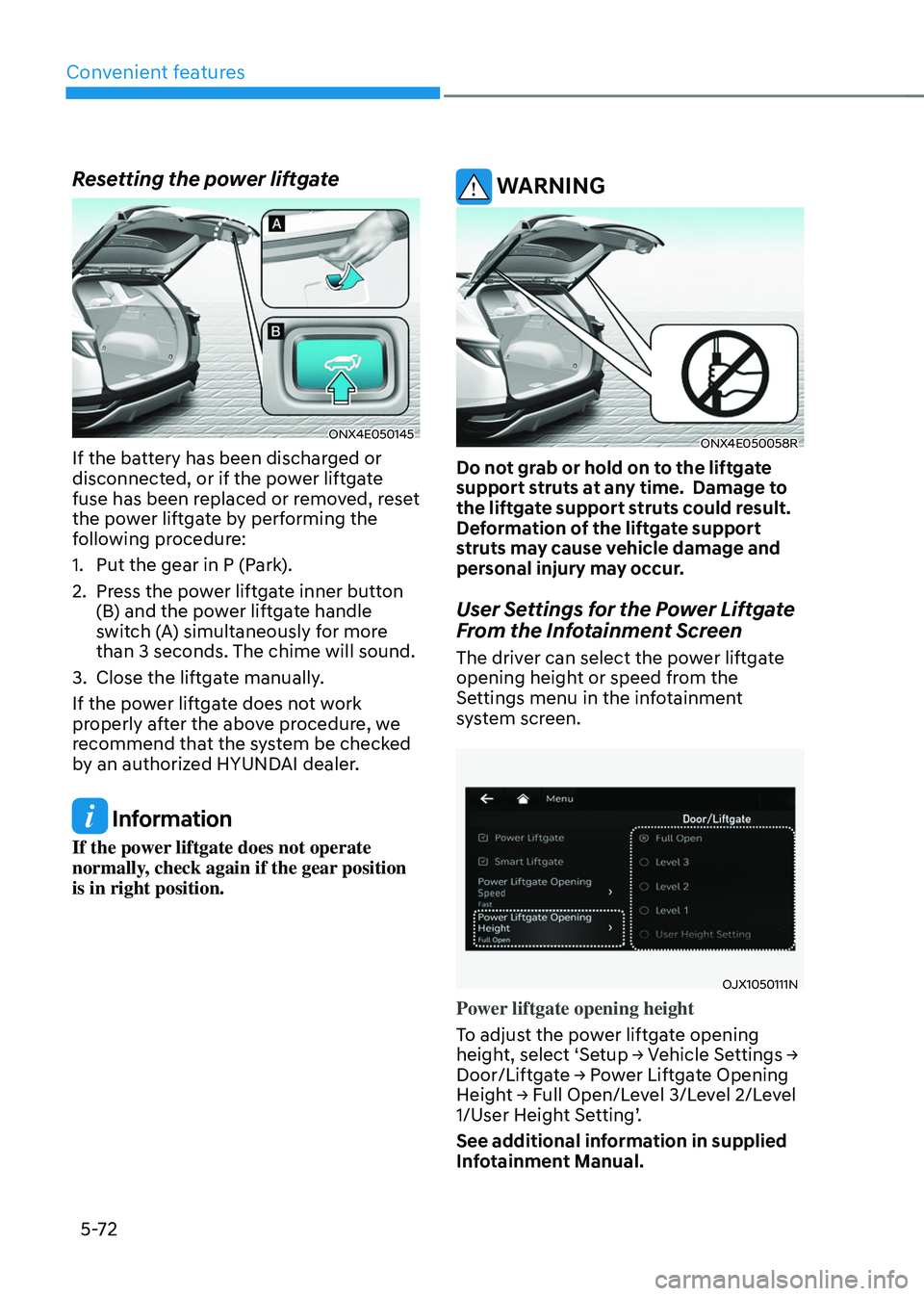
2. Press the power liftgate inner button
(B) and the power liftgate handle
switch (A) simultaneously for more
than 3 seconds. The chime will sound.
3. Close the liftgate manually.
If the power liftgate does not work
properly after the above procedure, we
recommend that the system be checked
by an authorized HYUNDAI dealer.
Information
If the power liftgate does not operate
normally, check again if the gear position
is in right position.
WARNING
ONX4E050058R
Do not grab or hold on to the liftgate
support struts at any time. Damage to
the liftgate support struts could result.
Deformation of the liftgate support
struts may cause vehicle damage and
personal injury may occur.
User Settings for the Power Liftgate
From the Infotainment Screen
The driver can select the power liftgate
opening height or speed from the
Settings menu in the infotainment
system screen.
OJX1050111N
Power liftgate opening height
To adjust the power liftgate opening
height, select ‘Setup → Vehicle Settings → Door/Liftgate → Power Liftgate Opening Height → Full Open/Level 3/Level 2/Level 1/User Height Setting’.
See additional information in supplied
Infotainment Manual.
Page 218 of 638
Convenient features
5 -74
Smart liftgate (if equipped)
ONX4E050063R
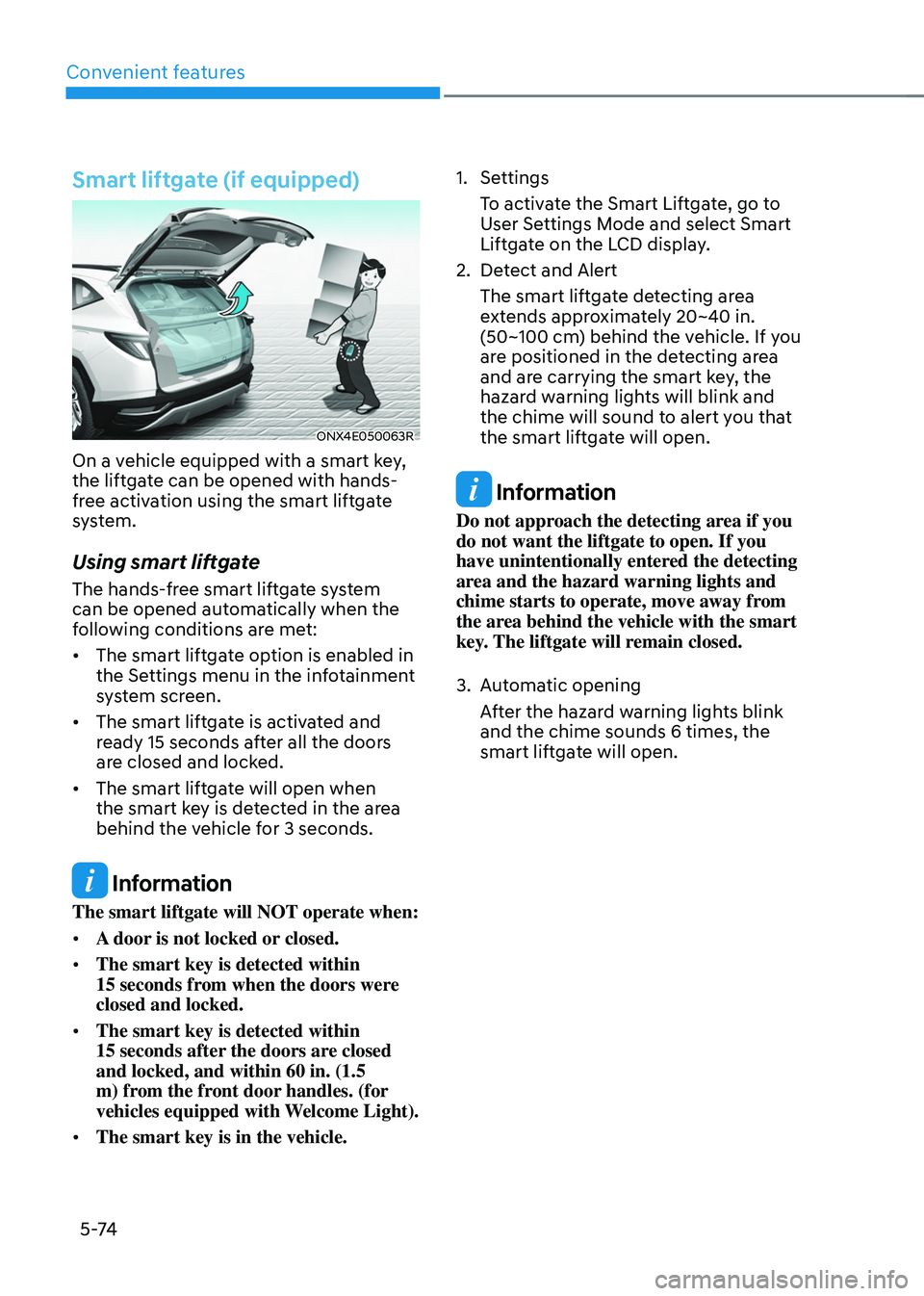
On a vehicle equipped with a smart key,
the liftgate can be opened with hands-
free activation using the smart liftgate
system.
Using smart liftgate
The hands-free smart liftgate system
can be opened automatically when the
following conditions are met:
• The smart liftgate option is enabled in
the Settings menu in the infotainment
system screen.
• The smart liftgate is activated and
ready 15 seconds after all the doors
are closed and locked.
• The smart liftgate will open when
the smart key is detected in the area
behind the vehicle for 3 seconds.
Information
The smart liftgate will NOT operate when:
• A door is not locked or closed.
• The smart key is detected within
15 seconds from when the doors were closed and locked.
• The smart key is detected within
15 seconds after the doors are closed and locked, and within 60 in. (1.5
m) from the front door handles. (for
vehicles equipped with Welcome Light).
• The smart key is in the vehicle.
1. Settings
To activate the Smart Liftgate, go to
User Settings Mode and select Smart
Liftgate on the LCD display.
2. Detect and Alert
The smart liftgate detecting area
extends approximately 20~40 in.
(50~100 cm) behind the vehicle. If you
are positioned in the detecting area
and are carrying the smart key, the
hazard warning lights will blink and
the chime will sound to alert you that
the smart liftgate will open.
Information
Do not approach the detecting area if you
do not want the liftgate to open. If you
have unintentionally entered the detecting
area and the hazard warning lights and
chime starts to operate, move away from
the area behind the vehicle with the smart
key. The liftgate will remain closed.
3. Automatic opening
After the hazard warning lights blink
and the chime sounds 6 times, the
smart liftgate will open.
Page 219 of 638
05
5-75
Deactivating smart liftgate
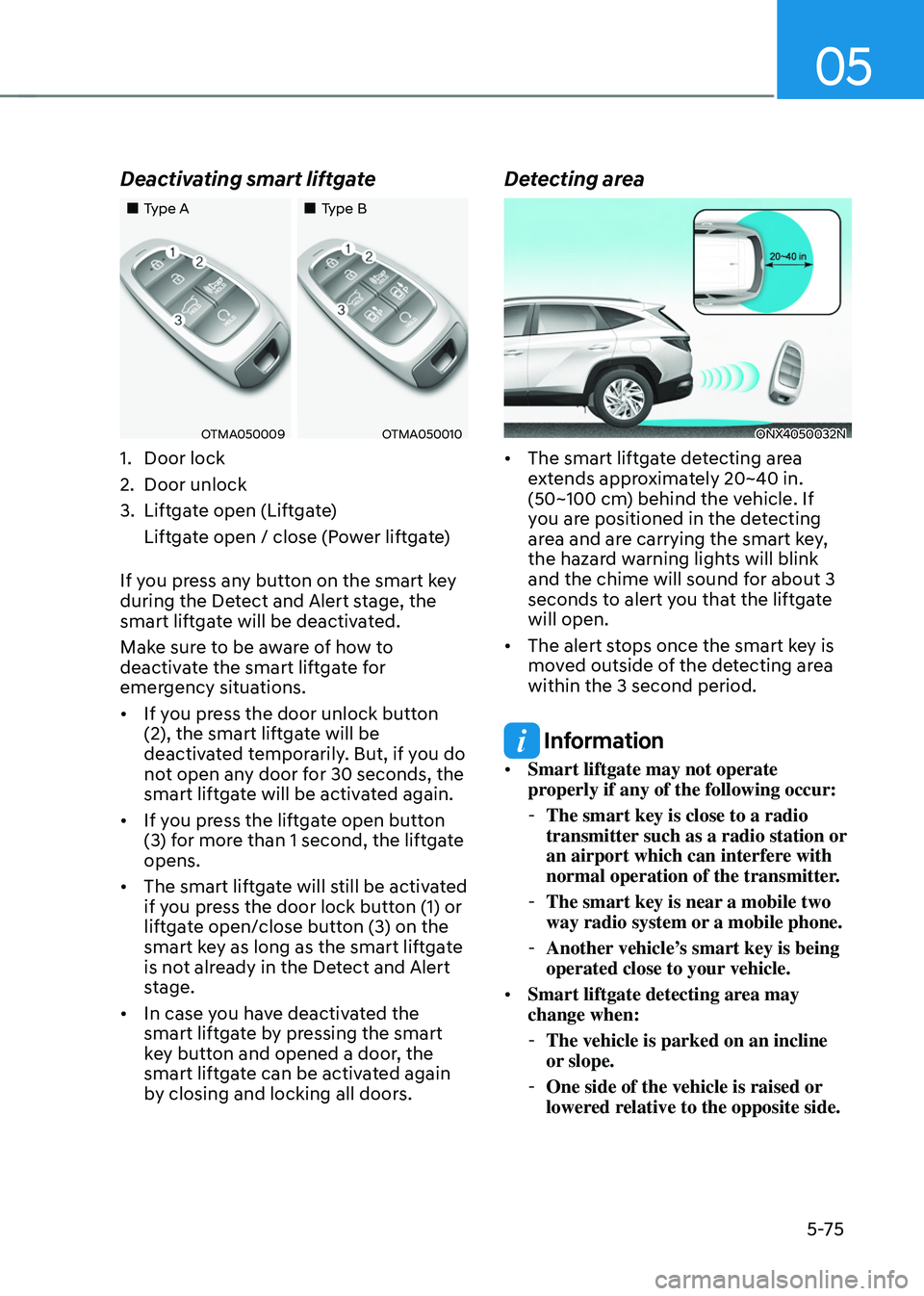
„„Type A„„Type B
OTMA050009OTMA050010
1. Door lock
2. Door unlock
3. Liftgate open (Liftgate)
Liftgate open / close (Power liftgate)
If you press any button on the smart key
during the Detect and Alert stage, the
smart liftgate will be deactivated.
Make sure to be aware of how to
deactivate the smart liftgate for
emergency situations.
• If you press the door unlock button
(2), the smart liftgate will be
deactivated temporarily. But, if you do
not open any door for 30 seconds, the
smart liftgate will be activated again.
• If you press the liftgate open button
(3) for more than 1 second, the liftgate
opens.
• The smart liftgate will still be activated
if you press the door lock button (1) or
liftgate open/close button (3) on the
smart key as long as the smart liftgate
is not already in the Detect and Alert
stage.
• In case you have deactivated the
smart liftgate by pressing the smart
key button and opened a door, the
smart liftgate can be activated again
by closing and locking all doors.
Detecting area
ONX4050032N
• The smart liftgate detecting area
extends approximately 20~40 in.
(50~100 cm) behind the vehicle. If
you are positioned in the detecting
area and are carrying the smart key,
the hazard warning lights will blink
and the chime will sound for about 3
seconds to alert you that the liftgate
will open.
• The alert stops once the smart key is
moved outside of the detecting area
within the 3 second period.
Information
• Smart liftgate may not operate
properly if any of the following occur:
-The smart key is close to a radio
transmitter such as a radio station or
an airport which can interfere with
normal operation of the transmitter.
-The smart key is near a mobile two
way radio system or a mobile phone.
-Another vehicle’s smart key is being
operated close to your vehicle.
• Smart liftgate detecting area may
change when:
-The vehicle is parked on an incline
or slope.
-One side of the vehicle is raised or
lowered relative to the opposite side.
Page 222 of 638
Convenient features
5-78
• Do not over-fill or top-off your
vehicle tank, which can cause fuel
spillage.
• If a fire breaks out during refueling,
leave the vicinity of the vehicle, and
immediately contact the manager
of the gas station and then contact
the local fire department. Follow any
safety instructions they provide.
• If pressurized fuel sprays out, it can
cover your clothes or skin and thus
subject you to the risk of fire and
burns. Always remove the fuel cap
carefully and slowly. If the cap is
venting fuel or if you hear a hissing
sound, wait until the condition stops
before completely removing the cap.
• Always check that the fuel cap is
installed securely to prevent fuel
spillage in the event of an accident.
Information
Make sure to refuel your vehicle according
to the “Fuel Requirements” section in
suggested in chapter 1.
NOTICE
• Do not spill fuel on the exterior
surfaces of the vehicle. Any type of
fuel spilled on painted surfaces may
damage the paint.
• If the fuel filler cap requires
replacement, we recommend that
you use only a genuine HYUNDAI cap
or the equivalent specified for your
vehicle. An incorrect fuel filler cap
can result in a serious malfunction of
the fuel system or emission control
system.
Page 234 of 638
Convenient features
5-90
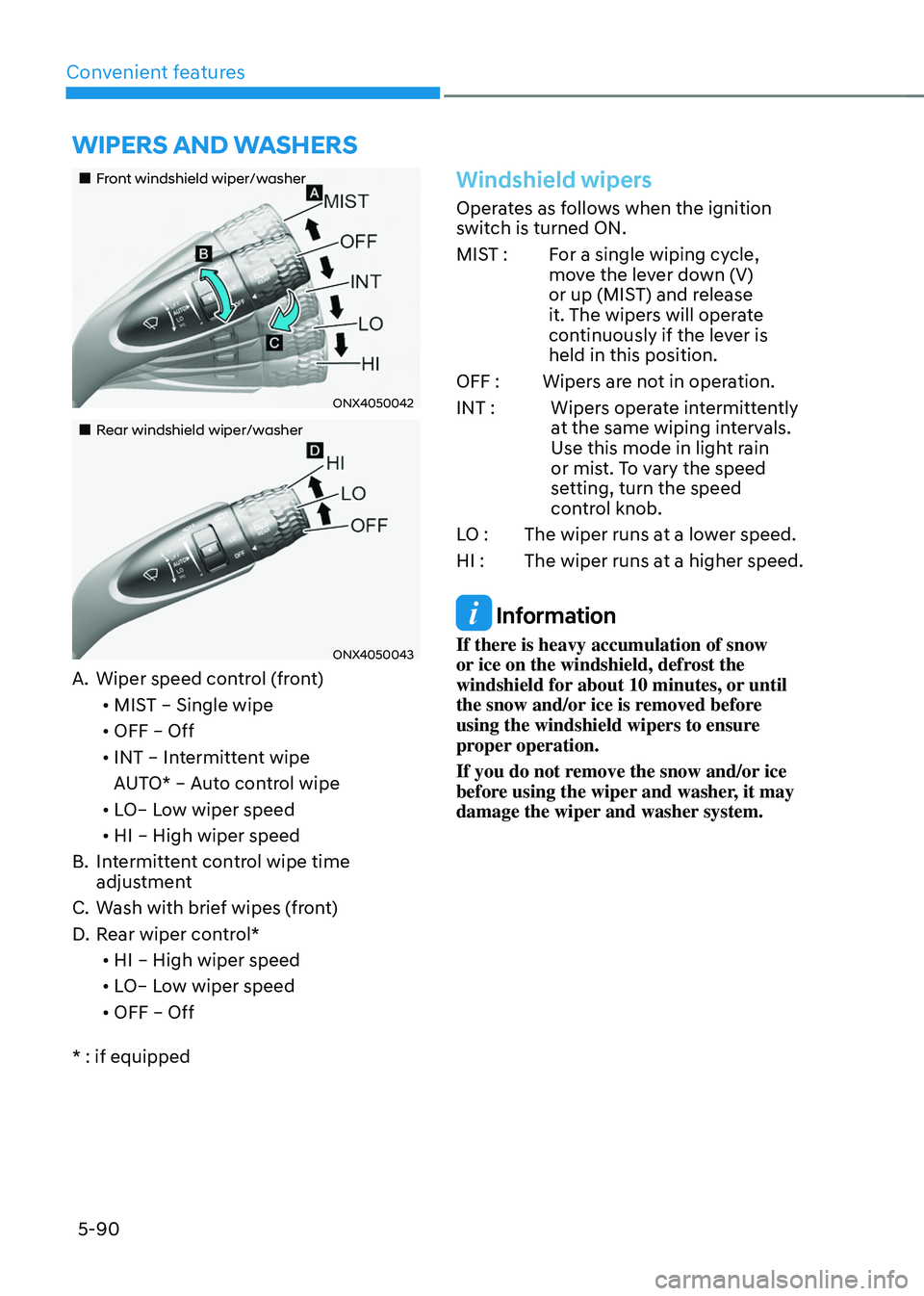
„„Front windshield wiper/washer
ONX4050042
„„Rear windshield wiper/washer
ONX4050043
A. Wiper speed control (front)• MIST – Single wipe
• OFF – Off
• INT – Intermittent wipe
AUTO* – Auto control wipe
• LO– Low wiper speed
• HI – High wiper speed
B. Intermittent control wipe time
adjustment
C. Wash with brief wipes (front)
D. Rear wiper control*
• HI – High wiper speed
• LO– Low wiper speed
• OFF – Off
* : if equipped
Windshield wipers
Operates as follows when the ignition
switch is turned ON.
MIST : For a single wiping cycle,
move the lever down (V)
or up (MIST) and release
it. The wipers will operate
continuously if the lever is
held in this position.
OFF : Wipers are not in operation.
INT : Wipers operate intermittently
at the same wiping intervals.
Use this mode in light rain
or mist. To vary the speed
setting, turn the speed
control knob.
LO : The wiper runs at a lower speed.
HI : The wiper runs at a higher speed.
Information
If there is heavy accumulation of snow
or ice on the windshield, defrost the
windshield for about 10 minutes, or until
the snow and/or ice is removed before
using the windshield wipers to ensure
proper operation.
If you do not remove the snow and/or ice
before using the wiper and washer, it may
damage the wiper and washer system.
WIPERS AND WASHERS
Page 242 of 638
Convenient features
5-98
Information
Using the system in the fresh air position is
recommended.
Prolonged operation of the heater in the
recirculated air position (without air
conditioning selected) can cause fogging of
the windshield and side windows and the
air within the passenger compartment will
become stale.
In addition, prolonged use of the air
conditioning with the recirculated air
position selected will result in excessively
dry air in the passenger compartment.
WARNING
• Continued climate control system
operation in the recirculated air
position may allow humidity to
increase inside the vehicle which
may fog the glass and obscure
visibility.
• Do not sleep in a vehicle with the air
conditioning or heating system on. It
may cause serious harm or death due
to a drop in the oxygen level and/or
body temperature.
• Continued climate control system
operation in the recirculated air
position can cause drowsiness
or sleepiness, and loss of vehicle
control. Set the air intake control
to the outside (fresh) air position as
much as possible while driving.
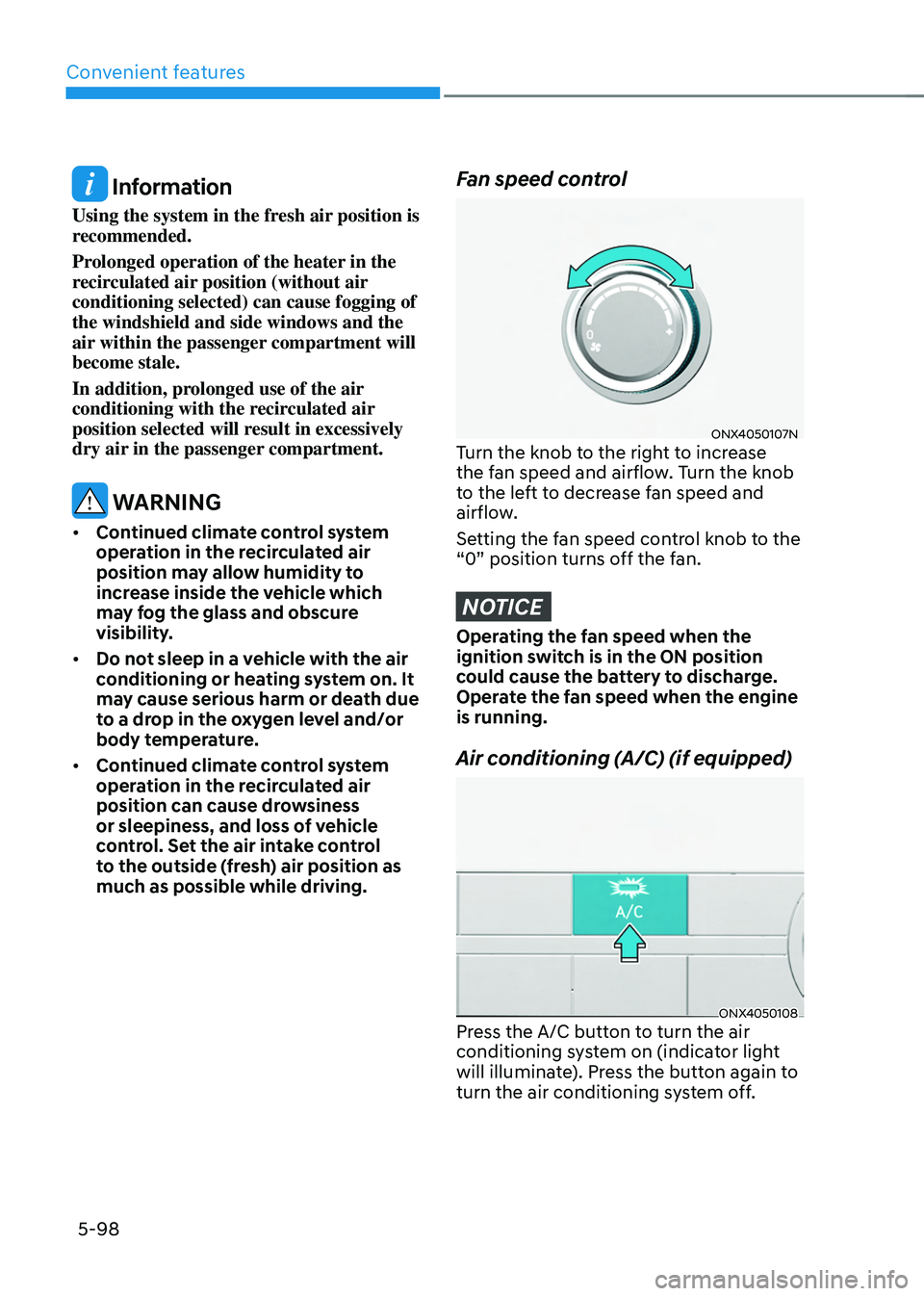
Fan speed control
ONX4050107NTurn the knob to the right to increase
the fan speed and airflow. Turn the knob
to the left to decrease fan speed and
airflow.
Setting the fan speed control knob to the
“0” position turns off the fan.
NOTICE
Operating the fan speed when the
ignition switch is in the ON position
could cause the battery to discharge.
Operate the fan speed when the engine
is running.
Air conditioning (A/C) (if equipped)
ONX4050108Press the A/C button to turn the air
conditioning system on (indicator light
will illuminate). Press the button again to
turn the air conditioning system off.
Page 243 of 638
05
5-99
System operation
Ventilation
1. Set the mode to the position.
2. Set the air intake control to the
outside (fresh) air position.
3. Set the temperature control to the
desired position.
4. Set the fan speed control to the
desired speed.
Heating
1. Set the mode to the position.
2. Set the air intake control to the
outside (fresh) air position.
3. Set the temperature control to the
desired position.
4. Set the fan speed control to the
desired speed.
5. If desired, turn the air conditioning ON
with the temperature control knob set
to heat in order to dehumidify the air
before it enters into the cabin.
If the windshield fogs up, set the mode
to the
or position.
Operation Tips
• To help keep dust or unpleasant fumes
from entering the vehicle through the
ventilation system, temporarily set the
air intake control to the recirculated
air position. Be sure to return the
control to the fresh air position when
the irritation has passed to keep fresh
air in the vehicle. This will help keep
the driver alert and comfortable.
• To prevent interior fog on the
windshield, set the air intake control
to the fresh air position and fan speed
to the desired position, turn on the air
conditioning system, and adjust the
temperature control to the desired
temperature.
Air conditioning
HYUNDAI Air Conditioning Systems are
filled with R-1234yf refrigerant.
1. Start the engine. Push the air
conditioning button.
2. Set the mode to the position.
3. Set the air intake control to the
outside air or recirculated air position.
4. Adjust the fan speed control and
temperature control to maintain
maximum comfort.
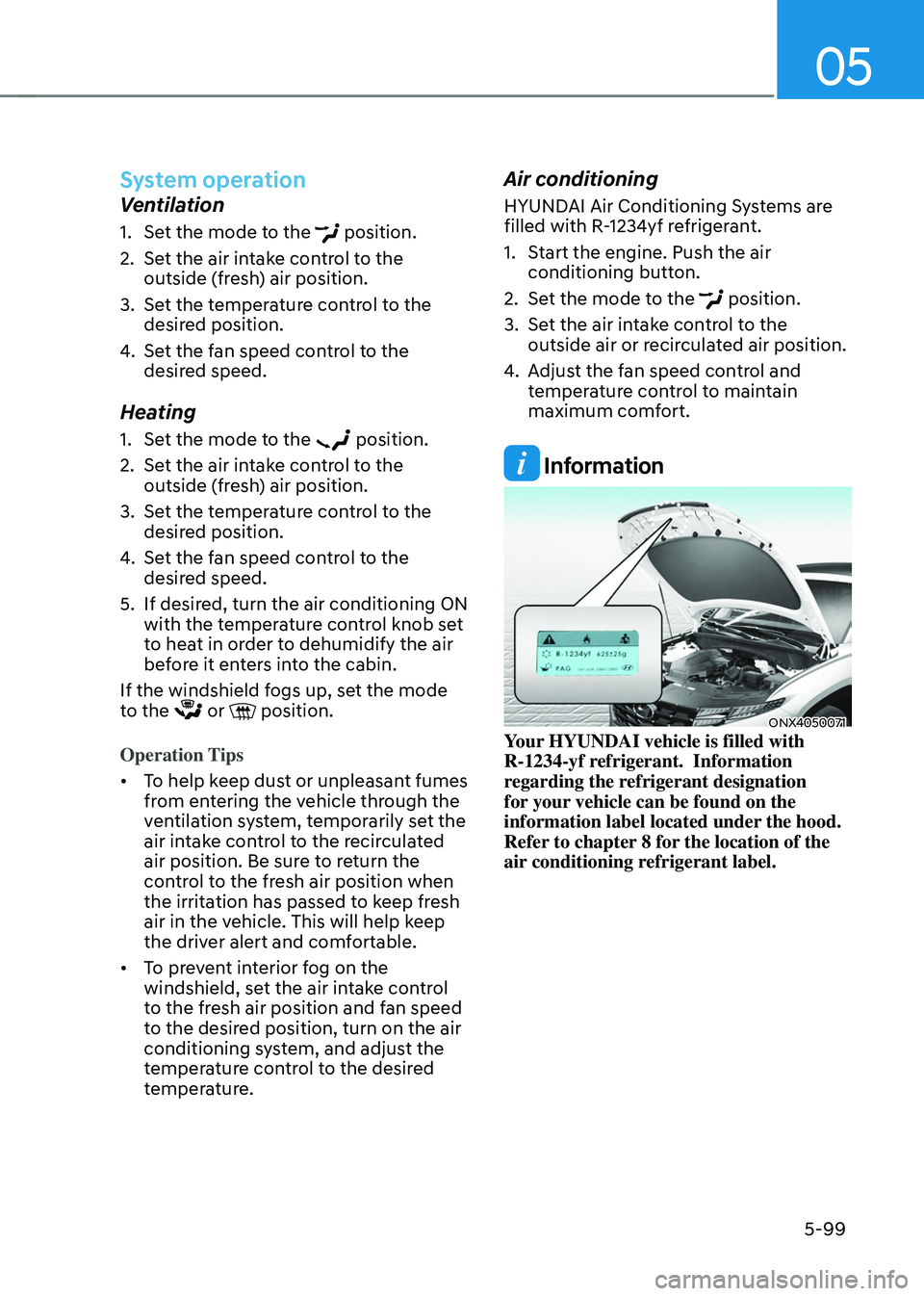
Information
ONX4050071Your HYUNDAI vehicle is filled with
R-1234-yf refrigerant. Information
regarding the refrigerant designation
for your vehicle can be found on the
information label located under the hood.
Refer to chapter 8 for the location of the
air conditioning refrigerant label.
Page 247 of 638
05
5-103
„„Type A
„„Type B
The actual shape of air conditioner may differ from the illustration.
ONX4050110N/ONX4050140L
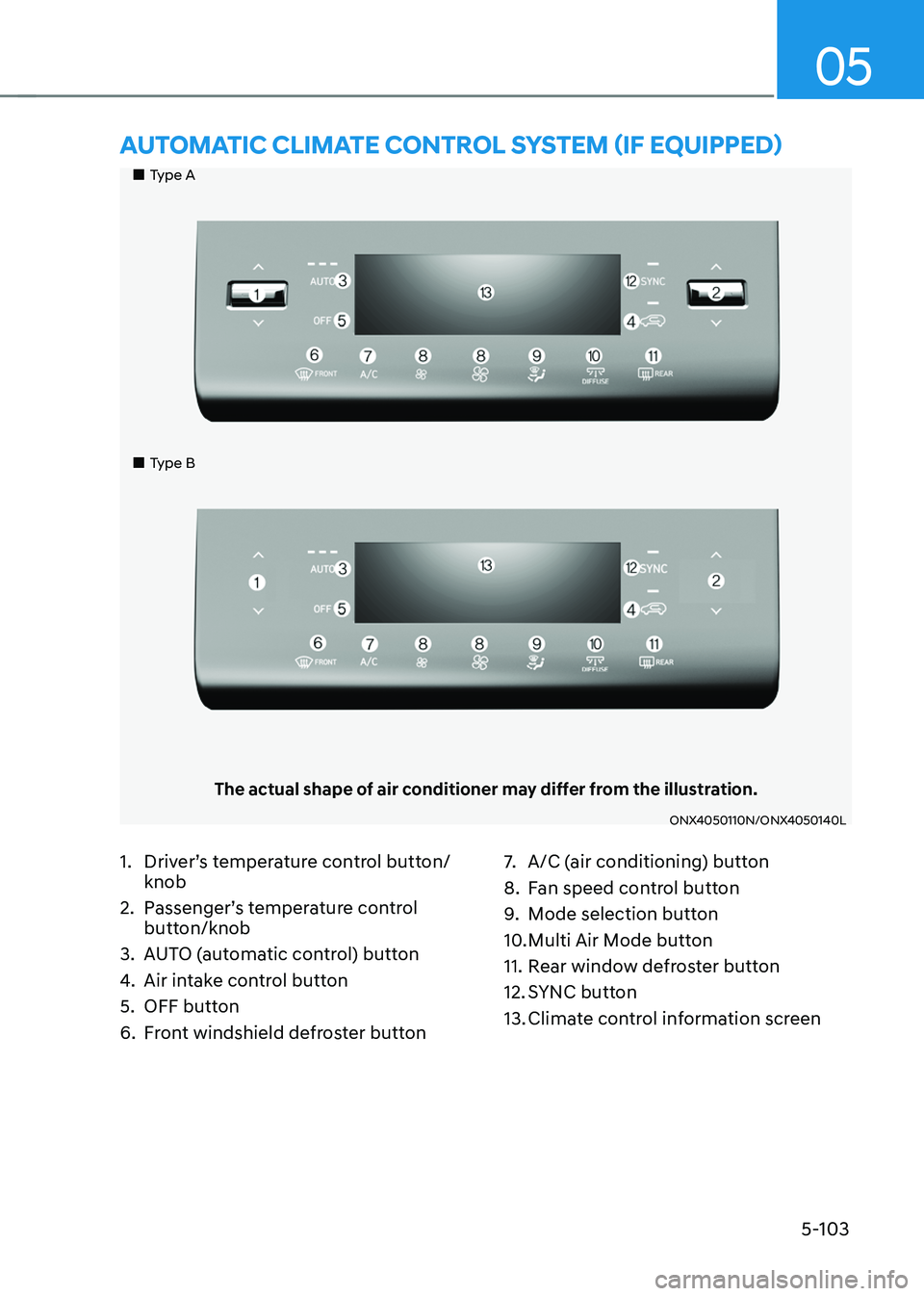
AUTOMATIC CLIMATE CONTROL SYSTEM (IF EQUIPPED)
1. Driver’s temperature control button/
knob
2. Passenger’s temperature control
button/knob
3. AUTO (automatic control) button
4. Air intake control button
5. OFF button
6. Front windshield defroster button
7. A/C (air conditioning) button
8. Fan speed control button
9. Mode selection button
10. Multi Air Mode button
11. Rear window defroster button
12. SYNC button
13. Climate control information screen
Page 248 of 638
Convenient features
5-104
Automatic heating and air
conditioning
The Automatic Climate Control System
is controlled by setting the desired
temperature.
1. Press the AUTO button.
The modes, fan speeds, air intake and
air-conditioning will be controlled
automatically by the temperature
setting you select.
ONX4E050162
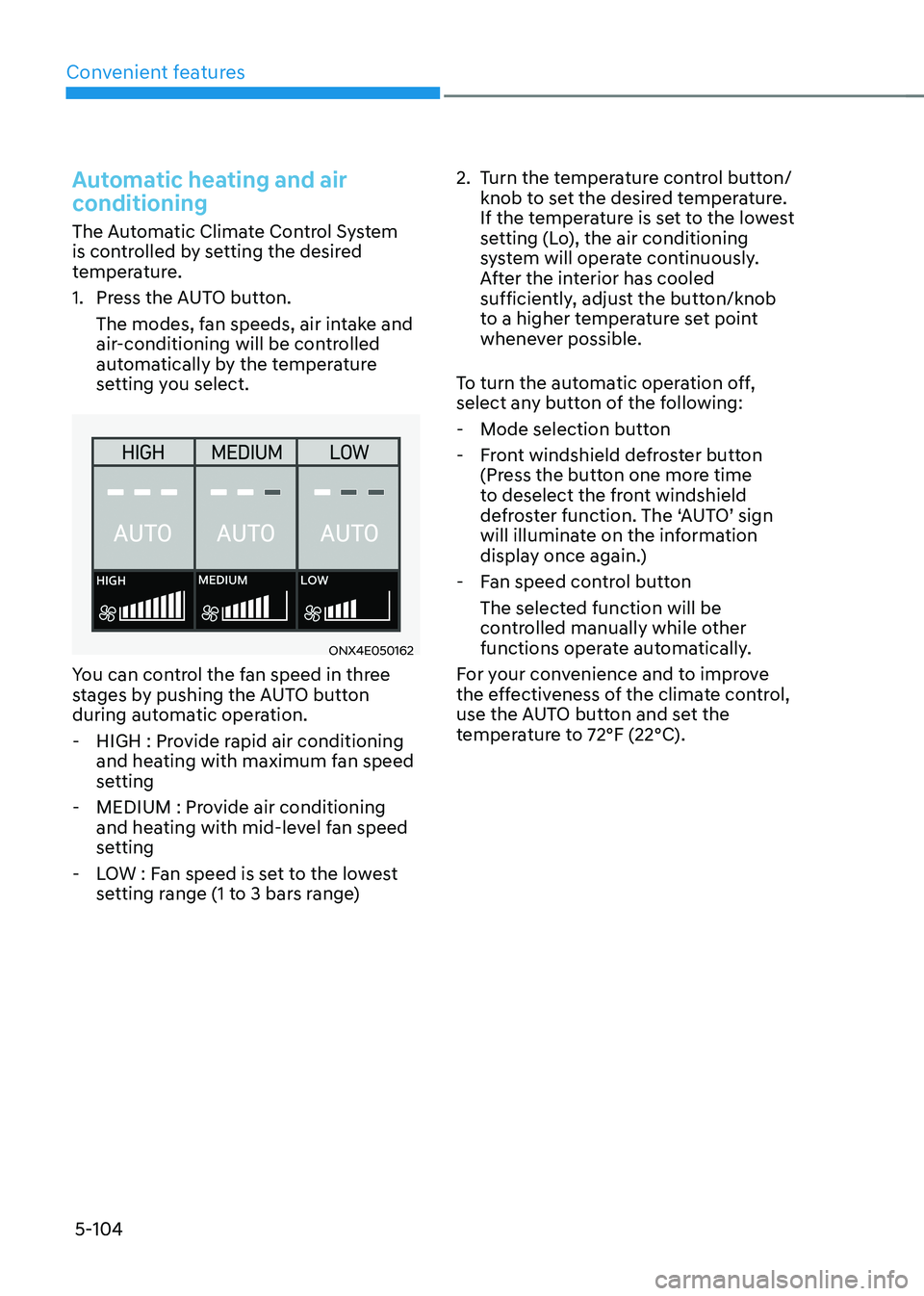
You can control the fan speed in three
stages by pushing the AUTO button
during automatic operation.
-HIGH : Provide rapid air conditioning
and heating with maximum fan speed
setting
-MEDIUM : Provide air conditioning
and heating with mid-level fan speed
setting
-LOW : Fan speed is set to the lowest
setting range (1 to 3 bars range)
2. Turn the temperature control button/
knob to set the desired temperature.
If the temperature is set to the lowest
setting (Lo), the air conditioning
system will operate continuously.
After the interior has cooled
sufficiently, adjust the button/knob
to a higher temperature set point
whenever possible.
To turn the automatic operation off,
select any button of the following:
- Mode selection button
-Front windshield defroster button
(Press the button one more time
to deselect the front windshield
defroster function. The ‘AUTO’ sign
will illuminate on the information
display once again.)
-Fan speed control button
The selected function will be
controlled manually while other
functions operate automatically.
For your convenience and to improve
the effectiveness of the climate control,
use the AUTO button and set the
temperature to 72°F (22°C).