radar HYUNDAI TUCSON 2022 Owners Manual
[x] Cancel search | Manufacturer: HYUNDAI, Model Year: 2022, Model line: TUCSON, Model: HYUNDAI TUCSON 2022Pages: 638, PDF Size: 82.3 MB
Page 14 of 638
2-2
Vehicle Information, Consumer Information and Reporting Safety Defects
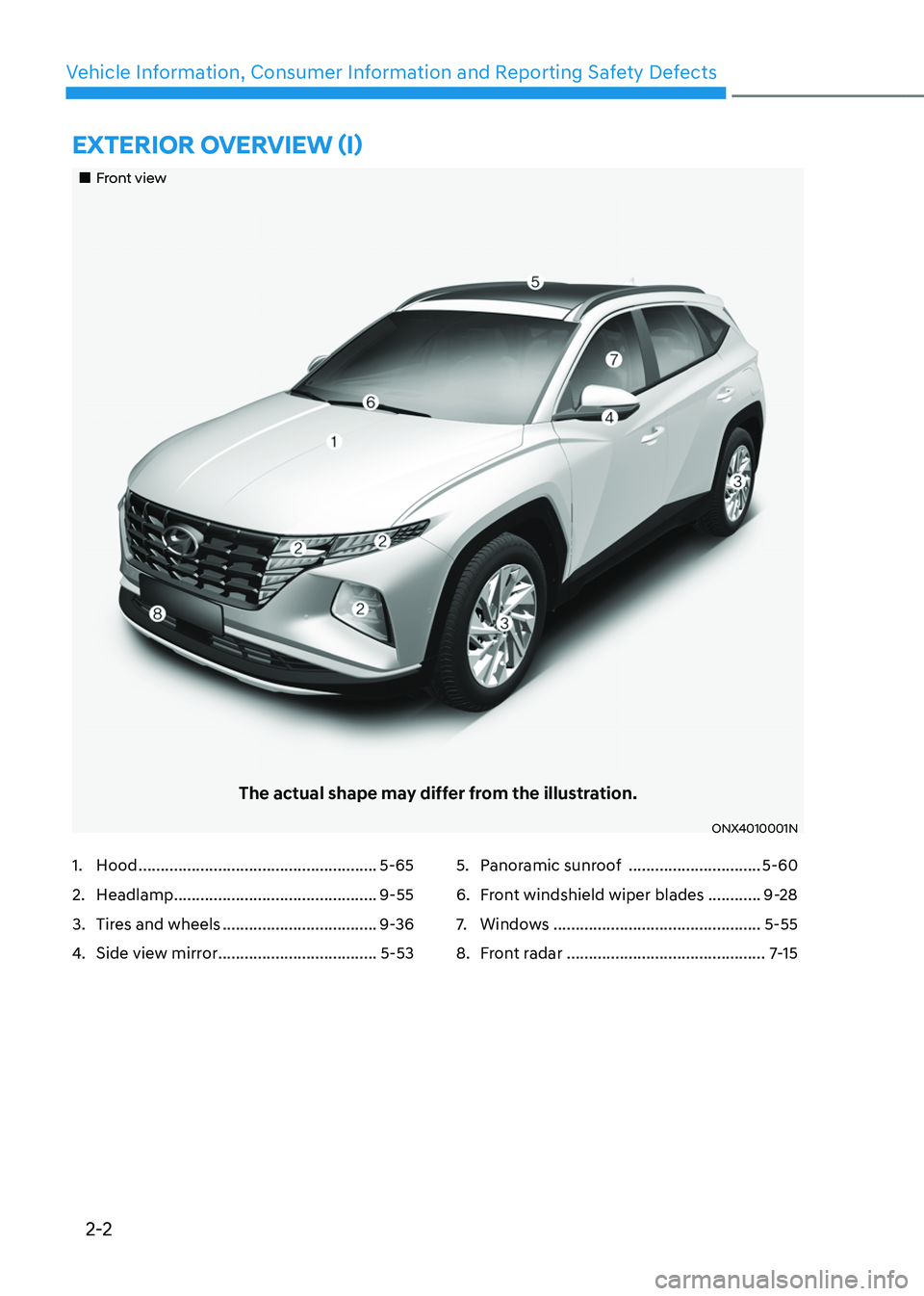
EXTERIOR OVERVIEW (I)
„„Front view
The actual shape may differ from the illustration.
ONX4010001N
1. Hood ......................................................5-65
2. Headlamp ..............................................9-55
3. Tires and wheels ...................................9-36
4. Side view mirror ....................................5-53
5. Panoramic sunroof ..............................5-60
6. Front windshield wiper blades ............9-28
7. Windows ...............................................5-55
8. Front radar .............................................7-15
Page 120 of 638
Instrument cluster
4-22
SPORT Mode Indicator Light
This indicator light illuminates
When you select "SPORT" mode as drive
mode.
For more details, refer to "Drive Mode
Integrated Control System" in chapter
6.
SMART Mode Indicator Light
This indicator light illuminates:
When you select ''SMART" mode as drive
mode.
For more details, refer to "Drive Mode
Integrated Control System'' in chapter
6.
Master warning light
This warning light illuminates:
When there is a malfunction in operation
in any of the following systems:
-Forward Collision-Avoidance Assist
malfunction (if equipped)
-Forward Collision-Avoidance Assist
radar blocked (if equipped)
-Blind-Spot Collision Warning
malfunction (if equipped)
-Blind-Spot Collision Warning radar
blocked (if equipped)
-LED headlamp malfunction
(if equipped)
-High Beam Assist malfunction
(if equipped)
-Smart Cruise Control with Stop & Go
malfunction (if equipped)
-Smart Cruise Control with Stop & Go
radar blocked (if equipped)
-Tire Pressure Monitoring System
(TPMS) malfunction
To identify the details of the warning,
look at the LCD display.
Page 130 of 638
Instrument cluster
4-32
ONX4040014
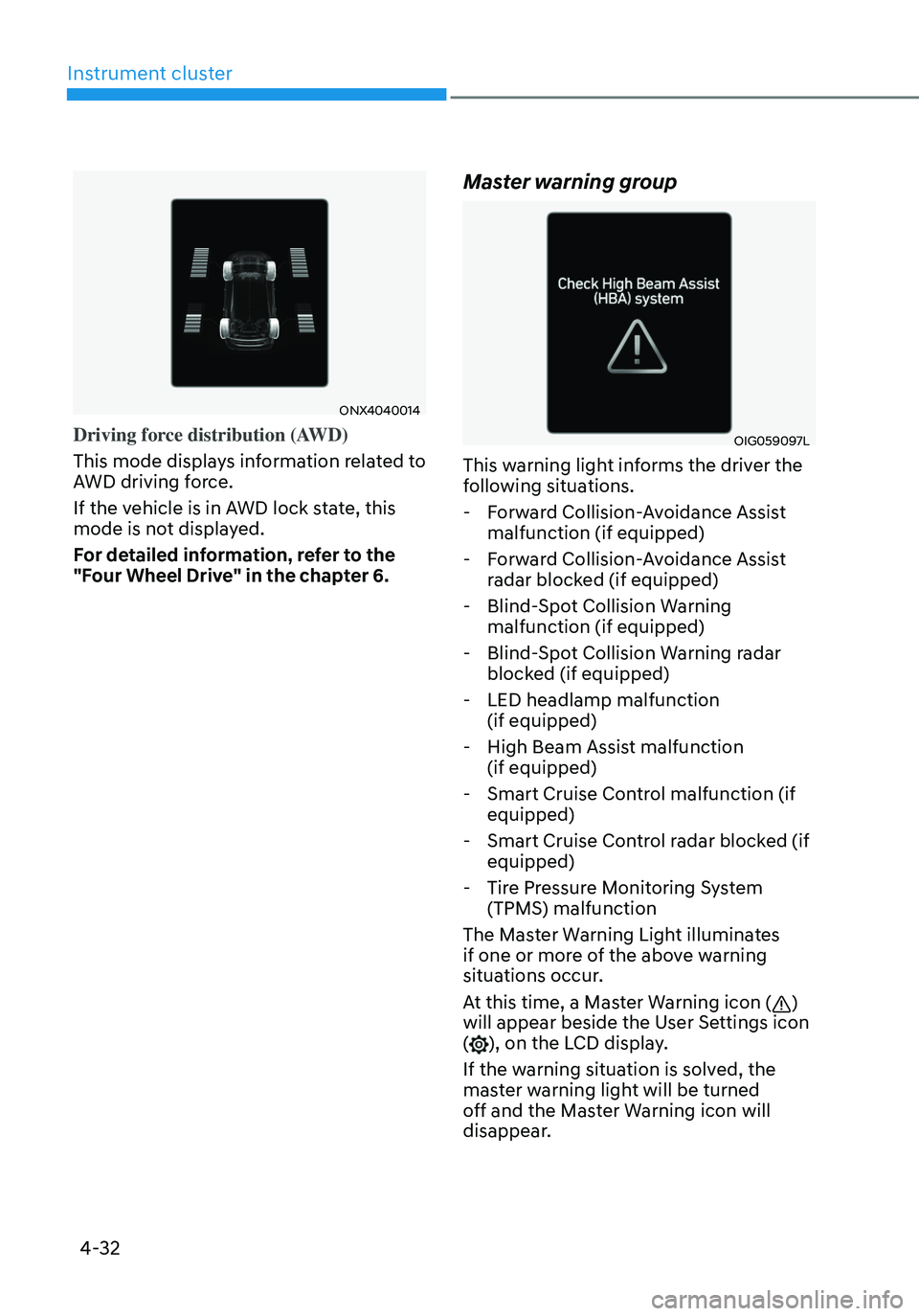
Driving force distribution (AWD)
This mode displays information related to
AWD driving force.
If the vehicle is in AWD lock state, this
mode is not displayed.
For detailed information, refer to the
"Four Wheel Drive" in the chapter 6.
Master warning group
OIG059097L
This warning light informs the driver the
following situations.
-Forward Collision-Avoidance Assist
malfunction (if equipped)
-Forward Collision-Avoidance Assist
radar blocked (if equipped)
-Blind-Spot Collision Warning
malfunction (if equipped)
-Blind-Spot Collision Warning radar
blocked (if equipped)
-LED headlamp malfunction
(if equipped)
-High Beam Assist malfunction
(if equipped)
-Smart Cruise Control malfunction (if
equipped)
-Smart Cruise Control radar blocked (if
equipped)
-Tire Pressure Monitoring System
(TPMS) malfunction
The Master Warning Light illuminates
if one or more of the above warning
situations occur.
At this time, a Master Warning icon (
)
will appear beside the User Settings icon
(
), on the LCD display.
If the warning situation is solved, the
master warning light will be turned
off and the Master Warning icon will
disappear.
Page 378 of 638
07
7-15
FORWARD COLLISION–AVOIDANCE ASSIST (FCA) (SENSOR
FUSION) (IF EQUIPPED)
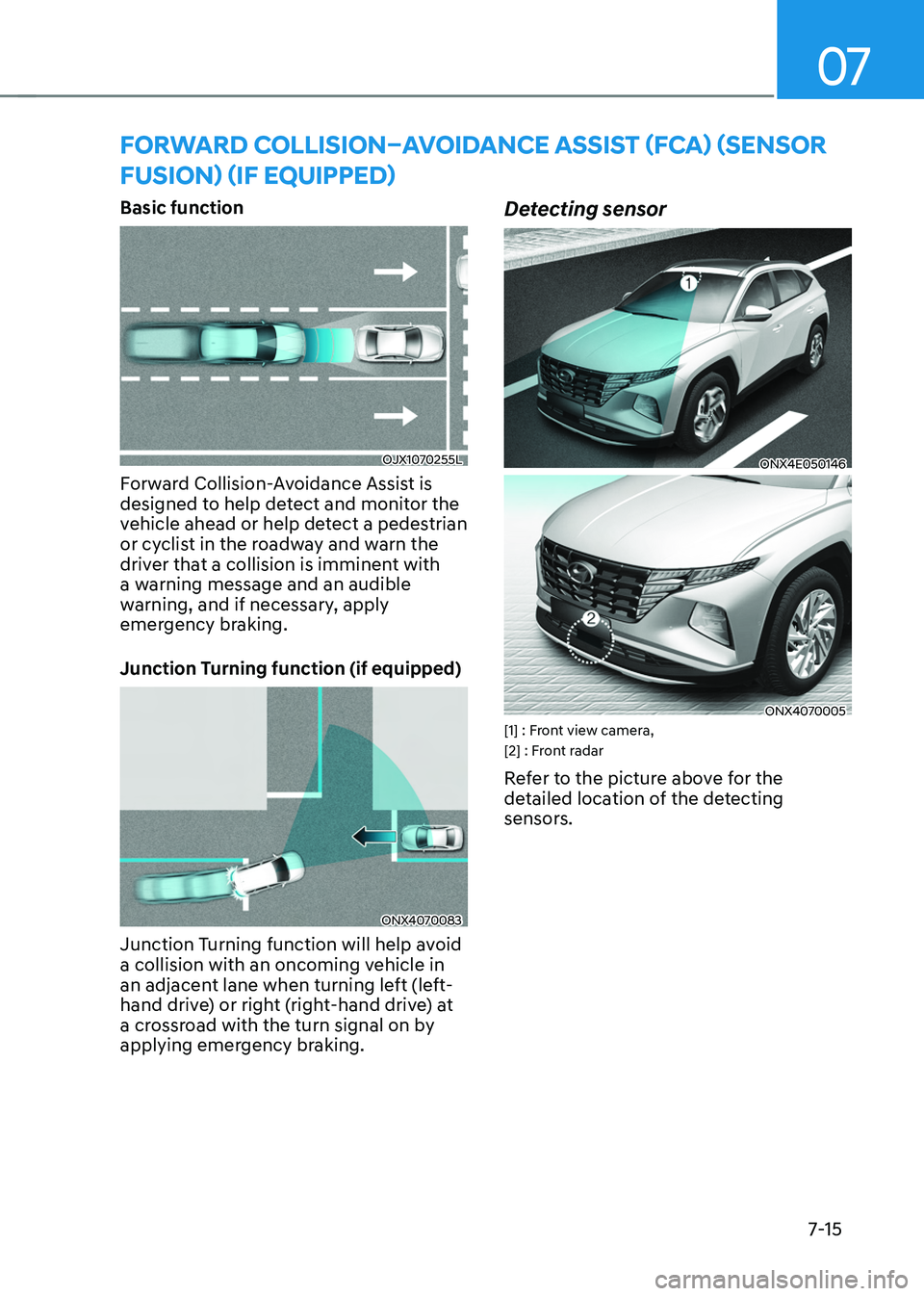
Basic function
OJX1070255L
Forward Collision-Avoidance Assist is
designed to help detect and monitor the
vehicle ahead or help detect a pedestrian
or cyclist in the roadway and warn the
driver that a collision is imminent with
a warning message and an audible
warning, and if necessary, apply
emergency braking.
Junction Turning function (if equipped)
ONX4070083
Junction Turning function will help avoid
a collision with an oncoming vehicle in
an adjacent lane when turning left (left-
hand drive) or right (right-hand drive) at
a crossroad with the turn signal on by
applying emergency braking.
Detecting sensor
ONX4E050146
ONX4070005[1] : Front view camera,
[2] : Front radar
Refer to the picture above for the
detailed location of the detecting
sensors.
Page 379 of 638
Driver assistance system
7-16
CAUTION
Take the following precautions to
maintain optimal performance of the
detecting sensor:
• Never disassemble the detecting
sensor or sensor assembly, or apply
any impact on it.
• If the detecting sensors have been
replaced or repaired, have the
vehicle inspected by an authorized
HYUNDAI dealer.
• Never install any accessories or
stickers on the front windshield, or
tint the front windshield.
• Pay extreme caution to keep the
front view camera dry.
• Never place any reflective objects
(i.e. white paper, mirror) over the
dashboard.
• Do not apply license plate frame or
objects, such as a bumper sticker,
film or a bumper guard, near the
front radar cover.
• Always keep the front radar and
cover clean and free of dirt and
debris.
Use only a soft cloth to wash the
vehicle. Do not spray pressurized
water directly on the sensor or
sensor cover. •
If unnecessary force has been
applied to the radar or around the
radar, Forward Collision-Avoidance
Assist may not properly operate even
though a warning message does
not appear on the cluster. Have the
vehicle inspected by an authorized
HYUNDAI dealer.
• Use only genuine parts to repair or
replace a damaged front radar cover.
Do not apply paint to the front radar
cover.
Page 387 of 638
Driver assistance system
7-24
Forward Collision-Avoidance Assist
disabled
OTM070093NOTM070095N
When the front windshield where the
front view camera is located, front radar
cover or sensor is covered with foreign
material, such as snow or rain, it can
reduce the detecting performance and
temporarily limit or disable Forward
Collision-Avoidance Assist.
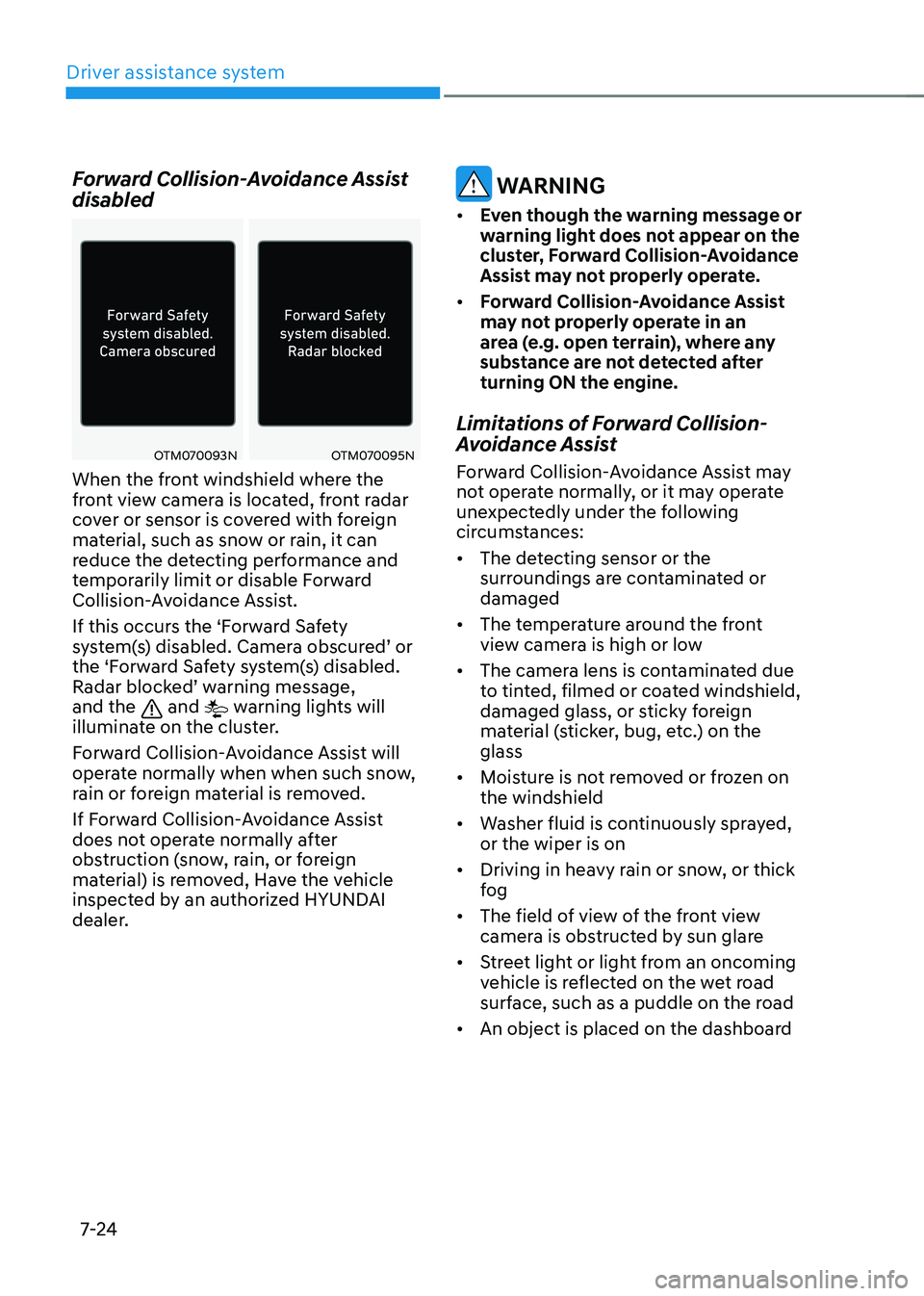
If this occurs the ‘Forward Safety
system(s) disabled. Camera obscured’ or the ‘Forward Safety system(s) disabled. Radar blocked’ warning message, and the and warning lights will
illuminate on the cluster.
Forward Collision-Avoidance Assist will
operate normally when when such snow,
rain or foreign material is removed.
If Forward Collision-Avoidance Assist
does not operate normally after
obstruction (snow, rain, or foreign
material) is removed, Have the vehicle
inspected by an authorized HYUNDAI
dealer.
WARNING
• Even though the warning message or
warning light does not appear on the
cluster, Forward Collision-Avoidance
Assist may not properly operate.
• Forward Collision-Avoidance Assist
may not properly operate in an
area (e.g. open terrain), where any
substance are not detected after
turning ON the engine.
Limitations of Forward Collision-
Avoidance Assist
Forward Collision-Avoidance Assist may
not operate normally, or it may operate
unexpectedly under the following
circumstances:
• The detecting sensor or the
surroundings are contaminated or
damaged
• The temperature around the front
view camera is high or low
• The camera lens is contaminated due
to tinted, filmed or coated windshield,
damaged glass, or sticky foreign
material (sticker, bug, etc.) on the
glass
• Moisture is not removed or frozen on
the windshield
• Washer fluid is continuously sprayed,
or the wiper is on
• Driving in heavy rain or snow, or thick
fog
• The field of view of the front view
camera is obstructed by sun glare
• Street light or light from an oncoming
vehicle is reflected on the wet road
surface, such as a puddle on the road
• An object is placed on the dashboard
Page 388 of 638
07
7-25
• Your vehicle is being towed
• The surrounding is very bright
• The surrounding is very dark, such as
in a tunnel, etc.
• The brightness changes suddenly, for
example when entering or exiting a
tunnel
• The brightness outside is low, and the
headlamps are not on or are not bright
• Driving through steam, smoke or
shadow
• Only part of the vehicle, pedestrian or
cyclist is detected
• The vehicle in front is a bus, heavy
truck, truck with a unusually shaped
luggage, trailer, etc.
• The vehicle in front has no tail lights,
tail lights are located unusually, etc.
• The brightness outside is low, and the
tail lamps are not on or are not bright
• The rear of the front vehicle is small
or the vehicle does not look normal,
such as when the vehicle is tilted,
overturned, or the side of the vehicle
is visible, etc.
•
The front vehicle’s ground clearance is low or high
• A vehicle, pedestrian or cyclist
suddenly cuts in front
• The bumper around the front radar is
impacted, damaged or the front radar
is out of position
• The temperature around the front
radar is high or low •
Driving through a tunnel or iron bridge
• Driving in large areas where there are
few vehicles or structures (i.e. desert,
meadow, suburb, etc.)
• Driving near areas containing metal
substances, such as a construction
zone, railroad, etc.
• A material is near that reflects very
well on the front radar, such as a
guardrail, nearby vehicle, etc.
• The cyclist in front is on a bicycle
made of material that does not reflect
on the front radar
• The vehicle in front is detected late
• The vehicle in front is suddenly
blocked by a obstacle
• The vehicle in front suddenly changes
lane or suddenly reduces speed
• The vehicle in front is bent out of
shape
•
The front vehicle’s speed is fast or slow
• The vehicle in front steers in the
opposite direction of your vehicle to
avoid a collision
• With a vehicle in front, your vehicle
changes lane at low speed
• The vehicle in front is covered with
snow
• You are departing or returning to the
lane
• Unstable driving
• You are on a roundabout and the
vehicle in front is not detected
• You are continuously driving in a circle
• The vehicle in front has an unusual
shape
• The vehicle in front is driving uphill or
downhill
Page 401 of 638
Driver assistance system
7-38
OJX1079028
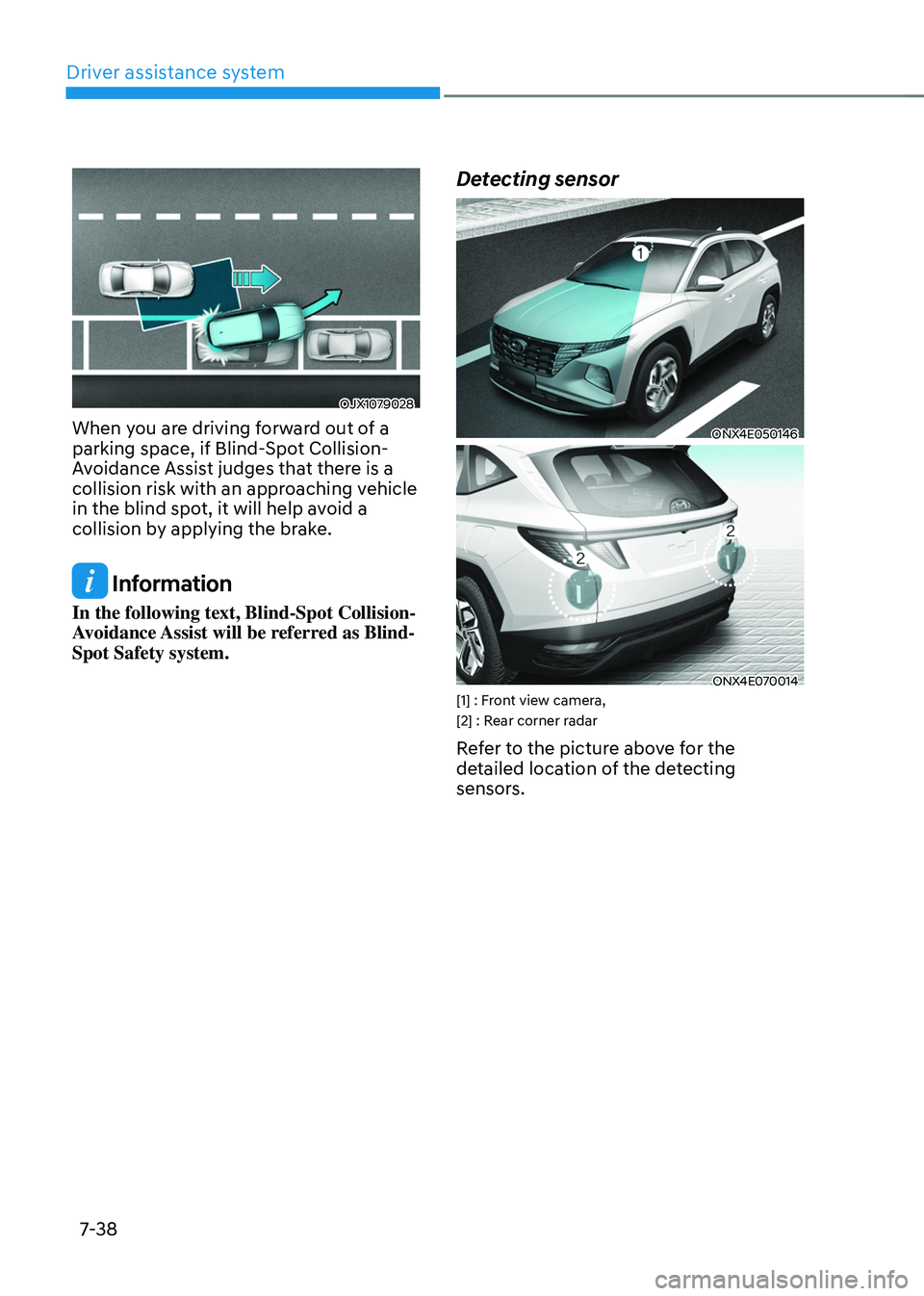
When you are driving forward out of a
parking space, if Blind-Spot Collision-
Avoidance Assist judges that there is a
collision risk with an approaching vehicle
in the blind spot, it will help avoid a
collision by applying the brake.
Information
In the following text, Blind-Spot Collision-
Avoidance Assist will be referred as Blind-
Spot Safety system.
Detecting sensor
ONX4E050146
ONX4E070014[1] : Front view camera,
[2] : Rear corner radar
Refer to the picture above for the
detailed location of the detecting
sensors.
Page 402 of 638
07
7-39
CAUTION
Take the following precautions to
maintain optimal performance of the
detecting sensor:
• Never disassemble the rear corner
radar or radar assembly, or apply any
impact on it.
• If there is impact on the rear corner
radar or near the radar, even though
the warning message does not
appear on the cluster, Blind-Spot
Safety system may not operate
properly. Have the vehicle inspected
by an authorized HYUNDAI dealer.
• If the rear corner radars have been
replaced or repaired, have the
vehicle inspected by an authorized
HYUNDAI dealer.
• Use only genuine parts to repair the
rear bumper where the rear corner
radar is located.
• Do not apply license plate frame or
objects, such as a bumper sticker,
film or a bumper guard near the rear
corner radar.
• The system may not work properly
if the bumper has been replaced, or
the surroundings of the rear corner
radar has been damaged or paint has
been applied.
• If a trailer, carrier, etc. is installed,
it may adversely affect the
performance of the rear corner radar
or the system may not operate.
For more details on the precautions
of the front view camera, refer to
“Forward Collision-Avoidance Assist
(FCA)” section in chapter 7.
Blind- Spot Safety System
Settings
Setting features
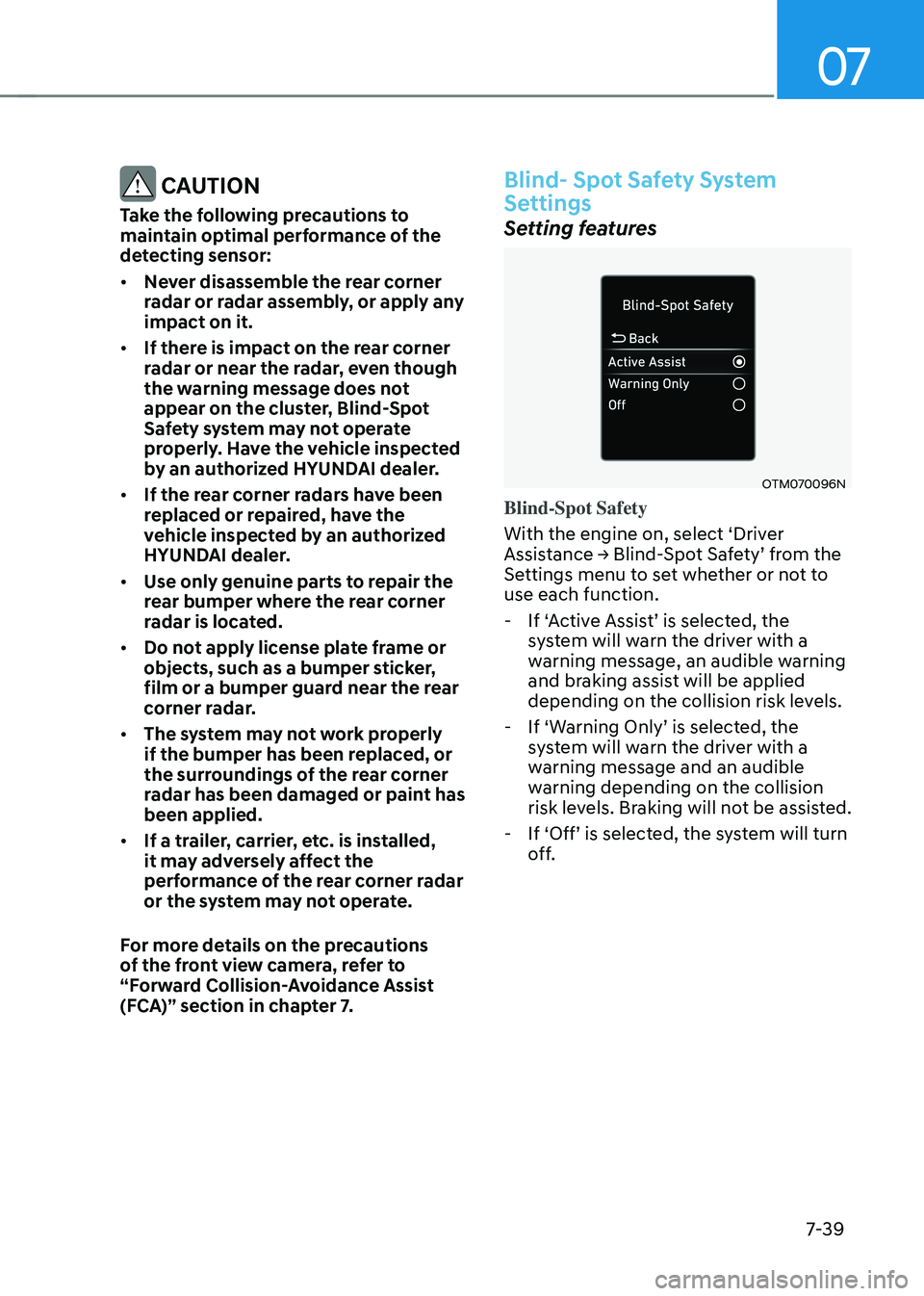
OTM070096N
Blind-Spot Safety
With the engine on, select ‘Driver
Assistance → Blind-Spot Safety’ from the Settings menu to set whether or not to
use each function.
-If ‘Active Assist’ is selected, the system will warn the driver with a
warning message, an audible warning
and braking assist will be applied
depending on the collision risk levels.
-If ‘Warning Only’ is selected, the system will warn the driver with a
warning message and an audible
warning depending on the collision
risk levels. Braking will not be assisted.
-If ‘Off’ is selected, the system will turn off.
Page 405 of 638
Driver assistance system
7-42
Collision Warning
• Collision warning will operate when
the turn signal is turned on in the
direction of the detected vehicle.
•
If ‘Warning Only’ is selected from the Settings menu, the collision warning
will operate when your vehicle
approaches the lane the blind spot
vehicle is detected.
• To warn the driver of a collision, the
warning light on the side view mirror
and head-up display (if equipped) will
blink. At the same time, an audible
warning will sound.
• When the turn signal is turned off or
you move away from the lane, the
collision warning will be canceled
and the system will return to vehicle
detection state.
WARNING
• The detecting range of the rear
corner radar is determined by a
standard road width, therefore, on a
narrow road, the system may detect
other vehicles in the next next lane
and warn you. In contrast, on a wide
road, the system may not be able to
detect a vehicle driving in the next
lane and may not warn you.
• When the hazard warning flasher is
on, the collision warning by the turn
signal will not operate.
Information
If the driver's seat is on the left side, the
collision warning may occur when you
turn left. Maintain a proper distance with
the vehicles in the left lane. If the driver's
seat is on the right side, the collision
warning may occur when you turn right.
Maintain a proper distance with the
vehicles in the right lane.