rear HYUNDAI TUCSON 2023 Manual PDF
[x] Cancel search | Manufacturer: HYUNDAI, Model Year: 2023, Model line: TUCSON, Model: HYUNDAI TUCSON 2023Pages: 638, PDF Size: 26.51 MB
Page 237 of 638
05
5-93
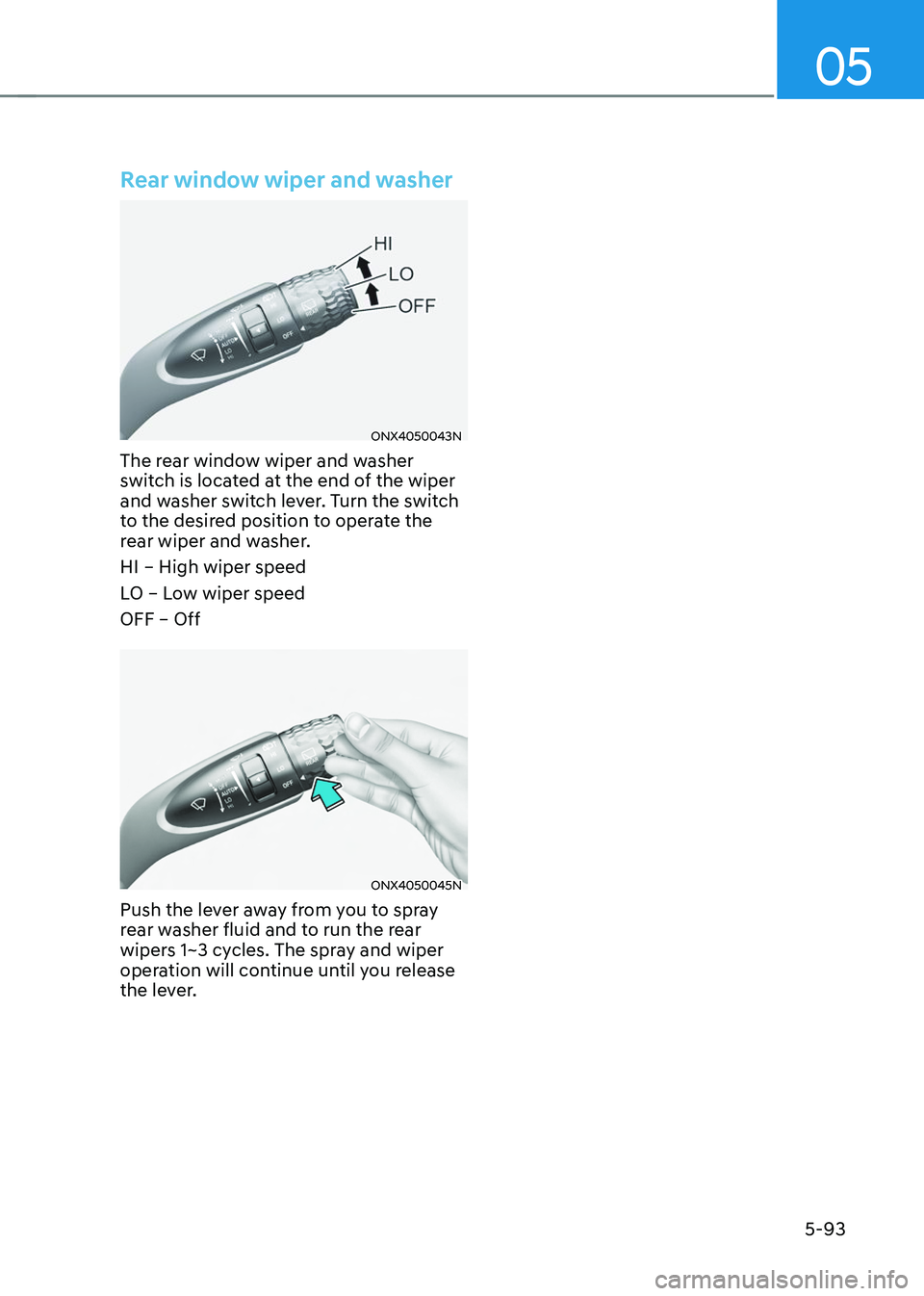
Rear window wiper and washer
ONX4050043N
The rear window wiper and washer
switch is located at the end of the wiper
and washer switch lever. Turn the switch
to the desired position to operate the
rear wiper and washer.
HI – High wiper speed
LO – Low wiper speed
OFF – Off
ONX4050045N
Push the lever away from you to spray
rear washer fluid and to run the rear
wipers 1~3 cycles. The spray and wiper
operation will continue until you release
the lever.
Page 238 of 638
Convenient features
5-94
ONX4050100N
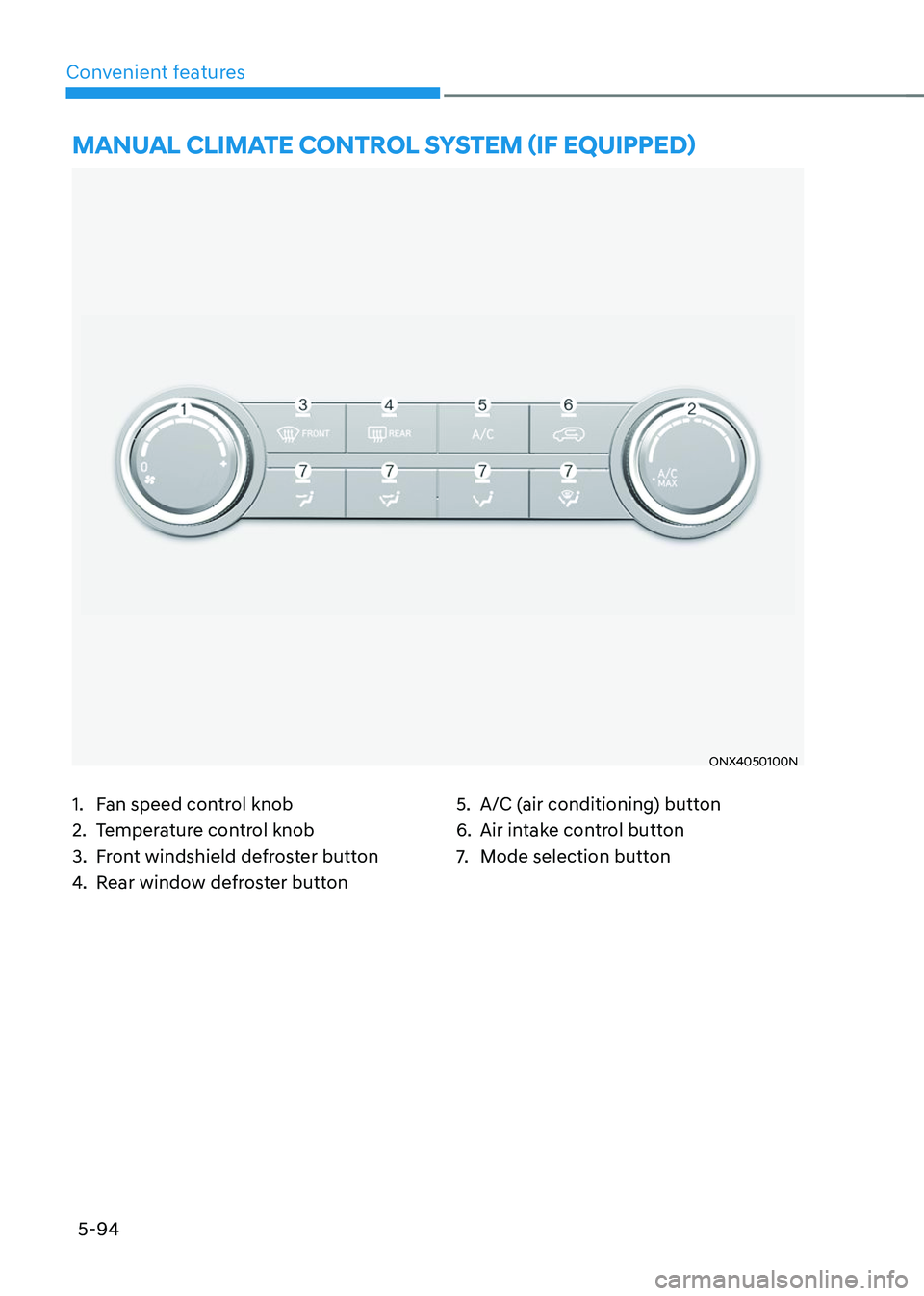
MANUAL CLIMATE CONTROL SYSTEM (IF EQUIPPED)
1. Fan speed control knob
2. Temperature control knob
3. Front windshield defroster button
4. Rear window defroster button
5. A/C (air conditioning) button
6. Air intake control button
7. Mode selection button
Page 241 of 638
05
5-97
„„Front
ONX4050104
„„Rear
ONX4050105
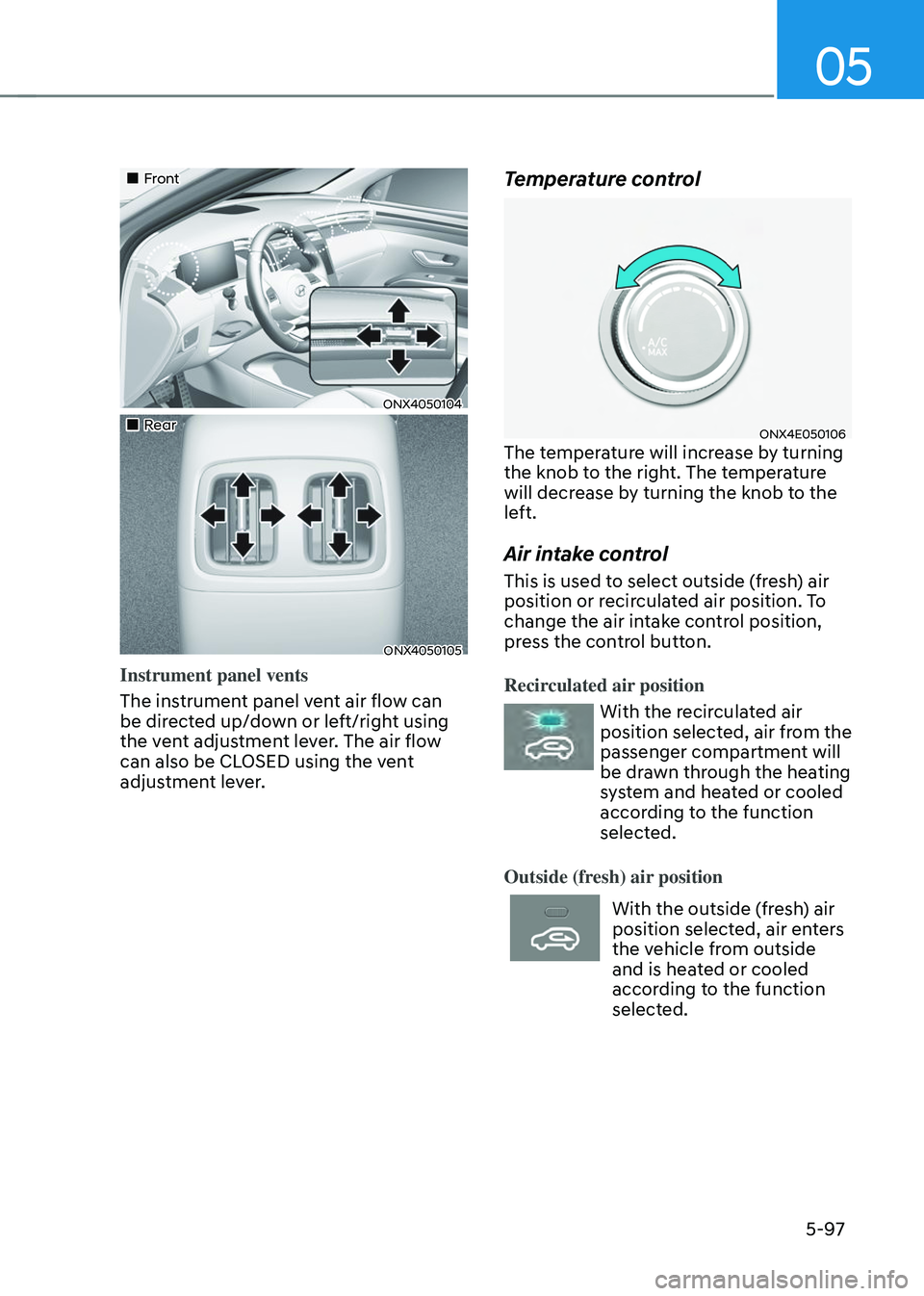
Instrument panel vents
The instrument panel vent air flow can
be directed up/down or left/right using
the vent adjustment lever. The air flow
can also be CLOSED using the vent
adjustment lever.
Temperature control
ONX4E050106The temperature will increase by turning
the knob to the right. The temperature
will decrease by turning the knob to the
left.
Air intake control
This is used to select outside (fresh) air
position or recirculated air position. To
change the air intake control position,
press the control button.
Recirculated air position
With the recirculated air
position selected, air from the
passenger compartment will
be drawn through the heating
system and heated or cooled
according to the function
selected.
Outside (fresh) air position
With the outside (fresh) air
position selected, air enters
the vehicle from outside
and is heated or cooled
according to the function
selected.
Page 247 of 638
05
5-103
„„Type A
„„Type B
The actual shape of air conditioner may differ from the illustration.
ONX4050110N/ONX4050140L
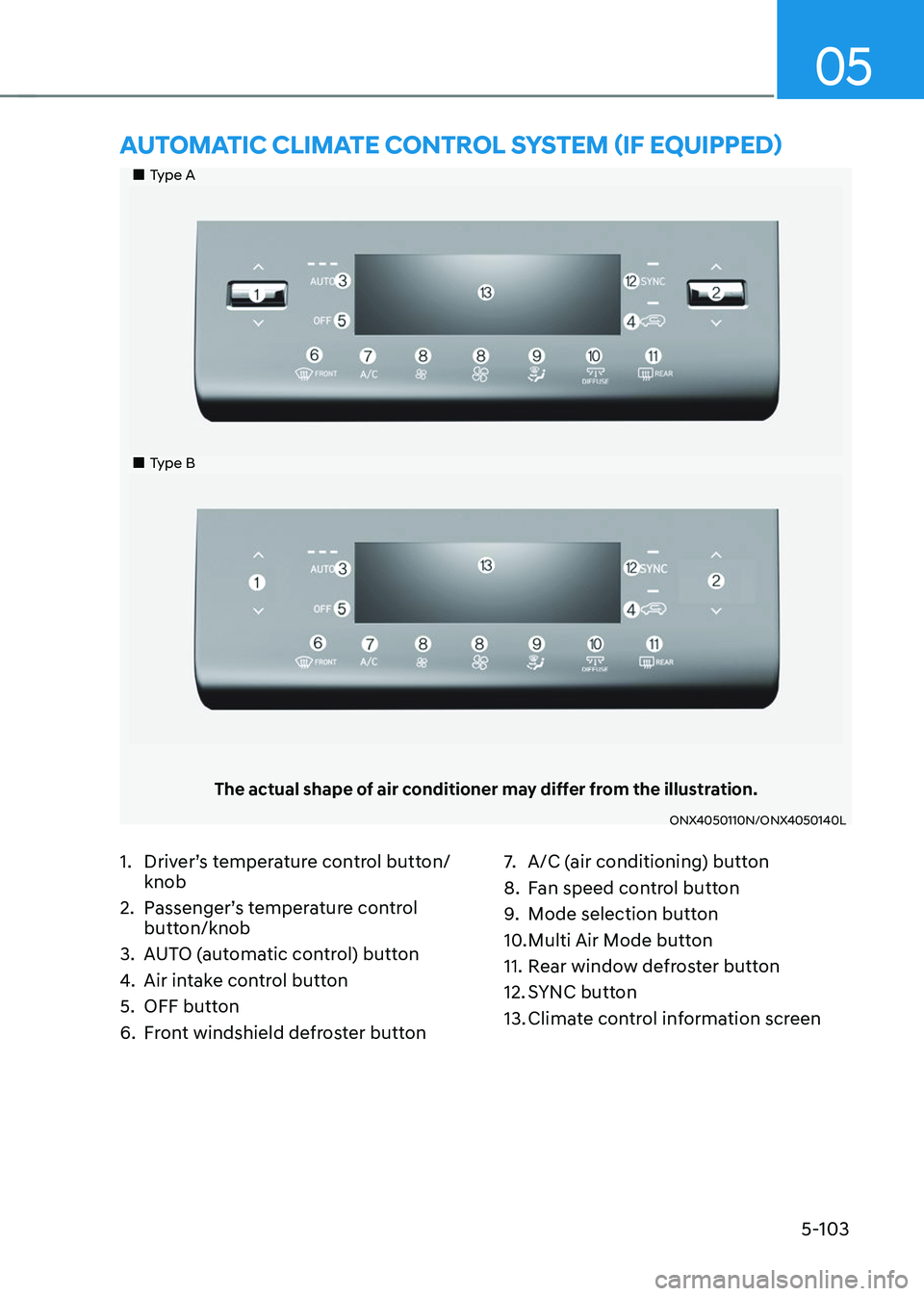
AUTOMATIC CLIMATE CONTROL SYSTEM (IF EQUIPPED)
1. Driver’s temperature control button/
knob
2. Passenger’s temperature control
button/knob
3. AUTO (automatic control) button
4. Air intake control button
5. OFF button
6. Front windshield defroster button
7. A/C (air conditioning) button
8. Fan speed control button
9. Mode selection button
10. Multi Air Mode button
11. Rear window defroster button
12. SYNC button
13. Climate control information screen
Page 252 of 638
Convenient features
5-108
„„Front
ONX4050104
„„Rear
ONX4050105
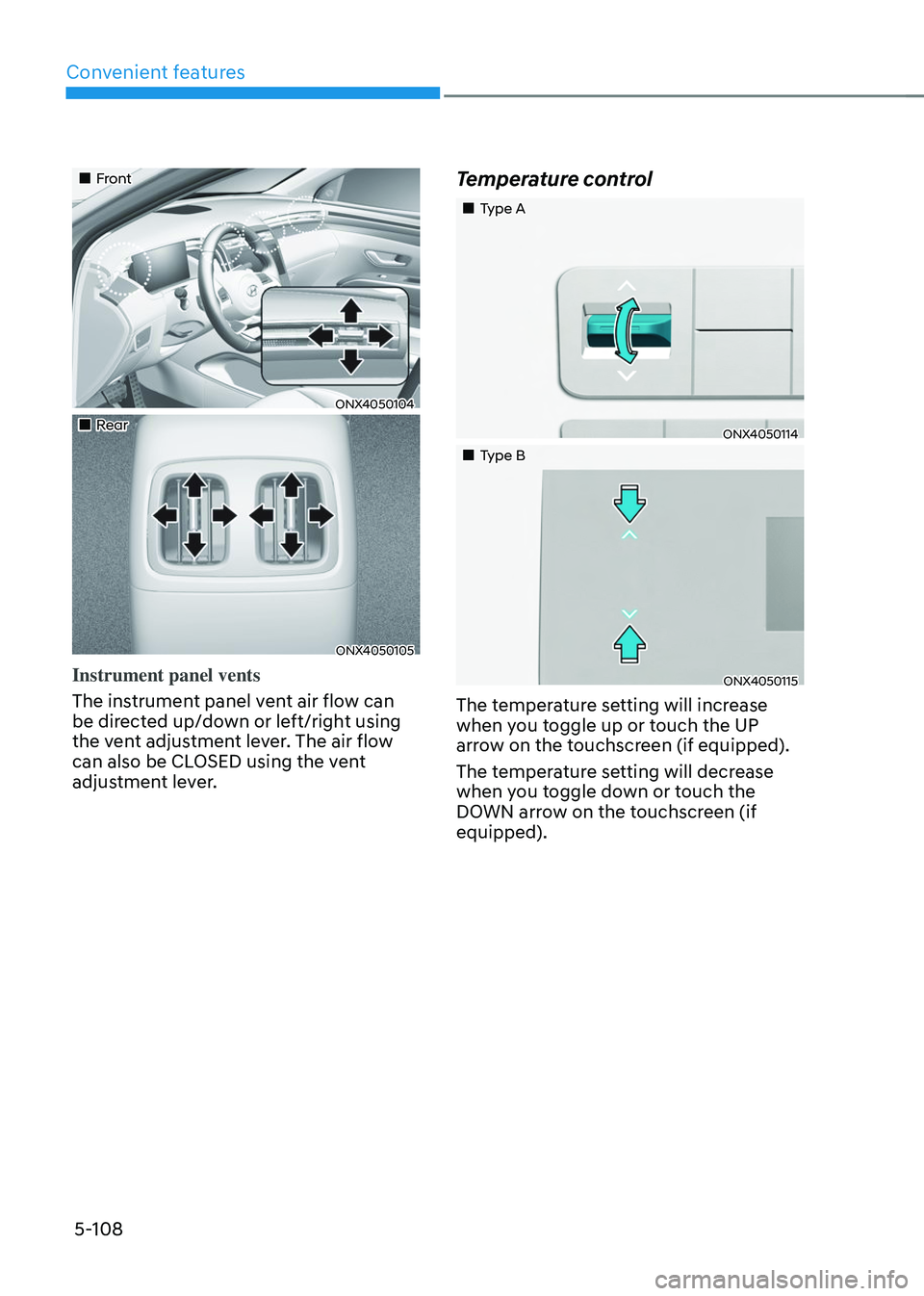
Instrument panel vents
The instrument panel vent air flow can
be directed up/down or left/right using
the vent adjustment lever. The air flow
can also be CLOSED using the vent
adjustment lever.
Temperature control
„„Type A
ONX4050114
„„Type B
ONX4050115
The temperature setting will increase
when you toggle up or touch the UP
arrow on the touchscreen (if equipped).
The temperature setting will decrease
when you toggle down or touch the
DOWN arrow on the touchscreen (if
equipped).
Page 253 of 638
05
5-109
ONX4050122
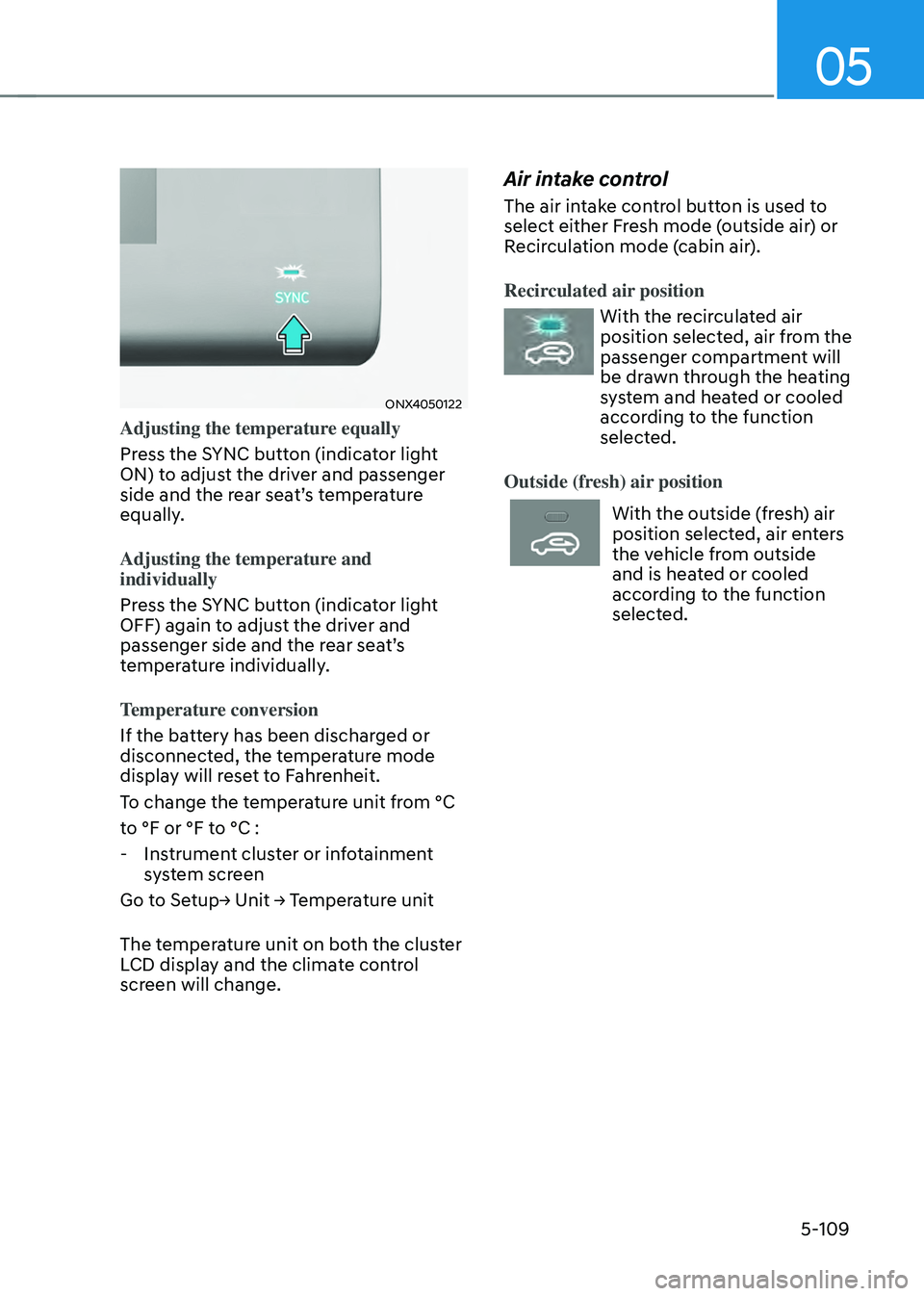
Adjusting the temperature equally
Press the SYNC button (indicator light
ON) to adjust the driver and passenger
side and the rear seat’s temperature
equally.
Adjusting the temperature and
individually
Press the SYNC button (indicator light
OFF) again to adjust the driver and
passenger side and the rear seat’s
temperature individually.
Temperature conversion
If the battery has been discharged or
disconnected, the temperature mode
display will reset to Fahrenheit.
To change the temperature unit from °C
to °F or °F to °C :
-Instrument cluster or infotainment
system screen
Go to Setup→ Unit → Temperature unit
The temperature unit on both the cluster
LCD display and the climate control
screen will change.
Air intake control
The air intake control button is used to
select either Fresh mode (outside air) or
Recirculation mode (cabin air).
Recirculated air position
With the recirculated air
position selected, air from the
passenger compartment will
be drawn through the heating
system and heated or cooled
according to the function
selected.
Outside (fresh) air position
With the outside (fresh) air
position selected, air enters
the vehicle from outside
and is heated or cooled
according to the function
selected.
Page 260 of 638
Convenient features5-116
WARNING
Windshield heating
Do not use the
position during cooling operation in extremely humid
weather. The difference between the
temperature of the outside air and that
of the windshield could cause the outer
surface of the windshield to fog up,
causing loss of visibility could cause
an accident resulting in serious injury
or death. In this case, set the mode
selection button to the
position and fan speed control knob to a lower
speed.
• For maximum defrost performance,
set the temperature control to the
highest temperature setting and
the fan speed control to the highest
setting.
• If warm air to the floor is desired while
defrosting or defogging, set the mode
to the floor-defrost position.
• Before driving, clear all snow and ice
from the windshield, rear window,
side view mirrors, and all side
windows.
• Clear all snow and ice from the
hood and air inlet in the cowl grill
to improve heater and defroster
efficiency and to reduce the
probability of fogging up the inside of
the windshield.
NOTICE
If the engine temperature is still cold
after starting, then a brief engine warm
up period may be required for the
vented air flow to become warm or hot.
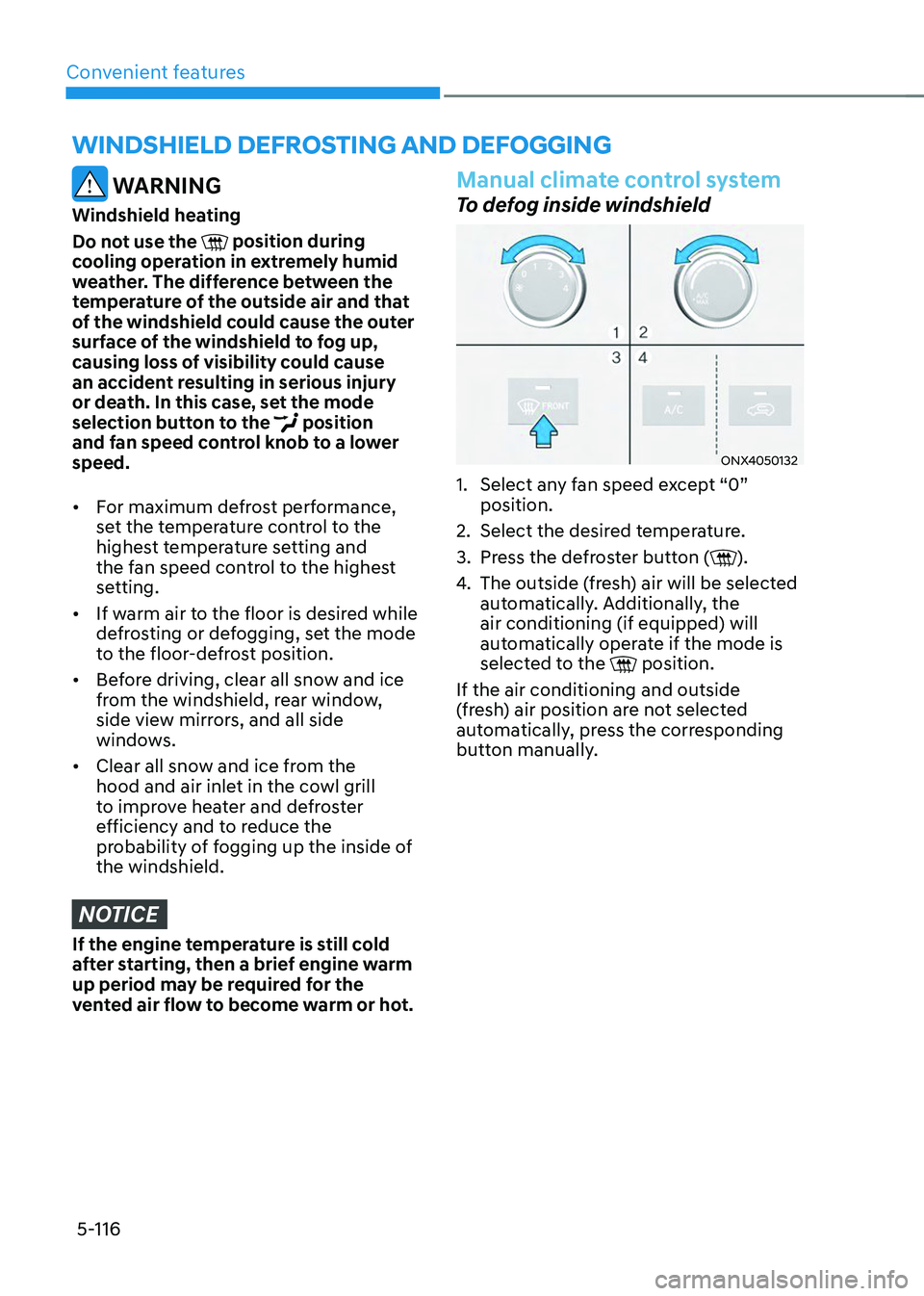
Manual climate control system
To defog inside windshield
ONX4050132
1. Select any fan speed except “0”
position.
2. Select the desired temperature.
3. Press the defroster button ().
4. The outside (fresh) air will be selected
automatically. Additionally, the
air conditioning (if equipped) will
automatically operate if the mode is
selected to the
position.
If the air conditioning and outside
(fresh) air position are not selected
automatically, press the corresponding
button manually.
WINDSHIELD DEFROSTING AND DEFOGGING
Page 263 of 638
05
5-119
Rear window defrosterNOTICE
To prevent damage to the rear window
defroster conducting elements bonded
to the inside surface of the rear window,
never use sharp instruments or window
cleaners containing abrasives to clean
the window.
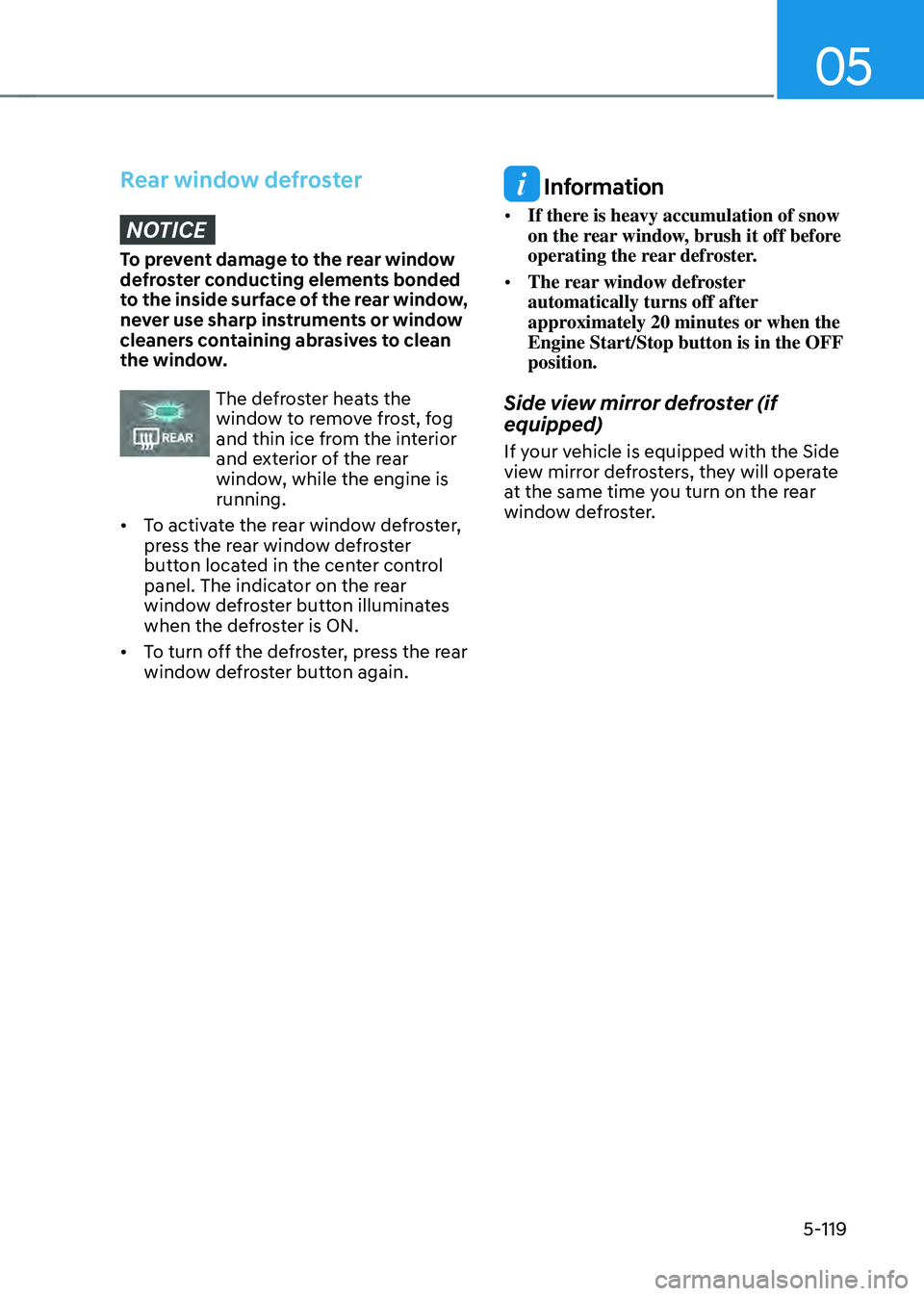
The defroster heats the window to remove frost, fog
and thin ice from the interior
and exterior of the rear
window, while the engine is
running.
• To activate the rear window defroster,
press the rear window defroster
button located in the center control
panel. The indicator on the rear
window defroster button illuminates
when the defroster is ON.
• To turn off the defroster, press the rear
window defroster button again.
Information
• If there is heavy accumulation of snow
on the rear window, brush it off before
operating the rear defroster.
• The rear window defroster
automatically turns off after
approximately 20 minutes or when the
Engine Start/Stop button is in the OFF
position.
Side view mirror defroster (if
equipped)
If your vehicle is equipped with the Side
view mirror defrosters, they will operate
at the same time you turn on the rear
window defroster.
Page 269 of 638
05
5-125
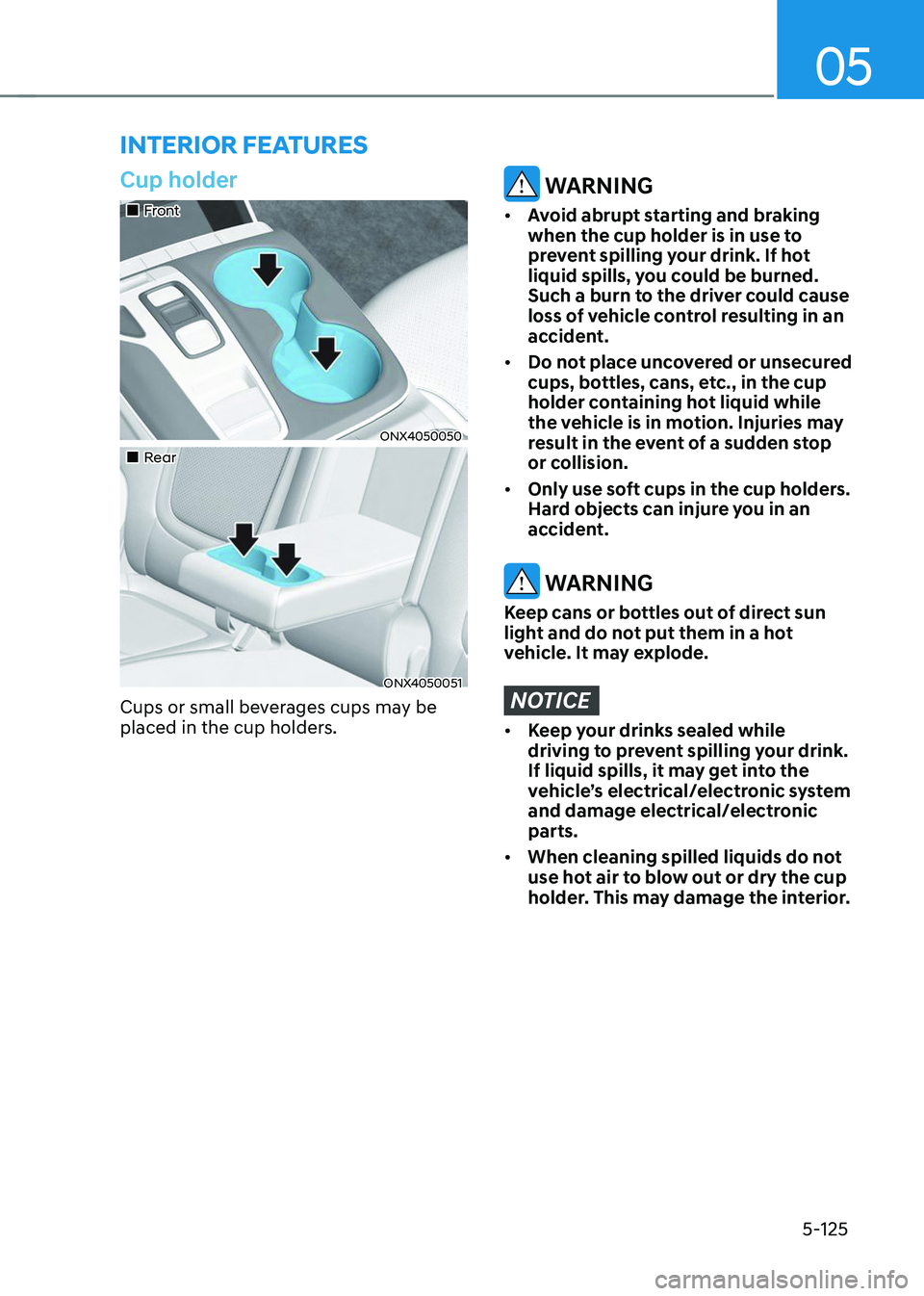
Cup holder
„„Front
ONX4050050
„„Rear
ONX4050051
Cups or small beverages cups may be
placed in the cup holders.
WARNING
• Avoid abrupt starting and braking
when the cup holder is in use to
prevent spilling your drink. If hot
liquid spills, you could be burned.
Such a burn to the driver could cause
loss of vehicle control resulting in an
accident.
• Do not place uncovered or unsecured
cups, bottles, cans, etc., in the cup
holder containing hot liquid while
the vehicle is in motion. Injuries may
result in the event of a sudden stop
or collision.
• Only use soft cups in the cup holders.
Hard objects can injure you in an
accident.
WARNING
Keep cans or bottles out of direct sun
light and do not put them in a hot
vehicle. It may explode.
NOTICE
• Keep your drinks sealed while
driving to prevent spilling your drink.
If liquid spills, it may get into the
vehicle’s electrical/electronic system
and damage electrical/electronic
parts.
• When cleaning spilled liquids do not
use hot air to blow out or dry the cup
holder. This may damage the interior.
INTERIOR FEATURES
Page 270 of 638
Convenient features
5-126
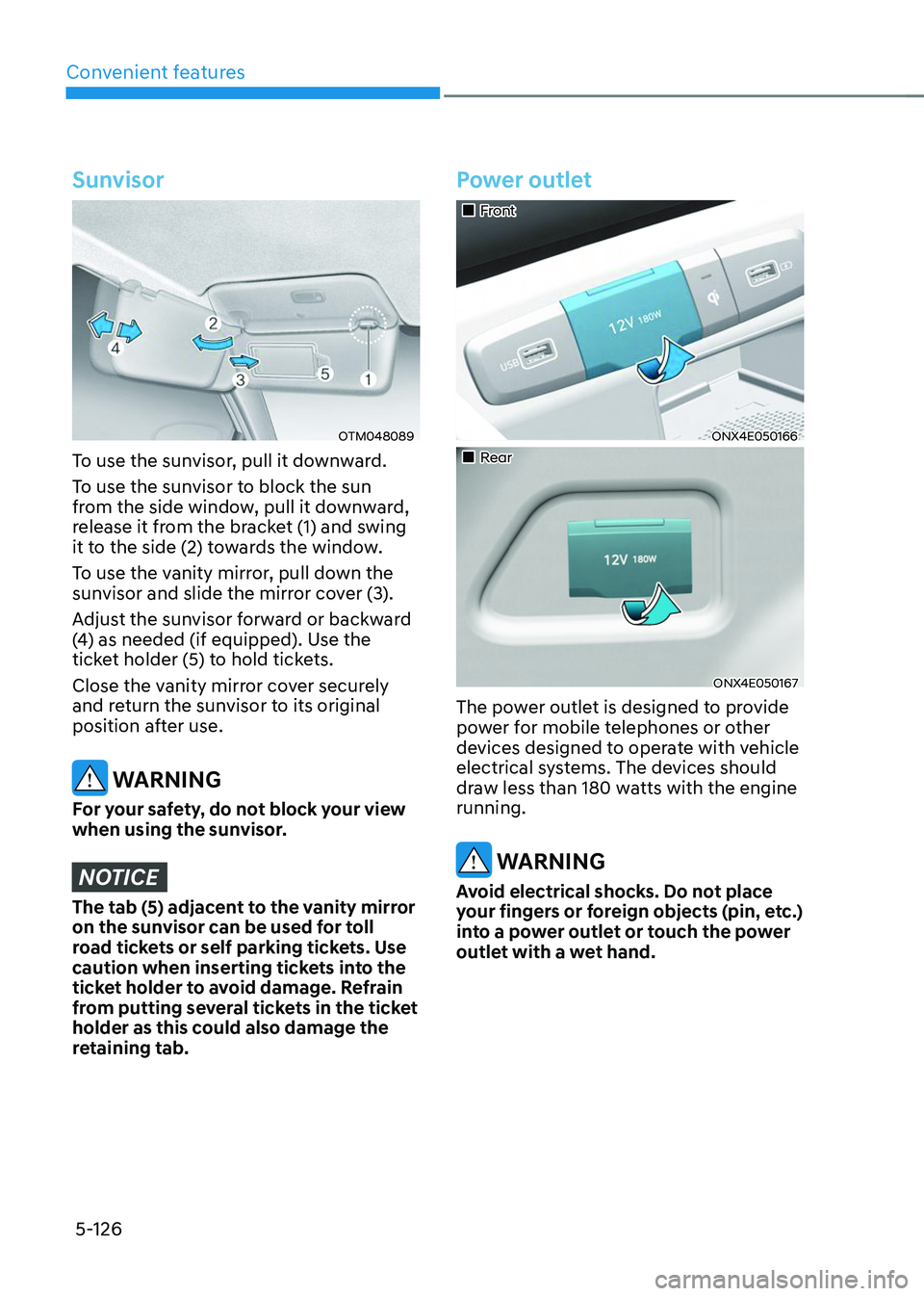
Sunvisor
OTM048089
To use the sunvisor, pull it downward.
To use the sunvisor to block the sun
from the side window, pull it downward,
release it from the bracket (1) and swing
it to the side (2) towards the window.
To use the vanity mirror, pull down the
sunvisor and slide the mirror cover (3).
Adjust the sunvisor forward or backward
(4) as needed (if equipped). Use the
ticket holder (5) to hold tickets.
Close the vanity mirror cover securely
and return the sunvisor to its original
position after use.
WARNING
For your safety, do not block your view
when using the sunvisor.
NOTICE
The tab (5) adjacent to the vanity mirror
on the sunvisor can be used for toll
road tickets or self parking tickets. Use
caution when inserting tickets into the
ticket holder to avoid damage. Refrain
from putting several tickets in the ticket
holder as this could also damage the
retaining tab.
Power outlet
„„Front
ONX4E050166
„„Rear
ONX4E050167
The power outlet is designed to provide
power for mobile telephones or other
devices designed to operate with vehicle
electrical systems. The devices should
draw less than 180 watts with the engine
running.
WARNING
Avoid electrical shocks. Do not place
your fingers or foreign objects (pin, etc.)
into a power outlet or touch the power
outlet with a wet hand.