reset HYUNDAI TUCSON HYBRID 2022 Owner's Manual
[x] Cancel search | Manufacturer: HYUNDAI, Model Year: 2022, Model line: TUCSON HYBRID, Model: HYUNDAI TUCSON HYBRID 2022Pages: 630, PDF Size: 77.98 MB
Page 222 of 630
05
5-65
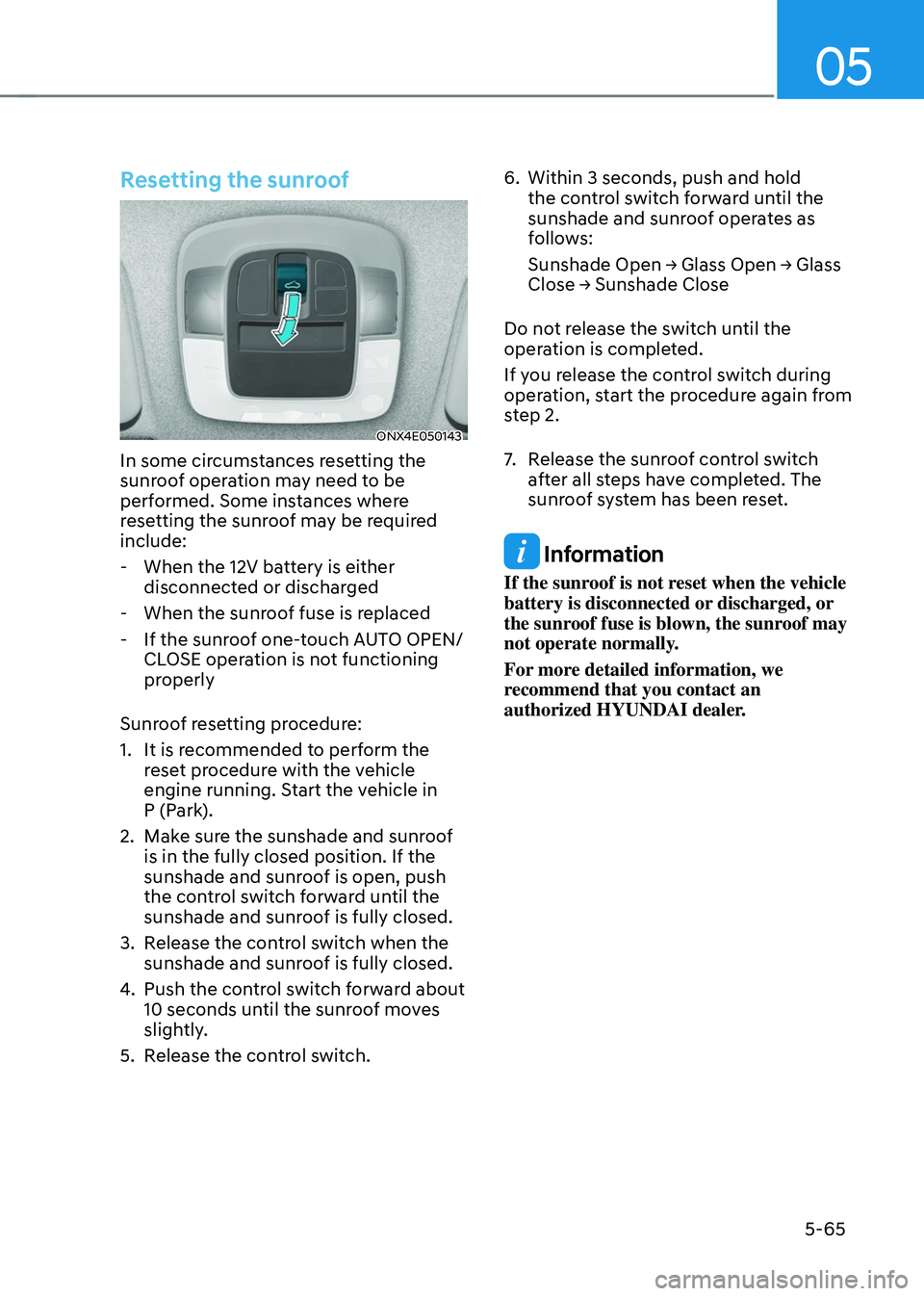
Resetting the sunroof
ONX4E050143
In some circumstances resetting the
sunroof operation may need to be
performed. Some instances where
resetting the sunroof may be required
include:
- When the 12V batt
ery is either
disconnected or discharged
- When the sunroo
f fuse is replaced
- If the sunroo
f one-touch AUTO OPEN/
CLOSE operation is not functioning
properly
Sunroof resetting procedure:
1.
It is recommended t
o perform the
reset procedure with the vehicle
engine running. Start the vehicle in
P (Park).
2.
Make sur
e the sunshade and sunroof
is in the fully closed position. If the
sunshade and sunroof is open, push
the control switch forward until the
sunshade and sunroof is fully closed.
3.
Release the con
trol switch when the
sunshade and sunroof is fully closed.
4.
Push the contr
ol switch forward about
10 seconds until the sunroof moves
slightly.
5.
Release the con
trol switch. 6.
Within 3 seconds, push and hold
the contr
ol switch forward until the
sunshade and sunroof operates as
follows:
Sunshade
Open → Glass Open → Glass Close → Sunshade Close
Do no
t release the switch until the
operation is completed.
If you release the control switch during
operation, start the procedure again from
step 2.
7. Release the sunr oof control switch
after all steps have completed. The
sunroof system has been reset.
Information
If the sunroof is not reset when the vehicle
battery is disconnected or discharged, or
the sunroof fuse is blown, the sunroof may
not operate normally.
For more detailed information, we
recommend that you contact an
authorized HYUNDAI dealer.
Page 231 of 630
Convenient features
5 -74
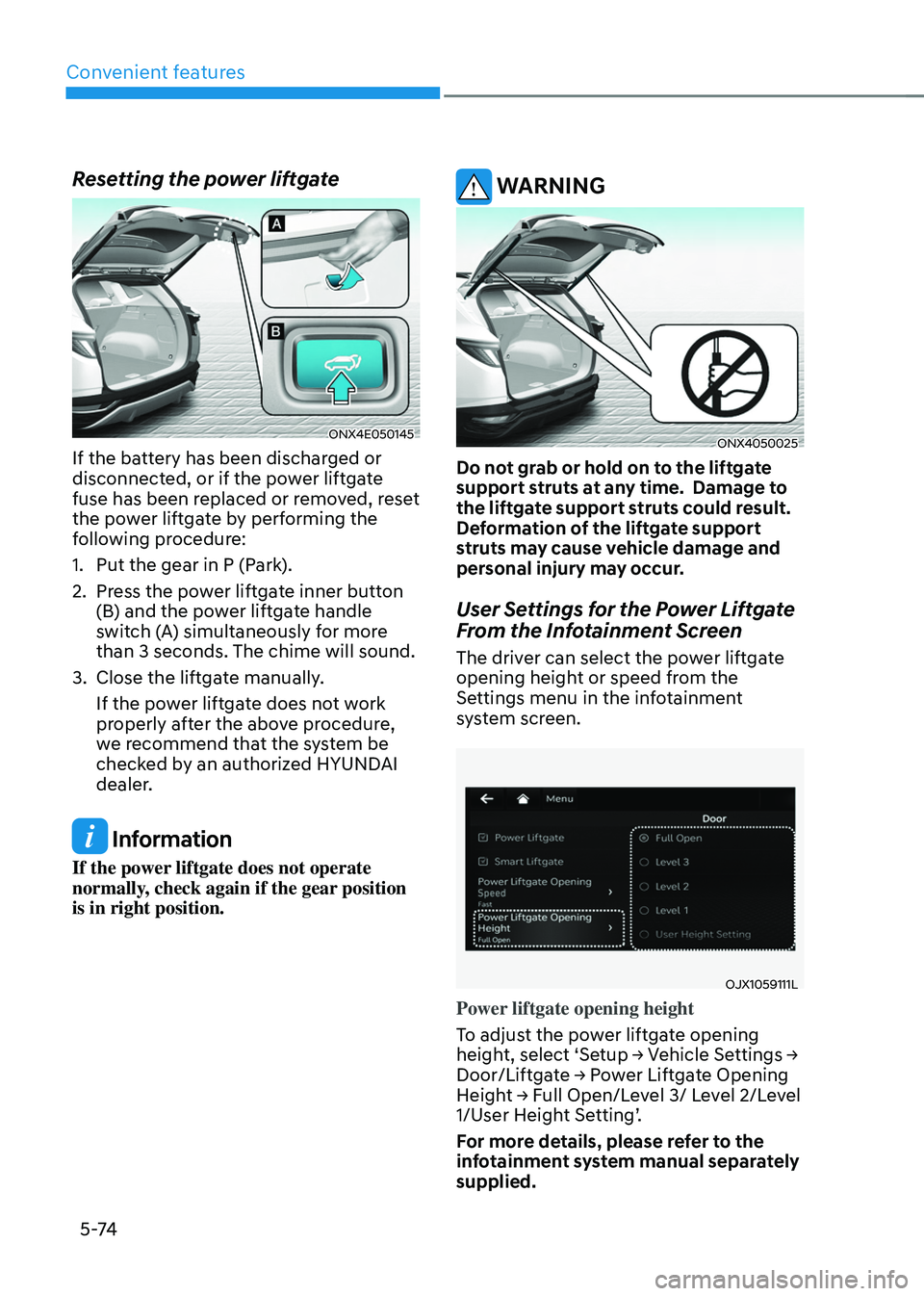
Resetting the power liftgate
ONX4E050145
If the battery has been discharged or
disconnected, or if the power liftgate
fuse has been replaced or removed, reset
the power liftgate by performing the
following procedure:
1.
Put the gear in P (Park
).
2.
Press the po
wer liftgate inner button
(B) and the power liftgate handle
switch (A) simultaneously for more
than 3 seconds. The chime will sound.
3.
Close the liftga
te manually.
If the power liftgate does not work
properly after the above procedure,
we recommend that the system be
checked by an authorized HYUNDAI
dealer.
Information
If the power liftgate does not operate
normally, check again if the gear position
is in right position.
WARNING
ONX4050025
Do not grab or hold on to the liftgate
support struts at any time. Damage to
the liftgate support struts could result.
Deformation of the liftgate support
struts may cause vehicle damage and
personal injury may occur.
User Settings for the Power Liftgate
From the Infotainment Screen
The driver can select the power liftgate
opening height or speed from the
Settings menu in the infotainment
system screen.
OJX1059111L
Power liftgate opening height
To adjust the power liftgate opening
height,
select ‘Se
tup
→ V
ehicle
Se
ttings
→ Door/Liftga
te
→ P
ower
Lift
gate
Opening Heigh
t
→ F
ull
Open/L
evel
3/ L
evel
2/L
evel
1/User H
eight Setting’.
For more details, please refer to the
infotainment system manual separately
supplied.
Page 259 of 630
Convenient features
5-102
Adjusting the driver and passenger side
temperature individually
• Press the SYNC button (indicator
light OFF) again to adjust the driver
and passenger side temperature
individually.
Temperature conversion
If the battery has been discharged or
disconnected, the temperature mode
display will reset to Fahrenheit.
To change the temperature unit from °C
to °F or °F to °C :
- Instrumen
t cluster or infotainment
system screen
Go
t
o
Se
tup
→ Unit → T
emperature
unit.
The t
emperature unit on both the cluster
LCD display and the climate control
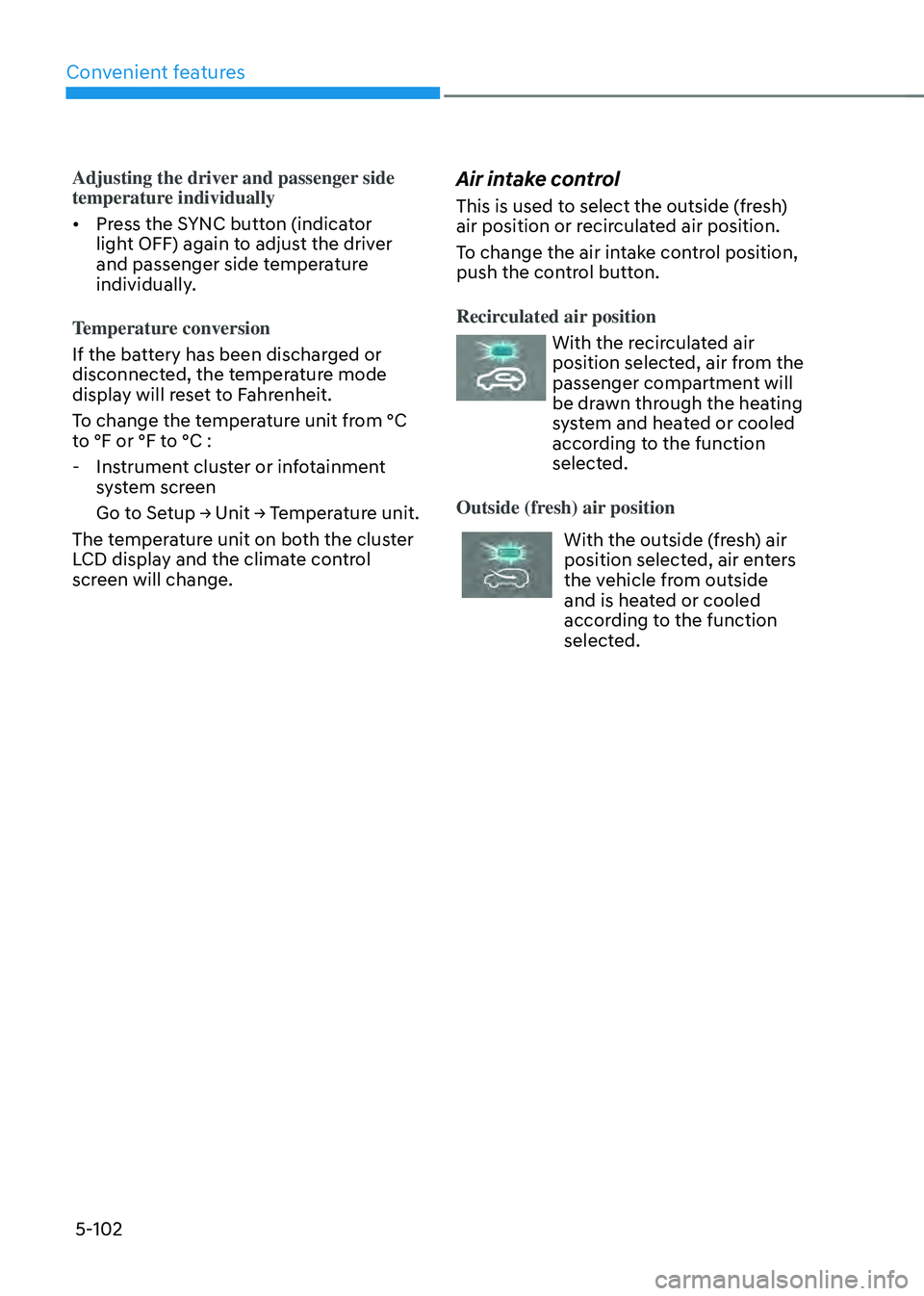
screen will change.Air intake control
This is used to select the outside (fresh)
air position or recirculated air position.
To change the air intake control position,
push the control button.
Recirculated air position
With the recirculated air
position selected, air from the
passenger compartment will
be drawn through the heating
system and heated or cooled
according to the function
selected.
Outside (fresh) air position
With the outside (fresh) air
position selected, air enters
the vehicle from outside
and is heated or cooled
according to the function
selected.
Page 268 of 630
05
5-111
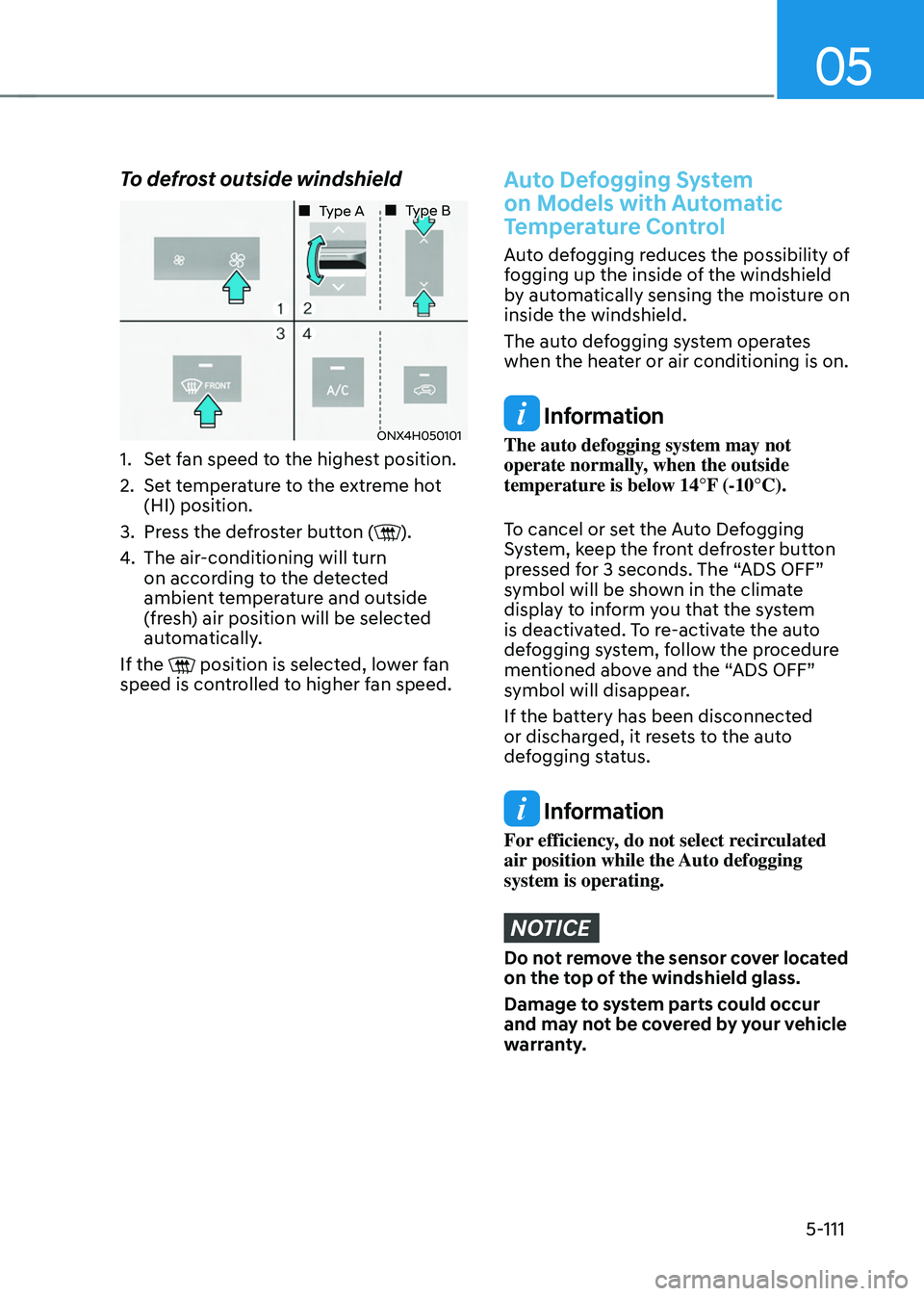
To defrost outside windshield
ONX4H050101
„„ Type A„„ Type B
1. Set fan speed to the highest position.
2.
Set t
emperature to the extreme hot
(HI) position.
3.
Press the de
froster button (
).
4.
The air-conditioning will turn
on accor
ding to the detected
ambient temperature and outside
(fresh) air position will be selected
automatically.
If the
position is selected, lower fan
speed is controlled to higher fan speed.
Auto Defogging System
on Models with Automatic
Temperature Control
Auto defogging reduces the possibility of
fogging up the inside of the windshield
by automatically sensing the moisture on
inside the windshield.
The auto defogging system operates
when the heater or air conditioning is on.
Information
The auto defogging system may not
operate normally, when the outside
temperature is below 14°F (-10°C).
To cancel or set the Auto Defogging
System, keep the front defroster button
pressed for 3 seconds. The “ADS OFF”
symbol will be shown in the climate
display to inform you that the system
is deactivated. To re-activate the auto
defogging system, follow the procedure
mentioned above and the “ADS OFF”
symbol will disappear.
If the battery has been disconnected
or discharged, it resets to the auto
defogging status.
Information
For efficiency, do not select recirculated
air position while the Auto defogging
system is operating.
NOTICE
Do not remove the sensor cover located
on the top of the windshield glass.
Damage to system parts could occur
and may not be covered by your vehicle
warranty.
Page 286 of 630
05
5-129
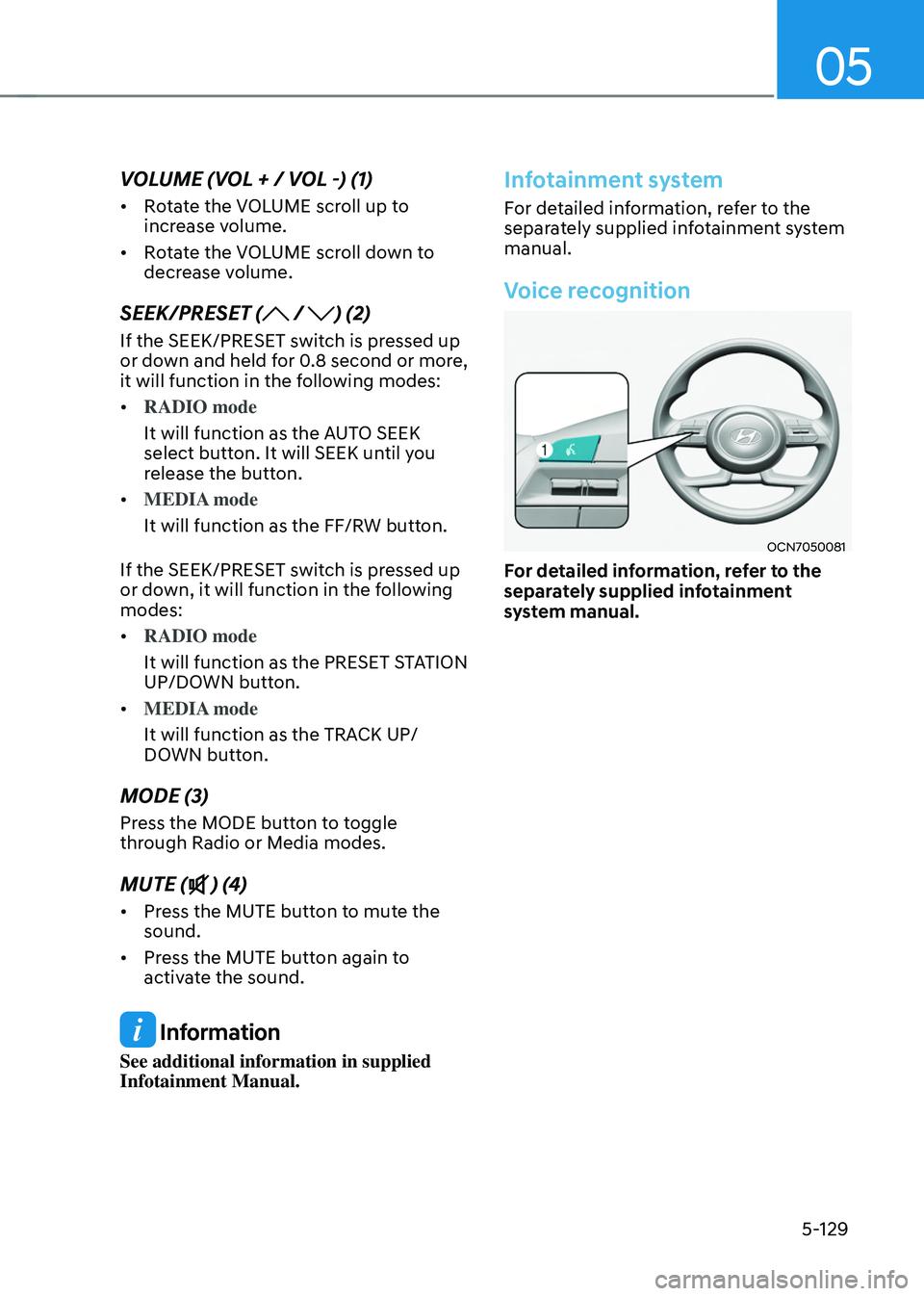
VOLUME (VOL + / VOL -) (1)
• Rotate the VOLUME scroll up to
increase volume.
• Rotate the VOLUME scroll down to
decrease volume.
SEEK/PRESET ( / ) (2)
If the SEEK/PRESET switch is pressed up
or down and held for 0.8 second or more,
it will function in the following modes:
• RADIO mode
It will function as the AUTO SEEK
select button. It will SEEK until you
release the button.
• MEDIA mode
It will function as the FF/RW button.
If the SEEK/PRESET switch is pressed up
or down, it will function in the following
modes:
• RADIO mode
It will function as the PRESET STATION
UP/DOWN button.
• MEDIA mode
It will function as the TRACK UP/
DOWN button.
MODE (3)
Press the MODE button to toggle
through Radio or Media modes.
MUTE () (4)
• Press the MUTE button to mute the
sound.
• Press the MUTE button again to
activate the sound.
Information
See additional information in supplied
Infotainment Manual.
Infotainment system
For detailed information, refer to the
separately supplied infotainment system
manual.
Voice recognition
OCN7050081
For detailed information, refer to the
separately supplied infotainment
system manual.
Page 298 of 630
06
6-11
NOTICE
To prevent damage to the vehicle:
Do not press the Engine Start/Stop
button for more than 10 seconds except
when the stop lamp fuse is blown.
When the stop lamp fuse is blown,
you cannot normally start the hybrid
system. Replace the fuse with a new
one. If you are not able to replace
the fuse, you can start the vehicle by
pressing and holding the Engine Start/
Stop button for 10 seconds with the
Engine Start/Stop button in the ACC
position.
For your safety always depress the
brake pedal before starting the vehicle.
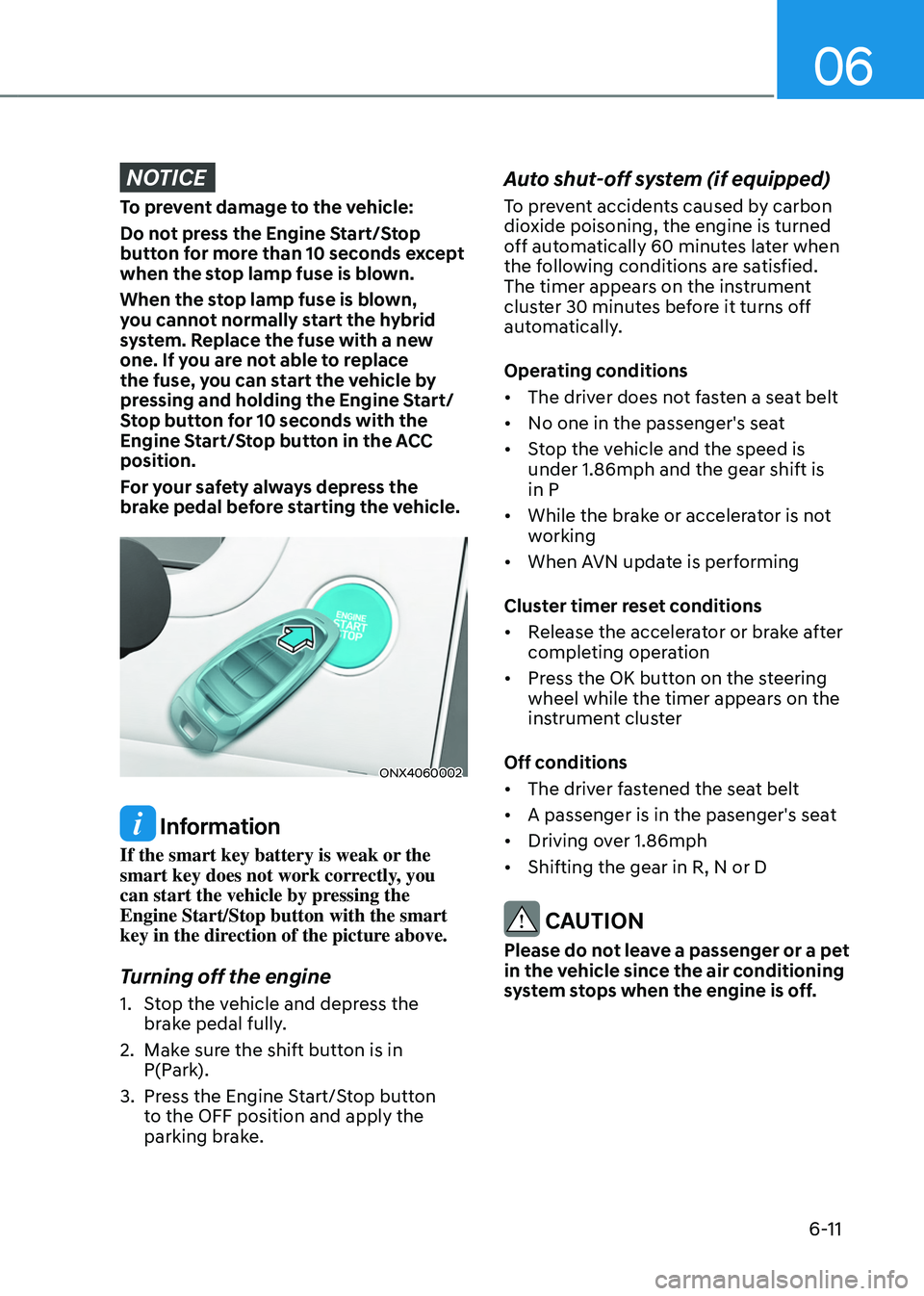
ONX4060002
Information
If the smart key battery is weak or the
smart key does not work correctly, you
can start the vehicle by pressing the
Engine Start/Stop button with the smart
key in the direction of the picture above.
Turning off the engine
1. Stop the vehicle and depress the
brake pedal fully.
2.
Make sur
e the shift button is in
P(Park).
3.
Press the E
ngine Start/Stop button
to the OFF position and apply the
parking brake.
Auto shut-off system (if equipped)
To prevent accidents caused by carbon
dioxide poisoning, the engine is turned
off automatically 60 minutes later when
the following conditions are satisfied.
The timer appears on the instrument
cluster 30 minutes before it turns off
automatically.
Operating conditions
• The driver does not fasten a seat belt
• No one in the passenger's seat
• Stop the vehicle and the speed is
under 1.86mph and the gear shift is
in P
• While the brake or accelerator is not
working
• When AVN update is performing
Cluster timer reset conditions
• Release the accelerator or brake after
completing operation
• Press the OK button on the steering
wheel while the timer appears on the
instrument cluster
Off conditions
• The driver fastened the seat belt
• A passenger is in the pasenger's seat
• Driving over 1.86mph
• Shifting the gear in R, N or D
CAUTION
Please do not leave a passenger or a pet
in the vehicle since the air conditioning
system stops when the engine is off.
Page 335 of 630
Driving your vehicle
6-48
dRiVe mode integRated ContRoL system (aWd)
(if equipped)
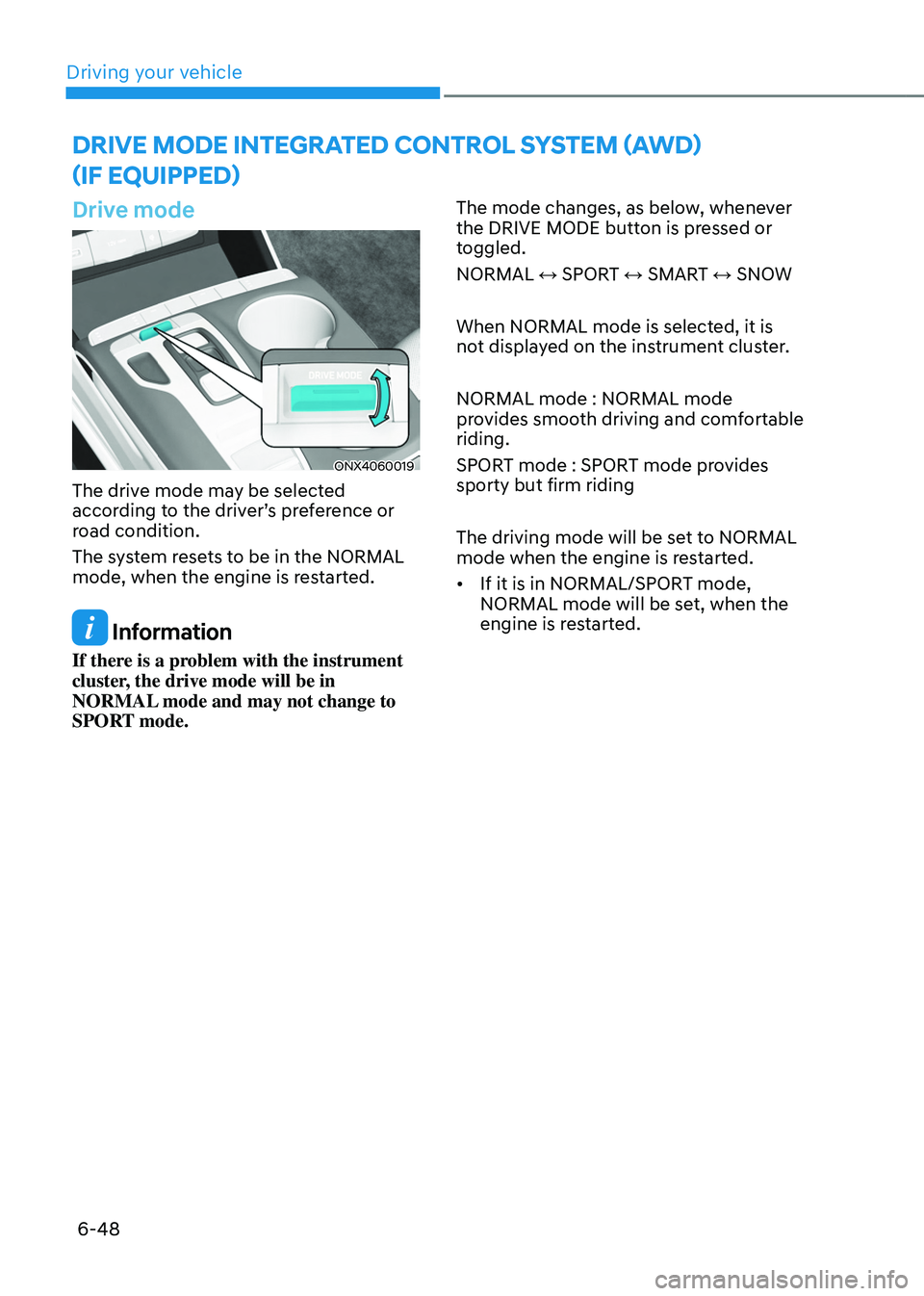
Drive mode
ONX4060019
The drive mode may be selected
according to the driver’s preference or
road condition.
The system resets to be in the NORMAL
mode, when the engine is restarted.
Information
If there is a problem with the instrument
cluster, the drive mode will be in
NORMAL mode and may not change to
SPORT mode. The mode changes, as below, whenever
the DRIVE MODE button is pressed or
toggled.
NORMAL ↔ SPORT ↔ SMART ↔ SNOW
When NORMAL mode is selected, it is
not displayed on the instrument cluster.
NORMAL mode : NORMAL mode
provides smooth driving and comfortable
riding.
SPORT mode : SPORT mode provides
sporty but firm riding
The driving mode will be set to NORMAL
mode when the engine is restarted.
•
If it is in NORMAL/SPORT mode,
NORMAL mode will be set, when the
engine is restarted.
Page 415 of 630
Driver assistance system7-56
OTM070111L
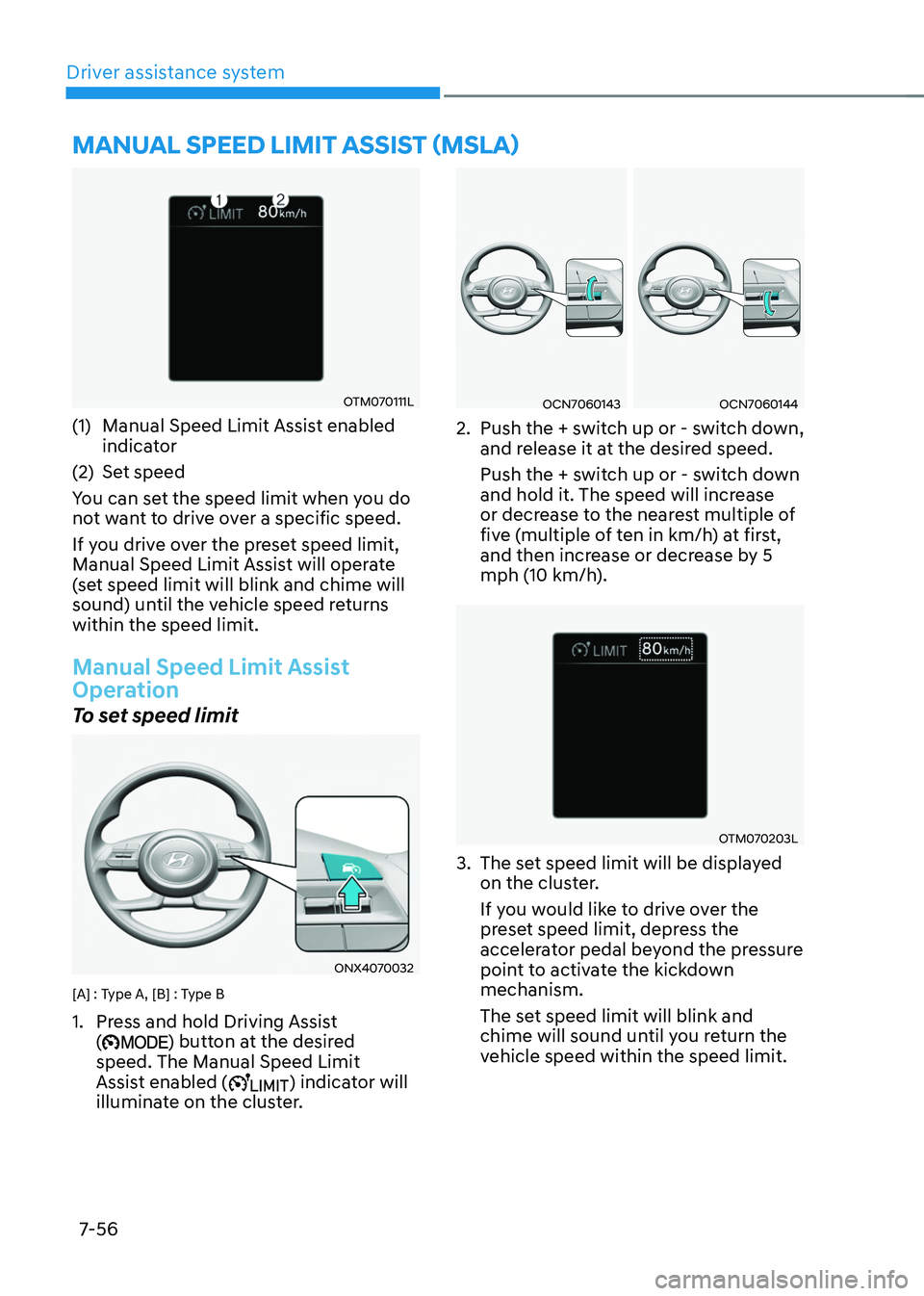
(1) Manual Speed Limit Assist enabled
indica tor
(2)
Set speed
Y
ou can set the speed limit when you do
not want to drive over a specific speed.
If you drive over the preset speed limit,
Manual Speed Limit Assist will operate
(set speed limit will blink and chime will
sound) until the vehicle speed returns
within the speed limit.
Manual Speed Limit Assist
Operation
To set speed limit
ONX4070032
[A] : Type A, [B] : Type B
1. Press and hold Driving Assist
() button at the desired
speed. The Manual Speed Limit
Assist enabled (
) indicator will
illuminate on the cluster.
OCN7060143OCN7060144
2. Push the + swit ch up or - switch down,
and release it at the desired speed.
Push the + switch up or - switch down
and hold it. The speed will increase
or decrease to the nearest multiple of
five (multiple of ten in km/h) at first,
and then increase or decrease by 5
mph (10 km/h).
OTM070203L
3. The set speed limit will be displayed
on the clus ter.
If you would like to drive over the
preset speed limit, depress the
accelerator pedal beyond the pressure
point to activate the kickdown
mechanism.
The set speed limit will blink and
chime will sound until you return the
vehicle speed within the speed limit.
manual speed limit assist (msla)
Page 416 of 630
07
7-57
Information
• When the accelerator pedal is not
depressed beyond the pressure point,
vehicle speed will maintain within the
speed limit.
• A clicking sound may be heard from
the kickdown mechanism when the
accelerator pedal is depressed beyond
the pressure point.
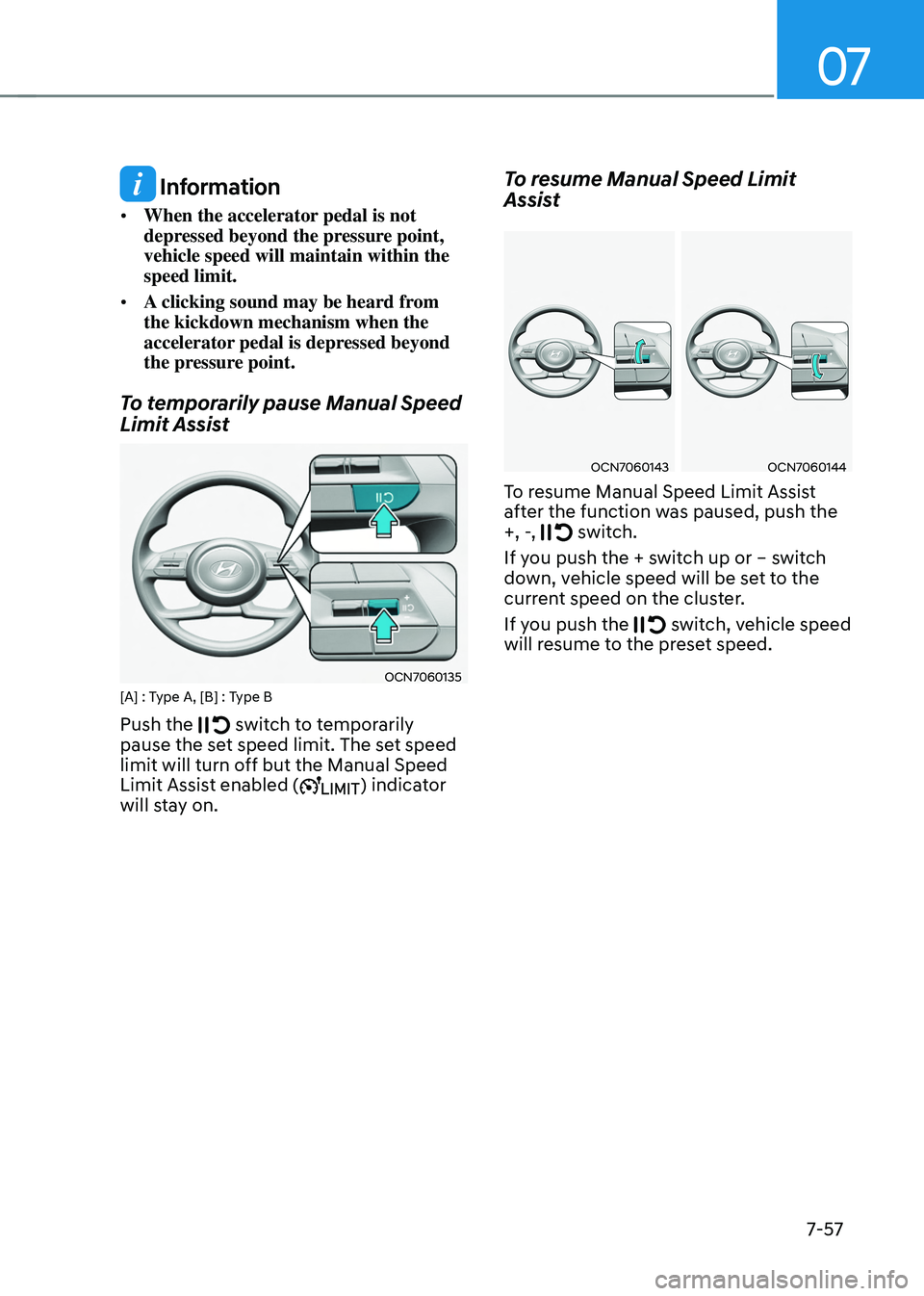
To temporarily pause Manual Speed
Limit Assist
OCN7060135[A] : Type A, [B] : Type B
Push the switch to temporarily
pause the set speed limit. The set speed
limit will turn off but the Manual Speed
Limit Assist enabled (
) indicator
will stay on.
To resume Manual Speed Limit
Assist
OCN7060143OCN7060144
To resume Manual Speed Limit Assist
after the function was paused, push the
+, -,
switch.
If you push the + switch up or – switch
down, vehicle speed will be set to the
current speed on the cluster.
If you push the
switch, vehicle speed
will resume to the preset speed.
Page 425 of 630
Driver assistance system
7-66
• The driver’s attention lev el is display ed on the scale of 1 t
o 5. The lower the
level is, the more inattentive the driver
is.
• The level decreases when the driver
does not take a break for a certain
period of time.
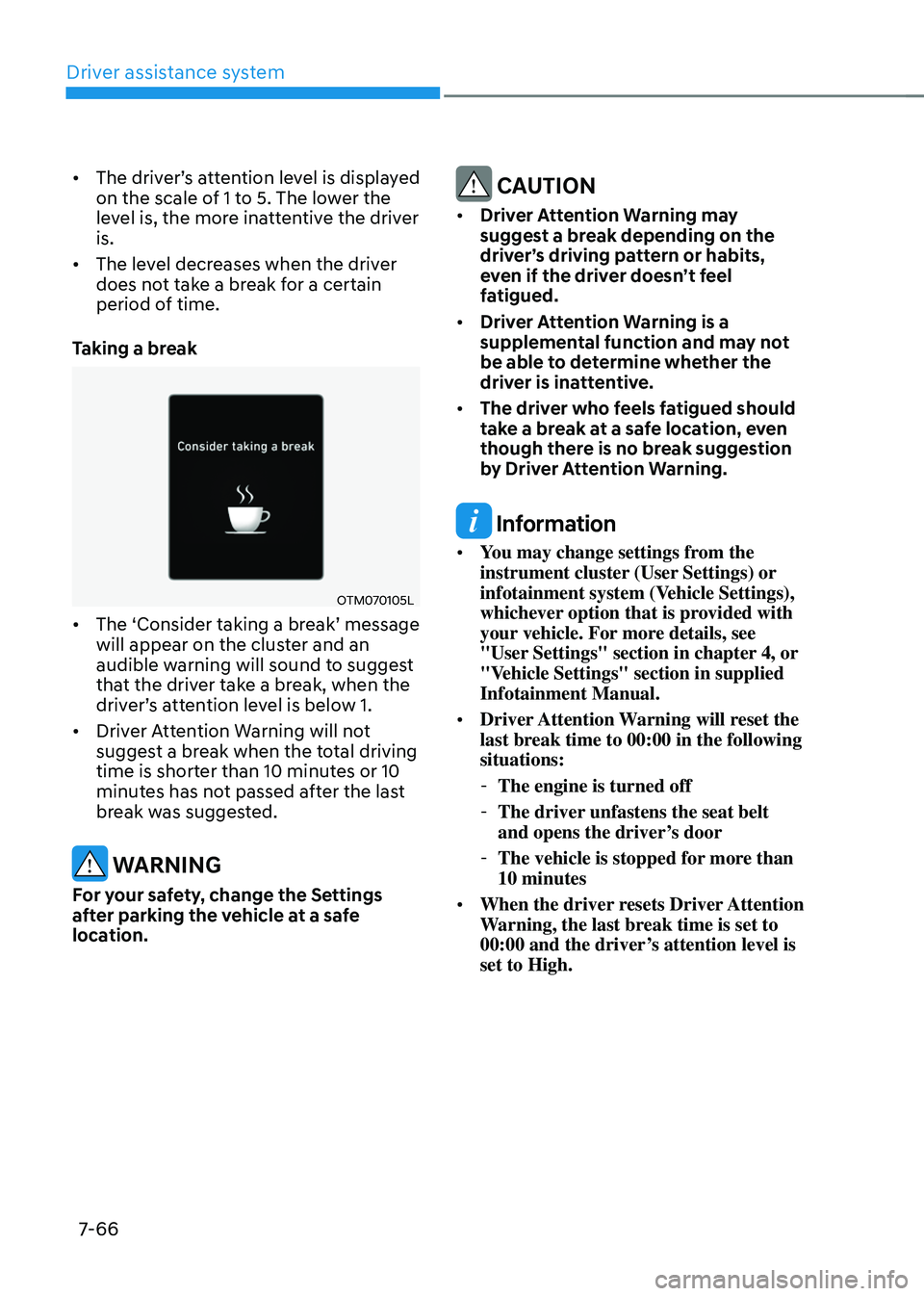
Taking a break
OTM070105L
• The ‘Consider taking a br eak’ message will appear on the clust
er and an
audible warning will sound to suggest
that the driver take a break, when the
driver’s
a
ttention
le
vel
is belo
w
1.
• Driver A
ttention Warning will not
suggest a break when the total driving
time is shorter than 10 minutes or 10
minutes has not passed after the last
break was suggested.
WARNING
For your safety, change the Settings
after parking the vehicle at a safe
location.
CAUTION
• Driver Attention Warning may
suggest a break depending on the
driver’s driving pattern or habits,
even if the driver doesn’t feel
fatigued.
• Driver Attention Warning is a
supplemental function and may not
be able to determine whether the
driver is inattentive.
• The driver who feels fatigued should
take a break at a safe location, even
though there is no break suggestion
by Driver Attention Warning.
Information
• You may change settings from the
instrument cluster (User Settings) or
infotainment system (Vehicle Settings),
whichever option that is provided with
your vehicle. For more details, see
"User Settings" section in chapter 4, or
"Vehicle Settings" section in supplied
Infotainment Manual.
• Driver Attention Warning will reset the
last break time to 00:00 in the following
situations:
-The engine is turned off
-The driver unfastens the seat belt
and opens the driver
’s door
-The vehicle is stopped for mor
e than
10 minutes
• When the driver resets Driver Attention
Warning, the last break time is set to
00:00 and the driver’s attention level is
set to High.