Chapter 5 HYUNDAI TUCSON LIMITED 2017 User Guide
[x] Cancel search | Manufacturer: HYUNDAI, Model Year: 2017, Model line: TUCSON LIMITED, Model: HYUNDAI TUCSON LIMITED 2017Pages: 642, PDF Size: 9.78 MB
Page 148 of 642
3-50
Convenient features of your vehicle
Information
Make sure to refuel your vehicle
according to the "Fuel Requirements"
suggested in the Introduction chapter.
Do not spill fuel on the exteriorsurfaces of the vehicle. Any type of fuel spilled on painted sur-
faces may damage the paint.
If the fuel filler cap requires replacement, use only a genuine
HYUNDAI cap or the equivalent
specified for your vehicle. Anincorrect fuel filler cap canresult in a serious malfunctionof the fuel system or emission
control system.
NOTICE
i(Continued)
Once refueling has begun,
contact between your bare
hand and the vehicle shouldbe maintained until the filling
is complete.
Use only approved portable
plastic fuel containers designed
to carry and store gasoline.
When refueling, always move
the shift lever to the P (Park)
position, set the parking
brake, and place the ignition
switch to the LOCK/OFF posi-
tion. Sparks produced byelectrical components relatedto the engine can ignite fuel
vapors causing a fire.
Do not use matches or a lighter and do not smoke or
leave a lit cigarette in your
vehicle while at a gas station,
especially during refueling.
Do not over-fill or top-off your
vehicle tank, which can cause
gasoline spillage. (Continued)
(Continued)
If a fire breaks out during refu-
eling, leave the vicinity of the
vehicle, and immediately con-
tact the manager of the gasstation and then contact the
local fire department. Follow
any safety instructions they
provide.
If pressurized fuel sprays out,
it can cover your clothes or
skin and thus subject you to
the risk of fire and burns.
Always remove the fuel cap
carefully and slowly. If the cap
is venting fuel or if you hear a
hissing sound, wait until the
condition stops before com-
pletely removing the cap.
Always check that the fuel cap
is installed securely to pre-
vent fuel spillage in the eventof an accident.
Page 150 of 642
3-52
Emergency liftgate safetyrelease
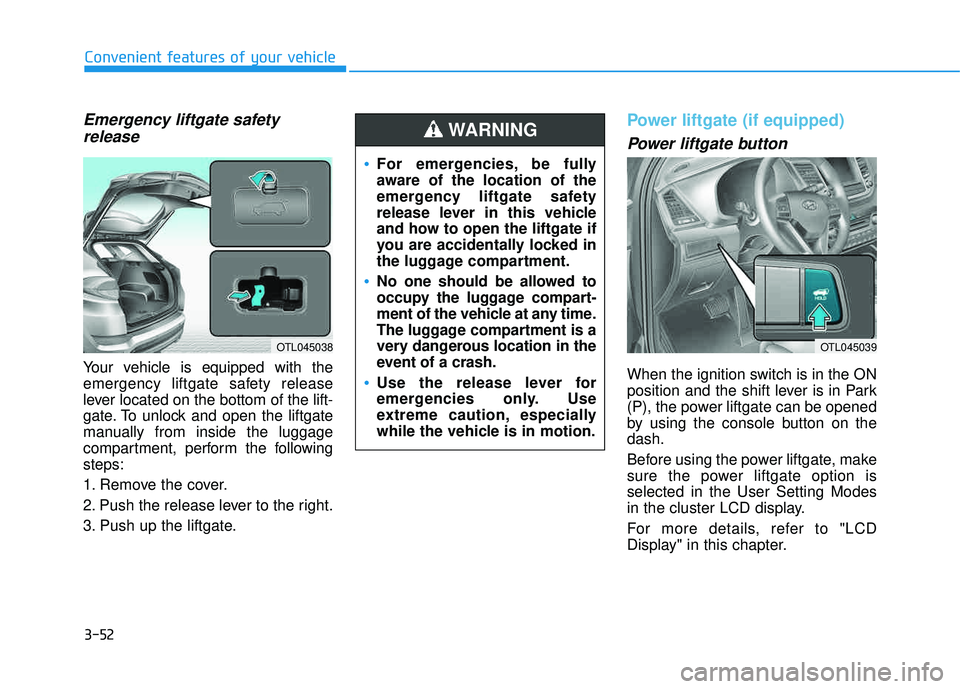
Your vehicle is equipped with the
emergency liftgate safety release
lever located on the bottom of the lift-
gate. To unlock and open the liftgate
manually from inside the luggage
compartment, perform the followingsteps:
1. Remove the cover.
2. Push the release lever to the right.
3. Push up the liftgate.
Power liftgate (if equipped)
Power liftgate button
When the ignition switch is in the ON
position and the shift lever is in Park
(P), the power liftgate can be opened
by using the console button on thedash.
Before using the power liftgate, make
sure the power liftgate option isselected in the User Setting Modes
in the cluster LCD display.
For more details, refer to "LCD
Display" in this chapter.
Convenient features of your vehicle
OTL045038
For emergencies, be fully
aware of the location of the
emergency liftgate safety
release lever in this vehicle
and how to open the liftgate if
you are accidentally locked in
the luggage compartment.
No one should be allowed to
occupy the luggage compart-
ment of the vehicle at any time.
The luggage compartment is a
very dangerous location in the
event of a crash.
Use the release lever for
emergencies only. Use
extreme caution, especially
while the vehicle is in motion.
WARNING
OTL045039
Page 158 of 642
3-60
1. Setting
To activate the Smart Liftgate, go to User Settings Mode and select
Smart Liftgate on the LCD display. ❈For more details, refer to "LCD
Display" in this chapter.
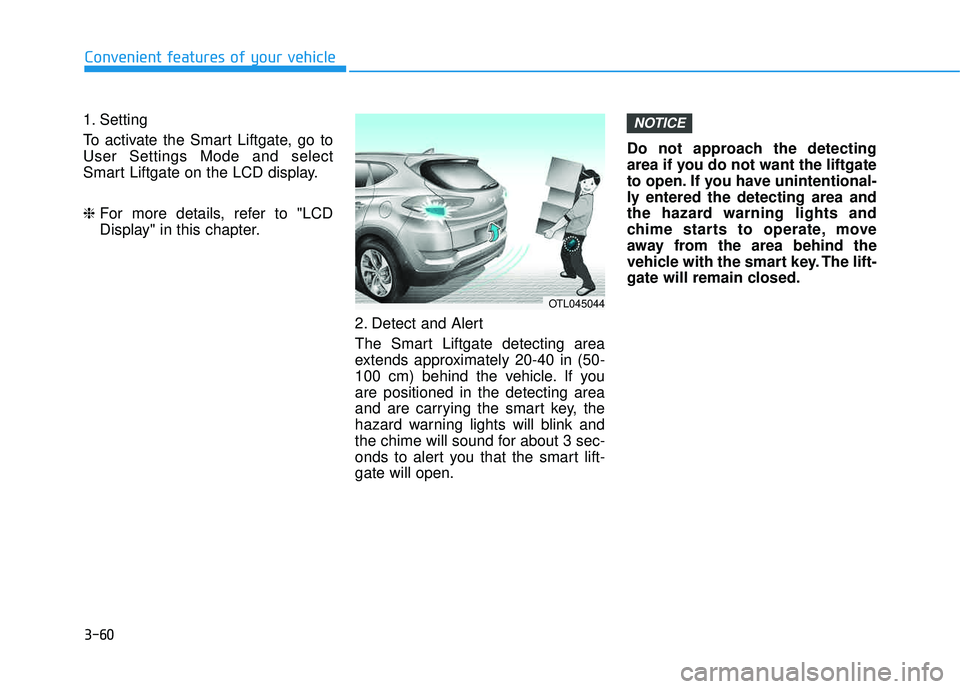
2. Detect and Alert
The Smart Liftgate detecting area
extends approximately 20-40 in (50-
100 cm) behind the vehicle. If youare positioned in the detecting area
and are carrying the smart key, the
hazard warning lights will blink and
the chime will sound for about 3 sec-
onds to alert you that the smart lift-gate will open. Do not approach the detecting
area if you do not want the liftgate
to open. If you have unintentional-
ly entered the detecting area and
the hazard warning lights and
chime starts to operate, move
away from the area behind the
vehicle with the smart key. The lift-
gate will remain closed.NOTICE
Convenient features of your vehicle
OTL045044
Page 162 of 642
3-64
Convenient features of your vehicle
Instrument Cluster Control
Adjusting instrument clusterillumination
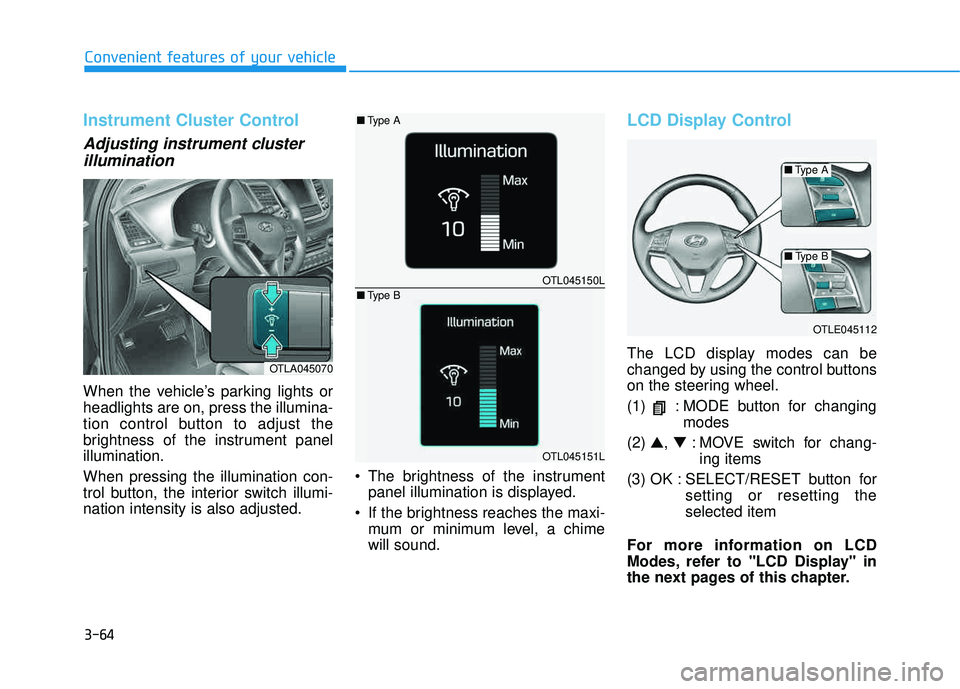
When the vehicle’s parking lights or headlights are on, press the illumina-
tion control button to adjust the
brightness of the instrument panelillumination. When pressing the illumination con-
trol button, the interior switch illumi-nation intensity is also adjusted. The brightness of the instrument
panel illumination is displayed.
If the brightness reaches the maxi- mum or minimum level, a chimewill sound.
LCD Display Control
The LCD display modes can be
changed by using the control buttons
on the steering wheel.
(1) : MODE button for changing modes
(2) ▲, ▼ : MOVE switch for chang-
ing items
(3) OK : SELECT/RESET button for setting or resetting the selected item
For more information on LCD
Modes, refer to "LCD Display" in
the next pages of this chapter.OTLA045070
OTLE045112
OTL045150L
OTL045151L
■ Type A
■Type A
■Type B
■ Type B
Page 164 of 642
3-66
Convenient features of your vehicle
If the gauge pointer moves
beyond the normal range area
toward the "H" position, it indi-
cates overheating that may dam-
age the engine.
Do not continue driving with an
overheated engine. If your vehicle
overheats, refer to "If the Engine
Overheats" in chapter 6.
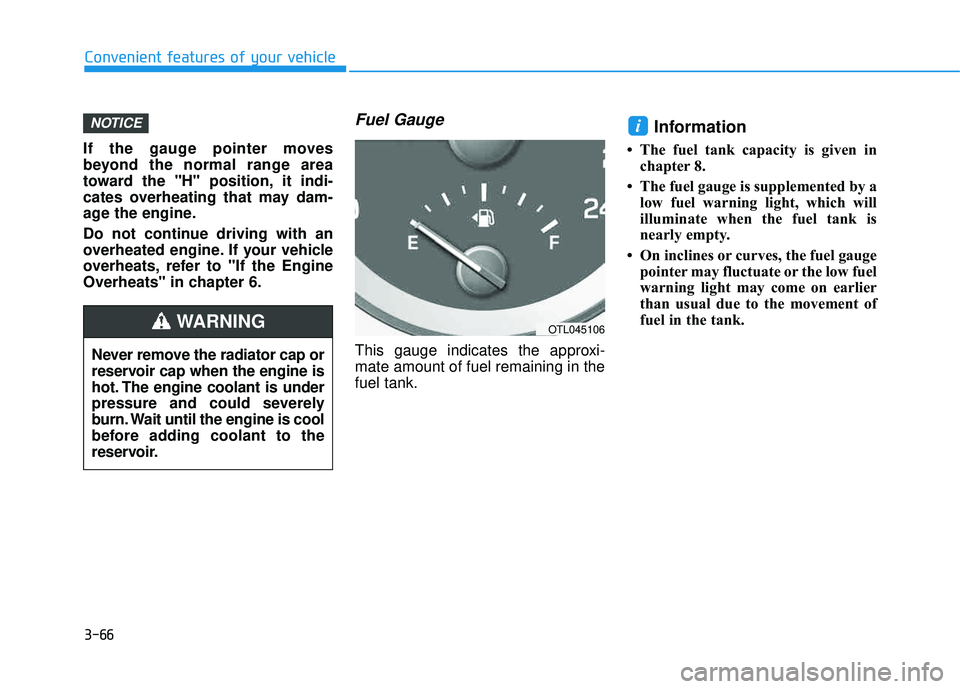
Fuel Gauge
This gauge indicates the approxi-mate amount of fuel remaining in thefuel tank.
Information
The fuel tank capacity is given inchapter 8.
The fuel gauge is supplemented by a low fuel warning light, which will
illuminate when the fuel tank is
nearly empty.
On inclines or curves, the fuel gauge pointer may fluctuate or the low fuel
warning light may come on earlier
than usual due to the movement of
fuel in the tank.
iNOTICE
Never remove the radiator cap or
reservoir cap when the engine is
hot. The engine coolant is under
pressure and could severely
burn. Wait until the engine is cool
before adding coolant to the
reservoir.
WARNINGOTL045106
Page 168 of 642
3-70
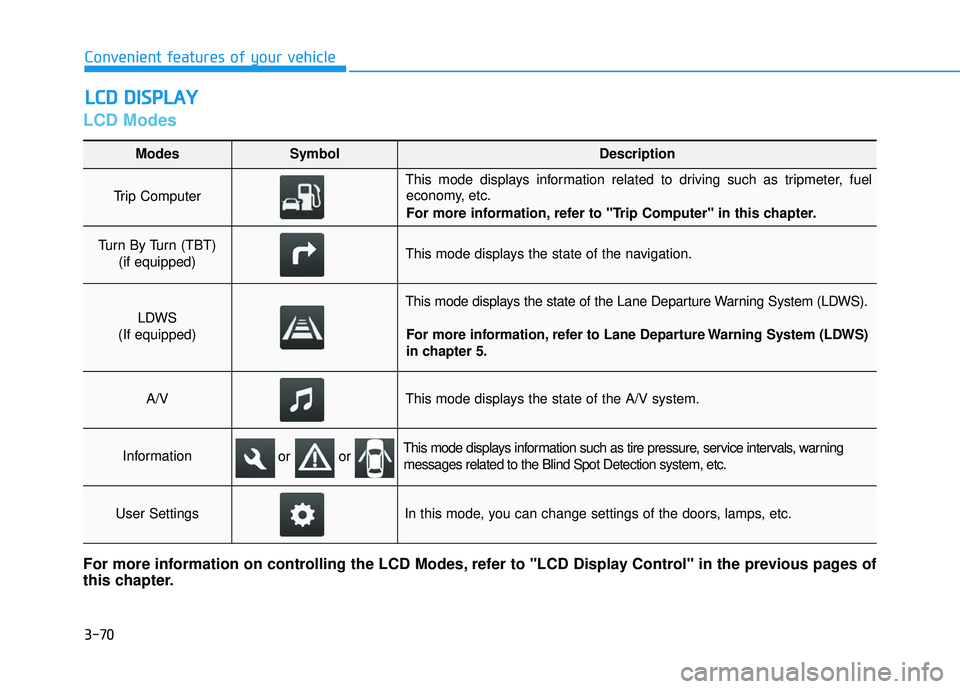
LCD Modes
LLCC DD DD IISS PP LLAA YY
Convenient features of your vehicle
Modes SymbolDescription
Trip Computer
This mode displays information related to driving such as tripmeter, fuel
economy, etc.
For more information, refer to "Trip Computer" in this chapter.
Turn By Turn (TBT)
(if equipped)This mode displays the state of the navigation.
LDWS
(If equipped)
This mode displays the state of the Lane Departure Warning System (LDWS).
For more information, refer to Lane Departure Warning System (LDWS)
in chapter 5.
A/VThis mode displays the state of the A/V system.
InformationThis mode displays information such as tire pressure, service intervals, warningmessages related to the Blind Spot Detection system, etc.
User SettingsIn this mode, you can change settings of the doors, lamps, etc.
For more information on controlling the LCD Modes, refer to "LCD Display Control" in the previous pages of
this chapter.
or or
Page 169 of 642
3-71
Convenient features of your vehicle
3
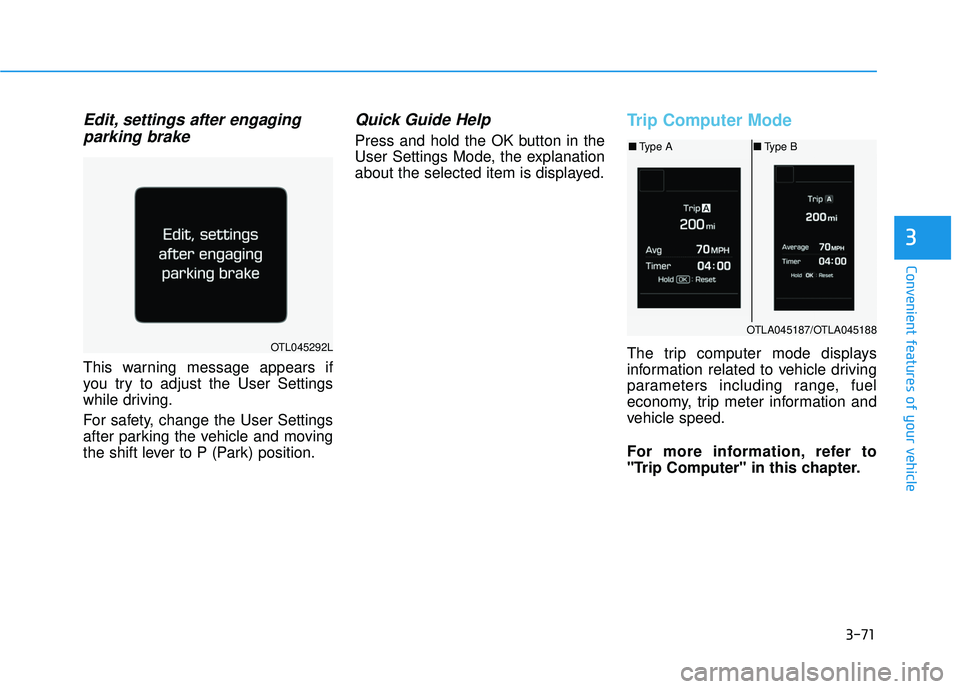
Edit, settings after engagingparking brake
This warning message appears if
you try to adjust the User Settings
while driving.
For safety, change the User Settings
after parking the vehicle and moving
the shift lever to P (Park) position.
Quick Guide Help
Press and hold the OK button in the
User Settings Mode, the explanation
about the selected item is displayed.
Trip Computer Mode
The trip computer mode displays
information related to vehicle driving
parameters including range, fuel
economy, trip meter information and
vehicle speed.
For more information, refer to
"Trip Computer" in this chapter.OTL045292L
OTLA045187/OTLA045188
■ Type A ■Type B
Page 170 of 642
3-72
Convenient features of your vehicle
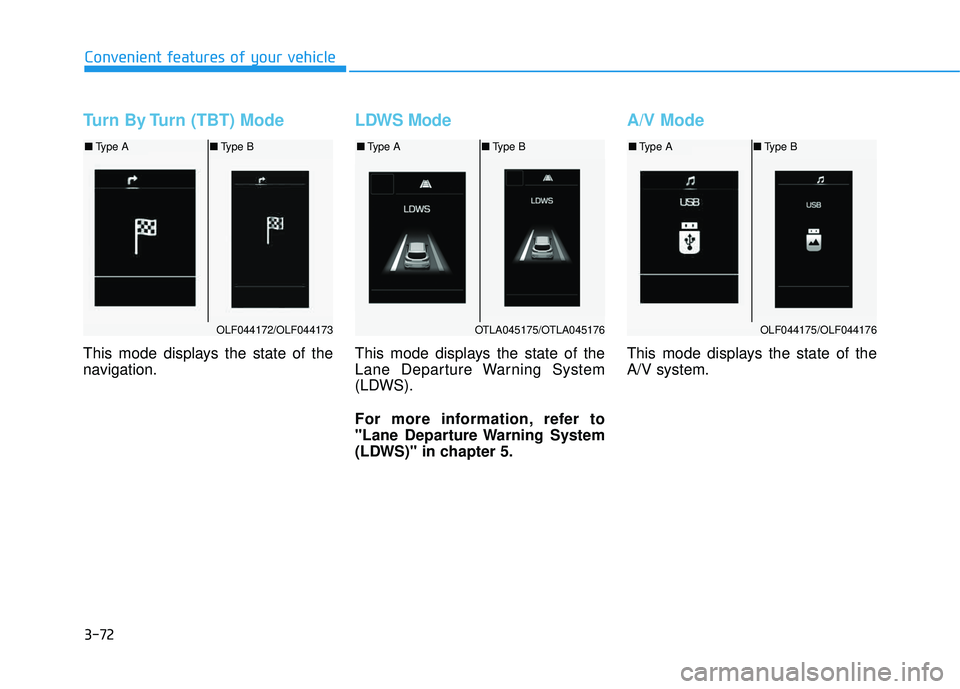
Turn By Turn (TBT) Mode
This mode displays the state of the
navigation.
LDWS Mode
This mode displays the state of the
Lane Departure Warning System
(LDWS).
For more information, refer to
"Lane Departure Warning System
(LDWS)" in chapter 5.
A/V Mode
This mode displays the state of the A/V system.
OLF044172/OLF044173
■Type A ■Type B
OTLA045175/OTLA045176
■Type A ■Type B
OLF044175/OLF044176
■Type A ■Type B
Page 173 of 642

3-75
Convenient features of your vehicle
3
User Settings Mode
In this mode, you can change setting of the instrument cluster, doors, lamps, and so on.
Driving Assist
ItemsExplanation
AEB
(Autonomous Emergency
Braking, if equipped)To activate or deactivate the AEB system.
For more details, refer to "Autonomous Emergency Braking (AEB)" in chapter 5.
FCW
(Forward Collision Warning, if equipped)To adjust the initial warning alert time for the Forward Collision Warning / Autonomous
Emergency Braking system. The option settings are Late, Normal, or Early.
For more information, refer to "Autonomous Emergency Braking (AEB)" in chapter 5.
RCTA
(Rear Cross Traffic Alert, if equipped)To activate or deactivate the RCTA system.
For more information, refer to "Rear Cross Traffic Alert (RCTA)" in chapter 5.
Page 176 of 642

Lights
3-78
Convenient features of your vehicle
ItemsExplanation
One Touch Turn Signal
The one touch turn signal function will be deactivated.
The turn signal indicator will blink 3, 5, or 7 times when the turn signal lever ismoved slightly.
For more information, refer to "Light" in this chapter.
Headlamp Delay
The headlamp delay function will be activated.
The headlamp delay function will be deactivated.
For more information, refer to "Light" in this chapter.
Welcome Light (if equipped)
The welcome light function will be activated.
The welcome light function will be deactivated.
For more information, refer to "Welcome System" in this chapter.