audio HYUNDAI TUCSON LIMITED 2017 Owner's Manual
[x] Cancel search | Manufacturer: HYUNDAI, Model Year: 2017, Model line: TUCSON LIMITED, Model: HYUNDAI TUCSON LIMITED 2017Pages: 642, PDF Size: 9.78 MB
Page 283 of 642
4-20
Multimedia System
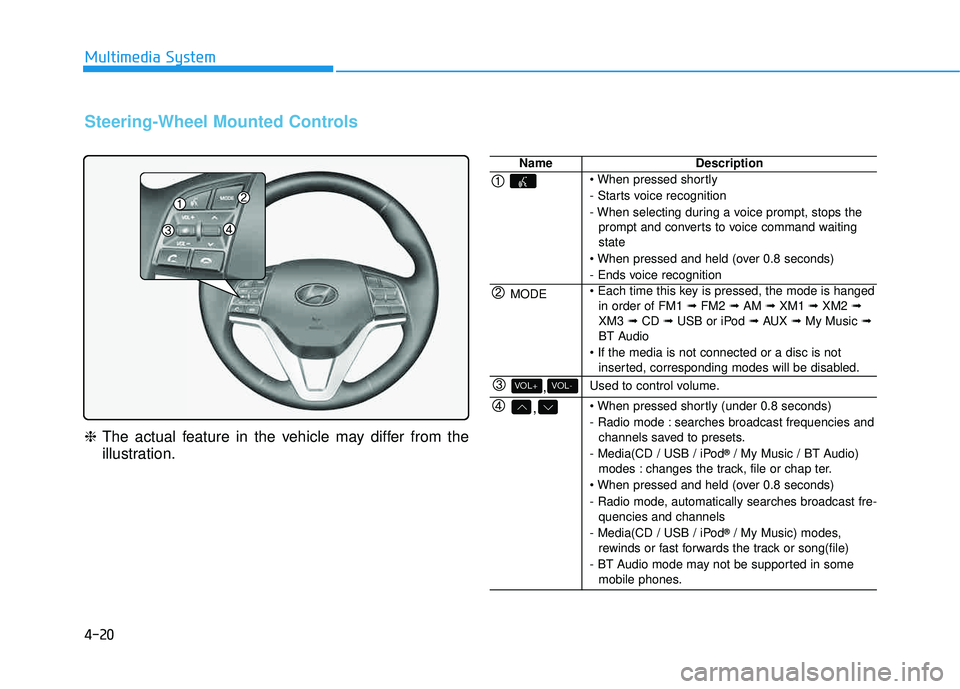
Steering-Wheel Mounted Controls
❈The actual feature in the vehicle may differ from the
illustration.
NameDescription
- Starts voice recognition
- When selecting during a voice prompt, stops the
prompt and converts to voice command waiting state
- Ends voice recognition
MODE in order of FM1 ➟FM2 ➟AM ➟XM1 ➟XM2 ➟
XM3 ➟CD ➟USB or iPod ➟AUX ➟My Music ➟
BT Audio
inserted, corresponding modes will be disabled.
,VOL-VOL+Used to control volume.
,
- Radio mode : searches broadcast frequencies andchannels saved to presets.
- Media(CD / USB / iPod ®
/ My Music / BT Audio)
modes : changes the track, file or chap ter.
- Radio mode, automatically searches broadcast fre- quencies and channels
- Media(CD / USB / iPod ®
/ My Music) modes,
rewinds or fast forwards the track or song(file)
- BT Audio mode may not be supported in some mobile phones.
Page 291 of 642
4-28
Multimedia System
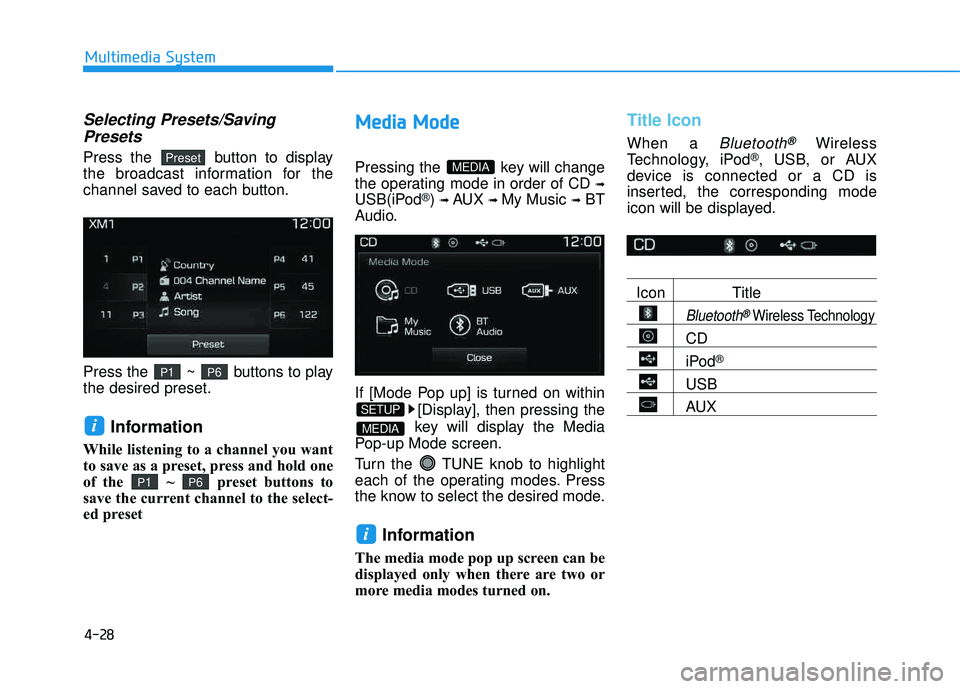
Selecting Presets/SavingPresets
Press the button to display
the broadcast information for the
channel saved to each button.
Press the ~ buttons to play the desired preset.
Information
While listening to a channel you want
to save as a preset, press and hold one
of the ~ preset buttons to
save the current channel to the select-
ed preset
MM eedd iiaa MM ooddee
Pressing the key will change
the operating mode in order of CD
➟
USB(iPod®) ➟ AUX ➟ My Music ➟BT
Audio.
If [Mode Pop up] is turned on within
[Display], then pressing the
key will display the Media
Pop-up Mode screen.
Turn the TUNE knob to highlight
each of the operating modes. Press
the know to select the desired mode.
Information
The media mode pop up screen can be
displayed only when there are two or
more media modes turned on.
Title Icon
When a Bluetooth®Wireless
Technology, iPod®, USB, or AUX
device is connected or a CD is
inserted, the corresponding mode
icon will be displayed.
Icon Title
Bluetooth®Wireless Technology
CD
iPod®
USB
AUX
i
MEDIA
SETUP
MEDIA
P6P1
i
P6P1
Preset
Page 292 of 642
4-29
Multimedia System
4
AAuuddiioo CC DD MM ooddee
Using Audio CD Mode
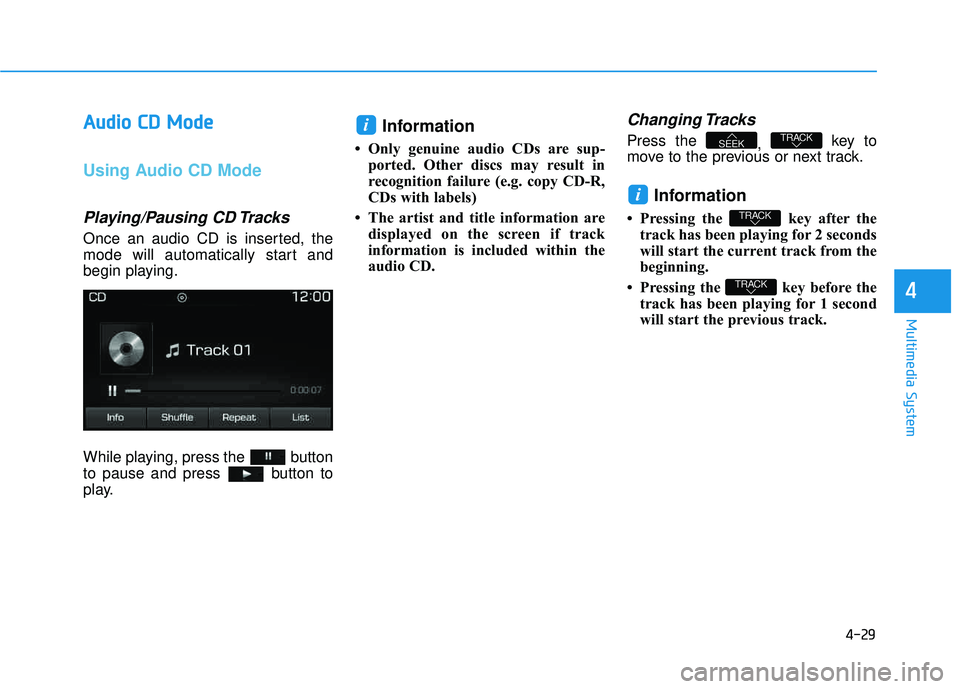
Playing/Pausing CD Tracks
Once an audio CD is inserted, the
mode will automatically start and
begin playing.
While playing, press the button
to pause and press button to
play.
Information
Only genuine audio CDs are sup-
ported. Other discs may result in
recognition failure (e.g. copy CD-R,
CDs with labels)
The artist and title information are displayed on the screen if track
information is included within the
audio CD.
Changing Tracks
Press the , key to
move to the previous or next track.
Information
Pressing the key after the track has been playing for 2 seconds
will start the current track from the
beginning.
Pressing the key before the track has been playing for 1 second
will start the previous track.
TRACK
TRACK
i
TRACKSEEK
i
Page 293 of 642
4-30
Multimedia System
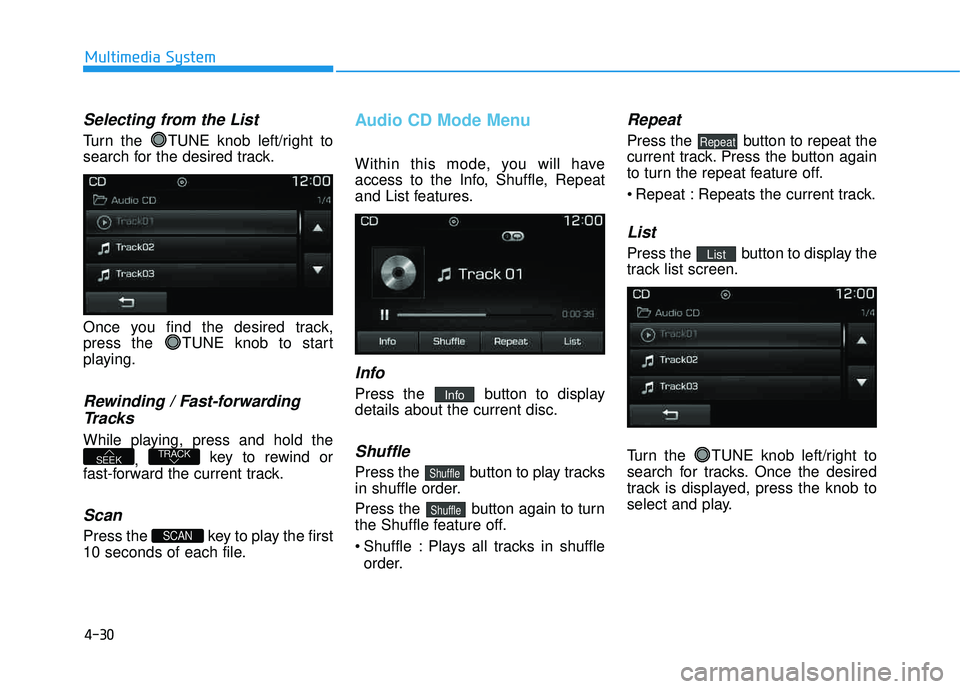
Selecting from the List
Turn the TUNE knob left/right to
search for the desired track.
Once you find the desired track,
press the TUNE knob to start
playing.
Rewinding / Fast-forwardingTracks
While playing, press and hold the
, key to rewind or
fast-forward the current track.
Scan
Press the key to play the first
10 seconds of each file.
Audio CD Mode Menu
Within this mode, you will have
access to the Info, Shuffle, Repeat
and List features.
Info
Press the button to displaydetails about the current disc.
Shuffle
Press the button to play tracks
in shuffle order.
Press the button again to turn
the Shuffle feature off.
Shuffle : Plays all tracks in shuffle order.
Repeat
Press the button to repeat the
current track. Press the button again
to turn the repeat feature off.
Repeat : Repeats the current track.
List
Press the button to display the
track list screen.
Turn the TUNE knob left/right to
search for tracks. Once the desired
track is displayed, press the knob to
select and play.List
Repeat
Shuffle
Shuffle
Info
SCAN
TRACKSEEK
Page 300 of 642
4-37
Multimedia System
4
iiPP oodd ®®
MMooddee
Using iPod®Mode
Playing/Pausing iPod®Songs
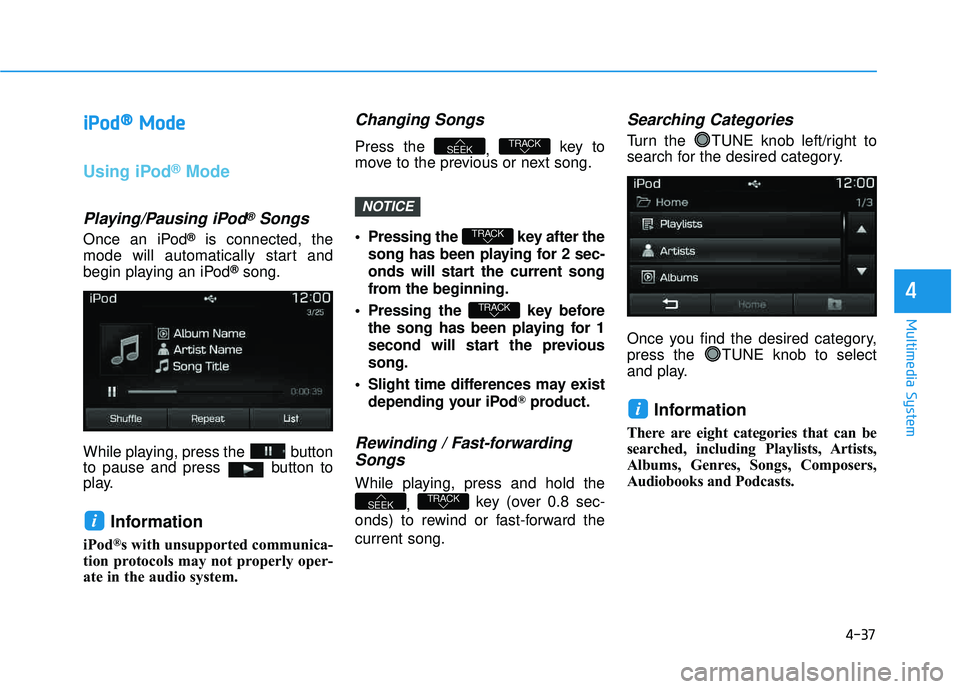
Once an iPod®is connected, the
mode will automatically start and
begin playing an iPod
®song.
While playing, press the button
to pause and press button to
play.
Information
iPod®s with unsupported communica-
tion protocols may not properly oper-
ate in the audio system.
Changing Songs
Press the , key to
move to the previous or next song.
Pressing the key after the
song has been playing for 2 sec-
onds will start the current song
from the beginning.
Pressing the key before the song has been playing for 1
second will start the previoussong.
Slight time differences may exist depending your iPod
®product.
Rewinding / Fast-forwardingSongs
While playing, press and hold the
, key (over 0.8 sec-
onds) to rewind or fast-forward the current song.
Searching Categories
Turn the TUNE knob left/right to
search for the desired category.
Once you find the desired category,
press the TUNE knob to select
and play.
Information
There are eight categories that can be
searched, including Playlists, Artists,
Albums, Genres, Songs, Composers,
Audiobooks and Podcasts.
i
TRACKSEEK
TRACK
TRACK
TRACKSEEK
i
NOTICE
Page 302 of 642
4-39
Multimedia System
4
Repeat
Press the button to repeat the
current song. Press the button again
to turn the repeat feature off.
Repeat : Repeats the current song
List
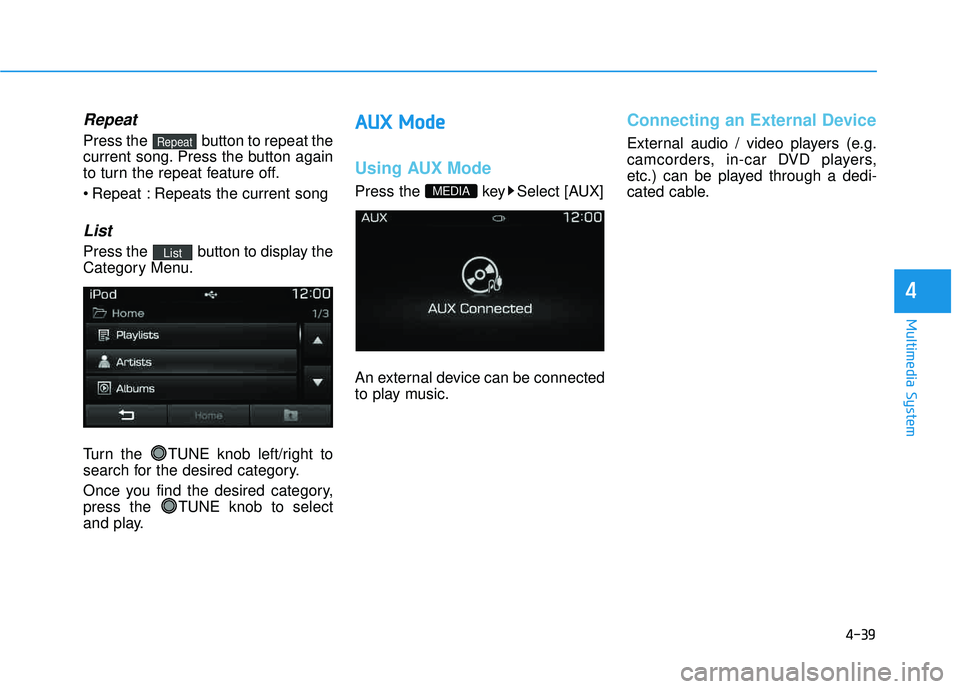
Press the button to display the
Category Menu.
Turn the TUNE knob left/right to
search for the desired category.
Once you find the desired category,
press the TUNE knob to select
and play.
AAUU XX MM ooddee
Using AUX Mode
Press the key Select [AUX]
An external device can be connected
to play music.
Connecting an External Device
External audio / video players (e.g.
camcorders, in-car DVD players,
etc.) can be played through a dedi-
cated cable.
MEDIA
List
Repeat
Page 306 of 642
4-43
Multimedia System
4
Information - Using the
Bluetooth®Wireless Technology
audio mode
Bluetooth
®Wireless Technology
Audio Mode can be used only when a Bluetooth
®Wireless Technology
phone has been connected.
Bluetooth
®Wireless Technology
Audio Mode will not be available
when connecting mobile phones that
do not support this feature.
While Bluetooth
®Wireless Technology
Audio is playing, if the Bluetooth®
Wireless Technology phone is con-
nected, then the music will also stop.
Moving the Track up/down while playing Bluetooth
®Wireless Technology
audio mode may result in pop noises
in some mobile phones.
Bluetooth
®Wireless Technology
streaming audio may not be sup-
ported in some mobile phones.
(Continued)(Continued)
When returning to Bluetooth
®
Wireless Technology Audio mode
after ending a call, the mode may
not automatically restart in some
mobile phones.
Receiving an incoming call or mak- ing an outgoing call while playing
Bluetooth
®Wireless Technology
Audio may result in audio interfer-
ence.
BB lluu eettoo ootthh®®WW iirr ee llee ssss
T
T eecchh nnoo lloo ggyy AAuuddiioo MM ooddee
Using Bluetooth®Wireless
Technology Audio Mode
Playing/Pausing Bluetooth®
Wireless TechnologyAudio
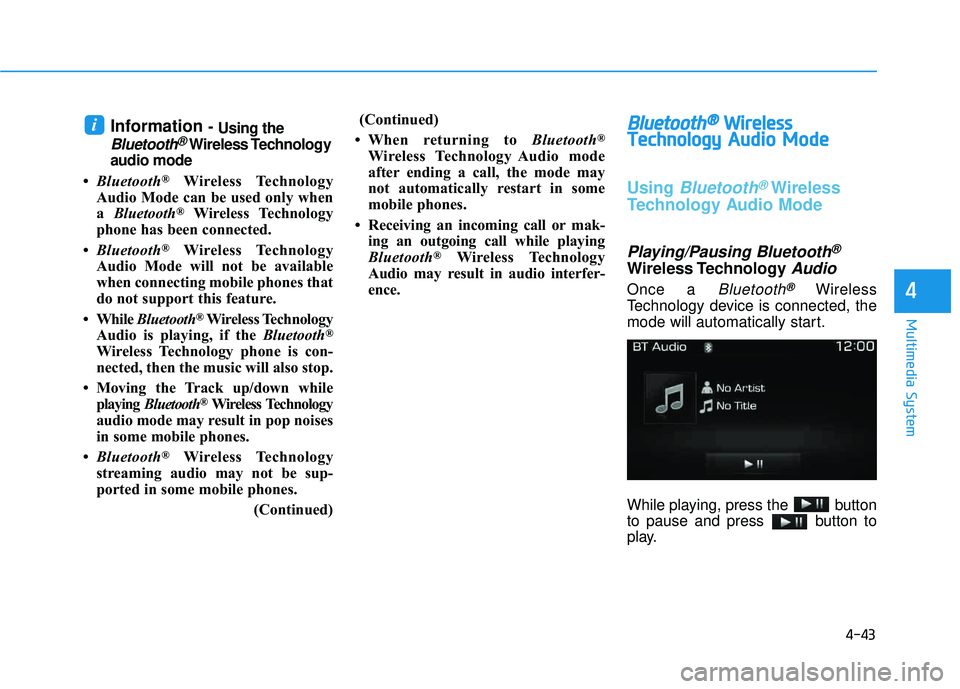
Once a Bluetooth®Wireless
Technology device is connected, the
mode will automatically start.
While playing, press the button
to pause and press button to
play.
i
Page 307 of 642
4-44
Multimedia System
Information
The play/pause feature may operate
differently depending on the mobile
phone.
Changing Files
Press the , key to
move to the previous or next file.
Setting Connection
If a Bluetooth®Wireless Technology
device has not been connected, press
the key [Phone] button to
display the
Bluetooth®Wireless
Technology connection screen.
It is possible to use the pair phone,
connect/disconnect and delete fea-
tures from your
Bluetooth®Wireless
Technology phone.
Information
If music is not yet playing from your mobile device after converting to
Bluetooth
®Wireless Technology
Audio mode, pressing the play but-
ton once may start playing the mode.
Check to see that music is playing
from the Bluetooth
®Wireless
Technology device after convertingto Bluetooth
®Wireless Technology
Audio Mode.
Information - Pairing through
[PHONE] Setup
The Bluetooth
®and Voice Recognition
Manual is provided in two versions
due to software version differences.
Before reading the manual, check the following.
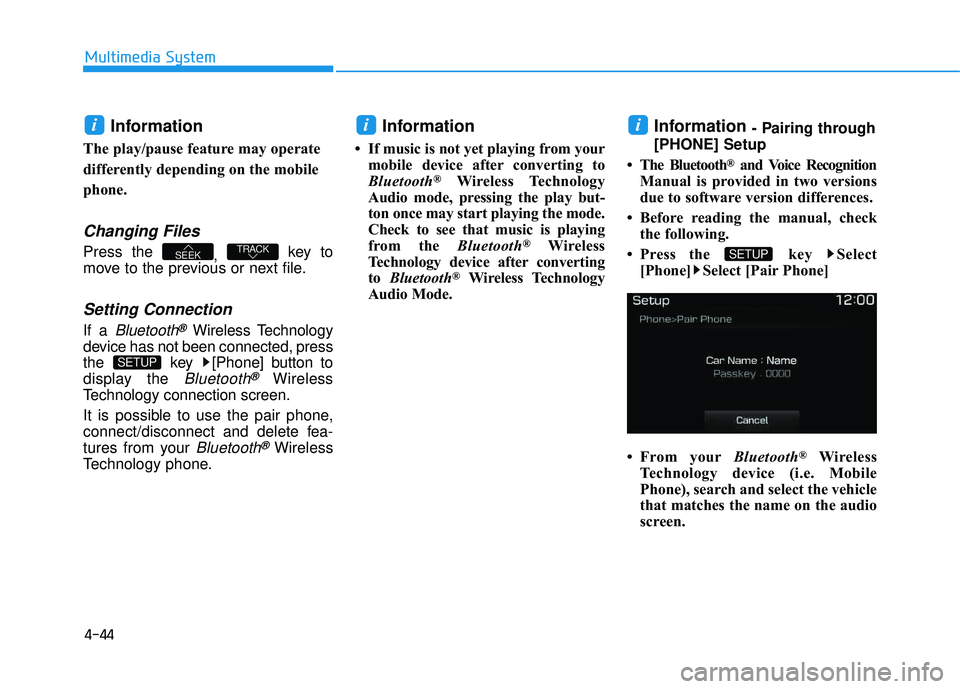
Press the key Select [Phone] Select [Pair Phone]
From your Bluetooth
®Wireless
Technology device (i.e. Mobile
Phone), search and select the vehicle
that matches the name on the audio
screen.
SETUP
ii
SETUP
TRACKSEEK
i
Page 308 of 642
4-45
Multimedia System
4
Pairing a Bluetooth®Wireless
Technology Device
What is Bluetooth® Wireless
Technology Pairing?
Pairing refers to the process of syn-
chronizing your
Bluetooth®Wireless
Technology phone or device with the
car audio system for connection.
Pairing is necessary to connect anduse the
Bluetooth®Wireless Technology
feature.
Pairing Key / Key
on the Steering Remote
Controller
When No Devices have been
Paired
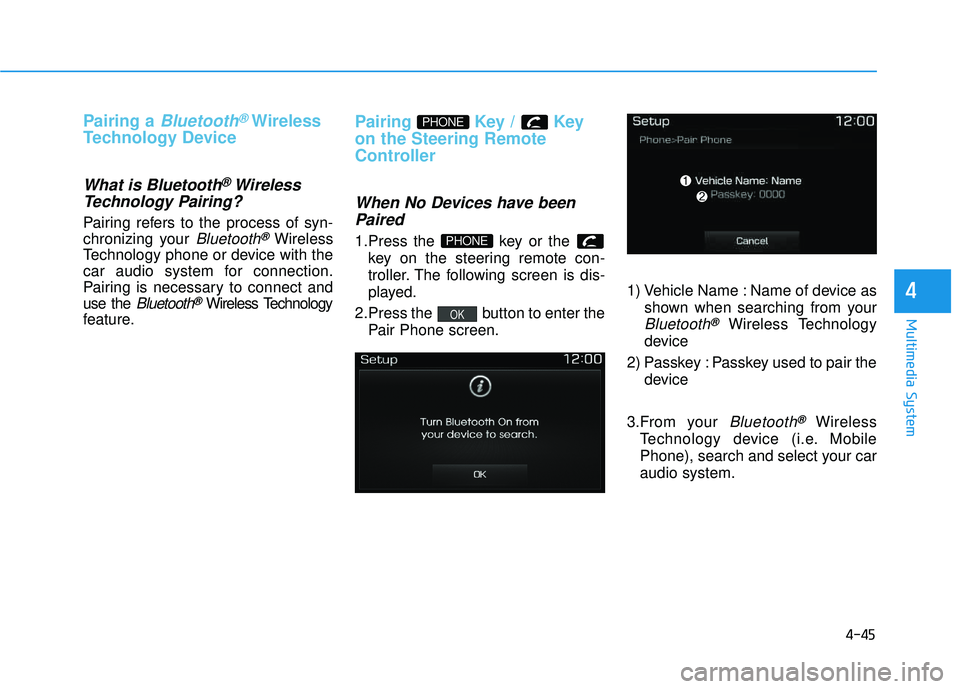
1.Press the key or the key on the steering remote con-
troller. The following screen is dis-
played.
2.Press the button to enter the Pair Phone screen. 1) Vehicle Name : Name of device as
shown when searching from your
Bluetooth®Wireless Technology
device
2) Passkey : Passkey used to pair the device
3.From your
Bluetooth®Wireless
Technology device (i.e. Mobile
Phone), search and select your car audio system.
OK
PHONE
PHONE
Page 310 of 642
4-47
Multimedia System
4
Information
Bluetooth®Wireless Technology fea-
tures supported within the vehicle
are as follows. Some features may
not be supported depending on your
Bluetooth
®Wireless Technology
device.
- Outgoing/Incoming Handsfree calls
- Operations during a call (Switch to Private, Switch to call waiting,
MIC on/off)
- Downloading Call History
- Downloading Mobile Contacts - Bluetooth
®Wireless Technology
device auto connection
- Bluetooth Audio Streaming
Up to five Bluetooth
®Wireless
Technology devices can be paired to
the Car Handsfree system.
Only one Bluetooth
®Wireless Technology
device can be connected at a time.
Other devices cannot be paired while
a Bluetooth
®Wireless Technology
device is connected.
(Continued)(Continued)
Only
Bluetooth
®Wireless Technology
Handsfree and Bluetooth audio
related features are supported.
Bluetooth related operations are possible only within devices that
support Handsfree or audio fea-
tures, such as a Bluetooth
®Wireless
Technology mobile phone or a
Bluetooth audio device.
If a connected Bluetooth
®Wireless
Technology device becomes discon-
nected due to being out of communi-
cation range, turning the device
OFF, or a Bluetooth
®Wireless
Technology communication error,
corresponding Bluetooth
®Wireless
Technology devices are automatical-
ly searched and reconnected.
If the system becomes unstable due to communication errors between
the car Handsfree and the
Bluetooth
®Wireless Technology
device, reset the device by turning
off and back on again. Upon reset-
ting Bluetooth
®Wireless Technology
device, the system will be restored.
(Continued)(Continued)
After pairing is complete, a contacts
download request is sent once to the
mobile phone. Some mobile phones
may require confirmation upon
receiving a download request,
ensure your mobile phone accepts
the connection. Refer to your
phones user’s manual for additional
information regarding phone pair-
ing and connections.
i