display HYUNDAI VELOSTER 2011 User Guide
[x] Cancel search | Manufacturer: HYUNDAI, Model Year: 2011, Model line: VELOSTER, Model: HYUNDAI VELOSTER 2011Pages: 386, PDF Size: 7.79 MB
Page 141 of 386
467
Features of your vehicle
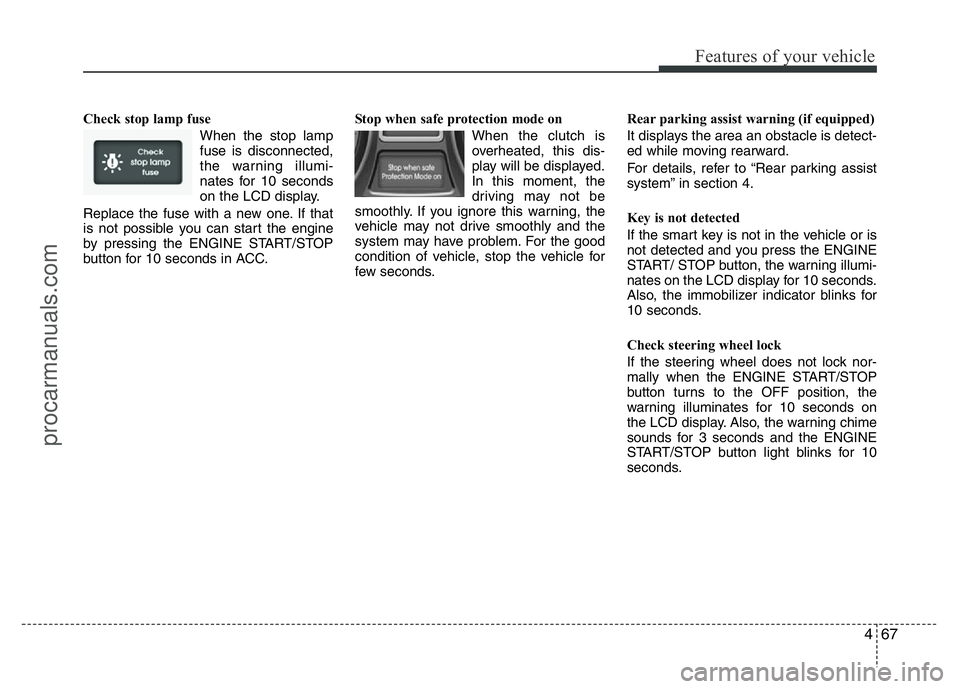
Check stop lamp fuse
When the stop lamp
fuse is disconnected,
the warning illumi-
nates for 10 seconds
on the LCD display.
Replace the fuse with a new one. If that
is not possible you can start the engine
by pressing the ENGINE START/STOP
button for 10 seconds in ACC.Stop when safe protection mode on
When the clutch is
overheated, this dis-
play will be displayed.
In this moment, the
driving may not be
smoothly. If you ignore this warning, the
vehicle may not drive smoothly and the
system may have problem. For the good
condition of vehicle, stop the vehicle for
few seconds.Rear parking assist warning (if equipped)
It displays the area an obstacle is detect-
ed while moving rearward.
For details, refer to “Rear parking assist
system” in section 4.
Key is not detected
If the smart key is not in the vehicle or is
not detected and you press the ENGINE
START/ STOP button, the warning illumi-
nates on the LCD display for 10 seconds.
Also, the immobilizer indicator blinks for
10 seconds.
Check steering wheel lock
If the steering wheel does not lock nor-
mally when the ENGINE START/STOP
button turns to the OFF position, the
warning illuminates for 10 seconds on
the LCD display. Also, the warning chime
sounds for 3 seconds and the ENGINE
START/STOP button light blinks for 10
seconds.
procarmanuals.com
Page 145 of 386
471
Features of your vehicle
✽NOTICE
This system can only sense objects with-
in the range and location of the sensors;
it can not detect objects in other areas
where sensors are not installed. Also,
small or slim objects, such as poles or
objects located between sensors may not
be detected by the sensors.
Always visually check behind the vehi-
cle when backing up.
Be sure to inform any drivers of the
vehicle that may be unfamiliar with the
system regarding the systems capabili-
ties and limitations.
Self-diagnosis (if equipped)
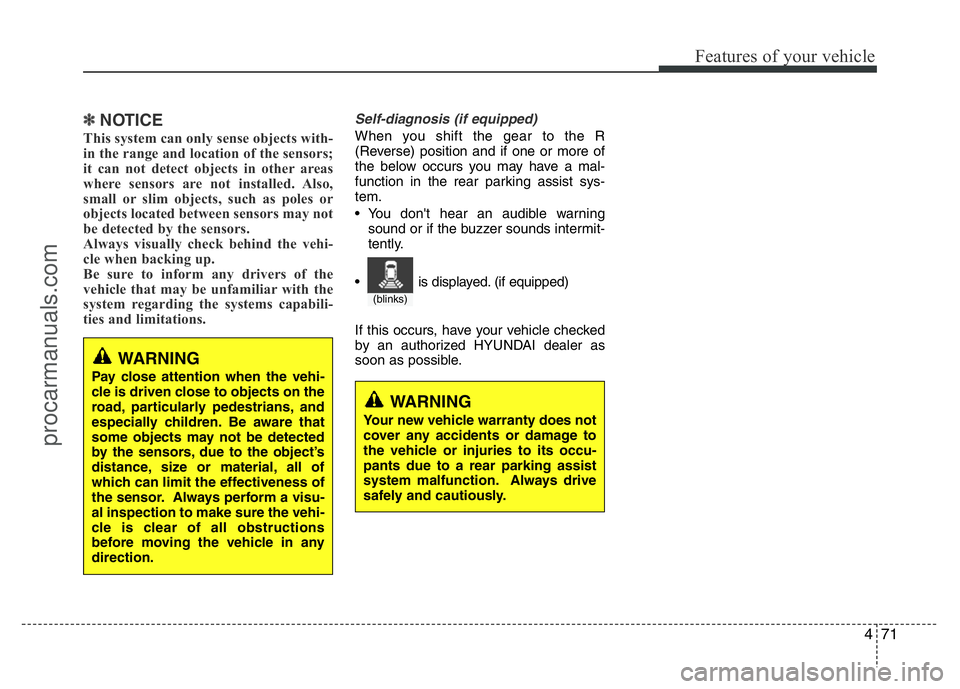
When you shift the gear to the R
(Reverse) position and if one or more of
the below occurs you may have a mal-
function in the rear parking assist sys-
tem.
• You don't hear an audible warning
sound or if the buzzer sounds intermit-
tently.
If this occurs, have your vehicle checked
by an authorized HYUNDAI dealer as
soon as possible.
WARNING
Pay close attention when the vehi-
cle is driven close to objects on the
road, particularly pedestrians, and
especially children. Be aware that
some objects may not be detected
by the sensors, due to the object’s
distance, size or material, all of
which can limit the effectiveness of
the sensor. Always perform a visu-
al inspection to make sure the vehi-
cle is clear of all obstructions
before moving the vehicle in any
direction.
WARNING
Your new vehicle warranty does not
cover any accidents or damage to
the vehicle or injuries to its occu-
pants due to a rear parking assist
system malfunction. Always drive
safely and cautiously.
(blinks)
• is displayed. (if equipped)
procarmanuals.com
Page 146 of 386
Features of your vehicle
72 4
REARVIEW CAMERA (IF EQUIPPED)
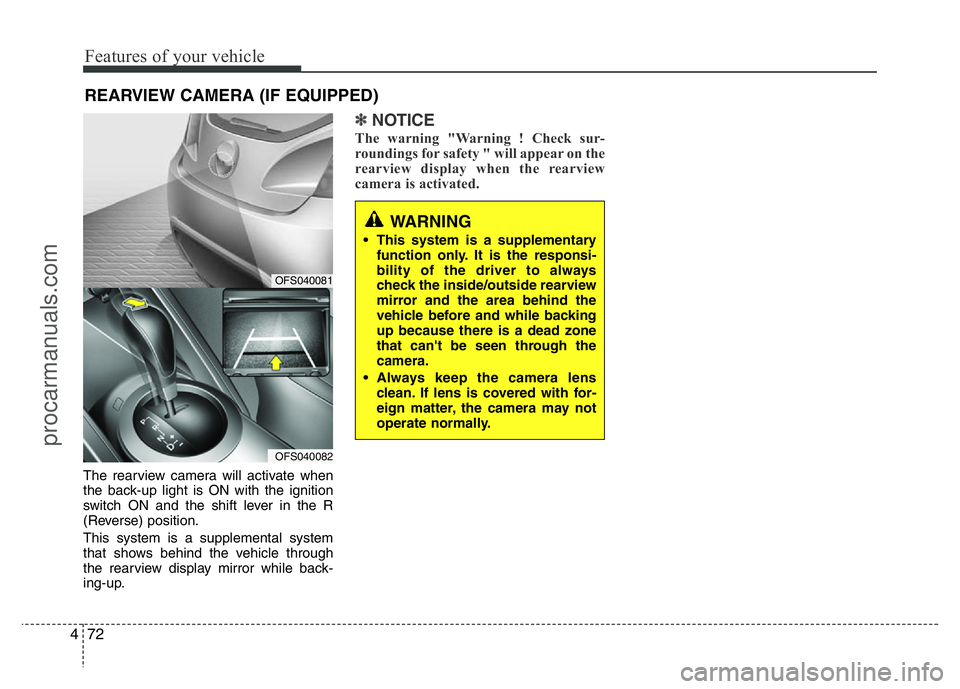
The rearview camera will activate when
the back-up light is ON with the ignition
switch ON and the shift lever in the R
(Reverse) position.
This system is a supplemental system
that shows behind the vehicle through
the rearview display mirror while back-
ing-up.
✽NOTICE
The warning "Warning ! Check sur-
roundings for safety " will appear on the
rearview display when the rearview
camera is activated.
WARNING
• This system is a supplementary
function only. It is the responsi-
bility of the driver to always
check the inside/outside rearview
mirror and the area behind the
vehicle before and while backing
up because there is a dead zone
that can't be seen through the
camera.
• Always keep the camera lens
clean. If lens is covered with for-
eign matter, the camera may not
operate normally.
OFS040081
OFS040082
procarmanuals.com
Page 173 of 386
499
Features of your vehicle
Automatic heating and air condi-
tioning
The automatic climate control system is
controlled by simply setting the desired
temperature.
The Full Automatic Temperature Control
(FATC) system automatically controls the
heating and cooling system as follows:
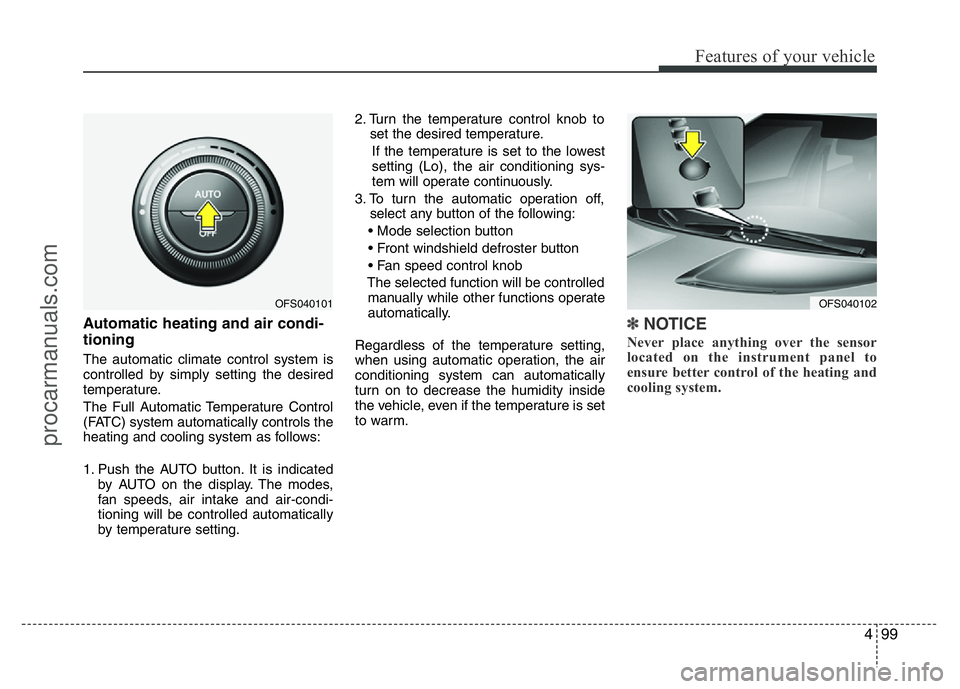
1. Push the AUTO button. It is indicated
by AUTO on the display. The modes,
fan speeds, air intake and air-condi-
tioning will be controlled automatically
by temperature setting.2. Turn the temperature control knob to
set the desired temperature.
If the temperature is set to the lowest
setting (Lo), the air conditioning sys-
tem will operate continuously.
3. To turn the automatic operation off,
select any button of the following:
• Mode selection button
• Front windshield defroster button
• Fan speed control knob
The selected function will be controlled
manually while other functions operate
automatically.
Regardless of the temperature setting,
when using automatic operation, the air
conditioning system can automatically
turn on to decrease the humidity inside
the vehicle, even if the temperature is set
to warm.
✽NOTICE
Never place anything over the sensor
located on the instrument panel to
ensure better control of the heating and
cooling system.
OFS040102OFS040101
procarmanuals.com
Page 178 of 386
Features of your vehicle
104 4
Air conditioning
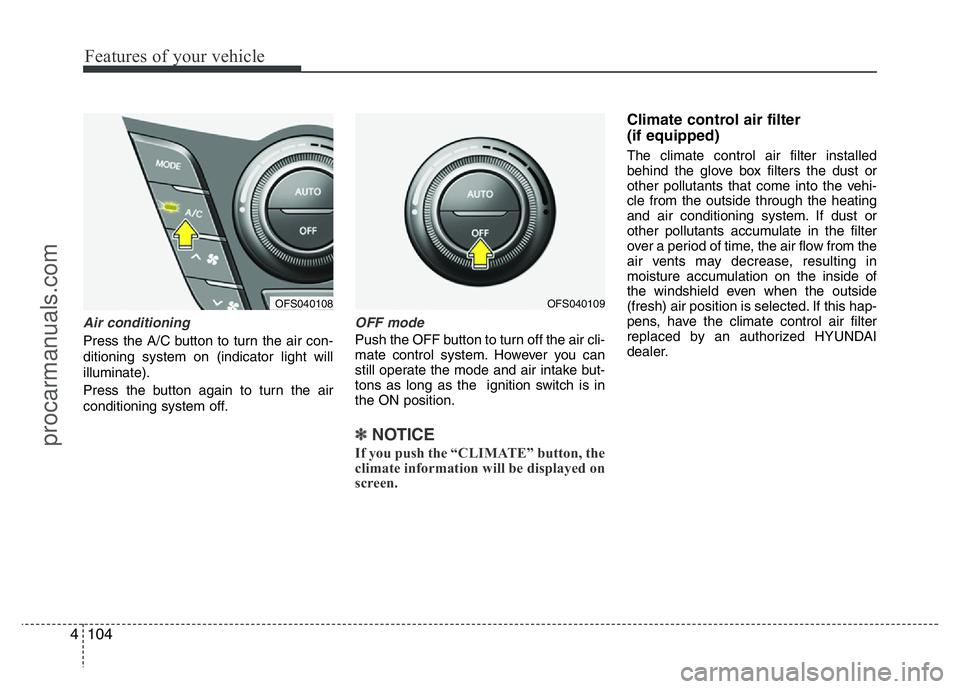
Press the A/C button to turn the air con-
ditioning system on (indicator light will
illuminate).
Press the button again to turn the air
conditioning system off.
OFF mode
Push the OFF button to turn off the air cli-
mate control system. However you can
still operate the mode and air intake but-
tons as long as the ignition switch is in
the ON position.
✽NOTICE
If you push the “CLIMATE” button, the
climate information will be displayed on
screen.
Climate control air filter
(if equipped)
The climate control air filter installed
behind the glove box filters the dust or
other pollutants that come into the vehi-
cle from the outside through the heating
and air conditioning system. If dust or
other pollutants accumulate in the filter
over a period of time, the air flow from the
air vents may decrease, resulting in
moisture accumulation on the inside of
the windshield even when the outside
(fresh) air position is selected. If this hap-
pens, have the climate control air filter
replaced by an authorized HYUNDAI
dealer.
OFS040109OFS040108
procarmanuals.com
Page 182 of 386
Features of your vehicle
108 4
Defogging logic
To reduce the probability of fogging up
the inside of the windshield, the air intake
or air conditioning are controlled auto-
matically according to certain conditions
such as or position. To cancel or
return the defogging logic, do the follow-
ing.
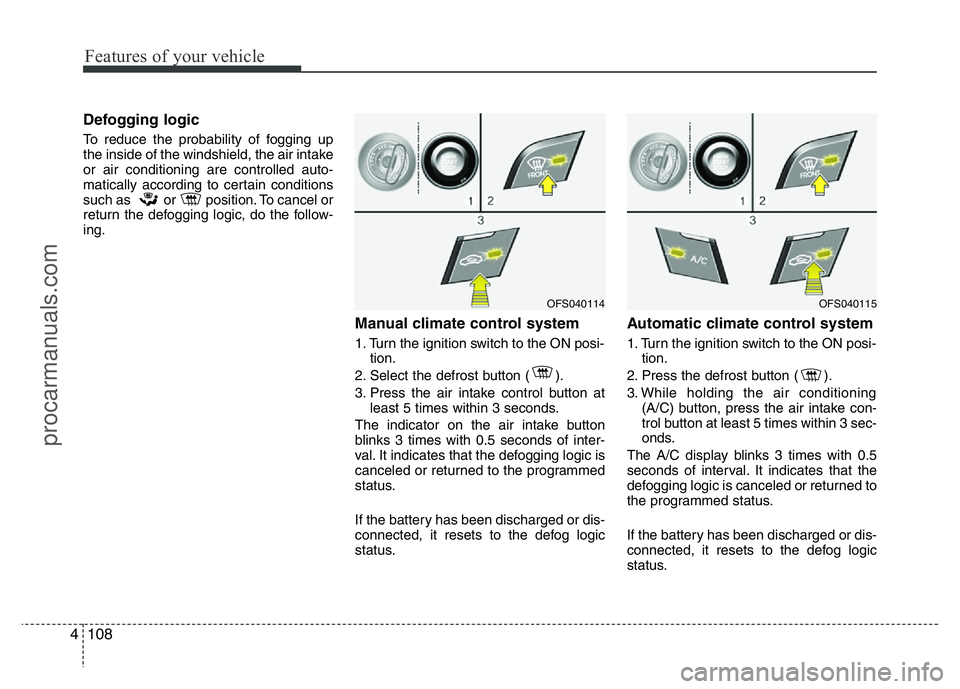
Manual climate control system
1. Turn the ignition switch to the ON posi-
tion.
2. Select the defrost button ( ).
3. Press the air intake control button at
least 5 times within 3 seconds.
The indicator on the air intake button
blinks 3 times with 0.5 seconds of inter-
val. It indicates that the defogging logic is
canceled or returned to the programmed
status.
If the battery has been discharged or dis-
connected, it resets to the defog logic
status.
Automatic climate control system
1. Turn the ignition switch to the ON posi-
tion.
2. Press the defrost button ( ).
3. While holding the air conditioning
(A/C) button, press the air intake con-
trol button at least 5 times within 3 sec-
onds.
The A/C display blinks 3 times with 0.5
seconds of interval. It indicates that the
defogging logic is canceled or returned to
the programmed status.
If the battery has been discharged or dis-
connected, it resets to the defog logic
status.
OFS040114OFS040115
procarmanuals.com
Page 197 of 386
4123
Features of your vehicle
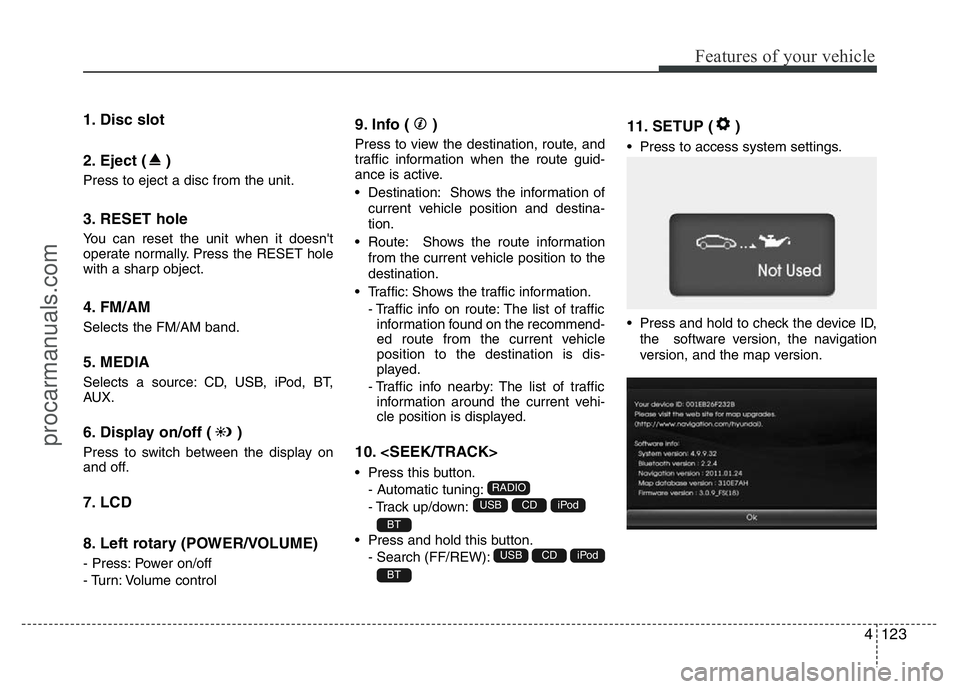
1. Disc slot
2. Eject ( )
Press to eject a disc from the unit.
3. RESET hole
You can reset the unit when it doesn't
operate normally. Press the RESET hole
with a sharp object.
4. FM/AM
Selects the FM/AM band.
5. MEDIA
Selects a source: CD, USB, iPod, BT,
AUX.
6. Display on/off ( )
Press to switch between the display on
and off.
7. LCD
8. Left rotary (POWER/VOLUME)
- Press: Power on/off
- Turn: Volume control
9. Info ( )
Press to view the destination, route, and
traffic information when the route guid-
ance is active.
• Destination: Shows the information of
current vehicle position and destina-
tion.
• Route: Shows the route information
from the current vehicle position to the
destination.
• Traffic: Shows the traffic information.
- Traffic info on route: The list of traffic
information found on the recommend-
ed route from the current vehicle
position to the destination is dis-
played.
- Traffic info nearby: The list of traffic
information around the current vehi-
cle position is displayed.
10.
• Press this button.
- Automatic tuning:
- Track up/down:
• Press and hold this button.
- Search (FF/REW):
11. SETUP ( )
• Press to access system settings.
• Press and hold to check the device ID,
the software version, the navigation
version, and the map version.
BT
iPodCDUSB
BT
iPodCDUSB
RADIO
procarmanuals.com
Page 198 of 386
Features of your vehicle
124 4
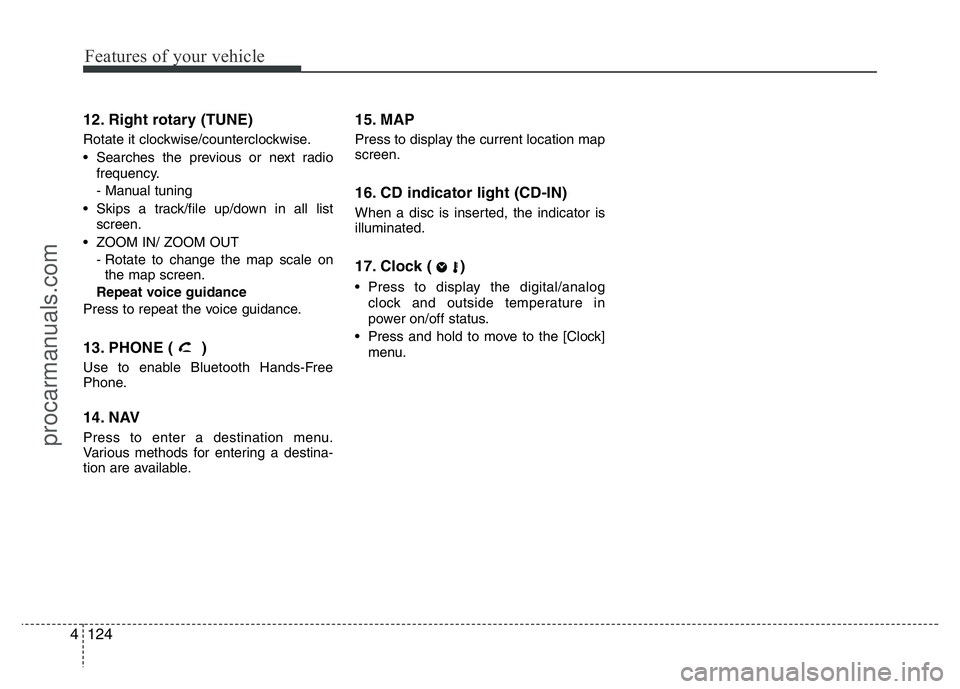
12. Right rotary (TUNE)
Rotate it clockwise/counterclockwise.
• Searches the previous or next radio
frequency.
- Manual tuning
• Skips a track/file up/down in all list
screen.
• ZOOM IN/ ZOOM OUT
- Rotate to change the map scale on
the map screen.
Repeat voice guidance
Press to repeat the voice guidance.
13. PHONE ( )
Use to enable Bluetooth Hands-Free
Phone.
14. NAV
Press to enter a destination menu.
Various methods for entering a destina-
tion are available.
15. MAP
Press to display the current location map
screen.
16. CD indicator light (CD-IN)
When a disc is inserted, the indicator is
illuminated.
17. Clock ( )
• Press to display the digital/analog
clock and outside temperature in
power on/off status.
• Press and hold to move to the [Clock]
menu.
procarmanuals.com
Page 202 of 386
Features of your vehicle
128 4
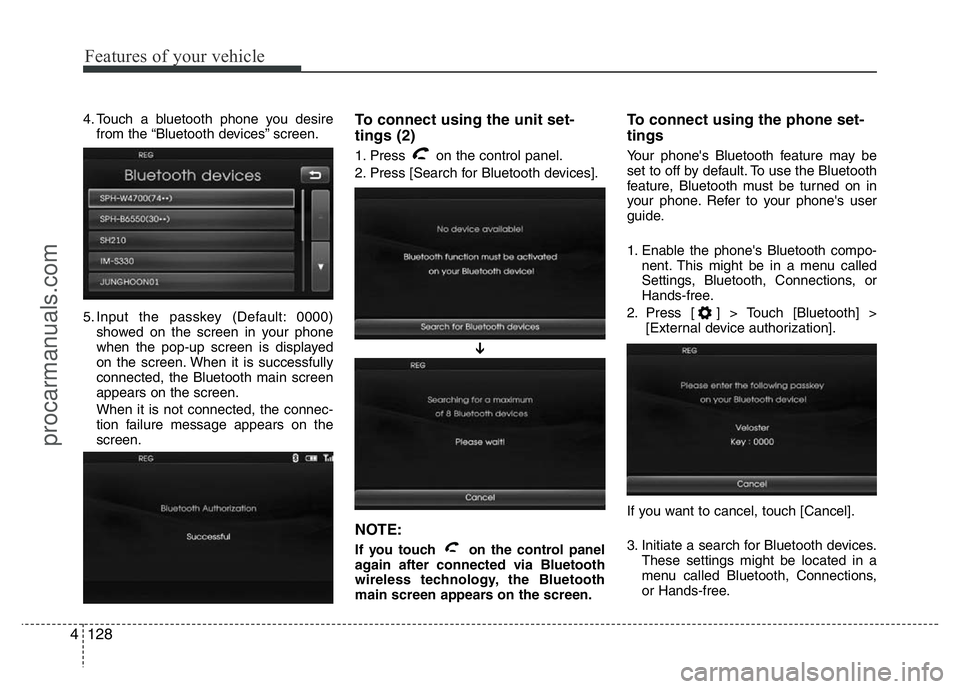
4. Touch a bluetooth phone you desire
from the “Bluetooth devices” screen.
5. Input the passkey (Default: 0000)
showed on the screen in your phone
when the pop-up screen is displayed
on the screen. When it is successfully
connected, the Bluetooth main screen
appears on the screen.
When it is not connected, the connec-
tion failure message appears on the
screen.To connect using the unit set-
tings (2)
1. Press on the control panel.
2. Press [Search for Bluetooth devices].
NOTE:
If you touch on the control panel
again after connected via Bluetooth
wireless technology, the Bluetooth
main screen appears on the screen.
To connect using the phone set-
tings
Your phone's Bluetooth feature may be
set to off by default. To use the Bluetooth
feature, Bluetooth must be turned on in
your phone. Refer to your phone's user
guide.
1. Enable the phone's Bluetooth compo-
nent. This might be in a menu called
Settings, Bluetooth, Connections, or
Hands-free.
2. Press [ ] > Touch [Bluetooth] >
[External device authorization].
If you want to cancel, touch [Cancel].
3. Initiate a search for Bluetooth devices.
These settings might be located in a
menu called Bluetooth, Connections,
or Hands-free.
➔
procarmanuals.com
Page 203 of 386
4129
Features of your vehicle
4. Select the your device from the list of
phone.
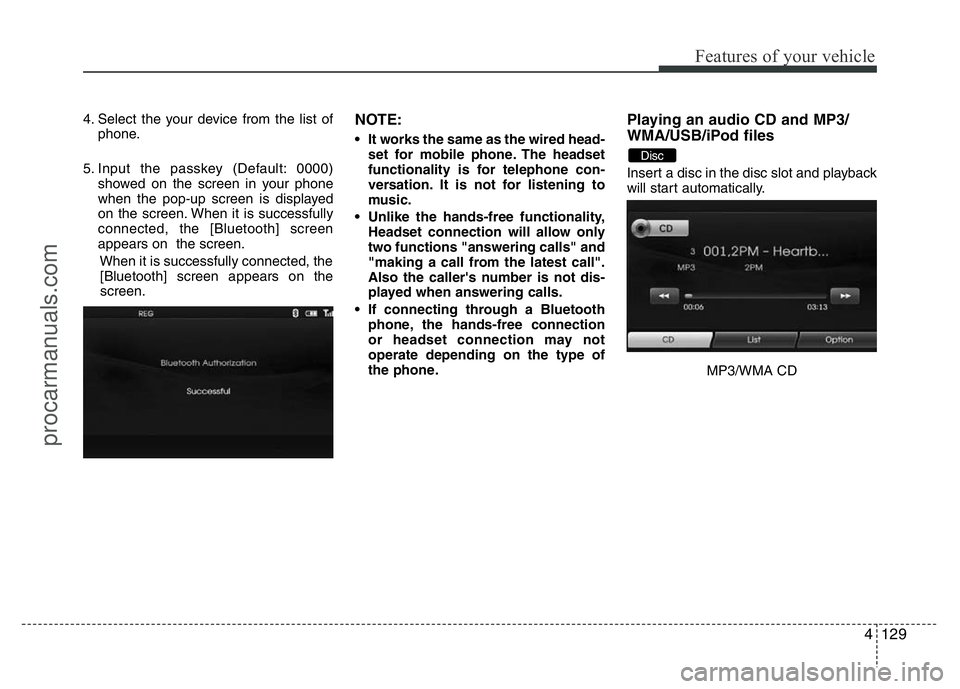
5. Input the passkey (Default: 0000)
showed on the screen in your phone
when the pop-up screen is displayed
on the screen. When it is successfully
connected, the [Bluetooth] screen
appears on the screen.
When it is successfully connected, the
[Bluetooth] screen appears on the
screen.NOTE:
• It works the same as the wired head-
set for mobile phone. The headset
functionality is for telephone con-
versation. It is not for listening to
music.
• Unlike the hands-free functionality,
Headset connection will allow only
two functions "answering calls" and
"making a call from the latest call".
Also the caller's number is not dis-
played when answering calls.
• If connecting through a Bluetooth
phone, the hands-free connection
or headset connection may not
operate depending on the type of
the phone.
Playing an audio CD and MP3/
WMA/USB/iPod files
Insert a disc in the disc slot and playback
will start automatically.
MP3/WMA CD
Disc
procarmanuals.com