change wheel HYUNDAI VELOSTER 2020 User Guide
[x] Cancel search | Manufacturer: HYUNDAI, Model Year: 2020, Model line: VELOSTER, Model: HYUNDAI VELOSTER 2020Pages: 480, PDF Size: 6.16 MB
Page 309 of 480
5-91
Driving your vehicle
5
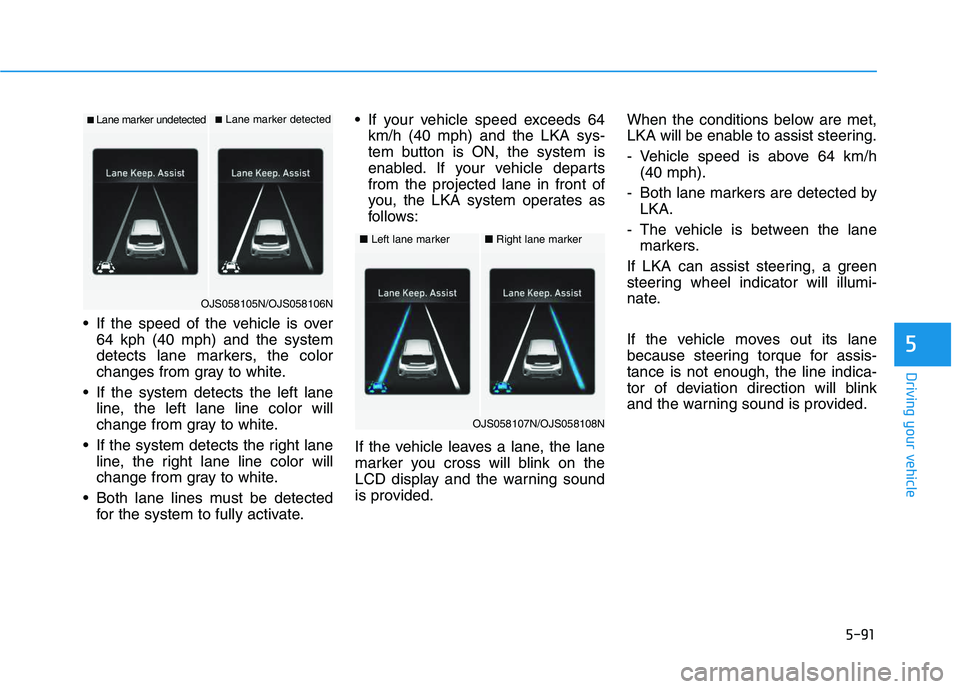
If the speed of the vehicle is over
64 kph (40 mph) and the system
detects lane markers, the color
changes from gray to white.
If the system detects the left lane
line, the left lane line color will
change from gray to white.
If the system detects the right lane
line, the right lane line color will
change from gray to white.
Both lane lines must be detected
for the system to fully activate. If your vehicle speed exceeds 64
km/h (40 mph) and the LKA sys-
tem button is ON, the system is
enabled. If your vehicle departs
from the projected lane in front of
you, the LKA system operates as
follows:
If the vehicle leaves a lane, the lane
marker you cross will blink on the
LCD display and the warning sound
is provided.When the conditions below are met,
LKA will be enable to assist steering.
- Vehicle speed is above 64 km/h
(40 mph).
- Both lane markers are detected by
LKA.
- The vehicle is between the lane
markers.
If LKA can assist steering, a green
steering wheel indicator will illumi-
nate.
If the vehicle moves out its lane
because steering torque for assis-
tance is not enough, the line indica-
tor of deviation direction will blink
and the warning sound is provided.
■Lane marker undetected■Lane marker detected
OJS058105N/OJS058106N
■Left lane marker■Right lane marker
OJS058107N/OJS058108N
Page 312 of 480
5-94
Driving your vehicle
The LKA system will not be in the
ENABLED state and the steering
wheel will not be assisted when:
The turn signal is turned on before
changing a lane. If you change
lanes without the turn signal on,
the steering wheel might be con-
trolled.
The vehicle is not driven in the mid-
dle of the lane when the system is
turned on or right after changing a
lane.
ESC (Electronic Stability Control) or
VSM (Vehicle Stability Management)
is activated.
The vehicle is driven on a sharp
curve.
Vehicle speed is below 64 km/h (40
mph) and over 177 km/h (110 mph).
The vehicle makes sharp lane
changes.
The vehicle brakes suddenly.
Only one lane line is detected.
The lane is very wide or narrow.
There are more than two lane lines
on the road. (e.g. construction area)
The vehicle is driven on a steep
incline.
Limitations of the System
The LKA system may operate pre-
maturely even if the vehicle does not
depart from the intended lane, OR,
the LKA system may not warn you if
the vehicle leaves the intended lane
under the following circumstances:
When the lane and road condi-
tions are poor
It is difficult to distinguish the lane
marking from the road surface or
the lane marking is faded or not
clearly marked.
It is difficult to distinguish the color
of the lane marker from road.
There are markings on the road
surface that look like a lane line
that is inadvertently being detected
by the camera.
The lane line is merged or divided.
(e.g. tollgate)
The lane number increases or
decreases or the lane marker are
crossing complicatedly.
There are more than two lane lines
on the road in front of you.
The lanes ahead are not visible
due to rain, snow, water on the
road, damaged or stained road
surface, or other factors.
The shadow is on the lane marker
by a median strip, trees, etc.
The lanes are incomplete or the
area is in a construction zone.
The lane suddenly disappears
such as at the intersection.
There are crosswalk signs or other
symbols on the road.
The lane line in a tunnel is stained
with oil, etc.
When external condition is inter-
vened
The brightness outside changes
suddenly such as when entering or
exiting a tunnel or passing under a
bridge.
The brightness outside is too low
such as when the headlamps are
not on at night or the vehicle is
going through a tunnel or passing
under a bridge.
Page 313 of 480
5-95
Driving your vehicle
5
There is a boundary structure in
the roadway such as a concrete
barrier, guardrail and reflector post
that is inadvertently being detected
by the camera.
When light coming from a street
light or an oncoming vehicle is
reflected on a wet road surface
such as a puddle in the road.
Road surface is not evenness.
The field of view in front is
obstructed by sun glare.
There is not enough distance
between you and the vehicle in
front to be able to detect the lane
line or the vehicle ahead is driving
on the lane line.
Driving on a steep grade, over a
hill, or when driving on a curved
road.
The adverse road conditions cause
excessive vehicle vibrations while
driving.
The surrounding of the inside rear
view mirror temperature is high
due to direct sunlight and etc.When front visibility is poor
The windshield or the LKA system
camera lens is blocked with dirt or
debris.
The windshield glass is fogged up;
a clear view of the road is obstruct-
ed.
Placing objects on the dashboard,
etc.
LKA system Function Change
The driver can change LKA to Lane
Departure Warning (LDW) system or
change the LKA system mode
between Standard LKA and Active
LKA from the LCD display. Go to the
'User Settings →Driver Assistance →
Lane Keeping Assist →Lane
Departure Warning/Standard
LKA/Active LKA'.
Lane Departure Warning
LDW system alerts the driver with a
visual warning and a warning alarm
when the system detects the vehicle
departing the lane. The steering
wheel will not be controlled.
Standard LKA
The Standard LKA mode guides the
driver to help keep the vehicle within
the lanes. It rarely controls the steer-
ing wheel, when the vehicle drives
well inside the lanes. However, it
starts to control the steering wheel,
when the vehicle is about to deviate
out of the lanes.
Active LKA
The Active LKA mode provides more
frequent steering wheel control in
comparison with the Standard LKA
mode. Active LKA can help reduce
the driver's fatigue to assist the
steering for maintaining the vehicle
in the middle of the lane.
Page 327 of 480
5-109
Driving your vehicle
5
To temporarily accelerate with
the Smart Cruise Control on
If you want to speed up temporarily
when the Smart Cruise Control is on,
depress the accelerator pedal.
Increased speed will not interfere
with Smart Cruise Control operation
or change the set speed.
To return to the set speed, take your
foot off the accelerator pedal.
If you push the toggle switch down
(SET-) at increased speed, the cruis-
ing speed will be set again pedal.
Smart Cruise Control set speed
will be temporarily canceled
when:
Canceled manually
Depressing the brake pedal.
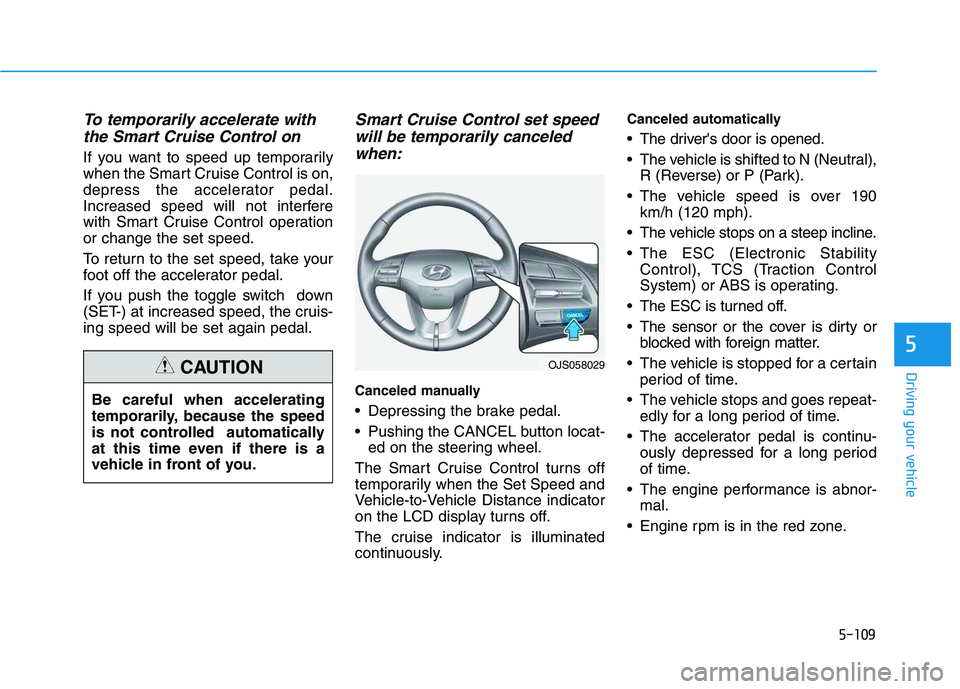
Pushing the CANCEL button locat-
ed on the steering wheel.
The Smart Cruise Control turns off
temporarily when the Set Speed and
Vehicle-to-Vehicle Distance indicator
on the LCD display turns off.
The cruise indicator is illuminated
continuously.
Canceled automatically
The driver's door is opened.
The vehicle is shifted to N (Neutral),
R (Reverse) or P (Park).
The vehicle speed is over 190
km/h (120 mph).
The vehicle stops on a steep incline.
The ESC (Electronic Stability
Control), TCS (Traction Control
System) or ABS is operating.
The ESC is turned off.
The sensor or the cover is dirty or
blocked with foreign matter.
The vehicle is stopped for a certain
period of time.
The vehicle stops and goes repeat-
edly for a long period of time.
The accelerator pedal is continu-
ously depressed for a long period
of time.
The engine performance is abnor-
mal.
Engine rpm is in the red zone.
OJS058029
Be careful when accelerating
temporarily, because the speed
is not controlled automatically
at this time even if there is a
vehicle in front of you.
CAUTION
Page 339 of 480
5-121
Driving your vehicle
5
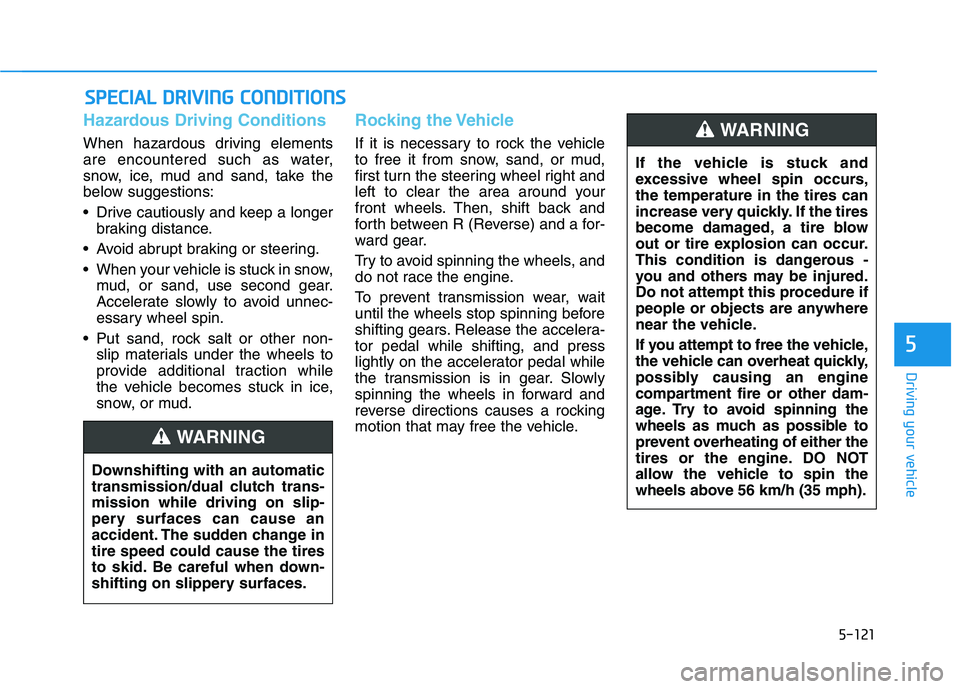
Hazardous Driving Conditions
When hazardous driving elements
are encountered such as water,
snow, ice, mud and sand, take the
below suggestions:
Drive cautiously and keep a longer
braking distance.
Avoid abrupt braking or steering.
When your vehicle is stuck in snow,
mud, or sand, use second gear.
Accelerate slowly to avoid unnec-
essary wheel spin.
Put sand, rock salt or other non-
slip materials under the wheels to
provide additional traction while
the vehicle becomes stuck in ice,
snow, or mud.
Rocking the Vehicle
If it is necessary to rock the vehicle
to free it from snow, sand, or mud,
first turn the steering wheel right and
left to clear the area around your
front wheels. Then, shift back and
forth between R (Reverse) and a for-
ward gear.
Try to avoid spinning the wheels, and
do not race the engine.
To prevent transmission wear, wait
until the wheels stop spinning before
shifting gears. Release the accelera-
tor pedal while shifting, and press
lightly on the accelerator pedal while
the transmission is in gear. Slowly
spinning the wheels in forward and
reverse directions causes a rocking
motion that may free the vehicle.
S SP
PE
EC
CI
IA
AL
L
D
DR
RI
IV
VI
IN
NG
G
C
CO
ON
ND
DI
IT
TI
IO
ON
NS
S
Downshifting with an automatic
transmission/dual clutch trans-
mission while driving on slip-
pery surfaces can cause an
accident. The sudden change in
tire speed could cause the tires
to skid. Be careful when down-
shifting on slippery surfaces.
WARNING
If the vehicle is stuck and
excessive wheel spin occurs,
the temperature in the tires can
increase very quickly. If the tires
become damaged, a tire blow
out or tire explosion can occur.
This condition is dangerous -
you and others may be injured.
Do not attempt this procedure if
people or objects are anywhere
near the vehicle.
If you attempt to free the vehicle,
the vehicle can overheat quickly,
possibly causing an engine
compartment fire or other dam-
age. Try to avoid spinning the
wheels as much as possible to
prevent overheating of either the
tires or the engine. DO NOT
allow the vehicle to spin the
wheels above 56 km/h (35 mph).
WARNING
Page 343 of 480
5-125
Driving your vehicle
5
Change to "winter weight" oil if
necessary
In some climates it is recommended
that a lower viscosity "winter weight"
oil be used during cold weather. See
chapter 8 for recommendations. If
you aren't sure what weight oil you
should use, consult an authorized
HYUNDAI dealer.
Check battery and cables
Winter puts additional burdens on
the battery system. Visually inspect
the battery and cables as described
in chapter 7. The level of charge in
your battery can be checked by an
authorized HYUNDAI dealer or a
service station.
Check spark plugs and ignition
system
Inspect your spark plugs as
described in chapter 7 and replace
them if necessary. Also check all
ignition wiring and components to be
sure they are not cracked, worn or
damaged in any way.
Use approved window washer
anti-freeze in system
To keep the water in the window
washer system from freezing, add an
approved window washer anti-freeze
solution in accordance with instruc-
tions on the container. Window wash-
er anti-freeze is available from an
authorized HYUNDAI dealer and
most auto parts outlets. Do not use
engine coolant or other types of anti-
freeze as these may damage the
paint finish.
Do not let your parking brake
freeze
Under some conditions your parking
brake can freeze in the engaged
position. This is most likely to happen
when there is an accumulation of
snow or ice around or near the rear
brakes or if the brakes are wet. If
there is a risk the parking brake may
freeze, apply it only temporarily while
you put the gear selector lever in P
and block the rear wheels so the car
cannot roll. Then release the parking
brake.
Do not let ice and snow accu-
mulate underneath
Under some conditions, snow and
ice can build up under the fenders
and interfere with the steering. When
driving in severe winter conditions
where this may happen, you should
periodically check underneath the
car to be sure the movement of the
front wheels and the steering com-
ponents is not obstructed.
Page 359 of 480
6-9
What to do in an emergency
6
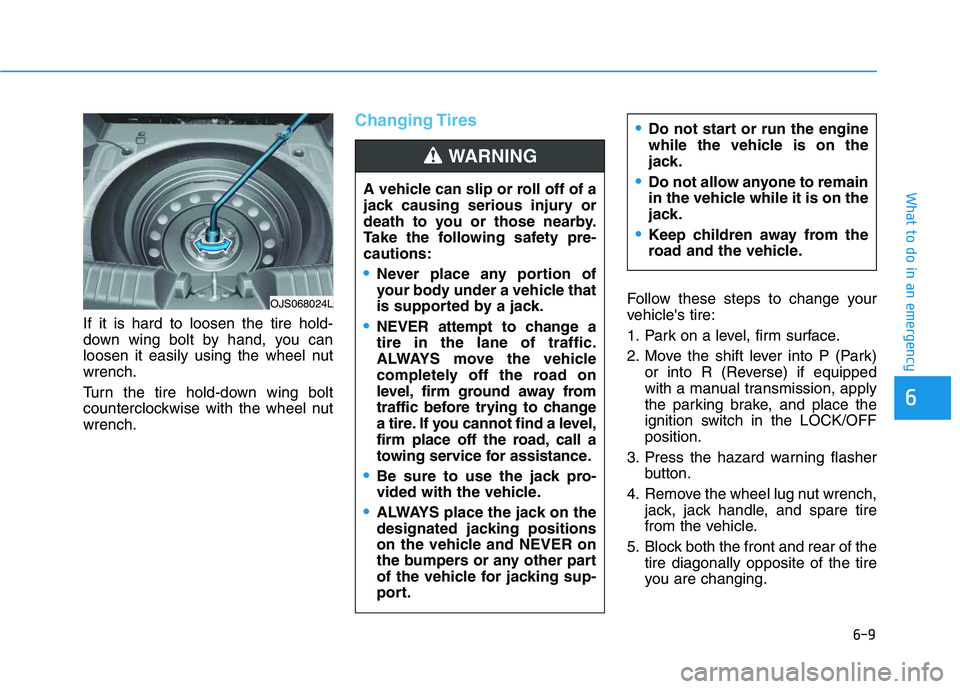
If it is hard to loosen the tire hold-
down wing bolt by hand, you can
loosen it easily using the wheel nut
wrench.
Turn the tire hold-down wing bolt
counterclockwise with the wheel nut
wrench.
Changing Tires
Follow these steps to change your
vehicle's tire:
1. Park on a level, firm surface.
2. Move the shift lever into P (Park)
or into R (Reverse) if equipped
with a manual transmission, apply
the parking brake, and place the
ignition switch in the LOCK/OFF
position.
3. Press the hazard warning flasher
button.
4. Remove the wheel lug nut wrench,
jack, jack handle, and spare tire
from the vehicle.
5. Block both the front and rear of the
tire diagonally opposite of the tire
you are changing. A vehicle can slip or roll off of a
jack causing serious injury or
death to you or those nearby.
Take the following safety pre-
cautions:
Never place any portion of
your body under a vehicle that
is supported by a jack.
NEVER attempt to change a
tire in the lane of traffic.
ALWAYS move the vehicle
completely off the road on
level, firm ground away from
traffic before trying to change
a tire. If you cannot find a level,
firm place off the road, call a
towing service for assistance.
Be sure to use the jack pro-
vided with the vehicle.
ALWAYS place the jack on the
designated jacking positions
on the vehicle and NEVER on
the bumpers or any other part
of the vehicle for jacking sup-
port.
Do not start or run the engine
while the vehicle is on the
jack.
Do not allow anyone to remain
in the vehicle while it is on the
jack.
Keep children away from the
road and the vehicle.
WARNING
OJS068024L
Page 362 of 480
6-12
What to do in an emergency
If any of the equipment such as the
jack, lug nuts, studs, or other equip-
ment is damaged or in poor condi-
tion, do not attempt to change the
tire and call for assistance.
Use of compact spare tires
Compact spare tires are designed for
emergency use only. Drive carefully
on the compact spare tire and
always follow the safety precautions.When driving with the compact spare
tire mounted to your vehicle:
Check the tire pressure after
installing the compact spare tire.
The compact spare tire should be
inflated to 420 kPa (60 psi).
Do not take this vehicle through an
automatic car wash while the com-
pact spare tire is installed.
Do not use the compact spare tire
on any other vehicle because this
tire has been designed especially
for your vehicle.
The compact spare tire's tread life
is shorter than a regular tire.
Inspect your compact spare tire
regularly and replace worn com-
pact spare tires with the same size
and design, mounted on the same
wheel.
Do not use more than one compact
spare tire at a time.
When the original tire and wheel
are repaired and reinstalled on the
vehicle, the lug nut torque must be
set correctly. The correct lug nut
tightening torque is 11~13 kgf·m
(79~94 lbf·ft).
NOTICE
Your vehicle has metric threads
on the studs and lug nuts. Make
certain during tire changing that
the same nuts that were
removed are reinstalled. If you
have to replace your lug nuts
make sure they have metric
threads to avoid damaging the
studs and ensure the wheel is
properly secured to the hub.
Consult an authorized HYUNDAI
dealer for assistance.
CAUTION
To prevent compact spare tire
failure and loss of control pos-
sibly resulting in an accident:
Use the compact spare tire
only in an emergency.
NEVER operate your vehicle
over 50 mph (80 km/h).
Do not exceed the vehicle's
maximum load rating or the
load carrying capacity shown
on the sidewall of the com-
pact spare tire.
Do not use the compact spare
tire continuously. Repair or
replace the original tire as
soon as possible to avoid fail-
ure of the compact spare tire.
WARNING
Page 375 of 480
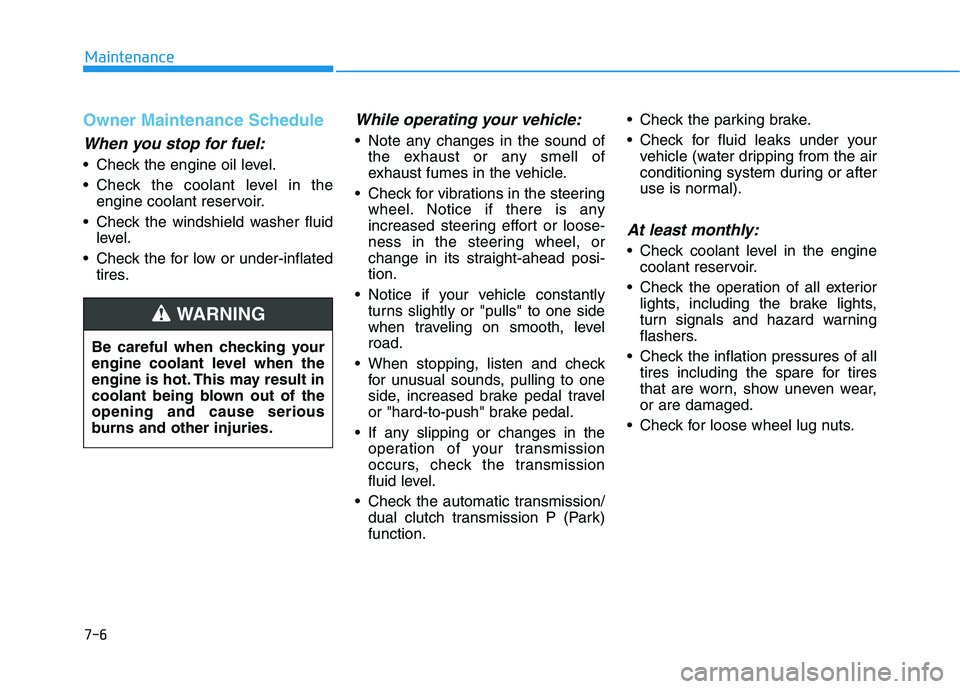
7-6
Maintenance
Owner Maintenance Schedule
When you stop for fuel:
• Check the engine oil level.
Check the coolant level in the
engine coolant reservoir.
Check the windshield washer fluid
level.
Check the for low or under-inflated
tires.
While operating your vehicle:
Note any changes in the sound of
the exhaust or any smell of
exhaust fumes in the vehicle.
Check for vibrations in the steering
wheel. Notice if there is any
increased steering effort or loose-
ness in the steering wheel, or
change in its straight-ahead posi-
tion.
Notice if your vehicle constantly
turns slightly or "pulls" to one side
when traveling on smooth, level
road.
When stopping, listen and check
for unusual sounds, pulling to one
side, increased brake pedal travel
or "hard-to-push" brake pedal.
If any slipping or changes in the
operation of your transmission
occurs, check the transmission
fluid level.
Check the automatic transmission/
dual clutch transmission P (Park)
function. Check the parking brake.
Check for fluid leaks under your
vehicle (water dripping from the air
conditioning system during or after
use is normal).
At least monthly:
Check coolant level in the engine
coolant reservoir.
Check the operation of all exterior
lights, including the brake lights,
turn signals and hazard warning
flashers.
Check the inflation pressures of all
tires including the spare for tires
that are worn, show uneven wear,
or are damaged.
Check for loose wheel lug nuts. Be careful when checking your
engine coolant level when the
engine is hot. This may result in
coolant being blown out of the
opening and cause serious
burns and other injuries.
WARNING
Page 474 of 480
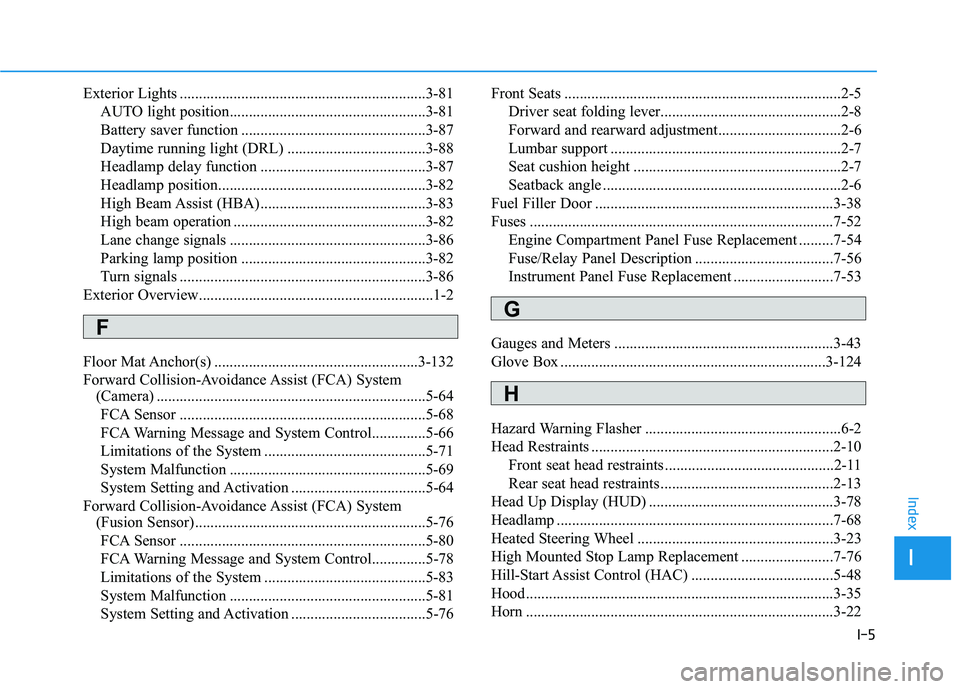
I-5
Exterior Lights ................................................................3-81
AUTO light position...................................................3-81
Battery saver function ................................................3-87
Daytime running light (DRL) ....................................3-88
Headlamp delay function ...........................................3-87
Headlamp position......................................................3-82
High Beam Assist (HBA) ...........................................3-83
High beam operation ..................................................3-82
Lane change signals ...................................................3-86
Parking lamp position ................................................3-82
Turn signals ................................................................3-86
Exterior Overview.............................................................1-2
Floor Mat Anchor(s) .....................................................3-132
Forward Collision-Avoidance Assist (FCA) System
(Camera) ......................................................................5-64
FCA Sensor ................................................................5-68
FCA Warning Message and System Control..............5-66
Limitations of the System ..........................................5-71
System Malfunction ...................................................5-69
System Setting and Activation ...................................5-64
Forward Collision-Avoidance Assist (FCA) System
(Fusion Sensor) ............................................................5-76
FCA Sensor ................................................................5-80
FCA Warning Message and System Control..............5-78
Limitations of the System ..........................................5-83
System Malfunction ...................................................5-81
System Setting and Activation ...................................5-76Front Seats ........................................................................2-5
Driver seat folding lever...............................................2-8
Forward and rearward adjustment................................2-6
Lumbar support ............................................................2-7
Seat cushion height ......................................................2-7
Seatback angle ..............................................................2-6
Fuel Filler Door ..............................................................3-38
Fuses ...............................................................................7-52
Engine Compartment Panel Fuse Replacement .........7-54
Fuse/Relay Panel Description ....................................7-56
Instrument Panel Fuse Replacement ..........................7-53
Gauges and Meters .........................................................3-43
Glove Box .....................................................................3-124
Hazard Warning Flasher ...................................................6-2
Head Restraints ...............................................................2-10
Front seat head restraints ............................................2-11
Rear seat head restraints .............................................2-13
Head Up Display (HUD) ................................................3-78
Headlamp ........................................................................7-68
Heated Steering Wheel ...................................................3-23
High Mounted Stop Lamp Replacement ........................7-76
Hill-Start Assist Control (HAC) .....................................5-48
Hood................................................................................3-35
Horn ................................................................................3-22
I
Index
F
G
H