fuel HYUNDAI VELOSTER 2020 User Guide
[x] Cancel search | Manufacturer: HYUNDAI, Model Year: 2020, Model line: VELOSTER, Model: HYUNDAI VELOSTER 2020Pages: 480, PDF Size: 6.16 MB
Page 174 of 480
3-40
Convenient features of your vehicle
Information
Make sure to refuel your vehicle
according to the "Fuel Requirements"
suggested in the Introduction chapter.
Do not spill fuel on the exterior
surfaces of the vehicle. Any type
of fuel spilled on painted sur-
faces may damage the paint.
If the fuel filler cap requires
replacement, use only a genuine
HYUNDAI cap or the equivalent
specified for your vehicle. An
incorrect fuel filler cap can
result in a serious malfunction
of the fuel system or emission
control system.
NOTICE
iDo not over-fill or top-off your
vehicle tank, which can cause
gasoline spillage.
If a fire breaks out during refu-
eling, leave the vicinity of the
vehicle, and immediately con-
tact the manager of the gas
station and then contact the
local fire department. Follow
any safety instructions they
provide.
If pressurized fuel sprays out,
it can cover your clothes or
skin and thus subject you to
the risk of fire and burns.
Always remove the fuel cap
carefully and slowly. If the cap
is venting fuel or if you hear a
hissing sound, wait until the
condition stops before com-
pletely removing the cap.
Always check that the fuel cap
is installed securely to pre-
vent fuel spillage in the event
of an accident.
Once refueling has begun,
contact between your bare
hand and the vehicle should
be maintained until the filling
is complete.
Use only approved portable
plastic fuel containers designed
to carry and store gasoline.
When refueling, always move
the shift lever to the P (Park)
position (for automatic trans-
mission/dual clutch transmis-
sion) or first gear or R
(Reverse, for manual trans-
mission), set the parking
brake, and place the ignition
switch to the LOCK/OFF posi-
tion. Sparks produced by
electrical components related
to the engine can ignite fuel
vapors causing a fire.
Do not use matches or a
lighter and do not smoke or
leave a lit cigarette in your
vehicle while at a gas station,
especially during refueling.
Page 175 of 480
3-41
Convenient features of your vehicle
3
I IN
NS
ST
TR
RU
UM
ME
EN
NT
T
C
CL
LU
US
ST
TE
ER
R
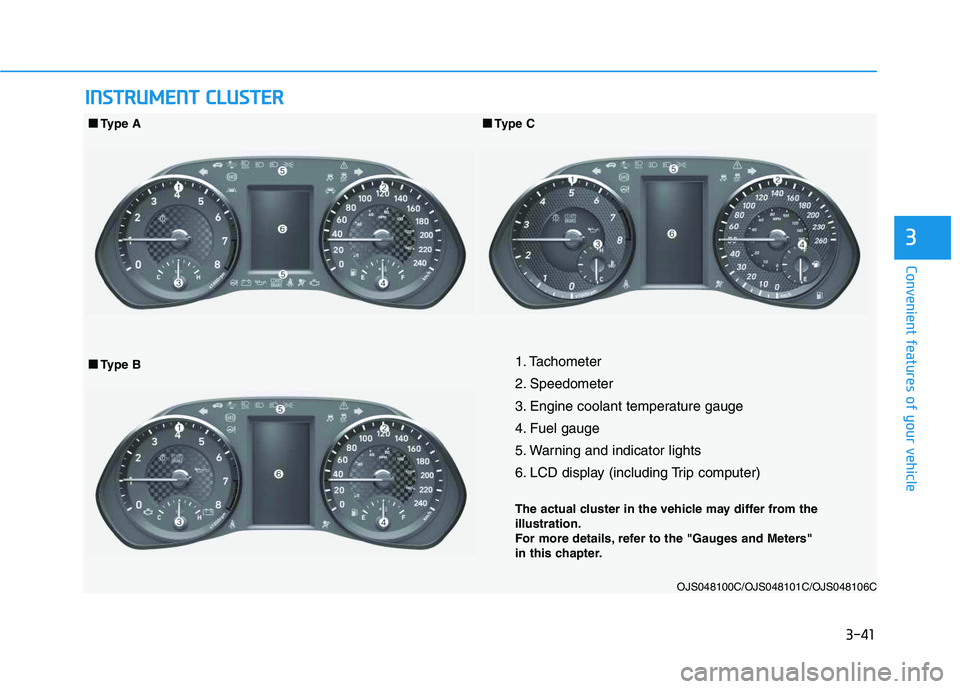
1. Tachometer
2. Speedometer
3. Engine coolant temperature gauge
4. Fuel gauge
5. Warning and indicator lights
6. LCD display (including Trip computer)
The actual cluster in the vehicle may differ from the
illustration.
For more details, refer to the "Gauges and Meters"
in this chapter.
OJS048100C/OJS048101C/OJS048106C
■ ■
Type B ■ ■
Type A
■ ■
Type C
Page 178 of 480
3-44
Convenient features of your vehicle
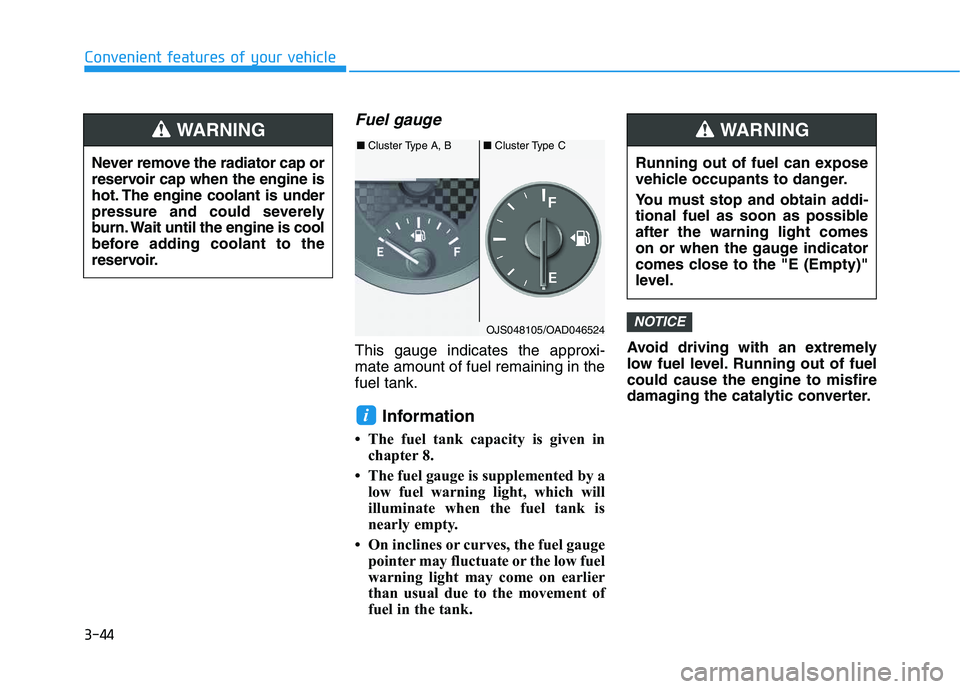
Fuel gauge
This gauge indicates the approxi-
mate amount of fuel remaining in the
fuel tank.
Information
• The fuel tank capacity is given in
chapter 8.
• The fuel gauge is supplemented by a
low fuel warning light, which will
illuminate when the fuel tank is
nearly empty.
• On inclines or curves, the fuel gauge
pointer may fluctuate or the low fuel
warning light may come on earlier
than usual due to the movement of
fuel in the tank.Avoid driving with an extremely
low fuel level. Running out of fuel
could cause the engine to misfire
damaging the catalytic converter.
NOTICE
i
Never remove the radiator cap or
reservoir cap when the engine is
hot. The engine coolant is under
pressure and could severely
burn. Wait until the engine is cool
before adding coolant to the
reservoir.
WARNING
Running out of fuel can expose
vehicle occupants to danger.
You must stop and obtain addi-
tional fuel as soon as possible
after the warning light comes
on or when the gauge indicator
comes close to the "E (Empty)"
level.
WARNING
OJS048105/OAD046524 ■Cluster Type A, B■Cluster Type C
Page 179 of 480
3-45
Convenient features of your vehicle
3
Outside temperature gauge
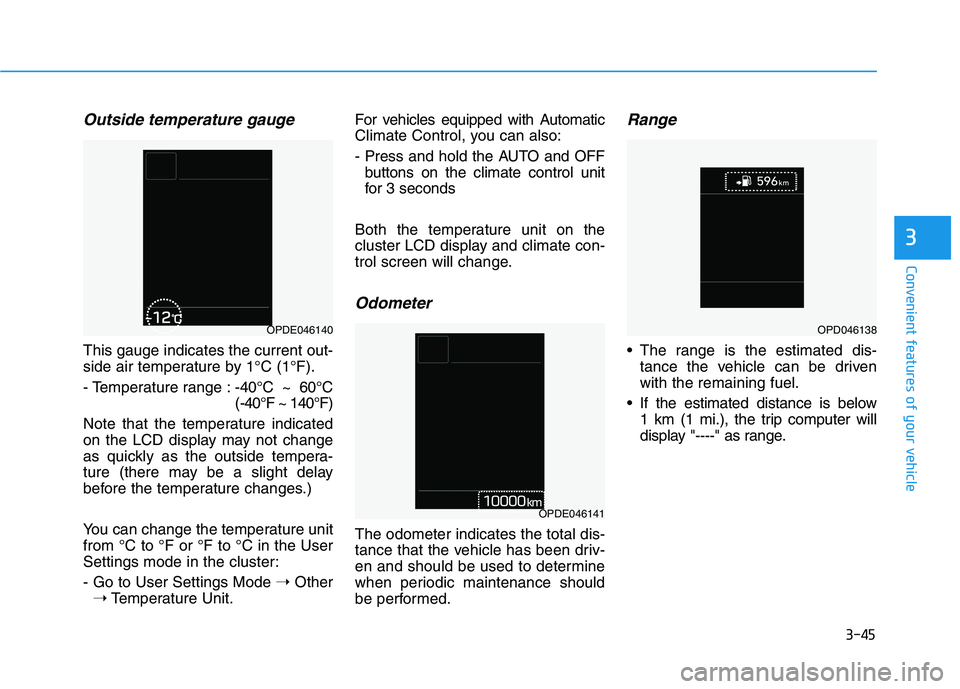
This gauge indicates the current out-
side air temperature by 1°C (1°F).
- Temperature range :-40°C ~ 60°C
(-40°F ~ 140°F)
Note that the temperature indicated
on the LCD display may not change
as quickly as the outside tempera-
ture (there may be a slight delay
before the temperature changes.)
You can change the temperature unit
from °C to °F or °F to °C in the User
Settings mode in the cluster:
- Go to User Settings Mode ➝Other
➝Temperature Unit.For vehicles equipped with Automatic
Climate Control, you can also:
- Press and hold the AUTO and OFF
buttons on the climate control unit
for 3 seconds
Both the temperature unit on the
cluster LCD display and climate con-
trol screen will change.
Odometer
The odometer indicates the total dis-
tance that the vehicle has been driv-
en and should be used to determine
when periodic maintenance should
be performed.
Range
The range is the estimated dis-
tance the vehicle can be driven
with the remaining fuel.
If the estimated distance is below
1 km (1 mi.), the trip computer will
display "----" as range.
OPDE046140
OPDE046141
OPD046138
Page 180 of 480
3-46
Convenient features of your vehicle
Information
• If the vehicle is not on level ground
or the battery power has been inter-
rupted, the range function may not
operate correctly.
• The range may differ from the actu-
al driving distance as it is only an
estimate of the available driving
range for the vehicle and driving
conditions.
• The trip computer may not register
additional fuel if less than 6 liters
(1.6 gallon) of fuel are added to the
vehicle.
• The range may vary significantly
based on driving conditions, driving
habits, and condition of the vehicle.
Transmission shift indicator
Manual transmission shift indi-
cator (if equipped)
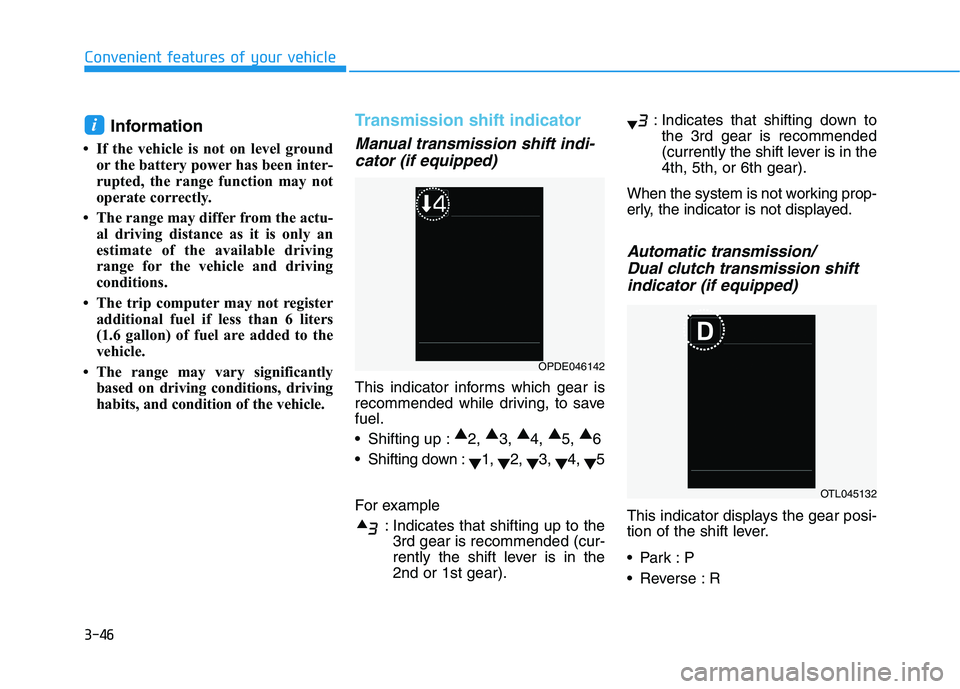
This indicator informs which gear is
recommended while driving, to save
fuel.
Shifting up :▲
2, ▲
3, ▲
4, ▲
5, ▲
6
Shifting down :
▼1,
▼2,
▼3,
▼4,
▼5
For example
: Indicates that shifting up to the
3rd gear is recommended (cur-
rently the shift lever is in the
2nd or 1st gear).: Indicates that shifting down to
the 3rd gear is recommended
(currently the shift lever is in the
4th, 5th, or 6th gear).
When the system is not working prop-
erly, the indicator is not displayed.
Automatic transmission/
Dual clutch transmission shift
indicator (if equipped)
This indicator displays the gear posi-
tion of the shift lever.
Reverse : R
i
OPDE046142
OTL045132
Page 184 of 480
3-50
Convenient features of your vehicle
Electric Power Steering
(EPS) Warning Light
This warning light illuminates:
When you place the ignition switch
to the ON position.
- The Electric Power Steering
Warning light illuminates for
about 3 seconds and then goes
off.
Whenever there is a malfunction
with the EPS.
If this occurs, have the vehicle
inspected by an authorized
HYUNDAI dealer.
Malfunction Indicator
Lamp (MIL)
This indicator light illuminates:
When you place the ignition switch
to the ON position.
- The malfunction indicator light
illuminates for about 3 seconds
and then goes off.
Whenever there is a malfunction
with either the emission control
system or the engine or the vehicle
powertrain.
If this occurs, have the vehicle
inspected by an authorized
HYUNDAI dealer.
Driving with the Malfunction
Indicator Lamp (MIL) on may
cause damage to the emission
control system which could affect
drivability and/or fuel economy.If the Malfunction Indicator Lamp
(MIL) illuminates, potential catalyt-
ic converter damage is possible
which could result in loss of
engine power.
In this case, have the vehicle
inspected by an authorized
HYUNDAI dealer as soon as possi-
ble.
NOTICE
NOTICE
Page 186 of 480
3-52
Convenient features of your vehicle
Low Fuel Level
Warning Light
This warning light illuminates:
When the fuel tank is nearly empty.
Add fuel as soon as possible.
Driving with the Low Fuel Level
warning light on or with the fuel
level below "E" can cause the
engine to misfire and damage the
catalytic converter.
Master Warning Light
This warning light illuminates:
When there is a malfunction in
operation in any of the following
systems:
- Low washer fluid
- Exterior lamp malfunction
(if equipped)
- Blind-Spot Collision Warning
(BCW) malfunction (if equipped)
To identify the details of the warn-
ing, look at the LCD display.
Electronic Stability
Control (ESC) Indicator
Light
This indicator light illuminates:
When you place the ignition switch
to the ON position.
- The Electronic Stability Control
indicator light illuminates for
about 3 seconds and then goes
off.
Whenever there is a malfunction
with the ESC system.
If this occurs, have the vehicle
inspected by an authorized
HYUNDAI dealer.
This indicator light blinks:
While the ESC is operating.
For more details, refer to
"Electronic Stability Control
(ESC)" in chapter 5.
NOTICE
Page 195 of 480
3-61
Convenient features of your vehicle
3
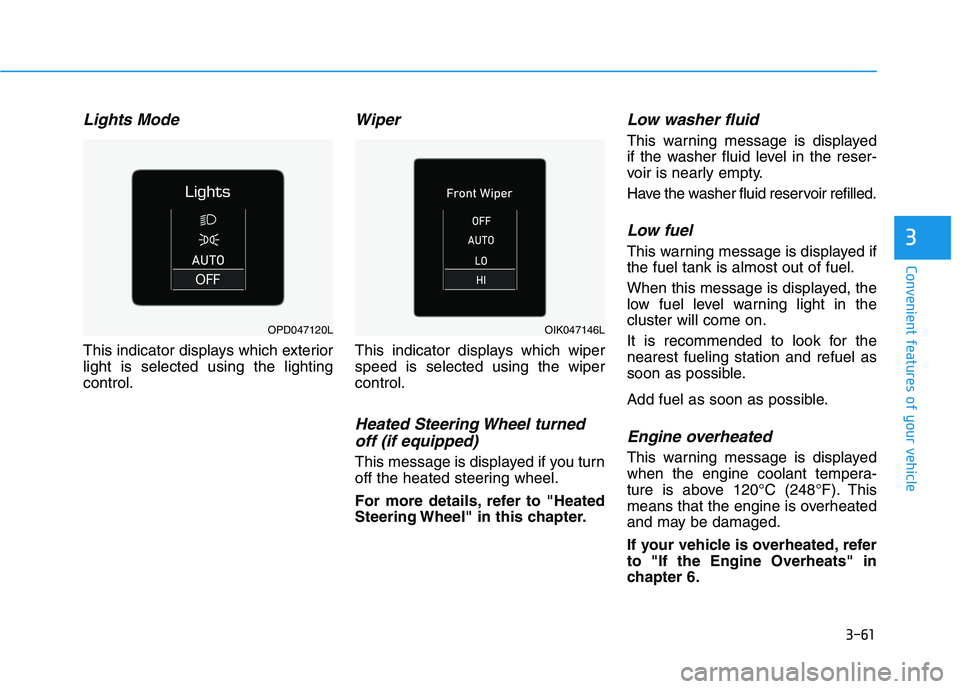
Lights Mode
This indicator displays which exterior
light is selected using the lighting
control.
Wiper
This indicator displays which wiper
speed is selected using the wiper
control.
Heated Steering Wheel turned
off (if equipped)
This message is displayed if you turn
off the heated steering wheel.
For more details, refer to "Heated
Steering Wheel" in this chapter.
Low washer fluid
This warning message is displayed
if the washer fluid level in the reser-
voir is nearly empty.
Have the washer fluid reservoir refilled.
Low fuel
This warning message is displayed if
the fuel tank is almost out of fuel.
When this message is displayed, the
low fuel level warning light in the
cluster will come on.
It is recommended to look for the
nearest fueling station and refuel as
soon as possible.
Add fuel as soon as possible.
Engine overheated
This warning message is displayed
when the engine coolant tempera-
ture is above 120°C (248°F). This
means that the engine is overheated
and may be damaged.
If your vehicle is overheated, refer
to "If the Engine Overheats" in
chapter 6.
OPD047120LOIK047146L
Page 198 of 480
3-64
Convenient features of your vehicle
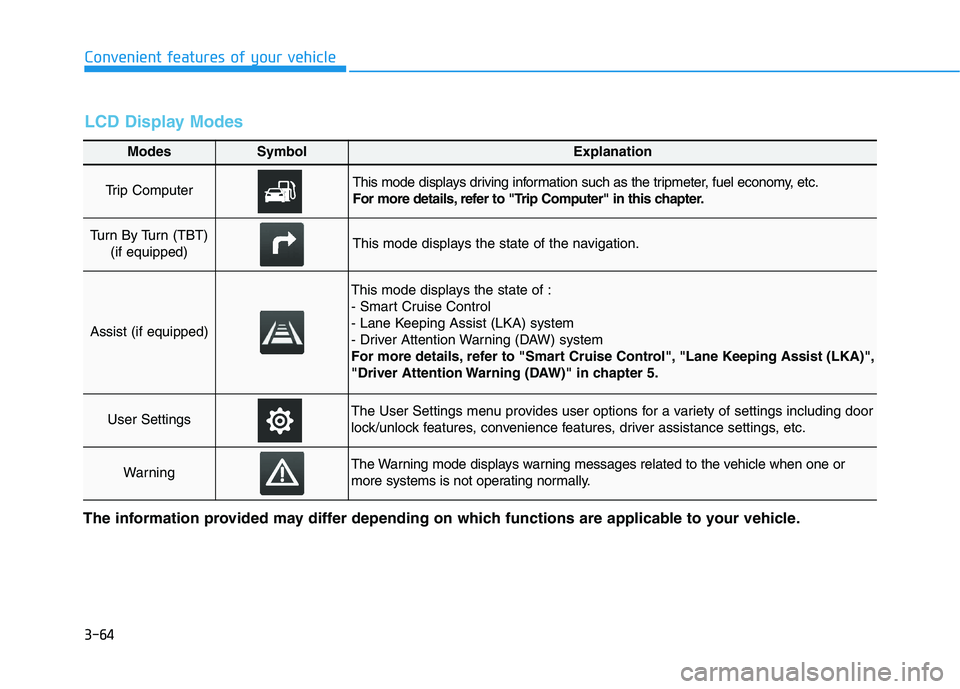
Modes SymbolExplanation
Trip Computer This mode displays driving information such as the tripmeter, fuel economy, etc.
For more details, refer to "Trip Computer" in this chapter.
Turn By Turn (TBT)
(if equipped)This mode displays the state of the navigation.
Assist (if equipped)
This mode displays the state of :
- Smart Cruise Control
- Lane Keeping Assist (LKA) system
- Driver Attention Warning (DAW) system
For more details, refer to "Smart Cruise Control", "Lane Keeping Assist (LKA)",
"Driver Attention Warning (DAW)" in chapter 5.
User SettingsThe User Settings menu provides user options for a variety of settings including door
lock/unlock features, convenience features, driver assistance settings, etc.
WarningThe Warning mode displays warning messages related to the vehicle when one or
more systems is not operating normally.
The information provided may differ depending on which functions are applicable to your vehicle.
LCD Display Modes
Page 199 of 480
3-65
Convenient features of your vehicle
3
Shift to P to edit settings
This warning message appears if
you try to adjust the User Settings
while driving.
- Manual transmission
For your safety, change the User
Settings after parking the vehicle,
applying the parking brake and mov-
ing the shift lever to neutral.
- Automatic transmission /
dual clutch transmission
For your safety, change the User
Settings after parking the vehicle,
applying the parking brake and mov-
ing the shift lever to P (Park).
Quick guide help
This mode provides quick guides for
the systems in the User Settings
mode.
Select an item, press and hold the OK
button.
For more information about each
system, refer to this Owner's
Manual.
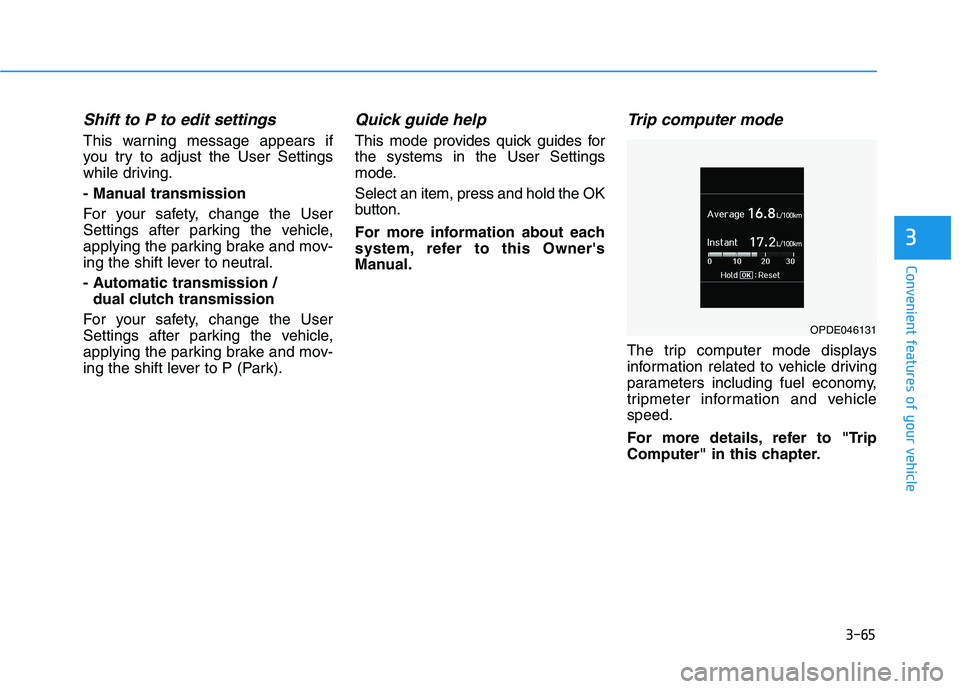
Trip computer mode
The trip computer mode displays
information related to vehicle driving
parameters including fuel economy,
tripmeter information and vehicle
speed.
For more details, refer to "Trip
Computer" in this chapter.
OPDE046131