light HYUNDAI VELOSTER 2020 Service Manual
[x] Cancel search | Manufacturer: HYUNDAI, Model Year: 2020, Model line: VELOSTER, Model: HYUNDAI VELOSTER 2020Pages: 480, PDF Size: 6.16 MB
Page 141 of 480
3-7
Convenient features of your vehicle
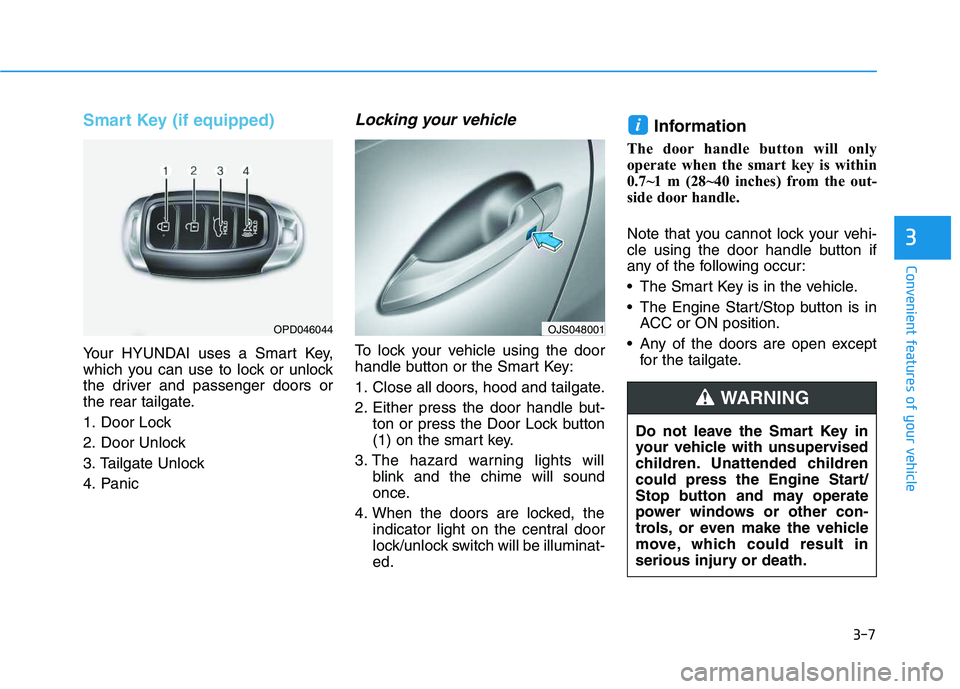
Smart Key (if equipped)
Your HYUNDAI uses a Smart Key,
which you can use to lock or unlock
the driver and passenger doors or
the rear tailgate.
1. Door Lock
2. Door Unlock
3. Tailgate Unlock
4. Panic
Locking your vehicle
To lock your vehicle using the door
handle button or the Smart Key:
1. Close all doors, hood and tailgate.
2. Either press the door handle but-
ton or press the Door Lock button
(1) on the smart key.
3. The hazard warning lights will
blink and the chime will sound
once.
4. When the doors are locked, the
indicator light on the central door
lock/unlock switch will be illuminat-
ed.
Information
The door handle button will only
operate when the smart key is within
0.7~1 m (28~40 inches) from the out-
side door handle.
Note that you cannot lock your vehi-
cle using the door handle button if
any of the following occur:
The Smart Key is in the vehicle.
The Engine Start/Stop button is in
ACC or ON position.
Any of the doors are open except
for the tailgate.
i
3
OPD046044
Do not leave the Smart Key in
your vehicle with unsupervised
children. Unattended children
could press the Engine Start/
Stop button and may operate
power windows or other con-
trols, or even make the vehicle
move, which could result in
serious injury or death.
WARNING
OJS048001
Page 142 of 480
3-8
Convenient features of your vehicle
Unlocking your vehicle
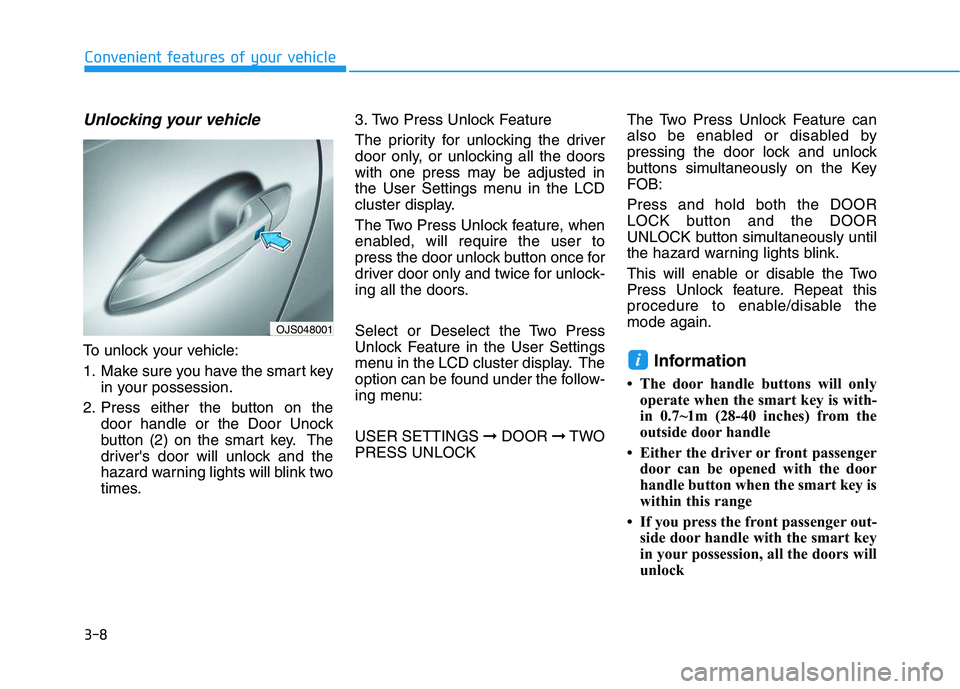
To unlock your vehicle:
1. Make sure you have the smart key
in your possession.
2. Press either the button on the
door handle or the Door Unock
button (2) on the smart key. The
driver's door will unlock and the
hazard warning lights will blink two
times.3. Two Press Unlock Feature
The priority for unlocking the driver
door only, or unlocking all the doors
with one press may be adjusted in
the User Settings menu in the LCD
cluster display.
The Two Press Unlock feature, when
enabled, will require the user to
press the door unlock button once for
driver door only and twice for unlock-
ing all the doors.
Select or Deselect the Two Press
Unlock Feature in the User Settings
menu in the LCD cluster display. The
option can be found under the follow-
ing menu:
USER SETTINGS ➞DOOR ➞TWO
PRESS UNLOCKThe Two Press Unlock Feature can
also be enabled or disabled by
pressing the door lock and unlock
buttons simultaneously on the Key
FOB:
Press and hold both the DOOR
LOCK button and the DOOR
UNLOCK button simultaneously until
the hazard warning lights blink.
This will enable or disable the Two
Press Unlock feature. Repeat this
procedure to enable/disable the
mode again.Information
• The door handle buttons will only
operate when the smart key is with-
in 0.7~1m (28-40 inches) from the
outside door handle
• Either the driver or front passenger
door can be opened with the door
handle button when the smart key is
within this range
• If you press the front passenger out-
side door handle with the smart key
in your possession, all the doors will
unlock
i
OJS048001
Page 143 of 480
3-9
Convenient features of your vehicle
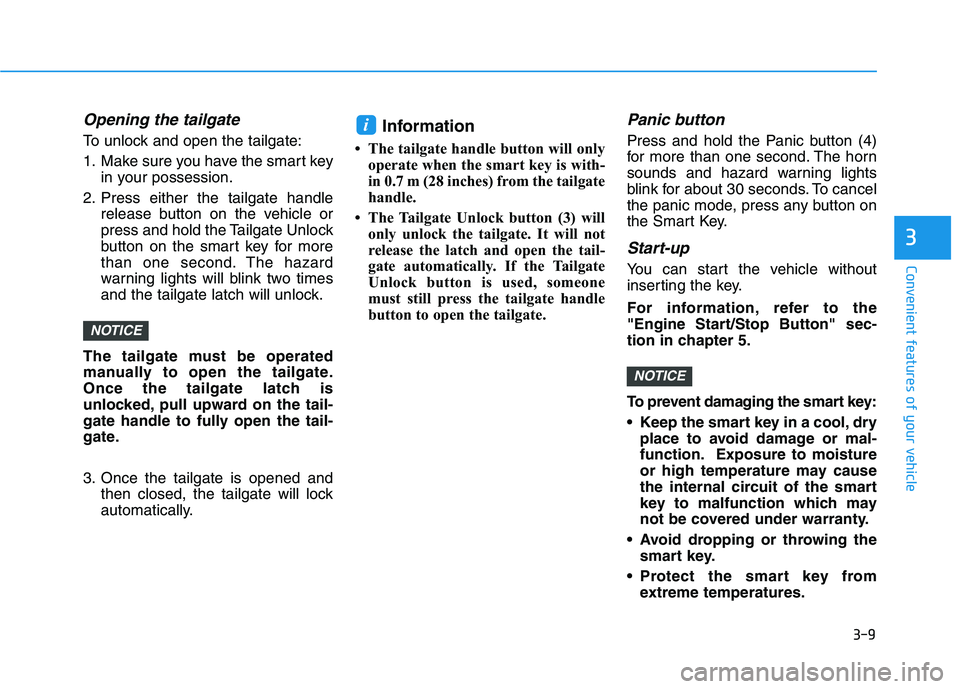
Opening the tailgate
To unlock and open the tailgate:
1. Make sure you have the smart key
in your possession.
2. Press either the tailgate handle
release button on the vehicle or
press and hold the Tailgate Unlock
button on the smart key for more
than one second. The hazard
warning lights will blink two times
and the tailgate latch will unlock.
The tailgate must be operated
manually to open the tailgate.
Once the tailgate latch is
unlocked, pull upward on the tail-
gate handle to fully open the tail-
gate.
3. Once the tailgate is opened and
then closed, the tailgate will lock
automatically.Information
• The tailgate handle button will only
operate when the smart key is with-
in 0.7 m (28 inches) from the tailgate
handle.
• The Tailgate Unlock button (3) will
only unlock the tailgate. It will not
release the latch and open the tail-
gate automatically. If the Tailgate
Unlock button is used, someone
must still press the tailgate handle
button to open the tailgate.
Panic button
Press and hold the Panic button (4)
for more than one second. The horn
sounds and hazard warning lights
blink for about 30 seconds. To cancel
the panic mode, press any button on
the Smart Key.
Start-up
You can start the vehicle without
inserting the key.
For information, refer to the
"Engine Start/Stop Button" sec-
tion in chapter 5.
To prevent damaging the smart key:
Keep the smart key in a cool, dry
place to avoid damage or mal-
function. Exposure to moisture
or high temperature may cause
the internal circuit of the smart
key to malfunction which may
not be covered under warranty.
Avoid dropping or throwing the
smart key.
Protect the smart key from
extreme temperatures.
NOTICE
i
NOTICE
3
Page 154 of 480
3-20
Convenient features of your vehicle
To allow a rear door to be opened
from inside the vehicle, unlock the
child safety lock.This system helps to protect your vehi-
cle and valuables. The horn will sound
and the hazard warning lights will blink
continuously if any of the following
occur:
- A door is opened without using the
remote key or smart key.
- The tailgate is opened without using
the remote key or smart key.
- The engine hood is opened.
The alarm continues for 30 seconds,
then the system resets. To turn off the
alarm, unlock the doors with the
remote key or smart key.
The Theft Alarm System automatically
sets 30 seconds after you lock the
doors and the tailgate. For the system
to activate, you must lock the doors
and the tailgate from outside the vehi-
cle with the remote key or smart key or
by pressing the button on the outside
of the door handle with the smart key
in your possession.
The hazard warning lights will blink
and the chime will sound once to indi-
cate the system is armed.
Once the security system is set, open-
ing any door, the tailgate, or the hood
without using the remote key or smart
key will cause the alarm to activate.The Theft Alarm System will not set if
the hood, the tailgate, or any door is
not fully closed. If the system will not
set, check the hood, the tailgate, or the
doors are fully closed.
Do not attempt to alter this system or
add other devices to it.
Information
• Do not lock the doors until all pas-
sengers have left the vehicle. If the
remaining passenger leaves the
vehicle when the system is armed,
the alarm will be activated.
• If the vehicle is not disarmed with the
remote key or smart key, open the
doors by using the mechanical key
and place the ignition switch in the
ON position (for remote key) or start
the engine (for smart key) by direct-
ly pressing the ignition switch with
the smart key.
• If the system is disarmed by unlock-
ing the vehicle, but neither a door or
the tailgate is opened within 30 sec-
onds, the doors will relock and the
system will rearm automatically.
i
T TH
HE
EF
FT
T-
-A
AL
LA
AR
RM
M
S
SY
YS
ST
TE
EM
M
If children accidently open the
rear doors while the vehicle is
in motion, they could fall out of
the vehicle. The rear door safety
locks should always be used
whenever children are in the
vehicle.
WARNING
Page 155 of 480
3-21
Convenient features of your vehicle
3
S ST
TE
EE
ER
RI
IN
NG
G
W
WH
HE
EE
EL
L
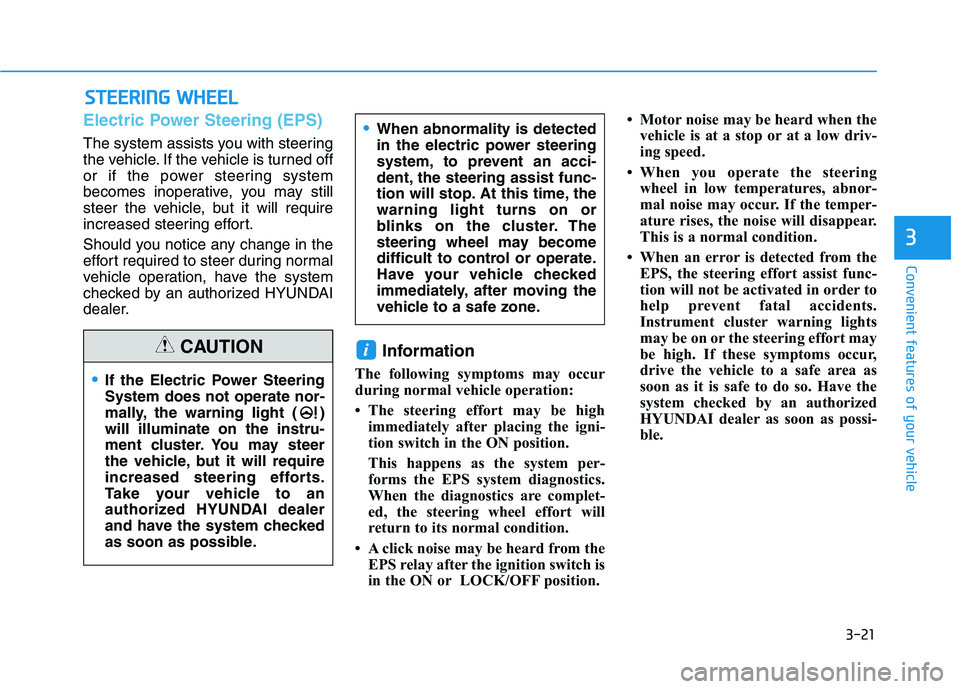
Electric Power Steering (EPS)
The system assists you with steering
the vehicle. If the vehicle is turned off
or if the power steering system
becomes inoperative, you may still
steer the vehicle, but it will require
increased steering effort.
Should you notice any change in the
effort required to steer during normal
vehicle operation, have the system
checked by an authorized HYUNDAI
dealer.
Information
The following symptoms may occur
during normal vehicle operation:
• The steering effort may be high
immediately after placing the igni-
tion switch in the ON position.
This happens as the system per-
forms the EPS system diagnostics.
When the diagnostics are complet-
ed, the steering wheel effort will
return to its normal condition.
• A click noise may be heard from the
EPS relay after the ignition switch is
in the ON or LOCK/OFF position.• Motor noise may be heard when the
vehicle is at a stop or at a low driv-
ing speed.
• When you operate the steering
wheel in low temperatures, abnor-
mal noise may occur. If the temper-
ature rises, the noise will disappear.
This is a normal condition.
• When an error is detected from the
EPS, the steering effort assist func-
tion will not be activated in order to
help prevent fatal accidents.
Instrument cluster warning lights
may be on or the steering effort may
be high. If these symptoms occur,
drive the vehicle to a safe area as
soon as it is safe to do so. Have the
system checked by an authorized
HYUNDAI dealer as soon as possi-
ble.
i
If the Electric Power Steering
System does not operate nor-
mally, the warning light ( )
will illuminate on the instru-
ment cluster. You may steer
the vehicle, but it will require
increased steering efforts.
Take your vehicle to an
authorized HYUNDAI dealer
and have the system checked
as soon as possible.
When abnormality is detected
in the electric power steering
system, to prevent an acci-
dent, the steering assist func-
tion will stop. At this time, the
warning light turns on or
blinks on the cluster. The
steering wheel may become
difficult to control or operate.
Have your vehicle checked
immediately, after moving the
vehicle to a safe zone.
CAUTION
Page 156 of 480
3-22
Convenient features of your vehicle
Tilt Steering / Telescope
Steering
When adjusting the steering wheel to
a comfortable position, adjust the
steering wheel so that it points
toward your chest, not toward your
face. Make sure you can see the
instrument cluster warning lights and
gauges. After adjusting, push the
steering wheel both up and down to
be certain it is locked in position.
Always adjust the position of the
steering wheel before driving.
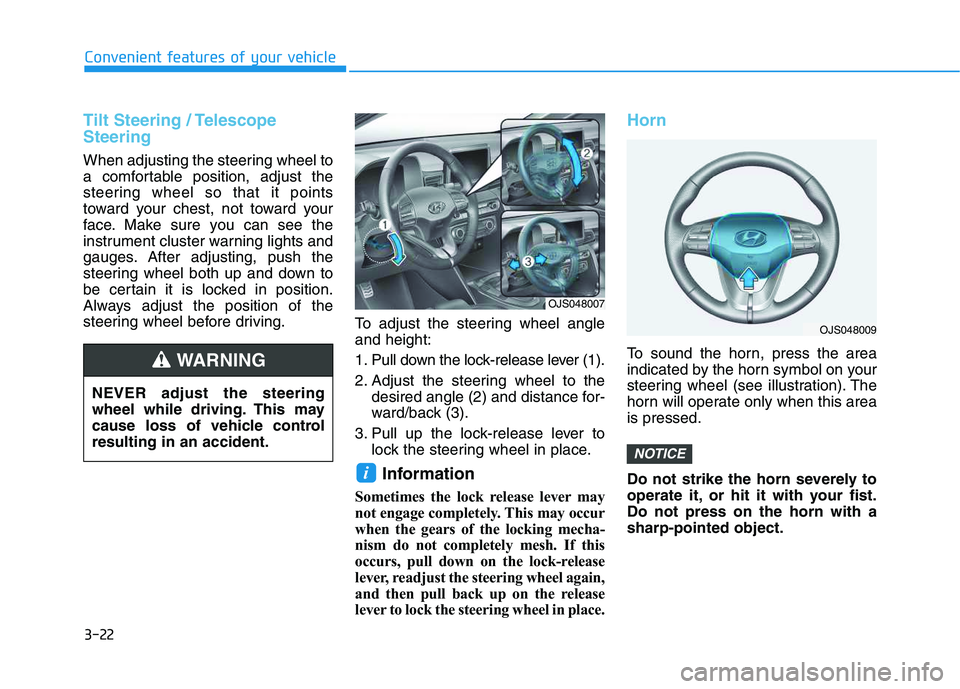
To adjust the steering wheel angle
and height:
1. Pull down the lock-release lever (1).
2. Adjust the steering wheel to the
desired angle (2) and distance for-
ward/back (3).
3. Pull up the lock-release lever to
lock the steering wheel in place.
Information
Sometimes the lock release lever may
not engage completely. This may occur
when the gears of the locking mecha-
nism do not completely mesh. If this
occurs, pull down on the lock-release
lever, readjust the steering wheel again,
and then pull back up on the release
lever to lock the steering wheel in place.
Horn
To sound the horn, press the area
indicated by the horn symbol on your
steering wheel (see illustration). The
horn will operate only when this area
is pressed.
Do not strike the horn severely to
operate it, or hit it with your fist.
Do not press on the horn with a
sharp-pointed object.
NOTICE
i
NEVER adjust the steering
wheel while driving. This may
cause loss of vehicle control
resulting in an accident.
WARNING
OJS048007
OJS048009
Page 158 of 480
3-24
Convenient features of your vehicle
When cleaning the mirror, use a
paper towel or similar material
dampened with glass cleaner. Do
not spray glass cleaner directly on
the mirror as this may cause the
liquid cleaner to enter the mirror
housing.
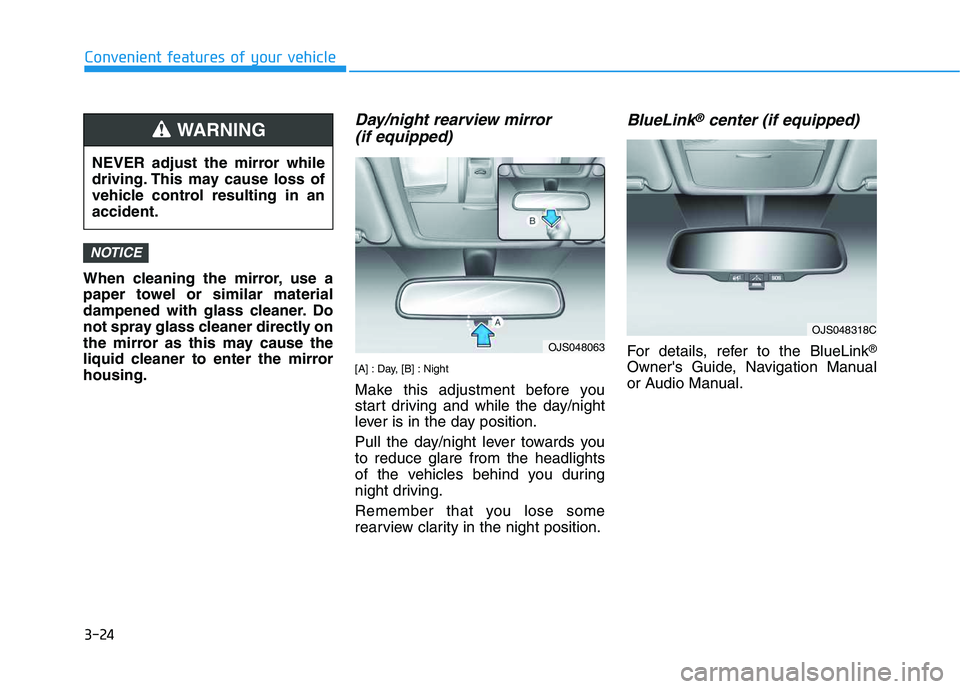
Day/night rearview mirror
(if equipped)
[A] : Day, [B] : Night
Make this adjustment before you
start driving and while the day/night
lever is in the day position.
Pull the day/night lever towards you
to reduce glare from the headlights
of the vehicles behind you during
night driving.
Remember that you lose some
rearview clarity in the night position.
BlueLink®center (if equipped)
For details, refer to the BlueLink®
Owner's Guide, Navigation Manual
or Audio Manual.
NOTICE
NEVER adjust the mirror while
driving. This may cause loss of
vehicle control resulting in an
accident.
WARNING
OJS048063
OJS048318C
Page 162 of 480
3-28
Convenient features of your vehicle
Power Windows
The ignition switch must be in the ON
position to be able to raise or lower
the windows. Each door has a Power
Window switch to control that door’s
window. The driver has a Power
Window Lock switch which can block
the operation of rear passenger win-
dows. The power windows will oper-
ate for approximately 30 seconds
after the ignition switch is placed in
the ACC or LOCK/OFF position.
However, if the front doors are
opened, the Power Windows will not
operate even within the 30 second
period.
Information
• In cold and wet climates, power win-
dows may not work properly due to
freezing conditions.
• While driving with the rear win-
dows down or with the sunroof (if
equipped) opened (or partially
opened), your vehicle may demon-
strate a wind buffeting or pulsation
noise. This noise is normal and can
be reduced or eliminated by taking
the following actions. If the noise
occurs with one or both of the rear
windows down, partially lower both
front windows approximately 2.5
cm (1 inch). If you experience the
noise with the sunroof open, slightly
close the sunroof.
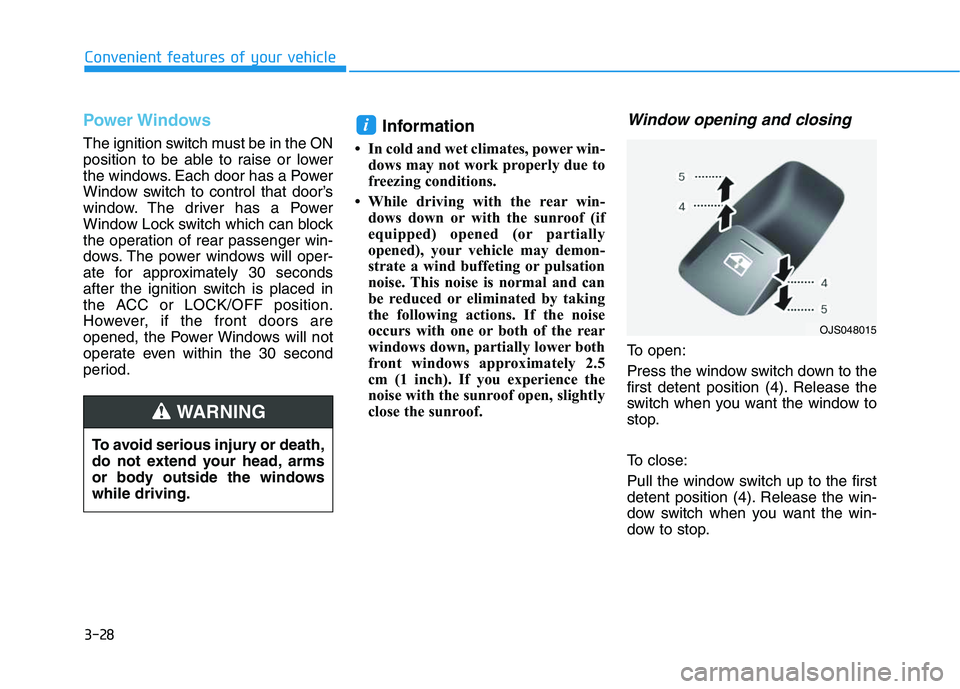
Window opening and closing
To open:
Press the window switch down to the
first detent position (4). Release the
switch when you want the window to
stop.
To close:
Pull the window switch up to the first
detent position (4). Release the win-
dow switch when you want the win-
dow to stop.
i
To avoid serious injury or death,
do not extend your head, arms
or body outside the windows
while driving.
WARNING
OJS048015
Page 166 of 480
3-32
Convenient features of your vehicle
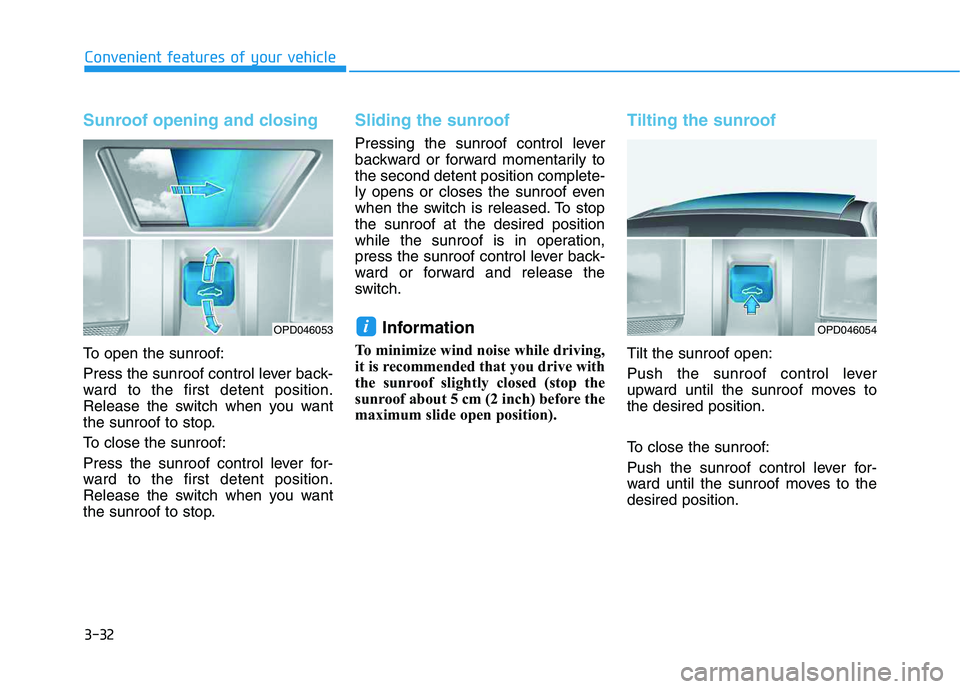
Sunroof opening and closing
To open the sunroof:
Press the sunroof control lever back-
ward to the first detent position.
Release the switch when you want
the sunroof to stop.
To close the sunroof:
Press the sunroof control lever for-
ward to the first detent position.
Release the switch when you want
the sunroof to stop.
Sliding the sunroof
Pressing the sunroof control lever
backward or forward momentarily to
the second detent position complete-
ly opens or closes the sunroof even
when the switch is released. To stop
the sunroof at the desired position
while the sunroof is in operation,
press the sunroof control lever back-
ward or forward and release the
switch.
Information
To minimize wind noise while driving,
it is recommended that you drive with
the sunroof slightly closed (stop the
sunroof about 5 cm (2 inch) before the
maximum slide open position).
Tilting the sunroof
Tilt the sunroof open:
Push the sunroof control lever
upward until the sunroof moves to
the desired position.
To close the sunroof:
Push the sunroof control lever for-
ward until the sunroof moves to the
desired position.
iOPD046053OPD046054
Page 168 of 480
3-34
Convenient features of your vehicle
4. Push the control lever forward
about 10 seconds.
- When the sunroof is in the
closed position :
The glass will tilt and slightly
move up and down.
- When the sunroof is in the tilt
position:
The glass will slightly move up
and down.
Do not release the lever until the
operation is completed.
If you release the lever during opera-
tion, start the procedure again from
step 2.
5. Within 3 seconds, push and hold
the control lever forward until the
sunroof operates as follows:
Glass and Sunshade Open
Together →Glass Close →
Sunshade Close
Do not release the lever until the
operation is completed.If you release the lever during opera-
tion, start the procedure again from
step 2.
6. Release the sunroof control lever
after all steps have completed.
(The sunroof system has been
reset.)
Information
• If the sunroof is not reset when the
vehicle battery is disconnected or
discharged, or the sunroof fuse is
blown, the sunroof may not operate
normally.
• For more detailed information, con-
tact an authorized HYUNDAI dealer.
Sunroof Open Warning
If the driver turns off the engine
when the sunroof is not fully
closed, the warning chime will
sound for approximately 3 seconds
and the sunroof open warning will
appear on the LCD display.
If the driver turns off the engine
and opens the door when the sun-
roof is not fully closed, the open
sunroof warning will appear on the
LCD display until the door is closed
or the sunroof is fully closed.
Close the sunroof securely when
leaving your vehicle.
i