immobilizer HYUNDAI VELOSTER 2020 Owners Manual
[x] Cancel search | Manufacturer: HYUNDAI, Model Year: 2020, Model line: VELOSTER, Model: HYUNDAI VELOSTER 2020Pages: 480, PDF Size: 6.16 MB
Page 135 of 480
Convenient features of your vehicle
Accessing Your Vehicle .........................................3-3
Remote Key.........................................................................3-3
Smart Key ............................................................................3-7
Immobilizer System .........................................................3-12
Door Locks ............................................................3-15
Operating Door Locks from Outside the Vehicle ....3-15
Operating Door Locks from Inside the Vehicle .......3-16
Automatic Door Lock and Unlock Features .............3-19
Child-Protector Rear Door Locks ...............................3-19
Theft-Alarm System ............................................3-20
Steering Wheel .....................................................3-21
Electric Power Steering (EPS) .....................................3-21
Tilt Steering / Telescope Steering ..............................3-22
Horn ....................................................................................3-22
Heated Steering Wheel ..................................................3-23
Mirrors ...................................................................3-23
Inside Rearview Mirror ..................................................3-23
Side View Mirrors ...........................................................3-25
Windows ................................................................3-27
Power Windows ...............................................................3-28
Wide Sunroof........................................................3-31
Sunroof opening and closing .......................................3-32
Sliding the sunroof .........................................................3-32
Tilting the sunroof ..........................................................3-32
Sunshade ...........................................................................3-33Resetting the sunroof ....................................................3-33
Sunroof Open Warning ..................................................3-34
Exterior Features .................................................3-35
Hood ...................................................................................3-35
Tailgate...............................................................................3-36
Fuel Filler Door ................................................................3-38
Instrument Cluster ...............................................3-41
Instrument Cluster Control............................................3-42
Gauges and Meters ........................................................3-43
Transmission shift indicator .........................................3-46
Warning and Indicator Lights .......................................3-47
LCD Display Messages ...................................................3-58
LCD Display ...........................................................3-63
LCD Display Control ........................................................3-63
LCD Display Modes .........................................................3-64
Trip Computer .......................................................3-74
Head Up Display (HUD) .......................................3-78
Lighting..................................................................3-81
Exterior Lights .................................................................3-81
Interior Lights...................................................................3-88
Welcome System .............................................................3-90
3
Page 146 of 480
3-12
If you suspect your smart key might
have sustained some damage, or
you feel your smart key is not work-
ing correctly, contact an authorized
HYUNDAI dealer.
Information
An inappropriately disposed
battery can be harmful to the
environment and human
health. Dispose of the battery
according to your local law(s)
or regulations.
Immobilizer System
The immobilizer system protects
your vehicle from theft. If an improp-
erly coded key (or other device) is
used, the engine's fuel system is dis-
abled.
When the ignition switch is placed in
the ON position, the immobilizer sys-
tem indicator should come on briefly,
then go off. If the indicator starts to
blink, the system does not recognize
the coding of the key.
Turn the ignition switch to the
LOCK/OFF position, then turn the
ignition switch to the ON position
again.
In some circumstances, the vehicle
may not recognize your smart key if
another smart key device is nearby
or a metal object such as a key chain
is causing interference with the
smart key.
If this occurs, your vehicle may not
start. Remove any metal objects or
additional keys near the smart key
before attempting to start the vehicle
again.If the system repeatedly does not
recognize the coding of the key, it is
recommended that you contact your
HYUNDAI dealer.
Do not attempt to alter this system or
add other devices to it. Electrical
problems could result that may make
your vehicle inoperable.
i
Convenient features of your vehicle
In order to prevent theft of your
vehicle, do not leave spare keys
anywhere in your vehicle. Your
immobilizer password is a cus-
tomer unique password and
should be kept confidential.
WARNING
This device complies with
Industry Canada licence-
exempt RSS standard(s).
Operation is subject to the fol-
lowing two conditions: (1) this
device may not cause interfer-
ence, and (2) this device must
accept any interference, includ-
ing interference that may cause
undesired operation of the
device.
IC WARNING
Page 147 of 480

3-13
Convenient features of your vehicle
The transponder in your key is an
important part of the immobilizer
system. It is designed to give
years of trouble-free service, how-
ever you should avoid exposure to
moisture, static electricity and
rough handling. Immobilizer sys-
tem malfunction could occur.
Information
This device complies with Industry
Canada RSS-210 standard.
Operation is subject to the following
three conditions:
1. This device may not cause harmful
interference, and
2. This device must accept any inter-
ference received, including interfer-
ence that may cause undesired
operation.
3. Changes or modifications not
expressly approved by the party
responsible for compliance could
void the user's authority to operate
the device.
"Limp Home" Mode and Related
Procedures
If the immobilizer warning indicator
blinks for five seconds when the igni-
tion key is turned to the "ON" posi-
tion, this indicates the immobilizer
system requires service. The engine
cannot be started without using the
procedure below.
The following procedure describes
how to start the engine using the
limp home function (0, 1, 2, 3 as a
sample password).
You can get a limp home pass-
word when the vehicle is first
delivered to you. If you do not
have a password, consult your
authorized HYUNDAI dealer.1. To activate the password, turn the
ignition key "ON" and "OFF"
according to the digit numbers.
The immobilizer indicator will blink
along with the operation of the
ignition key. For example, turn the
ignition key once for digit number
"1", and twice for "2", and so on.
For the digit number "0", you must
cycle the ignition key 10 times.
2. Wait for 3~10 seconds.
3. You may set the remaining num-
ber of digits by following steps 1
and 2.
4. If all of the four password digits
have been successfully entered,
turn the ignition key "ON" and
check that the immobilizer indica-
tor illuminates. From this time, you
have to start your engine within 30
seconds. If you try to start your
engine after 30 seconds, your
engine will not start.
NOTICE
i
NOTICE
3
Page 148 of 480
3-14
If the engine stalls while driving in
the "limp home" mode, you can
start your engine within 3 seconds
without re-entering the password.
If the immobilizer indicator blinks for
five seconds, you must re-enter the
password (steps 1~4).
After performing the limp home acti-
vation procedure, consult with your
authorized HYUNDAI dealer as soon
as possible.
NOTICE
Convenient features of your vehicle
If the password is entered
incorrectly three consecutive
times, wait for about one hour
to perform the limp home acti-
vation procedure again.
If you cannot start your
engine using the limp home
activation procedure, have
your vehicle towed by an
authorized HYUNDAI dealer.
CAUTION
Page 187 of 480
3-53
Convenient features of your vehicle
3
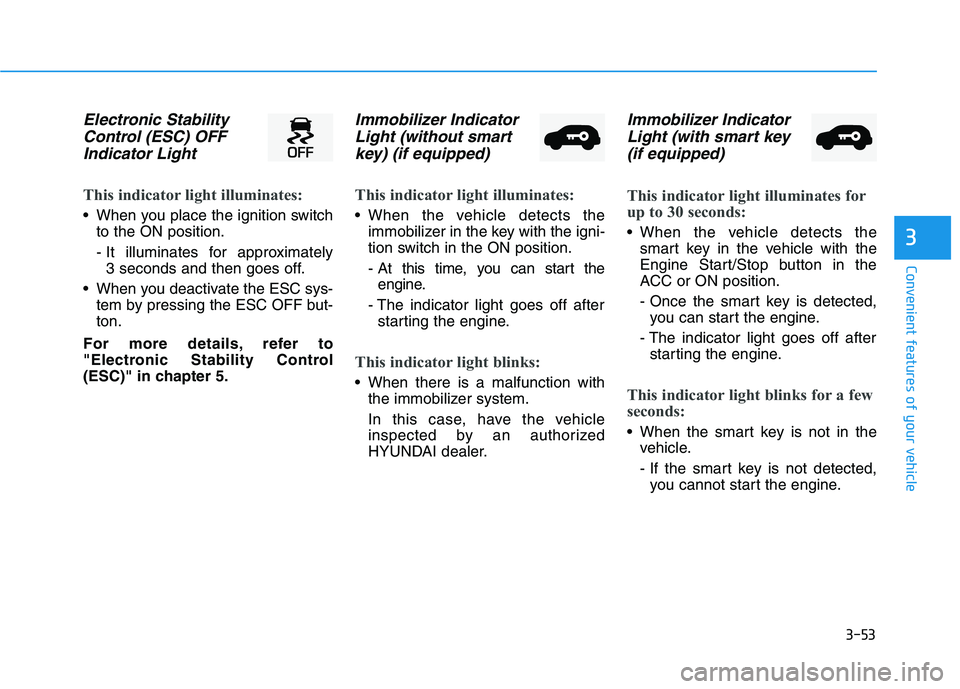
Electronic Stability
Control (ESC) OFF
Indicator Light
This indicator light illuminates:
When you place the ignition switch
to the ON position.
- It illuminates for approximately
3 seconds and then goes off.
When you deactivate the ESC sys-
tem by pressing the ESC OFF but-
ton.
For more details, refer to
"Electronic Stability Control
(ESC)" in chapter 5.
Immobilizer Indicator
Light (without smart
key) (if equipped)
This indicator light illuminates:
When the vehicle detects the
immobilizer in the key with the igni-
tion switch in the ON position.
- At this time, you can start the
engine.
- The indicator light goes off after
starting the engine.
This indicator light blinks:
When there is a malfunction with
the immobilizer system.
In this case, have the vehicle
inspected by an authorized
HYUNDAI dealer.
Immobilizer Indicator
Light (with smart key
(if equipped)
This indicator light illuminates for
up to 30 seconds:
When the vehicle detects the
smart key in the vehicle with the
Engine Start/Stop button in the
ACC or ON position.
- Once the smart key is detected,
you can start the engine.
- The indicator light goes off after
starting the engine.
This indicator light blinks for a few
seconds:
When the smart key is not in the
vehicle.
- If the smart key is not detected,
you cannot start the engine.
Page 188 of 480
3-54
Convenient features of your vehicle
This indicator light illuminates for
2 seconds and goes off:
If the smart key is in the vehicle
and the Engine Start/Stop button is
ON, but the vehicle cannot detect
the smart key.
In this case, have the vehicle inspect-
ed by an authorized HYUNDAI deal-
er.
This indicator light blinks:
When the battery voltage of the
smart key is low.
- If this occurs, you will not be able
to start the engine by simply
pressing the Start/Stop button.
However, you can still start the
engine by pressing the Start/Stop
button directly with the smart key.
(Refer to "Starting the Engine"
in chapter 5.)
When there is a malfunction with
the immobilizer system.
In this case, have the vehicle
inspected by an authorized
HYUNDAI dealer.
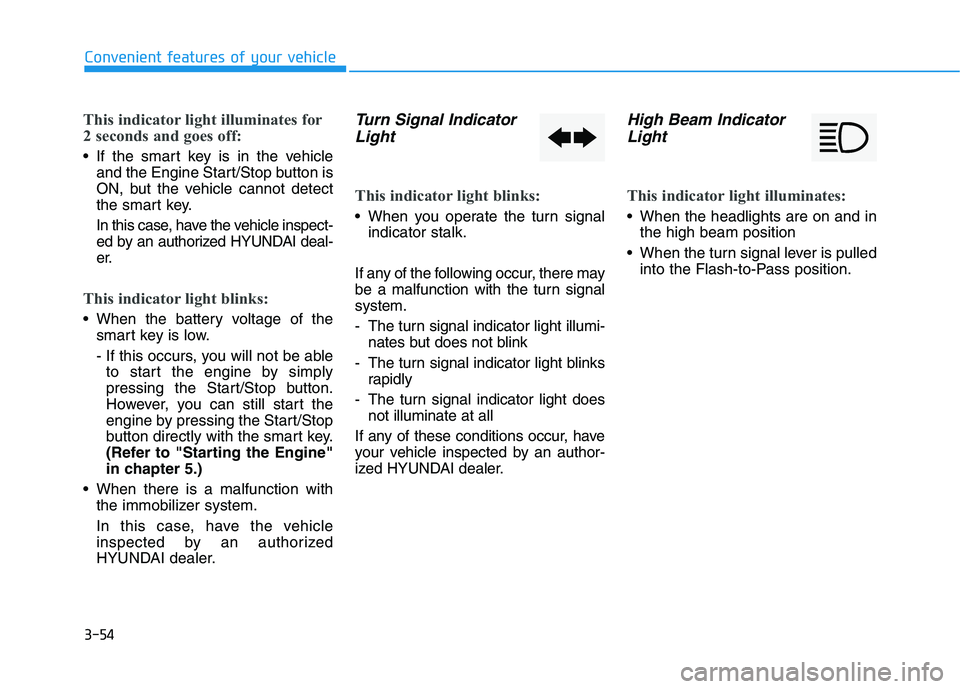
Turn Signal Indicator
Light
This indicator light blinks:
When you operate the turn signal
indicator stalk.
If any of the following occur, there may
be a malfunction with the turn signal
system.
- The turn signal indicator light illumi-
nates but does not blink
- The turn signal indicator light blinks
rapidly
- The turn signal indicator light does
not illuminate at all
If any of these conditions occur, have
your vehicle inspected by an author-
ized HYUNDAI dealer.
High Beam Indicator
Light
This indicator light illuminates:
When the headlights are on and in
the high beam position
When the turn signal lever is pulled
into the Flash-to-Pass position.
Page 193 of 480
3-59
Convenient features of your vehicle
3
Key not detected
(for smart key system)
This warning message is displayed if
the smart key is not detected when you
press the Engine Start/Stop button.
Press START button again
(for smart key system)
This message is displayed if you
were unable to start the vehicle when
the Engine Start/Stop button was
pressed.
If this occurs, attempt to start the
engine by pressing the Engine Start/
Stop button again.
If the warning message appears
each time you press the Engine
Start/Stop button, have your vehicle
inspected by an authorized
HYUNDAI dealer.
Battery discharging due to
external electrical devices
This message is displayed if the bat-
tery voltage is weak due to any non-
factory electrical accessories (ex.
dashboard camera) while parking.
Be careful that the battery is not dis-
charged.
If the warning message appears
after removing the non-factory elec-
trical accessories, we recommend
that you have the vehicle inspected
by an authorized HYUNDAI dealer.
Press START button with key
(for smart key system)
This warning message is displayed if
you press the Engine Start/Stop but-
ton while the warning message "Key
not detected" is displayed.
At this time, the immobilizer indicator
light blinks.
Check BRAKE SWITCH fuse
(for smart key system)
This warning message is displayed if
the brake switch fuse is disconnected.
You need to replace the fuse with a
new one before starting the engine.
If that is not possible, you can start
the engine by pressing the Engine
Start/Stop button for 10 seconds in
the ACC position.
Page 426 of 480
7-57
7
Maintenance
Fuse NameFuse RatingProtected Component
MODULE57.5AA/T Shift Lever IND., Electro Chromic Mirror, A/V & Navigation Head Unit,
A/C Control Module, Crash Pad Switch, Front Seat Warmer Module, Audio
MODULE37.5ASport Mode Switch, BCM
SUNROOF120ASunroof Control Module (GLASS)
TAIL GATE
OPEN10ATail Gate Relay
P/WINDOW
LH25APower Window LH Relay, Driver Safety Power Window Module
MULTI MEDIA15AKeyboard, Audio, A/V & Navigation Head Unit
P/WINDOW
RH25APower Window RH Relay
P/SEAT (DRV)25ADriver Seat Manual Switch
SPARE-Spare
MODULE47.5ABlind-Spot Collision Warning Unit LH/RH, Stop Lamp Switch,
Parking Assist Buzzer, Lane Keeping Assist Unit
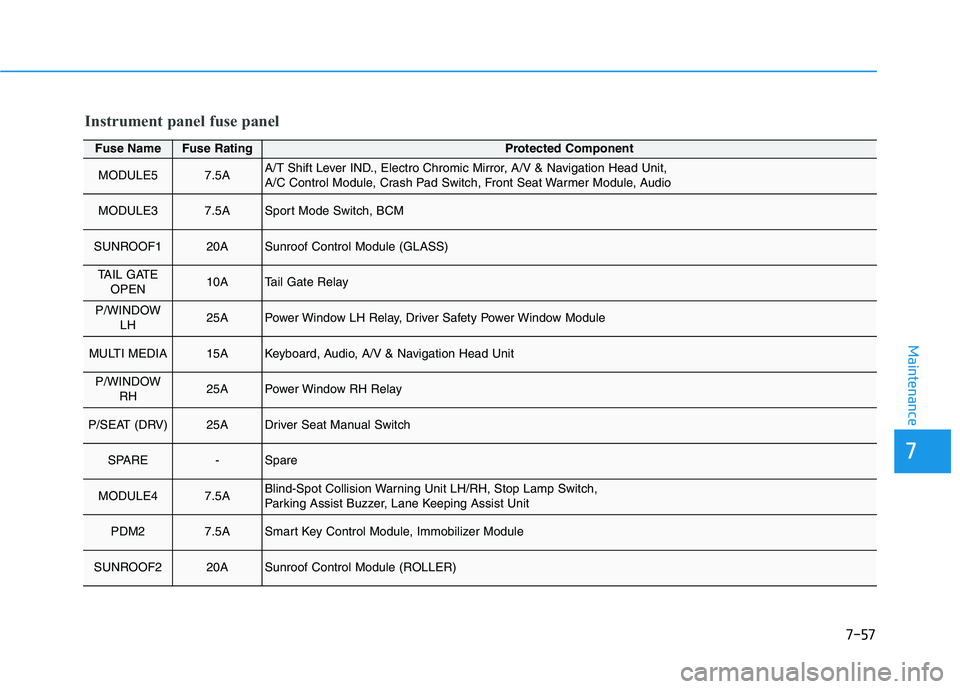
PDM27.5ASmart Key Control Module, Immobilizer Module
SUNROOF220ASunroof Control Module (ROLLER)
Instrument panel fuse panel
Page 428 of 480
7-59
7
Maintenance
Fuse NameFuse RatingProtected Component
START7.5ATransaxle Range Switch (DCT), ECM, Ignition Lock & Clutch Switch,
E/R Junction Block (START #1 Relay, B/Alarm Relay),
Smart Key Control Module
CLUSTER7.5AHead Up Display, Instrument Cluster
DOOR LOCK20AICM Relay Box (Twoturn Unlock Relay)
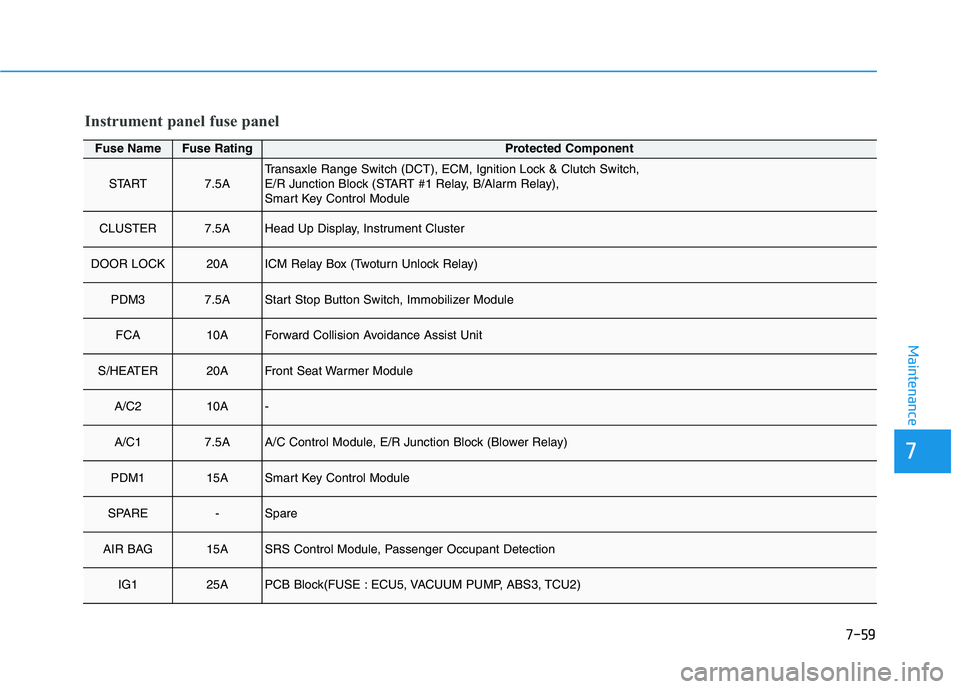
PDM37.5AStart Stop Button Switch, Immobilizer Module
FCA10AForward Collision Avoidance Assist Unit
S/HEATER20AFront Seat Warmer Module
A/C210A-
A/C17.5AA/C Control Module, E/R Junction Block (Blower Relay)
PDM115ASmart Key Control Module
SPARE-Spare
AIR BAG15ASRS Control Module, Passenger Occupant Detection
IG125APCB Block(FUSE : ECU5, VACUUM PUMP, ABS3, TCU2)
Instrument panel fuse panel
Page 471 of 480
I-2
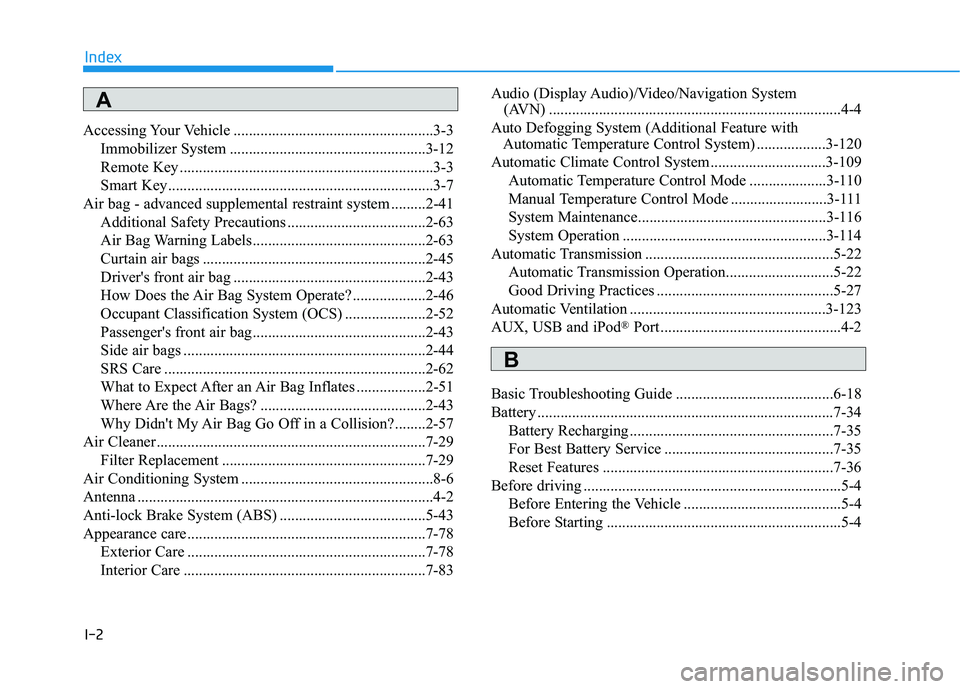
Accessing Your Vehicle ....................................................3-3
Immobilizer System ...................................................3-12
Remote Key ..................................................................3-3
Smart Key.....................................................................3-7
Air bag - advanced supplemental restraint system .........2-41
Additional Safety Precautions ....................................2-63
Air Bag Warning Labels.............................................2-63
Curtain air bags ..........................................................2-45
Driver's front air bag ..................................................2-43
How Does the Air Bag System Operate? ...................2-46
Occupant Classification System (OCS) .....................2-52
Passenger's front air bag.............................................2-43
Side air bags ...............................................................2-44
SRS Care ....................................................................2-62
What to Expect After an Air Bag Inflates ..................2-51
Where Are the Air Bags? ...........................................2-43
Why Didn't My Air Bag Go Off in a Collision?........2-57
Air Cleaner......................................................................7-29
Filter Replacement .....................................................7-29
Air Conditioning System ..................................................8-6
Antenna .............................................................................4-2
Anti-lock Brake System (ABS) ......................................5-43
Appearance care..............................................................7-78
Exterior Care ..............................................................7-78
Interior Care ...............................................................7-83Audio (Display Audio)/Video/Navigation System
(AVN) ............................................................................4-4
Auto Defogging System (Additional Feature with
Automatic Temperature Control System) ..................3-120
Automatic Climate Control System..............................3-109
Automatic Temperature Control Mode ....................3-110
Manual Temperature Control Mode .........................3-111
System Maintenance.................................................3-116
System Operation .....................................................3-114
Automatic Transmission .................................................5-22
Automatic Transmission Operation............................5-22
Good Driving Practices ..............................................5-27
Automatic Ventilation ...................................................3-123
AUX, USB and iPod
®Port ...............................................4-2
Basic Troubleshooting Guide .........................................6-18
Battery .............................................................................7-34
Battery Recharging .....................................................7-35
For Best Battery Service ............................................7-35
Reset Features ............................................................7-36
Before driving ...................................................................5-4
Before Entering the Vehicle .........................................5-4
Before Starting .............................................................5-4
Index
A
B