sensor HYUNDAI VELOSTER 2022 User Guide
[x] Cancel search | Manufacturer: HYUNDAI, Model Year: 2022, Model line: VELOSTER, Model: HYUNDAI VELOSTER 2022Pages: 446, PDF Size: 7.37 MB
Page 146 of 446
3-68
Convenient features of your vehicle
LIGHTING
Exterior Lights
Lighting control
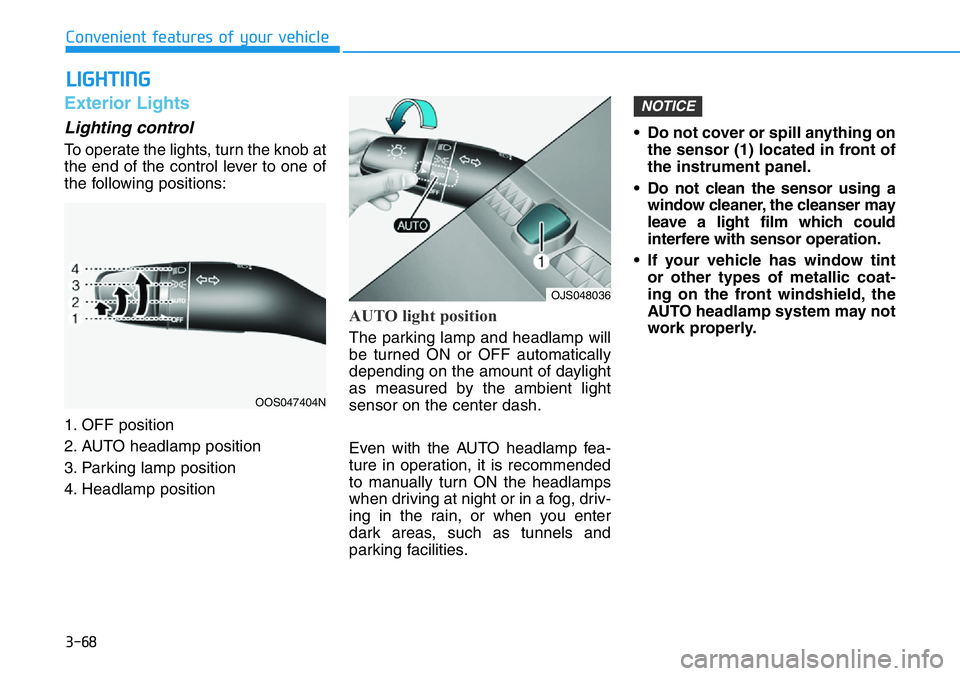
To operate the lights, turn the knob at
the end of the control lever to one of
the following positions:
1. OFF position
2. AUTO headlamp position
3. Parking lamp position
4. Headlamp position
AUTO light position
The parking lamp and headlamp will
be turned ON or OFF automatically
depending on the amount of daylight
as measured by the ambient light
sensor on the center dash.
Even with the AUTO headlamp fea-
ture in operation, it is recommended
to manually turn ON the headlamps
when driving at night or in a fog, driv-
ing in the rain, or when you enter
dark areas, such as tunnels and
parking facilities.• Do not cover or spill anything on
the sensor (1) located in front of
the instrument panel.
• Do not clean the sensor using a
window cleaner, the cleanser may
leave a light film which could
interfere with sensor operation.
• If your vehicle has window tint
or other types of metallic coat-
ing on the front windshield, the
AUTO headlamp system may not
work properly.
NOTICE
OOS047404N
OJS048036
Page 153 of 446
3-75
Convenient features of your vehicle
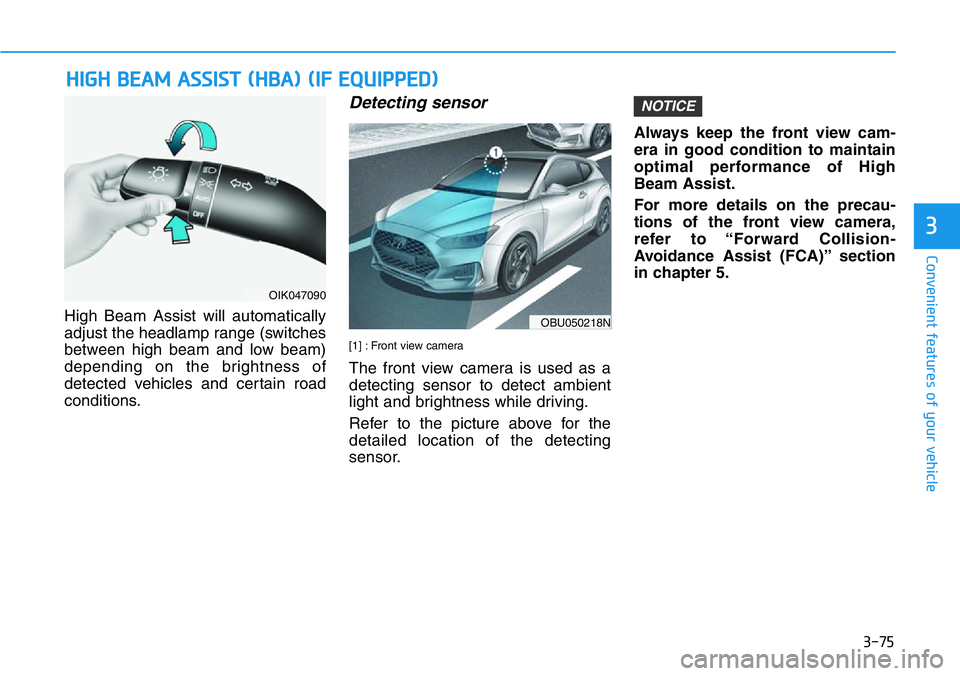
High Beam Assist will automatically
adjust the headlamp range (switches
between high beam and low beam)
depending on the brightness of
detected vehicles and certain road
conditions.
Detecting sensor
[1] : Front view camera
The front view camera is used as a
detecting sensor to detect ambient
light and brightness while driving.
Refer to the picture above for the
detailed location of the detecting
sensor.Always keep the front view cam-
era in good condition to maintain
optimal performance of High
Beam Assist.
For more details on the precau-
tions of the front view camera,
refer to “Forward Collision-
Avoidance Assist (FCA)” section
in chapter 5.
NOTICE
HIGH BEAM ASSIST (HBA) (IF EQUIPPED)
3
OIK047090
OBU050218N
Page 170 of 446
3-92
Convenient features of your vehicle
Automatic Temperature
Control Mode
The Automatic Climate Control
System is controlled by setting the
desired temperature.
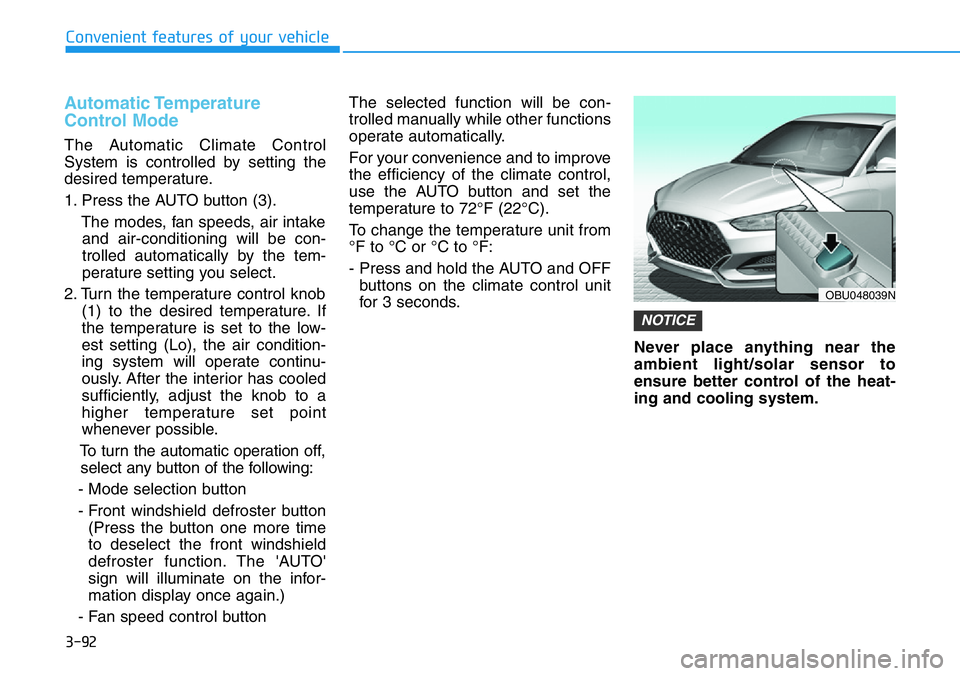
1. Press the AUTO button (3).
The modes, fan speeds, air intake
and air-conditioning will be con-
trolled automatically by the tem-
perature setting you select.
2. Turn the temperature control knob
(1) to the desired temperature. If
the temperature is set to the low-
est setting (Lo), the air condition-
ing system will operate continu-
ously. After the interior has cooled
sufficiently, adjust the knob to a
higher temperature set point
whenever possible.
To turn the automatic operation off,
select any button of the following:
- Mode selection button
- Front windshield defroster button
(Press the button one more time
to deselect the front windshield
defroster function. The 'AUTO'
sign will illuminate on the infor-
mation display once again.)
- Fan speed control buttonThe selected function will be con-
trolled manually while other functions
operate automatically.
For your convenience and to improve
the efficiency of the climate control,
use the AUTO button and set the
temperature to 72°F (22°C).
To change the temperature unit from
°F to °C or °C to °F:
- Press and hold the AUTO and OFF
buttons on the climate control unit
for 3 seconds.
Never place anything near the
ambient light/solar sensor to
ensure better control of the heat-
ing and cooling system.
NOTICE
OBU048039N
Page 258 of 446
5-64
Driving your vehicle
Basic function
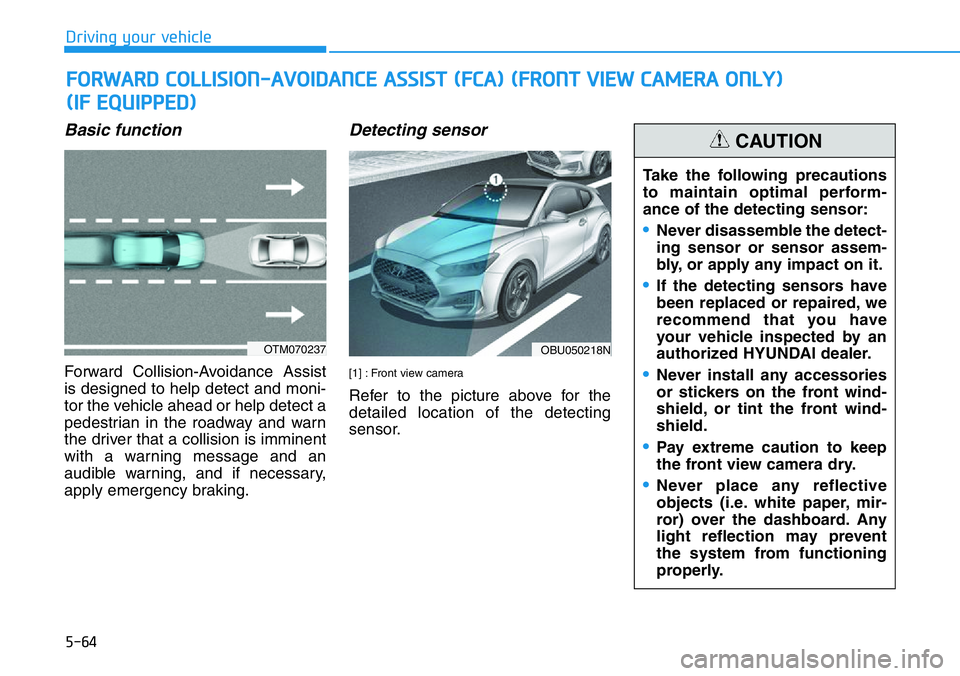
Forward Collision-Avoidance Assist
is designed to help detect and moni-
tor the vehicle ahead or help detect a
pedestrian in the roadway and warn
the driver that a collision is imminent
with a warning message and an
audible warning, and if necessary,
apply emergency braking.
Detecting sensor
[1] : Front view camera
Refer to the picture above for the
detailed location of the detecting
sensor.
FORWARD COLLISION-AVOIDANCE ASSIST (FCA) (FRONT VIEW CAMERA ONLY)
(IF EQUIPPED)
OTM070237OBU050218N
Take the following precautions
to maintain optimal perform-
ance of the detecting sensor:
•Never disassemble the detect-
ing sensor or sensor assem-
bly, or apply any impact on it.
•If the detecting sensors have
been replaced or repaired, we
recommend that you have
your vehicle inspected by an
authorized HYUNDAI dealer.
•Never install any accessories
or stickers on the front wind-
shield, or tint the front wind-
shield.
•Pay extreme caution to keep
the front view camera dry.
•Never place any reflective
objects (i.e. white paper, mir-
ror) over the dashboard. Any
light reflection may prevent
the system from functioning
properly.
CAUTION
Page 264 of 446
5-70
Driving your vehicle
System malfunction and limi-
tations
System malfunction
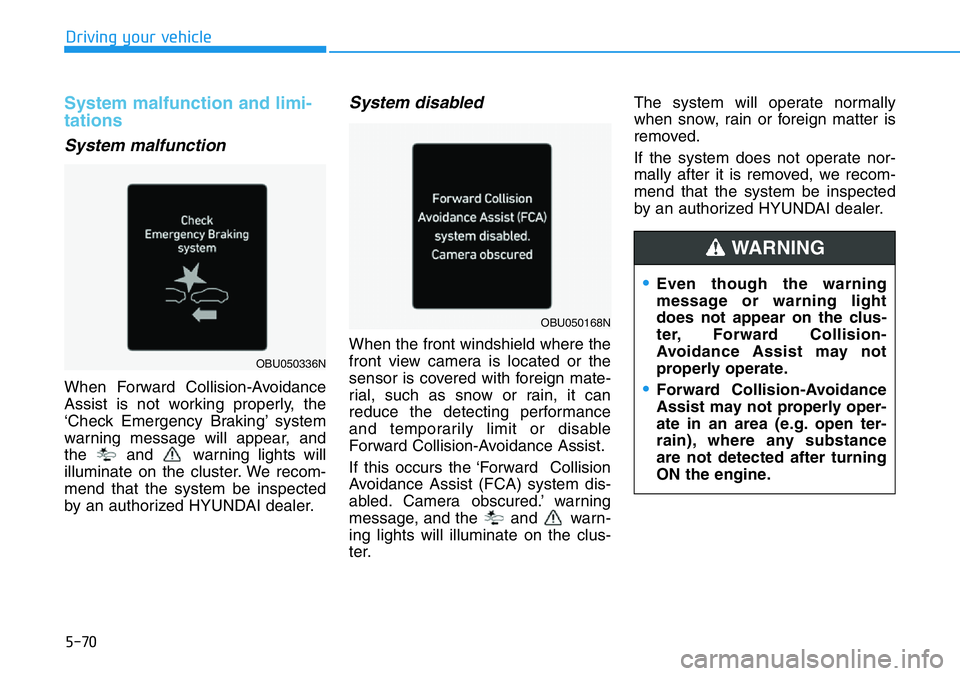
When Forward Collision-Avoidance
Assist is not working properly, the
‘Check Emergency Braking’ system
warning message will appear, and
the and warning lights will
illuminate on the cluster. We recom-
mend that the system be inspected
by an authorized HYUNDAI dealer.
System disabled
When the front windshield where the
front view camera is located or the
sensor is covered with foreign mate-
rial, such as snow or rain, it can
reduce the detecting performance
and temporarily limit or disable
Forward Collision-Avoidance Assist.
If this occurs the ‘Forward Collision
Avoidance Assist (FCA) system dis-
abled. Camera obscured.’ warning
message, and the and warn-
ing lights will illuminate on the clus-
ter.The system will operate normally
when snow, rain or foreign matter is
removed.
If the system does not operate nor-
mally after it is removed, we recom-
mend that the system be inspected
by an authorized HYUNDAI dealer.
•Even though the warning
message or warning light
does not appear on the clus-
ter, Forward Collision-
Avoidance Assist may not
properly operate.
•Forward Collision-Avoidance
Assist may not properly oper-
ate in an area (e.g. open ter-
rain), where any substance
are not detected after turning
ON the engine.
WARNING
OBU050336N
OBU050168N
Page 265 of 446
5-71
Driving your vehicle
5
Limitations of the system
Forward Collision-Avoidance Assist
may not operate normally, or the sys-
tem may operate unexpectedly
under the following circumstances:
• The detecting sensor or the sur-
roundings are contaminated or
damaged
• The temperature around the front
view camera is high or low
• The camera lens is contaminated
due to tinted, filmed or coated
windshield, damaged glass, or
stuck of foreign material (sticker,
bug, etc.) on the glass
• Moisture is not removed or frozen
on the windshield
• Washer fluid is continuously
sprayed, or the wiper is on
• Driving in heavy rain or snow, or
thick fog
• The field of view of the front view
camera is obstructed by sun glare
• Street light or light from an oncom-
ing vehicle is reflected on the wet
road surface, such as a puddle on
the road• An object is placed on the dash-
board
• Your vehicle is being towed
• The surrounding is very bright
• The surrounding is very dark, such
as in a tunnel, etc.
• The brightness changes suddenly,
for example when entering or exit-
ing a tunnel
• The brightness outside is low, and
the headlamps are not on or are
not bright
• Driving through steam, smoke or
shadow
• Only part of the vehicle, pedestrian
is detected
• The vehicle in front is a bus, heavy
truck, truck with a unusually
shaped luggage, trailer, etc.
• The vehicle in front has no tail
lights, tail lights are located unusu-
ally, etc.
• The brightness outside is low, and
the tail lamps are not on or are not
bright • The rear of the front vehicle is
small or the vehicle does not look
normal, such as when the vehicle
is tilted, overturned, or the side of
the vehicle is visble, etc.
• The front vehicle’s ground clear-
ance is low or high
• A vehicle, pedestrian suddenly
cuts in front
• The vehicle in front is detected late
• The vehicle in front is suddenly
blocked by a obstacle
• The vehicle in front suddenly
changes lane or suddenly reduces
speed
• The vehicle in front is bent out of
shape
• The front vehicle’s speed is fast or
slow
• The vehicle in front steers in the
opposite direction of your vehicle
to avoid a collision
• With a vehicle in front, your vehicle
changes lane at low speed
• The vehicle in front is covered with
snow
Page 267 of 446
5-73
Driving your vehicle
5
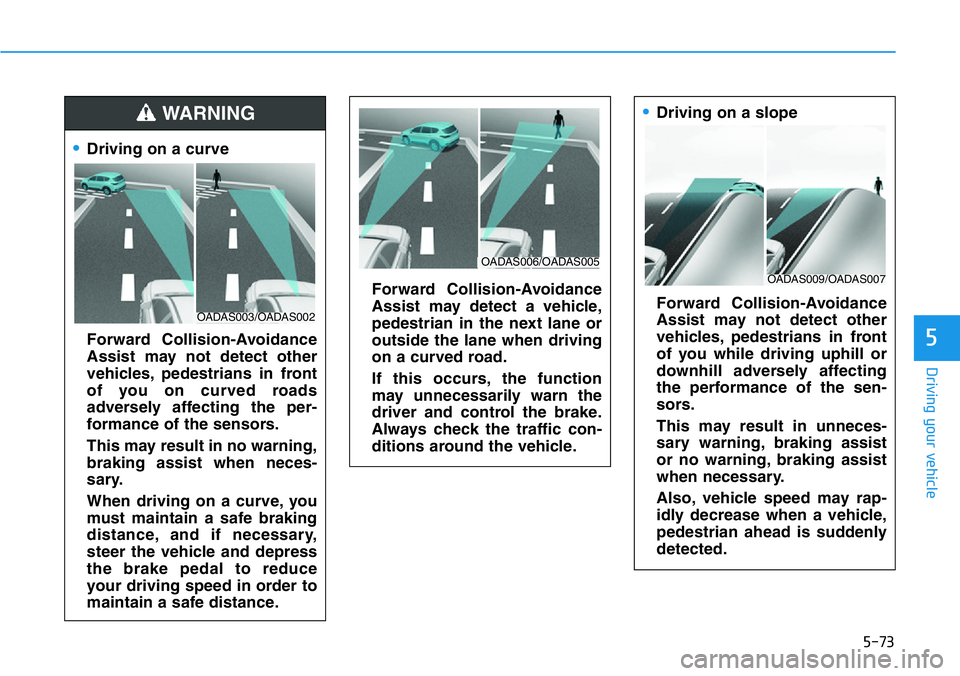
•Driving on a curve
Forward Collision-Avoidance
Assist may not detect other
vehicles, pedestrians in front
of you on curved roads
adversely affecting the per-
formance of the sensors.
This may result in no warning,
braking assist when neces-
sary.
When driving on a curve, you
must maintain a safe braking
distance, and if necessary,
steer the vehicle and depress
the brake pedal to reduce
your driving speed in order to
maintain a safe distance.
Forward Collision-Avoidance
Assist may detect a vehicle,
pedestrian in the next lane or
outside the lane when driving
on a curved road.
If this occurs, the function
may unnecessarily warn the
driver and control the brake.
Always check the traffic con-
ditions around the vehicle.
•Driving on a slope
Forward Collision-Avoidance
Assist may not detect other
vehicles, pedestrians in front
of you while driving uphill or
downhill adversely affecting
the performance of the sen-
sors.
This may result in unneces-
sary warning, braking assist
or no warning, braking assist
when necessary.
Also, vehicle speed may rap-
idly decrease when a vehicle,
pedestrian ahead is suddenly
detected.WARNING
OADAS003/OADAS002
OADAS009/OADAS007
OADAS006/OADAS005
Page 268 of 446
5-74
Driving your vehicle
Always have your eyes on the
road while driving uphill or
downhill and if necessary,
steer your vehicle and
depress the brake pedal to
reduce your driving speed in
order to maintain a safe dis-
tance.
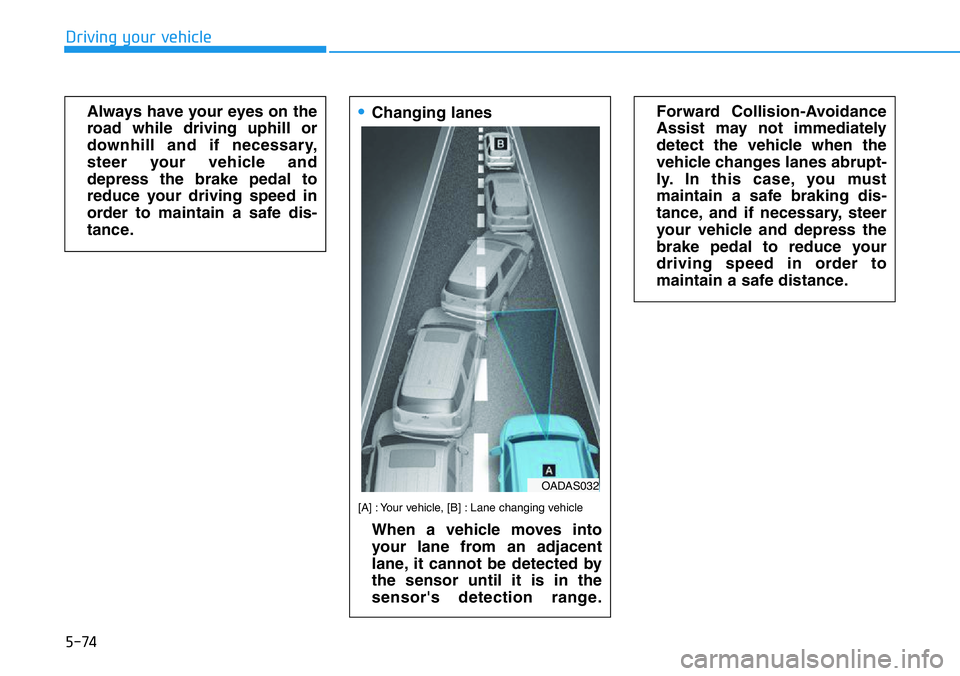
•Changing lanes
[A] : Your vehicle, [B] : Lane changing vehicle
When a vehicle moves into
your lane from an adjacent
lane, it cannot be detected by
the sensor until it is in the
sensor's detection range.
Forward Collision-Avoidance
Assist may not immediately
detect the vehicle when the
vehicle changes lanes abrupt-
ly. In this case, you must
maintain a safe braking dis-
tance, and if necessary, steer
your vehicle and depress the
brake pedal to reduce your
driving speed in order to
maintain a safe distance.
OADAS032
Page 271 of 446
5-77
Driving your vehicle
5
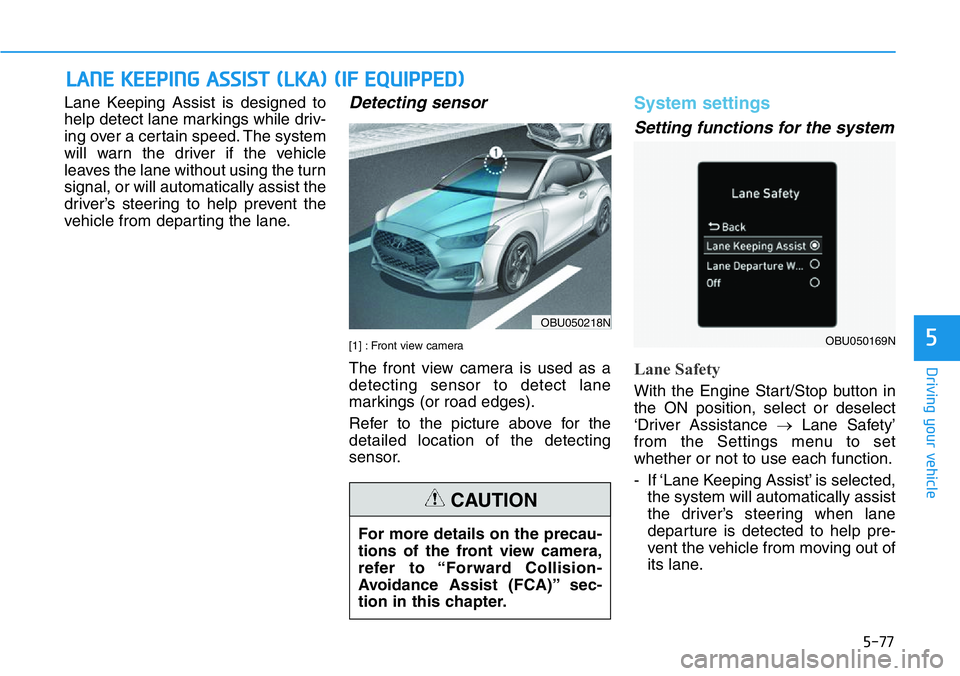
Lane Keeping Assist is designed to
help detect lane markings while driv-
ing over a certain speed. The system
will warn the driver if the vehicle
leaves the lane without using the turn
signal, or will automatically assist the
driver’s steering to help prevent the
vehicle from departing the lane.Detecting sensor
[1] : Front view camera
The front view camera is used as a
detecting sensor to detect lane
markings (or road edges).
Refer to the picture above for the
detailed location of the detecting
sensor.
System settings
Setting functions for the system
Lane Safety
With the Engine Start/Stop button in
the ON position, select or deselect
‘Driver Assistance →Lane Safety’
from the Settings menu to set
whether or not to use each function.
- If ‘Lane Keeping Assist’ is selected,
the system will automatically assist
the driver’s steering when lane
departure is detected to help pre-
vent the vehicle from moving out of
its lane.
LANE KEEPING ASSIST (LKA) (IF EQUIPPED)
OBU050218N
OBU050169N
For more details on the precau-
tions of the front view camera,
refer to “Forward Collision-
Avoidance Assist (FCA)” sec-
tion in this chapter.
CAUTION
Page 278 of 446
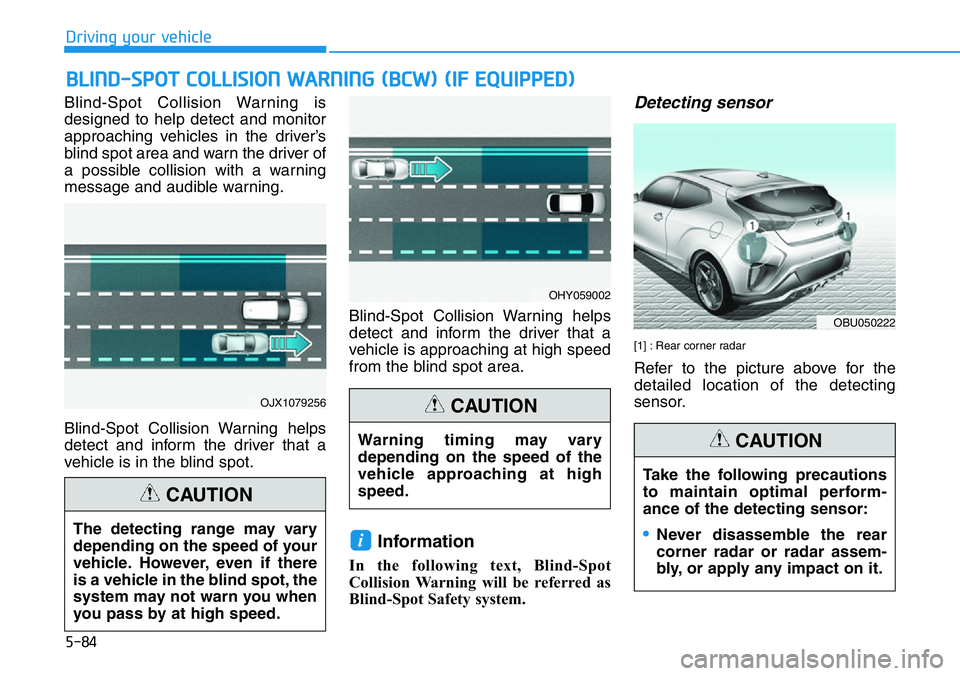
Blind-Spot Collision Warning is
designed to help detect and monitor
approaching vehicles in the driver’s
blind spot area and warn the driver of
a possible collision with a warning
message and audible warning.
Blind-Spot Collision Warning helps
detect and inform the driver that a
vehicle is in the blind spot.Blind-Spot Collision Warning helps
detect and inform the driver that a
vehicle is approaching at high speed
from the blind spot area.
Information
In the following text, Blind-Spot
Collision Warning will be referred as
Blind-Spot Safety system.
Detecting sensor
[1] : Rear corner radar
Refer to the picture above for the
detailed location of the detecting
sensor.
i
BLIND-SPOT COLLISION WARNING (BCW) (IF EQUIPPED)
OJX1079256
OHY059002
The detecting range may vary
depending on the speed of your
vehicle. However, even if there
is a vehicle in the blind spot, the
system may not warn you when
you pass by at high speed.
CAUTION
Warning timing may vary
depending on the speed of the
vehicle approaching at high
speed.
CAUTION
5-84
Driving your vehicle
OBU050222
Take the following precautions
to maintain optimal perform-
ance of the detecting sensor:
•Never disassemble the rear
corner radar or radar assem-
bly, or apply any impact on it.
CAUTION