sensor HYUNDAI VELOSTER 2022 Owner's Manual
[x] Cancel search | Manufacturer: HYUNDAI, Model Year: 2022, Model line: VELOSTER, Model: HYUNDAI VELOSTER 2022Pages: 446, PDF Size: 7.37 MB
Page 283 of 446
5-89
Driving your vehicle
5
System malfunction and limi-
tations
System malfunction
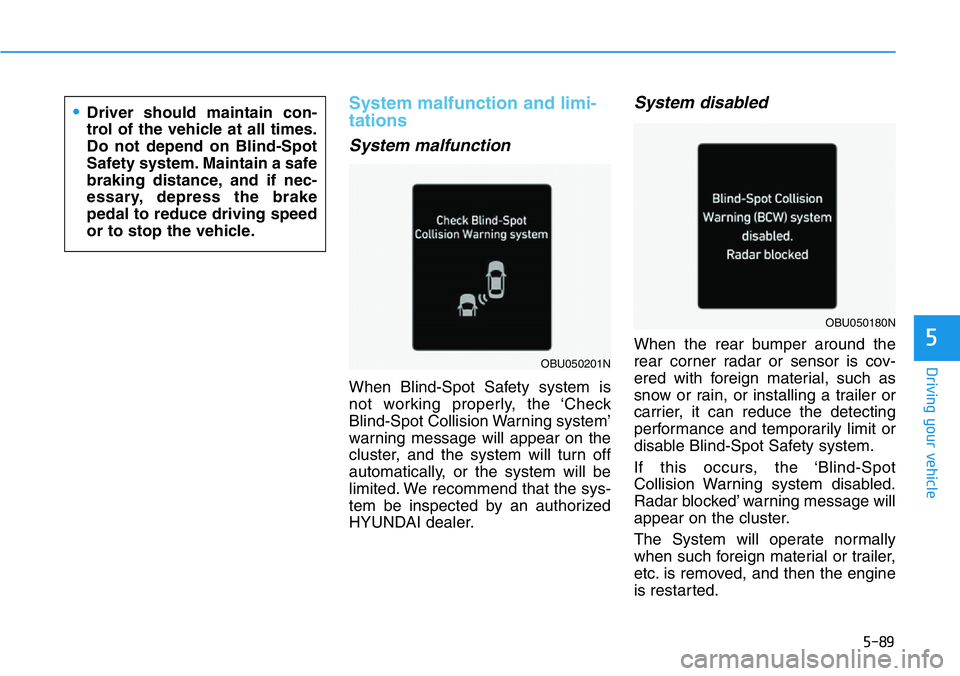
When Blind-Spot Safety system is
not working properly, the ‘Check
Blind-Spot Collision Warning system’
warning message will appear on the
cluster, and the system will turn off
automatically, or the system will be
limited. We recommend that the sys-
tem be inspected by an authorized
HYUNDAI dealer.
System disabled
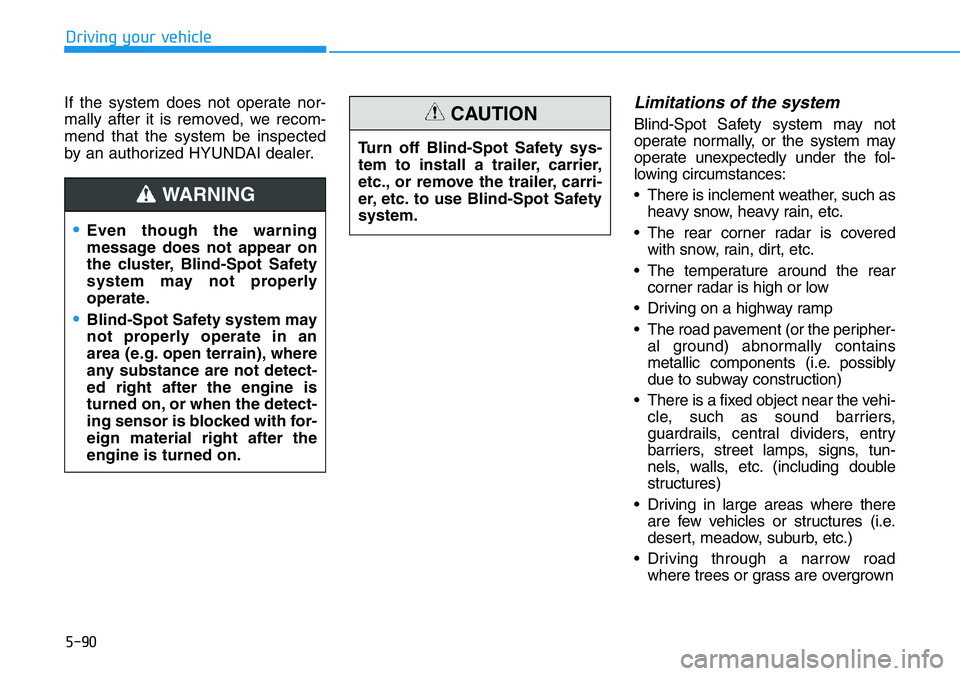
When the rear bumper around the
rear corner radar or sensor is cov-
ered with foreign material, such as
snow or rain, or installing a trailer or
carrier, it can reduce the detecting
performance and temporarily limit or
disable Blind-Spot Safety system.
If this occurs, the ‘Blind-Spot
Collision Warning system disabled.
Radar blocked’ warning message will
appear on the cluster.
The System will operate normally
when such foreign material or trailer,
etc. is removed, and then the engine
is restarted.
•Driver should maintain con-
trol of the vehicle at all times.
Do not depend on Blind-Spot
Safety system. Maintain a safe
braking distance, and if nec-
essary, depress the brake
pedal to reduce driving speed
or to stop the vehicle.
OBU050201N
OBU050180N
Page 284 of 446
5-90
Driving your vehicle
If the system does not operate nor-
mally after it is removed, we recom-
mend that the system be inspected
by an authorized HYUNDAI dealer.
Limitations of the system
Blind-Spot Safety system may not
operate normally, or the system may
operate unexpectedly under the fol-
lowing circumstances:
• There is inclement weather, such as
heavy snow, heavy rain, etc.
• The rear corner radar is covered
with snow, rain, dirt, etc.
• The temperature around the rear
corner radar is high or low
• Driving on a highway ramp
• The road pavement (or the peripher-
al ground) abnormally contains
metallic components (i.e. possibly
due to subway construction)
• There is a fixed object near the vehi-
cle, such as sound barriers,
guardrails, central dividers, entry
barriers, street lamps, signs, tun-
nels, walls, etc. (including double
structures)
• Driving in large areas where there
are few vehicles or structures (i.e.
desert, meadow, suburb, etc.)
• Driving through a narrow road
where trees or grass are overgrown
•Even though the warning
message does not appear on
the cluster, Blind-Spot Safety
system may not properly
operate.
•Blind-Spot Safety system may
not properly operate in an
area (e.g. open terrain), where
any substance are not detect-
ed right after the engine is
turned on, or when the detect-
ing sensor is blocked with for-
eign material right after the
engine is turned on.
WARNING
Turn off Blind-Spot Safety sys-
tem to install a trailer, carrier,
etc., or remove the trailer, carri-
er, etc. to use Blind-Spot Safety
system.
CAUTION
Page 288 of 446
5-94
Driving your vehicle
Basic function
Driver Attention Warning will help
determine the driver's attention level
by analyzing driving pattern, driving
time, etc. while vehicle is being driv-
en. The system will recommend a
break when the driver’s attention
level falls below a certain level.
Leading Vehicle Departure Alert
function
Leading Vehicle Departure Alert
function will inform the driver when
the front vehicle departs from a stop.
Detecting sensor
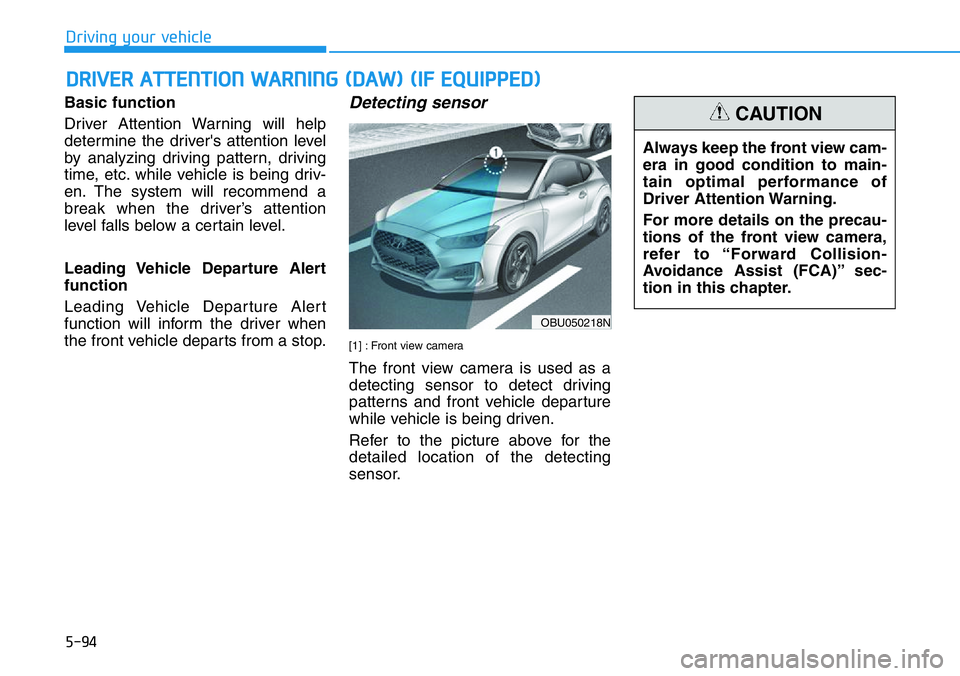
[1] : Front view camera
The front view camera is used as a
detecting sensor to detect driving
patterns and front vehicle departure
while vehicle is being driven.
Refer to the picture above for the
detailed location of the detecting
sensor.
DRIVER ATTENTION WARNING (DAW) (IF EQUIPPED)
OBU050218N
Always keep the front view cam-
era in good condition to main-
tain optimal performance of
Driver Attention Warning.
For more details on the precau-
tions of the front view camera,
refer to “Forward Collision-
Avoidance Assist (FCA)” sec-
tion in this chapter.
CAUTION
Page 301 of 446
5-107
Driving your vehicle
5
Lane Following Assist is designed to
help detect lane markings and/or
vehicles on the road, and assist the
driver’s steering to help keep the
vehicle between lanes.
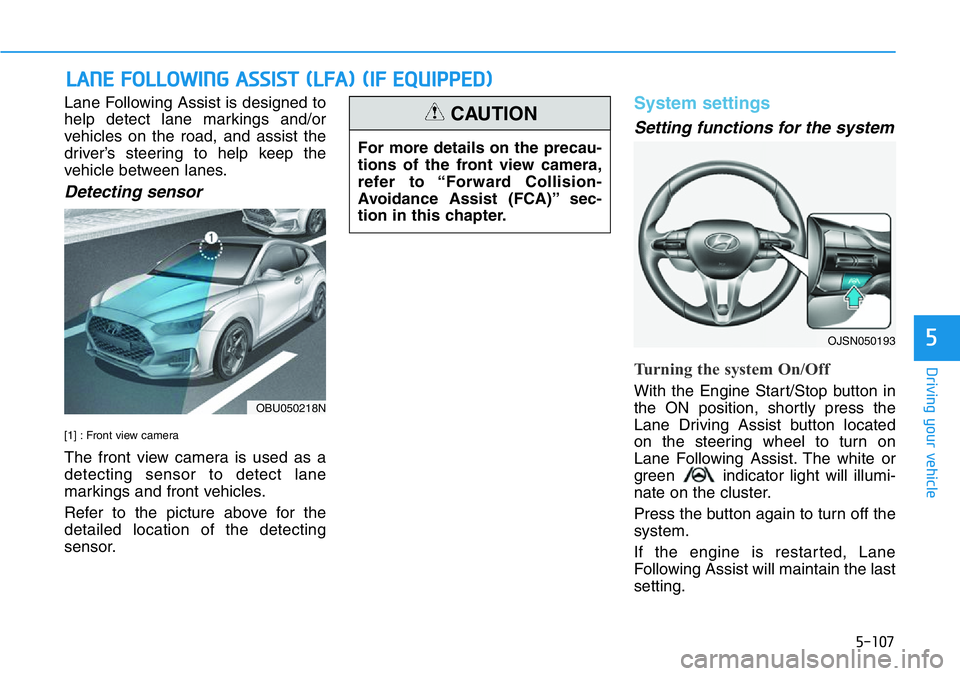
Detecting sensor
[1] : Front view camera
The front view camera is used as a
detecting sensor to detect lane
markings and front vehicles.
Refer to the picture above for the
detailed location of the detecting
sensor.
System settings
Setting functions for the system
Turning the system On/Off
With the Engine Start/Stop button in
the ON position, shortly press the
Lane Driving Assist button located
on the steering wheel to turn on
Lane Following Assist. The white or
green indicator light will illumi-
nate on the cluster.
Press the button again to turn off the
system.
If the engine is restarted, Lane
Following Assist will maintain the last
setting.
LANE FOLLOWING ASSIST (LFA) (IF EQUIPPED)
For more details on the precau-
tions of the front view camera,
refer to “Forward Collision-
Avoidance Assist (FCA)” sec-
tion in this chapter.
CAUTION
OBU050218N
OJSN050193
Page 306 of 446
5-112
Driving your vehicle
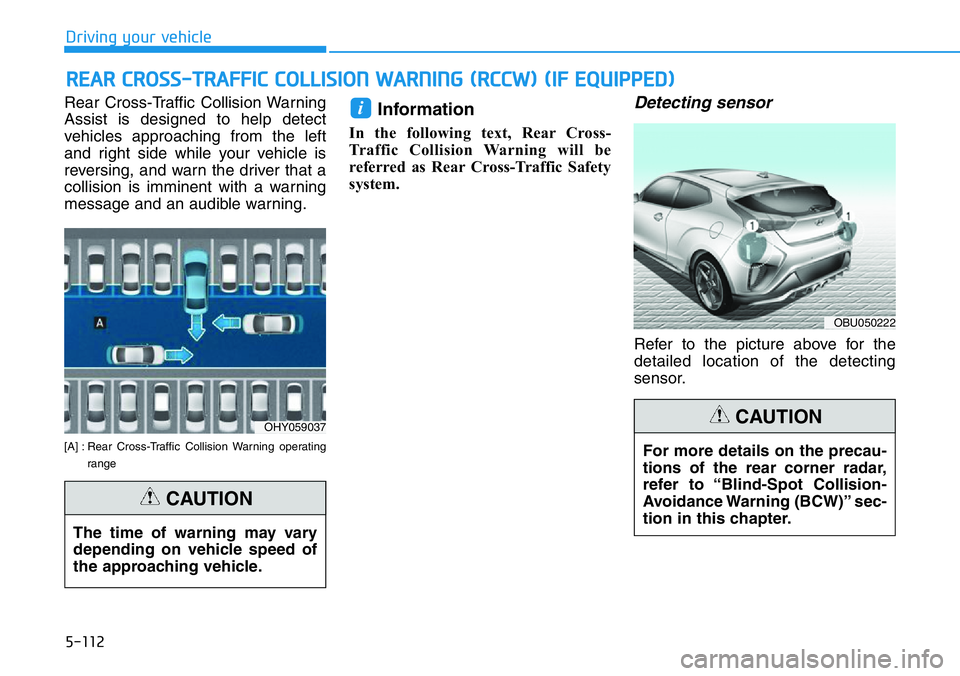
Rear Cross-Traffic Collision Warning
Assist is designed to help detect
vehicles approaching from the left
and right side while your vehicle is
reversing, and warn the driver that a
collision is imminent with a warning
message and an audible warning.
[A] : Rear Cross-Traffic Collision Warning operating
range
Information
In the following text, Rear Cross-
Traffic Collision Warning will be
referred as Rear Cross-Traffic Safety
system.
Detecting sensor
Refer to the picture above for the
detailed location of the detecting
sensor.
i
REAR CROSS-TRAFFIC COLLISION WARNING (RCCW) (IF EQUIPPED)
OHY059037
OBU050222
The time of warning may vary
depending on vehicle speed of
the approaching vehicle.
CAUTION
For more details on the precau-
tions of the rear corner radar,
refer to “Blind-Spot Collision-
Avoidance Warning (BCW)” sec-
tion in this chapter.
CAUTION
Page 310 of 446
5-116
Driving your vehicle
System malfunction and limi-
tations
System malfunction
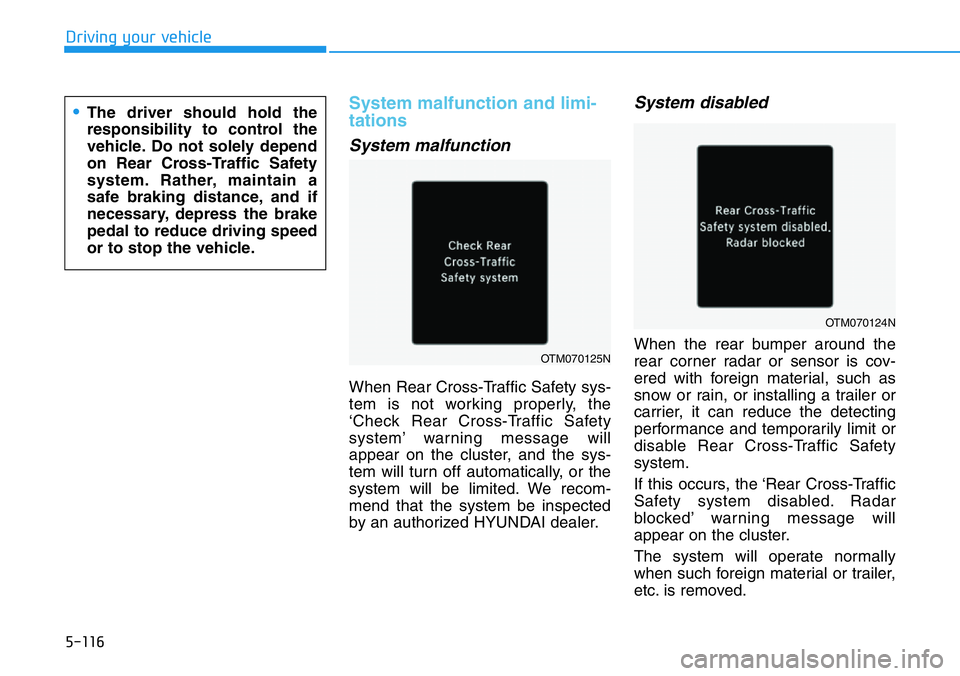
When Rear Cross-Traffic Safety sys-
tem is not working properly, the
‘Check Rear Cross-Traffic Safety
system’ warning message will
appear on the cluster, and the sys-
tem will turn off automatically, or the
system will be limited. We recom-
mend that the system be inspected
by an authorized HYUNDAI dealer.
System disabled
When the rear bumper around the
rear corner radar or sensor is cov-
ered with foreign material, such as
snow or rain, or installing a trailer or
carrier, it can reduce the detecting
performance and temporarily limit or
disable Rear Cross-Traffic Safety
system.
If this occurs, the ‘Rear Cross-Traffic
Safety system disabled. Radar
blocked’ warning message will
appear on the cluster.
The system will operate normally
when such foreign material or trailer,
etc. is removed.OTM070125N
OTM070124N
•The driver should hold the
responsibility to control the
vehicle. Do not solely depend
on Rear Cross-Traffic Safety
system. Rather, maintain a
safe braking distance, and if
necessary, depress the brake
pedal to reduce driving speed
or to stop the vehicle.
Page 339 of 446
6-12
What to do in an emergency
The TPMS Malfunction Indicator
may illuminate after blinking for
one minute if the vehicle is near
electric power supply cables or
radio transmitters such as police
stations, government and public
offices, broadcasting stations,
military installations, airports,
transmitting towers, etc.
Additionally, the TPMS Malfunction
Indicator may illuminate if snow
chains are used or electronic
devices such as computers, charg-
ers, remote starters, navigation,
etc. This may interfere with normal
operation of the TPMS.
Changing a Tire with TPMS
If you have a flat tire, the Low Tire
Pressure and LCD position indicator
will come on. Have the flat tire
repaired by an authorized HYUNDAI
dealer as soon as possible.
Once the original tire equipped with
a tire pressure monitoring sensor is
reinflated to the recommended pres-
sure and reinstalled on the vehicle,
the Low Tire Pressure LCD position
indicator and TPMS Malfunction
Indicator will go off within a few min-
utes of driving.
If the indicators do not disappear
after a few minutes, please visit an
authorized HYUNDAI dealer.Each wheel is equipped with a tire
pressure sensor mounted inside the
tire behind the valve stem. You must
use TPMS specific wheels. It is rec-
ommended that you always have
your tires serviced by an authorized
HYUNDAI dealer.
You may not be able identify a tire
with low pressure by simply looking
at it. Always use a good quality tire
pressure gage to measure the tire's
inflation pressure. Please note that a
tire that is hot (from being driven) will
have a higher pressure measure-
ment than a tire that is cold.
A cold tire means the vehicle has
been sitting for 3 hours and driven for
less than 1 mile (1.6 km) in that 3
hour period.
Allow the tire to cool before measur-
ing the inflation pressure. Always be
sure the tire is cold before inflating to
the recommended pressure.
NOTICE
Never use a puncture-repairing
agent not approved by HYUNDAI
dealer to repair and/or inflate a
low pressure tire. Tire sealant
not approved by HYUNDAI deal-
er may damage the tire pressure
sensor.
CAUTION
Page 346 of 446
6-19
What to do in an emergency
6
Distributing the sealant
11. Immediately drive approximately
4~6 miles (7~10 km or about 10
minutes) to evenly distribute the
sealant in the tire.
Do not exceed a speed of 50 mph
(80 km/h). If possible, do not fall
below a speed of 12 mph (20 km/h).
While driving, if you experience any
unusual vibration, ride disturbance or
noise, reduce your speed and drive
with caution until you can safely pull
off of the side of the road.
Call for road side service or towing.
When you use the Tire Mobility Kit,
the tire pressure sensors and wheel
may be damaged by sealant, have it
inspected at an authorized dealer.
Checking the tire inflation pres-
sure
1. After driving approximately 4~6
miles (7~10 km or about
10 minutes), stop at a safe loca-
tion.
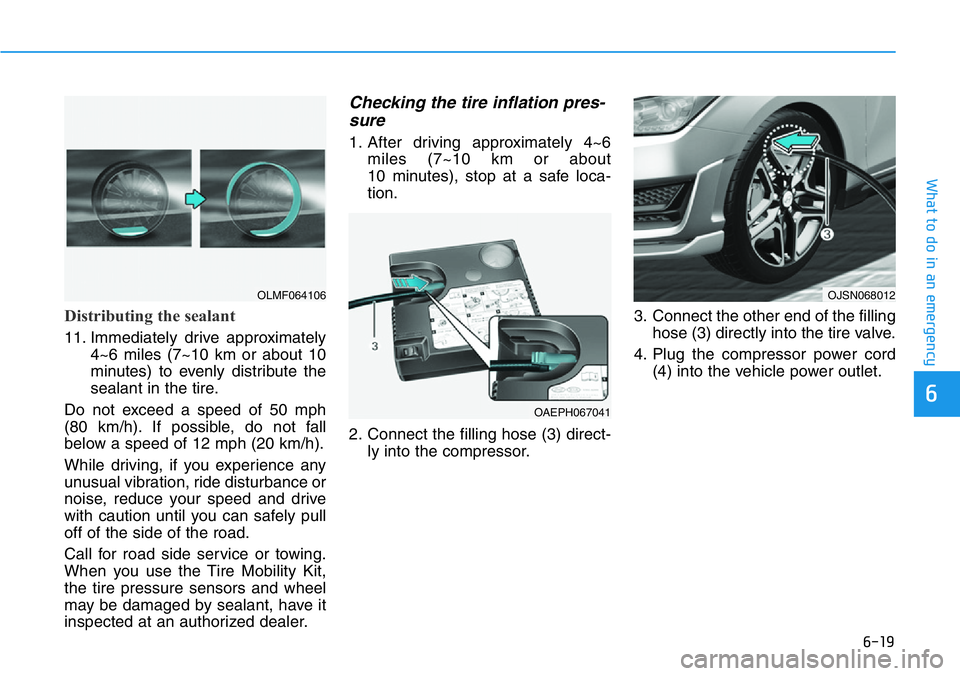
2. Connect the filling hose (3) direct-
ly into the compressor.3. Connect the other end of the filling
hose (3) directly into the tire valve.
4. Plug the compressor power cord
(4) into the vehicle power outlet.
OLMF064106
OAEPH067041
OJSN068012
Page 347 of 446
6-20
What to do in an emergency
5. Adjust the tire inflation pressure to
the recommended tire inflation.
With the ignition switched on, pro-
ceed as follows.
- To increase the inflation pres-
sure:
Switch on the compressor. To
check the current inflation pres-
sure setting, briefly switch off the
compressor.
- To reduce the inflation pres-
sure:
Press the button (9) on the com-
pressor.
Information
The pressure gauge may show higher
than actual reading when the com-
pressor is running. To get an accurate
tire pressure, the compressor needs to
be turned off.
Information
When reinstalling the repaired or
replaced tire and wheel on the vehicle,
tighten the wheel lug nut to 79~94
lbf·ft (11~13 kgf·m).
i
i
When you use the Tire Mobility
Kit including sealant not
approved by HYUNDAI, the tire
pressure sensors may be dam-
aged by sealant.
The sealant on the tire pressure
sensor and wheel should be
removed when you replace the
tire with a new one and inspect
the tire pressure sensors at an
authorized dealer.
CAUTION
Page 349 of 446
6-22
What to do in an emergency
When towing your vehicle in an
emergency without wheel dollies:
1. Place the ignition switch in the
ACC position.
2. Place the shift lever in N (Neutral).
3. Release the parking brake.
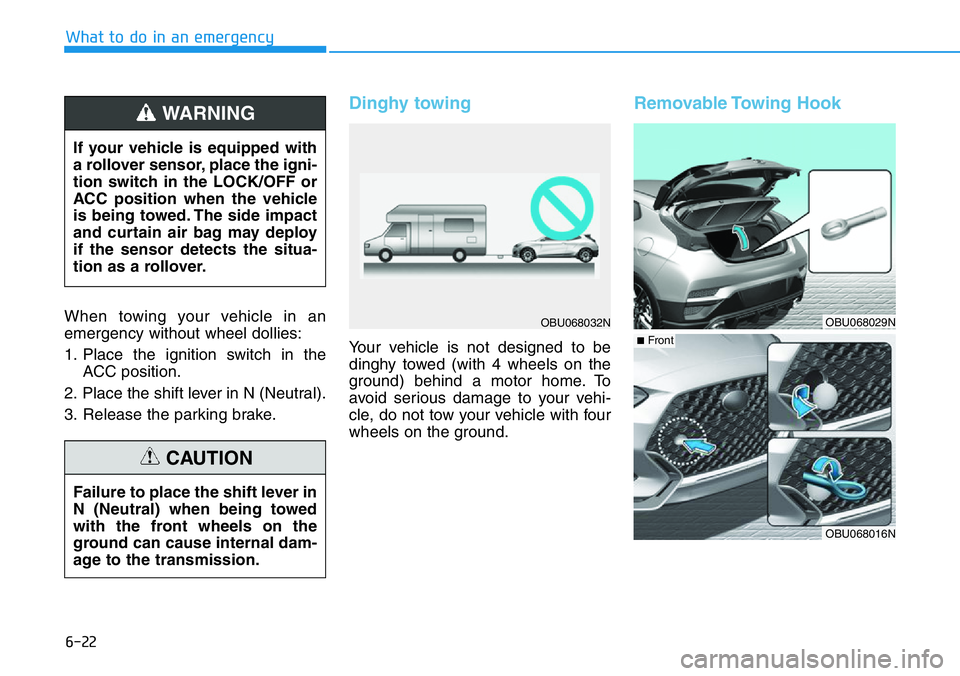
Dinghy towing
Your vehicle is not designed to be
dinghy towed (with 4 wheels on the
ground) behind a motor home. To
avoid serious damage to your vehi-
cle, do not tow your vehicle with four
wheels on the ground.
Removable Towing Hook
If your vehicle is equipped with
a rollover sensor, place the igni-
tion switch in the LOCK/OFF or
ACC position when the vehicle
is being towed. The side impact
and curtain air bag may deploy
if the sensor detects the situa-
tion as a rollover.
WARNING
Failure to place the shift lever in
N (Neutral) when being towed
with the front wheels on the
ground can cause internal dam-
age to the transmission.
CAUTION
OBU068032NOBU068029N
OBU068016N
■Front