cluster HYUNDAI VELOSTER N 2022 Owner's Manual
[x] Cancel search | Manufacturer: HYUNDAI, Model Year: 2022, Model line: VELOSTER N, Model: HYUNDAI VELOSTER N 2022Pages: 446, PDF Size: 9.71 MB
Page 216 of 446
5-22
Driving your vehicle
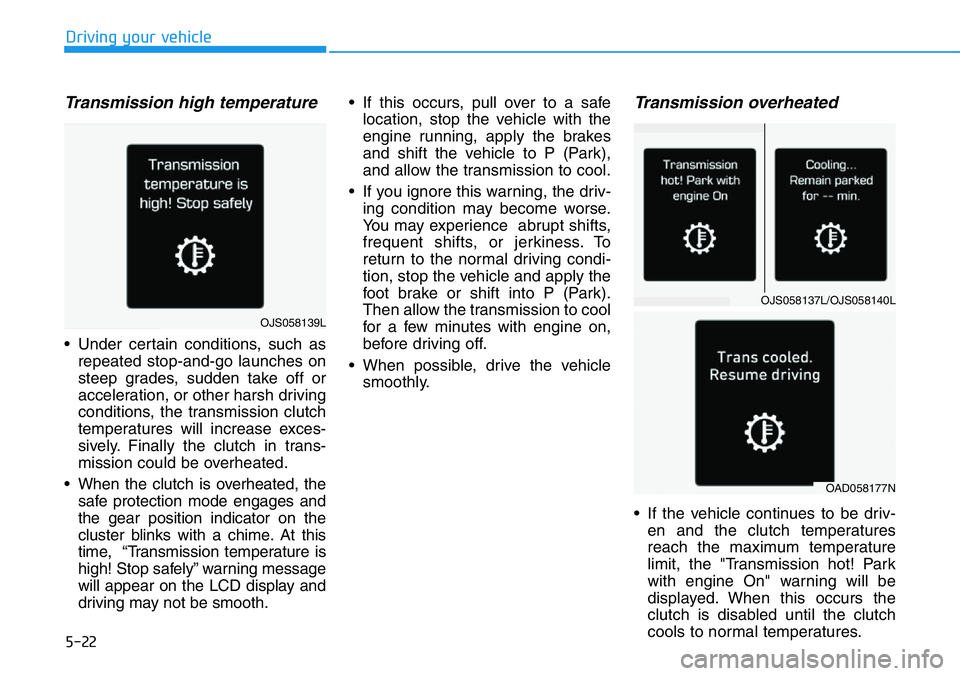
Transmission high temperature
• Under certain conditions, such as
repeated stop-and-go launches on
steep grades, sudden take off or
acceleration, or other harsh driving
conditions, the transmission clutch
temperatures will increase exces-
sively. Finally the clutch in trans-
mission could be overheated.
• When the clutch is overheated, the
safe protection mode engages and
the gear position indicator on the
cluster blinks with a chime. At this
time, “Transmission temperature is
high! Stop safely” warning message
will appear on the LCD display and
driving may not be smooth.• If this occurs, pull over to a safe
location, stop the vehicle with the
engine running, apply the brakes
and shift the vehicle to P (Park),
and allow the transmission to cool.
• If you ignore this warning, the driv-
ing condition may become worse.
You may experience abrupt shifts,
frequent shifts, or jerkiness. To
return to the normal driving condi-
tion, stop the vehicle and apply the
foot brake or shift into P (Park).
Then allow the transmission to cool
for a few minutes with engine on,
before driving off.
• When possible, drive the vehicle
smoothly.
Transmission overheated
• If the vehicle continues to be driv-
en and the clutch temperatures
reach the maximum temperature
limit, the "Transmission hot! Park
with engine On" warning will be
displayed. When this occurs the
clutch is disabled until the clutch
cools to normal temperatures.
OJS058137L/OJS058140L
OAD058177N
OJS058139L
Page 224 of 446
5-30
Driving your vehicle
To reduce the risk of SERIOUS
INJURY or DEATH:
•When driving uphill or down-
hill, always shift to D (Drive)
for driving forward or shift to
R (Reverse) for driving rear-
wards. After selecting D
(Drive) or R (Reverse), check
the gear position indicated on
the cluster before driving. If
you drive in the opposite
direction of the selected gear,
the engine will turn off and a
serious accident might occur
due to degraded brake per-
formance.
•Always buckle-up! In a colli-
sion, an unbelted occupant is
significantly more likely to be
seriously injured or killed than
a properly belted occupant.
•Avoid high speeds when cor-
nering or turning.
WARNING •Do not make quick steering
wheel movements, such as
sharp lane changes or fast,
sharp turns.
•The risk of rollover is greatly
increased if you lose control
of your vehicle at highway
speeds.
•Loss of control often occurs if
two or more wheels drop off
the roadway and the driver
over steers to reenter the
roadway.
•In the event your vehicle
leaves the roadway, do not
steer sharply. Instead, slow
down before pulling back into
the travel lanes.
•HYUNDAI recommends you
follow all posted speed limits.
If your vehicle is stuck in snow,
mud, sand, etc., you may
attempt to free the vehicle by
rocking it back and forth. Do not
attempt this procedure if people
or objects are anywhere near.
Vehicle may suddenly move for-
ward or backward as it becomes
unstuck, causing injury or dam-
age to nearby people or objects.
WARNING
Page 233 of 446
5-39
Driving your vehicle
5
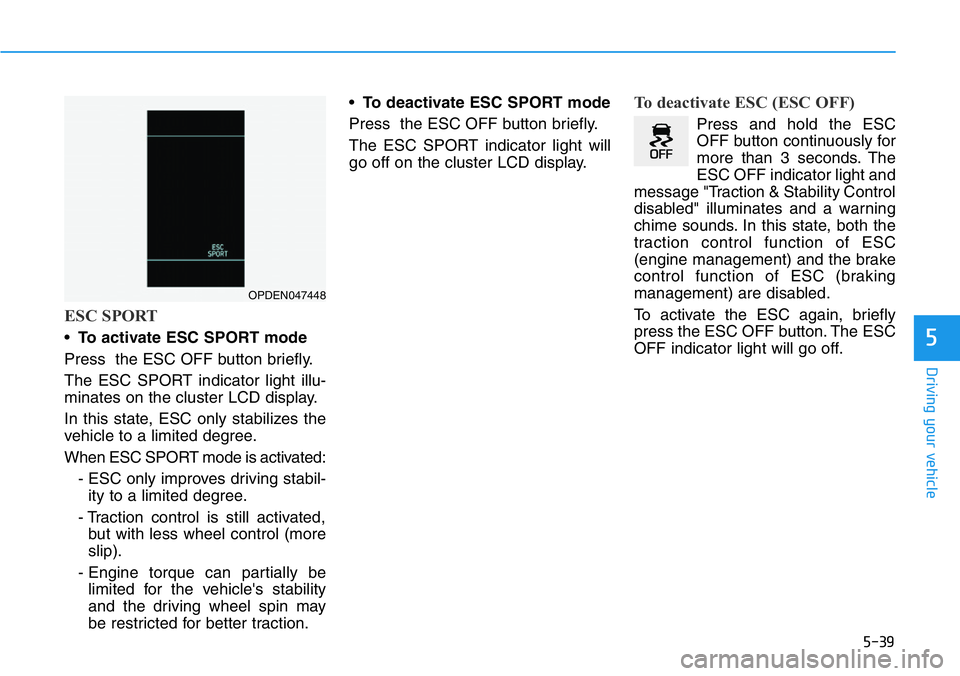
ESC SPORT
•To activate ESC SPORT mode
Press the ESC OFF button briefly.
The ESC SPORT indicator light illu-
minates on the cluster LCD display.
In this state, ESC only stabilizes the
vehicle to a limited degree.
When ESC SPORT mode is activated:
- ESC only improves driving stabil-
ity to a limited degree.
- Traction control is still activated,
but with less wheel control (more
slip).
- Engine torque can partially be
limited for the vehicle's stability
and the driving wheel spin may
be restricted for better traction.•To deactivate ESC SPORT mode
Press the ESC OFF button briefly.
The ESC SPORT indicator light will
go off on the cluster LCD display.
To deactivate ESC (ESC OFF)
Press and hold the ESC
OFF button continuously for
more than 3 seconds. The
ESC OFF indicator light and
message "Traction & Stability Control
disabled" illuminates and a warning
chime sounds. In this state, both the
traction control function of ESC
(engine management) and the brake
control function of ESC (braking
management) are disabled.
To activate the ESC again, briefly
press the ESC OFF button. The ESC
OFF indicator light will go off.
OPDEN047448
Page 236 of 446
5-42
Driving your vehicle
CUSTOM mode
You may select the drive mode you
prefer from the display audio screen.
• Select CUSTOM mode by pressing
the N button on the steering wheel.
The display audio screen will dis-
play the CUSTOM mode menu.
From the CUSTOM mode menu,
select 'ESC →NORMAL / SPORT
/ OFF'.
• You may directly go to the CUS-
TOM mode menu by touching the
display audio screen.
For more details, refer to the dis-
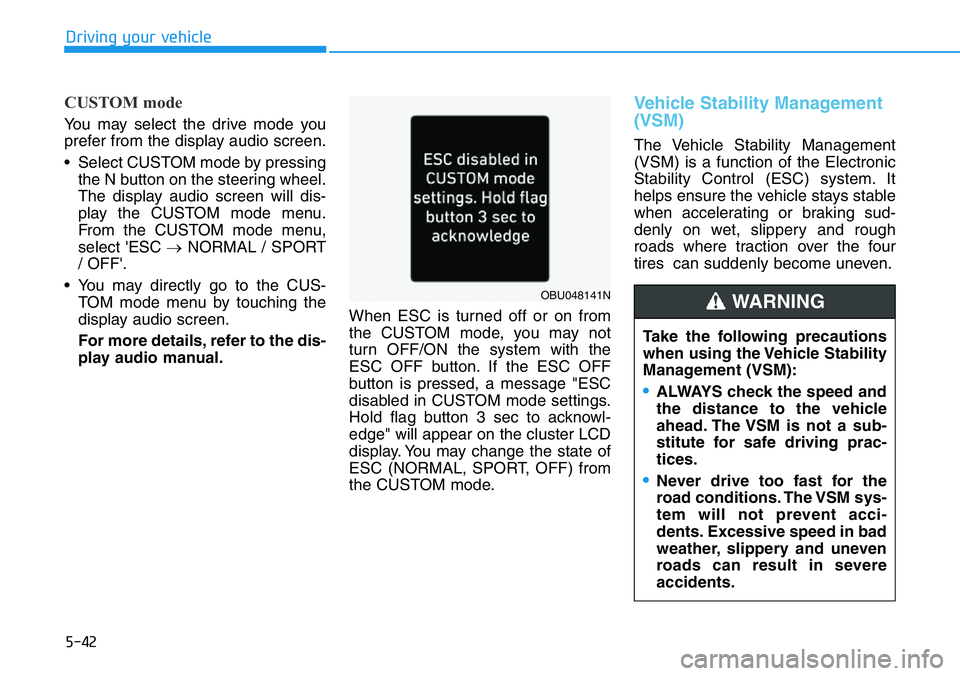
play audio manual.When ESC is turned off or on from
the CUSTOM mode, you may not
turn OFF/ON the system with the
ESC OFF button. If the ESC OFF
button is pressed, a message "ESC
disabled in CUSTOM mode settings.
Hold flag button 3 sec to acknowl-
edge" will appear on the cluster LCD
display. You may change the state of
ESC (NORMAL, SPORT, OFF) from
the CUSTOM mode.
Vehicle Stability Management
(VSM)
The Vehicle Stability Management
(VSM) is a function of the Electronic
Stability Control (ESC) system. It
helps ensure the vehicle stays stable
when accelerating or braking sud-
denly on wet, slippery and rough
roads where traction over the four
tires can suddenly become uneven.
Take the following precautions
when using the Vehicle Stability
Management (VSM):
•ALWAYS check the speed and
the distance to the vehicle
ahead. The VSM is not a sub-
stitute for safe driving prac-
tices.
•Never drive too fast for the
road conditions. The VSM sys-
tem will not prevent acci-
dents. Excessive speed in bad
weather, slippery and uneven
roads can result in severe
accidents.
WARNING OBU048141N
Page 251 of 446
5-57
Driving your vehicle
5
• Warm up the tires before using
launch control for the best
result.
• Launch Control is intended for
use at a closed race track with
dry road surface and not intend-
ed for use on public roads. It will
not compensate for driver's who
are inexperienced or lack famil-
iarity with the race track.
• Do not use Launch Control in
poor road condition (ex. wet,
sand, snow). Control over vehi-
cle may be lost with poor road
condition and driver inatten-
tions. Do not endanger other
road users by using Launch
Control.
• Do not use Launch Control dur-
ing break-in period of the vehi-
cle.
• Constant use of Launch Control
can put enormous stress on the
vehicle resulting in premature
wear of related components.
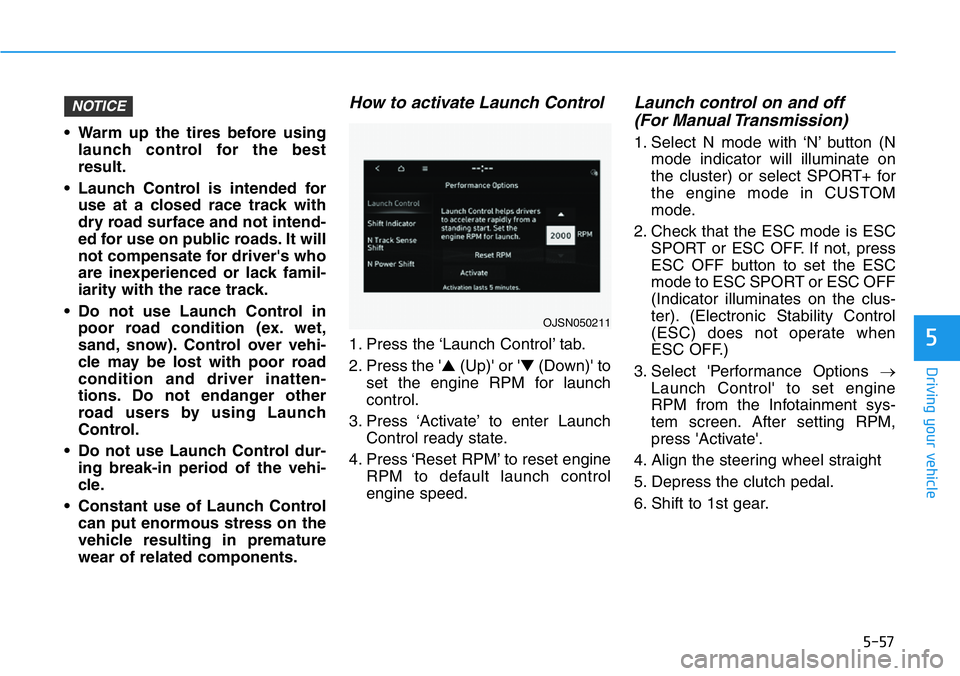
How to activate Launch Control
1. Press the ‘Launch Control’ tab.
2. Press the '▲(Up)' or '▼(Down)' to
set the engine RPM for launch
control.
3. Press ‘Activate’ to enter Launch
Control ready state.
4. Press ‘Reset RPM’ to reset engine
RPM to default launch control
engine speed.
Launch control on and off
(For Manual Transmission)
1. Select N mode with ‘N’ button (N
mode indicator will illuminate on
the cluster) or select SPORT+ for
the engine mode in CUSTOM
mode.
2. Check that the ESC mode is ESC
SPORT or ESC OFF. If not, press
ESC OFF button to set the ESC
mode to ESC SPORT or ESC OFF
(Indicator illuminates on the clus-
ter). (Electronic Stability Control
(ESC) does not operate when
ESC OFF.)
3. Select 'Performance Options →
Launch Control' to set engine
RPM from the Infotainment sys-
tem screen. After setting RPM,
press 'Activate'.
4. Align the steering wheel straight
5. Depress the clutch pedal.
6. Shift to 1st gear.
NOTICE
OJSN050211
Page 252 of 446
5-58
Driving your vehicle
7. While depressing the clutch pedal
with your left foot, quickly and fully
depress the accelerator pedal with
your right foot. Launch control will
be in the ready state. The mes-
sage 'Launch Control Ready' will
appear on the cluster. If neces-
sary, adjust engine rpm with the
cruise control switch (+/-).
8. A smooth, quick release of the
clutch pedal within 8 seconds,
while maintaining full depression
of the accelerator pedal will initiate
launching of the vehicle. The mes-
sage 'Launch Control Active' will
appear on the cluster.
9. Control will deactivate when the
accelerator pedal is released.
Launch control on and off
(For Dual Clutch Transmission)
1. Select N mode with 'N' button (N
mode indicator will illuminate on
the cluster) or select SPORT+ for
the engine mode in CUSTOM
mode.
2. Check that the ESC mode is ESC
SPORT or ESC OFF. If not, press
ESC OFF button to set the ESC
mode to ESC SPORT or ESC OFF
(Indicator illuminates on the clus-
ter). (Electronic Stability Control
(ESC) does not operate when
ESC OFF.)
3. Shift the gear to D (Drive) or M
(Manual shift mode). (When
Manual shift mode is selected,
driver must shift manually.)
4. Select 'Performance Options →
Launch Control' to set engine
RPM from the Infotainment sys-
tem screen. After setting RPM,
press 'Activate’.
5. Align the steering wheel straight
6. Depress the brake pedal to the
maximum with your left foot.7. While depressing the brake pedal
with your left foot, quickly and fully
depress the accelerator pedal with
your right foot. Launch control will
be in the ready state. The mes-
sage 'Launch Control Ready' will
appear on the cluster. If neces-
sary, adjust engine rpm with the
cruise control switch (+/-).
8. A smooth, quick release of the
brake pedal within 8 seconds,
while maintaining full depression
of the accelerator pedal will initiate
launching of the vehicle. The mes-
sage 'Launch Control Active' will
appear on the cluster.
9. Launch Control will deactivate
when the accelerator pedal is
released.
Page 256 of 446
5-62
Driving your vehicle
Operating condition
• N Track Sense Shift is enabled in the
Performance Options settings
• Shift lever in D (Drive) position
• Transmission mode is SPORT or
SPORT+ (Including SPORT or N
Riding Mode)
• Vehicle speed is above 21 mph
(35km/h)
• Cornering-oriented dynamic driving
detection
❈When N Track Sense Shift is oper-
ating, a message is displayed in
the instrument cluster LCD screen
as shown below.
Non-operating conditions
• N Track Sense Shift is disabled in
Performance Options settings
• Shift lever position is in P/R/N
• Changing Transmission mode dur-
ing operation (Transmission mode
does not work in ECO, NORMAL
or manual shift mode.)
• Cruise Control is operating
• Engine warning light is on
• Vehicle speed is below 21 mph (35
km/h)
❈When N Track Sense Shift is deac-
tivated, the displayed message will
disappear from the instrument
LCD screen.
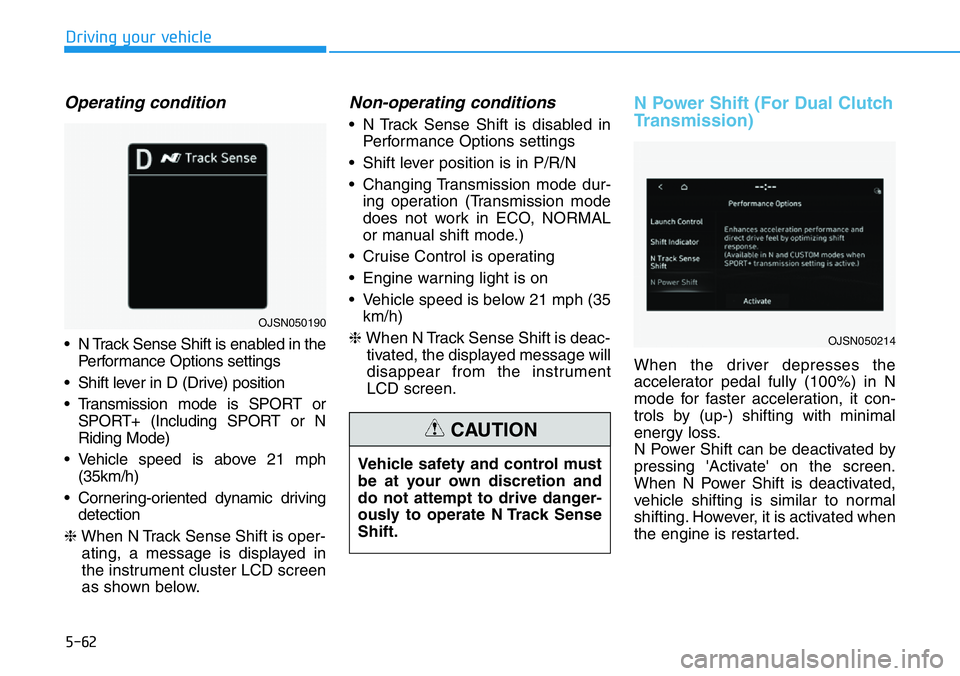
N Power Shift (For Dual Clutch
Transmission)
When the driver depresses the
accelerator pedal fully (100%) in N
mode for faster acceleration, it con-
trols by (up-) shifting with minimal
energy loss.
N Power Shift can be deactivated by
pressing 'Activate' on the screen.
When N Power Shift is deactivated,
vehicle shifting is similar to normal
shifting. However, it is activated when
the engine is restarted. Vehicle safety and control must
be at your own discretion and
do not attempt to drive danger-
ously to operate N Track Sense
Shift.
CAUTION
OJSN050214
OJSN050190
Page 259 of 446
5-65
Driving your vehicle
5
System settings
functions for the system
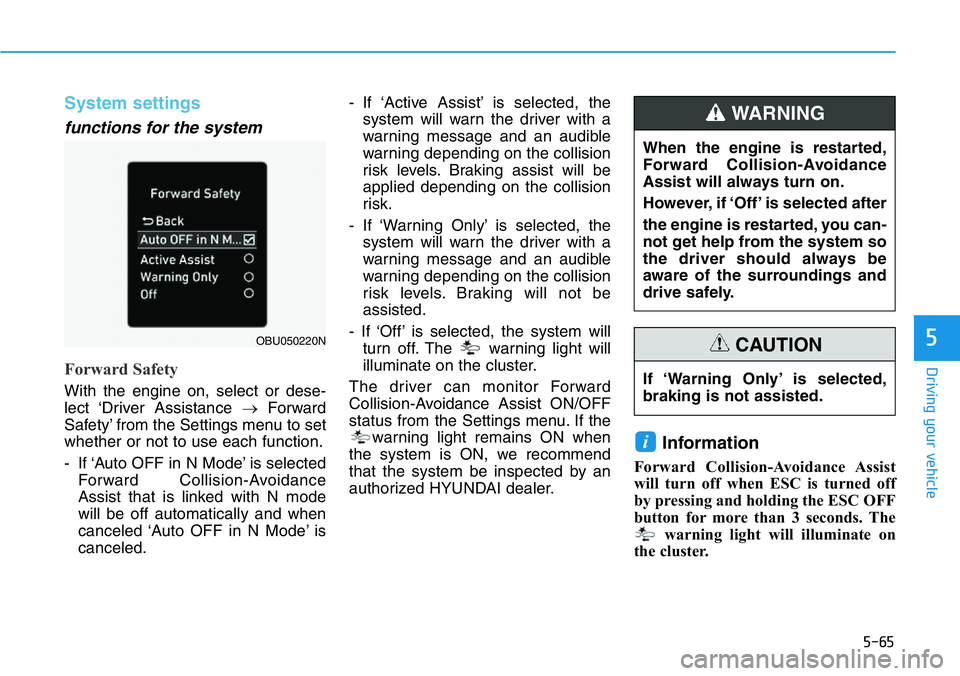
Forward Safety
With the engine on, select or dese-
lect ‘Driver Assistance →Forward
Safety’ from the Settings menu to set
whether or not to use each function.
- If ‘Auto OFF in N Mode’ is selected
Forward Collision-Avoidance
Assist that is linked with N mode
will be off automatically and when
canceled ‘Auto OFF in N Mode’ is
canceled.- If ‘Active Assist’ is selected, the
system will warn the driver with a
warning message and an audible
warning depending on the collision
risk levels. Braking assist will be
applied depending on the collision
risk.
- If ‘Warning Only’ is selected, the
system will warn the driver with a
warning message and an audible
warning depending on the collision
risk levels. Braking will not be
assisted.
- If ‘Off’ is selected, the system will
turn off. The warning light will
illuminate on the cluster.
The driver can monitor Forward
Collision-Avoidance Assist ON/OFF
status from the Settings menu. If the
warning light remains ON when
the system is ON, we recommend
that the system be inspected by an
authorized HYUNDAI dealer.
Information
Forward Collision-Avoidance Assist
will turn off when ESC is turned off
by pressing and holding the ESC OFF
button for more than 3 seconds. The
warning light will illuminate on
the cluster.
i
OBU050220N
If ‘Warning Only’ is selected,
braking is not assisted.
CAUTION
When the engine is restarted,
Forward Collision-Avoidance
Assist will always turn on.
However, if ‘Off’ is selected after
the engine is restarted, you can-
not get help from the system so
the driver should always be
aware of the surroundings and
drive safely.
WARNING
Page 261 of 446
5-67
Driving your vehicle
5
System operation
Basic function
System warning and control
The basic function for Forward
Collision-Avoidance Assist is to warn
and control the vehicle depending on
the collision level: ‘Collision Warning’,
‘Emergency Braking’ and ‘Stopping
vehicle and ending brake control’.
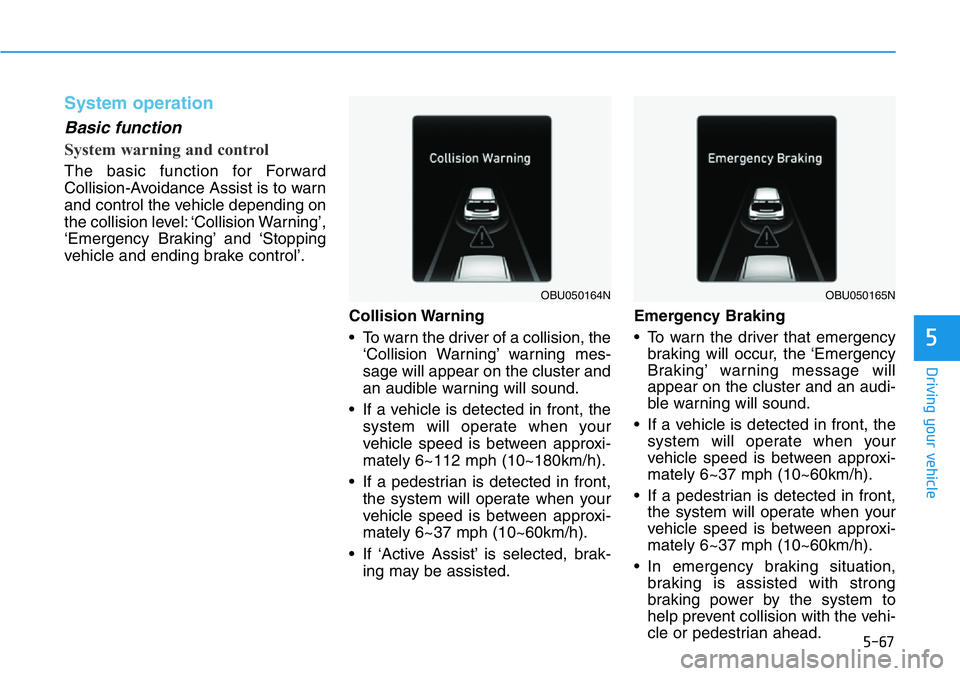
Collision Warning
• To warn the driver of a collision, the
‘Collision Warning’ warning mes-
sage will appear on the cluster and
an audible warning will sound.
• If a vehicle is detected in front, the
system will operate when your
vehicle speed is between approxi-
mately 6~112 mph (10~180km/h).
• If a pedestrian is detected in front,
the system will operate when your
vehicle speed is between approxi-
mately 6~37 mph (10~60km/h).
• If ‘Active Assist’ is selected, brak-
ing may be assisted.Emergency Braking
• To warn the driver that emergency
braking will occur, the ‘Emergency
Braking’ warning message will
appear on the cluster and an audi-
ble warning will sound.
• If a vehicle is detected in front, the
system will operate when your
vehicle speed is between approxi-
mately 6~37 mph (10~60km/h).
• If a pedestrian is detected in front,
the system will operate when your
vehicle speed is between approxi-
mately 6~37 mph (10~60km/h).
• In emergency braking situation,
braking is assisted with strong
braking power by the system to
help prevent collision with the vehi-
cle or pedestrian ahead.
OBU050164NOBU050165N
Page 262 of 446
5-68
Driving your vehicle
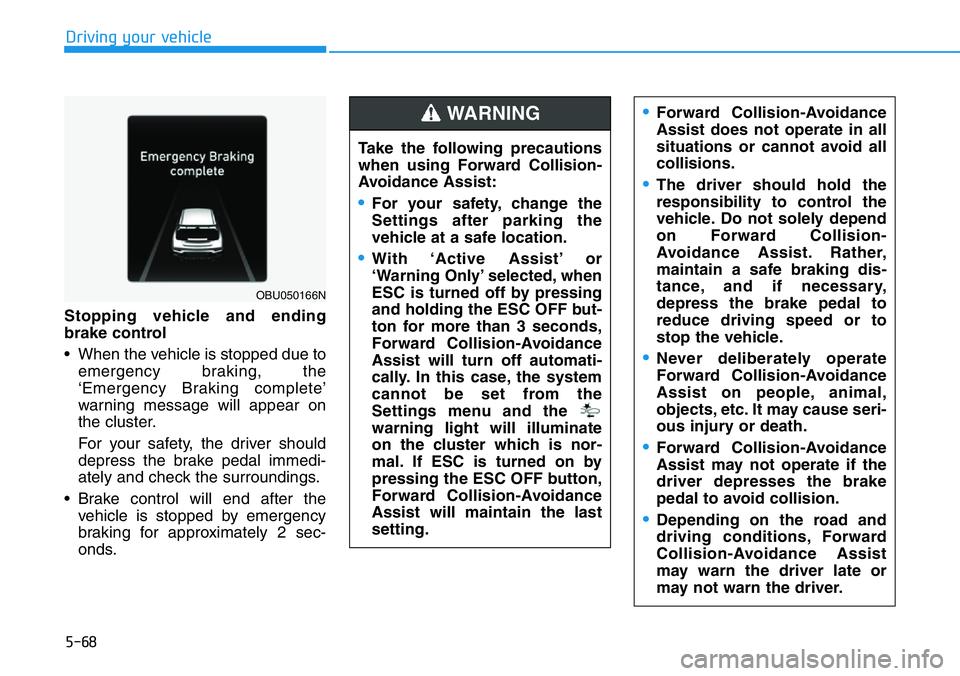
Stopping vehicle and ending
brake control
• When the vehicle is stopped due to
emergency braking, the
‘Emergency Braking complete’
warning message will appear on
the cluster.
For your safety, the driver should
depress the brake pedal immedi-
ately and check the surroundings.
• Brake control will end after the
vehicle is stopped by emergency
braking for approximately 2 sec-
onds.
OBU050166N
Take the following precautions
when using Forward Collision-
Avoidance Assist:
•For your safety, change the
Settings after parking the
vehicle at a safe location.
•With ‘Active Assist’ or
‘Warning Only’ selected, when
ESC is turned off by pressing
and holding the ESC OFF but-
ton for more than 3 seconds,
Forward Collision-Avoidance
Assist will turn off automati-
cally. In this case, the system
cannot be set from the
Settings menu and the
warning light will illuminate
on the cluster which is nor-
mal. If ESC is turned on by
pressing the ESC OFF button,
Forward Collision-Avoidance
Assist will maintain the last
setting.
WARNING •Forward Collision-Avoidance
Assist does not operate in all
situations or cannot avoid all
collisions.
•The driver should hold the
responsibility to control the
vehicle. Do not solely depend
on Forward Collision-
Avoidance Assist. Rather,
maintain a safe braking dis-
tance, and if necessary,
depress the brake pedal to
reduce driving speed or to
stop the vehicle.
•Never deliberately operate
Forward Collision-Avoidance
Assist on people, animal,
objects, etc. It may cause seri-
ous injury or death.
•Forward Collision-Avoidance
Assist may not operate if the
driver depresses the brake
pedal to avoid collision.
•Depending on the road and
driving conditions, Forward
Collision-Avoidance Assist
may warn the driver late or
may not warn the driver.