ignition HYUNDAI XG350 2005 Owner's Manual
[x] Cancel search | Manufacturer: HYUNDAI, Model Year: 2005, Model line: XG350, Model: HYUNDAI XG350 2005Pages: 247, PDF Size: 7.28 MB
Page 57 of 247
1
FEATURES OF YOUR HYUNDAI
45
INSTRUMENT CLUSTER
B260C02L-AAT
TRACTION CONTROL
INDICATOR LIGHT
The traction control indicators change opera-
tions according to the ignition switch position
and whether the system is in operation or not.
They will also illuminate when the ignition key is
turned to the "ON" or "START" position, but
should go out after three seconds. If the TCS
indicator stays on, take your car to your autho-
rized Hyundai dealer and have the system
checked. See section 2 for more information
about the TCS system.NOTE:When the TCS is manually deactivated, the
indicator light remains illuminated until the
ignition switch is turned off.B260Q01Y-GAT
CRUISE INDICATOR Light
(If installed)
The cruise indicator light in the instrument clus-
ter is illuminated only when the vehicle cruising
speed has been set using the control switch on
the steering wheel.
The indicator light does not illuminate when the
main cruise control switch is activated.
Information about the use of cruise control is
beginning on page 1-75.
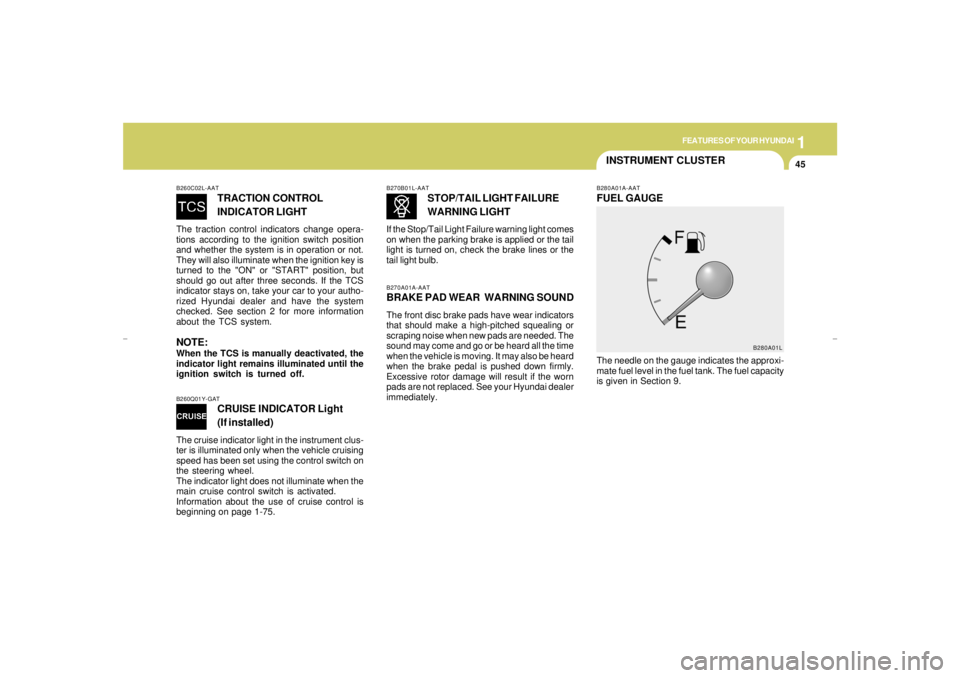
B280A01A-AATFUEL GAUGEThe needle on the gauge indicates the approxi-
mate fuel level in the fuel tank. The fuel capacity
is given in Section 9.
B270A01A-AATBRAKE PAD WEAR WARNING SOUNDThe front disc brake pads have wear indicators
that should make a high-pitched squealing or
scraping noise when new pads are needed. The
sound may come and go or be heard all the time
when the vehicle is moving. It may also be heard
when the brake pedal is pushed down firmly.
Excessive rotor damage will result if the worn
pads are not replaced. See your Hyundai dealer
immediately.B270B01L-AAT
STOP/TAIL LIGHT FAILURE
WARNING LIGHT
If the Stop/Tail Light Failure warning light comes
on when the parking brake is applied or the tail
light is turned on, check the brake lines or the
tail light bulb.
B280A01L
xgflhma-1.p656/16/04, 3:03 PM 45
Page 59 of 247
1
FEATURES OF YOUR HYUNDAI
47
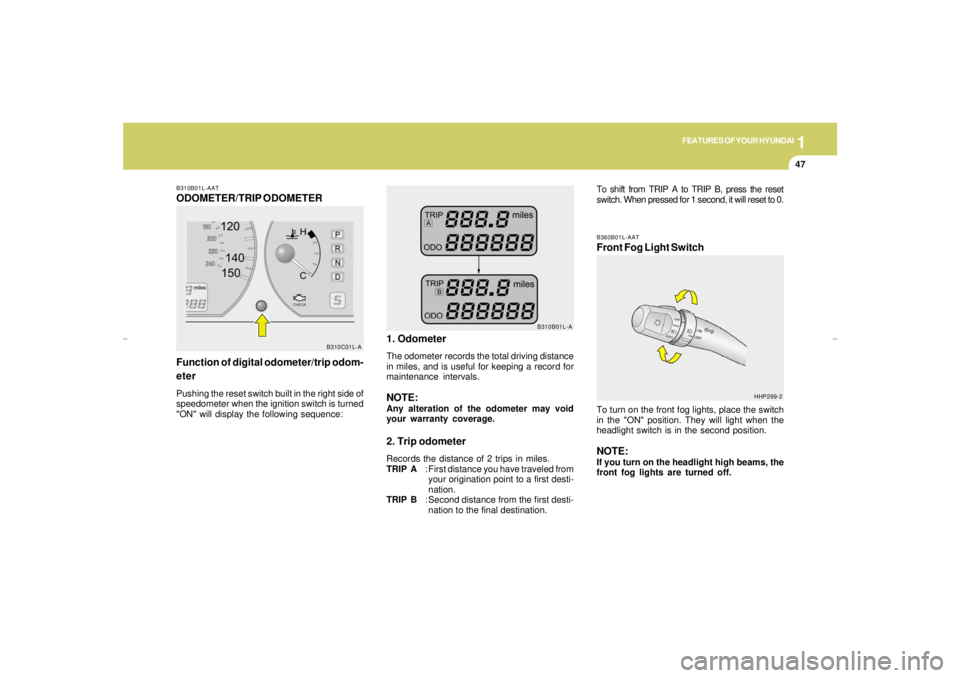
B310B01L-AATODOMETER/TRIP ODOMETER
Function of digital odometer/trip odom-
eterPushing the reset switch built in the right side of
speedometer when the ignition switch is turned
"ON" will display the following sequence:
B310C01L-A
1. OdometerThe odometer records the total driving distance
in miles, and is useful for keeping a record for
maintenance intervals.NOTE:Any alteration of the odometer may void
your warranty coverage.2. Trip odometerRecords the distance of 2 trips in miles.
TRIP A: First distance you have traveled from
your origination point to a first desti-
nation.
TRIP B: Second distance from the first desti-
nation to the final destination.
B360B01L-AATFront Fog Light SwitchTo turn on the front fog lights, place the switch
in the "ON" position. They will light when the
headlight switch is in the second position.NOTE:If you turn on the headlight high beams, the
front fog lights are turned off.
B310B01L-A
HHP269-2
To shift from TRIP A to TRIP B, press the reset
switch. When pressed for 1 second, it will reset to 0.
xgflhma-1.p656/16/04, 3:03 PM 47
Page 60 of 247
1FEATURES OF YOUR HYUNDAI48
MULTI-FUNCTION LIGHT SWITCH
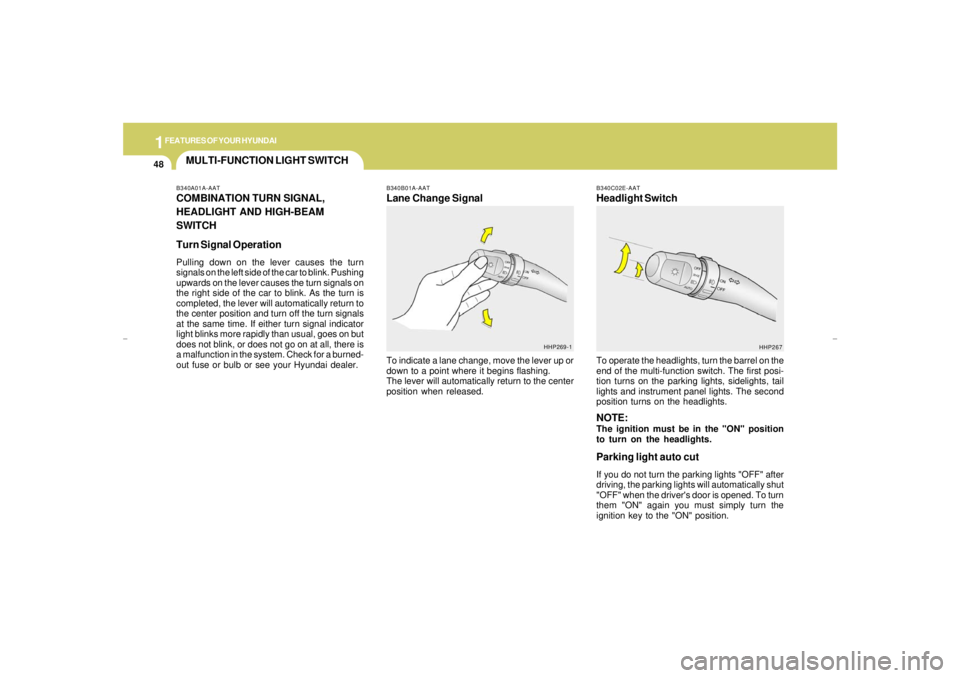
B340B01A-AATLane Change SignalTo indicate a lane change, move the lever up or
down to a point where it begins flashing.
The lever will automatically return to the center
position when released.
B340C02E-AATHeadlight SwitchTo operate the headlights, turn the barrel on the
end of the multi-function switch. The first posi-
tion turns on the parking lights, sidelights, tail
lights and instrument panel lights. The second
position turns on the headlights.NOTE:The ignition must be in the "ON" position
to turn on the headlights.Parking light auto cutIf you do not turn the parking lights "OFF" after
driving, the parking lights will automatically shut
"OFF" when the driver's door is opened. To turn
them "ON" again you must simply turn the
ignition key to the "ON" position.
HHP269-1
HHP267 B340A01A-AAT
COMBINATION TURN SIGNAL,
HEADLIGHT AND HIGH-BEAM
SWITCH
Turn Signal OperationPulling down on the lever causes the turn
signals on the left side of the car to blink. Pushing
upwards on the lever causes the turn signals on
the right side of the car to blink. As the turn is
completed, the lever will automatically return to
the center position and turn off the turn signals
at the same time. If either turn signal indicator
light blinks more rapidly than usual, goes on but
does not blink, or does not go on at all, there is
a malfunction in the system. Check for a burned-
out fuse or bulb or see your Hyundai dealer.
xgflhma-1.p656/16/04, 3:03 PM 48
Page 63 of 247
1
FEATURES OF YOUR HYUNDAI
51
!
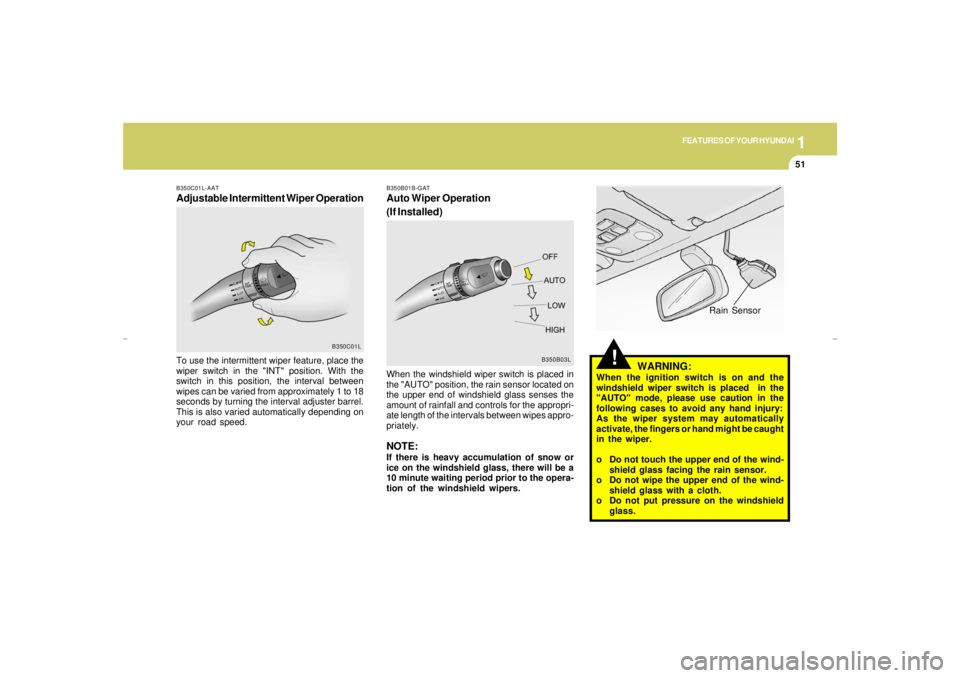
B350B01B-GATAuto Wiper Operation
(If Installed)
B350B03L
When the windshield wiper switch is placed in
the "AUTO" position, the rain sensor located on
the upper end of windshield glass senses the
amount of rainfall and controls for the appropri-
ate length of the intervals between wipes appro-
priately.NOTE:If there is heavy accumulation of snow or
ice on the windshield glass, there will be a
10 minute waiting period prior to the opera-
tion of the windshield wipers.
Rain Sensor
WARNING:
When the ignition switch is on and the
windshield wiper switch is placed in the
"AUTO" mode, please use caution in the
following cases to avoid any hand injury:
As the wiper system may automatically
activate, the fingers or hand might be caught
in the wiper.
o Do not touch the upper end of the wind-
shield glass facing the rain sensor.
o Do not wipe the upper end of the wind-
shield glass with a cloth.
o Do not put pressure on the windshield
glass.
B350C01L-AATAdjustable Intermittent Wiper OperationTo use the intermittent wiper feature, place the
wiper switch in the "INT" position. With the
switch in this position, the interval between
wipes can be varied from approximately 1 to 18
seconds by turning the interval adjuster barrel.
This is also varied automatically depending on
your road speed.
B350C01L
xgflhma-1.p656/16/04, 3:03 PM 51
Page 64 of 247
1FEATURES OF YOUR HYUNDAI52
REAR WINDOW DEFROSTER
SWITCH
HAZARD WARNING SYSTEM
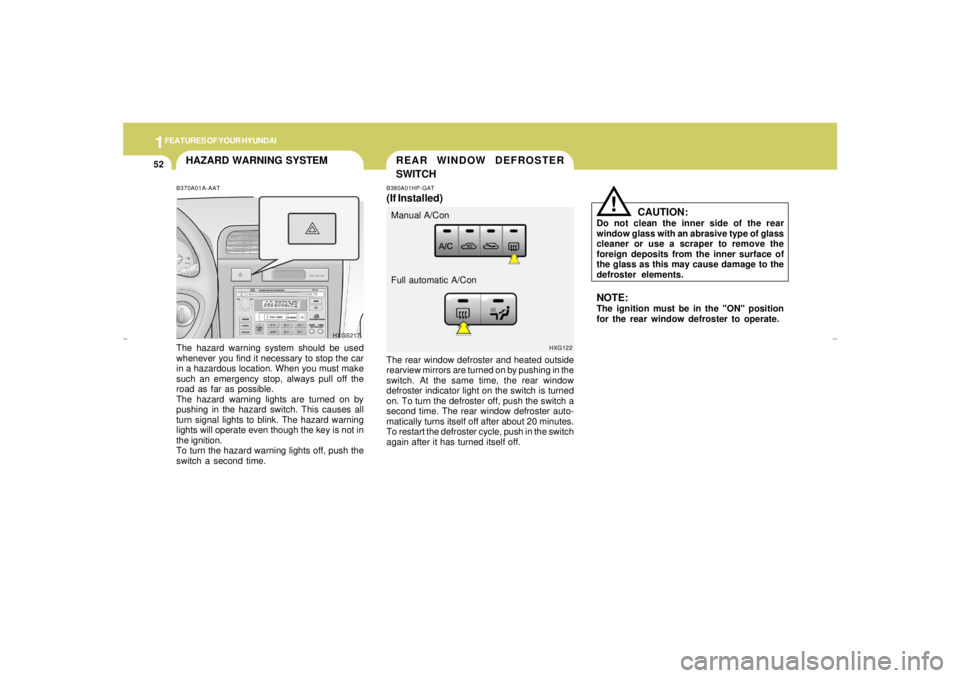
The rear window defroster and heated outside
rearview mirrors are turned on by pushing in the
switch. At the same time, the rear window
defroster indicator light on the switch is turned
on. To turn the defroster off, push the switch a
second time. The rear window defroster auto-
matically turns itself off after about 20 minutes.
To restart the defroster cycle, push in the switch
again after it has turned itself off.B380A01HP-GAT(If Installed)
HXG122
Manual A/Con
Full automatic A/Con
CAUTION:
Do not clean the inner side of the rear
window glass with an abrasive type of glass
cleaner or use a scraper to remove the
foreign deposits from the inner surface of
the glass as this may cause damage to the
defroster elements.
!
NOTE:The ignition must be in the "ON" position
for the rear window defroster to operate.
B370A01A-AATThe hazard warning system should be used
whenever you find it necessary to stop the car
in a hazardous location. When you must make
such an emergency stop, always pull off the
road as far as possible.
The hazard warning lights are turned on by
pushing in the hazard switch. This causes all
turn signal lights to blink. The hazard warning
lights will operate even though the key is not in
the ignition.
To turn the hazard warning lights off, push the
switch a second time.
HXGS217
xgflhma-1.p656/16/04, 3:03 PM 52
Page 66 of 247
1FEATURES OF YOUR HYUNDAI54
INSTRUMENT PANEL LIGHT
CONTROLB410A01A-AAT(RHEOSTAT)
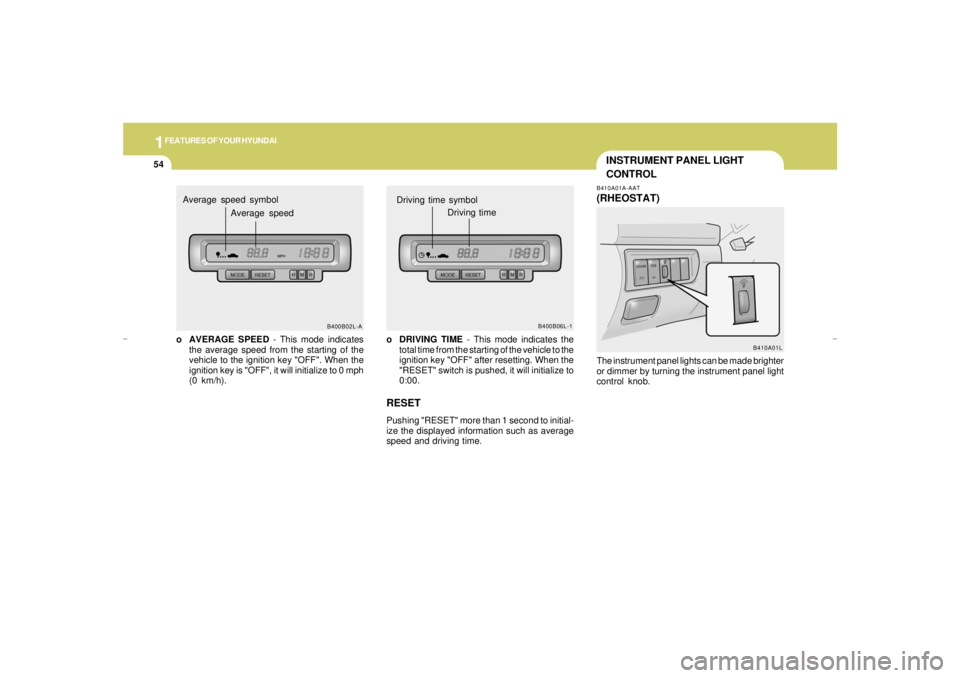
o DRIVING TIME - This mode indicates the
total time from the starting of the vehicle to the
ignition key "OFF" after resetting. When the
"RESET" switch is pushed, it will initialize to
0:00.RESETPushing "RESET" more than 1 second to initial-
ize the displayed information such as average
speed and driving time.
B400B06L-1
Driving time symbol
Driving time
B410A01L
o AVERAGE SPEED - This mode indicates
the average speed from the starting of the
vehicle to the ignition key "OFF". When the
ignition key is "OFF", it will initialize to 0 mph
(0 km/h).
B400B02L-A
Average speed symbol
Average speed
The instrument panel lights can be made brighter
or dimmer by turning the instrument panel light
control knob.
xgflhma-1.p656/16/04, 3:03 PM 54
Page 70 of 247
1FEATURES OF YOUR HYUNDAI58
CAUTION:
o Do not open the sunroof in severely cold
temperature or when it is covered with
ice or snow.
o Periodically remove any dirt that may
have accumulated on the guide rails.
!
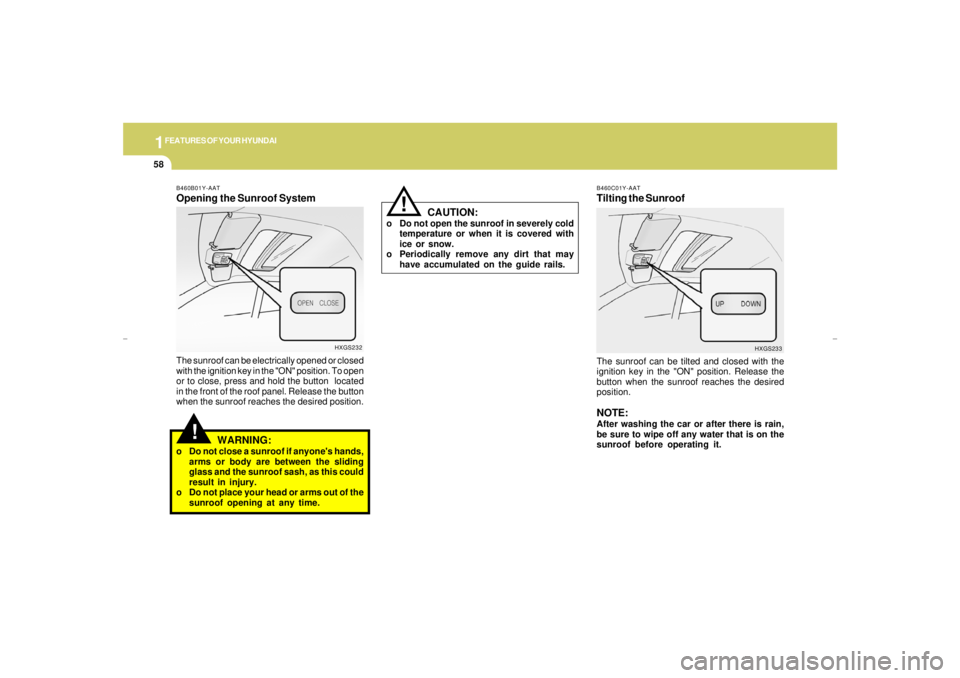
B460C01Y-AATTilting the SunroofThe sunroof can be tilted and closed with the
ignition key in the "ON" position. Release the
button when the sunroof reaches the desired
position.NOTE:After washing the car or after there is rain,
be sure to wipe off any water that is on the
sunroof before operating it.
HXGS233
!
B460B01Y-AATOpening the Sunroof SystemThe sunroof can be electrically opened or closed
with the ignition key in the "ON" position. To open
or to close, press and hold the button located
in the front of the roof panel. Release the button
when the sunroof reaches the desired position.
WARNING:
o Do not close a sunroof if anyone's hands,
arms or body are between the sliding
glass and the sunroof sash, as this could
result in injury.
o Do not place your head or arms out of the
sunroof opening at any time.
HXGS232
xgflhma-1.p656/16/04, 3:03 PM 58
Page 72 of 247
1FEATURES OF YOUR HYUNDAI60
INTERIOR LIGHT
FRONT MAP LIGHT
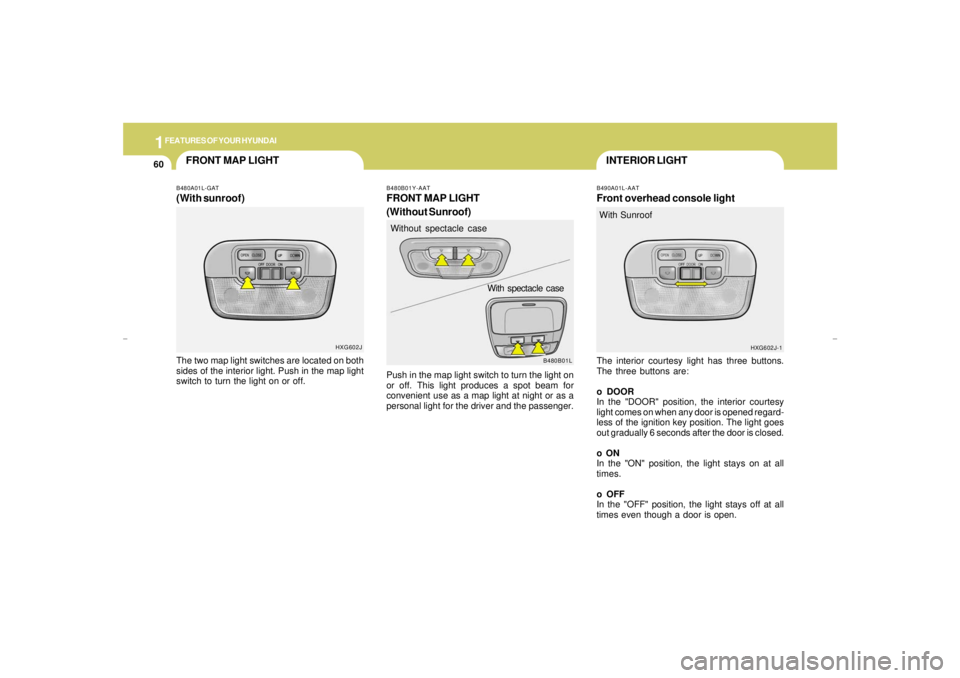
B490A01L-AATFront overhead console lightThe interior courtesy light has three buttons.
The three buttons are:
o DOOR
In the "DOOR" position, the interior courtesy
light comes on when any door is opened regard-
less of the ignition key position. The light goes
out gradually 6 seconds after the door is closed.
o ON
In the "ON" position, the light stays on at all
times.
o OFF
In the "OFF" position, the light stays off at all
times even though a door is open.With Sunroof
HXG602J-1 B480A01L-GAT
(With sunroof)The two map light switches are located on both
sides of the interior light. Push in the map light
switch to turn the light on or off.
HXG602J
B480B01L B480B01Y-AAT
FRONT MAP LIGHT
(Without Sunroof)Push in the map light switch to turn the light on
or off. This light produces a spot beam for
convenient use as a map light at night or as a
personal light for the driver and the passenger.Without spectacle case
With spectacle case
xgflhma-1.p656/16/04, 3:03 PM 60
Page 73 of 247
1
FEATURES OF YOUR HYUNDAI
61
SPECTACLE CASE
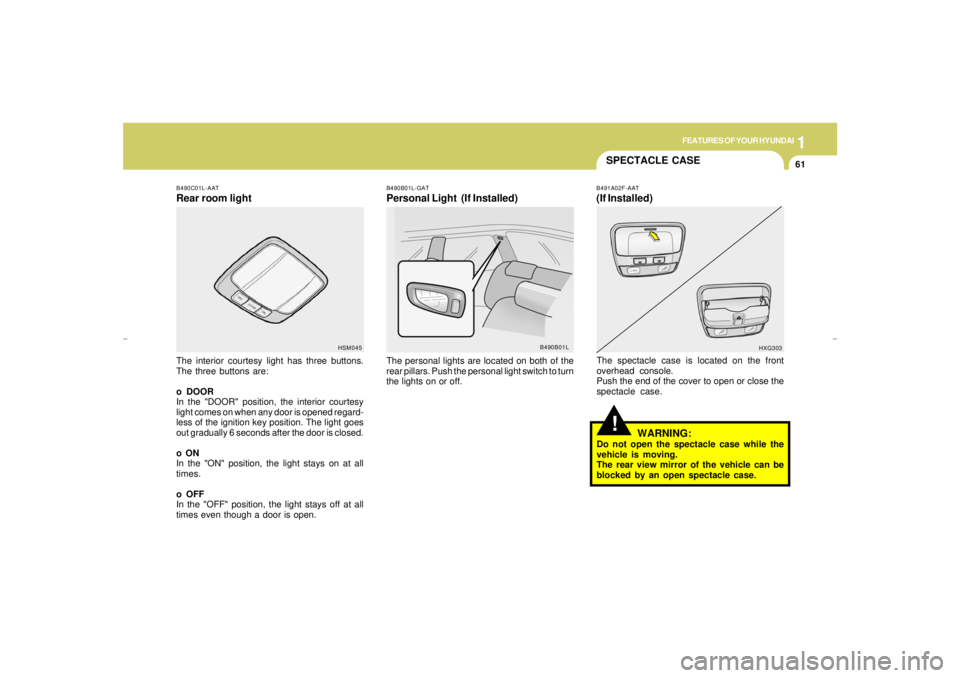
B490C01L-AATRear room lightThe interior courtesy light has three buttons.
The three buttons are:
o DOOR
In the "DOOR" position, the interior courtesy
light comes on when any door is opened regard-
less of the ignition key position. The light goes
out gradually 6 seconds after the door is closed.
o ON
In the "ON" position, the light stays on at all
times.
o OFF
In the "OFF" position, the light stays off at all
times even though a door is open.
B490B01L-GATPersonal Light (If Installed)The personal lights are located on both of the
rear pillars. Push the personal light switch to turn
the lights on or off.
HSM045
B490B01L
!
B491A02F-AAT(If Installed)The spectacle case is located on the front
overhead console.
Push the end of the cover to open or close the
spectacle case.
WARNING:
Do not open the spectacle case while the
vehicle is moving.
The rear view mirror of the vehicle can be
blocked by an open spectacle case.
HXG303
xgflhma-1.p656/16/04, 3:03 PM 61
Page 77 of 247
1
FEATURES OF YOUR HYUNDAI
65
!!
HOMELINK PROGRAMMING
CAUTION:o Make sure people and/or objects are out
of the way of any garage doors or gates
you may be operating during the pro-
gramming procedures.
o Keep original transmitters for potential
future programming needs, or in case
you sell the vehicle.
o In the event you do sell your vehicle, it's
recommended you erase your pro-
grammed HomeLink mirror buttons.
WARNING:
Do not use HomeLink with any garage door
opener that lacks the safety stop and re-
verse feature as required by federal safety
standards (includes garage doors manu-
factured before April 1, 1982), as these
doors can increase the risk of serious injury
or death. Call 1-800-355-3515 or visit
www.homelink.com for more information.
ProgrammingEnsure the ignition switch is turned to the "ACC"
position to program and/or operate HomeLink
system. It is also recommended that a new
battery be placed in the handheld transmitter of
the device being programmed to HomeLink for
quicker programming and accurate transmis-
sion of the radio-frequency.
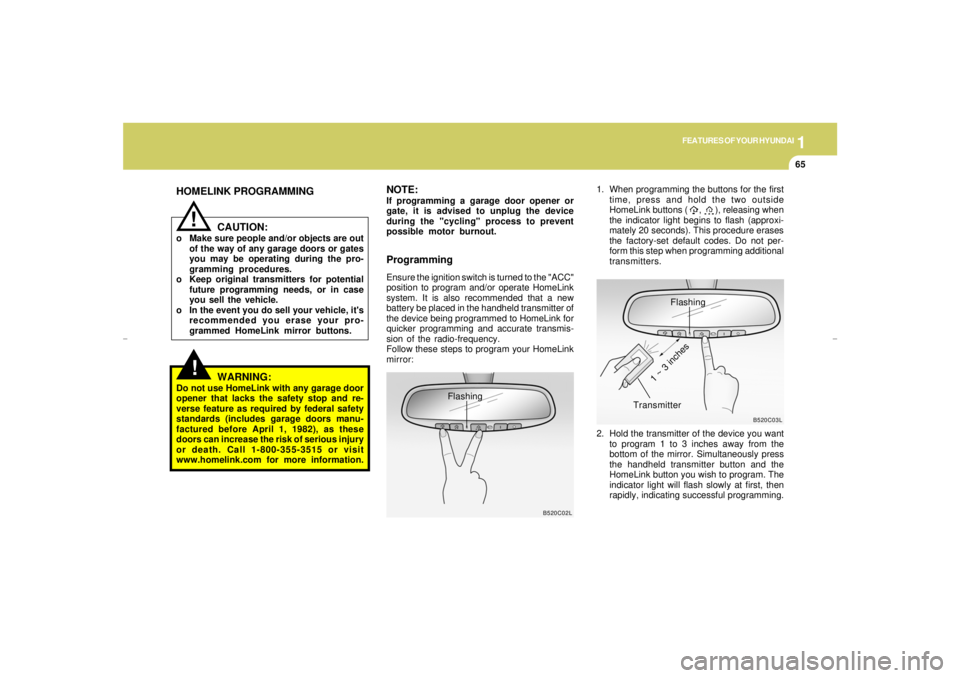
Follow these steps to program your HomeLink
mirror:1. When programming the buttons for the first
time, press and hold the two outside
HomeLink buttons ( , ), releasing when
the indicator light begins to flash (approxi-
mately 20 seconds). This procedure erases
the factory-set default codes. Do not per-
form this step when programming additional
transmitters.
B520C02L
Flashing
NOTE:If programming a garage door opener or
gate, it is advised to unplug the device
during the "cycling" process to prevent
possible motor burnout.
Flashing
2. Hold the transmitter of the device you want
to program 1 to 3 inches away from the
bottom of the mirror. Simultaneously press
the handheld transmitter button and the
HomeLink button you wish to program. The
indicator light will flash slowly at first, then
rapidly, indicating successful programming.
B520C03L
Transmitter
1 ~ 3 inches
xgflhma-1.p656/16/04, 3:03 PM 65