mirror HYUNDAI XG350 2005 Owners Manual
[x] Cancel search | Manufacturer: HYUNDAI, Model Year: 2005, Model line: XG350, Model: HYUNDAI XG350 2005Pages: 247, PDF Size: 7.28 MB
Page 13 of 247
FEATURES OF YOUR HYUNDAI
1
Fuel Recommendations ................................................ 1-2
Breaking In Your New Hyundai ..................................... 1-3
Keys.............................................................................. 1-3
Door Locks (Theft-Alarm System) ......................... 1-4, 1-7
Power Windows ............................................................ 1-9
Seat (Power Seat) ............................................. 1-10, 1-13
I.M.S (Integrated Memory System) .............................1-14
Seat Belt.....................................................................1-17
Child Restraint System ...............................................1-24
Supplemental Restraint (Airbag) System ....................1-31
Instrument Cluster and Indicator Lights...................... 1-38
Warning and Indicator Light ........................................1-40
Multi-function Light Switch..........................................1-46
Windshield Wiper/Washer Switch...............................1-48
Trip Computer.............................................................1-51
Sunroof.......................................................................1-55
Mirror...........................................................................1-60
Homelink Mirror...........................................................1-62
Hood Release .............................................................1-72
Cruise Control.............................................................1-75
Heating and Cooling Control .......................................1-78
Stereo Sound System.................................................1-93
Antenna.....................................................................1-118
1
xgflhma-1.p656/16/04, 3:02 PM 1
Page 26 of 247
1FEATURES OF YOUR HYUNDAI14
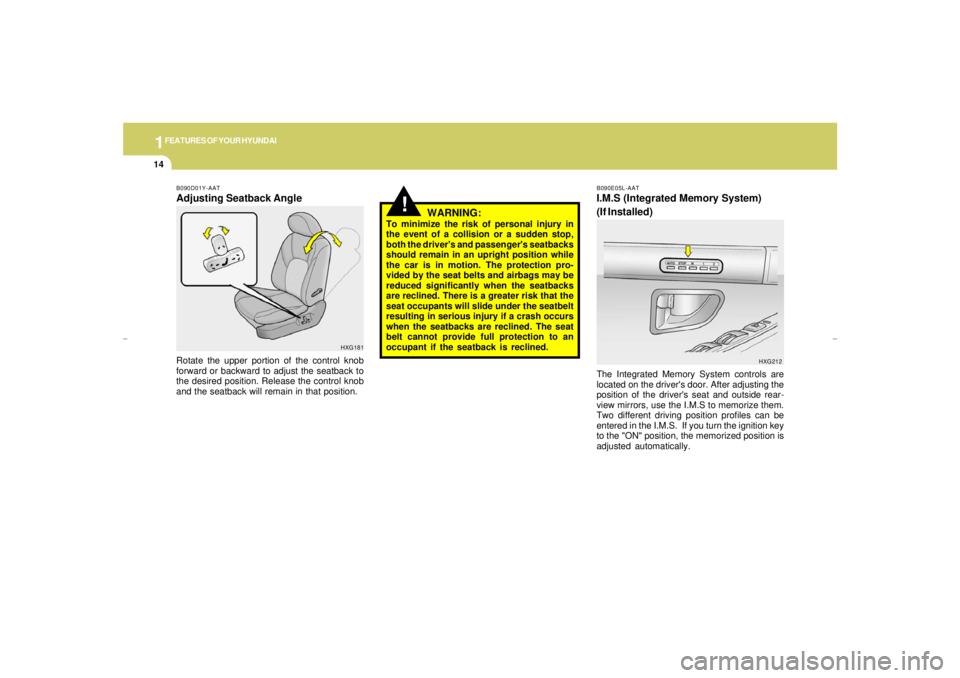
B090E05L-AATI.M.S (Integrated Memory System)
(If Installed)The Integrated Memory System controls are
located on the driver's door. After adjusting the
position of the driver's seat and outside rear-
view mirrors, use the I.M.S to memorize them.
Two different driving position profiles can be
entered in the I.M.S. If you turn the ignition key
to the "ON" position, the memorized position is
adjusted automatically.
HXG212
!
B090D01Y-AATAdjusting Seatback Angle
HXG181
Rotate the upper portion of the control knob
forward or backward to adjust the seatback to
the desired position. Release the control knob
and the seatback will remain in that position.
WARNING:
To minimize the risk of personal injury in
the event of a collision or a sudden stop,
both the driver's and passenger's seatbacks
should remain in an upright position while
the car is in motion. The protection pro-
vided by the seat belts and airbags may be
reduced significantly when the seatbacks
are reclined. There is a greater risk that the
seat occupants will slide under the seatbelt
resulting in serious injury if a crash occurs
when the seatbacks are reclined. The seat
belt cannot provide full protection to an
occupant if the seatback is reclined.
xgflhma-1.p656/16/04, 3:02 PM 14
Page 27 of 247
1
FEATURES OF YOUR HYUNDAI
15
Reverse Parking Aid FunctionWhen the "AUTO" button is "ON" and the
vehicle is moving backward, the outside rear-
view mirror(s) will move downward to aid re-
verse parking safely. According to the position
of the outside rearview mirror switch knob, the
outside rearview mirror(s) will operate as fol-
lows.
L: When the remote control outside rearview
mirror switch knob is selected to the "L"
position, both of the outside rearview mir-
rors will move downward.
R: When the remote control outside rearview
mirror switch knob is selected to the "R"
position, only the passenger's outside rear-
view mirror will move downward.
Neutral: When the remote control outside rear-
view mirror switch knob is placed in
the middle position, the outside rear-
view mirrors will not operate while the
vehicle is moving backward.NOTE:When the ignition key is in the "LOCK"
position, the selector lever is moved to any
position except "R" position, or the remote
control outside rearview mirror switch knob
is placed in the middle position, the outside
rearview mirrors will automatically revert to
original position.
!
CAUTION:
In the following conditions, the I.M.S will
not operate.
1. When the "1" or "2" button is not pushed
within five seconds.
2. When the seat is being adjusted.
3. When the "STOP" button is pushed.
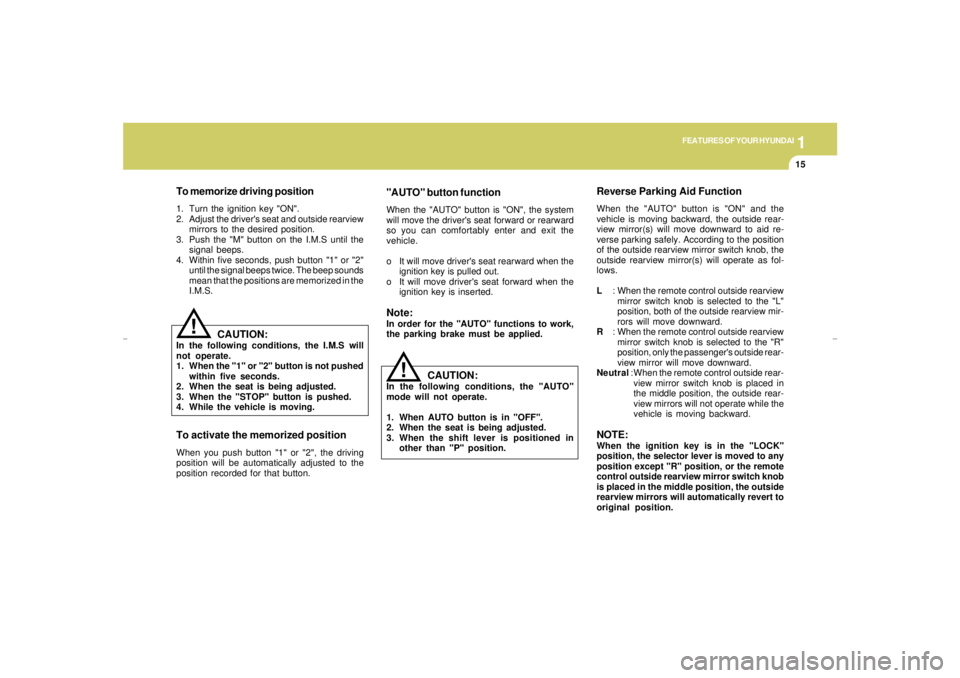
4. While the vehicle is moving.To activate the memorized positionWhen you push button "1" or "2", the driving
position will be automatically adjusted to the
position recorded for that button.To memorize driving position1. Turn the ignition key "ON".
2. Adjust the driver's seat and outside rearview
mirrors to the desired position.
3. Push the "M" button on the I.M.S until the
signal beeps.
4. Within five seconds, push button "1" or "2"
until the signal beeps twice. The beep sounds
mean that the positions are memorized in the
I.M.S.
"AUTO" button functionWhen the "AUTO" button is "ON", the system
will move the driver's seat forward or rearward
so you can comfortably enter and exit the
vehicle.
o It will move driver's seat rearward when the
ignition key is pulled out.
o It will move driver's seat forward when the
ignition key is inserted.Note:In order for the "AUTO" functions to work,
the parking brake must be applied.
CAUTION:
In the following conditions, the "AUTO"
mode will not operate.
1. When AUTO button is in "OFF".
2. When the seat is being adjusted.
3. When the shift lever is positioned in
other than "P" position.
!
xgflhma-1.p656/16/04, 3:02 PM 15
Page 64 of 247
1FEATURES OF YOUR HYUNDAI52
REAR WINDOW DEFROSTER
SWITCH
HAZARD WARNING SYSTEM
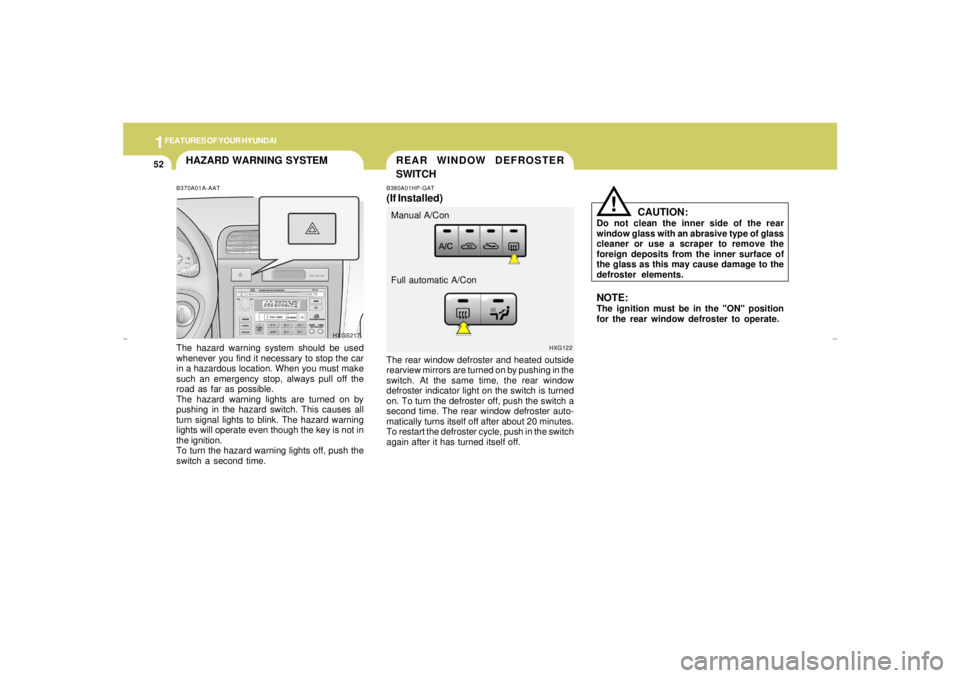
The rear window defroster and heated outside
rearview mirrors are turned on by pushing in the
switch. At the same time, the rear window
defroster indicator light on the switch is turned
on. To turn the defroster off, push the switch a
second time. The rear window defroster auto-
matically turns itself off after about 20 minutes.
To restart the defroster cycle, push in the switch
again after it has turned itself off.B380A01HP-GAT(If Installed)
HXG122
Manual A/Con
Full automatic A/Con
CAUTION:
Do not clean the inner side of the rear
window glass with an abrasive type of glass
cleaner or use a scraper to remove the
foreign deposits from the inner surface of
the glass as this may cause damage to the
defroster elements.
!
NOTE:The ignition must be in the "ON" position
for the rear window defroster to operate.
B370A01A-AATThe hazard warning system should be used
whenever you find it necessary to stop the car
in a hazardous location. When you must make
such an emergency stop, always pull off the
road as far as possible.
The hazard warning lights are turned on by
pushing in the hazard switch. This causes all
turn signal lights to blink. The hazard warning
lights will operate even though the key is not in
the ignition.
To turn the hazard warning lights off, push the
switch a second time.
HXGS217
xgflhma-1.p656/16/04, 3:03 PM 52
Page 73 of 247
1
FEATURES OF YOUR HYUNDAI
61
SPECTACLE CASE
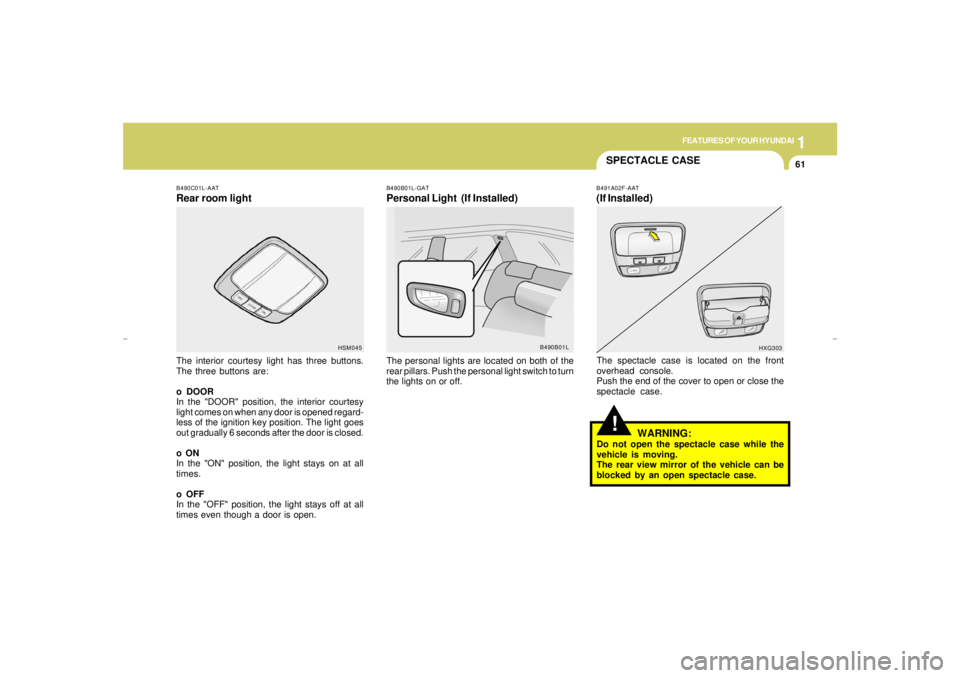
B490C01L-AATRear room lightThe interior courtesy light has three buttons.
The three buttons are:
o DOOR
In the "DOOR" position, the interior courtesy
light comes on when any door is opened regard-
less of the ignition key position. The light goes
out gradually 6 seconds after the door is closed.
o ON
In the "ON" position, the light stays on at all
times.
o OFF
In the "OFF" position, the light stays off at all
times even though a door is open.
B490B01L-GATPersonal Light (If Installed)The personal lights are located on both of the
rear pillars. Push the personal light switch to turn
the lights on or off.
HSM045
B490B01L
!
B491A02F-AAT(If Installed)The spectacle case is located on the front
overhead console.
Push the end of the cover to open or close the
spectacle case.
WARNING:
Do not open the spectacle case while the
vehicle is moving.
The rear view mirror of the vehicle can be
blocked by an open spectacle case.
HXG303
xgflhma-1.p656/16/04, 3:03 PM 61
Page 74 of 247
1FEATURES OF YOUR HYUNDAI62
MIRROR
!
CAUTION:
o Do not operate the switch continuously
for an unnecessary length of time.
o Scraping ice from the mirror face could
cause permanent damage. To remove
any ice, use a sponge, soft cloth or
approved de-icer.
!
WARNING:
Be careful when judging the size or dis-
tance of any object seen in the passenger
side rear view mirror. It is a convex mirror
with a curved surface. Any objects seen in
this mirror are closer than they appear.
HXGS252
GLOVE BOX!
B510B01L-AATOUTSIDE REARVIEW MIRROR
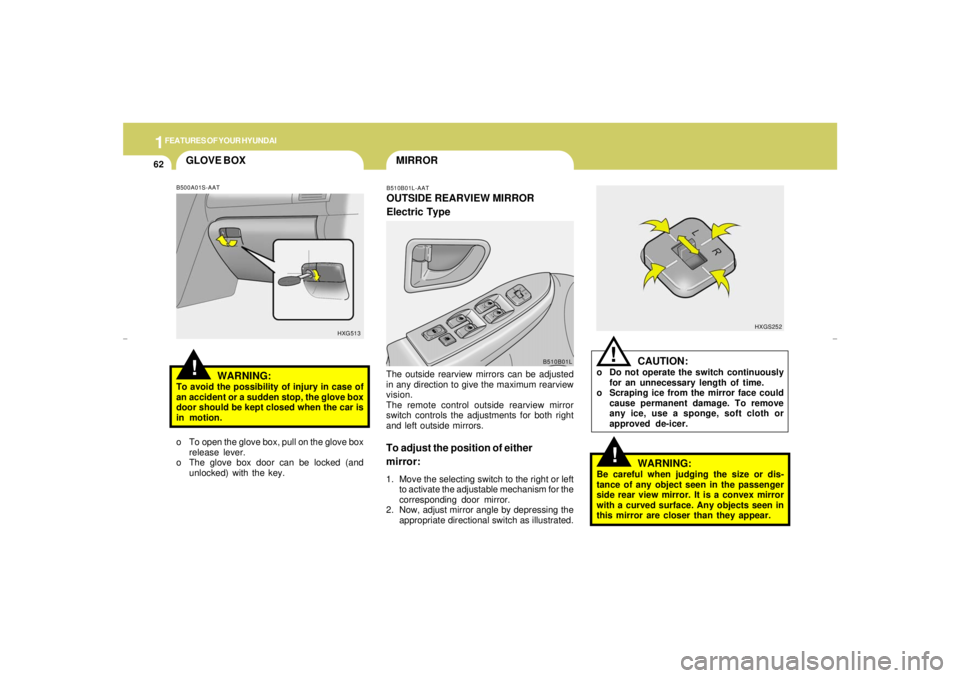
Electric TypeThe outside rearview mirrors can be adjusted
in any direction to give the maximum rearview
vision.
The remote control outside rearview mirror
switch controls the adjustments for both right
and left outside mirrors.To adjust the position of either
mirror:1. Move the selecting switch to the right or left
to activate the adjustable mechanism for the
corresponding door mirror.
2. Now, adjust mirror angle by depressing the
appropriate directional switch as illustrated.
B500A01S-AAT
WARNING:
To avoid the possibility of injury in case of
an accident or a sudden stop, the glove box
door should be kept closed when the car is
in motion.
o To open the glove box, pull on the glove box
release lever.
o The glove box door can be locked (and
unlocked) with the key.
HXG513
B510B01L
xgflhma-1.p656/16/04, 3:03 PM 62
Page 75 of 247
1
FEATURES OF YOUR HYUNDAI
63
!
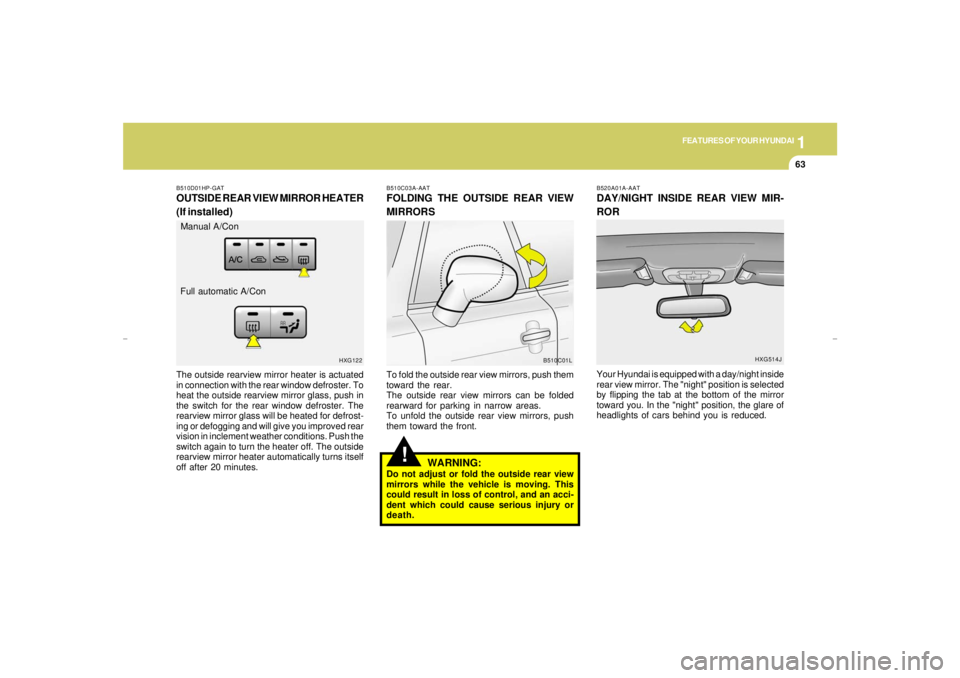
B510C03A-AATFOLDING THE OUTSIDE REAR VIEW
MIRRORSTo fold the outside rear view mirrors, push them
toward the rear.
The outside rear view mirrors can be folded
rearward for parking in narrow areas.
To unfold the outside rear view mirrors, push
them toward the front.
WARNING:
Do not adjust or fold the outside rear view
mirrors while the vehicle is moving. This
could result in loss of control, and an acci-
dent which could cause serious injury or
death.
B510D01HP-GATOUTSIDE REAR VIEW MIRROR HEATER
(If installed)The outside rearview mirror heater is actuated
in connection with the rear window defroster. To
heat the outside rearview mirror glass, push in
the switch for the rear window defroster. The
rearview mirror glass will be heated for defrost-
ing or defogging and will give you improved rear
vision in inclement weather conditions. Push the
switch again to turn the heater off. The outside
rearview mirror heater automatically turns itself
off after 20 minutes.
B510C01L HXG122
Manual A/Con
Full automatic A/Con
B520A01A-AATDAY/NIGHT INSIDE REAR VIEW MIR-
RORYour Hyundai is equipped with a day/night inside
rear view mirror. The "night" position is selected
by flipping the tab at the bottom of the mirror
toward you. In the "night" position, the glare of
headlights of cars behind you is reduced.
HXG514J
xgflhma-1.p656/16/04, 3:03 PM 63
Page 76 of 247
1FEATURES OF YOUR HYUNDAI64
HOMELINK MIRROR
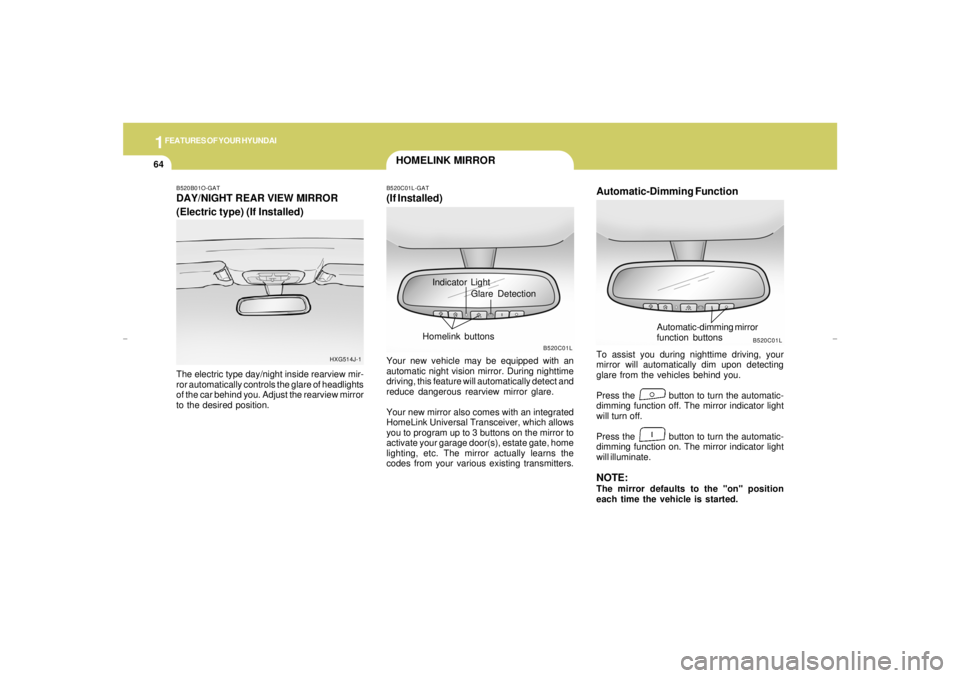
Automatic-Dimming FunctionTo assist you during nighttime driving, your
mirror will automatically dim upon detecting
glare from the vehicles behind you.
Press the button to turn the automatic-
dimming function off. The mirror indicator light
will turn off.
Press the button to turn the automatic-
dimming function on. The mirror indicator light
will illuminate.NOTE:The mirror defaults to the "on" position
each time the vehicle is started.
B520C01L
Automatic-dimming mirror
function buttons
B520B01O-GATDAY/NIGHT REAR VIEW MIRROR
(Electric type) (If Installed)The electric type day/night inside rearview mir-
ror automatically controls the glare of headlights
of the car behind you. Adjust the rearview mirror
to the desired position.
HXG514J-1
Indicator Light
B520C01L-GAT(If Installed)Your new vehicle may be equipped with an
automatic night vision mirror. During nighttime
driving, this feature will automatically detect and
reduce dangerous rearview mirror glare.
Your new mirror also comes with an integrated
HomeLink Universal Transceiver, which allows
you to program up to 3 buttons on the mirror to
activate your garage door(s), estate gate, home
lighting, etc. The mirror actually learns the
codes from your various existing transmitters.
B520C01L
Glare Detection
Homelink buttons
xgflhma-1.p656/16/04, 3:03 PM 64
Page 77 of 247
1
FEATURES OF YOUR HYUNDAI
65
!!
HOMELINK PROGRAMMING
CAUTION:o Make sure people and/or objects are out
of the way of any garage doors or gates
you may be operating during the pro-
gramming procedures.
o Keep original transmitters for potential
future programming needs, or in case
you sell the vehicle.
o In the event you do sell your vehicle, it's
recommended you erase your pro-
grammed HomeLink mirror buttons.
WARNING:
Do not use HomeLink with any garage door
opener that lacks the safety stop and re-
verse feature as required by federal safety
standards (includes garage doors manu-
factured before April 1, 1982), as these
doors can increase the risk of serious injury
or death. Call 1-800-355-3515 or visit
www.homelink.com for more information.
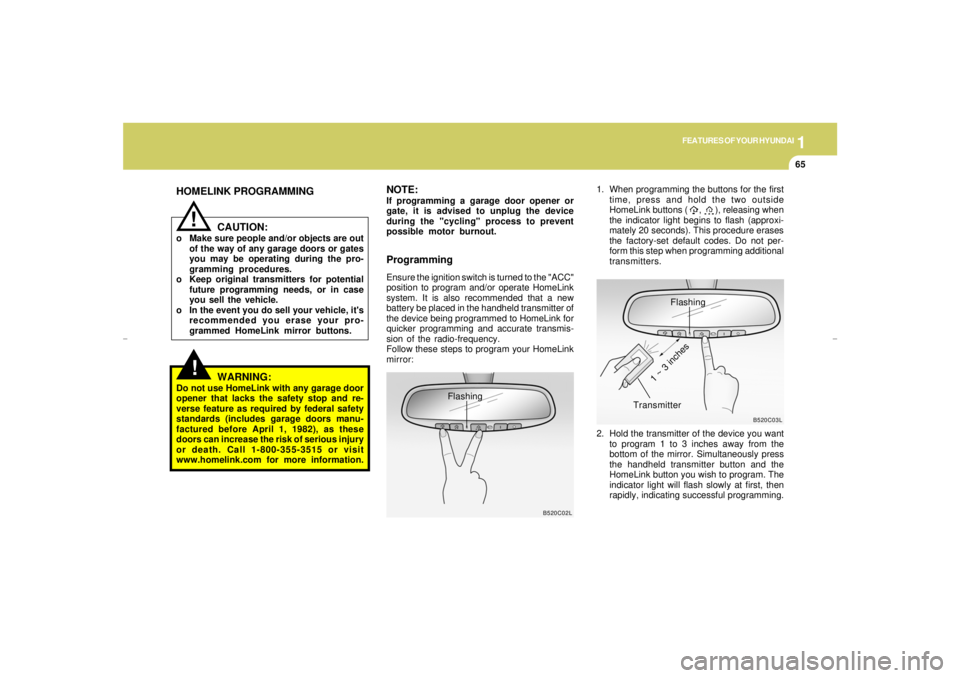
ProgrammingEnsure the ignition switch is turned to the "ACC"
position to program and/or operate HomeLink
system. It is also recommended that a new
battery be placed in the handheld transmitter of
the device being programmed to HomeLink for
quicker programming and accurate transmis-
sion of the radio-frequency.
Follow these steps to program your HomeLink
mirror:1. When programming the buttons for the first
time, press and hold the two outside
HomeLink buttons ( , ), releasing when
the indicator light begins to flash (approxi-
mately 20 seconds). This procedure erases
the factory-set default codes. Do not per-
form this step when programming additional
transmitters.
B520C02L
Flashing
NOTE:If programming a garage door opener or
gate, it is advised to unplug the device
during the "cycling" process to prevent
possible motor burnout.
Flashing
2. Hold the transmitter of the device you want
to program 1 to 3 inches away from the
bottom of the mirror. Simultaneously press
the handheld transmitter button and the
HomeLink button you wish to program. The
indicator light will flash slowly at first, then
rapidly, indicating successful programming.
B520C03L
Transmitter
1 ~ 3 inches
xgflhma-1.p656/16/04, 3:03 PM 65
Page 78 of 247
1FEATURES OF YOUR HYUNDAI66
Operating HomeLinkSimply press the appropriate HomeLink button
to activate the trained product (garage door,
security system, entry door lock, estate gate,
lighting, etc.). The original handheld transmit-
ters may also be used at any time.
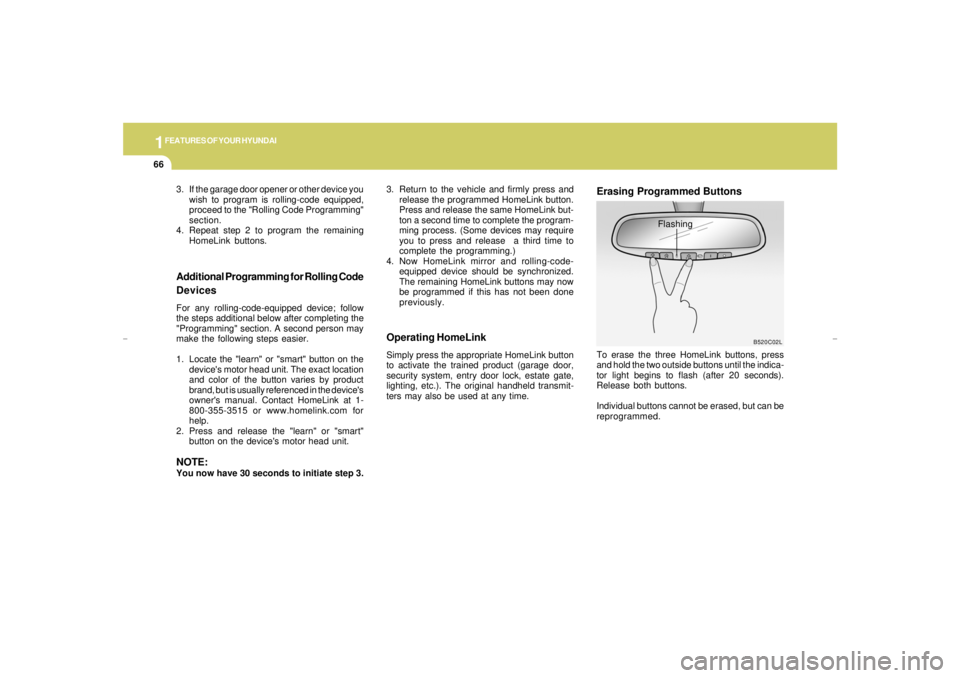
Erasing Programmed ButtonsTo erase the three HomeLink buttons, press
and hold the two outside buttons until the indica-
tor light begins to flash (after 20 seconds).
Release both buttons.
Individual buttons cannot be erased, but can be
reprogrammed.
Additional Programming for Rolling Code
DevicesFor any rolling-code-equipped device; follow
the steps additional below after completing the
"Programming" section. A second person may
make the following steps easier.
1. Locate the "learn" or "smart" button on the
device's motor head unit. The exact location
and color of the button varies by product
brand, but is usually referenced in the device's
owner's manual. Contact HomeLink at 1-
800-355-3515 or www.homelink.com for
help.
2. Press and release the "learn" or "smart"
button on the device's motor head unit.NOTE:You now have 30 seconds to initiate step 3.
B520C02L
Flashing 3. If the garage door opener or other device you
wish to program is rolling-code equipped,
proceed to the "Rolling Code Programming"
section.
4. Repeat step 2 to program the remaining
HomeLink buttons.3. Return to the vehicle and firmly press and
release the programmed HomeLink button.
Press and release the same HomeLink but-
ton a second time to complete the program-
ming process. (Some devices may require
you to press and release a third time to
complete the programming.)
4. Now HomeLink mirror and rolling-code-
equipped device should be synchronized.
The remaining HomeLink buttons may now
be programmed if this has not been done
previously.
xgflhma-1.p656/16/04, 3:03 PM 66