ECO mode INFINITI FX 2012 Owners Manual
[x] Cancel search | Manufacturer: INFINITI, Model Year: 2012, Model line: FX, Model: INFINITI FX 2012Pages: 522, PDF Size: 3.51 MB
Page 309 of 522

4-132Monitor, climate, audio, phone and voice recognition systems
SAA2541
5. Speak“011811112223333”.
SAA2542
6. Speak“Dial”.
7. System makes a call to 011-81-111- 222-3333.
NOTE:
Any digit input format is available in the
International Number input process.
INFINITI VOICE RECOGNITION AL-
TERNATE COMMAND MODE
The following section is applicable when
Alternate Command Mode is activated.
When Alternate Command Mode is acti-
vated, an expanded list of commands can
be used after pressing the TALK
switch. In this mode, available commands
are not fully shown on the display or
prompted. Review the expanded command
list when this mode is active. See exam-
ples of Alternate Command Mode screens.
Please note that in this mode the recogni-
tion success rate may be affected as the
number of available commands and ways
of speaking each command are increased.
To improve the recognition success rate,
try using the Speaker Adaptation Function
available in that mode. (See “Speaker
adaptation function (for Alternate Com-
mand Mode)” (P.4-144).) Otherwise it is
recommended that Alternate Command
Mode be turned OFF and Standard Mode
be used for the best recognition perfor-
mance.
Page 310 of 522

JVH0137M
Activating Alternate Command
Mode
When the Standard Mode is active, perform
the following steps to switch to the
Alternate Command Mode.
1. Push the SETTING button on the instru-ment panel.
2. Highlight the “Others”key.
3. Highlight the “Voice Recognition” key.
SAA2543
4. Highlight the“Alternate Command
Mode” key.
5. The confirmation message is displayed on the screen. Push the “OK”key to
activate the Alternate Command Mode.
Displaying command list
If you are controlling the system by voice
commands for the first time or do not know
the appropriate voice command, perform
the following procedure for displaying the
voice command list (available only in
Alternate Command Mode).
SAA2544
1. Push the INFO button on the instrument
panel.
2. Select the “Others”key.
3. Select the “Voice Recognition” key.
4. Select the “Command List” key.
Monitor, climate, audio, phone and voice recognition systems4-133
Page 318 of 522
SAA2547
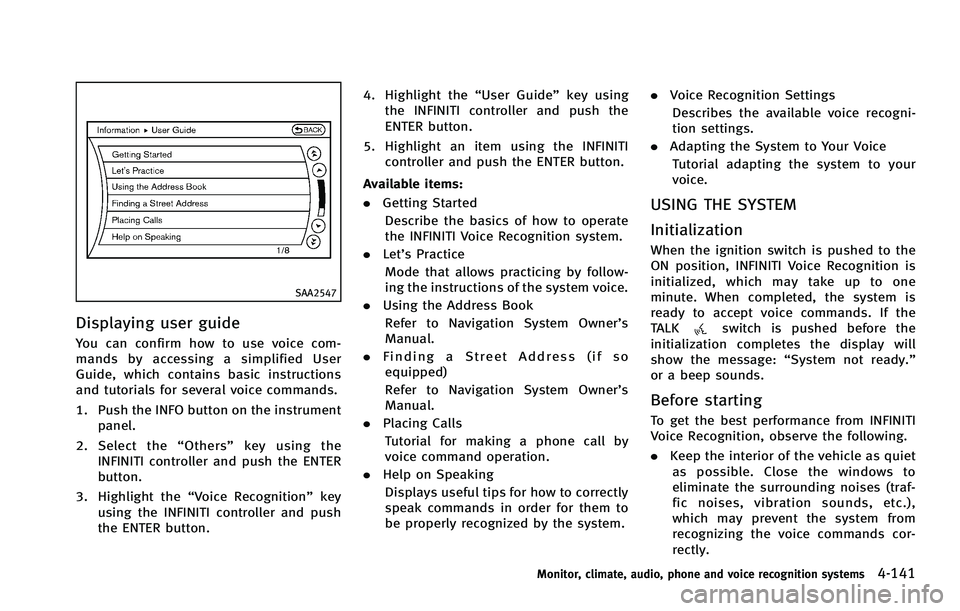
Displaying user guide
You can confirm how to use voice com-
mands by accessing a simplified User
Guide, which contains basic instructions
and tutorials for several voice commands.
1. Push the INFO button on the instrumentpanel.
2. Select the “Others” key using the
INFINITI controller and push the ENTER
button.
3. Highlight the “Voice Recognition” key
using the INFINITI controller and push
the ENTER button. 4. Highlight the
“User Guide”key using
the INFINITI controller and push the
ENTER button.
5. Highlight an item using the INFINITI controller and push the ENTER button.
Available items:
. Getting Started
Describe the basics of how to operate
the INFINITI Voice Recognition system.
. Let’s Practice
Mode that allows practicing by follow-
ing the instructions of the system voice.
. Using the Address Book
Refer to Navigation System Owner’s
Manual.
. Finding a Street Address (if so
equipped)
Refer to Navigation System Owner’s
Manual.
. Placing Calls
Tutorial for making a phone call by
voice command operation.
. Help on Speaking
Displays useful tips for how to correctly
speak commands in order for them to
be properly recognized by the system. .
Voice Recognition Settings
Describes the available voice recogni-
tion settings.
. Adapting the System to Your Voice
Tutorial adapting the system to your
voice.
USING THE SYSTEM
Initialization
When the ignition switch is pushed to the
ON position, INFINITI Voice Recognition is
initialized, which may take up to one
minute. When completed, the system is
ready to accept voice commands. If the
TALK
switch is pushed before the
initialization completes the display will
show the message: “System not ready.”
or a beep sounds.
Before starting
To get the best performance from INFINITI
Voice Recognition, observe the following.
. Keep the interior of the vehicle as quiet
as possible. Close the windows to
eliminate the surrounding noises (traf-
fic noises, vibration sounds, etc.),
which may prevent the system from
recognizing the voice commands cor-
rectly.
Monitor, climate, audio, phone and voice recognition systems4-141
Page 319 of 522
4-142Monitor, climate, audio, phone and voice recognition systems
.When the air conditioner is in the AUTO
mode, the fan speed decreases auto-
matically for easy recognition.
. Wait until a tone sounds before speak-
ing a command.
. Speak in a natural voice without paus-
ing between words.
SAA2167
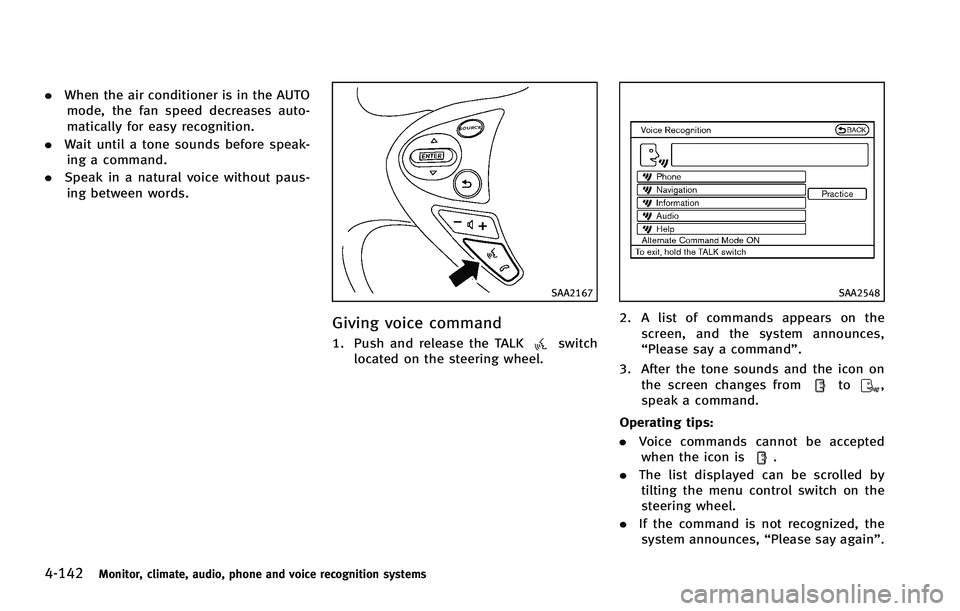
Giving voice command
1. Push and release the TALKswitch
located on the steering wheel.
SAA2548
2. A list of commands appears on the
screen, and the system announces,
“Please say a command”.
3. After the tone sounds and the icon on the screen changes from
to,
speak a command.
Operating tips:
. Voice commands cannot be accepted
when the icon is
.
. The list displayed can be scrolled by
tilting the menu control switch on the
steering wheel.
. If the command is not recognized, the
system announces, “Please say again”.
Page 321 of 522
4-144Monitor, climate, audio, phone and voice recognition systems
SAA2549
Speaker adaptation function (for
Alternate Command Mode)
The voice recognition system has a func-
tion to learn the user’s voice for better
voice recognition performance. The system
can memorize the voices of up to three
persons.
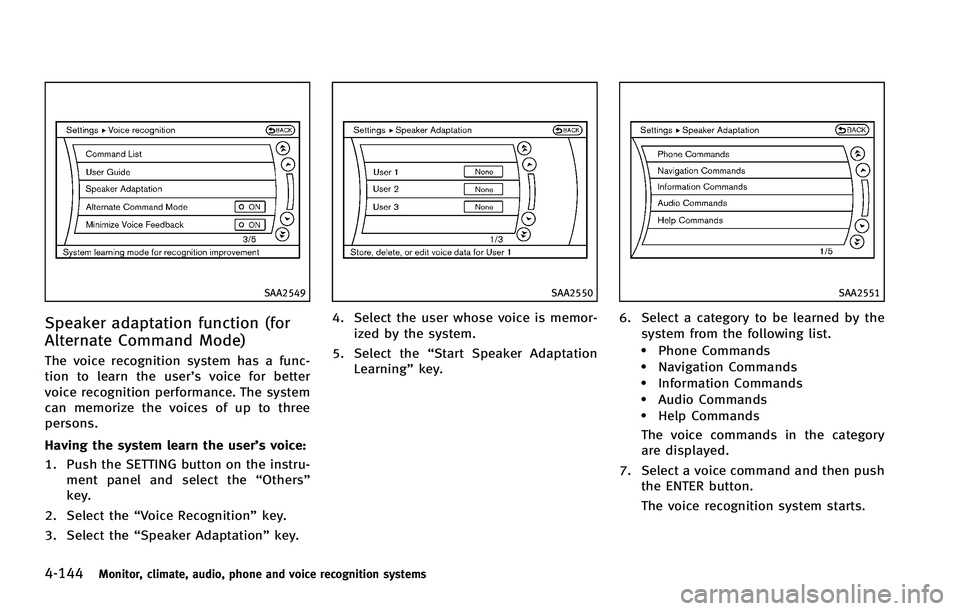
Having the system learn the user’s voice:
1. Push the SETTING button on the instru-ment panel and select the “Others”
key.
2. Select the “Voice Recognition” key.
3. Select the “Speaker Adaptation” key.
SAA2550
4. Select the user whose voice is memor-
ized by the system.
5. Select the “Start Speaker Adaptation
Learning” key.
SAA2551
6. Select a category to be learned by the
system from the following list.
.Phone Commands.Navigation Commands.Information Commands.Audio Commands.Help Commands
The voice commands in the category
are displayed.
7. Select a voice command and then push the ENTER button.
The voice recognition system starts.
Page 323 of 522
4-146Monitor, climate, audio, phone and voice recognition systems
Minimize voice feedback (for Alter-
nate Command Mode)
To minimize the voice feedback from the
system, perform the following steps.
1. Push the SETTING button on the instru-ment panel.
2. Select the “Others”key.
3. Select the “Voice Recognition” key.
4. Select the “Minimize Voice Feedback”
key.
5. The setting is turned to ON and the voice guidance will now be reduced
when using the Voice Recognition
system.
Page 324 of 522
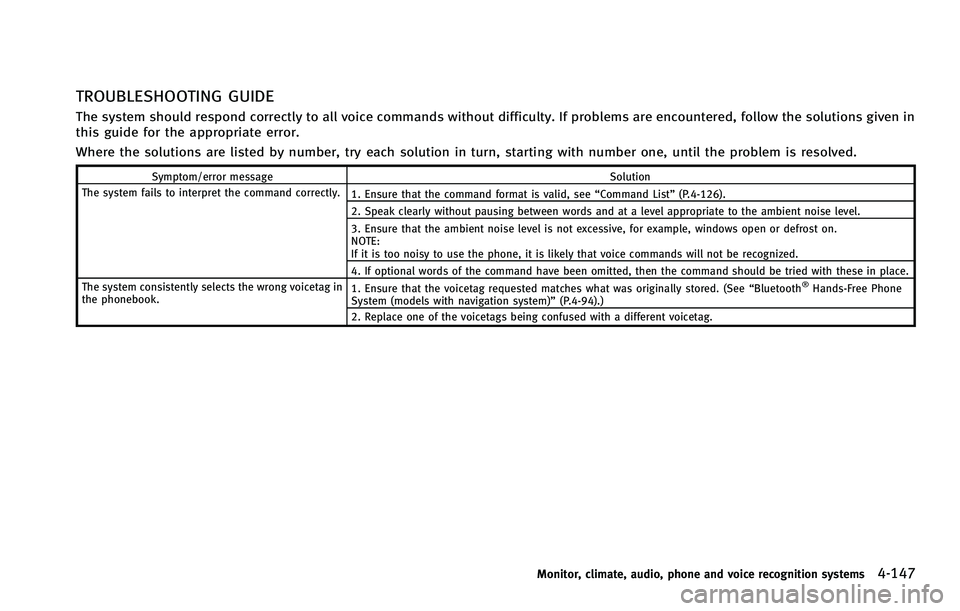
TROUBLESHOOTING GUIDE
The system should respond correctly to all voice commands without difficulty. If problems are encountered, follow the solutions given in
this guide for the appropriate error.
Where the solutions are listed by number, try each solution in turn, starting with number one, until the problem is resolved.
Symptom/error messageSolution
The system fails to interpret the command correctly. 1. Ensure that the command format is valid, see“Command List”(P.4-126).
2. Speak clearly without pausing between words and at a level appropriate to the ambient noise level.
3. Ensure that the ambient noise level is not excessive, for example, windows open or defrost on.
NOTE:
If it is too noisy to use the phone, it is likely that voice commands will not be recognized.
4. If optional words of the command have been omitted, then the command should be tried with these in place.
The system consistently selects the wrong voicetag in
the phonebook. 1. Ensure that the voicetag requested matches what was originally stored. (See
“Bluetooth
®Hands-Free Phone
System (models with navigation system)” (P.4-94).)
2. Replace one of the voicetags being confused with a different voicetag.
Monitor, climate, audio, phone and voice recognition systems4-147
Page 326 of 522
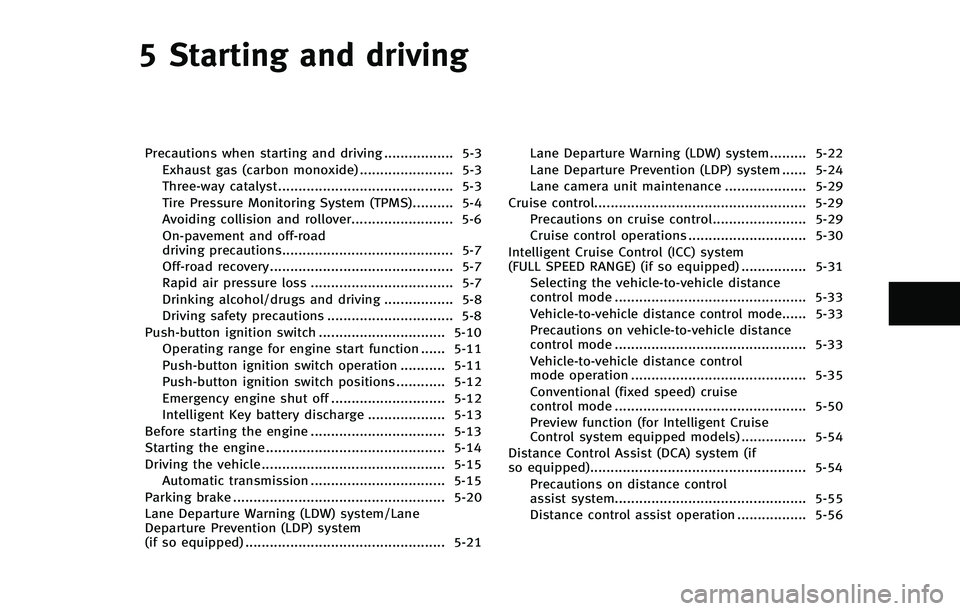
5 Starting and driving
Precautions when starting and driving ................. 5-3Exhaust gas (carbon monoxide) ....................... 5-3
Three-way catalyst........................................... 5-3
Tire Pressure Monitoring System (TPMS).......... 5-4Avoiding collision and rollover......................... 5-6On-pavement and off-road
driving precautions.......................................... 5-7Off-road recovery............................................. 5-7
Rapid air pressure loss ................................... 5-7
Drinking alcohol/drugs and driving ................. 5-8
Driving safety precautions ............................... 5-8
Push-button ignition switch ............................... 5-10 Operating range for engine start function ...... 5-11
Push-button ignition switch operation ........... 5-11
Push-button ignition switch positions ............ 5-12 Emergency engine shut off ............................ 5-12
Intelligent Key battery discharge ................... 5-13
Before starting the engine ................................. 5-13
Starting the engine ............................................ 5-14
Driving the vehicle ............................................. 5-15
Automatic transmission ................................. 5-15
Parking brake .................................................... 5-20
Lane Departure Warning (LDW) system/Lane
Departure Prevention (LDP) system
(if so equipped) ................................................. 5-21 Lane Departure Warning (LDW) system......... 5-22
Lane Departure Prevention (LDP) system ...... 5-24
Lane camera unit maintenance .................... 5-29
Cruise control.................................................... 5-29 Precautions on cruise control....................... 5-29
Cruise control operations ............................. 5-30
Intelligent Cruise Control (ICC) system
(FULL SPEED RANGE) (if so equipped) ................ 5-31 Selecting the vehicle-to-vehicle distance
control mode ............................................... 5-33
Vehicle-to-vehicle distance control mode...... 5-33
Precautions on vehicle-to-vehicle distance
control mode ............................................... 5-33
Vehicle-to-vehicle distance control
mode operation ........................................... 5-35
Conventional (fixed speed) cruise
control mode ............................................... 5-50
Preview function (for Intelligent Cruise
Control system equipped models) ................ 5-54
Distance Control Assist (DCA) system (if
so equipped)..................................................... 5-54 Precautions on distance control
assist system............................................... 5-55
Distance control assist operation ................. 5-56
Page 327 of 522
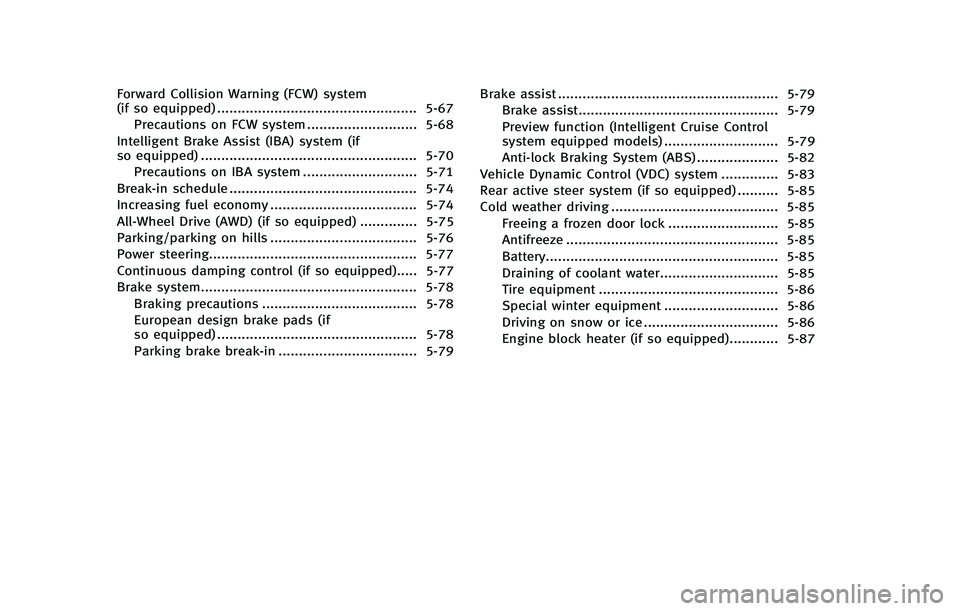
Forward Collision Warning (FCW) system
(if so equipped) ................................................. 5-67Precautions on FCW system ........................... 5-68
Intelligent Brake Assist (IBA) system (if
so equipped) ..................................................... 5-70 Precautions on IBA system ............................ 5-71
Break-in schedule .............................................. 5-74
Increasing fuel economy .................................... 5-74
All-Wheel Drive (AWD) (if so equipped) .............. 5-75
Parking/parking on hills .................................... 5-76
Power steering................................................... 5-77
Continuous damping control (if so equipped)..... 5-77
Brake system..................................................... 5-78 Braking precautions ...................................... 5-78
European design brake pads (if
so equipped) ................................................. 5-78
Parking brake break-in .................................. 5-79 Brake assist ...................................................... 5-79
Brake assist................................................. 5-79Preview function (Intelligent Cruise Control
system equipped models) ............................ 5-79
Anti-lock Braking System (ABS) .................... 5-82
Vehicle Dynamic Control (VDC) system .............. 5-83
Rear active steer system (if so equipped) .......... 5-85
Cold weather driving ......................................... 5-85
Freeing a frozen door lock ........................... 5-85
Antifreeze .................................................... 5-85
Battery......................................................... 5-85
Draining of coolant water............................. 5-85
Tire equipment ............................................ 5-86
Special winter equipment ............................ 5-86
Driving on snow or ice ................................. 5-86
Engine block heater (if so equipped)............ 5-87
Page 335 of 522
5-10Starting and driving
states for emissions testing), or similar
equipment even if the other two wheels
are raised off the ground. Make sure you
inform test facility personnel that your
vehicle is equipped with AWD before it is
placed on a dynamometer. Using the
wrong test equipment may result in
drivetrain damage or unexpected vehicle
movement which could result in serious
vehicle damage or personal injury. (AWD
models)
. When a wheel is off the ground due to an
unlevel surface, do not spin the wheel
excessively.
. Accelerating quickly, sharp steering
maneuvers or sudden braking may cause
loss of control.
. If at all possible, avoid sharp turning
maneuvers, particularly at high speeds.
Your vehicle has a higher center of
gravity than a conventional passenger
car. The vehicle is not designed for
cornering at the same speeds as con-
ventional passenger cars. Failure to
operate this vehicle correctly could
result in loss of control and/or a rollover
accident.
. Always use tires of the same type, size, brand, construction (bias, bias-belted or
radial), and tread pattern on all four
wheels. Install tire chains on the rear
wheels when driving on slippery roads
and drive carefully.
. Be sure to check the brakes immediately
after driving in mud or water. See “Brake
system” (P.5-78) for wet brakes.
. Avoid parking your vehicle on steep
hills. If you get out of the vehicle and
it rolls forward, backward or sideways,
you could be injured.
. Whenever you drive off-road through
sand, mud or water as deep as the
wheel hub, more frequent maintenance
may be required. See the maintenance
information in the “INFINITI Service and
Maintenance Guide”.
. Spinning the rear wheels on slippery
surfaces may cause the AWD warning
light to flash and the AWD system to
automatically switch from the AWD
mode to the 2WD mode. This could
reduce traction. Be especially careful
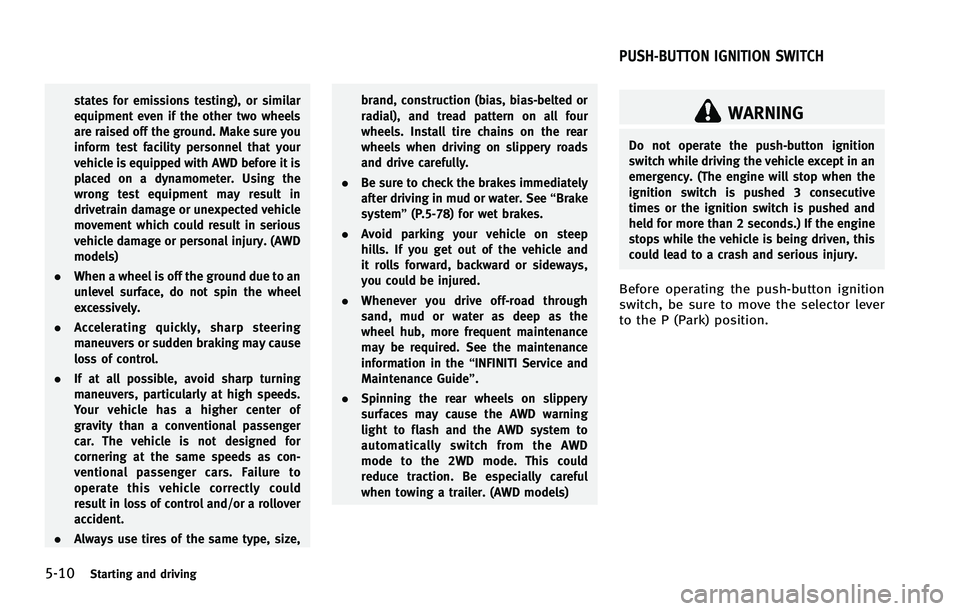
when towing a trailer. (AWD models)WARNING
Do not operate the push-button ignition
switch while driving the vehicle except in an
emergency. (The engine will stop when the
ignition switch is pushed 3 consecutive
times or the ignition switch is pushed and
held for more than 2 seconds.) If the engine
stops while the vehicle is being driven, this
could lead to a crash and serious injury.
Before operating the push-button ignition
switch, be sure to move the selector lever
to the P (Park) position.
PUSH-BUTTON IGNITION SWITCH