ABS INFINITI FX 2012 User Guide
[x] Cancel search | Manufacturer: INFINITI, Model Year: 2012, Model line: FX, Model: INFINITI FX 2012Pages: 522, PDF Size: 3.51 MB
Page 367 of 522
5-42Starting and driving
SSD0614
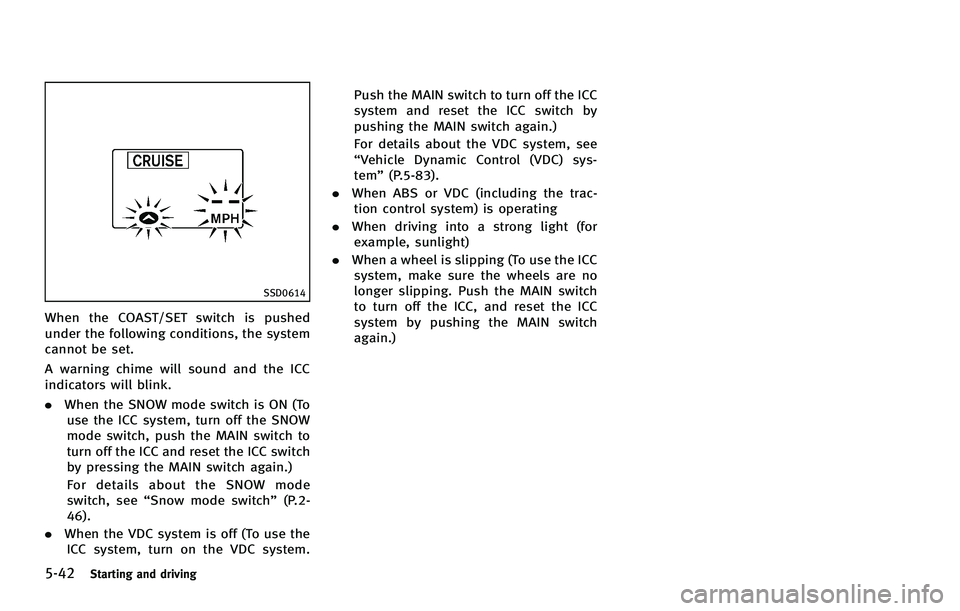
When the COAST/SET switch is pushed
under the following conditions, the system
cannot be set.
A warning chime will sound and the ICC
indicators will blink.
.When the SNOW mode switch is ON (To
use the ICC system, turn off the SNOW
mode switch, push the MAIN switch to
turn off the ICC and reset the ICC switch
by pressing the MAIN switch again.)
For details about the SNOW mode
switch, see “Snow mode switch” (P.2-
46).
. When the VDC system is off (To use the
ICC system, turn on the VDC system. Push the MAIN switch to turn off the ICC
system and reset the ICC switch by
pushing the MAIN switch again.)
For details about the VDC system, see
“Vehicle Dynamic Control (VDC) sys-
tem”
(P.5-83).
. When ABS or VDC (including the trac-
tion control system) is operating
. When driving into a strong light (for
example, sunlight)
. When a wheel is slipping (To use the ICC
system, make sure the wheels are no
longer slipping. Push the MAIN switch
to turn off the ICC, and reset the ICC
system by pushing the MAIN switch
again.)
Page 372 of 522

SSD0284A
NOTE:
The approach warning chime may sound
and the system display may blink when
the ICC sensor detects some reflectors
*Awhich are fitted on vehicles in other lanes
or on the side of the road. This may cause
the ICC system to decelerate or accelerate
the vehicle. The ICC sensor may detect
these reflectors when the vehicle is driven
on winding roads, hilly roads or when
entering or exiting a curve. The ICC sensor
may also detect reflectors on narrow roads
or in road construction zones. In these
cases you will have to manually control
the proper distance ahead of your vehicle.Also, the sensor sensitivity can be affected
by vehicle operation (steering maneuver or
driving position in the lane) or traffic or
vehicle condition (for example, if a vehicle
is being driven with some damage).
Automatic cancellation
A chime sounds under the following con-
ditions and the control is automatically
canceled.
.
When the vehicle ahead is not detected
and your vehicle is traveling below the
speed of 15 MPH (24 km/h)
. When the system judges the vehicle is
at standstill
. When the selector lever is not in the D,
DS or Manual mode
. When the windshield wipers are operat-
ing at low (LO) or high speed (HI). If the
vehicle is equipped with a rain sensing
auto-wiper, the system may cancel
when the wipers are set to intermittent
(INT).
. When the parking brake is applied
. When the SNOW mode switch is turned
ON
. When the VDC system is turned off
. When ABS or VDC (including the trac-
tion control system) operates .
When driving into a strong light (for
example, sunlight)
. When distance measurement becomes
impaired due to adhesion of dirt or
obstruction to the sensor
. When a wheel slips
Starting and driving5-47
Page 373 of 522

5-48Starting and driving
SSD0614
Warning light and display
Condition A:
Under the following conditions, the Intelli-
gent Cruise Control system is automatically
canceled. The chime will sound and the
system will not be able to be set.
.When the VDC system is turned off
. When the VDC or ABS (including the
traction control system) operates
. When a tire slips
. When the SNOW mode switch is turned
ON
. When driving into a strong light (for
example, sunlight) Action to take:
When the conditions listed above are no
longer present, turn the system off using
the Intelligent Cruise Control MAIN Switch.
Turn the ICC system back on to use the
system.
SSD0615
Condition B:
When the sensor window is dirty, making it
impossible to detect a vehicle ahead, the
ICC system is automatically canceled.
The chime sounds and the system warning
light (orange) will come on and the “CLEAN
SENSOR” indicator will appear.
Action to take:
If the warning light comes on, park the
vehicle in a safe place, turn the engine off.
Clean the sensor window with a soft cloth
and then perform the settings again.
Page 380 of 522

SSD0738
PRECAUTIONS ON DISTANCE CON-
TROL ASSIST SYSTEM
The system is intended to assist the driver
to keep a following distance from the
vehicle ahead traveling in the same lane
and direction.
If the distance sensor
*Adetects a slower
moving vehicle ahead, the system will
reduce the vehicle speed to help assist
the driver to maintain a following distance.
The system automatically controls the
throttle and applies the brakes (up to
25% of vehicle braking power) if neces-
sary. The detection range of the sensor is
approximately 390 ft (120 m) ahead.
WARNING
.
This system is only an aid to assist the
driver and is not a collision warning or
avoidance device. It is the driver’ s
responsibility to stay alert, drive safely
and be in control of the vehicle at all
times.
. This system will not adapt automatically
to road conditions. Do not use the
system on roads with sharp curves, or
on icy roads, in heavy rain or in fog.
The distance sensor will not detect the
following objects:
.Stationary and slow moving vehicles
. Pedestrians or objects in the roadway
. Oncoming vehicles in the same lane
. Motorcycles traveling offset in the travel
lane
WARNING
. As there is a performance limit to the
distance control function, never rely
solely on the Distance Control Assist
system. This system does not correct
careless, inattentive or absent-minded
driving, or overcome poor visibility in
rain, fog, or other bad weather. Decele-
rate the vehicle speed by depressing the
brake pedal, depending on the distance
to the vehicle ahead and the surround-
ing circumstances in order to maintain a
safe distance between vehicles.
. The system may not detect the vehicle in
front of you in certain road or weather
conditions. To avoid accidents, never use
the Distance Control Assist system
under the following conditions:
—On roads with sharp curves
—On slippery road surfaces such as
on ice or snow, etc.
—During bad weather (rain, fog, snow,etc.)
—When strong light (for example, atsunrise or sunset) is directly shining
on the front of the vehicle
Starting and driving5-55
Page 387 of 522
5-62Starting and driving
SSD0771
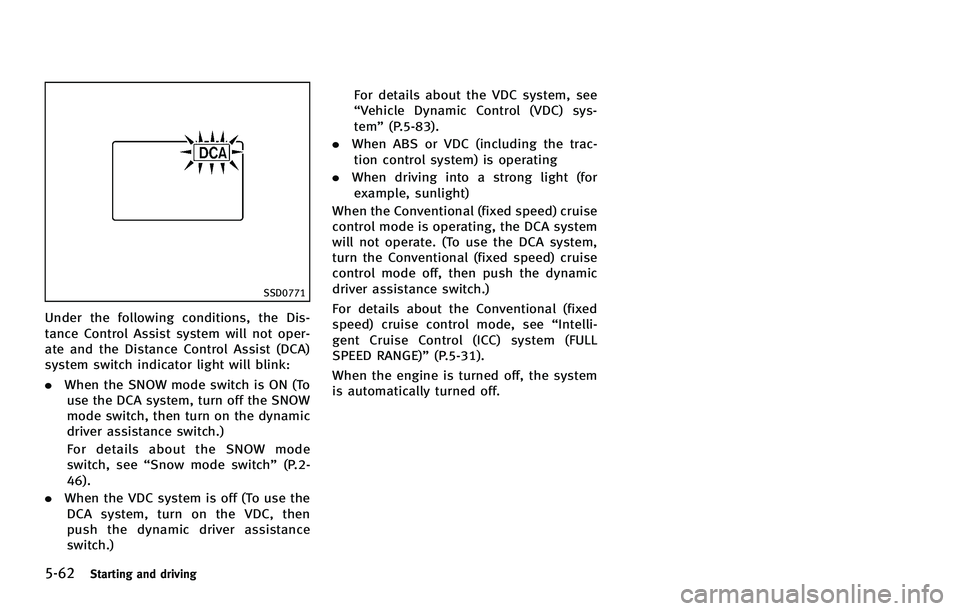
Under the following conditions, the Dis-
tance Control Assist system will not oper-
ate and the Distance Control Assist (DCA)
system switch indicator light will blink:
.When the SNOW mode switch is ON (To
use the DCA system, turn off the SNOW
mode switch, then turn on the dynamic
driver assistance switch.)
For details about the SNOW mode
switch, see “Snow mode switch” (P.2-
46).
. When the VDC system is off (To use the
DCA system, turn on the VDC, then
push the dynamic driver assistance
switch.) For details about the VDC system, see
“Vehicle Dynamic Control (VDC) sys-
tem”
(P.5-83).
. When ABS or VDC (including the trac-
tion control system) is operating
. When driving into a strong light (for
example, sunlight)
When the Conventional (fixed speed) cruise
control mode is operating, the DCA system
will not operate. (To use the DCA system,
turn the Conventional (fixed speed) cruise
control mode off, then push the dynamic
driver assistance switch.)
For details about the Conventional (fixed
speed) cruise control mode, see “Intelli-
gent Cruise Control (ICC) system (FULL
SPEED RANGE)” (P.5-31).
When the engine is turned off, the system
is automatically turned off.
Page 390 of 522

SSD0284A
NOTE:
The approach warning chime may sound
and the system display may blink when
the sensor detects some reflectors
*Awhich are fitted on vehicles in other lanes
or on the side of the road. This may cause
the DCA system to operate inappropriately.
The sensor may detect these reflectors
when the vehicle is driven on winding
roads, hilly roads or when entering or
exiting a curve. The sensor may also detect
reflectors on narrow roads or in road
construction zones. In these cases you
will have to manually control the proper
distance ahead of your vehicle.Also, the sensor sensitivity can be affected
by vehicle operation (steering maneuver or
driving position in the lane) or traffic or
vehicle condition (for example, if a vehicle
is being driven with some damage).
SSD0771
Automatic cancellation
Condition A:
Under the following conditions, the Dis-
tance Control Assist system is automati-
cally canceled. The chime will sound and
the Distance Control Assist (DCA) system
switch indicator light will blink. The system
will not be able to be set.
.
When the VDC system is turned off
. When the VDC or ABS (including the
traction control system) operates
. When the SNOW mode switch is turned
ON
Starting and driving5-65
Page 402 of 522
2. Move the selector lever to the P (Park)position.
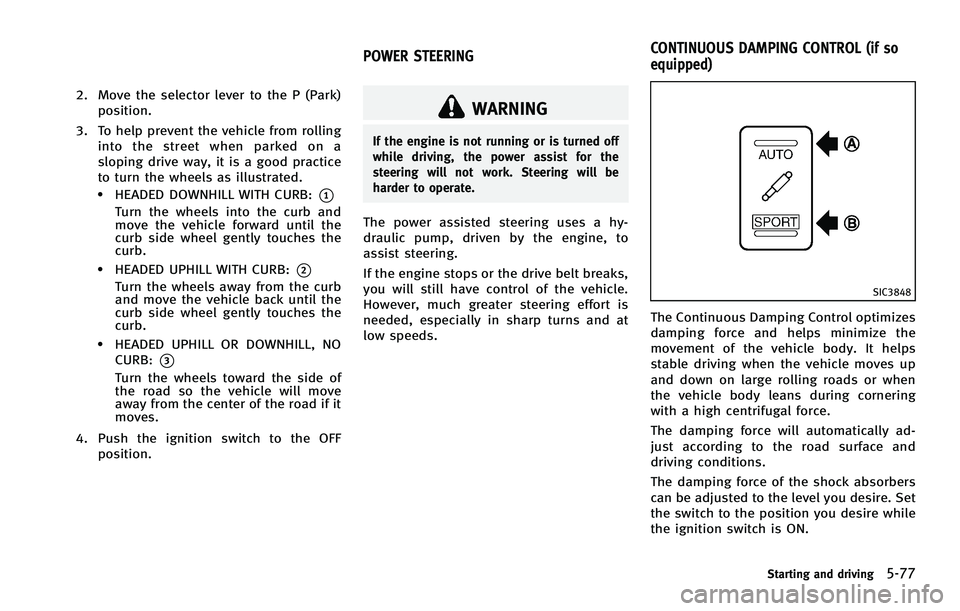
3. To help prevent the vehicle from rolling into the street when parked on a
sloping drive way, it is a good practice
to turn the wheels as illustrated.
.HEADED DOWNHILL WITH CURB:*1
Turn the wheels into the curb and
move the vehicle forward until the
curb side wheel gently touches the
curb.
.HEADED UPHILL WITH CURB:*2
Turn the wheels away from the curb
and move the vehicle back until the
curb side wheel gently touches the
curb.
.HEADED UPHILL OR DOWNHILL, NOCURB:
*3
Turn the wheels toward the side of
the road so the vehicle will move
away from the center of the road if it
moves.
4. Push the ignition switch to the OFF position.
WARNING
If the engine is not running or is turned off
while driving, the power assist for the
steering will not work. Steering will be
harder to operate.
The power assisted steering uses a hy-
draulic pump, driven by the engine, to
assist steering.
If the engine stops or the drive belt breaks,
you will still have control of the vehicle.
However, much greater steering effort is
needed, especially in sharp turns and at
low speeds.
SIC3848
The Continuous Damping Control optimizes
damping force and helps minimize the
movement of the vehicle body. It helps
stable driving when the vehicle moves up
and down on large rolling roads or when
the vehicle body leans during cornering
with a high centrifugal force.
The damping force will automatically ad-
just according to the road surface and
driving conditions.
The damping force of the shock absorbers
can be adjusted to the level you desire. Set
the switch to the position you desire while
the ignition switch is ON.
Starting and driving5-77
POWER STEERING CONTINUOUS DAMPING CONTROL (if so
equipped)
Page 405 of 522

5-80Starting and driving
.This system will not operate when the
vehicle is moving at approximately 20
MPH (32 km/h) or less.
. The pre-pressure function ceases when
the following conditions are met:
1) When the driver depresses the
accelerator pedal or the brake
pedal.
2) If the driver does not operate the accelerator or brake pedal within
approximately 1 second.
SSD0338
.The sensor will not detect:
1) Pedestrians or objects in the road- way
2) Oncoming vehicles in the same lane
3) Motorcycles traveling offset in the travel lane as illustrated
WARNING
. This system is only an aid to assist
braking operation and is not a collision
warning or avoidance device. It is the
driver’s responsibility to stay alert, drive
safely and be in control of the vehicle at all times.
. As there is a performance limit to the
Preview Function, never rely solely on
this system. This system does not
correct careless inattentive or absent-
minded driving, or overcome poor visi-
bility in rain, fog, or other bad weather.
Reduce vehicle speed by depressing the
brake pedal, in order to maintain a safe
distance between vehicles.
. The system may not detect the vehicle in
front of you in certain road or weather
conditions. The Preview Function may
not operate properly under the following
conditions. The vehicle is still driveable
under normal conditions and the Brake
Assist will operate.
—When rain, snow or dirt adhere to
the system sensor
—When strong light (for example, atsunrise or sunset) is directly shining
on the front of the vehicle
—Winding or hilly roads may causethe sensor to temporarily not detect
a vehicle in the same lane or may
detect objects or vehicles in other
lanes.
Page 407 of 522

5-82Starting and driving
ANTI-LOCK BRAKING SYSTEM (ABS)
WARNING
.The Anti-lock Braking System (ABS) is a
sophisticated device, but it cannot pre-
vent accidents resulting from careless or
dangerous driving techniques. It can
help maintain vehicle control during
braking on slippery surfaces. Remember
that stopping distances on slippery
surfaces will be longer than on normal
surfaces even with ABS. Stopping dis-
tances may also be longer on rough,
gravel or snow covered roads, or if you
are using tire chains. Always maintain a
safe distance from the vehicle in front of
you. Ultimately, the driver is responsible
for safety.
. Tire type and condition may also affect
braking effectiveness.
—When replacing tires, install the
specified size of tires on all four
wheels.
—When installing a spare tire, make
sure that it is the proper size and
type as specified on the Tire and
Loading Information label. See “Tireand loading information label”
(P.9-
13) of this manual.
—For detailed information, see “Wheels and tires” (P.8-32) of this
manual.
The Anti-lock Braking System (ABS) con-
trols the brakes so the wheels do not lock
during hard braking or when braking on
slippery surfaces. The system detects the
rotation speed at each wheel and varies
the brake fluid pressure to prevent each
wheel from locking and sliding. By pre-
venting each wheel from locking, the
system helps the driver maintain steering
control and helps to minimize swerving
and spinning on slippery surfaces.
Using the system
Depress the brake pedal and hold it down.
Depress the brake pedal with firm steady
pressure, but do not pump the brakes. The
ABS will operate to prevent the wheels
from locking up. Steer the vehicle to avoid
obstacles.
WARNING
Do not pump the brake pedal. Doing so may
result in increased stopping distances.
Self-test feature
The ABS includes electronic sensors, elec-
tric pumps, hydraulic solenoids and a
computer. The computer has a built-in
diagnostic feature that tests the system
each time you start the engine and move
the vehicle at a low speed in forward or
reverse. When the self-test occurs, you may
hear a “clunk” noise and/or feel a pulsa-
tion in the brake pedal. This is normal and
does not indicate a malfunction. If the
computer senses a malfunction, it switches
the ABS off and illuminates the ABS
warning light on the instrument panel.
The brake system then operates normally,
but without anti-lock assistance.
If the ABS warning light illuminates during
the self-test or while driving, have the
vehicle checked by an INFINITI retailer.
Page 408 of 522

Normal operation
The ABS operates at speeds above 3 to 6
MPH (5 to 10 km/h). The speed varies
according to road conditions.
When the ABS senses that one or more
wheels are close to locking up, the actuator
rapidly applies and releases hydraulic
pressure. This action is similar to pumping
the brakes very quickly. You may feel a
pulsation in the brake pedal and hear a
noise from under the hood or feel a
vibration from the actuator when it is
operating. This is normal and indicates
that the ABS is operating properly. How-
ever, the pulsation may indicate that road
conditions are hazardous and extra care is
required while driving.The Vehicle Dynamic Control (VDC) system
uses various sensors to monitor driver
inputs and vehicle motion. Under certain
driving conditions, the VDC system helps
to perform the following functions.
.
Controls brake pressure to reduce tire
slip on one slipping drive wheel so
power is transferred to a non slipping
drive wheel on the same axle.
. Controls brake pressure and engine
output to reduce drive wheel slip based
on vehicle speed (traction control func-
tion).
. Controls brake pressure at individual
wheels and engine output to help the
driver maintain control of the vehicle in
the following conditions:
— understeer (vehicle tends to not
follow the steered path despite
increased steering input)
— oversteer (vehicle tends to spin due
to certain road or driving condi-
tions).
The VDC system can help the driver to
maintain control of the vehicle, but it
cannot prevent loss of vehicle control in
all driving situations.
When the VDC system operates, the VDC
warning light
in the instrument panel flashes so note the following:
.
The road may be slippery or the system
may determine some action is required
to keep the vehicle on the steered path.
. You may feel a pulsation in the brake
pedal and hear a noise or vibration
from under the hood. This is normal
and indicates that the VDC system is
working properly.
. Adjust your speed and driving to the
road conditions.
See “Vehicle Dynamic Control (VDC) warn-
ing light” (P.2-18) and “Vehicle Dynamic
Control (VDC) off indicator light” (P.2-20).
If a malfunction occurs in the system, the
VDC warning light
illuminates in the
instrument panel. The VDC system auto-
matically turns off.
The VDC OFF switch is used to turn off the
VDC system. The VDC off indicator
illuminates to indicate the VDC system is
off. When the VDC switch is used to turn off
the system, the VDC system still operates
to prevent one drive wheel from slipping by
transferring power to a non slipping drive
wheel. The VDC warning light
flashes if
this occurs. All other VDC functions are off,
and the VDC warning light
will not
flash. The VDC system is automatically
Starting and driving5-83
VEHICLE DYNAMIC CONTROL (VDC) SYSTEM