Headlight INFINITI FX 2012 User Guide
[x] Cancel search | Manufacturer: INFINITI, Model Year: 2012, Model line: FX, Model: INFINITI FX 2012Pages: 522, PDF Size: 3.51 MB
Page 111 of 522
2-40Instruments and controls
flat road, select position 0.
WARNING
Xenon headlights are extremely bright
compared to conventional headlights. If
the xenon headlights hit the rearview mirror
of the vehicle ahead or the windshield of
oncoming vehicle, the driver of these
vehicles may have difficulty driving because
of the brightness. Use the headlight aiming
control switch to lower the light axis. See
“Xenon headlights”(P.2-36) for additional
information.
Daytime running light system (Ca-
nada only)
The daytime running lights automatically
illuminate when the engine is started with
the parking brake released. The daytime
running lights operate with the headlight
switch in the OFF position or in the
position. Turn the headlight switch to theposition for full illumination when
driving at night.
If the parking brake is applied before the
engine is started, the daytime running
lights do not illuminate. The daytime running lights illuminate once the parking
brake is released. The daytime running
lights will remain on until the ignition
switch is pushed to the OFF position.
WARNING
When the daytime running light system is
active, tail lights on your vehicle are not on.
It is necessary at dusk to turn on your
headlights. Failure to do so could cause an
accident injuring yourself and others.
Adaptive Front lighting System
(AFS) (if so equipped)
The Adaptive Front lighting System (AFS)
will automatically adjust the headlights
(low beam) toward the turning direction to
improve the driver’s view. When the head-
light switch is ON and the driver operates
the steering wheel in a turn, the AFS
system will be activated.
The AFS will operate:
. when the headlight switch is ON.
. when the selector lever is in any
position other than P (Park) or R
(Reverse). .
when the vehicle is driven at above 16
MPH (25 km/h) for the left-side head-
light. Note that the right-side low beam
headlight will swivel but the left side
will not swivel when the vehicle is at a
stop and the steering wheel is turned.
The vehicle must attain a speed above
16 MPH (25 km/h) before AFS activates
the left-side headlight.
AFS will also adjust the headlight to a
proper axis automatically, depending on
the number of occupants in the vehicle, the
load the vehicle is carrying and the road
conditions.
If the AFS OFF indicator light blinks after
the ignition switch has been pushed to the
ON position, this may indicate that the AFS
is not functioning properly. Have the
system checked by an INFINITI retailer.
When the engine is started, the headlights
will vibrate to check the system condition.
This is not a malfunction.
Page 113 of 522

2-42Instruments and controls
SIC3271
TURN SIGNAL SWITCH
*1Turn signal
Move the lever up or down to signal the
turning direction. When the turn is com-
pleted, the turn signals cancel automati-
cally.
*2Lane change signal
To indicate a lane change, move the lever
up or down to the point where lights begin
flashing.
SIC3272
FOG LIGHT SWITCH
To turn the fog lights on, turn the headlight
switch to theposition, then turn the
switch to theposition. To turn them
off, turn the switch to the OFF position.
The headlights must be on for the fog
lights to operate.
SIC2574
Push the switch on to warn other drivers
when you must stop or park under
emergency conditions. All turn signal lights
will flash.
WARNING
. If stopping for an emergency, be sure to
move the vehicle well off the road.
. Do not use the hazard warning flashers
while moving on the highway unless
unusual circumstances force you to drive
so slowly that your vehicle might be-
come a hazard to other traffic.
HAZARD WARNING FLASHER SWITCH
Page 120 of 522
SIC3631
Front
SIC4274
Center console
SIC3835
Rear console
SIC3836
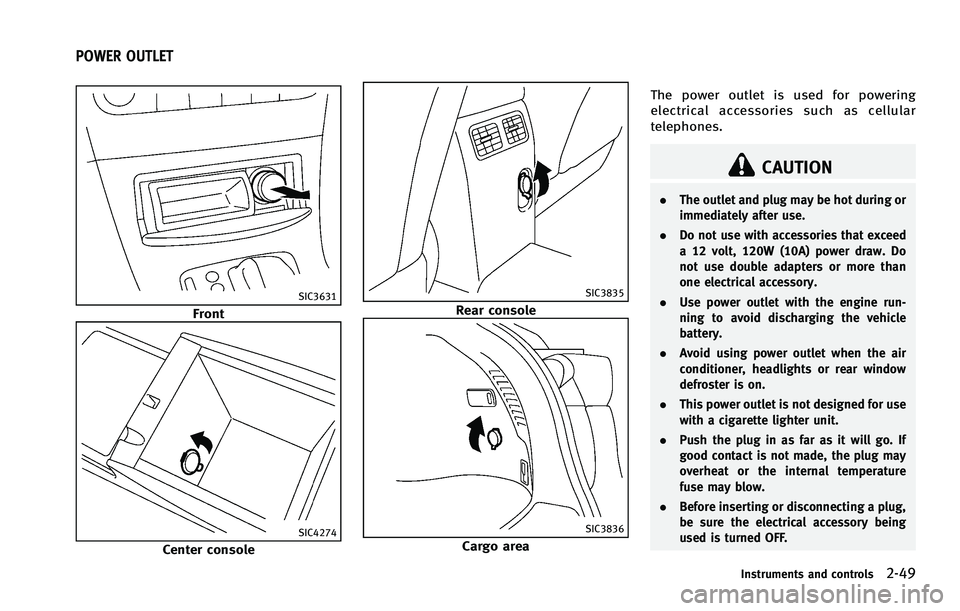
Cargo areaThe power outlet is used for powering
electrical accessories such as cellular
telephones.
CAUTION
.
The outlet and plug may be hot during or
immediately after use.
. Do not use with accessories that exceed
a 12 volt, 120W (10A) power draw. Do
not use double adapters or more than
one electrical accessory.
. Use power outlet with the engine run-
ning to avoid discharging the vehicle
battery.
. Avoid using power outlet when the air
conditioner, headlights or rear window
defroster is on.
. This power outlet is not designed for use
with a cigarette lighter unit.
. Push the plug in as far as it will go. If
good contact is not made, the plug may
overheat or the internal temperature
fuse may blow.
. Before inserting or disconnecting a plug,
be sure the electrical accessory being
used is turned OFF.
Instruments and controls2-49
POWER OUTLET
Page 157 of 522
3-16Pre-driving checks and adjustments
Opening/closing lift gate (if so
equipped)
Opening:
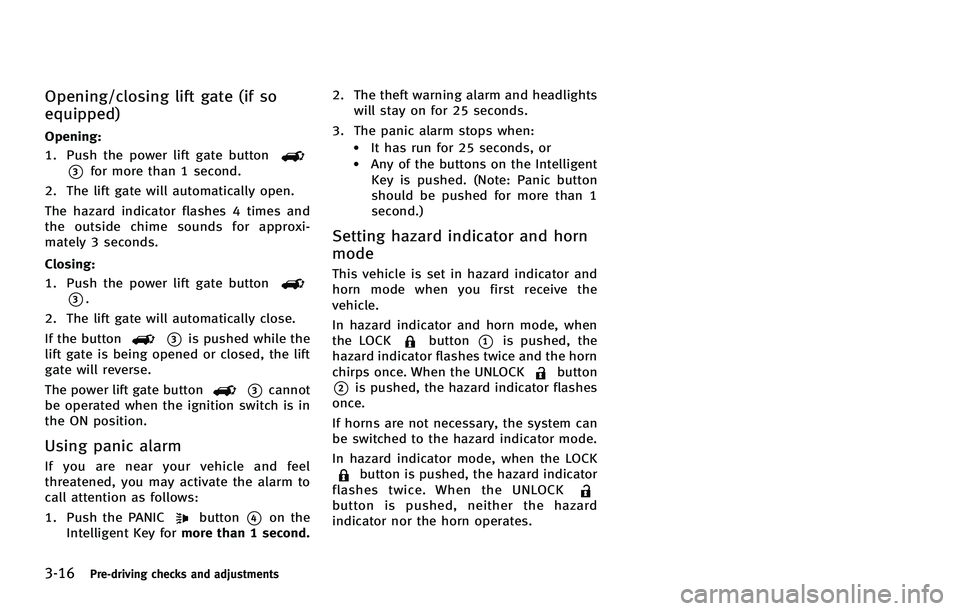
1. Push the power lift gate button
*3for more than 1 second.
2. The lift gate will automatically open.
The hazard indicator flashes 4 times and
the outside chime sounds for approxi-
mately 3 seconds.
Closing:
1. Push the power lift gate button
*3.
2. The lift gate will automatically close.
If the button
*3is pushed while the
lift gate is being opened or closed, the lift
gate will reverse.
The power lift gate button
*3cannot
be operated when the ignition switch is in
the ON position.
Using panic alarm
If you are near your vehicle and feel
threatened, you may activate the alarm to
call attention as follows:
1. Push the PANIC
button*4on the
Intelligent Key for more than 1 second. 2. The theft warning alarm and headlights
will stay on for 25 seconds.
3. The panic alarm stops when:
.It has run for 25 seconds, or.Any of the buttons on the Intelligent Key is pushed. (Note: Panic button
should be pushed for more than 1
second.)
Setting hazard indicator and horn
mode
This vehicle is set in hazard indicator and
horn mode when you first receive the
vehicle.
In hazard indicator and horn mode, when
the LOCK
button*1is pushed, the
hazard indicator flashes twice and the horn
chirps once. When the UNLOCK
button
*2is pushed, the hazard indicator flashes
once.
If horns are not necessary, the system can
be switched to the hazard indicator mode.
In hazard indicator mode, when the LOCK
button is pushed, the hazard indicator
flashes twice. When the UNLOCK
button is pushed, neither the hazard
indicator nor the horn operates.
Page 171 of 522

3-30Pre-driving checks and adjustments
Automatic anti-glare type
The inside mirror is designed so that it
automatically changes reflection according
to the intensity of the headlights of the
following vehicle.
The anti-glare system will be automatically
turned on when the ignition switch is
pushed to the ON position.
When the anti-glare system is turned on,
the indicator light
*Awill illuminate and
excessive glare from the headlights of the
vehicle behind you will be reduced.
Type A: Push the
switch*Bto make the
inside rearview mirror operate normally
and the indicator light will turn off. Push
the
switch again to turn the system on.
Type B: Push the “*”switch
*Cto make
the inside rearview mirror operate nor-
mally. The indicator light will turn off. Push
the “I”switch
*Dto turn the system on.
Do not allow any object to cover the
sensors
*Eor apply glass cleaner on
them. Doing so will reduce the sensitivity
of the sensor, resulting in improper
operation.
For the compass (if so equipped) opera-
tion, see “Compass” (P.2-9). For the HomeLink
®Universal Transceiver
operation, see “HomeLink®Universal
Transceiver” (P.2-65).
SPA2214
OUTSIDE MIRRORS
WARNING
Objects viewed in the outside mirror on the
passenger side are closer than they appear.
Be careful when moving to the right. Using
only this mirror could cause an accident.
Use the inside mirror or glance over your
shoulder to properly judge distances to
other objects.
Page 197 of 522
4-20Monitor, climate, audio, phone and voice recognition systems
SAA2489
Example
Others settings (models with navi-
gation system)
The Others settings display will appear
when pushing the SETTING button and
selecting the“Others”key.
The following items are available:
. Comfort
. Clock
. Language & Units
. Voice Recognition
. Camera
. Image Viewer
SAA2488
Models with navigation system
SAA3669
Models without navigation system
Comfort settings
Models with navigation system
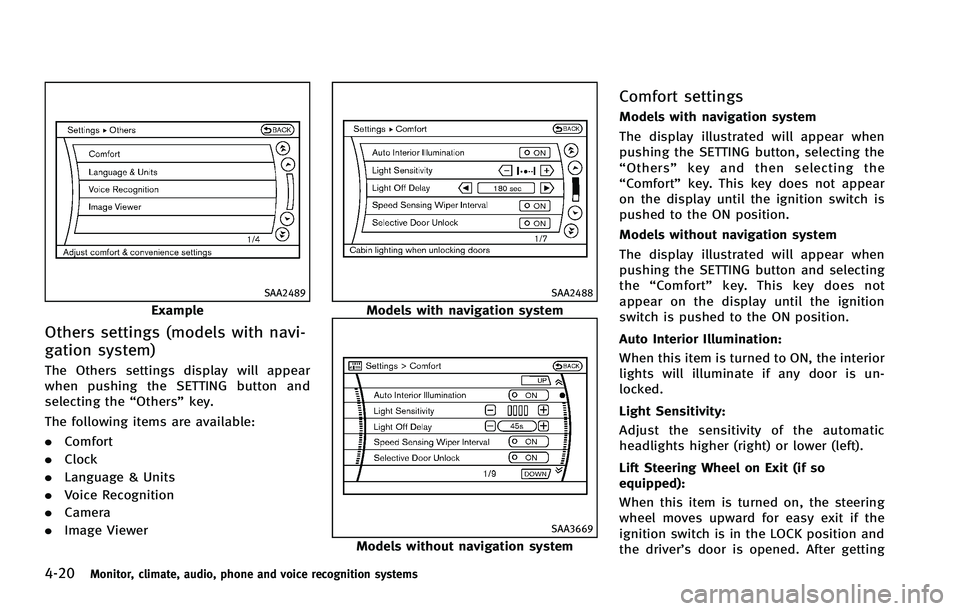
The display illustrated will appear when
pushing the SETTING button, selecting the
“Others” key and then selecting the
“Comfort” key. This key does not appear
on the display until the ignition switch is
pushed to the ON position.
Models without navigation system
The display illustrated will appear when
pushing the SETTING button and selecting
the “Comfort” key. This key does not
appear on the display until the ignition
switch is pushed to the ON position.
Auto Interior Illumination:
When this item is turned to ON, the interior
lights will illuminate if any door is un-
locked.
Light Sensitivity:
Adjust the sensitivity of the automatic
headlights higher (right) or lower (left).
Lift Steering Wheel on Exit (if so
equipped):
When this item is turned on, the steering
wheel moves upward for easy exit if the
ignition switch is in the LOCK position and
the driver’s door is opened. After getting
Page 198 of 522

into the vehicle and pushing the ignition
switch to the ACC position, the steering
wheel moves to the previous position.
Slide Driver Seat Back on Exit (if so
equipped):
When this item is turned on, the driver’s
seat moves backward for easy exit if the
ignition switch is in the OFF position and
the driver’s door is opened. After getting
into the vehicle and pushing the ignition
switch to the ACC position, the driver’s seat
moves to the previous position.
Light Off Delay:
Choose the duration of the automatic
headlight off timer from 0, 30, 45, 60, 90,
120, 150 and 180 second periods.
Speed Sensing Wiper Interval (if so
equipped):
When this item is turned to ON, the wiper
interval is adjusted automatically accord-
ing to the vehicle speed.
Selective Door Unlock:
When this item is turned to ON, only the
driver’s door is unlocked first after the door
unlock operation. When the door handle
request switch on the driver’s or front
passenger’s side door is pushed to beunlocked, only the corresponding door is
unlocked first. All the doors can be
unlocked if the door unlock operation is
performed again within 60 seconds.
When this item is turned to OFF, all the
doors will be unlocked after the door
unlock operation is performed once.
Intelligent Key Lock/Unlock:
When this item is turned to ON, door lock/
unlock function by pushing the door
handle request switch will be activated.
Return All Settings to Default:
Select this item and then select “YES”to
return all settings to the default.
SAA3007
Models with navigation system
SAA3014
Models without navigation system
Monitor, climate, audio, phone and voice recognition systems4-21
Page 347 of 522
5-22Starting and driving
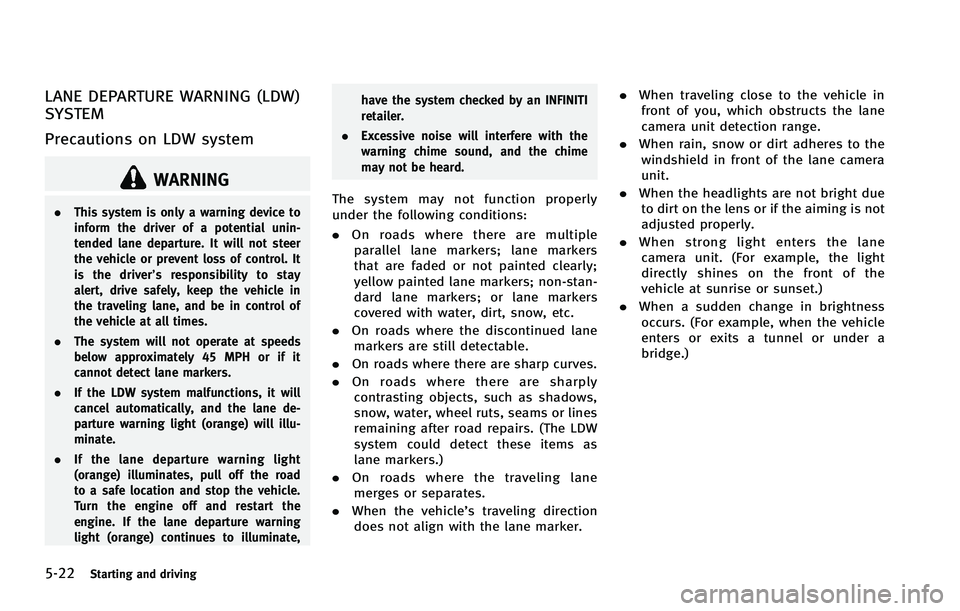
LANE DEPARTURE WARNING (LDW)
SYSTEM
Precautions on LDW system
WARNING
.This system is only a warning device to
inform the driver of a potential unin-
tended lane departure. It will not steer
the vehicle or prevent loss of control. It
is the driver’ s responsibility to stay
alert, drive safely, keep the vehicle in
the traveling lane, and be in control of
the vehicle at all times.
. The system will not operate at speeds
below approximately 45 MPH or if it
cannot detect lane markers.
. If the LDW system malfunctions, it will
cancel automatically, and the lane de-
parture warning light (orange) will illu-
minate.
. If the lane departure warning light
(orange) illuminates, pull off the road
to a safe location and stop the vehicle.
Turn the engine off and restart the
engine. If the lane departure warning
light (orange) continues to illuminate, have the system checked by an INFINITI
retailer.
. Excessive noise will interfere with the
warning chime sound, and the chime
may not be heard.The system may not function properly
under the following conditions:
.On roads where there are multiple
parallel lane markers; lane markers
that are faded or not painted clearly;
yellow painted lane markers; non-stan-
dard lane markers; or lane markers
covered with water, dirt, snow, etc.
. On roads where the discontinued lane
markers are still detectable.
. On roads where there are sharp curves.
. On roads where there are sharply
contrasting objects, such as shadows,
snow, water, wheel ruts, seams or lines
remaining after road repairs. (The LDW
system could detect these items as
lane markers.)
. On roads where the traveling lane
merges or separates.
. When the vehicle’s traveling direction
does not align with the lane marker. .
When traveling close to the vehicle in
front of you, which obstructs the lane
camera unit detection range.
. When rain, snow or dirt adheres to the
windshield in front of the lane camera
unit.
. When the headlights are not bright due
to dirt on the lens or if the aiming is not
adjusted properly.
. When strong light enters the lane
camera unit. (For example, the light
directly shines on the front of the
vehicle at sunrise or sunset.)
. When a sudden change in brightness
occurs. (For example, when the vehicle
enters or exits a tunnel or under a
bridge.)
Page 350 of 522
The functions of the LDP system (warning
and brake control assist) may or may not
operate properly under the following con-
ditions:
.On roads where there are multiple
parallel lane markers; lane markers
that are faded or not painted clearly;
yellow painted lane markers; non-stan-
dard lane markers; or lane markers
covered with water, dirt, snow, etc.
. On roads where discontinued lane
markers are still detectable.
. On roads where there are sharp curves.
. On roads where there are sharply
contrasting objects, such as shadows,
snow, water, wheel ruts, seams or lines
remaining after road repairs. (The LDP
system could detect these items as
lane markers.)
. On roads where the traveling lane
merges or separates.
. When the vehicle’s traveling direction
does not align with the lane marker.
. When traveling close to the vehicle in
front of you, which obstructs the lane
camera unit detection range.
. When rain, snow or dirt adheres to the
windshield in front of the lane camera
unit. .
When the headlights are not bright due
to dirt on the lens or if the aiming is not
adjusted properly.
. When strong light enters the lane
camera unit. (For example, the light
directly shines on the front of the
vehicle at sunrise or sunset.)
. When a sudden change in brightness
occurs. (For example, when the vehicle
enters or exits a tunnel or under a
bridge.)
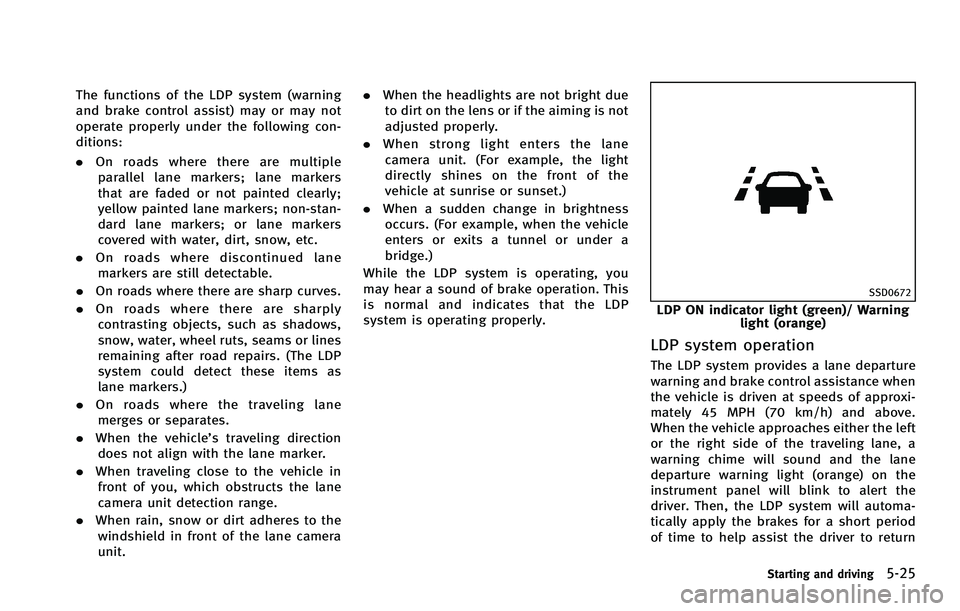
While the LDP system is operating, you
may hear a sound of brake operation. This
is normal and indicates that the LDP
system is operating properly.
SSD0672
LDP ON indicator light (green)/ Warning light (orange)
LDP system operation
The LDP system provides a lane departure
warning and brake control assistance when
the vehicle is driven at speeds of approxi-
mately 45 MPH (70 km/h) and above.
When the vehicle approaches either the left
or the right side of the traveling lane, a
warning chime will sound and the lane
departure warning light (orange) on the
instrument panel will blink to alert the
driver. Then, the LDP system will automa-
tically apply the brakes for a short period
of time to help assist the driver to return
Starting and driving5-25
Page 438 of 522
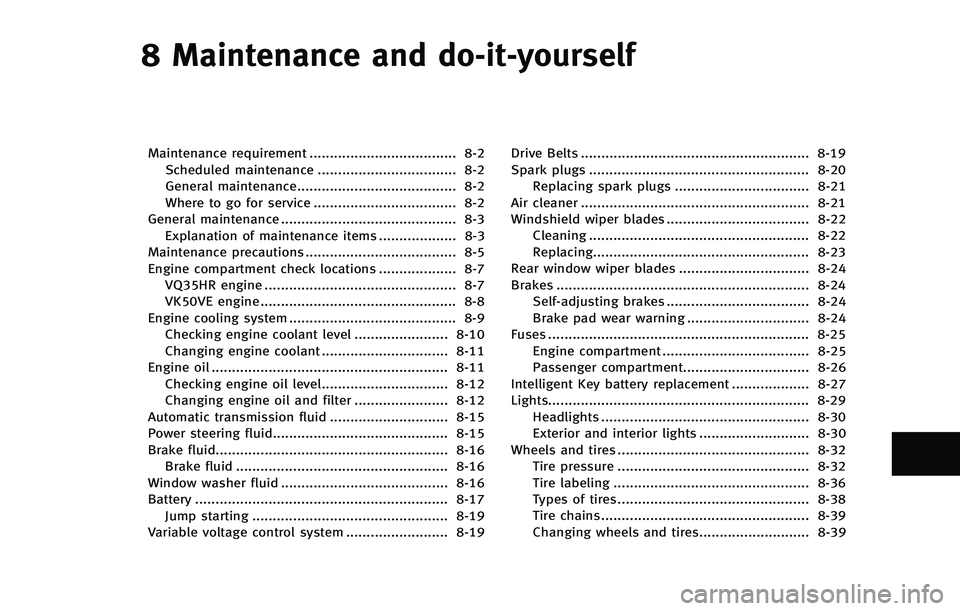
8 Maintenance and do-it-yourself
Maintenance requirement .................................... 8-2Scheduled maintenance .................................. 8-2
General maintenance....................................... 8-2
Where to go for service ................................... 8-2
General maintenance ........................................... 8-3 Explanation of maintenance items ................... 8-3
Maintenance precautions ..................................... 8-5
Engine compartment check locations ................... 8-7 VQ35HR engine ............................................... 8-7
VK50VE engine ................................................ 8-8
Engine cooling system ......................................... 8-9 Checking engine coolant level ....................... 8-10
Changing engine coolant ............................... 8-11
Engine oil .......................................................... 8-11 Checking engine oil level............................... 8-12Changing engine oil and filter ....................... 8-12
Automatic transmission fluid ............................. 8-15
Power steering fluid........................................... 8-15
Brake fluid......................................................... 8-16 Brake fluid .................................................... 8-16
Window washer fluid ......................................... 8-16
Battery .............................................................. 8-17 Jump starting ................................................ 8-19
Variable voltage control system ......................... 8-19 Drive Belts ........................................................ 8-19
Spark plugs ...................................................... 8-20
Replacing spark plugs ................................. 8-21
Air cleaner ........................................................ 8-21
Windshield wiper blades ................................... 8-22 Cleaning ...................................................... 8-22
Replacing..................................................... 8-23
Rear window wiper blades ................................ 8-24
Brakes .............................................................. 8-24 Self-adjusting brakes ................................... 8-24
Brake pad wear warning .............................. 8-24
Fuses ................................................................ 8-25 Engine compartment .................................... 8-25
Passenger compartment............................... 8-26
Intelligent Key battery replacement ................... 8-27
Lights................................................................ 8-29
Headlights ................................................... 8-30
Exterior and interior lights ........................... 8-30
Wheels and tires ............................................... 8-32 Tire pressure ............................................... 8-32
Tire labeling ................................................ 8-36
Types of tires............................................... 8-38
Tire chains ................................................... 8-39
Changing wheels and tires........................... 8-39