brake INFINITI FX 2012 Repair Manual
[x] Cancel search | Manufacturer: INFINITI, Model Year: 2012, Model line: FX, Model: INFINITI FX 2012Pages: 522, PDF Size: 3.51 MB
Page 388 of 522
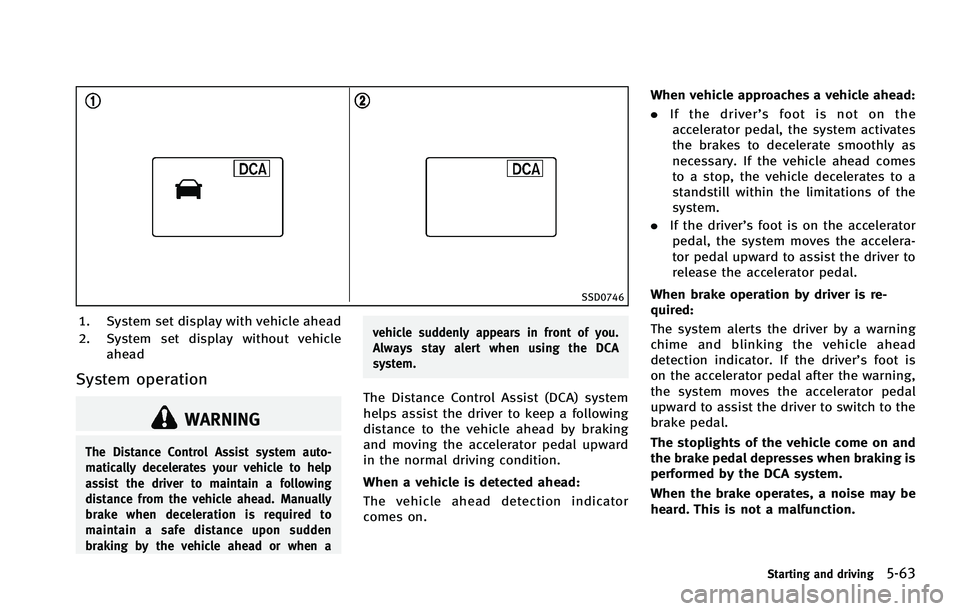
SSD0746
1. System set display with vehicle ahead
2. System set display without vehicleahead
System operation
WARNING
The Distance Control Assist system auto-
matically decelerates your vehicle to help
assist the driver to maintain a following
distance from the vehicle ahead. Manually
brake when deceleration is required to
maintain a safe distance upon sudden
braking by the vehicle ahead or when a vehicle suddenly appears in front of you.
Always stay alert when using the DCA
system.
The Distance Control Assist (DCA) system
helps assist the driver to keep a following
distance to the vehicle ahead by braking
and moving the accelerator pedal upward
in the normal driving condition.
When a vehicle is detected ahead:
The vehicle ahead detection indicator
comes on.When vehicle approaches a vehicle ahead:
. If the driver’ s foot is not on the
accelerator pedal, the system activates
the brakes to decelerate smoothly as
necessary. If the vehicle ahead comes
to a stop, the vehicle decelerates to a
standstill within the limitations of the
system.
. If the driver’s foot is on the accelerator
pedal, the system moves the accelera-
tor pedal upward to assist the driver to
release the accelerator pedal.
When brake operation by driver is re-
quired:
The system alerts the driver by a warning
chime and blinking the vehicle ahead
detection indicator. If the driver’s foot is
on the accelerator pedal after the warning,
the system moves the accelerator pedal
upward to assist the driver to switch to the
brake pedal.
The stoplights of the vehicle come on and
the brake pedal depresses when braking is
performed by the DCA system.
When the brake operates, a noise may be
heard. This is not a malfunction.
Starting and driving5-63
Page 389 of 522
5-64Starting and driving
WARNING
.When the vehicle ahead detection in-
dicator light is not illuminated, system
will not control or warn the driver.
. Never place your foot under the brake
pedal. Your foot may be caught when the
system controls the brake.
. Depending on the position of the accel-
erator pedal, the system may not be able
to assist the driver to release the
accelerator pedal appropriately.
. If the vehicle ahead comes to a stand-
still, the vehicle decelerates to a stand-
still within the limitations of the system.
The system will release brake control
with a warning chime once it judges the
vehicle is at a standstill. To prevent the
vehicle from moving, the driver must
depress the brake pedal. (The system
will resume control automatically once
the system reaches 3 MPH (5 km/h)).
Overriding the system:
The following driver’s operation overrides
the system operation. .
When the driver depresses the accel-
erator pedal even further while the
system is moving the accelerator pedal
upward, the DCA system control of the
accelerator pedal is canceled.
. When the driver’s foot is on the accel-
erator pedal, the brake control by the
system is not operated.
. When the driver’s foot is on the brake
pedal, neither the brake control nor the
alert by the system operates.
. When the Intelligent Cruise Control
system is set, the DCA system will be
cancelled.
Approach warning
If your vehicle comes closer to the vehicle
ahead due to rapid deceleration of that
vehicle or if another vehicle cuts in, the
system warns the driver with the chime
and DCA system display. Decelerate by
depressing the brake pedal to maintain a
safe vehicle distance if:
. The chime sounds.
. The vehicle ahead detection indicator
blinks.
The warning chime may not sound in some
cases when there is a short distance
between vehicles. Some examples are: .
When the vehicles are traveling at the
same speed and the distance between
vehicles is not changing
. When the vehicle ahead is traveling
faster and the distance between vehi-
cles is increasing
. When a vehicle cuts in near your vehicle
The warning chime will not sound when
your vehicle approaches vehicles that are
parked or moving slowly.
Page 394 of 522
—When abruptly accelerating or de-celerating.
—On a steep downhill slope or onroads with sharp curves.
—When there is a highly reflectiveobject near the vehicle ahead (for
example, being very close to another
vehicle, signboard, etc.)
—When you are towing a trailer.
. Depending on certain road conditions
(curved or beginning of a curve), vehicle
conditions (steering position or vehicle
position), or the preceding vehicle’ s
conditions (position in lane, etc.), the
system may not function properly. The
system may detect highly reflective
objects such as reflectors, signs, white
markers, and other stationary objects on
the road or near the traveling lane and
provide unnecessary warning.
. The system may not function in offset
conditions.
. The system may not function when the
distance to the vehicle ahead is extre-
mely close.
. The system is designed to automatically
check the sensor’s functionality. If the sensor is covered with ice, a transparent
or translucent plastic bag, etc., the
system may not detect them. In these
instances the system may not be able to
warn the driver properly. Be sure to
check and clean the sensor regularly.
. Excessive noise will interfere with the
warning chime sound, and the chime
may not be heard.
. A sudden appearance of a vehicle in
front (for example, it abruptly cuts in)
may not be detected and the system may
not warn the driver soon enough.
. The system will be cancelled automati-
cally with a beep sound and the IBA OFF
indicator light will illuminate under the
following conditions:
—When the sensor window is dirty
—When the system malfunctions
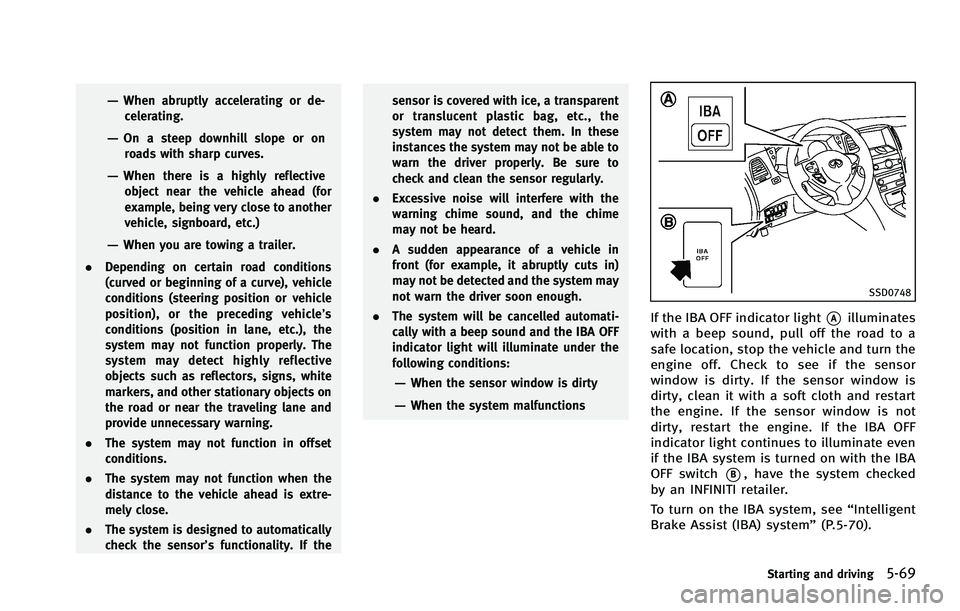
SSD0748
If the IBA OFF indicator light*Ailluminates
with a beep sound, pull off the road to a
safe location, stop the vehicle and turn the
engine off. Check to see if the sensor
window is dirty. If the sensor window is
dirty, clean it with a soft cloth and restart
the engine. If the sensor window is not
dirty, restart the engine. If the IBA OFF
indicator light continues to illuminate even
if the IBA system is turned on with the IBA
OFF switch
*B, have the system checked
by an INFINITI retailer.
To turn on the IBA system, see “Intelligent
Brake Assist (IBA) system” (P.5-70).
Starting and driving5-69
Page 395 of 522

5-70Starting and driving
SSD1156
Warning systems switch
FCW system operation
The FCW system will function at speeds of
approximately 10 MPH (15 km/h) and
above, when the system turns on.
The FCW system has an automatic setting
mode and a manual setting mode to turn
the system on. The setting mode can be
changed. In the automatic setting mode,
the FCW system is automatically turned on
when the ignition switch is pushed to the
ON position. When the FCW system is on,
the warning systems ON indicator light
*1on the warning systems switch illuminates.
To cancel the FCW system, push thewarning systems switch. The warning
systems ON indicator light will turn off. To
turn on the system, push the warning
systems switch again.
When the warning systems switch is
pushed, the LDW system will also turn on
or off simultaneously. See
“Lane Departure
Warning (LDW) system/Lane Departure
Prevention (LDP) system” (P.5-21).
In the manual setting mode, you need to
push the warning systems switch to turn
on the system after the ignition switch is
pushed to the ON position.
The setting mode can be changed using
the warning systems switch. To change the
setting mode, push and hold the warning
systems switch for more than 4 seconds
when the warning systems ON indicator is
off. When the mode is changed, a chime
sounds and the lane departure warning
light (orange) flashes.
For the sensor maintenance, see “Intelli-
gent Cruise Control (ICC) system (FULL
SPEED RANGE)” (P.5-31). The Intelligent Brake Assist (IBA) system
warns the driver by a warning light and
chime when there is a risk of a collision
with the vehicle ahead in the traveling lane
and the driver must take avoidance action
immediately. The system helps reduce the
rear-end collision speed by applying the
brakes when the system judges that the
collision cannot be prevented.
The IBA system will function when your
vehicle is driven at speeds of approxi-
mately 10 MPH (15 km/h) and above, and
when your vehicle is driven at speeds
approximately 10 MPH (15 km/h) faster
than the vehicle ahead.
INTELLIGENT BRAKE ASSIST (IBA) SYSTEM
(if so equipped)
Page 398 of 522

system may not detect them. In these
instances the system may not be able to
warn the driver properly. Be sure to
check and clean the sensor regularly.
. Excessive noise will interfere with the
warning chime sound, and the chime
may not be heard.
. Never place your foot under the brake
pedal when the IBA system turns on.
Your foot may be caught when the
system controls the brake.
. A sudden appearance of a vehicle in
front (for example, it abruptly cuts in)
may not be detected and the system may
not warn the driver soon enough.
. The system will be cancelled automati-
cally with a beep sound and the IBA
warning light will illuminate under the
following conditions:
—When the sensor window is dirty
—When the system malfunctions
If the IBA OFF indicator light illuminates
with a beep sound, pull off the road to a
safe location, stop the vehicle and turn the
engine off. Check to see if the sensor
window is dirty. If the sensor window is dirty, clean it with a soft cloth and restart
the engine. If the sensor window is not
dirty, restart the engine. If the IBA OFF
indicator light continues to illuminate even
if the IBA system is turned on, have the
system checked by an INFINITI retailer.
SSD0748
IBA system operation
The IBA system will function when your
vehicle is driven at speeds of approxi-
mately 10 MPH (15 km/h) or above, and
when the vehicle’s speed is approximately
10 MPH (15 km/h) faster than that of the
vehicle ahead.
To turn the system off/on, push and hold
the IBA OFF switch
*Bfor more than 1
second after starting the engine. When the
IBA OFF indicator light
*Aon the instru-
ment panel turns off and the IBA OFF
switch is pushed, the system will turn off
and the IBA OFF indicator light will
illuminate. When the IBA OFF switch is
Starting and driving5-73
Page 401 of 522

5-76Starting and driving
the AWD system. Reduce the vehicle
speed and have your vehicle checked by
an INFINITI retailer as soon as possible.
. If the warning light remains on after the
above operation, have your vehicle
checked by an INFINITI retailer as soon
as possible.
. The power train may be damaged if you
continue driving with the warning light
blinking.
SD1006MA
WARNING
.Do not stop or park the vehicle over
flammable materials such as dry grass,
waste paper or rags. They may ignite and
cause a fire.
. Never leave the engine running while the
vehicle is unattended.
. Do not leave children unattended inside
the vehicle. They could unknowingly
activate switches or controls. Unat-
tended children could become involved
in serious accidents. .
Safe parking procedures require that
both the parking brake be applied and
the transmission be placed in the P
(Park) position. Failure to do so could
cause the vehicle to move unexpectedly
or roll away and result in an accident.
. Make sure the automatic transmission
selector lever has been pushed as far
forward as it can go and cannot be
moved without depressing the foot
brake pedal.
1. Firmly apply the parking brake.
PARKING/PARKING ON HILLS
Page 403 of 522
5-78Starting and driving
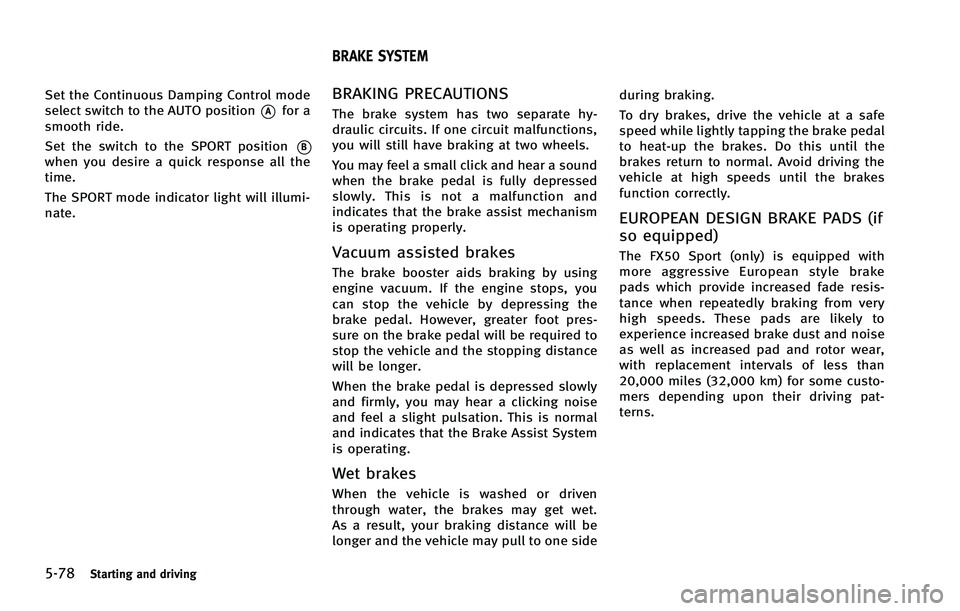
Set the Continuous Damping Control mode
select switch to the AUTO position
*Afor a
smooth ride.
Set the switch to the SPORT position
*Bwhen you desire a quick response all the
time.
The SPORT mode indicator light will illumi-
nate.
BRAKING PRECAUTIONS
The brake system has two separate hy-
draulic circuits. If one circuit malfunctions,
you will still have braking at two wheels.
You may feel a small click and hear a sound
when the brake pedal is fully depressed
slowly. This is not a malfunction and
indicates that the brake assist mechanism
is operating properly.
Vacuum assisted brakes
The brake booster aids braking by using
engine vacuum. If the engine stops, you
can stop the vehicle by depressing the
brake pedal. However, greater foot pres-
sure on the brake pedal will be required to
stop the vehicle and the stopping distance
will be longer.
When the brake pedal is depressed slowly
and firmly, you may hear a clicking noise
and feel a slight pulsation. This is normal
and indicates that the Brake Assist System
is operating.
Wet brakes
When the vehicle is washed or driven
through water, the brakes may get wet.
As a result, your braking distance will be
longer and the vehicle may pull to one side during braking.
To dry brakes, drive the vehicle at a safe
speed while lightly tapping the brake pedal
to heat-up the brakes. Do this until the
brakes return to normal. Avoid driving the
vehicle at high speeds until the brakes
function correctly.
EUROPEAN DESIGN BRAKE PADS (if
so equipped)
The FX50 Sport (only) is equipped with
more aggressive European style brake
pads which provide increased fade resis-
tance when repeatedly braking from very
high speeds. These pads are likely to
experience increased brake dust and noise
as well as increased pad and rotor wear,
with replacement intervals of less than
20,000 miles (32,000 km) for some custo-
mers depending upon their driving pat-
terns.
BRAKE SYSTEM
Page 404 of 522
PARKING BRAKE BREAK-IN
Break in the parking brake shoes whenever
the stopping effect of the parking brake is
weakened or whenever the parking brake
shoes and/or drums/rotors are replaced,
in order to assure the best braking
performance.
This procedure is described in the vehicle
service manual and can be performed by
an INFINITI retailer.
Using the brakes
Avoid resting your foot on the brake pedal
while driving. This will cause overheating
of the brakes, wearing out the brake and
pads faster and reduce gas mileage.
To help save the brakes and to prevent the
brakes from overheating, reduce speed
and downshift to a lower gear before going
down a slope or long grade. Overheated
brakes may reduce braking performance
and could result in loss of vehicle control.
WARNING
.While driving on a slippery surface, be
careful when braking, accelerating or
downshifting. Abrupt braking or accel- erating could cause the wheels to skid
and result in an accident.
. If the engine is not running or is turned
off while driving, the power assist for
the brakes will not work. Braking will be
harder.
BRAKE ASSIST
When the force applied to the brake pedal
exceeds a certain level, the Brake Assist is
activated generating greater braking force
than a conventional brake booster even
with light pedal force.
WARNING
The Brake Assist is only an aid to assist
braking operation and is not a collision
warning or avoidance device. It is the
driver’s responsibility to stay alert, drive
safely and be in control of the vehicle at all
times.
PREVIEW FUNCTION (Intelligent
Cruise Control system equipped
models)
When the Preview Function identifies the
need to apply emergency braking by
sensing a vehicle ahead in the same lane
and the distance and relative speed from
it, it applies the brake pre-pressure before
the driver depresses the brake pedal and
helps improve brake response by reducing
pedal free play.
Starting and driving5-79
BRAKE ASSIST
Page 405 of 522

5-80Starting and driving
.This system will not operate when the
vehicle is moving at approximately 20
MPH (32 km/h) or less.
. The pre-pressure function ceases when
the following conditions are met:
1) When the driver depresses the
accelerator pedal or the brake
pedal.
2) If the driver does not operate the accelerator or brake pedal within
approximately 1 second.
SSD0338
.The sensor will not detect:
1) Pedestrians or objects in the road- way
2) Oncoming vehicles in the same lane
3) Motorcycles traveling offset in the travel lane as illustrated
WARNING
. This system is only an aid to assist
braking operation and is not a collision
warning or avoidance device. It is the
driver’s responsibility to stay alert, drive
safely and be in control of the vehicle at all times.
. As there is a performance limit to the
Preview Function, never rely solely on
this system. This system does not
correct careless inattentive or absent-
minded driving, or overcome poor visi-
bility in rain, fog, or other bad weather.
Reduce vehicle speed by depressing the
brake pedal, in order to maintain a safe
distance between vehicles.
. The system may not detect the vehicle in
front of you in certain road or weather
conditions. The Preview Function may
not operate properly under the following
conditions. The vehicle is still driveable
under normal conditions and the Brake
Assist will operate.
—When rain, snow or dirt adhere to
the system sensor
—When strong light (for example, atsunrise or sunset) is directly shining
on the front of the vehicle
—Winding or hilly roads may causethe sensor to temporarily not detect
a vehicle in the same lane or may
detect objects or vehicles in other
lanes.
Page 406 of 522

—Vehicle position in the lane maycause the sensor to temporarily not
detect a vehicle in the same lane or
may detect objects or vehicles in
other lanes.
SSD0471
Warning light and display
When the Preview Function is not operating
properly, the chime sounds and the system
warning light (orange) will come on.
Action to take:
If the warning light comes on, park the
vehicle in a safe place. Turn the engine off,
restart the engine and resume driving.
If the indicator stays on, it may indicate
that the Preview Function is malfunction-
ing (the brake is operative). Although the
Vehicle is still driveable under normal
conditions, have the vehicle checked at
an INFINITI retailer.
How to handle the sensor
The sensor for the Preview Function is
common with Intelligent Cruise Control and
is located below the front bumper.
To keep the Preview Function operating
properly, be sure to observe the following:
. Always keep the sensor clean. Wipe
with a soft cloth carefully so as not to
damage the sensor.
. Do not strike or damage the areas
around the sensor. Do not touch or
remove the screw located on the
sensor. Doing so could cause failure
or malfunction. If the sensor is da-
maged due to an accident, contact an
INFINITI retailer.
. Do not attach a sticker (including
transparent material) or install an
accessory near the sensor. This could
cause failure or malfunction.
Starting and driving5-81