climate control INFINITI FX 2012 Repair Manual
[x] Cancel search | Manufacturer: INFINITI, Model Year: 2012, Model line: FX, Model: INFINITI FX 2012Pages: 522, PDF Size: 3.51 MB
Page 286 of 522

command recognition mode.
4. The system acknowledges the com- mand and announces the next set of
available commands.
5. After the tone sounds, speak the phone number.
6. When you have finished speaking the phone number, the system repeats it
back and announces the available
commands.
7. After system responds, speak “Dial”
and the system dials the spoken
numbers.
Operating tips:
. Voice commands cannot be accepted
when the icon is
.
. If the command is not recognized, the
system announces, “Please say again”.
Repeat the command in a clear voice.
. Push the
switch or the BACKbutton
once to return to the previous screen.
. If you want to cancel the command,
push the
switch. The message
“ Voice input is canceled” will be
announced. If you want to adjust the
volume of the system feedback, push
the volume control buttons [+] or [−]on
the steering wheel or use the audio system volume knob while the system
is making an announcement.
How to speak commands:
The Voice Recognition System requires a
certain way to speak voice commands.
Speak normally and clearly in the direction
of the microphone (located in front of the
rearview mirror). Every digit of the number
must be spoken individually and in a
normal manner. The hands-free mode will
work best when the telephone number is
spoken in blocks of three to five digits.
After each spoken block is terminated, the
system will repeat the three to five digits
and wait for you to speak the next digit or
block of digits required for the telephone
number.
See “List of voice commands” (P.4-111) for
the appropriate commands that can be
spoken for the hands-free mode system.
Example:
In order to initiate a call, speak “Phone-
book”.
INFO
. If you are controlling the telephone
system by voice command for the first
time or do not know the appropriate
voice command, speak “Help” . The system announces the available com-
mands.
. When you speak numbers, you can
speak both “zero”or“oh” for“0”.
Personal vocabulary (voicetags):
Voice Recognition System is equipped with
the function called “voicetags”, which can
be associated with the phone number and
name in the phonebook. Using the voice
tag will automatically generate a speed
dial to the registered number.
See “Phonebook registration” (P.4-113).
You can call the identified number using
the following command: “Dial”followed by
the voice tag.
Dialling a name with a voice tag:
It is possible to call up a name via a voice
tag instead of a number, provided the
name and number of your correspondent
have been previously stored in the phone-
book.
Dial via a voice tag, according to the
following procedure.
1. Push the
switch.
2. The system replies “please say a
command after the beep. Available
commands are: Call, Phonebook, Re-
Monitor, climate, audio, phone and voice recognition systems4-109
Page 299 of 522

4-122Monitor, climate, audio, phone and voice recognition systems
SAA2532
Getting Started
Before using the INFINITI Voice Recognition
system for the first time, you can confirm
how to use commands by viewing the
Getting Started section of the User Guide.
1. Select the“Getting Started” key.
2. You can confirm the page by scrolling the screen using the INFINITI controller.
Tutorials on the operation of the INFINITI
Voice Recognition system
If you choose “Using the Address Book”,
“ Finding a Street Address” or“Placing
Calls”, you can view tutorials on how to
perform these operations using INFINITI Voice Recognition.
SAA2534
Let’s Practice
This mode helps learn how to use the
INFINITI Voice Recognition system.
1. Select the
“Let’s Practice” key.
2. After the message screen appears, push the TALK
switch on the
steering wheel.
3. Speak the displayed number after the tone. The evaluation screen will be
displayed and the result can be con-
firmed.
Page 301 of 522
4-124Monitor, climate, audio, phone and voice recognition systems
SAA2167
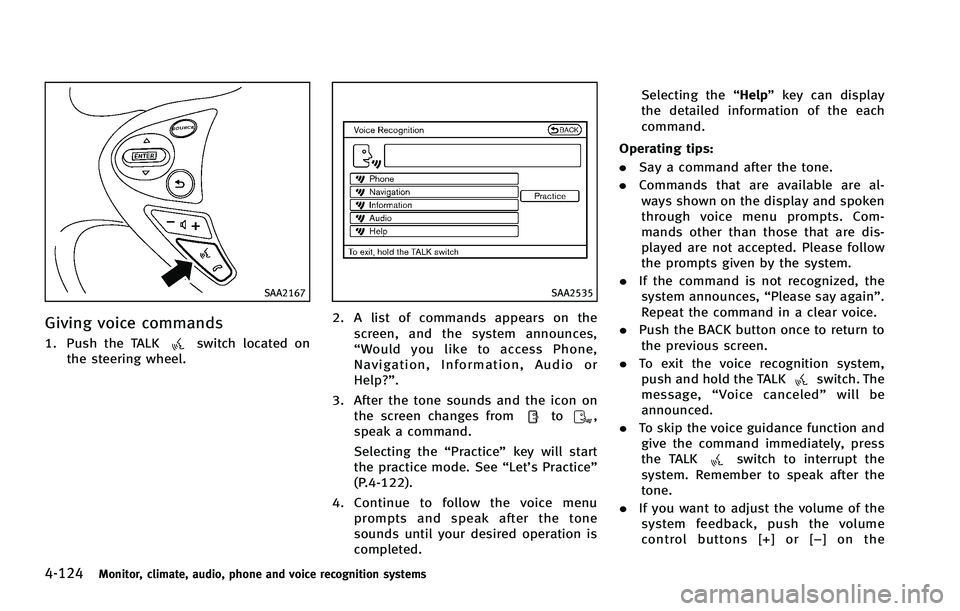
Giving voice commands
1. Push the TALKswitch located on
the steering wheel.
SAA2535
2. A list of commands appears on the
screen, and the system announces,
“Would you like to access Phone,
Navigation, Information, Audio or
Help?”.
3. After the tone sounds and the icon on the screen changes from
to,
speak a command.
Selecting the “Practice”key will start
the practice mode. See “Let’s Practice”
(P.4-122).
4. Continue to follow the voice menu prompts and speak after the tone
sounds until your desired operation is
completed. Selecting the
“Help”key can display
the detailed information of the each
command.
Operating tips:
. Say a command after the tone.
. Commands that are available are al-
ways shown on the display and spoken
through voice menu prompts. Com-
mands other than those that are dis-
played are not accepted. Please follow
the prompts given by the system.
. If the command is not recognized, the
system announces, “Please say again”.
Repeat the command in a clear voice.
. Push the BACK button once to return to
the previous screen.
. To exit the voice recognition system,
push and hold the TALK
switch. The
message, “Voice canceled” will be
announced.
. To skip the voice guidance function and
give the command immediately, press
the TALK
switch to interrupt the
system. Remember to speak after the
tone.
. If you want to adjust the volume of the
system feedback, push the volume
control buttons [+] or [− ] on the
Page 306 of 522

SAA2536
4. Speak“Dial Number”.
SAA2537
5. Speak“800”.
Selecting the “Manual Controls” key
switches the screen to the keypad to
input the phone number manually.
SAA2538
6. The system announces, “Please say the
next three digits or dial, or say change
number.”
7. Speak “662”.
Monitor, climate, audio, phone and voice recognition systems4-129
Page 310 of 522

JVH0137M
Activating Alternate Command
Mode
When the Standard Mode is active, perform
the following steps to switch to the
Alternate Command Mode.
1. Push the SETTING button on the instru-ment panel.
2. Highlight the “Others”key.
3. Highlight the “Voice Recognition” key.
SAA2543
4. Highlight the“Alternate Command
Mode” key.
5. The confirmation message is displayed on the screen. Push the “OK”key to
activate the Alternate Command Mode.
Displaying command list
If you are controlling the system by voice
commands for the first time or do not know
the appropriate voice command, perform
the following procedure for displaying the
voice command list (available only in
Alternate Command Mode).
SAA2544
1. Push the INFO button on the instrument
panel.
2. Select the “Others”key.
3. Select the “Voice Recognition” key.
4. Select the “Command List” key.
Monitor, climate, audio, phone and voice recognition systems4-133
Page 311 of 522
4-134Monitor, climate, audio, phone and voice recognition systems
SAA2545
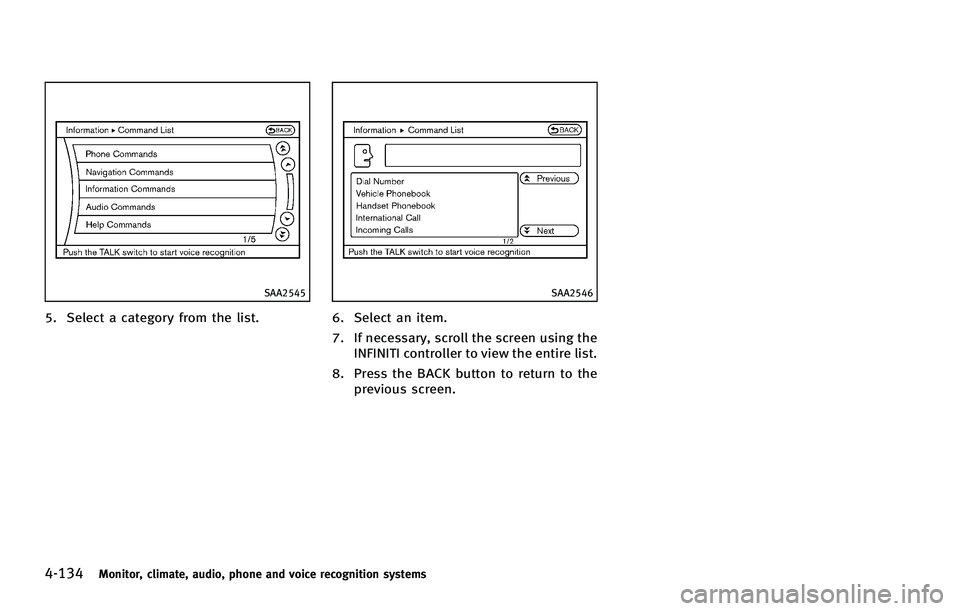
5. Select a category from the list.
SAA2546
6. Select an item.
7. If necessary, scroll the screen using theINFINITI controller to view the entire list.
8. Press the BACK button to return to the previous screen.
Page 318 of 522
SAA2547
Displaying user guide
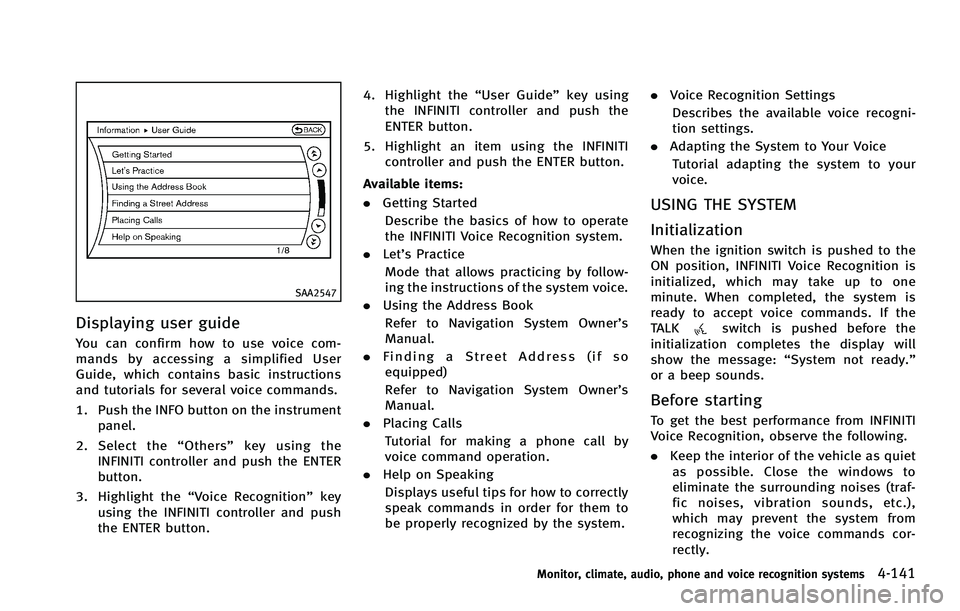
You can confirm how to use voice com-
mands by accessing a simplified User
Guide, which contains basic instructions
and tutorials for several voice commands.
1. Push the INFO button on the instrumentpanel.
2. Select the “Others” key using the
INFINITI controller and push the ENTER
button.
3. Highlight the “Voice Recognition” key
using the INFINITI controller and push
the ENTER button. 4. Highlight the
“User Guide”key using
the INFINITI controller and push the
ENTER button.
5. Highlight an item using the INFINITI controller and push the ENTER button.
Available items:
. Getting Started
Describe the basics of how to operate
the INFINITI Voice Recognition system.
. Let’s Practice
Mode that allows practicing by follow-
ing the instructions of the system voice.
. Using the Address Book
Refer to Navigation System Owner’s
Manual.
. Finding a Street Address (if so
equipped)
Refer to Navigation System Owner’s
Manual.
. Placing Calls
Tutorial for making a phone call by
voice command operation.
. Help on Speaking
Displays useful tips for how to correctly
speak commands in order for them to
be properly recognized by the system. .
Voice Recognition Settings
Describes the available voice recogni-
tion settings.
. Adapting the System to Your Voice
Tutorial adapting the system to your
voice.
USING THE SYSTEM
Initialization
When the ignition switch is pushed to the
ON position, INFINITI Voice Recognition is
initialized, which may take up to one
minute. When completed, the system is
ready to accept voice commands. If the
TALK
switch is pushed before the
initialization completes the display will
show the message: “System not ready.”
or a beep sounds.
Before starting
To get the best performance from INFINITI
Voice Recognition, observe the following.
. Keep the interior of the vehicle as quiet
as possible. Close the windows to
eliminate the surrounding noises (traf-
fic noises, vibration sounds, etc.),
which may prevent the system from
recognizing the voice commands cor-
rectly.
Monitor, climate, audio, phone and voice recognition systems4-141
Page 319 of 522
4-142Monitor, climate, audio, phone and voice recognition systems
.When the air conditioner is in the AUTO
mode, the fan speed decreases auto-
matically for easy recognition.
. Wait until a tone sounds before speak-
ing a command.
. Speak in a natural voice without paus-
ing between words.
SAA2167
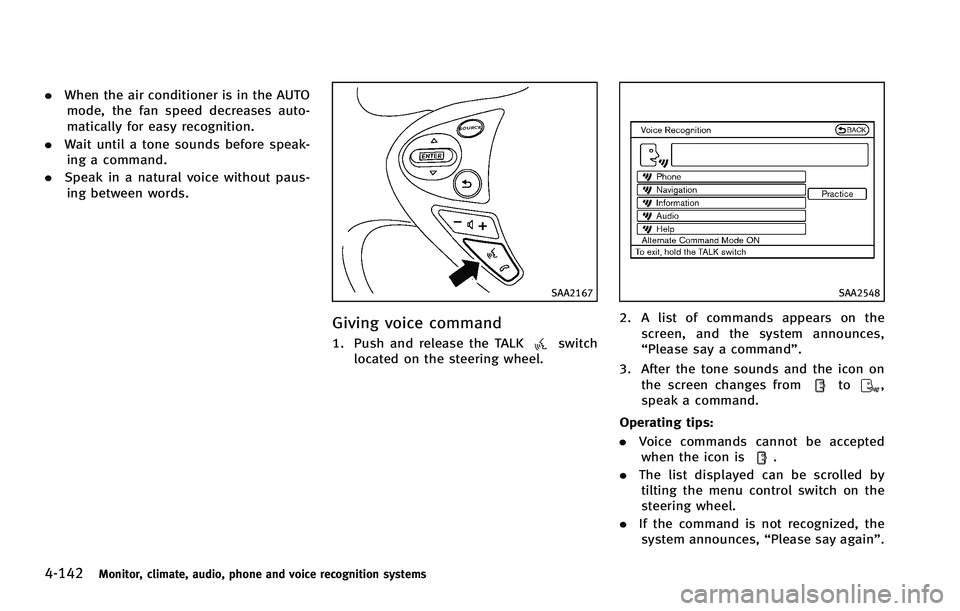
Giving voice command
1. Push and release the TALKswitch
located on the steering wheel.
SAA2548
2. A list of commands appears on the
screen, and the system announces,
“Please say a command”.
3. After the tone sounds and the icon on the screen changes from
to,
speak a command.
Operating tips:
. Voice commands cannot be accepted
when the icon is
.
. The list displayed can be scrolled by
tilting the menu control switch on the
steering wheel.
. If the command is not recognized, the
system announces, “Please say again”.
Page 320 of 522
Repeat the command in a clear voice.
. Push the BACK button once to return to
the previous screen.
. If you want to cancel the command,
push and hold the TALK
switch for
1 second. The message “Voice can-
celed” will be announced.
. To skip the voice guidance function and
give the command immediately, press
the TALK
switch to interrupt the
system. Remember to speak after the
tone.
. If you want to adjust the volume of the
system feedback, push the volume
control switch (+ or −) on the steering
wheel or use the audio system volume
knob while the system is making an
announcement.
How to speak numbers:
INFINITI Voice Recognition requires a cer-
tain way to speak numbers when giving
voice commands. Refer to the following
examples.
General rule
Only single digits 0 (zero) to 9 can be used.
(For example, if you would like to say 500,
“five zero zero” can be used, but “five
hundred” cannot. Phone numbers
Speak phone numbers according to the
following examples:
.
1-800-662-6200
—“ Dial one eight zero zero six six two
six two zero zero.”
Note 1: For the best voice recognition
phone dialing results, say phone numbers
as single digits.
Note 2: You cannot say 555-6000 as “five
five five six thousands” .
Note 3: When speaking a house number,
speak the number “0”as“zero”. If the
letter “o (oh)” is included in the house
number, it will not be recognized as the
number “0 (zero)” even if you speak “oh”
instead of “zero”. Please speak “zero”for
the number “0 (zero)”,“oh”for the letter
“o (oh)”.
Send digits using dial tone:
. Press the TALK
switch during a
phone call.
. The menu will be launched and you will
be provided with the following gui-
dance: “Please say the digits to dial”.
. After guidance, say the digits of the
number you want to send. After this, the digits that have been recognized
will be read out.
. If you press the ENTER button on the
steering wheel or on the INFINITI con-
troller, the selected digits will be sent.
Monitor, climate, audio, phone and voice recognition systems4-143
Page 399 of 522
5-74Starting and driving
pushed again, the system will turn on and
the IBA OFF indicator light will turn off.
The IBA system will remain in the last ON
or OFF state it was left in until it is
manually changed by pressing the IBA
OFF switch.
Illumination of the IBA OFF indicator light
without the warning chime sound is an
indication that the IBA system is tempora-
rily unavailable. It will occur under the
following conditions:
.When driving into a strong light (for
example, sunlight)
The IBA OFF indicator light will turn off
when the system returns to its normal
operating conditions.
For the sensor maintenance, see “Intelli-
gent Cruise Control (ICC) system (FULL
SPEED RANGE)” (P.5-31).
CAUTION
During the first 1,200 miles (2,000 km),
follow these recommendations to obtain
maximum engine performance and ensure
the future reliability and economy of your
new vehicle.
Failure to follow these recommendations
may result in shortened engine life and
reduced engine performance.
.Avoid driving for long periods at con-
stant speed, either fast or slow. Do not
run the engine over 4,000 rpm.
. Do not accelerate at full throttle in any
gear.
. Avoid quick starts.
. Avoid hard braking as much as possi-
ble.
. Do not tow a trailer for the first 500
miles (805 km). .
Accelerate slowly and smoothly. Main-
tain cruising speeds with a constant
accelerator position.
. Drive at moderate speeds on the high-
way.
. Avoid unnecessary stopping and brak-
ing. Keep a safe distance behind other
vehicles.
. Select a gear range suitable to road
conditions.
. Avoid unnecessary prolonged engine
idling.
. Keep your engine tuned up.
. Follow the recommended periodic main-
tenance schedule.
. Keep the tires inflated at the correct
pressure. Improper tire pressure will
increase wear and waste fuel.
. Make sure the front wheels are properly
aligned. Improper alignment will cause
premature tire wear and lower fuel
economy.
. Climate control operation lowers fuel
economy. Use the air conditioner only
when necessary.
. When cruising at highway speeds, it is
more economical to use the air condi-
tioner and leave the windows closed to
reduce drag.
BREAK-IN SCHEDULE INCREASING FUEL ECONOMY