climate control INFINITI G-CONVERTIBLE 2012 Repair Manual
[x] Cancel search | Manufacturer: INFINITI, Model Year: 2012, Model line: G-CONVERTIBLE, Model: INFINITI G-CONVERTIBLE 2012Pages: 474, PDF Size: 3.63 MB
Page 257 of 474
4-86Monitor, climate, audio, phone and voice recognition systems
must accept any interference, including
interference that may cause undesired
operation of the device.
. This Class B digital apparatus meets all
requirements of the Canadian Interfer-
ence-Causing Equipment Regulations.
Bluetooth
®trademark:
Bluetooth®is a trademark
owned by Bluetooth SIG, Inc.,
and licensed to Clarion Co., Ltd.
VOICE COMMANDSGUID-F774D063-62A5-4BAF-96A5-A09EA471CD42You can use voice commands to operate
various Bluetooth®Hands-Free Phone Sys-
tem features using the INFINITI Voice
Recognition system.
For more details, see “INFINITI Voice
Recognition system (models with naviga-
tion system)” (P.4-109).
SAA1772
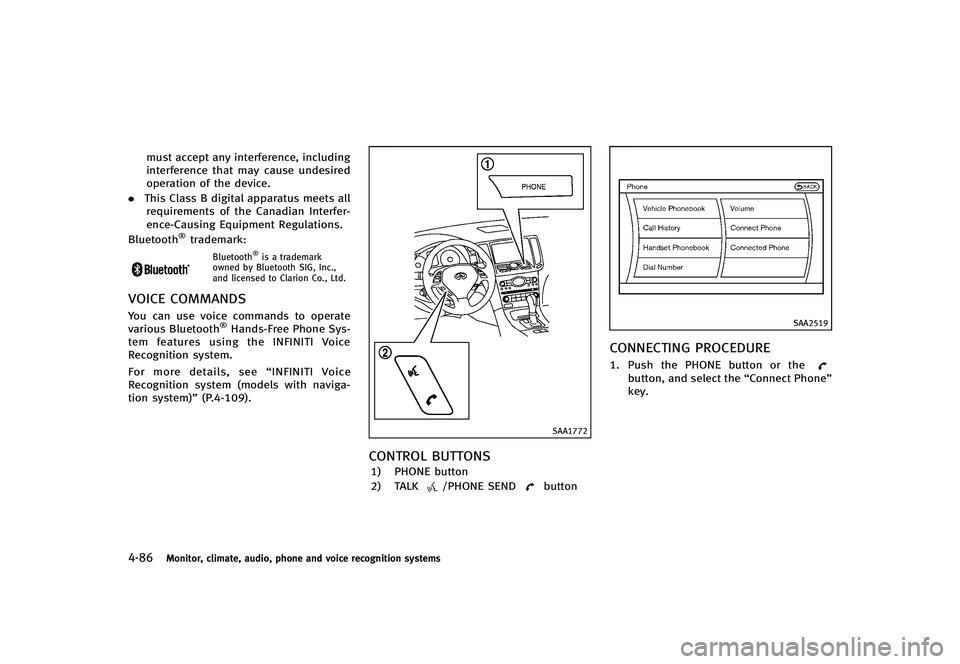
CONTROL BUTTONSGUID-9A2102A7-17D2-4755-9737-48B79FE304CF1) PHONE button
2) TALK
/PHONE SENDbutton
SAA2519
CONNECTING PROCEDUREGUID-BD09BFCF-4978-4D38-9EC6-8162B50C45771. Push the PHONE button or thebutton, and select the “Connect Phone”
key.
Page 263 of 474
4-92Monitor, climate, audio, phone and voice recognition systems
.Cancel Mute
This will appear after “Mute”is se-
lected. Mute will be canceled.
. Switch Call*
Select “Switch Call” to answer another
incoming call. By selecting “Hang up”,
you can end a call and can speak to a
caller who is on hold again.
* This function may not be usable,
depending on the model of phone.
To adjust the person’s voice to be louder or
quieter, push the volume control switch (+
or −) on the steering wheel or turn the
volume control knob on the instrument
panel while talking on the phone. This
adjustment is also available in the SETTING
mode.
SAA2527
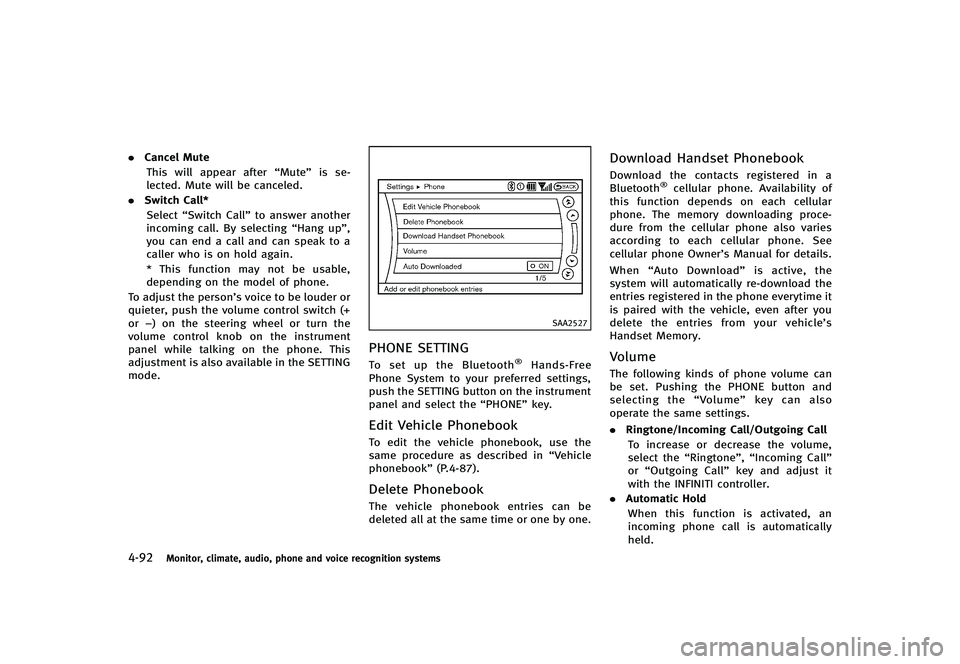
PHONE SETTINGGUID-80DC1FC4-D007-45DA-BAF0-50862EAE724DTo set up the Bluetooth®Hands-Free
Phone System to your preferred settings,
push the SETTING button on the instrument
panel and select the “PHONE”key.
Edit Vehicle PhonebookGUID-67B1F8E3-A0BE-447A-A9A8-CBC053D76963To edit the vehicle phonebook, use the
same procedure as described in “Vehicle
phonebook” (P.4-87).
Delete PhonebookGUID-81DB7F38-3113-443F-8CA4-483AF86A4270The vehicle phonebook entries can be
deleted all at the same time or one by one.
Download Handset PhonebookGUID-FA84E3FC-F220-4FAC-A5FF-7505AE221355Download the contacts registered in a
Bluetooth®cellular phone. Availability of
this function depends on each cellular
phone. The memory downloading proce-
dure from the cellular phone also varies
according to each cellular phone. See
cellular phone Owner’s Manual for details.
When “Auto Download” is active, the
system will automatically re-download the
entries registered in the phone everytime it
is paired with the vehicle, even after you
delete the entries from your vehicle’s
Handset Memory.
VolumeGUID-F6DB6527-30A1-4217-A776-BB3224CBBEA4The following kinds of phone volume can
be set. Pushing the PHONE button and
selecting the “Volume”key can also
operate the same settings.
. Ringtone/Incoming Call/Outgoing Call
To increase or decrease the volume,
select the “Ringtone”, “Incoming Call”
or “Outgoing Call” key and adjust it
with the INFINITI controller.
. Automatic Hold
When this function is activated, an
incoming phone call is automatically
held.
Page 268 of 474
Bluetooth trademark:
Bluetooth®is a trademark
owned by Bluetooth SIG, Inc.,
and licensed to Visteon Cor-
poration.
SAA1582
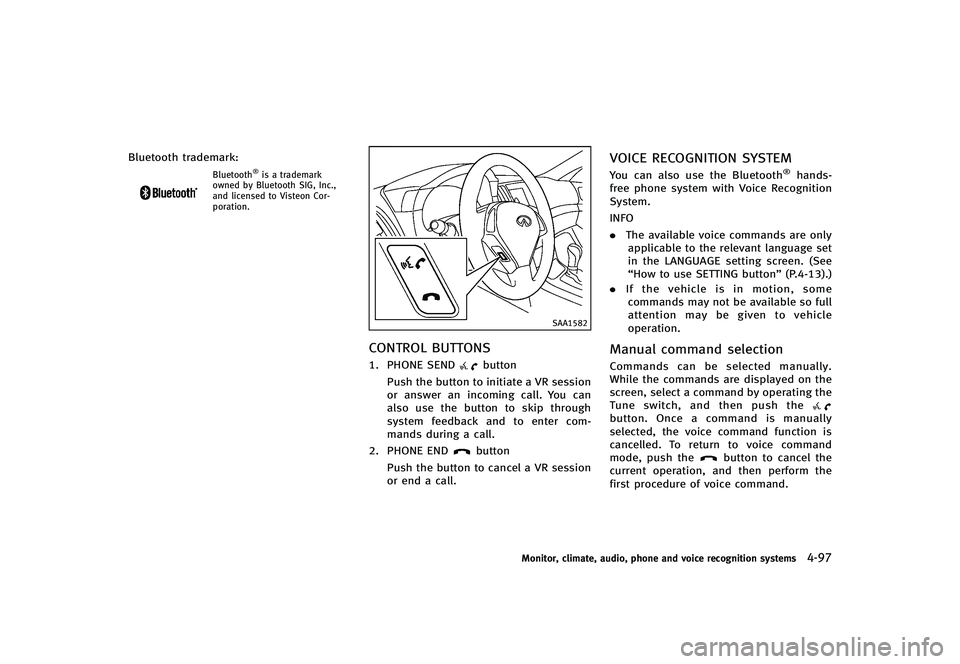
CONTROL BUTTONSGUID-84C9970D-5F6C-4897-8C6E-32EE2D139C791. PHONE SENDbutton
Push the button to initiate a VR session
or answer an incoming call. You can
also use the button to skip through
system feedback and to enter com-
mands during a call.
2. PHONE END
button
Push the button to cancel a VR session
or end a call.
VOICE RECOGNITION SYSTEMGUID-D7B0A866-14CF-41F9-9D8B-9F2D181C2EA4You can also use the Bluetooth®hands-
free phone system with Voice Recognition
System.
INFO
. The available voice commands are only
applicable to the relevant language set
in the LANGUAGE setting screen. (See
“How to use SETTING button” (P.4-13).)
. If the vehicle is in motion, some
commands may not be available so full
attention may be given to vehicle
operation.
Manual command selectionGUID-844DC55C-C8D4-48BE-AF80-91056FE4348CCommands can be selected manually.
While the commands are displayed on the
screen, select a command by operating the
Tune switch, and then push the
button. Once a command is manually
selected, the voice command function is
cancelled. To return to voice command
mode, push the
button to cancel the
current operation, and then perform the
first procedure of voice command.
Monitor, climate, audio, phone and voice recognition systems4-97
Page 270 of 474
SAA2574
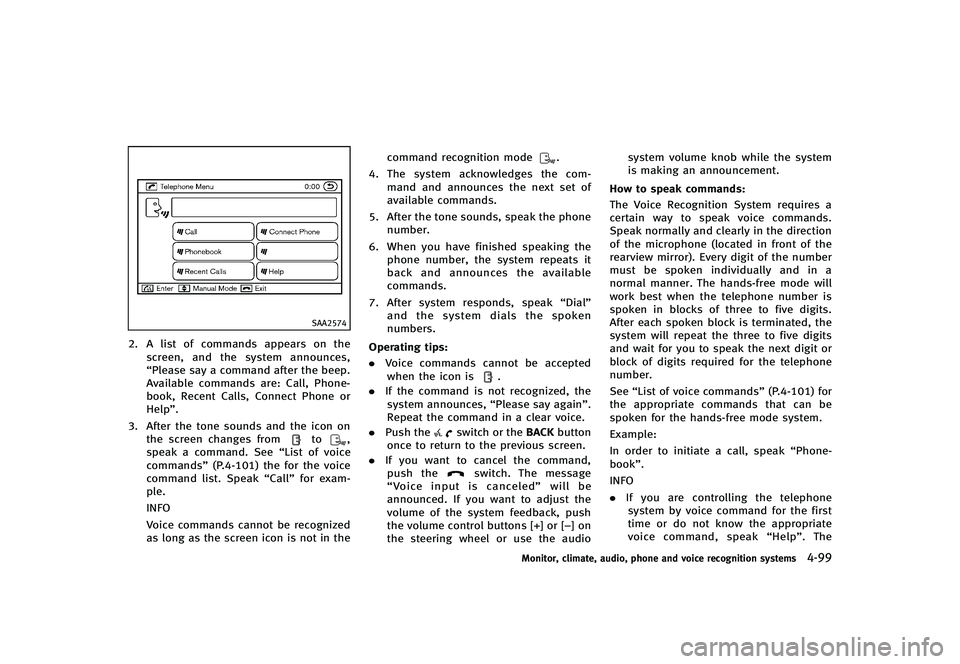
2. A list of commands appears on thescreen, and the system announces,
“Please say a command after the beep.
Available commands are: Call, Phone-
book, Recent Calls, Connect Phone or
Help”.
3. After the tone sounds and the icon on the screen changes from
to,
speak a command. See “List of voice
commands” (P.4-101) the for the voice
command list. Speak “Call”for exam-
ple.
INFO
Voice commands cannot be recognized
as long as the screen icon is not in the command recognition mode
.
4. The system acknowledges the com-
mand and announces the next set of
available commands.
5. After the tone sounds, speak the phone number.
6. When you have finished speaking the phone number, the system repeats it
back and announces the available
commands.
7. After system responds, speak “Dial”
and the system dials the spoken
numbers.
Operating tips:
GUID-D73A39BF-43C8-459F-9C24-47B7F579C407. Voice commands cannot be accepted
when the icon is.
. If the command is not recognized, the
system announces, “Please say again”.
Repeat the command in a clear voice.
. Push the
switch or the BACKbutton
once to return to the previous screen.
. If you want to cancel the command,
push the
switch. The message
“Voice input is canceled” will be
announced. If you want to adjust the
volume of the system feedback, push
the volume control buttons [+] or [−] on
the steering wheel or use the audio system volume knob while the system
is making an announcement.
How to speak commands:
GUID-D73A39BF-43C8-459F-9C24-47B7F579C407The Voice Recognition System requires a
certain way to speak voice commands.
Speak normally and clearly in the direction
of the microphone (located in front of the
rearview mirror). Every digit of the number
must be spoken individually and in a
normal manner. The hands-free mode will
work best when the telephone number is
spoken in blocks of three to five digits.
After each spoken block is terminated, the
system will repeat the three to five digits
and wait for you to speak the next digit or
block of digits required for the telephone
number.
See “List of voice commands” (P.4-101) for
the appropriate commands that can be
spoken for the hands-free mode system.
Example:
In order to initiate a call, speak “Phone-
book”.
INFO
. If you are controlling the telephone
system by voice command for the first
time or do not know the appropriate
voice command, speak “Help”. The
Monitor, climate, audio, phone and voice recognition systems4-99
Page 282 of 474
SAA2531
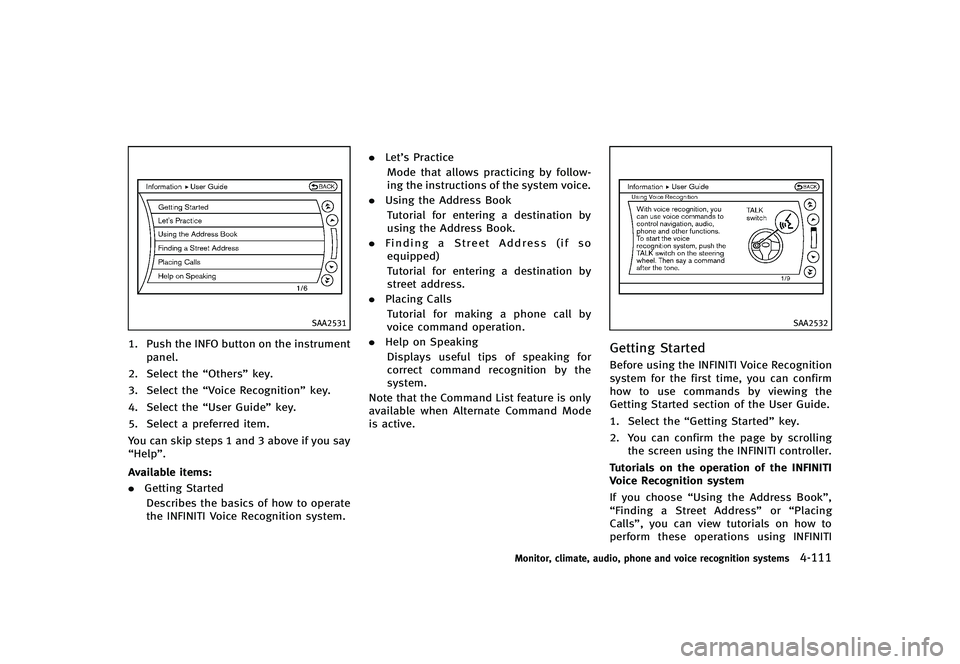
1. Push the INFO button on the instrumentpanel.
2. Select the “Others”key.
3. Select the “Voice Recognition” key.
4. Select the “User Guide”key.
5. Select a preferred item.
You can skip steps 1 and 3 above if you say
“Help”.
Available items:
GUID-D73A39BF-43C8-459F-9C24-47B7F579C407. Getting Started
Describes the basics of how to operate
the INFINITI Voice Recognition system. .
Let’s Practice
Mode that allows practicing by follow-
ing the instructions of the system voice.
. Using the Address Book
Tutorial for entering a destination by
using the Address Book.
. Finding a Street Address (if so
equipped)
Tutorial for entering a destination by
street address.
. Placing Calls
Tutorial for making a phone call by
voice command operation.
. Help on Speaking
Displays useful tips of speaking for
correct command recognition by the
system.
Note that the Command List feature is only
available when Alternate Command Mode
is active.
SAA2532
Getting StartedGUID-67519398-8ADE-4D52-BDB7-47FE2C30C9E0Before using the INFINITI Voice Recognition
system for the first time, you can confirm
how to use commands by viewing the
Getting Started section of the User Guide.
1. Select the “Getting Started” key.
2. You can confirm the page by scrolling the screen using the INFINITI controller.
Tutorials on the operation of the INFINITI
Voice Recognition system
If you choose “Using the Address Book”,
“Finding a Street Address” or“Placing
Calls”, you can view tutorials on how to
perform these operations using INFINITI
Monitor, climate, audio, phone and voice recognition systems4-111
Page 285 of 474
4-114Monitor, climate, audio, phone and voice recognition systems
SAA2535
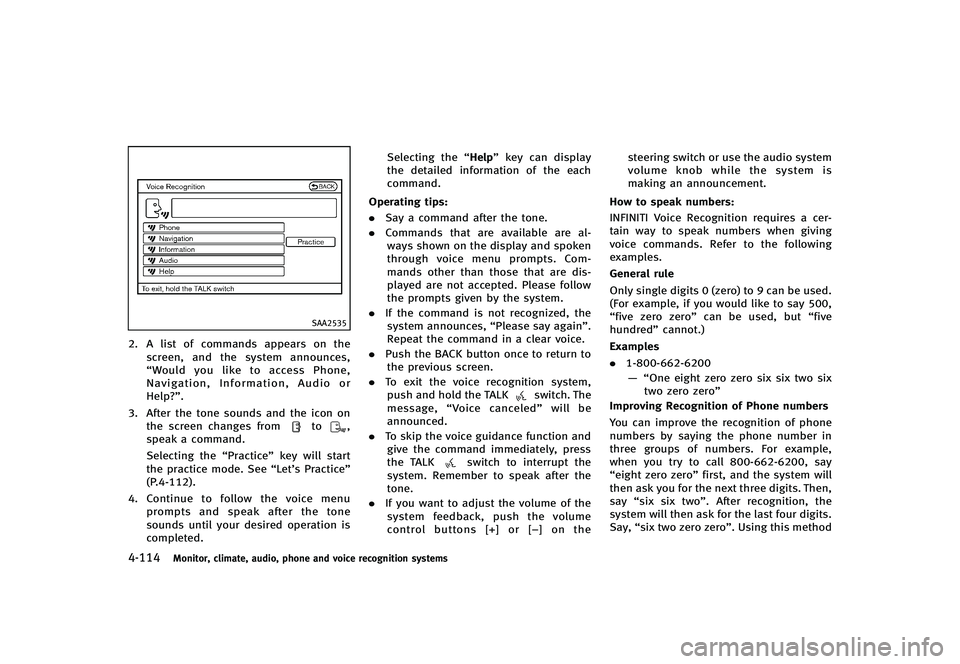
2. A list of commands appears on thescreen, and the system announces,
“Would you like to access Phone,
Navigation, Information, Audio or
Help?”.
3. After the tone sounds and the icon on the screen changes from
to,
speak a command.
Selecting the “Practice”key will start
the practice mode. See “Let’s Practice”
(P.4-112).
4. Continue to follow the voice menu
prompts and speak after the tone
sounds until your desired operation is
completed. Selecting the
“Help”key can display
the detailed information of the each
command.
Operating tips:
GUID-D73A39BF-43C8-459F-9C24-47B7F579C407. Say a command after the tone.
. Commands that are available are al-
ways shown on the display and spoken
through voice menu prompts. Com-
mands other than those that are dis-
played are not accepted. Please follow
the prompts given by the system.
. If the command is not recognized, the
system announces, “Please say again”.
Repeat the command in a clear voice.
. Push the BACK button once to return to
the previous screen.
. To exit the voice recognition system,
push and hold the TALK
switch. The
message, “Voice canceled” will be
announced.
. To skip the voice guidance function and
give the command immediately, press
the TALK
switch to interrupt the
system. Remember to speak after the
tone.
. If you want to adjust the volume of the
system feedback, push the volume
control buttons [+] or [−] on the steering switch or use the audio system
volume knob while the system is
making an announcement.
How to speak numbers:
GUID-D73A39BF-43C8-459F-9C24-47B7F579C407INFINITI Voice Recognition requires a cer-
tain way to speak numbers when giving
voice commands. Refer to the following
examples.
General rule
Only single digits 0 (zero) to 9 can be used.
(For example, if you would like to say 500,
“five zero zero” can be used, but “five
hundred” cannot.)
Examples
. 1-800-662-6200
— “One eight zero zero six six two six two zero zero”
Improving Recognition of Phone numbers
You can improve the recognition of phone
numbers by saying the phone number in
three groups of numbers. For example,
when you try to call 800-662-6200, say
“eight zero zero” first, and the system will
then ask you for the next three digits. Then,
say “six six two”. After recognition, the
system will then ask for the last four digits.
Say, “six two zero zero”. Using this method
Page 291 of 474
4-120Monitor, climate, audio, phone and voice recognition systems
SAA2536
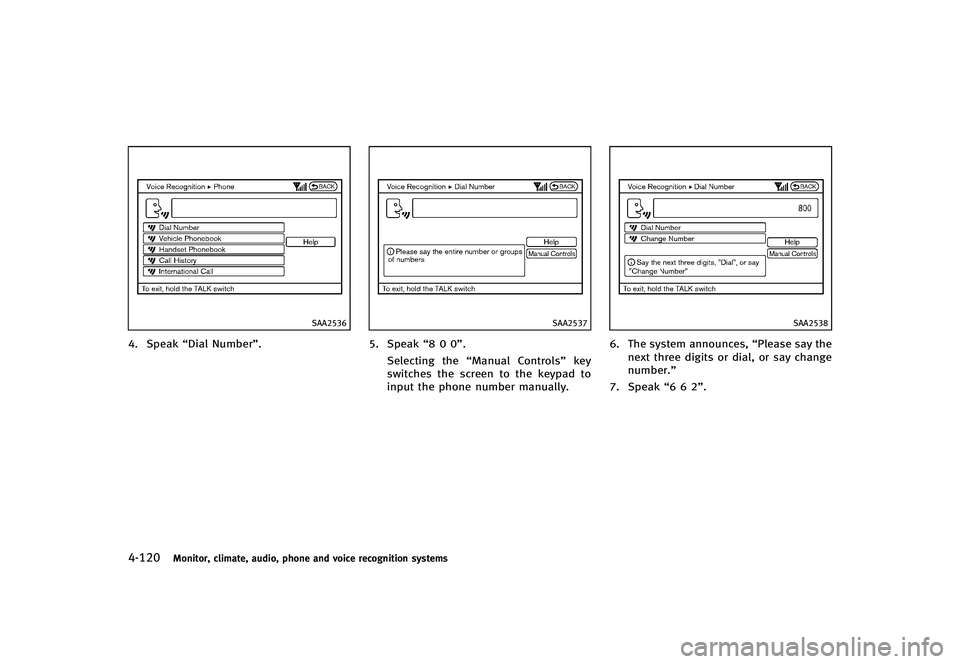
4. Speak“Dial Number”.
SAA2537
5. Speak“8 0 0”.
Selecting the “Manual Controls” key
switches the screen to the keypad to
input the phone number manually.
SAA2538
6. The system announces, “Please say the
next three digits or dial, or say change
number.”
7. Speak “6 6 2”.
Page 295 of 474
4-124Monitor, climate, audio, phone and voice recognition systems
SAA2529
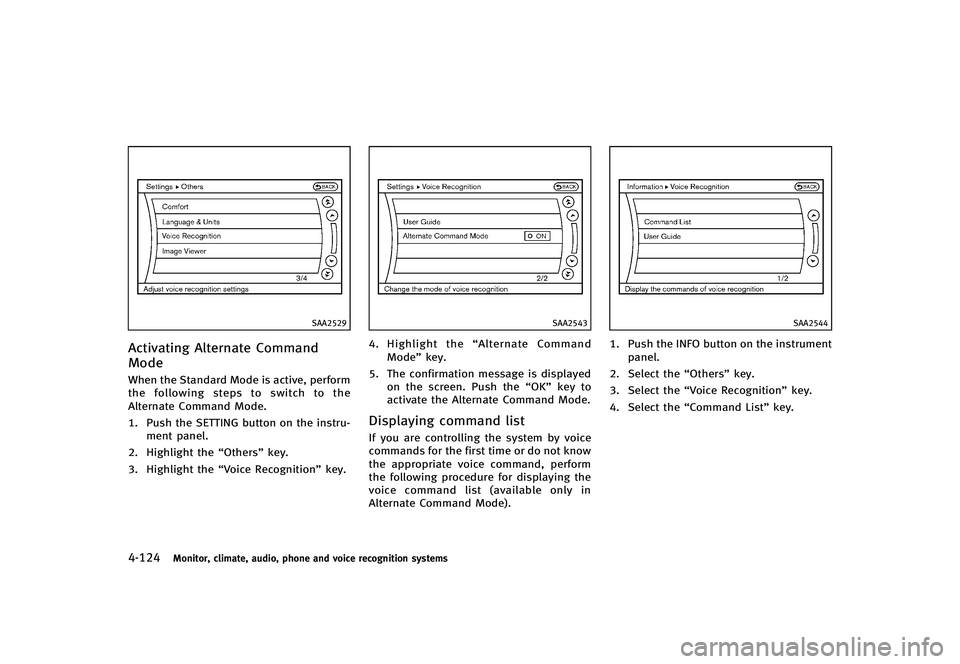
Activating Alternate Command
Mode
GUID-2B25F285-CF85-4E62-BCB5-0B31E3C1ACDCWhen the Standard Mode is active, perform
the following steps to switch to the
Alternate Command Mode.
1. Push the SETTING button on the instru-ment panel.
2. Highlight the “Others”key.
3. Highlight the “Voice Recognition” key.
SAA2543
4.Highlight the “Alternate Command
Mode” key.
5. The confirmation message is displayed on the screen. Push the “OK”key to
activate the Alternate Command Mode.
Displaying command listGUID-3C8E4B44-5BF9-4C25-8E08-5958E9F3C249If you are controlling the system by voice
commands for the first time or do not know
the appropriate voice command, perform
the following procedure for displaying the
voice command list (available only in
Alternate Command Mode).
SAA2544
1. Push the INFO button on the instrument
panel.
2. Select the “Others”key.
3. Select the “Voice Recognition” key.
4. Select the “Command List” key.
Page 296 of 474
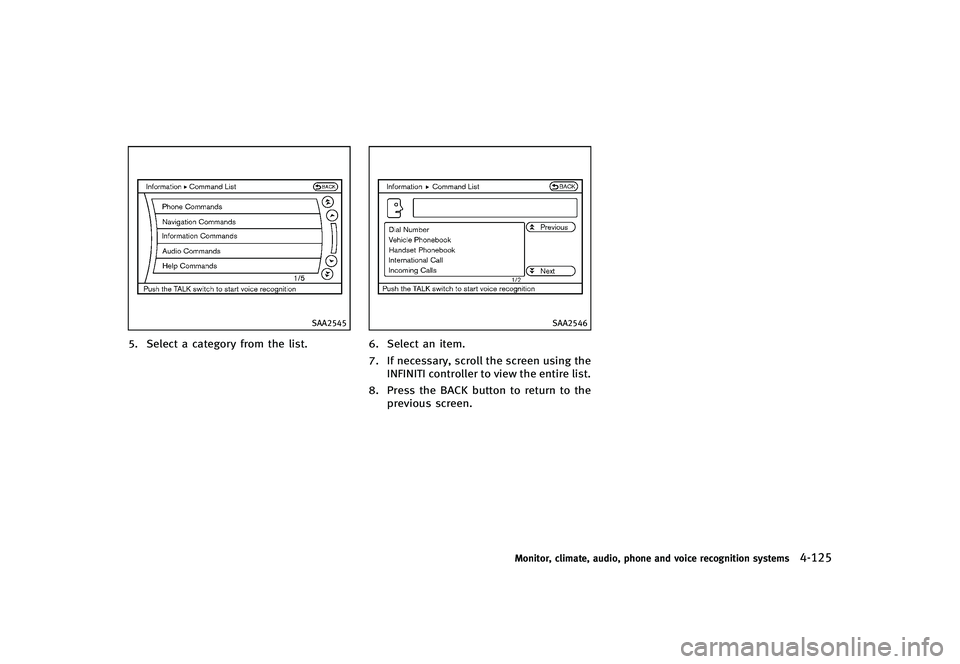
SAA2545
5. Select a category from the list.
SAA2546
6. Select an item.
7. If necessary, scroll the screen using theINFINITI controller to view the entire list.
8. Press the BACK button to return to the previous screen.
Monitor, climate, audio, phone and voice recognition systems4-125
Page 303 of 474
4-132Monitor, climate, audio, phone and voice recognition systems
SAA2547
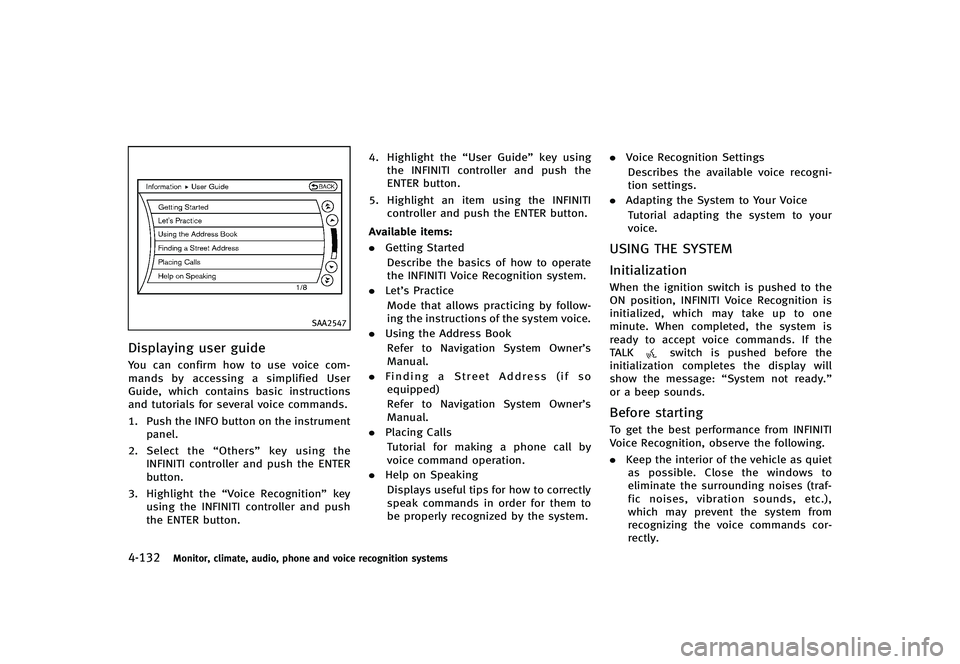
Displaying user guideGUID-DE666349-171C-49D1-9557-1B11049F753AYou can confirm how to use voice com-
mands by accessing a simplified User
Guide, which contains basic instructions
and tutorials for several voice commands.
1. Push the INFO button on the instrumentpanel.
2. Select the “Others”key using the
INFINITI controller and push the ENTER
button.
3. Highlight the “Voice Recognition” key
using the INFINITI controller and push
the ENTER button. 4. Highlight the
“User Guide”key using
the INFINITI controller and push the
ENTER button.
5. Highlight an item using the INFINITI controller and push the ENTER button.
Available items:
GUID-D73A39BF-43C8-459F-9C24-47B7F579C407. Getting Started
Describe the basics of how to operate
the INFINITI Voice Recognition system.
. Let’s Practice
Mode that allows practicing by follow-
ing the instructions of the system voice.
. Using the Address Book
Refer to Navigation System Owner’s
Manual.
. Finding a Street Address (if so
equipped)
Refer to Navigation System Owner’s
Manual.
. Placing Calls
Tutorial for making a phone call by
voice command operation.
. Help on Speaking
Displays useful tips for how to correctly
speak commands in order for them to
be properly recognized by the system. .
Voice Recognition Settings
Describes the available voice recogni-
tion settings.
. Adapting the System to Your Voice
Tutorial adapting the system to your
voice.USING THE SYSTEMGUID-C7E3CE61-A7AB-4F2C-8CB9-0D65E56C8603
InitializationGUID-8A25D678-EC6E-4AAD-BA5D-DB192E27BC54When the ignition switch is pushed to the
ON position, INFINITI Voice Recognition is
initialized, which may take up to one
minute. When completed, the system is
ready to accept voice commands. If the
TALK
switch is pushed before the
initialization completes the display will
show the message: “System not ready.”
or a beep sounds.
Before startingGUID-20A65AAB-2248-4918-8CF5-2399333FF512To get the best performance from INFINITI
Voice Recognition, observe the following.
. Keep the interior of the vehicle as quiet
as possible. Close the windows to
eliminate the surrounding noises (traf-
fic noises, vibration sounds, etc.),
which may prevent the system from
recognizing the voice commands cor-
rectly.