wheel INFINITI G-COUPE 2012 Owner's Guide
[x] Cancel search | Manufacturer: INFINITI, Model Year: 2012, Model line: G-COUPE, Model: INFINITI G-COUPE 2012Pages: 490, PDF Size: 3.73 MB
Page 274 of 490
SAA2523
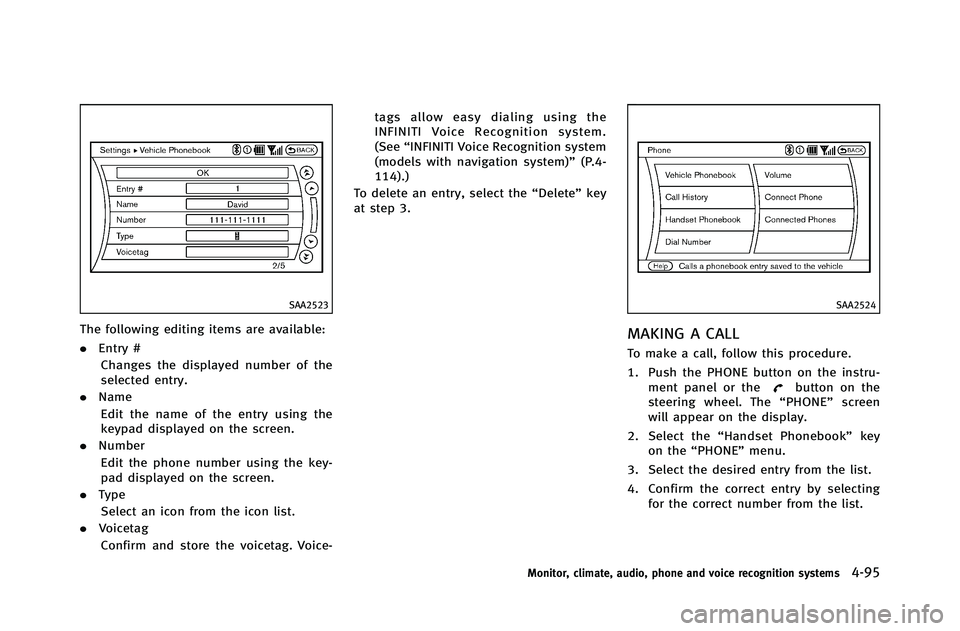
The following editing items are available:
.Entry #
Changes the displayed number of the
selected entry.
. Name
Edit the name of the entry using the
keypad displayed on the screen.
. Number
Edit the phone number using the key-
pad displayed on the screen.
. Type
Select an icon from the icon list.
. Voicetag
Confirm and store the voicetag. Voice- tags allow easy dialing using the
INFINITI Voice Recognition system.
(See
“INFINITI Voice Recognition system
(models with navigation system)” (P.4-
114).)
To delete an entry, select the “Delete”key
at step 3.
SAA2524
MAKING A CALL
To make a call, follow this procedure.
1. Push the PHONE button on the instru- ment panel or the
button on the
steering wheel. The “PHONE”screen
will appear on the display.
2. Select the “Handset Phonebook” key
on the “PHONE” menu.
3. Select the desired entry from the list.
4. Confirm the correct entry by selecting for the correct number from the list.
Monitor, climate, audio, phone and voice recognition systems4-95
Page 275 of 490
4-96Monitor, climate, audio, phone and voice recognition systems
SAA2621
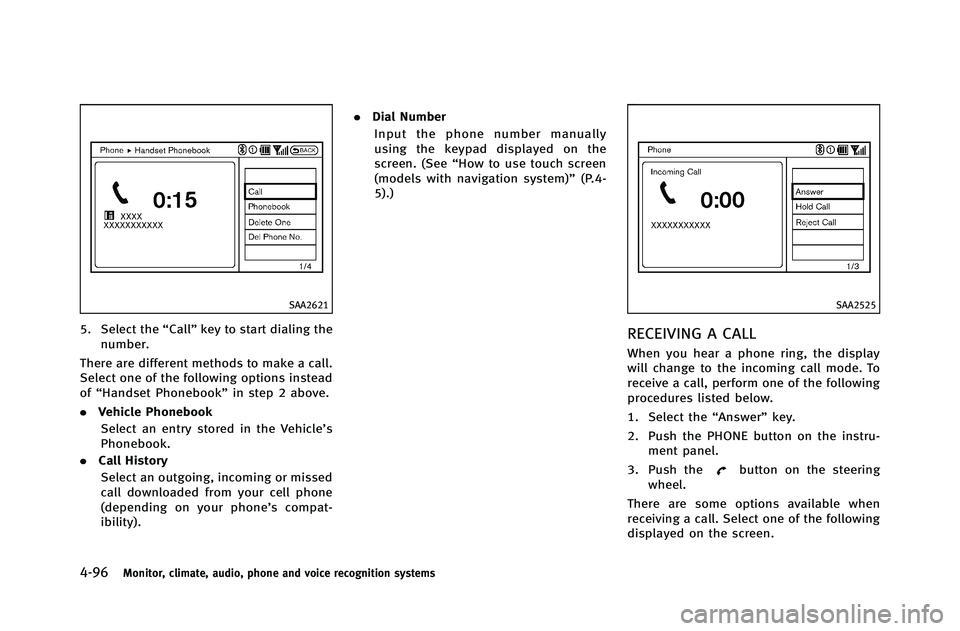
5. Select the“Call”key to start dialing the
number.
There are different methods to make a call.
Select one of the following options instead
of “Handset Phonebook” in step 2 above.
. Vehicle Phonebook
Select an entry stored in the Vehicle’s
Phonebook.
. Call History
Select an outgoing, incoming or missed
call downloaded from your cell phone
(depending on your phone’s compat-
ibility). .
Dial Number
Input the phone number manually
using the keypad displayed on the
screen. (See “How to use touch screen
(models with navigation system)” (P.4-
5).)
SAA2525
RECEIVING A CALL
When you hear a phone ring, the display
will change to the incoming call mode. To
receive a call, perform one of the following
procedures listed below.
1. Select the “Answer”key.
2. Push the PHONE button on the instru- ment panel.
3. Push the
button on the steering
wheel.
There are some options available when
receiving a call. Select one of the following
displayed on the screen.
Page 276 of 490
.Answer
Accept an incoming call to talk.
. Hold Call
Put an incoming call on hold.
. Reject Call
Reject an incoming call.
To finish the call, perform one of the
following procedures listed below.
1. Select the “Hang up”key.
2. Push the PHONE button on the instru- ment panel.
3. Push the
button on the steering
wheel.SAA3587
DURING A CALL
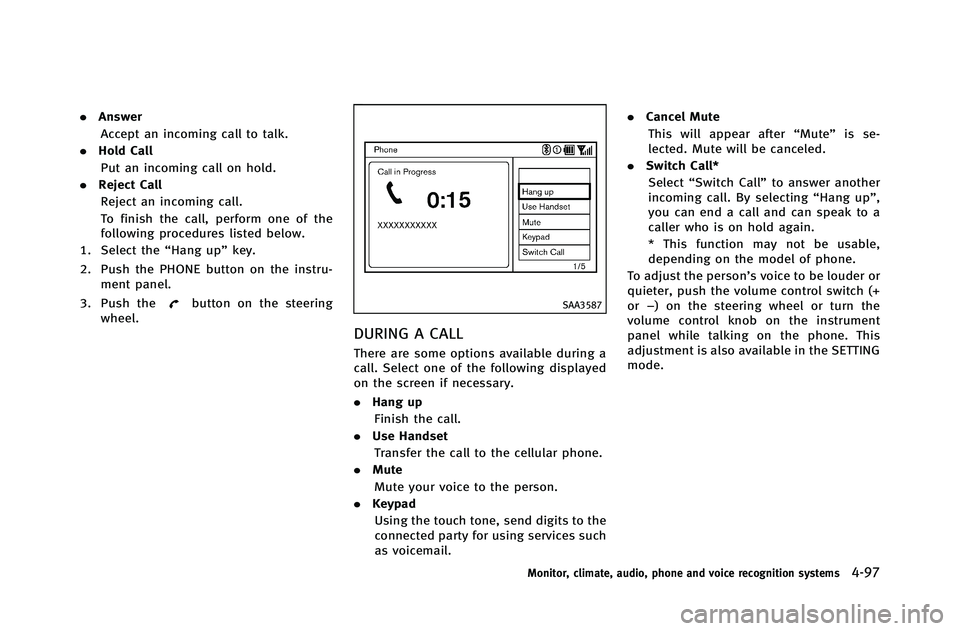
There are some options available during a
call. Select one of the following displayed
on the screen if necessary.
. Hang up
Finish the call.
. Use Handset
Transfer the call to the cellular phone.
. Mute
Mute your voice to the person.
. Keypad
Using the touch tone, send digits to the
connected party for using services such
as voicemail. .
Cancel Mute
This will appear after “Mute”is se-
lected. Mute will be canceled.
. Switch Call*
Select “Switch Call” to answer another
incoming call. By selecting “Hang up”,
you can end a call and can speak to a
caller who is on hold again.
* This function may not be usable,
depending on the model of phone.
To adjust the person’s voice to be louder or
quieter, push the volume control switch (+
or −) on the steering wheel or turn the
volume control knob on the instrument
panel while talking on the phone. This
adjustment is also available in the SETTING
mode.
Monitor, climate, audio, phone and voice recognition systems4-97
Page 281 of 490
4-102Monitor, climate, audio, phone and voice recognition systems
Bluetooth trademark:
Bluetooth®is a trademark
owned by Bluetooth SIG, Inc.,
and licensed to Visteon Cor-
poration.
SAA1582
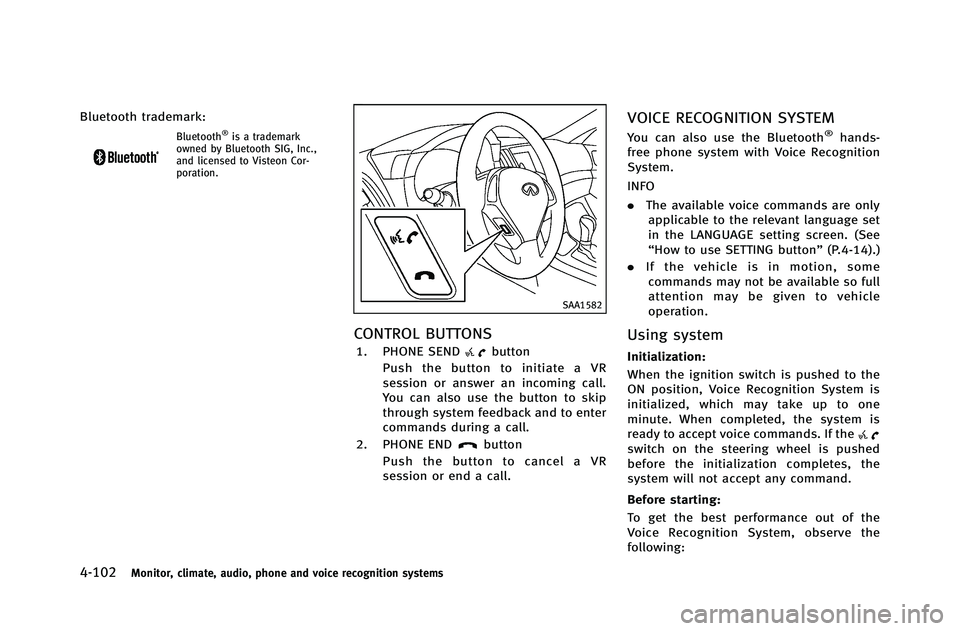
CONTROL BUTTONS
1. PHONE SENDbutton
Push the button to initiate a VR
session or answer an incoming call.
You can also use the button to skip
through system feedback and to enter
commands during a call.
2. PHONE END
button
Push the button to cancel a VR
session or end a call.
VOICE RECOGNITION SYSTEM
You can also use the Bluetooth®hands-
free phone system with Voice Recognition
System.
INFO
. The available voice commands are only
applicable to the relevant language set
in the LANGUAGE setting screen. (See
“How to use SETTING button” (P.4-14).)
. If the vehicle is in motion, some
commands may not be available so full
attention may be given to vehicle
operation.
Using system
Initialization:
When the ignition switch is pushed to the
ON position, Voice Recognition System is
initialized, which may take up to one
minute. When completed, the system is
ready to accept voice commands. If the
switch on the steering wheel is pushed
before the initialization completes, the
system will not accept any command.
Before starting:
To get the best performance out of the
Voice Recognition System, observe the
following:
Page 282 of 490
.Keep the interior of the vehicle as quiet
as possible. Close the windows to
eliminate the surrounding noises (traf-
fic noises, vibration sounds, etc.),
which may prevent the system from
recognizing the voice commands cor-
rectly.
. Wait until a tone sounds before speak-
ing a command.
. Speak a voice command within 5
seconds after the beep sound. If no
voice command is given, the system
will ask you for a number. If no further
command is given, the session ends.
. Speak in a natural voice without paus-
ing between words.
SAA2643
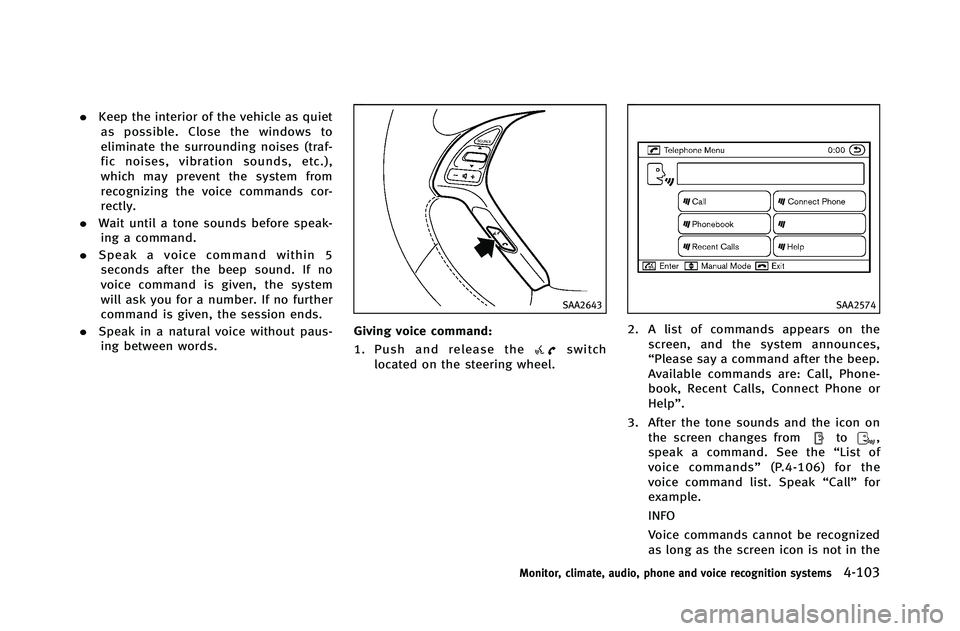
Giving voice command:
1. Push and release the
switch
located on the steering wheel.
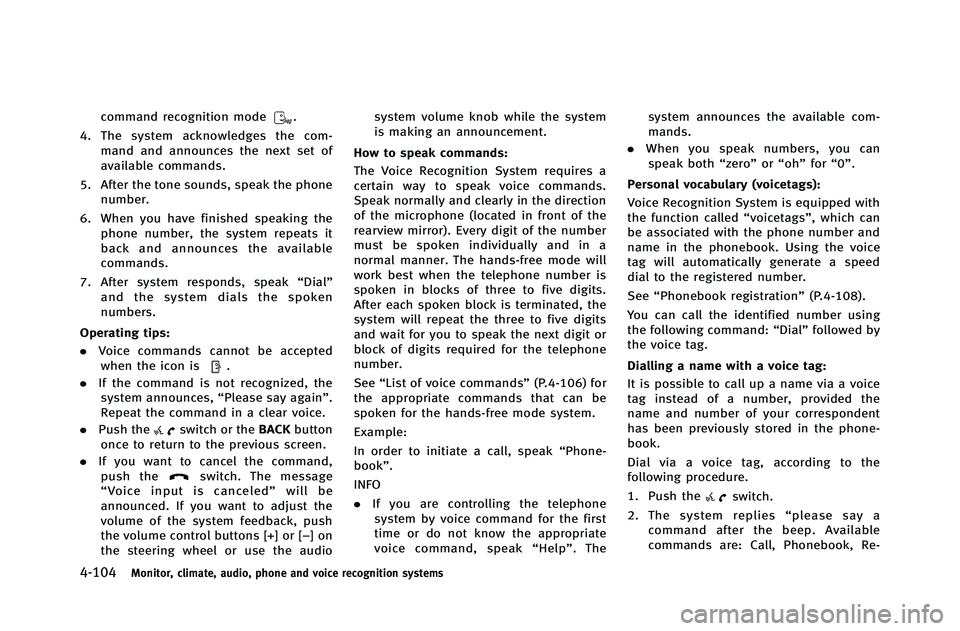
SAA2574
2. A list of commands appears on the screen, and the system announces,
“Please say a command after the beep.
Available commands are: Call, Phone-
book, Recent Calls, Connect Phone or
Help”.
3. After the tone sounds and the icon on the screen changes from
to,
speak a command. See the “List of
voice commands” (P.4-106) for the
voice command list. Speak “Call”for
example.
INFO
Voice commands cannot be recognized
as long as the screen icon is not in the
Monitor, climate, audio, phone and voice recognition systems4-103
Page 283 of 490
4-104Monitor, climate, audio, phone and voice recognition systems
command recognition mode.
4. The system acknowledges the com- mand and announces the next set of
available commands.
5. After the tone sounds, speak the phone number.
6. When you have finished speaking the phone number, the system repeats it
back and announces the available
commands.
7. After system responds, speak “Dial”
and the system dials the spoken
numbers.
Operating tips:
. Voice commands cannot be accepted
when the icon is
.
. If the command is not recognized, the
system announces, “Please say again”.
Repeat the command in a clear voice.
. Push the
switch or the BACKbutton
once to return to the previous screen.
. If you want to cancel the command,
push the
switch. The message
“ Voice input is canceled” will be
announced. If you want to adjust the
volume of the system feedback, push
the volume control buttons [+] or [−]on
the steering wheel or use the audio system volume knob while the system
is making an announcement.
How to speak commands:
The Voice Recognition System requires a
certain way to speak voice commands.
Speak normally and clearly in the direction
of the microphone (located in front of the
rearview mirror). Every digit of the number
must be spoken individually and in a
normal manner. The hands-free mode will
work best when the telephone number is
spoken in blocks of three to five digits.
After each spoken block is terminated, the
system will repeat the three to five digits
and wait for you to speak the next digit or
block of digits required for the telephone
number.
See “List of voice commands” (P.4-106) for
the appropriate commands that can be
spoken for the hands-free mode system.
Example:
In order to initiate a call, speak “Phone-
book”.
INFO
. If you are controlling the telephone
system by voice command for the first
time or do not know the appropriate
voice command, speak “Help” . The system announces the available com-
mands.
. When you speak numbers, you can
speak both “zero”or“oh” for“0”.
Personal vocabulary (voicetags): Voice Recognition System is equipped with
the function called “voicetags”, which can
be associated with the phone number and
name in the phonebook. Using the voice
tag will automatically generate a speed
dial to the registered number.
See “Phonebook registration” (P.4-108).
You can call the identified number using
the following command: “Dial”followed by
the voice tag.
Dialling a name with a voice tag:
It is possible to call up a name via a voice
tag instead of a number, provided the
name and number of your correspondent
has been previously stored in the phone-
book.
Dial via a voice tag, according to the
following procedure.
1. Push the
switch.
2. The system replies “please say a
command after the beep. Available
commands are: Call, Phonebook, Re-
Page 286 of 490
SAA2575
PAIRING PROCEDURE
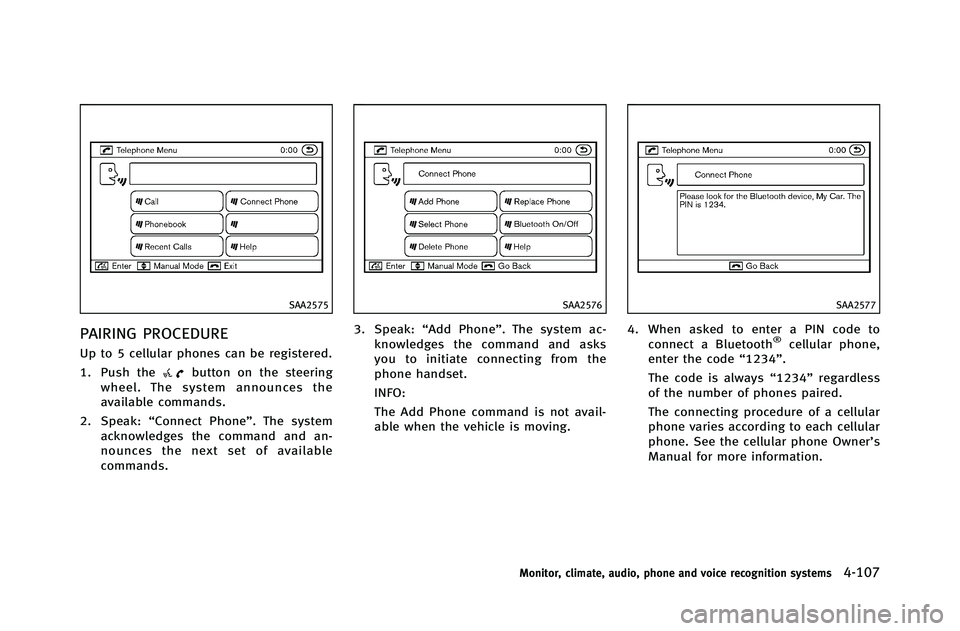
Up to 5 cellular phones can be registered.
1. Push the
button on the steering
wheel. The system announces the
available commands.
2. Speak: “Connect Phone”. The system
acknowledges the command and an-
nounces the next set of available
commands.
SAA2576
3. Speak: “Add Phone”. The system ac-
knowledges the command and asks
you to initiate connecting from the
phone handset.
INFO:
The Add Phone command is not avail-
able when the vehicle is moving.
SAA2577
4. When asked to enter a PIN code to connect a Bluetooth®cellular phone,
enter the code “1234”.
The code is always “1234”regardless
of the number of phones paired.
The connecting procedure of a cellular
phone varies according to each cellular
phone. See the cellular phone Owner’s
Manual for more information.
Monitor, climate, audio, phone and voice recognition systems4-107
Page 288 of 490
SAA2580
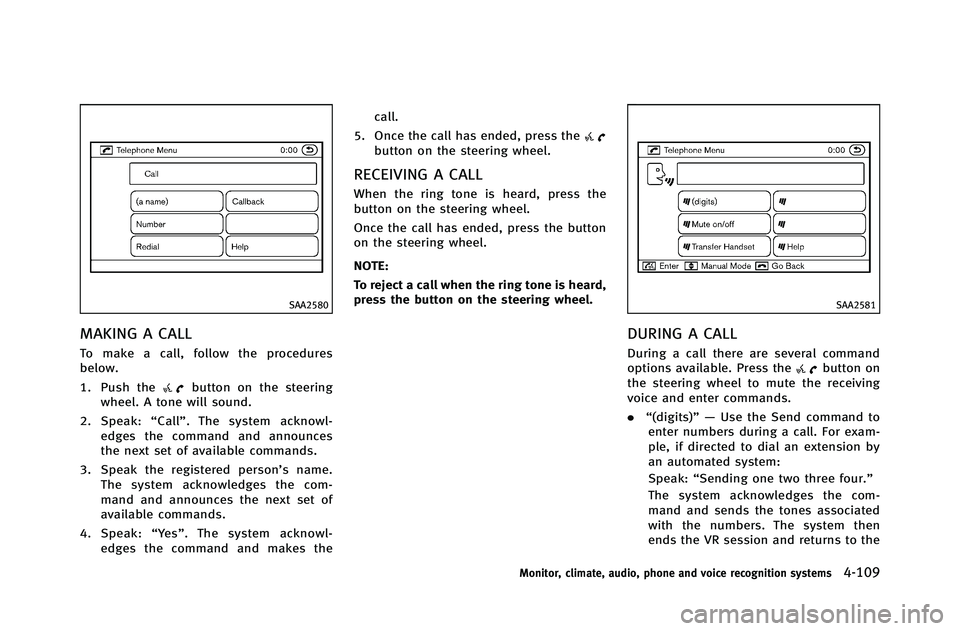
MAKING A CALL
To make a call, follow the procedures
below.
1. Push the
button on the steering
wheel. A tone will sound.
2. Speak: “Call” . The system acknowl-
edges the command and announces
the next set of available commands.
3. Speak the registered person’s name. The system acknowledges the com-
mand and announces the next set of
available commands.
4. Speak: “Ye s ”. The system acknowl-
edges the command and makes the call.
5. Once the call has ended, press the
button on the steering wheel.
RECEIVING A CALL
When the ring tone is heard, press the
button on the steering wheel.
Once the call has ended, press the button
on the steering wheel.
NOTE:
To reject a call when the ring tone is heard,
press the button on the steering wheel.
SAA2581
DURING A CALL
During a call there are several command
options available. Press thebutton on
the steering wheel to mute the receiving
voice and enter commands.
. “(digits)”— Use the Send command to
enter numbers during a call. For exam-
ple, if directed to dial an extension by
an automated system:
Speak: “Sending one two three four.”
The system acknowledges the com-
mand and sends the tones associated
with the numbers. The system then
ends the VR session and returns to the
Monitor, climate, audio, phone and voice recognition systems4-109
Page 290 of 490
SAA2583
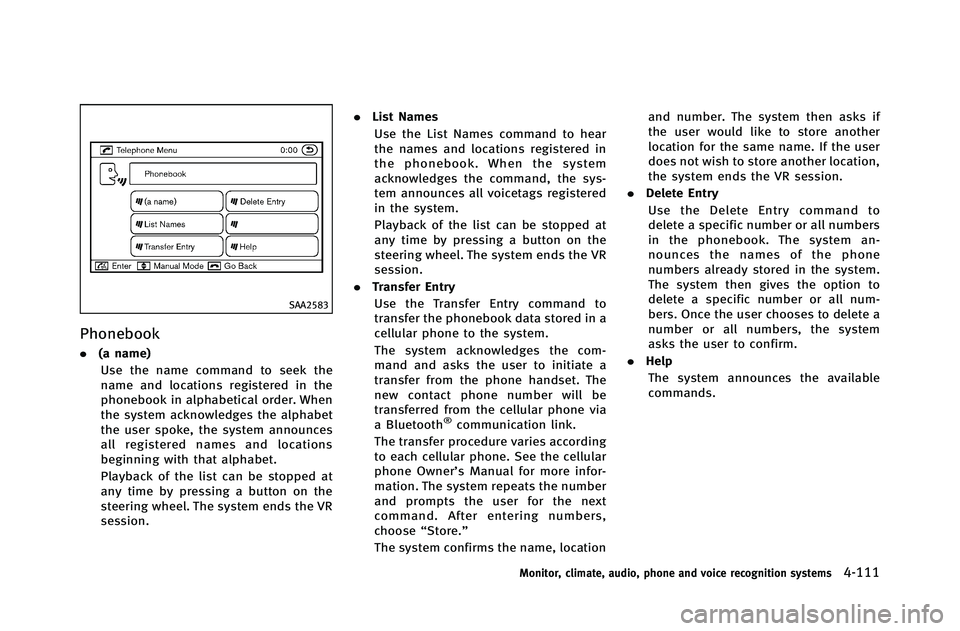
Phonebook
.(a name)
Use the name command to seek the
name and locations registered in the
phonebook in alphabetical order. When
the system acknowledges the alphabet
the user spoke, the system announces
all registered names and locations
beginning with that alphabet.
Playback of the list can be stopped at
any time by pressing a button on the
steering wheel. The system ends the VR
session. .
List Names
Use the List Names command to hear
the names and locations registered in
the phonebook. When the system
acknowledges the command, the sys-
tem announces all voicetags registered
in the system.
Playback of the list can be stopped at
any time by pressing a button on the
steering wheel. The system ends the VR
session.
. Transfer Entry
Use the Transfer Entry command to
transfer the phonebook data stored in a
cellular phone to the system.
The system acknowledges the com-
mand and asks the user to initiate a
transfer from the phone handset. The
new contact phone number will be
transferred from the cellular phone via
a Bluetooth
®communication link.
The transfer procedure varies according
to each cellular phone. See the cellular
phone Owner’s Manual for more infor-
mation. The system repeats the number
and prompts the user for the next
command. After entering numbers,
choose “Store.”
The system confirms the name, location and number. The system then asks if
the user would like to store another
location for the same name. If the user
does not wish to store another location,
the system ends the VR session.
. Delete Entry
Use the Delete Entry command to
delete a specific number or all numbers
in the phonebook. The system an-
nounces the names of the phone
numbers already stored in the system.
The system then gives the option to
delete a specific number or all num-
bers. Once the user chooses to delete a
number or all numbers, the system
asks the user to confirm.
. Help
The system announces the available
commands.
Monitor, climate, audio, phone and voice recognition systems4-111
Page 296 of 490
Voice Recognition.
SAA2534
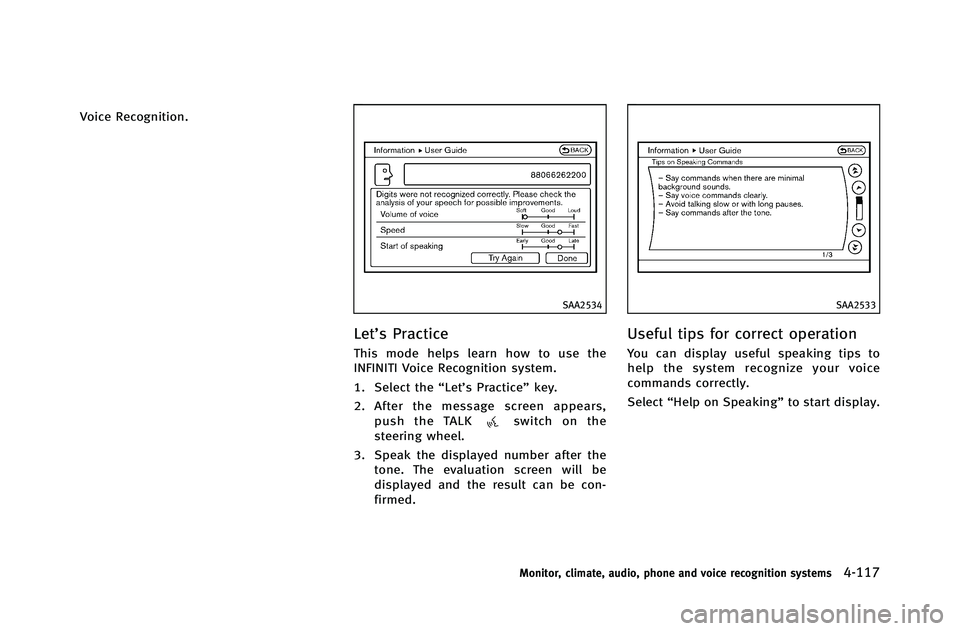
Let’s Practice
This mode helps learn how to use the
INFINITI Voice Recognition system.
1. Select the“Let’s Practice” key.
2. After the message screen appears, push the TALK
switch on the
steering wheel.
3. Speak the displayed number after the tone. The evaluation screen will be
displayed and the result can be con-
firmed.
SAA2533
Useful tips for correct operation
You can display useful speaking tips to
help the system recognize your voice
commands correctly.
Select “Help on Speaking” to start display.
Monitor, climate, audio, phone and voice recognition systems4-117