cruise control INFINITI G COUPE 2013 User Guide
[x] Cancel search | Manufacturer: INFINITI, Model Year: 2013, Model line: G COUPE, Model: INFINITI G COUPE 2013Pages: 490, PDF Size: 7.25 MB
Page 346 of 490
WARNING
.As there is a performance limit to the
distance control function, never rely
solely on the Intelligent Cruise Control
system. This system does not correct
careless, inattentive or absent-minded
driving, or overcome poor visibility in
rain, fog, or other bad weather. Decele-
rate the vehicle speed by depressing the
brake pedal, depending on the distance
to the vehicle ahead and the surround-
ing circumstances in order to maintain a
safe distance between vehicles.
. Although the brake operation is con-
trolled by the system, the system does
not automatically stop the vehicle. If the
vehicle speed falls below approximately
20 MPH (32 km/h), the Intelligent Cruise
Control system is automatically canceled
and a warning chime sounds. (The brake
control is also canceled.) .
The system may not detect the vehicle in
front of you in certain road or weather
conditions. To avoid accidents, never use
the Intelligent Cruise Control system
under the following conditions:
—On roads where the traffic is heavy
or there are sharp curves
—On slippery road surfaces such ason ice or snow, etc.
—During bad weather (rain, fog, snow,
etc.)
When the windshield wiper is oper-
ated at the low speed (LO) or high
speed (HI) position, the Intelligent
Cruise Control system is automati-
cally canceled.
—When strong light (for example, atsunrise or sunset) is directly shining
on the front of the vehicle
—When rain, snow or dirt adhere tothe system sensor
—On steep downhill roads (the vehi-
cle may go beyond the set vehicle
speed and frequent braking may
result in overheating the brakes)
—On repeated uphill and downhill roads
—When traffic conditions make it
difficult to keep a proper distance
between vehicles because of fre-
quent acceleration or deceleration
. In some road or traffic conditions, a
vehicle or object can unexpectedly come
into the sensor detection zone and cause
automatic braking. You may need to
control the distance from other vehicles
using the accelerator pedal. Always stay
alert and avoid using the ICC system
when it is not recommended in this
section.
Starting and driving5-27
Page 351 of 490

5-32Starting and driving
SSD0605
Intelligent cruise control switchGUID-83859257-4449-402A-9E53-12FAFC08B140
SSD0606
Intelligent cruise control system
display and indicators
GUID-14682EDD-FD72-46C4-9404-096B9FB63862
Page 352 of 490

4. Indicates your vehicle
5. Set vehicle speed indicator:Indicates the set vehicle speed.
For Canadian models, the speed is
displayed in km/h.
6. Intelligent Cruise Control system warn- ing light (orange):
The light comes on if there is a
malfunction in the ICC system.
SSD0607
When the ignition switch is pushed to the
ON position, the indicators come on as
illustrated to check for a burned-out bulb,
and it turns off when the engine is started.
SSD0608
Operating vehicle-to-vehicle dis-
tance control mode
GUID-D2B19CB2-1651-4A2D-8ABB-3279548D3F0C
Page 354 of 490
SSD0614
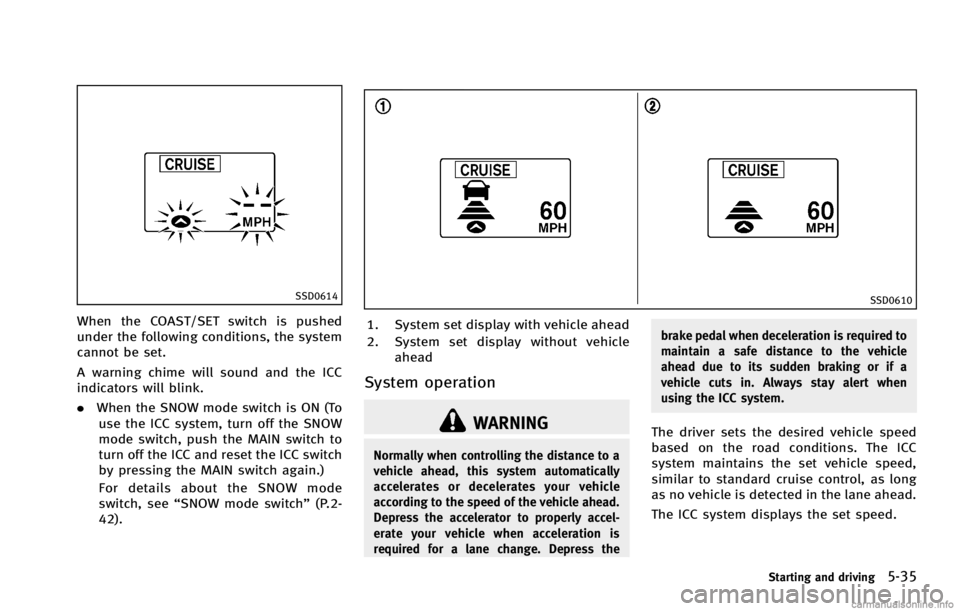
When the COAST/SET switch is pushed
under the following conditions, the system
cannot be set.
A warning chime will sound and the ICC
indicators will blink.
.When the SNOW mode switch is ON (To
use the ICC system, turn off the SNOW
mode switch, push the MAIN switch to
turn off the ICC and reset the ICC switch
by pressing the MAIN switch again.)
For details about the SNOW mode
switch, see “SNOW mode switch” (P.2-
42).
SSD0610
1. System set display with vehicle ahead
2. System set display without vehicle ahead
System operationGUID-21B82D2D-03FC-4413-BEB2-604A50F67D00
WARNING
Normally when controlling the distance to a
vehicle ahead, this system automatically
accelerates or decelerates your vehicle
according to the speed of the vehicle ahead.
Depress the accelerator to properly accel-
erate your vehicle when acceleration is
required for a lane change. Depress the brake pedal when deceleration is required to
maintain a safe distance to the vehicle
ahead due to its sudden braking or if a
vehicle cuts in. Always stay alert when
using the ICC system.
The driver sets the desired vehicle speed
based on the road conditions. The ICC
system maintains the set vehicle speed,
similar to standard cruise control, as long
as no vehicle is detected in the lane ahead.
The ICC system displays the set speed.
Starting and driving5-35
Page 361 of 490
5-42Starting and driving
WARNING
.In the conventional (fixed speed) cruise
control mode, a warning chime does not
sound to warn you if you are too close to
the vehicle ahead, as neither the pre-
sence of the vehicle ahead nor the
vehicle-to-vehicle distance is detected.
. Pay special attention to the distance
between your vehicle and the vehicle
ahead of you or a collision could occur.
. Always confirm the setting in the In-
telligent Cruise Control system display.
. Do not use the conventional (fixed
speed) cruise control mode when driving under the following conditions:
—when it is not possible to keep the
vehicle at a set speed
—in heavy traffic or in traffic thatvaries in speed
—on winding or hilly roads
—on slippery roads (rain, snow, ice,etc.)
—in very windy areas
. Doing so could cause a loss of vehicle
control and result in an accident.
SSD0617
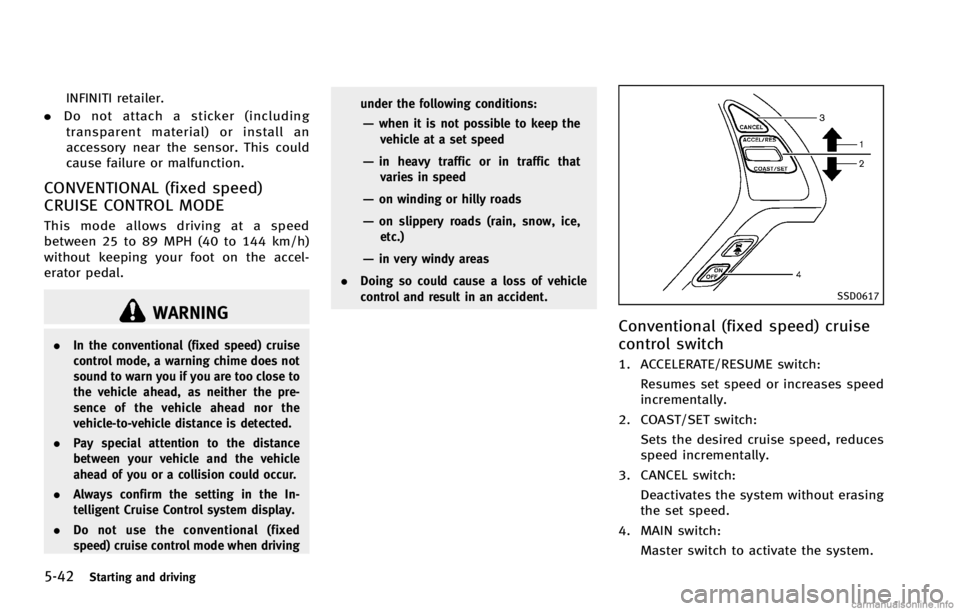
Conventional (fixed speed) cruise
control switch
GUID-56C647E0-81F9-468F-A1CA-BDF85042367A
Page 362 of 490

SSD0618
Conventional (fixed speed) cruise
control mode display and indica-
tors
GUID-E2A2ADAB-017E-4E8A-AC56-F75C293753E2
SSD0619
Operating conventional (fixed
speed) cruise control mode
GUID-E7361754-7EA1-4F3D-BBE9-EF37A8D74CDE
Page 372 of 490
GUID-8E268035-E356-4B89-AC5F-810CD9DB8C79
WARNING
The Brake Assist is only an aid to assist
braking operation and is not a collision
warning or avoidance device. It is the
driver’s responsibility to stay alert, drive
safely and be in control of the vehicle at all
times.
PREVIEW FUNCTION (Intelligent
Cruise Control system equipped
models)
GUID-BC7D2384-44AA-4BCF-9239-DF7DEC96A526
SSD0338
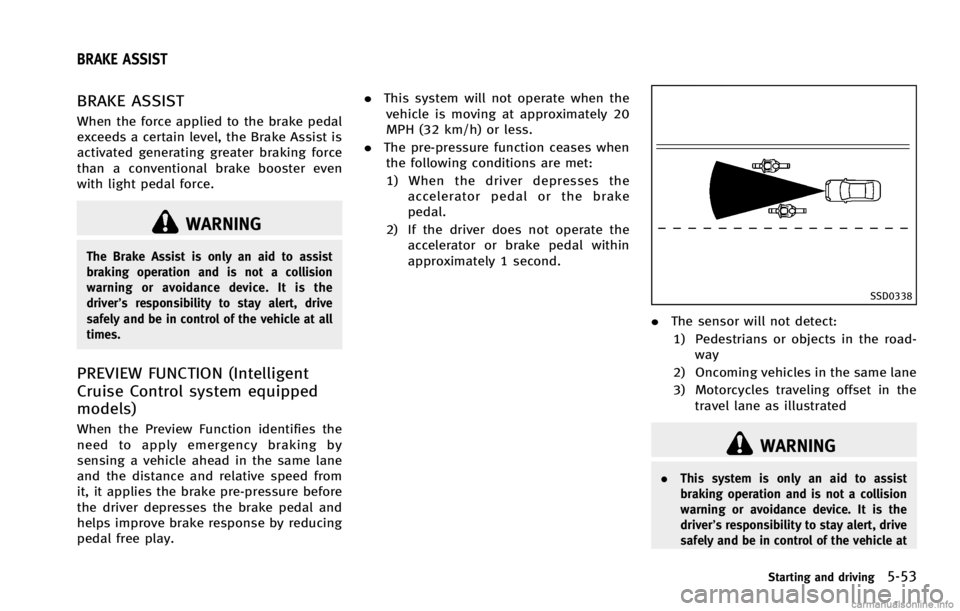
.The sensor will not detect:
1) Pedestrians or objects in the road- way
2) Oncoming vehicles in the same lane
3) Motorcycles traveling offset in the travel lane as illustrated
WARNING
. This system is only an aid to assist
braking operation and is not a collision
warning or avoidance device. It is the
driver’s responsibility to stay alert, drive
safely and be in control of the vehicle at
Starting and driving5-53
BRAKE ASSIST
Page 466 of 490

GUID-9C7293A2-4691-4D4B-AD12-31CC5DD1C780
STI0696
SedanUse the following steps to mount the
license plate:
Before mounting the license plate, confirm
that the following parts are enclosed in the
plastic bag.
.
License plate bracket
. J-nut 62
. Screw 62
. Screw grommet 62
Only use the recommended mounting
position, otherwise the Intelligent Cruise
Control (ICC) sensor obstruction (if so
equipped) may result.
SEDANGUID-5895C78E-057F-4431-9277-C9151DE76A20