air condition INFINITI G35 2006 User Guide
[x] Cancel search | Manufacturer: INFINITI, Model Year: 2006, Model line: G35, Model: INFINITI G35 2006Pages: 344, PDF Size: 6.81 MB
Page 74 of 344

1. Headlight, fog light and turn signal
switch
2. Security indicator light
3. Steering wheel switch for audio control
or steering wheel switch for Bluetooth Hands-Free Phone System
(if so equipped)
4. Driver supplemental air bag/Horn
5. Meters/gauges
6. Cruise control main/set switch
7. Windshield wiper/washer switch 8. Center ventilator
9. Center display - Compass, Air condi-
tioner, Ambient temperature, Front
passenger air bag status light
10. Rear window and outside mirror de-
fogger switch
11. Heater/air conditioner control
12. Clock
13. Navigation system* (if so equipped)
14. Passenger supplemental air bag
15. Upper glove box (except for Naviga-
tion system equipped models)
16. Side ventilator
17. Hood lock release handle
18. Trunk lid release switch
19. Vehicle Dynamic Control (VDC) off
switch
20. Instrument brightness control
21. Outside mirror remote control switch
22. Fuse box
23. Electric steering column control (if so
equipped)
24. Manual steering column control
25. Ignition switch/steering lock
26. Snow mode switch (if so equipped)
27. Audio system
28. Ashtray/Cigarette lighter
29. Heated seat switch
30. Hazard warning flasher switch
31. Glove box
*: Refer to the separate Navigation System
Owner's Manual. SSI0159INSTRUMENT PANEL
2-2 Instruments and controls
w 06.1.4/V35-D/V5.0
X
Page 76 of 344

The odometer records the total distance
the vehicle has been driven.
The twin trip odometer records the dis-
tance of individual trips.
Changing the display:
Pushing the trip odometer reset switch
q 3
changes the display as follows.
AT models:
TRIP A ! TRIP B ! TRIP A
MT models:
TRIP A ! TRIP B ! Up-shift indicator set-
ting mode ! TRIP A
See ªDriving the vehicleº in the ª5. Start-
ing and drivingº section for the use of the
up-shift indicator.
Resetting the trip odometer:
Pushing the trip odometer reset switch for
more than 1 second resets the trip odom-
eter to zero.
TACHOMETER The tachometer indicates engine speed in
revolutions per minute (rpm). Do not rev
the engine into the red zone
q A
.
CAUTION When engine speed approaches the red
zone, shift to a higher gear. Operating the
engine in the red zone may cause serious en-
gine damage. ENGINE COOLANT TEMPERATURE
GAUGE The gauge indicates the engine coolant
temperature.
The engine coolant temperature is within
the normal range
q A
when the gauge
needle points within the zone shown in
the illustration.
The engine coolant temperature will vary
with the outside air temperature and driv-
ing conditions. SIC2560 SIC2561
2-4 Instruments and controls
w 06.1.4/V35-D/V5.0
X
Page 80 of 344

If a magnet is located near the driver side
instrument panel (the sensor is located in-
side) or the vehicle is driven where the ter-
restrial magnetism is disturbed, the com-
pass display may not indicate the correct
direction.
O The compass may not display correctly
at the following places:
Ð under a bridge
Ð among buildings
Ð on an iron bridge
Ð inside a tunnel
Ð above a subway
Ð on a railway crossing
Ð in an underground parking lot
Ð near a huge vehicle
Ð near a transformer substation
If you carry out correction procedure
at one of the above places, the proce-
dure may not be completed correctly.
O If air conditioner fan speed is
maximum, the compass display may
shake. This is normal. Reduce the fan
speed to avoid shaking the display. Correction functions of the
compass display If the direction is not shown correctly,
carry out the correction procedure below.
1. Push the COMP switch for about 10
seconds. The direction bar starts
blinking.
2. Turn off electrical equipment such as
lights, hazard indicator, air condi-
tioner, etc. Then drive the vehicle
slowly (less than 3 MPH (5 km/h)) and
turn the vehicle one or more times in
an open and safe area. When the com-
pass displays the direction, the proce-
dure is completed.
2-8 Instruments and controls
w 06.1.4/V35-D/V5.0
X
Page 86 of 344
tened. At the same time, the chime will
sound for about 6 seconds unless the
driver's seat belt is securely fastened.
The seat belt warning light may also illu-
minate if the front passenger's seat belt
is not fastened when the front passen-
ger's seat is occupied (if so equipped).
For 5 seconds after the ignition switch is
in the ON position, the system does not
activate the warning light for the front
passenger.
If the light blinks or illuminates even if
the driver's and front passenger's seat
belts are fastened, it may indicate that
the pre-crash seat belt system (if so
equipped) has a malfunction. Have an
INFINITI dealer check and repair the
system.
See ªSeat beltsº in the ª1. Safety Ð
Seats, seat belts and supplemental re-
straint systemº section for precautions on
seat belt usage.
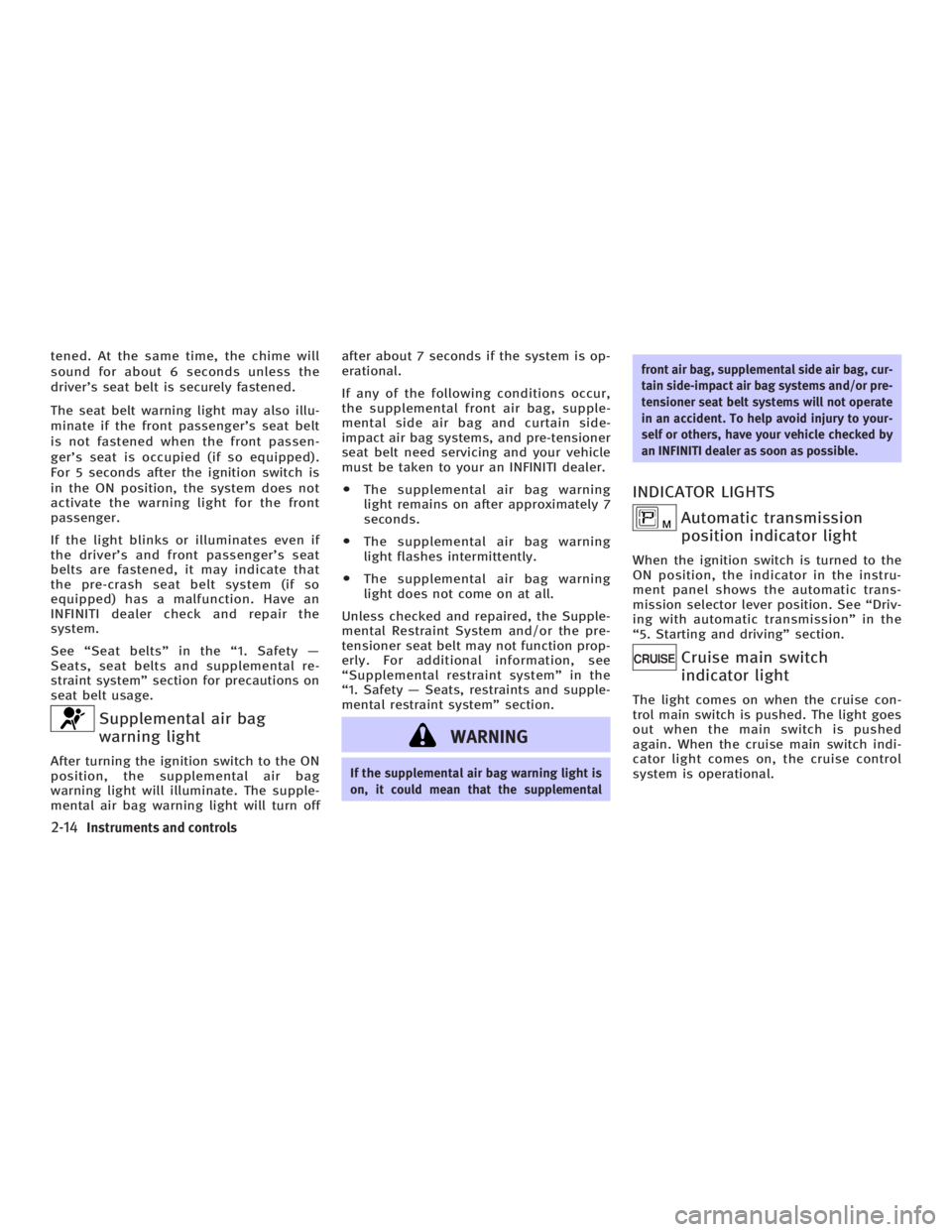
Supplemental air bag
warning lightAfter turning the ignition switch to the ON
position, the supplemental air bag
warning light will illuminate. The supple-
mental air bag warning light will turn off after about 7 seconds if the system is op-
erational.
If any of the following conditions occur,
the supplemental front air bag, supple-
mental side air bag and curtain side-
impact air bag systems, and pre-tensioner
seat belt need servicing and your vehicle
must be taken to your an INFINITI dealer.
O The supplemental air bag warning
light remains on after approximately 7
seconds.
O The supplemental air bag warning
light flashes intermittently.
O The supplemental air bag warning
light does not come on at all.
Unless checked and repaired, the Supple-
mental Restraint System and/or the pre-
tensioner seat belt may not function prop-
erly. For additional information, see
ªSupplemental restraint systemº in the
ª1. Safety Ð Seats, restraints and supple-
mental restraint systemº section.
WARNING If the supplemental air bag warning light is
on, it could mean that the supplemental front air bag, supplemental side air bag, cur-
tain side-impact air bag systems and/or pre-
tensioner seat belt systems will not operate
in an accident. To help avoid injury to your-
self or others, have your vehicle checked by
an INFINITI dealer as soon as possible.
INDICATOR LIGHTS
Automatic transmission
position indicator light When the ignition switch is turned to the
ON position, the indicator in the instru-
ment panel shows the automatic trans-
mission selector lever position. See ªDriv-
ing with automatic transmissionº in the
ª5. Starting and drivingº section.
Cruise main switch
indicator light The light comes on when the cruise con-
trol main switch is pushed. The light goes
out when the main switch is pushed
again. When the cruise main switch indi-
cator light comes on, the cruise control
system is operational.
2-14 Instruments and controls
w 06.1.4/V35-D/V5.0
X
Page 101 of 344

If the power supply is disconnected, the
clock will not indicate the correct time. Re-
adjust the time.
ADJUSTING THE TIME To move the time forward, push the
button
q 1
.
To move the time backward, push the
button
q 2
.
Push and hold each adjusting switch to
move the time forward or backward con-
tinuously. The power outlet is for powering electrical
accessories such as cellular telephones.
CAUTION O The outlet and plug may be hot during or
immediately after use.
O This power outlet is not designed for use
with a cigarette lighter unit.
O Do not use with accessories that exceed a
12 volt, 120W (10A) power draw. Do not
use double adapters or more than one
electrical accessory. O Use power outlets with the engine running
to avoid discharging the vehicle battery.
O Avoid using power outlets when the air
conditioner, headlights or rear window de-
froster is on.
O Before inserting or disconnecting a plug,
be sure the electrical accessory being used
is turned OFF.
O Push the plug in as far as it will go. If good
contact is not made, the plug may overheat
or the internal temperature fuse may open.
O When not in use, be sure to close the cap.
Do not allow water to contact the outlet.SIC2568 SIC1840B
Automatic transmission model SIC2673
Manual transmission modelsCLOCK POWER OUTLET
Instruments and controls
2-29
w 06.1.5/V35-D/V5.0
X
Page 161 of 344

4 Display screen, heater, air conditioner and
audio systems Safety note ....................................................... 4-2
Control panel buttons Ð with navigation
system ............................................................. 4-2
Names of the components .......................... 4-2
How to use joystick and ªENTERº button ..... 4-3
How to use ªBACKº button .......................... 4-3
Setting up the start-up screen..................... 4-3
How to use ªINFOº button ........................... 4-3
How to use ªSETTINGº button ..................... 4-7
How to use the
button ........................ 4-9
Ventilators........................................................ 4-9
Heater and air conditioner (Automatic)............ 4-10
Automatic operation ................................... 4-11
Manual operation....................................... 4-12
Dual button (if so equipped) ...................... 4-12
Ambient temperature ................................. 4-13
Operating tips............................................ 4-13
In-cabin microfilter..................................... 4-13
Servicing air conditioner ................................. 4-14 Audio system .................................................. 4-14
FM radio reception ..................................... 4-15
AM radio reception .................................... 4-15
Satellite radio reception (if so equipped) ... 4-15
Audio operation precautions ...................... 4-16
FM-AM-satellite radio with compact disc
(CD) changer ............................................. 4-22
CD care and cleaning ................................ 4-27
Steering wheel switch for audio control .... 4-28
Antenna .................................................... 4-29
Car phone or CB radio ................................... 4-29
Bluetooth
Hands-Free Phone System with
INFINITI Voice Recognition .............................. 4-30
Using the system ...................................... 4-32
Control buttons ......................................... 4-34
Getting started .......................................... 4-34
List of voice commands............................. 4-36
Speaker adaptation (SA) mode .................. 4-42
Troubleshooting guide .............................. 4-44
w 06.1.13/V35-D/V5.0
X
Page 162 of 344

WARNINGO Positioning of the heating or air condi-
tioning controls and display controls
should not be done while driving, in
order that full attention may be given to
driving operation.
O Do not disassemble or modify this
system. If you do, it may result in acci-
dents, fire, or electric shock.
O Do not use this system if you notice any
abnormality, such as a frozen screen or
lack of sound. Continued use of the
system may result in accident, fire or
electric shock.
O In case you notice any foreign object in
the system hardware, spill liquid on it, or
notice smoke or smell coming from it,
stop using the system immediately and
contact an INFINITI dealer. Ignoring such
conditions may lead to accidents, fire, or
electric shock. When you use this system, make sure the
engine is running.
If you use the system with the engine not
running (ignition ON or ACC) for a long
time, it will use up all the battery power,
and the engine will not start.
Reference symbols:
ªENTERº button Ð This is a button on the
control panel.
ª Display º key Ð This is a select key on
the screen. By selecting this key you can
proceed to the next function. NAMES OF THE COMPONENTS 1., 2., 5., 6., 9., 10. and 11.
For Navigation control buttons: refer to
the separate Navigation Owner's Manual.
3. ªSETTINGº button (P. 4-7)
4. ªINFOº button (P. 4-3)
7. Joystick and ªENTERº button (P. 4-3)
8. brightness control button
(P. 4-9)
12. ªBACKº button (P. 4-3) SAA1301
SAFETY NOTE
CONTROL PANEL BUTTONS Ð WITH
NAVIGATION SYSTEM
4-2 Display screen, heater, air conditioner and audio systems
w 06.1.4/V35-D/V5.0
X
Page 163 of 344

HOW TO USE JOYSTICK AND
ªENTERº BUTTON Choose an item on the display using the
joystick and push the ªENTERº button for
operation.
HOW TO USE ªBACKº BUTTON This button has two functions.
O Go back to the previous display.
When this button is pushed during setup,
setup will be canceled, and the screen
will return to the previous screen.
O Finish setup.
When this button is pushed after setup is
completed, the settings will be renewed
as directed, and the screen will return to
the map.
SETTING UP THE START-UP
SCREEN When you turn the ignition switch to the
ACC or ON position, the SYSTEM
START-UP warning is displayed on the
screen. Read the warning and select the
ª OK º key then push the ªENTERº button. If you do not push the ªENTERº button,
the Navigation system will not proceed to
the next step display.
To proceed to the next step, refer to the
separate Navigation System Owner's
Manual.
HOW TO USE ªINFOº BUTTON The ª Vehicle Information º screen will ap-
pear when the ªINFOº button is pushed.
Choose an item using the joystick and
push the ªENTERº button.
After viewing or adjusting the information
on the following screens, push the
ªBACKº button to return to the VEHICLE
INFORMATION menu. SAA1304
Display screen, heater, air conditioner and audio systems
4-3
w 06.1.4/V35-D/V5.0
X
Page 164 of 344
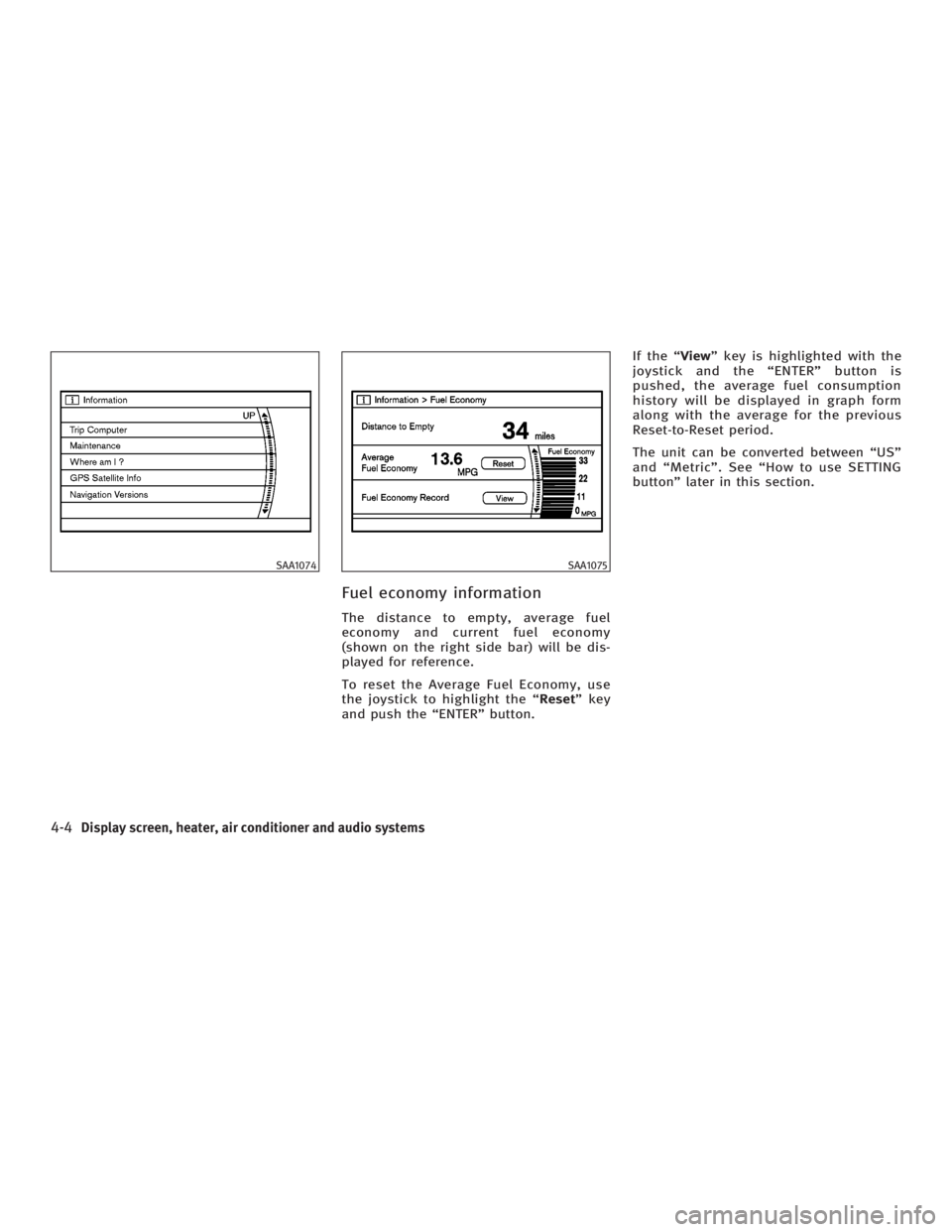
Fuel economy information The distance to empty, average fuel
economy and current fuel economy
(shown on the right side bar) will be dis-
played for reference.
To reset the Average Fuel Economy, use
the joystick to highlight the ª Reset º key
and push the ªENTERº button. If the ª View º key is highlighted with the
joystick and the ªENTERº button is
pushed, the average fuel consumption
history will be displayed in graph form
along with the average for the previous
Reset-to-Reset period.
The unit can be converted between ªUSº
and ªMetricº. See ªHow to use SETTING
buttonº later in this section.SAA1074 SAA1075
4-4 Display screen, heater, air conditioner and audio systems
w 06.1.4/V35-D/V5.0
X
Page 165 of 344
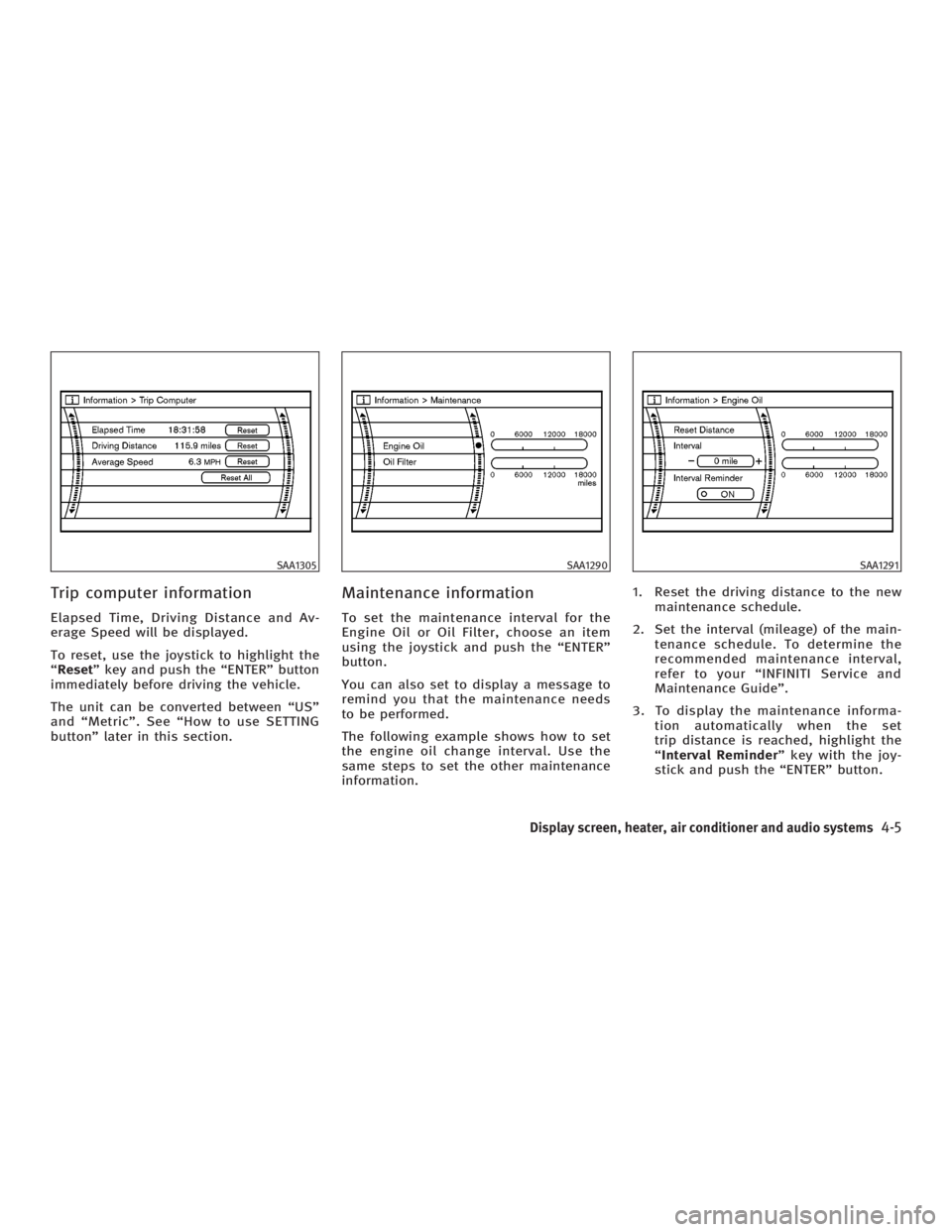
Trip computer information Elapsed Time, Driving Distance and Av-
erage Speed will be displayed.
To reset, use the joystick to highlight the
ª Reset º key and push the ªENTERº button
immediately before driving the vehicle.
The unit can be converted between ªUSº
and ªMetricº. See ªHow to use SETTING
buttonº later in this section. Maintenance information To set the maintenance interval for the
Engine Oil or Oil Filter, choose an item
using the joystick and push the ªENTERº
button.
You can also set to display a message to
remind you that the maintenance needs
to be performed.
The following example shows how to set
the engine oil change interval. Use the
same steps to set the other maintenance
information. 1. Reset the driving distance to the new
maintenance schedule.
2. Set the interval (mileage) of the main-
tenance schedule. To determine the
recommended maintenance interval,
refer to your ªINFINITI Service and
Maintenance Guideº.
3. To display the maintenance informa-
tion automatically when the set
trip distance is reached, highlight the
ª Interval Reminder º key with the joy-
stick and push the ªENTERº button.SAA1305 SAA1290 SAA1291
Display screen, heater, air conditioner and audio systems
4-5
w 06.1.4/V35-D/V5.0
X