Stereo INFINITI G35 2006 Owners Manual
[x] Cancel search | Manufacturer: INFINITI, Model Year: 2006, Model line: G35, Model: INFINITI G35 2006Pages: 344, PDF Size: 6.81 MB
Page 175 of 344
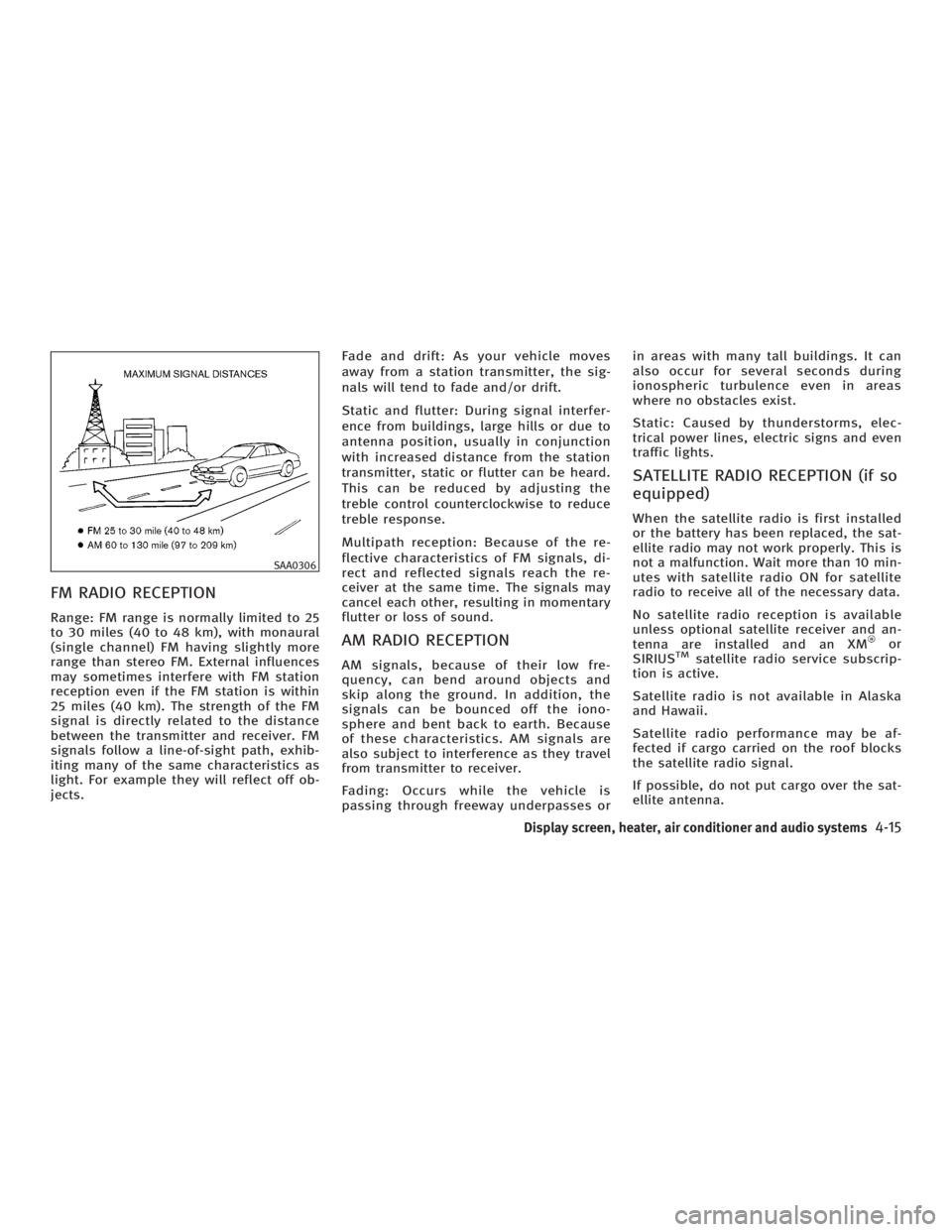
FM RADIO RECEPTION Range: FM range is normally limited to 25
to 30 miles (40 to 48 km), with monaural
(single channel) FM having slightly more
range than stereo FM. External influences
may sometimes interfere with FM station
reception even if the FM station is within
25 miles (40 km). The strength of the FM
signal is directly related to the distance
between the transmitter and receiver. FM
signals follow a line-of-sight path, exhib-
iting many of the same characteristics as
light. For example they will reflect off ob-
jects. Fade and drift: As your vehicle moves
away from a station transmitter, the sig-
nals will tend to fade and/or drift.
Static and flutter: During signal interfer-
ence from buildings, large hills or due to
antenna position, usually in conjunction
with increased distance from the station
transmitter, static or flutter can be heard.
This can be reduced by adjusting the
treble control counterclockwise to reduce
treble response.
Multipath reception: Because of the re-
flective characteristics of FM signals, di-
rect and reflected signals reach the re-
ceiver at the same time. The signals may
cancel each other, resulting in momentary
flutter or loss of sound.
AM RADIO RECEPTION AM signals, because of their low fre-
quency, can bend around objects and
skip along the ground. In addition, the
signals can be bounced off the iono-
sphere and bent back to earth. Because
of these characteristics. AM signals are
also subject to interference as they travel
from transmitter to receiver.
Fading: Occurs while the vehicle is
passing through freeway underpasses or in areas with many tall buildings. It can
also occur for several seconds during
ionospheric turbulence even in areas
where no obstacles exist.
Static: Caused by thunderstorms, elec-
trical power lines, electric signs and even
traffic lights.
SATELLITE RADIO RECEPTION (if so
equipped) When the satellite radio is first installed
or the battery has been replaced, the sat-
ellite radio may not work properly. This is
not a malfunction. Wait more than 10 min-
utes with satellite radio ON for satellite
radio to receive all of the necessary data.
No satellite radio reception is available
unless optional satellite receiver and an-
tenna are installed and an XM or
SIRIUS TM
satellite radio service subscrip-
tion is active.
Satellite radio is not available in Alaska
and Hawaii.
Satellite radio performance may be af-
fected if cargo carried on the roof blocks
the satellite radio signal.
If possible, do not put cargo over the sat-
ellite antenna.SAA0306
Display screen, heater, air conditioner and audio systems
4-15
w 06.1.4/V35-D/V5.0
X
Page 183 of 344

(With satellite radio)
AM ! FM1 ! FM2 ! SAT1 ! SAT2 ! AM
No satellite radio reception is available
unless optional satellite receiver and an-
tenna are installed and an XM or SIRI-
US TM
satellite radio service subscription
is active.
Satellite radio is not available in Alaska
and Hawaii.
When the RADIO band select button is
pushed while the ignition switch is in the
ACC or ON position, the radio will come
on at the station last played.
The last station/channel played will also
come on when the ON z OFF/VOL control
knob is pushed to ON.
If another audio source is playing when
the RADIO button is turned to ON, the
other audio source will automatically be
turned off and the last radio station
played will come on.
The FM stereo indicator ST will glow
during FM stereo reception. When the ste-
reo broadcast signal is weak, the radio
will automatically change from stereo to
monaural reception. TUNE (Tuning):
WARNING The radio should not be tuned while driving
so full attention may be given to vehicle op-
eration.
Push these buttons for manual tuning. To
move quickly through the channels, push
and hold either of the TUNE buttons down
for more than 0.5 second.
SEEK tuning:
For AM and FM radio:
Push the SEEK button or ,to
tune from high to low or low to high fre-
quencies and stops at the next broadcast-
ing station.
For satellite radio:
Push the SEEK button or to
seek channels of the next or previous cat-
egory. SCAN tuning:
Push the SCAN tuning button to tune from
low to high frequencies and stops at each
broadcasting station for 5 seconds. Push-
ing the button again during this 5 sec-
onds period will stop SCAN tuning and
the radio will remain tuned to that sta-
tion.
If the SCAN tuning button is not pushed
within 5 seconds, SCAN tuning moves to
the next station.
DISPLAY:
O By pushing the DISP button for more
than 1.5 seconds while receiving FM
radio waves, ªPS NAMEº switches be-
tween ON and OFF (Type A only).
O Pushing the DISP button will display
additional information about the satel-
lite radio broadcast (for example:
Artist name, Title).
Keep pushing the DISP button, and it
will change the information of the sat-
ellite radio broadcast to be displayed
as follows:
CH Number ! CH Name ! Artist
Name ! Song Title ! CH Number
Display screen, heater, air conditioner and audio systems
4-23
w 06.1.4/V35-D/V5.0
X