wheel INFINITI M 2010 Service Manual
[x] Cancel search | Manufacturer: INFINITI, Model Year: 2010, Model line: M, Model: INFINITI M 2010Pages: 445, PDF Size: 6.15 MB
Page 255 of 445
The system acknowledges the location.
The system will ask you to say a phone number
or to transfer a phone number stored in the
cellular phone's memory.
To enter a phone number by voice command:
For example, say: ªfive five five one two one
two.º (See ªHow to say numbersº earlier in this
section for more information.)
To transfer a phone number stored in the
cellular phone's memory (if so equipped):
Say ªTransfer entry.º The system acknowledges
the command and asks you to initiate the
transfer from the phone handset. The new
contact phone number will be transferred from
the cellular phone via the BluetoothTcommu-
nication link.
The transfer procedure varies according to each
cellular phone. See the cellular phone Owner's
Manual for details. You can also visit
www.InfinitiUSA.com/bluetooth for instructions
on transferring phone numbers from INFINITI
recommended cellular phones.
The system repeats the number and prompts
you for the next command. When you have
finished entering numbers, choose ªStore.º The system confirms the name, location and
number, then announces that the entry has
been stored. The system then ends the VR
session.
ªDeleteº
Use the Delete command to erase one entry
from the phonebook, all entries from the phone-
book, the current redial number or the current
call back number.
To delete entries from the phonebook, say a
name or ªAll entriesº when prompted by the
system.
The system acknowledges the command and
asks you to confirm the deletion.
To delete the current redial number or call back
number, say ªredial numberº or ªcall back
numberº when prompted by the system.
If a redial number or a call back number exists,
the system deletes them without asking for
confirmation.
If there is no number for the entry you are trying
to delete, the system says so and ends the VR
session.
ªList Namesº
Use the List Names command to hear all the
names and locations in the phonebook.The system recites the phonebook entries but
does not include the actual phone numbers.
When the playback of the list is complete the
system ends the VR session.
You can stop the playback of the list at any time
by pressing the
button on the steering
wheel. The system ends the VR session.
4-92Monitor, climate, audio, phone and voice recognition systems
wÐ
Ð
05/14/09Ðpattie
X
Page 256 of 445
MEMO PAD
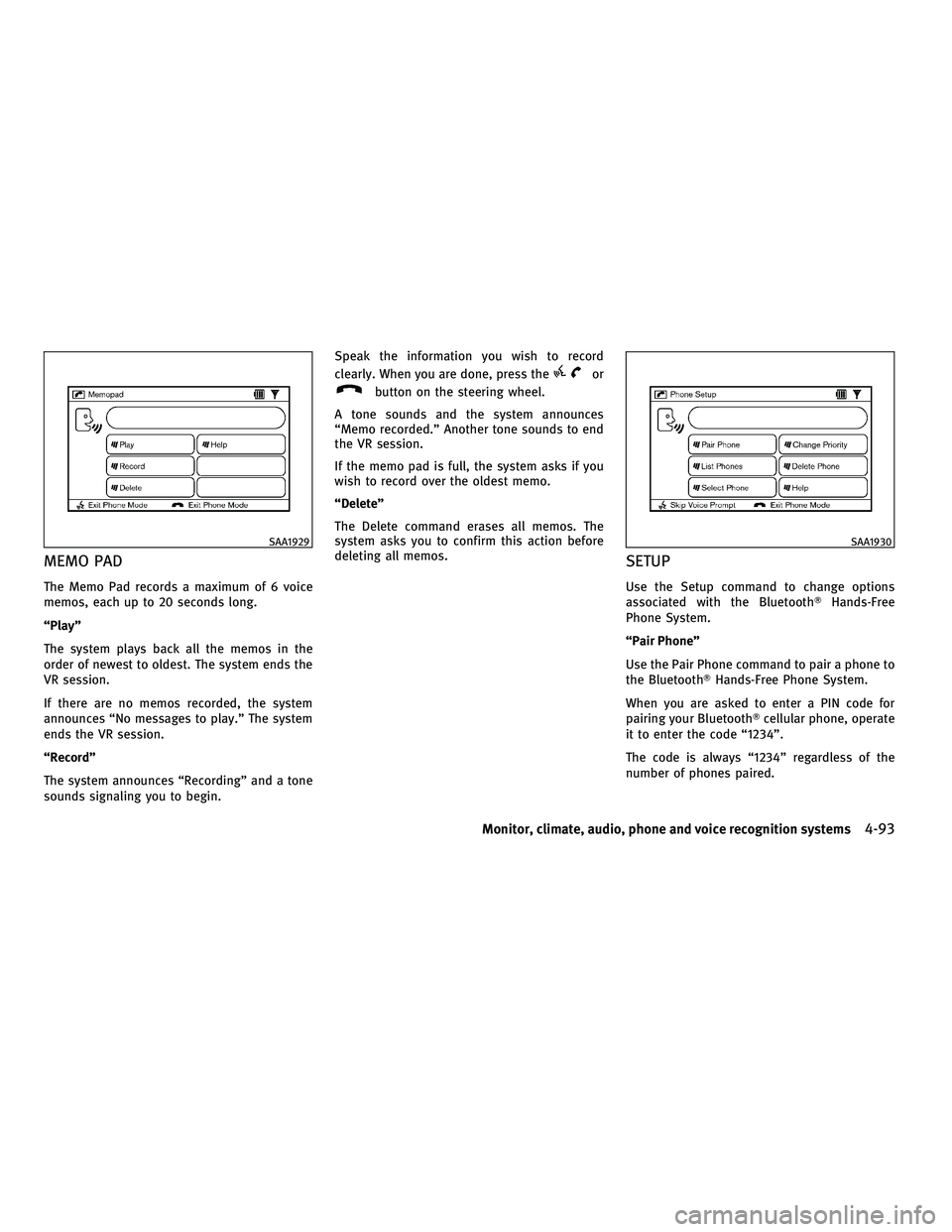
The Memo Pad records a maximum of 6 voice
memos, each up to 20 seconds long.
ªPlayº
The system plays back all the memos in the
order of newest to oldest. The system ends the
VR session.
If there are no memos recorded, the system
announces ªNo messages to play.º The system
ends the VR session.
ªRecordº
The system announces ªRecordingº and a tone
sounds signaling you to begin.Speak the information you wish to record
clearly. When you are done, press the
or
button on the steering wheel.
A tone sounds and the system announces
ªMemo recorded.º Another tone sounds to end
the VR session.
If the memo pad is full, the system asks if you
wish to record over the oldest memo.
ªDeleteº
The Delete command erases all memos. The
system asks you to confirm this action before
deleting all memos.
SETUP
Use the Setup command to change options
associated with the Bluetooth THands-Free
Phone System.
ªPair Phoneº
Use the Pair Phone command to pair a phone to
the BluetoothT Hands-Free Phone System.
When you are asked to enter a PIN code for
pairing your BluetoothT cellular phone, operate
it to enter the code ª1234º.
The code is always ª1234º regardless of the
number of phones paired.
SAA1929SAA1930
Monitor, climate, audio, phone and voice recognition systems4-93
wÐ
Ð
05/14/09Ðpattie
X
Page 264 of 445

Voice recognition settings
The available settings of the INFINITI Voice
Recognition system are described.
1. Highlight ªVoice Recognition Settingsºand push the ENTERbutton.
2. You can confirm the page by scrolling the screen using the INFINITI controller.
USING THE SYSTEM
Initialization
When the ignition switch is pushed to the ON
position, INFINITI Voice Recognition is initial-
ized, which takes a few seconds. When com-
pleted, the system is ready to accept voice
commands. If the TALK
switch is pushed before the initialization completes, the display
will show the message: ªPhonetic data down-
loaded. Please wait.º or a beep sounds.
Before starting
To get the best recognition performance from
INFINITI Voice Recognition, observe the follow-
ing:
c
The interior of the vehicle should be as quiet
as possible. Close the windows to eliminate
the surrounding noises (traffic noise and
vibration sounds, etc.), which may prevent
the system from correctly recognizing the
voice commands.
c Wait until the tone sounds before speaking a
command.
c Speak in a natural conversational voice with-
out pausing between words.
c If the air conditioner is set to ªAutoº, the fan
speed is automatically lowered so that your
commands can be recognized more easily.
Giving voice commands
1. Push the TALKswitch located on the
steering wheel.
SAA2166SAA1113
Monitor, climate, audio, phone and voice recognition systems4-101
wÐ
Ð
05/14/09Ðpattie
X
Page 268 of 445

Voice command examples
To use the INFINITI Voice Recognition function,
speaking one command is sometimes suffi-
cient, but at other times it is necessary to speak
two or more commands. As examples, some
additional basic operations by voice commands
are described here.
For navigation system commands, see the sepa-
rate Navigation System Owner's Manual.Example 1 - Placing a call to the phone number
800-662-6200:
1. Push the TALKswitch located on the
steering wheel. 2. The system announces, ªWould you like
to access Phone, Navigation, Information
or Help?º
3. Speak ªPhoneº.
SAA1113SAA1908
Monitor, climate, audio, phone and voice recognition systems4-105
wÐ
Ð
05/14/09Ðpattie
X
Page 271 of 445

Example 2 - Placing an international call to the
phone number 011-81-111-222-3333:
1. Push the TALKswitch located on the
steering wheel. 2. The system announces, ªWould you like
to access Phone, Navigation, Information
or Help?º
3. Speak ªPhoneº. 4. Speak ªInternational Callº.
SAA1113SAA1908SAA1909
4-108Monitor, climate, audio, phone and voice recognition systems
wÐ
Ð
05/14/09Ðpattie
X
Page 279 of 445

cHelp on Speaking
Displays useful tips for how to correctly
speak commands in order for them to be
properly recognized by the system.
c Voice Recognition Settings
Describes the available voice recognition
settings.
c Speaker Adaptation
Tutorial adapting the system to your voice.
USING THE SYSTEM
Initialization
When the ignition switch is pushed to the ON
position, INFINITI Voice Recognition is initial-
ized, which takes a few seconds. When com-
pleted, the system is ready to accept voice
commands. If the TALK
switch is pushed
before the initialization completes the display
will show the message: ªPhonetic data down-
loaded. Please wait.º or a beep sounds.
Before starting
To get the best performance from INFINITI Voice
Recognition, observe the following:
c Keep the interior of the vehicle as quiet as
possible. Close the windows to eliminate the
surrounding noises (traffic noises, vibration
sounds, etc.), which may prevent the system
from recognizing the voice commands cor-
rectly.
c When the climate control is in the AUTO
mode, the fan speed decreases automati-
cally for easy recognition.
c Wait until a tone sounds before speaking a
command.
c Speak in a natural voice without pausing
between words.
Giving voice command
1. Push and release the TALKswitch
located on the steering wheel.
SAA1113
4-116Monitor, climate, audio, phone and voice recognition systems
wÐ
Ð
05/15/09Ðpattie
X
Page 280 of 445

2. A list of commands appears on thescreen, and the system announces,
ªPlease say a commandº.
3. After the tone sounds and the icon on the screen changes from
to,
speak a command.
Operating tips :
c Voice commands cannot be accepted when
the icon is
.
c The list displayed can be scrolled by tilting
the ENTER switch on the steering wheel.
c If the command is not recognized, the sys-
tem announces, ªPlease say againº. Repeat
the command in a clear voice. c
Push the BACKbutton once to return to the
previous screen.
c If you want to cancel the command, push
and hold the TALK
switch for 1 sec-
ond. The message ªVoice canceledº will be
announced.
c Push the TALK
switch again to pause
the operation. Push the TALK
switch
to restart the operation.
c If you want to adjust the volume of the
system feedback, push the volume control
buttons (+ or 2) on the steering wheel or use
the audio system volume knob while the
system is making an announcement.
How to speak numbers :
INFINITI Voice Recognition requires a certain
way to speak numbers when giving voice com-
mands. Refer to the following examples.
General rule
Only single digits 0 (zero) to 9 can be used. (For
example, if you would like to say 500, ªfive zero
zeroº can be used, but ªfive hundredº cannot. Phone numbers
Speak phone numbers according to the follow-
ing examples:
c
1-800-662-6200
± ªDial one eight zero zero six six two six two zero zero.º
Note 1: For the best voice recognition phone
dialing results, say phone numbers as single
digits.
Note 2: You cannot say 555-6000 as ªfive five
five six thousandsº.
Note 3: When speaking a house number, speak
the number ª0º as ªzeroº. If the letter ªo (Oh)º
is included in the house number, it will not be
recognized as the number ª0 (zero)º even if you
speak ªohº instead of ªzeroº. You can only say
ªzeroº for ª0 (Zero)º. You can say either ªzeroº
or ªohº for ªo (Oh)º.
SAA1932
Monitor, climate, audio, phone and voice recognition systems4-117
wÐ
Ð
05/15/09Ðpattie
X
Page 285 of 445

5 Starting and driving
Precautions when starting and driving.............. 5-2
Exhaust gas (carbon monoxide) .................. 5-2
Three-way catalyst ............................. 5-2
Tire Pressure Monitoring System (TPMS) ......... 5-3
Avoiding collision and rollover ................... 5-5
Off-road recovery ............................... 5-5
Rapid air pressure loss ......................... 5-6
Drinking alcohol/drugs and driving .............. 5-7
All-Wheel Drive (AWD) driving safety
precautions (for AWD models) ................... 5-7
Push-button ignition switch ........................ 5-8
Operating range for engine start function......... 5-8
Push-button ignition switch positions ............ 5-9
Intelligent Key battery discharge ................. 5-9
Before starting the engine ........................5-10
Starting the engine ................................ 5-11
Driving the vehicle ................................ 5-11
Automatic transmission ......................... 5-11
Parking brake .................................... 5-16
Lane Departure Warning (LDW) system/Lane
Departure Prevention (LDP) system
(if so equipped) .................................. 5-16
Lane Departure Warning (LDW) system ...........5-17 Lane Departure Prevention (LDP) system
..........5-19
Lane camera unit maintenance .................5-23
Cruise control .................................... 5-23
Precautions on cruise control ...................5-23
Cruise control operations ......................5-24
Intelligent Cruise Control (ICC) system
(if so equipped) .................................. 5-25
Selecting the vehicle-to-vehicle distance
control mode ................................. 5-26
Vehicle-to-vehicle distance control mode ........5-27
Precautions on vehicle-to-vehicle distance
control mode ................................. 5-27
Vehicle-to-vehicle distance control mode
operation ..................................... 5-29
Conventional (FIXED SPEED) cruise control
mode ........................................ 5-42
Preview function (for Intelligent Cruise
Control system equipped models) ..............5-45
Break-in schedule ................................ 5-46
Increasing fuel economy .......................... 5-46
All-Wheel Drive (AWD) (if so equipped) .............5-47
Parking/parking on hills .......................... 5-48
Power steering ................................... 5-49
wÐ
Ð
05/19/09Ðtbrooks
X
Page 288 of 445

cKeep your engine tuned up. Malfunctions in
the ignition, fuel injection, or electrical sys-
tems can cause overrich fuel flow into the
three-way catalyst, causing it to overheat.
Do not keep driving if the engine misfires, or
if noticeable loss of performance or other
unusual operating conditions are detected.
Have the vehicle inspected promptly by an
INFINITI retailer.
c Avoid driving with an extremely low fuel
level. Running out of fuel could cause the
engine to misfire, damaging the three-way
catalyst.
c Do not race the engine while warming it up.
c Do not push or tow your vehicle to start the
engine.TIRE PRESSURE MONITORING SYSTEM
(TPMS)
Each tire, including the spare (if provided),
should be checked monthly when cold and
inflated to the inflation pressure recommended
by the vehicle manufacturer on the vehicle
placard or tire inflation pressure label. (If your
vehicle has tires of a different size than the size
indicated on the vehicle placard or tire inflation
pressure label, you should determine the
proper tire inflation pressure for those tires.)
As an added safety feature, your vehicle has
been equipped with a Tire Pressure Monitoring
System (TPMS) that illuminates a low tire pres-
sure telltale when one or more of your tires is
significantly under-inflated. Accordingly, when
the low tire pressure telltale illuminates, you
should stop and check your tires as soon as
possible, and inflate them to the proper pres-
sure. Driving on a significantly under-inflated
tire causes the tire to overheat and can lead to
tire failure. Under-inflation also reduces fuel
efficiency and tire tread life, and may affect the
vehicle's handling and stopping ability.
Please note that the TPMS is not a substitute for
proper tire maintenance, and it is the driver's
responsibility to maintain correct tire pressure, even if under-inflation has not reached the level
to trigger illumination of the TPMS low tire
pressure telltale.
Your vehicle has also been equipped with a
TPMS malfunction indicator to indicate when
the system is not operating properly. The TPMS
malfunction indicator is combined with the low
tire pressure telltale. When the system detects
a malfunction, the telltale will flash for approxi-
mately one minute and then remain continu-
ously illuminated. This sequence will continue
upon subsequent vehicle start-ups as long as
the malfunction exists. When the malfunction
indicator is illuminated, the system may not be
able to detect or signal low tire pressure as
intended. TPMS malfunctions may occur for a
variety of reasons, including the installation of
replacement or alternate tires or wheels on the
vehicle that prevent the TPMS from functioning
properly. Always check the TPMS malfunction
telltale after replacing one or more tires or
wheels on your vehicle to ensure that the
replacement or alternate tires and wheels allow
the TPMS to continue to function properly.
Starting and driving5-3
wÐ
Ð
05/15/09Ðpattie
X
Page 289 of 445

Additional information
cThe TPMS does not monitor the tire pressure
of the spare tire.
c The TPMS will activate only when the vehicle
is driven at speeds above 16 MPH (25 km/h).
Also, this system may not detect a sudden
drop in tire pressure (for example a flat tire
while driving).
c The low tire pressure warning light does not
automatically turn off when the tire pressure
is adjusted. After the tire is inflated to the
recommended pressure, the vehicle must be
driven at speeds above 16 MPH (25 km/h) to
activate the TPMS and turn off the low tire
pressure warning light. Use a tire pressure
gauge to check the tire pressure.
c Tire pressure rises and falls depending on
the heat caused by the vehicle's operation
and the outside temperature. Low outside
temperature can lower the temperature of
the air inside the tire which can cause a
lower tire inflation pressure. This may cause
the low tire pressure warning light to illumi-
nate. If the warning light illuminates in low
ambient temperature, check the tire pres-
sure for all four tires. c
You can also check the pressure of all tires
(except the spare tire) on the display. (See
ªHOW TO USE INFO BUTTONº in the ª4.
Monitor, climate, audio, phone and voice
recognition systemsº section.)
After tire rotation is performed, tire pressure
will not be displayed in the actual tire posi-
tion. Drive the vehicle at over 25 MPH (40
km/h) for approximately 10 minutes to reset
the display.
For additional information, see ªLow tire pres-
sure warning lightº in the ª2. Instruments and
controlsº section and ªTIRE PRESSURE MONI-
TORING SYSTEM (TPMS)º in the ª6. In case of
emergencyº section.
WARNING
c If the low tire pressure warning light illumi-
nates or LOW PRESSURE information is dis-
played on the monitor screen while driving,
avoid sudden steering maneuvers or abrupt
braking, reduce vehicle speed, pull off the
road to a safe location and stop the vehicle
as soon as possible. Driving with under-
inflated tires may permanently damage the
tires and increase the likelihood of tire fail-
ure. Serious vehicle damage could occur and
may lead to an accident and could result in
serious personal injury. Check the tire pres-
sure for all four tires. Adjust the tire pressure
to the recommended COLD tire pressure
shown on the Tire and Loading Information
label to turn the low tire pressure warning
light OFF. If you have a flat tire, replace it
with a spare tire as soon as possible. (See
ªFLAT TIREº in the ª6. In case of emergencyº
section for changing a flat tire.)
c When a spare tire is mounted or a wheel is
replaced, tire pressure will not be indicated,
the TPMS will not function and the low tire
pressure warning light will flash for approxi-
mately 1 minute. The light will remain on
after 1 minute. Contact your INFINITI retailer
as soon as possible for tire replacement
and/or system resetting.
5-4Starting and driving
wÐ
Ð
05/15/09Ðpattie
X