belt INFINITI M 2010 Manual PDF
[x] Cancel search | Manufacturer: INFINITI, Model Year: 2010, Model line: M, Model: INFINITI M 2010Pages: 445, PDF Size: 6.15 MB
Page 151 of 445
Releasing inside the trunk
To open the trunk lid from the inside, pull the
release handle
sAuntil the lock releases and
push up on the trunk lid. The release lever is
made of a material that glows in the dark after
a brief exposure to ambient light.
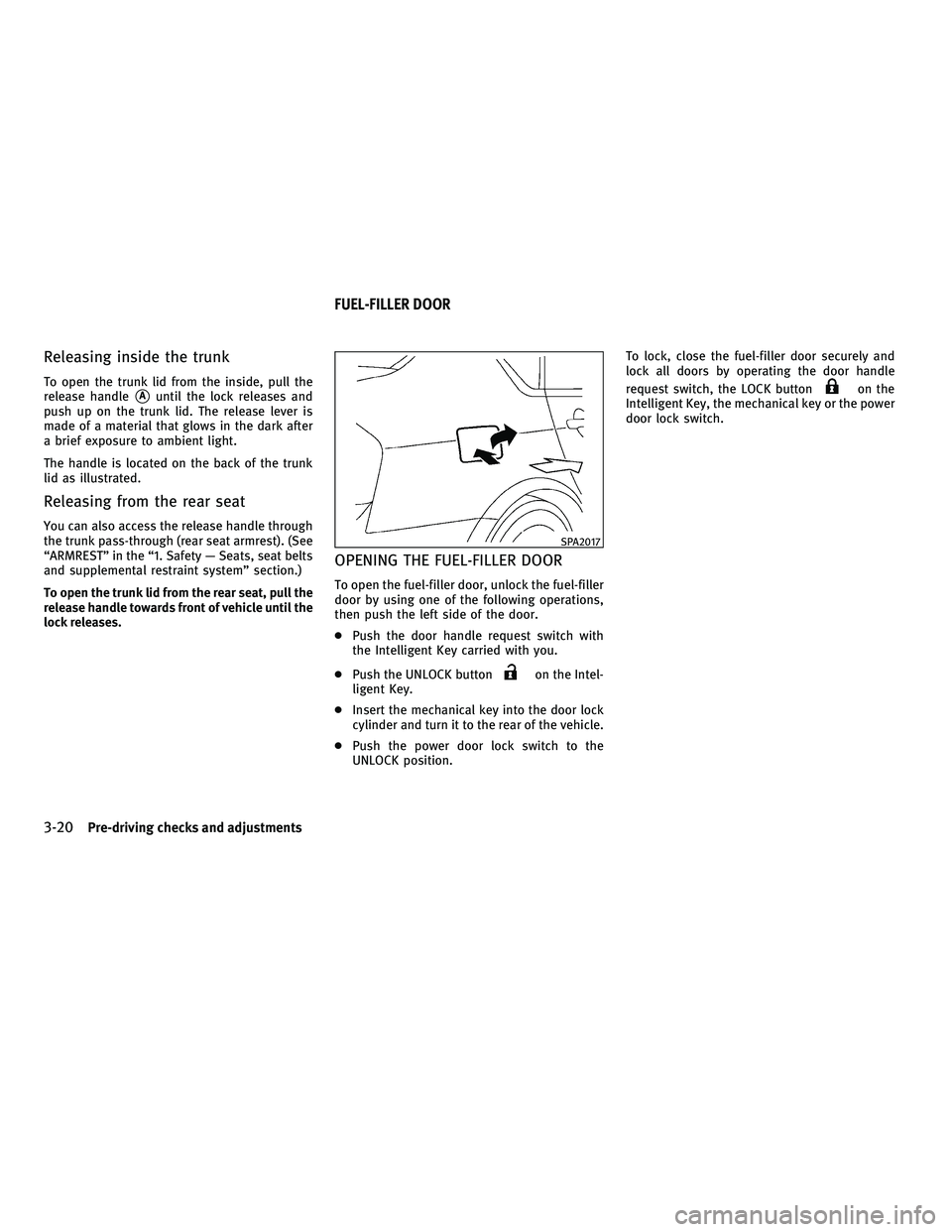
The handle is located on the back of the trunk
lid as illustrated.
Releasing from the rear seat
You can also access the release handle through
the trunk pass-through (rear seat armrest). (See
ªARMRESTº in the ª1. Safety Ð Seats, seat belts
and supplemental restraint systemº section.)
To open the trunk lid from the rear seat, pull the
release handle towards front of vehicle until the
lock releases.
OPENING THE FUEL-FILLER DOOR
To open the fuel-filler door, unlock the fuel-filler
door by using one of the following operations,
then push the left side of the door.
c Push the door handle request switch with
the Intelligent Key carried with you.
c Push the UNLOCK button
on the Intel-
ligent Key.
c Insert the mechanical key into the door lock
cylinder and turn it to the rear of the vehicle.
c Push the power door lock switch to the
UNLOCK position. To lock, close the fuel-filler door securely and
lock all doors by operating the door handle
request switch, the LOCK button
on the
Intelligent Key, the mechanical key or the power
door lock switch.
SPA2017
FUEL-FILLER DOOR
3-20Pre-driving checks and adjustments
wÐ
Ð
05/14/09Ðpattie
X
Page 153 of 445

WARNING
cDo not adjust the steering wheel while driv-
ing. You could lose control of your vehicle
and cause an accident.
c Do not adjust the steering wheel any closer
to you than is necessary for proper steering
operation and comfort. The driver's air bag
inflates with great force. If you are unre-
strained, leaning forward, sitting sideways
or out of position in any way, you are at
greater risk of injury or death in a crash. You
may also receive serious or fatal injuries
from the air bag if you are up against it when
it inflates. Always sit back against the seat-
back and as far away as practical from the
steering wheel. Always use the seat belts.
TILT OR TELESCOPIC OPERATION
Move the lever to adjust the steering wheel up
or down, forward or rearward to the desired
position.
Entry/Exit function operation
The automatic drive positioner system will
make the steering wheel move up automatically
when the driver's door is opened with the
ignition switch in the LOCK position. This lets
the driver get into and out of the seat more
easily.
For more information, see ªAUTOMATIC DRIVE
POSITIONERº later in this section.
SPA2018
SPA2057
TILT/TELESCOPIC STEERING SUN VISORS
3-22Pre-driving checks and adjustments
wÐ
Ð
05/14/09Ðpattie
X
Page 158 of 445
MEMORY STORAGE
Two positions for the driver's seat, steering
column and outside mirrors can be stored in the
automatic drive positioner memory. Follow
these procedures to use the memory system.
1. Move the selector lever to the P (Park)position.
2. Push the ignition switch to the ON posi- tion. 3. Adjust the driver's seat, steering column
and outside mirrors to the desired posi-
tions by manually operating each adjust-
ing switch. For additional information, see
ªSEATSº in the ª1. Safety Ð Seats, seat
belts and supplemental restraint systemº
section and ªTILT/TELESCOPIC STEERINGº
page 3-22 and ªOUTSIDE MIRRORSº ear-
lier in this section.
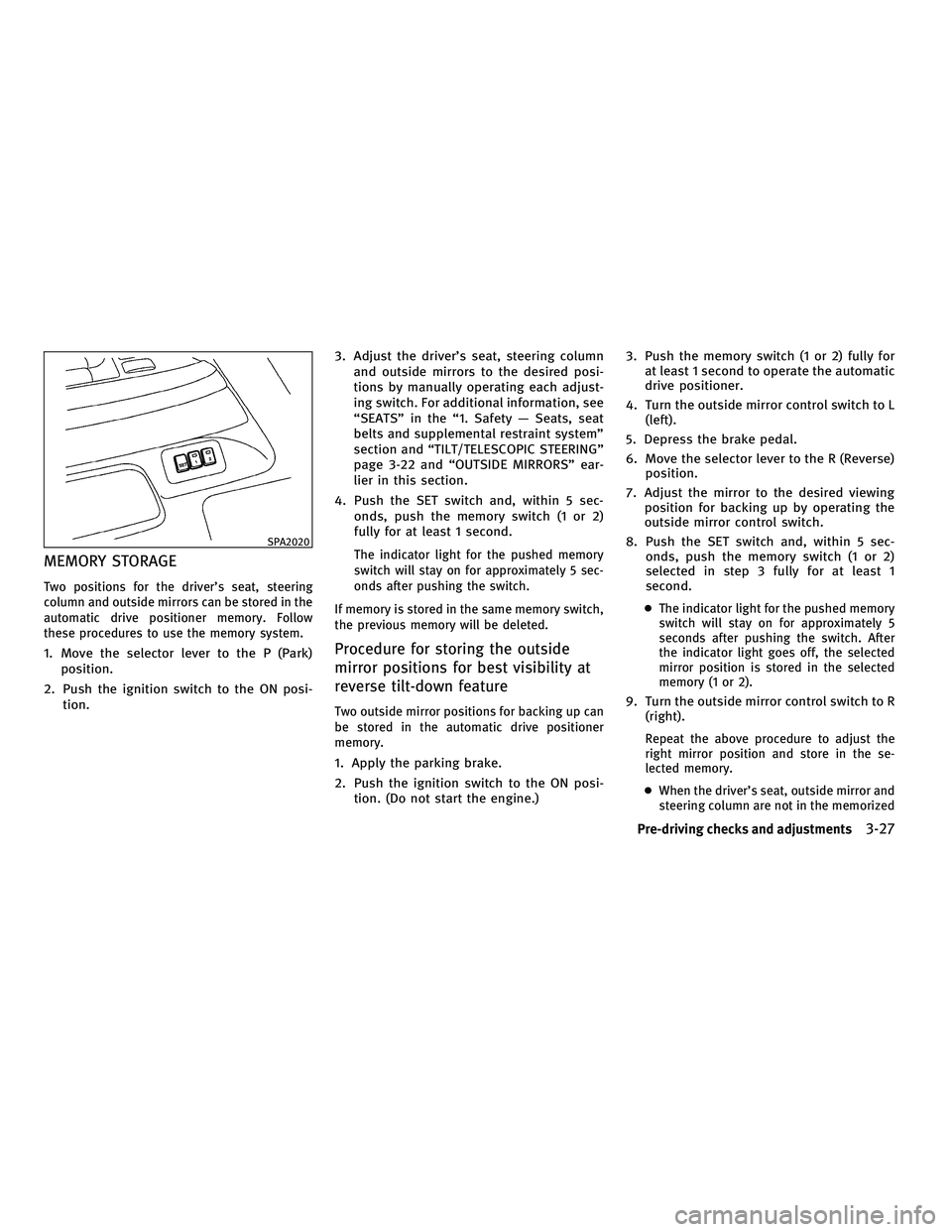
4. Push the SET switch and, within 5 sec- onds, push the memory switch (1 or 2)
fully for at least 1 second.
The indicator light for the pushed memory
switch will stay on for approximately 5 sec-
onds after pushing the switch.
If memory is stored in the same memory switch,
the previous memory will be deleted.
Procedure for storing the outside
mirror positions for best visibility at
reverse tilt-down feature
Two outside mirror positions for backing up can
be stored in the automatic drive positioner
memory.
1. Apply the parking brake.
2. Push the ignition switch to the ON posi- tion. (Do not start the engine.) 3. Push the memory switch (1 or 2) fully for
at least 1 second to operate the automatic
drive positioner.
4. Turn the outside mirror control switch to L (left).
5. Depress the brake pedal.
6. Move the selector lever to the R (Reverse) position.
7. Adjust the mirror to the desired viewing position for backing up by operating the
outside mirror control switch.
8. Push the SET switch and, within 5 sec- onds, push the memory switch (1 or 2)
selected in step 3 fully for at least 1
second.
cThe indicator light for the pushed memory
switch will stay on for approximately 5
seconds after pushing the switch. After
the indicator light goes off, the selected
mirror position is stored in the selected
memory (1 or 2).
9. Turn the outside mirror control switch to R
(right).
Repeat the above procedure to adjust the
right mirror position and store in the se-
lected memory.
c When the driver's seat, outside mirror and
steering column are not in the memorized
SPA2020
Pre-driving checks and adjustments3-27
wÐ
Ð
05/14/09Ðpattie
X
Page 290 of 445

cReplacing tires with those not originally
specified by INFINITI could affect the proper
operation of the TPMS.
c Do not inject any tire liquid or aerosol tire
sealant into the tires, as this may cause a
malfunction of the tire pressure sensors.
CAUTION
cThe TPMS may not function properly when
the wheels are equipped with tire chains or
the wheels are buried in snow.
c Do not place metalized film or any metal
parts (antenna, etc.) on the windows. This
may cause poor reception of the signals from
the tire pressure sensors, and the TPMS will
not function properly.
Some devices and transmitters may temporarily
interfere with the operation of the TPMS and
cause the low tire pressure warning light to
illuminate. Some examples are:
± Facilities or electric devices using similar radio frequencies are near the vehicle.
± If a transmitter set to similar frequencies is being used in or near the vehicle. ± If a computer (or similar equipment) or a
DC/AC converter is being used in or near the
vehicle.
FCC Notice:
Changes or modifications not expressly ap-
proved by the party responsible for compliance
could void the user's authority to operate the
equipment.
This device complies with Part 15 of the FCC
Rules and RSS-210 of Industry Canada.
Operation is subject to the following two condi-
tions: (1) This device may not cause harmful in-
terference, and (2) this device must accept any
interference received, including interference
that may cause undesired operation of the de-
vice.
AVOIDING COLLISION AND ROLLOVER
WARNING
Failure to operate this vehicle in a safe and
prudent manner may result in loss of control or
an accident.
Be alert and drive defensively at all times. Obey
all traffic regulations. Avoid excessive speed,
high speed cornering, or sudden steering ma-
neuvers, because these driving practices could cause you to lose control of your vehicle.
As
with any vehicle, a loss of control could result in
a collision with other vehicles or objects, or
cause the vehicle to rollover, particularly if the
loss of control causes the vehicle to slide side-
ways. Be attentive at all times, and avoid
driving when tired. Never drive when under the
influence of alcohol or drugs (including pre-
scription or over-the-counter drugs which may
cause drowsiness). Always wear your seat belt
as outlined in the ªSEAT BELTSº in the ª1. Safety
Ð Seats, seat belts and supplemental restraint
systemº section of this manual, and also in-
struct your passengers to do so.
Seat belts help reduce the risk of injury in
collisions and rollovers. In a rollover crash, an
unbelted or improperly belted person is signifi-
cantly more likely to be injured or killed than a
person properly wearing a seat belt.
OFF-ROAD RECOVERY
While driving, the right side or left side wheels
may unintentionally leave the road surface. If
this occurs, maintain control of the vehicle by
following the procedure below. Please note that
this procedure is only a general guide. The
vehicle must be driven as appropriate based on
the conditions of the vehicle, road and traffic.
1. Remain calm and do not overreact.
2. Do not apply the brakes.
Starting and driving5-5
wÐ
Ð
05/15/09Ðpattie
X
Page 292 of 445

DRINKING ALCOHOL/DRUGS AND
DRIVING
WARNING
Never drive under the influence of alcohol or
drugs. Alcohol in the bloodstream reduces co-
ordination, delays reaction time and impairs
judgement. Driving after drinking alcohol in-
creases the likelihood of being involved in an
accident injuring yourself and others. Addition-
ally, if you are injured in an accident, alcohol
can increase the severity of the injury.
INFINITI is committed to safe driving. However,
you must choose not to drive under the influ-
ence of alcohol. Every year thousands of people
are injured or killed in alcohol-related acci-
dents. Although the local laws vary on what is
considered to be legally intoxicated, the fact is
that alcohol affects all people differently and
most people underestimate the effects of alco-
hol.
Remember, drinking and driving don't mix! And
that is true for drugs, too (over-the-counter,
prescription, and illegal drugs). Don't drive if
your ability to operate your vehicle is impaired
by alcohol, drugs, or some other physical con-
dition.
ALL-WHEEL DRIVE (AWD) DRIVING
SAFETY PRECAUTIONS (for AWD
models)
Observe the following precautions when you
drive an All-Wheel Drive (AWD) vehicle.
WARNING
c This vehicle is not designed for off-road
(rough road) use. Do not drive on sandy or
muddy roads that tires may get stuck in.
c Do not drive beyond the performance capa-
bility of the tires, even with AWD engaged.
c For AWD equipped vehicles, do not attempt
to raise two wheels off the ground and shift
the transmission to any drive or reverse po-
sition with the engine running. Doing so may
result in drivetrain damage or unexpected
vehicle movement which could result in seri-
ous vehicle damage or personal injury. c
Do not attempt to test an AWD equipped ve-
hicle on a 2-wheel dynamometer, (such as
the dynamometers used by some states for
emissions testing), or similar equipment
even if the other two wheels are raised off
the ground. Make sure you inform test facil-
ity personnel that your vehicle is equipped
with AWD before it is placed on a dynamom-
eter. Using the wrong test equipment may
result in drivetrain damage or unexpected
vehicle movement which could result in seri-
ous vehicle damage or personal injury.
c When a wheel is off the ground due to an
unlevel surface, do not spin the wheel
excessively.
c Accelerating quickly, sharp steering maneu-
vers or sudden braking may cause loss of
control.
c Always use tires of the same type, size,
brand, construction (bias, bias-belted or ra-
dial), and tread pattern on all four wheels.
Install tire chains on the rear wheels when
driving on slippery roads and drive carefully.
Starting and driving5-7
wÐ
Ð
05/15/09Ðpattie
X
Page 295 of 445

To remove the Intelligent Key from the port,
push the ignition switch to the LOCK position
and push in the Intelligent Key
s2. Then the
Intelligent Key will be ejected from the port. Pull
the Intelligent Key out.
NOTE:
The Intelligent Key port does not charge the In-
telligent Key battery. If you see the low battery
indicator in the dot matrix liquid crystal display,
replace the battery as soon as possible. (See
ªBATTERY REPLACEMENTº in the ª8. Mainte-
nance and do-it-yourselfº section.)
CAUTION
c Never place anything except the Intelligent
Key in the Intelligent Key port. Doing so may
cause damage to the equipment.
c Make sure the Intelligent Key is in the cor-
rect direction when inserting it to the Intelli-
gent Key port. The engine may not start if it is
in the incorrect direction.
c Remove the Intelligent Key from the Intelli-
gent Key port after the ignition switch is
pushed to the LOCK position.
c Do not pull out the Intelligent Key from the
Intelligent Key port until the Intelligent Key
is ejected to the removal position. c
Make sure the area around the vehicle is
clear.
c Check fluid levels such as engine oil, cool-
ant, brake fluid and window washer fluid as
frequently as possible, or at least whenever
you refuel.
c Check that all windows and lights are clean.
c Visually inspect tires for their appearance
and condition. Also check tires for proper
inflation.
c Lock all doors.
c Position seat and adjust head restraints.
c Adjust inside and outside mirrors.
c Fasten seat belts and ask all passengers to
do likewise.
c Check the operation of warning lights when
the ignition switch is pushed to the ON
position. (See ªWARNING/INDICATOR LIGHTS
AND AUDIBLE REMINDERSº in the ª2. Instru-
ments and controlsº section.)
SSD0513
BEFORE STARTING THE ENGINE
5-10Starting and driving
wÐ
Ð
05/15/09Ðpattie
X
Page 334 of 445

3. To help prevent the vehicle from rollinginto the street when parked on a sloping
drive way, it is a good practice to turn the
wheels as illustrated.
cHEADED DOWNHILL WITH CURB:s1
Turn the wheels into the curb and move
the vehicle forward until the curb side
wheel gently touches the curb.
c HEADED UPHILL WITH CURB:
s2
Turn the wheels away from the curb and
move the vehicle back until the curb side
wheel gently touches the curb.
c HEADED UPHILL OR DOWNHILL, NO CURB:
s3
Turn the wheels toward the side of the
road so the vehicle will move away from
the center of the road if it moves.
4. Push the ignition switch to the LOCK
position.
WARNING
If the engine is not running or is turned off while
driving, the power assist for the steering will
not work. Steering will be harder to operate.
The power assisted steering uses a hydraulic
pump, driven by the engine, to assist steering.
If the engine stops or the drive belt breaks, you
will still have control of the vehicle. However,
much greater steering effort is needed, espe-
cially in sharp turns and at low speeds.
BRAKING PRECAUTIONS
The brake system has two separate hydraulic
circuits. If one circuit malfunctions, you will still
have braking at two wheels.
You may feel a small click and hear a sound
when the brake pedal is fully depressed slowly.
This is not a malfunction and indicates that the
brake assist mechanism is operating properly.
Vacuum assisted brakes
The brake booster aids braking by using engine
vacuum. If the engine stops, you can stop the
vehicle by depressing the brake pedal. How-
ever, greater foot pressure on the brake pedal
will be required to stop the vehicle and the
stopping distance will be longer.
Wet brakes
When the vehicle is washed or driven through
water, the brakes may get wet. As a result, your
braking distance will be longer and the vehicle
may pull to one side during braking.
To dry brakes, drive the vehicle at a safe speed
while lightly tapping the brake pedal to heat-up
the brakes. Do this until the brakes return to
normal. Avoid driving the vehicle at high speeds
until the brakes function correctly.
POWER STEERING BRAKE SYSTEM
Starting and driving5-49
wÐ
Ð
05/19/09Ðtbrooks
X
Page 354 of 445

3. If engine overheating is caused by climb-ing a long hill on a hot day, run the engine
at a fast idle (approximately 1,500 rpm)
until the temperature gauge indication
returns to normal.
4. Get out of the vehicle. Look and listen for steam or coolant escaping from the radia-
tor before opening the hood. (If steam or
coolant is escaping, turn off the engine.)
Do not open the hood further until no
steam or coolant can be seen.
5. Open the engine hood.
WARNING
If steam or water is coming from the engine,
stand clear to prevent getting burned.
6. Visually check drive belts for damage or looseness. Also check if the cooling fan is
running. The radiator hoses and radiator
should not leak water. If coolant is leak-
ing, the drive belts are missing or loose,
or the cooling fan does not run, stop the
engine.
WARNING
Be careful not to allow your hands, hair, jewelry
or clothing to come into contact with, or get
caught in, engine belts or the engine cooling
fan. The engine cooling fan can start at any
time.
7. After the engine cools down, check thecoolant level in the reservoir tank with the
engine running. Add coolant to the reser-
voir tank if necessary. Have your vehicle
repaired at the nearest INFINITI retailer.
If needed, Roadside Assistance is available.
Please see your Warranty Information Booklet
or Roadside Assistance I.D. Card for the toll-free
number to call (U.S.) or Warranty & Roadside
Assistance Information Booklet (Canada). When towing your vehicle, all State (Provincial
in Canada) and local regulations for towing
must be followed. Incorrect towing equipment
could damage your vehicle. Towing instructions
are available from an INFINITI retailer. Local
service operators are familiar with the appli-
cable laws and procedures for towing. To assure
proper towing and to prevent accidental dam-
age to your vehicle, INFINITI recommends that
you have a service operator tow your vehicle. It
is advisable to have the service operator care-
fully read the following precautions.WARNING
c
Never ride in a vehicle that is being towed.
c Never get under your vehicle after it has been
lifted by a tow truck.
CAUTION
cWhen towing, make sure that the transmis-
sion, axles, steering system and powertrain
are in working condition. If any unit is dam-
aged, dollies must be used.
c Always attach safety chains before towing.
TOWING YOUR VEHICLE
In case of emergency6-11
wÐ
Ð
05/15/09Ðpattie
X
Page 360 of 445

7 Appearance and care
Cleaning exterior.................................. 7-2
Washing ....................................... 7-2
Waxing ........................................ 7-2
Removing spots ................................ 7-3
Underbody ..................................... 7-3
Glass ......................................... 7-3
Aluminum alloy wheels ......................... 7-3
Chrome parts .................................. 7-3
Tire dressing ................................... 7-3
Cleaning interior .................................. 7-4 Air fresheners
.................................. 7-4
Floor mats ..................................... 7-4
Seat belts ..................................... 7-5
Rear sunshade (if so equipped) .................. 7-5
Corrosion protection ............................... 7-6
Most common factors contributing to
vehicle corrosion ............................... 7-6
Environmental factors influence the rate of
corrosion ...................................... 7-6
To protect your vehicle from corrosion ........... 7-6
wÐ
Ð
05/15/09Ðpattie
X
Page 364 of 445

Floor mat positioning aid
This vehicle includes front floor mat brackets to
act as floor mat positioning aid. INFINITI floor
mats have been specially designed for your
vehicle model. The front floor mats have grom-
met holes in them. To install, position the mat
by placing the floor mat bracket hook through
the floor mat grommet hole while centering the
mat in the footwell.
Periodically check to make certain that the mats
are properly positioned.
SEAT BELTS
The seat belts can be cleaned by wiping them
with a sponge dampened in a mild soap solu-
tion. Allow the belts to dry completely in the
shade before using them.
See ªSEAT BELTSº in the ª1. Safety Ð Seats,
seat belts and supplemental restraint systemº
section.
WARNING
Do not allow wet seat belts to roll up in the
retractor. NEVER use bleach, dye, or chemical
solvents to clean the seat belts, since these
materials may severely weaken the seat belt
webbing.
REAR SUNSHADE (if so equipped)
Screen
To clean, fully extend the rear sunshade screen
and clean dust or dirt off using a vacuum
cleaner from the inside of the compartment.
See ªREAR SUNSHADEº in the ª2. Instruments
and controlsº section for rear sunshade opera-
tion.
CAUTION
Be careful not to damage the screen while
cleaning.
Cover
Wipe the rear sunshade cover with a clean, dry
cloth.
CAUTION
Never use benzine, thinner or any other neutral
detergent as this may deform the cover.
SAI0031
Appearance and care7-5
wÐ
Ð
05/19/09Ðtbrooks
X