climate settings INFINITI M 2012 Owner's Manual
[x] Cancel search | Manufacturer: INFINITI, Model Year: 2012, Model line: M, Model: INFINITI M 2012Pages: 522, PDF Size: 3.8 MB
Page 209 of 522
4-38Monitor, climate, audio, phone and voice recognition systems
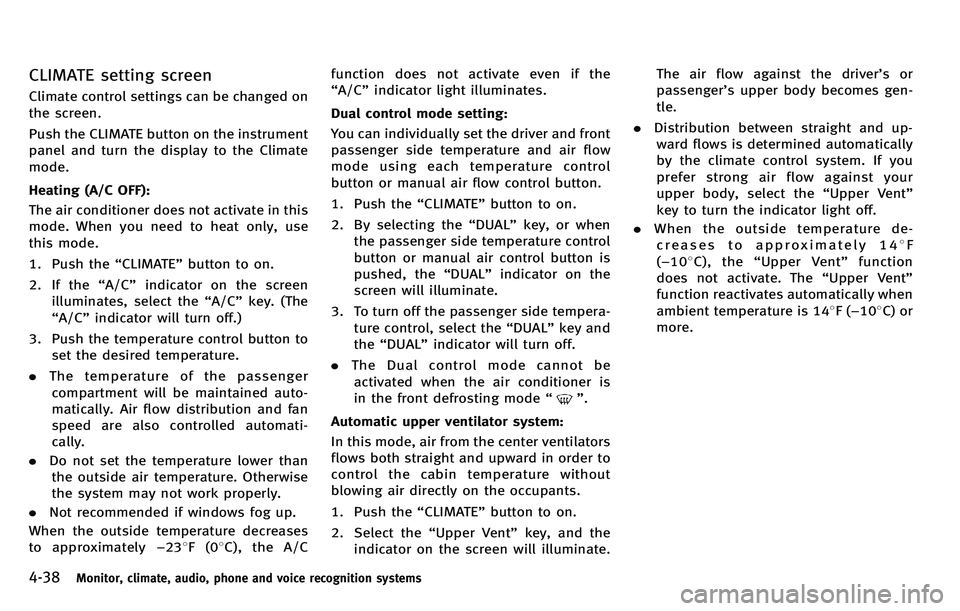
CLIMATE setting screen
Climate control settings can be changed on
the screen.
Push the CLIMATE button on the instrument
panel and turn the display to the Climate
mode.
Heating (A/C OFF):
The air conditioner does not activate in this
mode. When you need to heat only, use
this mode.
1. Push the“CLIMATE” button to on.
2. If the “A/C ”indicator on the screen
illuminates, select the “A/C ”key. (The
“ A/C ”indicator will turn off.)
3. Push the temperature control button to set the desired temperature.
. The temperature of the passenger
compartment will be maintained auto-
matically. Air flow distribution and fan
speed are also controlled automati-
cally.
. Do not set the temperature lower than
the outside air temperature. Otherwise
the system may not work properly.
. Not recommended if windows fog up.
When the outside temperature decreases
to approximately −23 8F(0 8C), the A/C function does not activate even if the
“
A/C ”indicator light illuminates.
Dual control mode setting:
You can individually set the driver and front
passenger side temperature and air flow
mode using each temperature control
button or manual air flow control button.
1. Push the “CLIMATE” button to on.
2. By selecting the “DUAL ”key, or when
the passenger side temperature control
button or manual air control button is
pushed, the “DUAL ”indicator on the
screen will illuminate.
3. To turn off the passenger side tempera- ture control, select the “DUAL ”key and
the “DUAL ”indicator will turn off.
. The Dual control mode cannot be
activated when the air conditioner is
in the front defrosting mode “
”.
Automatic upper ventilator system:
In this mode, air from the center ventilators
flows both straight and upward in order to
control the cabin temperature without
blowing air directly on the occupants.
1. Push the “CLIMATE” button to on.
2. Select the “Upper Vent ”key, and the
indicator on the screen will illuminate. The air flow against the driver
’sor
passenger ’s upper body becomes gen-
tle.
. Distribution between straight and up-
ward flows is determined automatically
by the climate control system. If you
prefer strong air flow against your
upper body, select the “Upper Vent ”
key to turn the indicator light off.
. When the outside temperature de-
creases to approximately 14 8F
( − 10 8C), the “Upper Vent ”function
does not activate. The “Upper Vent ”
function reactivates automatically when
ambient temperature is 14 8F( −10 8C) or
more.
Page 211 of 522

4-40Monitor, climate, audio, phone and voice recognition systems
AUTOMATIC CLIMATE CONTROL
(Type B)
Automatic operation
Cooling and/or dehumidified heating
(AUTO):
This mode may be used year-round as the
system automatically controls constant
temperature, air flow distribution and fan
speed after the desired temperature is set
manually.
1. Push the“AUTO” button.
(The AUTO indicator light on the button
will illuminate and “AUTO” will appear
on the display.)
2. Push the temperature control button (driver ’s side) to set the desired tem-
perature.
.The temperature can be set within
the following range.
– For U.S.: 60 to 90 8F (16 to 32 8C)
– For Canada: 64 to 90 8F (18 to
32 8C)
.The temperature of the passenger
compartment will be maintained
automatically. Air flow distribution
and fan speed will also be controlled
automatically. 3. To turn off the climate control system,
push the “OFF ”button.
A visible mist may be seen coming from the
ventilators in hot, humid conditions as the
air is cooled rapidly. This does not indicate
a malfunction.
Dehumidified defrosting/defogging:
1. Push the “
”button. (The indicator
light will illuminate.)
2. Push the temperature control button (driver side) to set the desired tem-
perature.
.To remove frost from the outsidesurface of the windshield quickly,
set the temperature control and fan
speed control to their maximum
position.
.After the windshield is cleared, pushthe “AUTO” button to set to the
automatic mode.
.When the “”button is pushed,
the air conditioner will automatically
turn on when the outside air tem-
perature is above 23 8F( −58C) to
defog the windshield. The air recir-
culation mode will automatically
turn off. The outside air circulation
mode will be selected to improve the defogging performance.
Manual operation
The manual mode can be used to control
the heater and air conditioner to your
desired settings.
To turn off the heater and air conditioner,
push the
“OFF ”button.
Fan speed control:
Push the fan speed control “
”button
to increase the fan speed.
Push the fan speed control “
”button to
decrease the fan speed.
Push the “AUTO ”button to change the fan
speed to the automatic mode.
Air flow control:
Push the “
”button to change the air
flow mode.
: Air flows from the center and side ventilators.
: Air flows from the center and side ventilators, and foot outlets.
: Air flows mainly from the foot outlets.
: Air flows from the defogger and foot outlets.
Temperature control:
Turn the temperature control dial to set the
desired temperature.
Page 212 of 522
.The temperature can be set within the
following range.
— For U.S.: 60 to 90 8F (16 to 32 8C)
— For Canada: 64 to 90 8F (18 to 32 8C)
Air recirculation:
Push the intake air control “
”button to
recirculate interior air inside the vehicle.
The “
”indicator light on the button will
come on.
The air recirculation mode cannot be
activated when the air conditioner is in
the front defrosting mode “
”.
Outside air circulation:
Push the intake air control “
”button to
change the air circulation from the intake
air to the outside air. The “
”indicator
light will turn off.
Automatic air intake control:
In the AUTO mode, the intake air will be
controlled automatically. To manually con-
trol the intake air, push the intake air
control “
”button. To return to the
automatic control mode, push the intake
air control “
”button for approximately
2 seconds. The indicator lights will flash
twice, and then the intake air will be
controlled automatically.
SAA2959
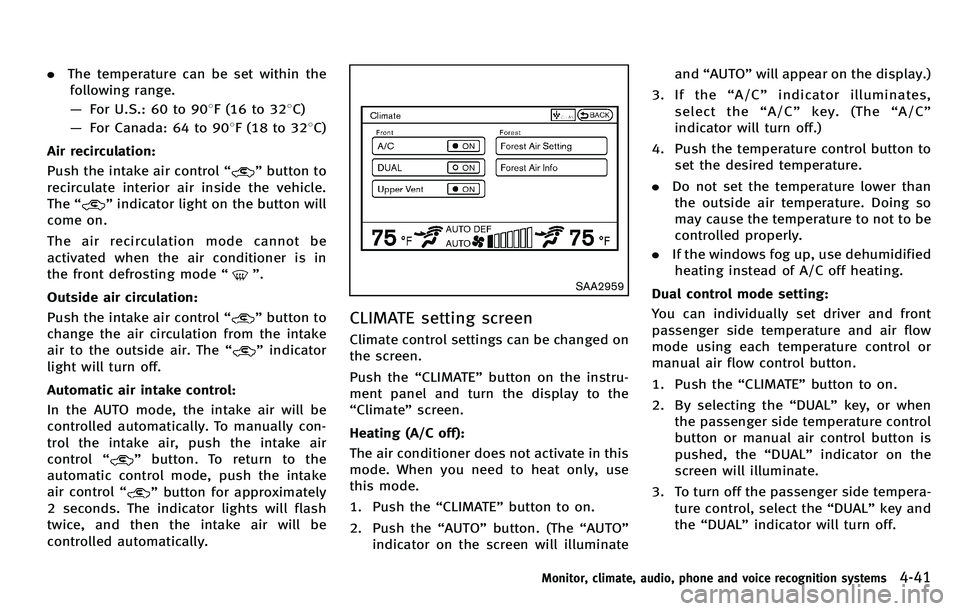
CLIMATE setting screen
Climate control settings can be changed on
the screen.
Push the “CLIMATE ”button on the instru-
ment panel and turn the display to the
“ Climate ”screen.
Heating (A/C off):
The air conditioner does not activate in this
mode. When you need to heat only, use
this mode.
1. Push the “CLIMATE” button to on.
2. Push the “AUTO” button. (The “AUTO ”
indicator on the screen will illuminate and
“AUTO” will appear on the display.)
3. If the “A/C ”indicator illuminates,
select the “A/C ”key. (The “A/C ”
indicator will turn off.)
4. Push the temperature control button to set the desired temperature.
. Do not set the temperature lower than
the outside air temperature. Doing so
may cause the temperature to not to be
controlled properly.
. If the windows fog up, use dehumidified
heating instead of A/C off heating.
Dual control mode setting:
You can individually set driver and front
passenger side temperature and air flow
mode using each temperature control or
manual air flow control button.
1. Push the “CLIMATE” button to on.
2. By selecting the “DUAL ”key, or when
the passenger side temperature control
button or manual air control button is
pushed, the “DUAL ”indicator on the
screen will illuminate.
3. To turn off the passenger side tempera- ture control, select the “DUAL ”key and
the “DUAL ”indicator will turn off.
Monitor, climate, audio, phone and voice recognition systems4-41
Page 213 of 522
4-42Monitor, climate, audio, phone and voice recognition systems
.The Dual control mode cannot be
activated when the air conditioner is
in the front defrosting mode “
”.
Automatic upper ventilator system:
1. Push the “CLIMATE” button to on.
2. Select the “Upper Vent ”key and the
indicator on the screen will illuminate.
The air flow against the driver ’sor
passenger ’s upper body becomes gen-
tle.
In this mode, air from the center
ventilators flows both straight and
upward in order to control the cabin
temperature without blowing air di-
rectly on the occupants.
Distribution between straight and upward
flows is determined automatically by the
climate control system. If you prefer strong
air flow against your upper body, select
“ Upper Vent ”key to turn the indicator off.
. When the outside temperature de-
creases to approximately 14 8F
( − 10 8C), the “Upper Vent ”function
does not activate. The “Upper Vent ”
function reactivates automatically when
the ambient temperature is 14 8F
( − 10 8C) or more. Display Forest Air
®system setting screen:
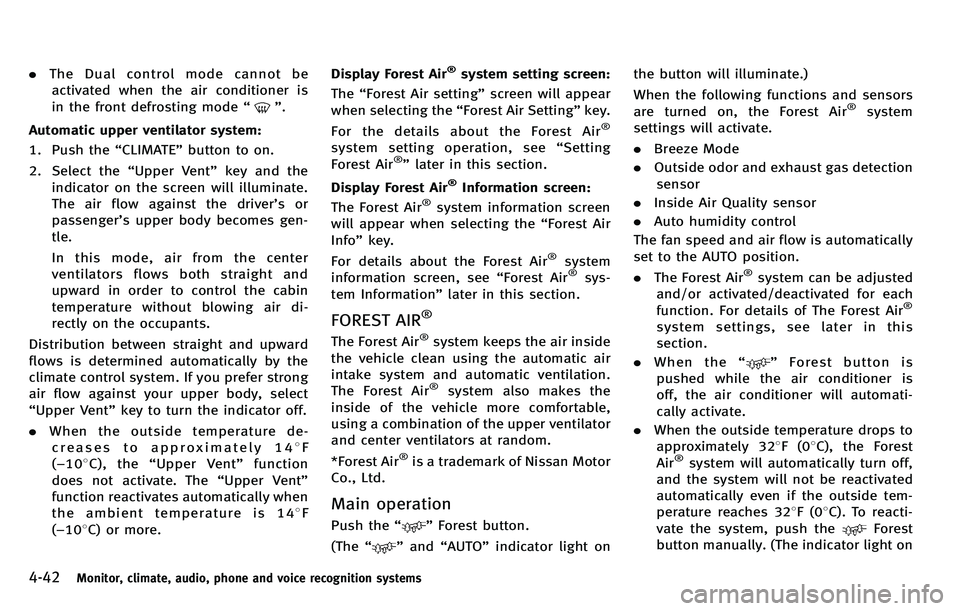
The “Forest Air setting ”screen will appear
when selecting the “Forest Air Setting ”key.
For the details about the Forest Air
®
system setting operation, see “Setting
Forest Air®” later in this section.
Display Forest Air
®Information screen:
The Forest Air®system information screen
will appear when selecting the “Forest Air
Info” key.
For details about the Forest Air
®system
information screen, see “Forest Air®sys-
tem Information ”later in this section.
FOREST AIR®
The Forest Air®system keeps the air inside
the vehicle clean using the automatic air
intake system and automatic ventilation.
The Forest Air
®system also makes the
inside of the vehicle more comfortable,
using a combination of the upper ventilator
and center ventilators at random.
*Forest Air
®is a trademark of Nissan Motor
Co., Ltd.
Main operation
Push the “”Forest button.
(The “
”and “AUTO” indicator light on the button will illuminate.)
When the following functions and sensors
are turned on, the Forest Air
®system
settings will activate.
. Breeze Mode
. Outside odor and exhaust gas detection
sensor
. Inside Air Quality sensor
. Auto humidity control
The fan speed and air flow is automatically
set to the AUTO position.
. The Forest Air
®system can be adjusted
and/or activated/deactivated for each
function. For details of The Forest Air
®
system settings, see later in this
section.
. When the “
”Forest button is
pushed while the air conditioner is
off, the air conditioner will automati-
cally activate.
. When the outside temperature drops to
approximately 32 8F(0 8C), the Forest
Air
®system will automatically turn off,
and the system will not be reactivated
automatically even if the outside tem-
perature reaches 32 8F(0 8C). To reacti-
vate the system, push the
Forest
button manually. (The indicator light on
Page 215 of 522
4-44Monitor, climate, audio, phone and voice recognition systems
Auto humidity control:
The sensor installed on the upper side of
the windshield detects the temperature
and humidity of the passenger compart-
ment and the surface of the windshield,
and controls the humidity of the passenger
compartment to not be over-dry or moist
enough to fog the windows. Moreover, it
detects potential fog before formation on
the windows and operates to remove it.
.Push the “AUTO” or“
”Forest button
(The “AUTO” or“
”indicator light on
the button will illuminate and “AUTO
DEF ”will appear on the display.)
. The “Auto humidity control ”function
will not operate if the fan speed or a
vent outlet is manually adjusted.
( “ AUTO DEF ”will disappear from the
display.)
. When auto humidity control is turned
off while the Forest Air
®system is on,
turn off and on the Forest Air®system,
the auto humidity control will activate
again.
SAA2961
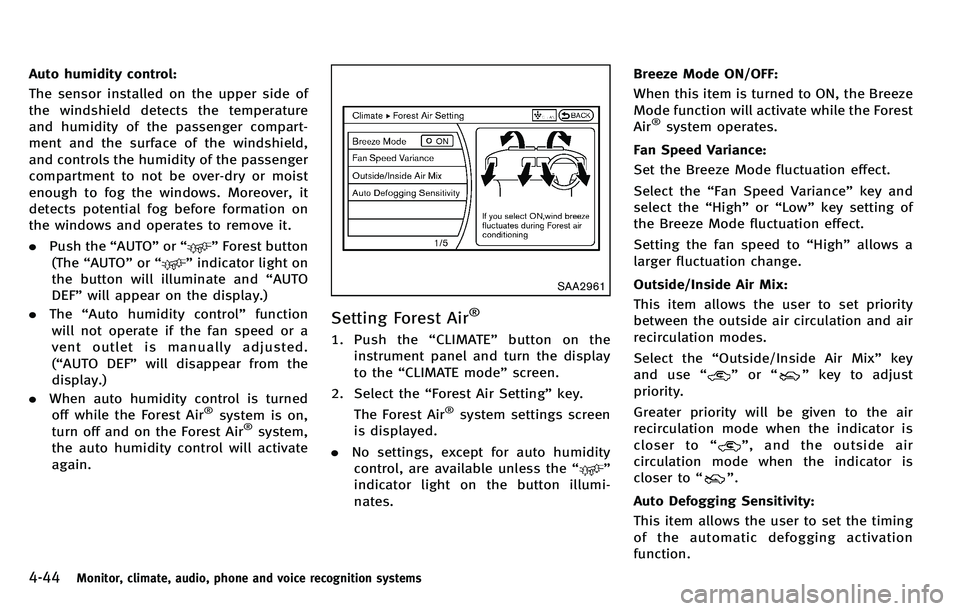
Setting Forest Air®
1. Push the “CLIMATE ”button on the
instrument panel and turn the display
to the “CLIMATE mode ”screen.
2. Select the “Forest Air Setting ”key.
The Forest Air
®system settings screen
is displayed.
. No settings, except for auto humidity
control, are available unless the “
”
indicator light on the button illumi-
nates. Breeze Mode ON/OFF:
When this item is turned to ON, the Breeze
Mode function will activate while the Forest
Air
®system operates.
Fan Speed Variance:
Set the Breeze Mode fluctuation effect.
Select the “Fan Speed Variance ”key and
select the “High ”or “Low ”key setting of
the Breeze Mode fluctuation effect.
Setting the fan speed to “High ”allows a
larger fluctuation change.
Outside/Inside Air Mix:
This item allows the user to set priority
between the outside air circulation and air
recirculation modes.
Select the “Outside/Inside Air Mix ”key
and use “
”or “”key to adjust
priority.
Greater priority will be given to the air
recirculation mode when the indicator is
closer to “
”,andtheoutsideair
circulation mode when the indicator is
closer to “
”.
Auto Defogging Sensitivity:
This item allows the user to set the timing
of the automatic defogging activation
function.
Page 218 of 522
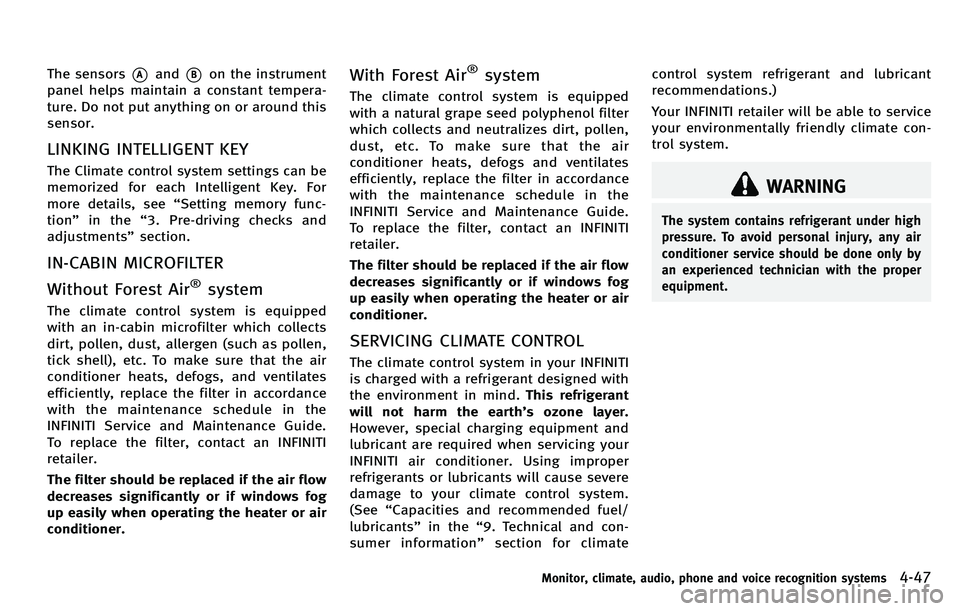
The sensors*Aand*Bon the instrument
panel helps maintain a constant tempera-
ture. Do not put anything on or around this
sensor.
LINKING INTELLIGENT KEY
The Climate control system settings can be
memorized for each Intelligent Key. For
more details, see “Setting memory func-
tion ”in the “3. Pre-driving checks and
adjustments ”section.
IN-CABIN MICROFILTER
Without Forest Air
®system
The climate control system is equipped
with an in-cabin microfilter which collects
dirt, pollen, dust, allergen (such as pollen,
tick shell), etc. To make sure that the air
conditioner heats, defogs, and ventilates
efficiently, replace the filter in accordance
with the maintenance schedule in the
INFINITI Service and Maintenance Guide.
To replace the filter, contact an INFINITI
retailer.
The filter should be replaced if the air flow
decreases significantly or if windows fog
up easily when operating the heater or air
conditioner.
With Forest Air®system
The climate control system is equipped
with a natural grape seed polyphenol filter
which collects and neutralizes dirt, pollen,
dust, etc. To make sure that the air
conditioner heats, defogs and ventilates
efficiently, replace the filter in accordance
with the maintenance schedule in the
INFINITI Service and Maintenance Guide.
To replace the filter, contact an INFINITI
retailer.
The filter should be replaced if the air flow
decreases significantly or if windows fog
up easily when operating the heater or air
conditioner.
SERVICING CLIMATE CONTROL
The climate control system in your INFINITI
is charged with a refrigerant designed with
the environment in mind. This refrigerant
will not harm the earth ’s ozone layer.
However, special charging equipment and
lubricant are required when servicing your
INFINITI air conditioner. Using improper
refrigerants or lubricants will cause severe
damage to your climate control system.
(See “Capacities and recommended fuel/
lubricants ”in the “9. Technical and con-
sumer information ”section for climate control system refrigerant and lubricant
recommendations.)
Your INFINITI retailer will be able to service
your environmentally friendly climate con-
trol system.
WARNING
The system contains refrigerant under high
pressure. To avoid personal injury, any air
conditioner service should be done only by
an experienced technician with the proper
equipment.
Monitor, climate, audio, phone and voice recognition systems4-47
Page 233 of 522

4-62Monitor, climate, audio, phone and voice recognition systems
ON·OFF/Volume control:
Push the ignition switch to the ACC or ON
position, and then push the ON·OFF button
while the system is off to turn on the last
audio source (i.e. FM or CD), which was
playing immediately before the system was
turned off. While the system is on, pushing
the ON·OFF button turns the system off.
Turn the VOL control knob to adjust the
volume.
Adjusting tone quality and speaker bal-
ance:
To adjust Bass, Treble, Balance and Fade,
push the Audio control knob. When the
display shows the setting you want to
change (Bass, Treble, Balance and Fade),
rotate the Audio control knob to set the
desired setting. For the other setting
methods, see“How to use SETTING button ”
earlier in this section.
This vehicle has some sound effect func-
tions as follows:
. Speed Sensitive Vol.
. Precision Phased Audio (if so equipped)
. BOSE
®Centerpoint®2 (if so equipped)
. BOSE®AudioPilot®2 (if so equipped)
For more details, see “How to use SETTING
button ”earlier in this section. Switching the display:
Pushing the DISC·AUX button will switch
the displays as follows:
.
Models with navigation system
iPod
®/USB ?CD/DVD ?Music Box ?
Bluetooth®Audio ?iPod®/USB
. Models without navigation system
iPod
®/USB ?CD ?iPod®/USB
Linking Intelligent Key (models with navi-
gation system):
The audio settings can be memorized for
each Intelligent Key. For more details, see
“ Setting memory function ”in the “3. Pre-
driving checks and adjustments ”section.
FM-AM-SAT radio operation
When the radio band select button is
pushed while the ignition switch is in the
ACC or ON position, the radio will come on
at the channel last played.
The last channel played will also come on
when the ON·OFF button is pushed to ON.
If another audio source is playing when the
radio band select button is turned to ON,
the audio source will automatically be
turned off and the last radio channel
played will come on. When the stereo broadcast signal is weak,
the radio will automatically change from
stereo to monaural reception.
radio (FM·AM) band select :
Pushing the XM radio band select button
will change the band as follows:
AM ?FM1 ?FM2 ?AM
radio (XM) band select:
Pushing the XM radio band select button
will change the band as follows:
XM1 ?XM2 ?XM3 ?XM1
The satellite radio is not available in
Alaska, Hawaii and Guam.
TUNE (Tuning) :
. For AM and FM radio
Turn the radio TUNE knob for manual
tuning.
. For XM Satellite Radio
Turn the radio TUNE knob to seek
channels from all of the categories
when any category is not selected.
SEEK tuning/CATEGORY (CAT):
. For AM and FM radio
Push the SEEK button
orto
Page 237 of 522

4-66Monitor, climate, audio, phone and voice recognition systems
CAUTION
.Only operate the DVD while the vehicle
engine is running. Operating the DVD for
extended periods of time with the
engine OFF can discharge the vehicle
battery.
. Do not allow the system to get wet.
Excessive moisture such as spilled
liquids may cause the system to mal-
function.
. While playing VIDEO-CD media, this DVD
player does not guarantee complete
functionality of all VIDEO-CD formats.
Display settings
To adjust the front display mode, push the
SETTING button while the DVD is being
played, select the “Others ”key and then
select the “Display ”key.
To adjust the display ON/OFF, brightness,
tint, color and contrast, select the “Display
Adjustment ”key and then select each key.
Then you can adjust each item using the
INFINITI controller. After changes have
been made push the BACK button to save
the setting.
SAA2497
Playing a DVD
DISC·AUX button:
Park the vehicle in a safe location for the
front seat occupants to operate the DVD
drive while watching the images.
Push the DISC·AUX button on the instru-
ment panel and turn the display to the DVD
mode.
When a DVD is loaded, it will be replayed
automatically.
The operation screen will be turned on
when the DISC·AUX button located on the
instrument panel is pushed while a DVD is being played, and it will turn off auto-
matically after a period of time. To turn it
on again, push the DISC·AUX button again.
DVD operation keys:
When the DVD is playing without the
operation screen being shown, you may
use the touch screen to select items from
the displayed video. You may also use the
INFINITI controller to select an item from
the displayed video. When the operation
screen is being shown, use the INFINITI
controller or touch screen to select an item
from the displayed menus.
PAUSE:
Select the “
”key to pause the DVD. To
resume playing the DVD, use the “PLAY ”
key.
PLAY:
Select the “
”key to start playing the
DVD, for example, after pausing the DVD.
STOP:
Select the “
”key to stop playing the
DVD.
Page 238 of 522
/Next/Previous Chapter:
Select the “
”or “”key to skip the
chapter(s) of the disc forward/backward.
The chapters will advance/go back the
number of times this key is selected.
/Commercial Skip:
This function is only for DVD-VIDEO, DVD-
VR. Select the “
”or “”key to skip
forward or backwards by the set amount as
defined in the DVD Settings menu.
Top Menu:
When the “Top Menu” key is selected in
the screen while a DVD is being played, the
top menu specific to each disc will be
displayed. For details, see the instructions
on the disc.
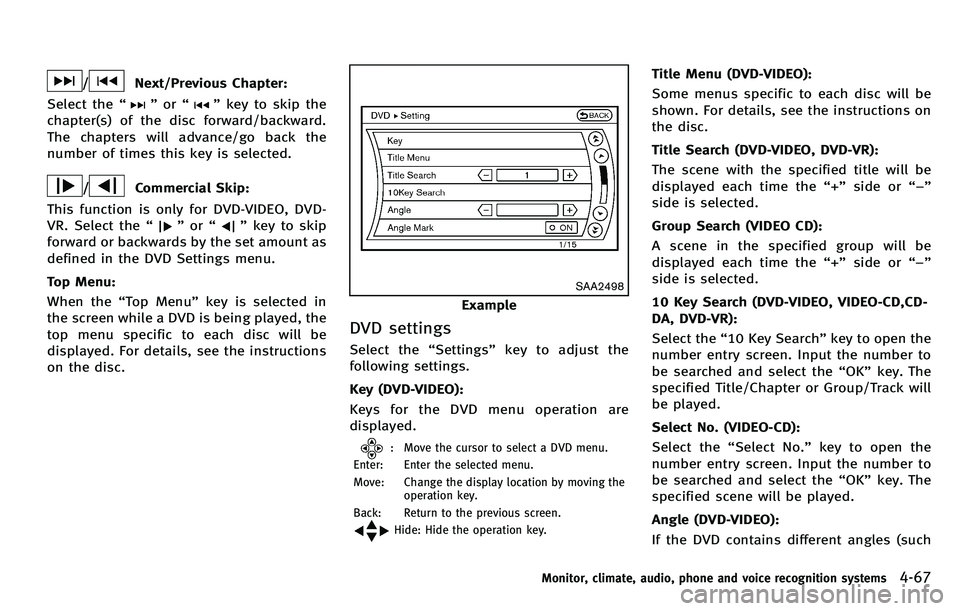
SAA2498
Example
DVD settings
Select the “Settings ”key to adjust the
following settings.
Key (DVD-VIDEO):
Keys for the DVD menu operation are
displayed.
: Move the cursor to select a DVD menu.
Enter: Enter the selected menu.
Move: Change the display location by moving the operation key.
Back: Return to the previous screen.
Hide: Hide the operation key.
Title Menu (DVD-VIDEO):
Some menus specific to each disc will be
shown. For details, see the instructions on
the disc.
Title Search (DVD-VIDEO, DVD-VR):
The scene with the specified title will be
displayed each time the “+ ” side or “− ”
side is selected.
Group Search (VIDEO CD):
A scene in the specified group will be
displayed each time the “+ ” side or “− ”
side is selected.
10 Key Search (DVD-VIDEO, VIDEO-CD,CD-
DA, DVD-VR):
Select the “10 Key Search ”key to open the
number entry screen. Input the number to
be searched and select the “OK ”key. The
specified Title/Chapter or Group/Track will
be played.
Select No. (VIDEO-CD):
Select the “Select No.” key to open the
number entry screen. Input the number to
be searched and select the “OK ”key. The
specified scene will be played.
Angle (DVD-VIDEO):
If the DVD contains different angles (such
Monitor, climate, audio, phone and voice recognition systems4-67
Page 243 of 522

4-72Monitor, climate, audio, phone and voice recognition systems
Skip (Previous chapter)
Select the “
”key to skip the chapter(s)
of the disc backward. The chapters will go
back the number of times the “
”key is
selected.
List:
Select the “List ”key on the movie file
operation screen to display the file list.
SAA2504
Example
Settings:
Select the “Settings ”key to adjust the
following settings.
. Audio File Playback
Switch to the audio playback mode.
This item is displayed only when the
USB memory contains the audio files.
. Play Mode
Select the “Normal ”or “1 Track Re-
peat ”play mode.
. 10 Key Search
Select the “10 Key Search ”key to open
the number entry screen. Input the number to be searched and
select the
“OK” key.
The specified folder/file will be played.
. Display
To adjust the image quality of the
screen, select the preferred adjustment
items.
. DRC
DRC (Dynamic Range Compression)
automatically adjusts the soundtrack
volume level to maintain a more even
sound to the speakers.
. Audio
Select the preferred language for audio.
. Subtitle
Select the preferred language for sub-
title.
. Display Mode
Select the “Normal ”, “Wide ”, “Cinema ”
or “Full ”mode.