reset INFINITI M 2012 Owner's Manual
[x] Cancel search | Manufacturer: INFINITI, Model Year: 2012, Model line: M, Model: INFINITI M 2012Pages: 522, PDF Size: 3.8 MB
Page 319 of 522
5-6Starting and driving
the light still illuminates while driving
after adjusting the tire pressure, a tire
may be flat. If you have a flat tire,
replace it with a spare tire as soon as
possible. (See“Flat tire ”in the “6. In
case of emergency ”section for changing
a flat tire.)
. When a spare tire is mounted or a wheel
is replaced, the TPMS will not function
and the low tire pressure warning light
will flash for approximately 1 minute.
The light will remain on after 1 minute.
Contact your INFINITI retailer as soon as
possible for tire replacement and/or
system resetting.
. Replacing tires with those not originally
specified by INFINITI could affect the
proper operation of the TPMS.
. Do not inject any tire liquid or aerosol
tire sealant into the tires, as this may
cause a malfunction of the tire pressure
sensors.
CAUTION
.The TPMS may not function properly
when the wheels are equipped with tire chains or the wheels are buried in snow.
. Do not place metalized film or any metal
parts (antenna, etc.) on the windows.
This may cause poor reception of the
signals from the tire pressure sensors,
and the TPMS will not function properly.
Some devices and transmitters may tem-
porarily interfere with the operation of the
TPMS and cause the low tire pressure
warning light to illuminate. Some exam-
ples are:
.Facilities or electric devices using simi-
lar radio frequencies are near the
vehicle.
. If a transmitter set to similar frequen-
cies is being used in or near the
vehicle.
. If a computer (or similar equipment) or
a DC/AC converter is being used in or
near the vehicle.
FCC Notice:
For USA:
This device complies with Part 15 of the
FCC Rules. Operation is subject to the
following two conditions: (1) This device
may not cause harmful interference, and
(2) this device must accept any interfer- ence received, including interference that
may cause undesired operation.
NOTE:
Changes or modifications not expressly
approved by the party responsible for
compliance could void the user
’s authority
to operate the equipment.
For Canada:
This device complies with RSS-210 of
Industry Canada. Operation is subject to
the following two conditions: (1) this
device may not cause interference, and
(2) this device must accept any interfer-
ence, including interference that may
cause undesired operation of the device.
AVOIDING COLLISION AND ROLL-
OVER
WARNING
Failure to operate this vehicle in a safe and
prudent manner may result in loss of control
or an accident.
Be alert and drive defensively at all times.
Obey all traffic regulations. Avoid exces-
sive speed, high speed cornering, or
Page 359 of 522
5-46Starting and driving
SET/COAST switch and release it. (The
CRUISE SET indicator will come on in the
instrument panel.) Take your foot off the
accelerator pedal. Your vehicle will main-
tain the set speed.
.To pass another vehicle, depress the
accelerator pedal. When you release
the pedal, the vehicle will return to the
previously set speed.
. The vehicle may not maintain the set
speed on winding or hilly roads. If this
happens, drive without the cruise con-
trol.
To cancel the preset speed, follow any of
these methods:
1. Push the CANCEL button. The SET indicator will go out.
2. Tap the brake pedal. The SET indicator will go out.
3. Move the selector lever to the N (Neutral) position. The SET indicator
will go out.
4. Turn the MAIN switch off. Both the CRUISE indicator and SET indicator will
go out.
. If you depress the brake pedal while
pushing the RESUME/ACCELERATE or
SET/COAST switch and reset at the cruising speed, the cruise control will
disengage. Turn the MAIN switch off
once and then turn it on again.
. The cruise control will automatically
cancel if the vehicle slows more than
7 MPH (12 km/h) below the set speed.
. If you move the selector lever to N
(Neutral) position, the cruise control
will be canceled.
To reset at a faster cruising speed, use one
of the following methods:
. Depress the accelerator pedal. When
the vehicle attains the desired speed,
push and release the SET/COAST
switch.
. Push and hold the RESUME/ACCELER-
ATE switch. When the vehicle attains
the speed you desire, release the
switch.
. Push, then quickly release the RESUME/
ACCELERATE switch. Each time you do
this, the set speed will increase by
about 1 MPH (1.6 km/h).
To reset at a slower cruising speed, use
one of the following methods:
. Lightly tap the brake pedal. When the
vehicle attains the desired speed, push
the SET/COAST switch and release it. .
Push and hold the SET/COAST switch.
Release the switch when the vehicle
slows down to the desired speed.
. Push, then quickly release the SET/
COAST switch. Each time you do this,
the set speed will decrease by about 1
MPH (1.6 km/h).
To resume the preset speed, push and
release the RESUME/ACCELERATE switch.
The vehicle will resume the last set
cruising speed when the vehicle speed is
over 25 MPH (40 km/h).
Page 360 of 522
The Intelligent Cruise Control (ICC) system
maintains a selected distance from the
vehicle in front of you within the speed
range of 0 to 90 MPH (0 to 144 km/h) up to
the set speed. The set speed can be
selected by the driver between 20 to 90
MPH (32 to 144 km/h).
The ICC function can be set to one of two
cruise control modes:
.Vehicle-to-vehicle distance control
mode:
For maintaining a selected distance
between your vehicle and the vehicle
in front of you up to the preset speed.
. Conventional (fixed speed) cruise con-
trol mode:
For cruising at a preset speed.
WARNING
. Always drive carefully and attentively
when using either cruise control mode.
Read and understand the Owner ’s Man-
ual thoroughly before using the cruise
control. To avoid serious injury or death,
do not rely on the system to prevent
accidents or to control the vehicle ’s
speed in emergency situations. Do not
use cruise control except in appropriate road and traffic conditions.
. In the conventional (fixed speed) cruise
control mode, a warning chime will not
sound to warn you if you are too close to
the vehicle ahead. Pay special attention
to the distance between your vehicle and
the vehicle ahead of you or a collision
could occur.
Starting and driving5-47
INTELLIGENT CRUISE CONTROL (ICC)
SYSTEM (if so equipped)
Page 370 of 522
SSD0983
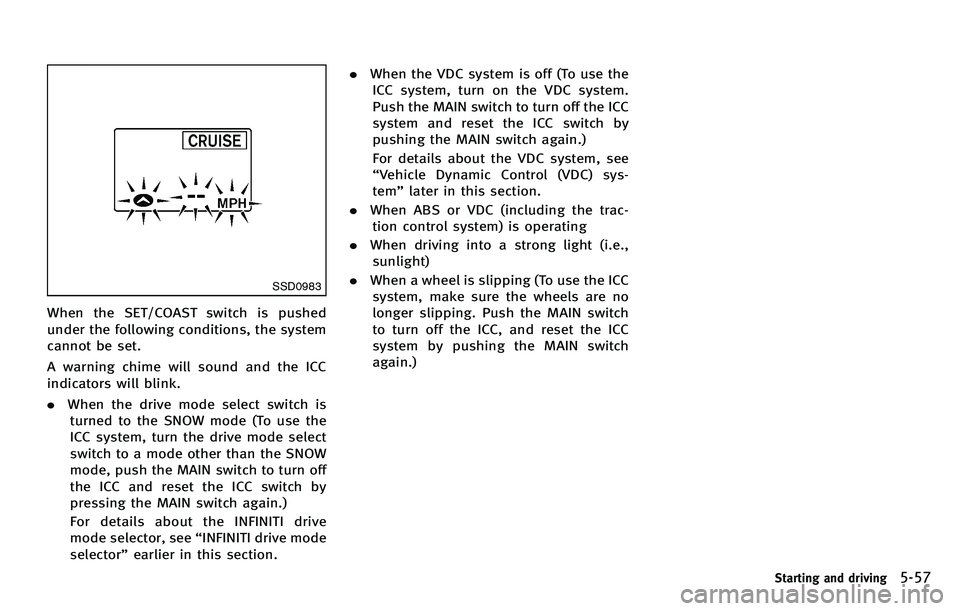
When the SET/COAST switch is pushed
under the following conditions, the system
cannot be set.
A warning chime will sound and the ICC
indicators will blink.
.When the drive mode select switch is
turned to the SNOW mode (To use the
ICC system, turn the drive mode select
switch to a mode other than the SNOW
mode, push the MAIN switch to turn off
the ICC and reset the ICC switch by
pressing the MAIN switch again.)
For details about the INFINITI drive
mode selector, see “INFINITI drive mode
selector ”earlier in this section. .
When the VDC system is off (To use the
ICC system, turn on the VDC system.
Push the MAIN switch to turn off the ICC
system and reset the ICC switch by
pushing the MAIN switch again.)
For details about the VDC system, see
“ Vehicle Dynamic Control (VDC) sys-
tem ”later in this section.
. When ABS or VDC (including the trac-
tion control system) is operating
. When driving into a strong light (i.e.,
sunlight)
. When a wheel is slipping (To use the ICC
system, make sure the wheels are no
longer slipping. Push the MAIN switch
to turn off the ICC, and reset the ICC
system by pushing the MAIN switch
again.)
Starting and driving5-57
Page 372 of 522
the ICC system is in operation, the system
controls the distance to that vehicle.
When a vehicle is no longer detected under
approximately 15 MPH (24 km/h), the
system will be canceled.
SSD0985
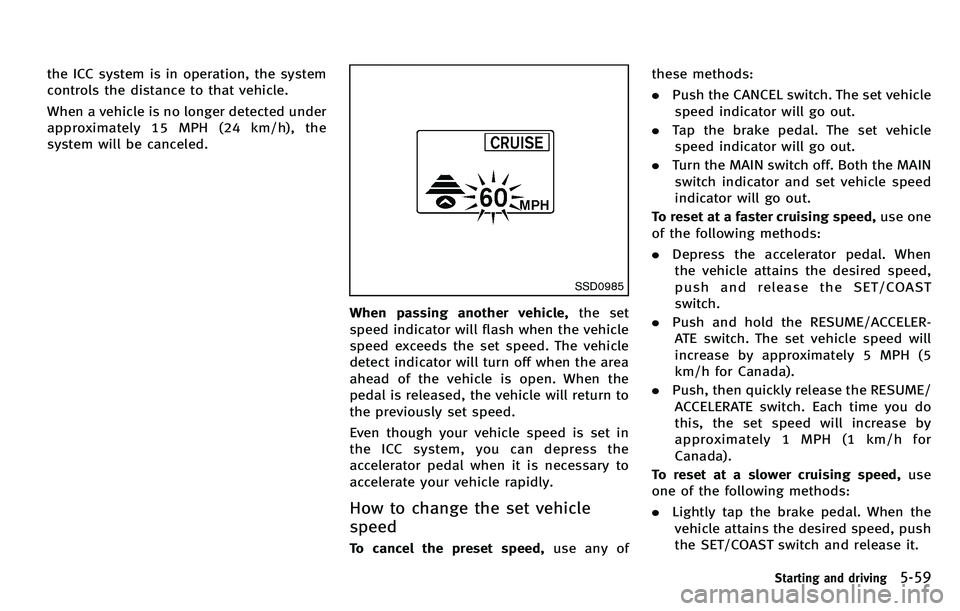
When passing another vehicle,the set
speed indicator will flash when the vehicle
speed exceeds the set speed. The vehicle
detect indicator will turn off when the area
ahead of the vehicle is open. When the
pedal is released, the vehicle will return to
the previously set speed.
Even though your vehicle speed is set in
the ICC system, you can depress the
accelerator pedal when it is necessary to
accelerate your vehicle rapidly.
How to change the set vehicle
speed
To cancel the preset speed, use any ofthese methods:
.
Push the CANCEL switch. The set vehicle
speed indicator will go out.
. Tap the brake pedal. The set vehicle
speed indicator will go out.
. Turn the MAIN switch off. Both the MAIN
switch indicator and set vehicle speed
indicator will go out.
To reset at a faster cruising speed, use one
of the following methods:
. Depress the accelerator pedal. When
the vehicle attains the desired speed,
push and release the SET/COAST
switch.
. Push and hold the RESUME/ACCELER-
ATE switch. The set vehicle speed will
increase by approximately 5 MPH (5
km/h for Canada).
. Push, then quickly release the RESUME/
ACCELERATE switch. Each time you do
this, the set speed will increase by
approximately 1 MPH (1 km/h for
Canada).
To reset at a slower cruising speed, use
one of the following methods:
. Lightly tap the brake pedal. When the
vehicle attains the desired speed, push
the SET/COAST switch and release it.
Starting and driving5-59
Page 373 of 522
5-60Starting and driving
.Push and hold the SET/COAST switch.
The set vehicle speed will decrease by
approximately 5 MPH (5 km/h for
Canada).
. Push, then quickly release the SET/
COAST switch. Each time you do this,
the set speed will decrease by approxi-
mately 1 MPH (1 km/h for Canada).
To resume the preset speed, push and
release the RESUME/ACCELERATE switch.
The vehicle will resume the last set
cruising speed when the vehicle speed is
over 20 MPH (32 km/h).
SSD0986
How to change the set distance to
the vehicle ahead
The distance to the vehicle ahead can be
selected at any time depending on the
traffic conditions.
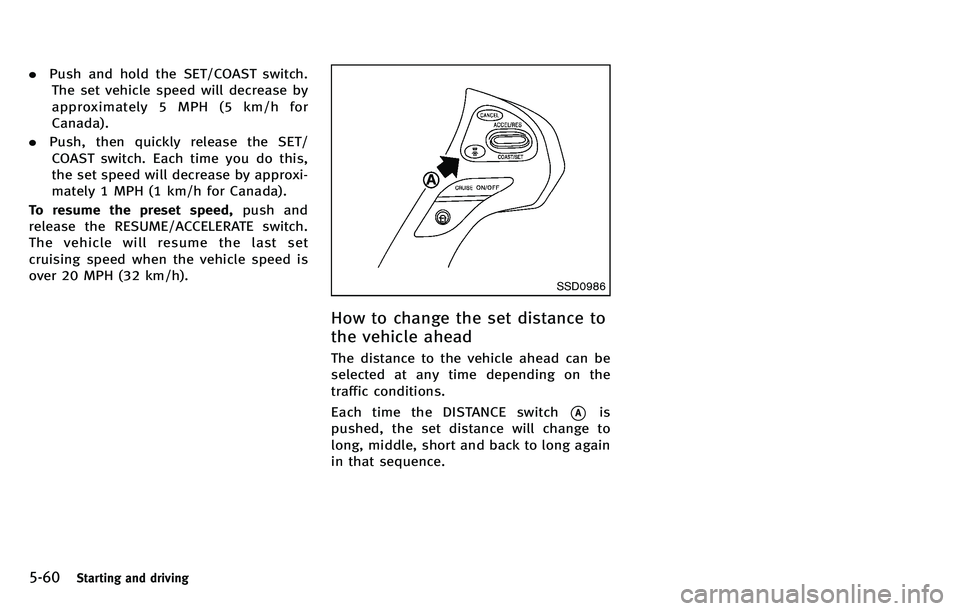
Each time the DISTANCE switch
*Ais
pushed, the set distance will change to
long, middle, short and back to long again
in that sequence.
Page 380 of 522
set your desired cruising speed. Pushing
the MAIN switch again will turn the system
completely off.
When the Distance Control Assist (DCA)
system is on, the conventional (fixed
speed) cruise control mode cannot be
turned on even though the MAIN switch is
pushed and held.
To turn on the conventional (fixed speed)
cruise control mode, turn off the DCA
system. See“Distance Control Assist
(DCA) system ”later in this section.
When the ignition switch is pushed to the
OFF position, the system is also automati-
cally turned off. To use the Intelligent
Cruise Control again, quickly push and
release the MAIN switch (vehicle-to-vehicle
distance control mode) or push and hold it
(conventional cruise control mode) again to
turn it on.
CAUTION
To avoid accidentally engaging cruise con-
trol, make sure to turn the MAIN switch off
when not using the Intelligent Cruise Con-
trol system.
SSD0993
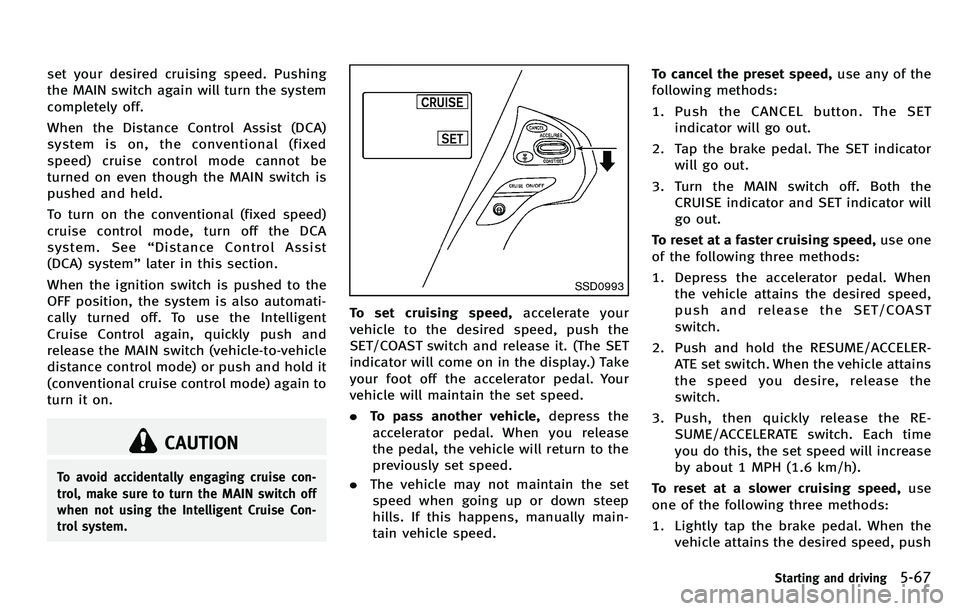
To set cruising speed, accelerate your
vehicle to the desired speed, push the
SET/COAST switch and release it. (The SET
indicator will come on in the display.) Take
your foot off the accelerator pedal. Your
vehicle will maintain the set speed.
. To pass another vehicle, depress the
accelerator pedal. When you release
the pedal, the vehicle will return to the
previously set speed.
. The vehicle may not maintain the set
speed when going up or down steep
hills. If this happens, manually main-
tain vehicle speed. To cancel the preset speed,
use any of the
following methods:
1. Push the CANCEL button. The SET indicator will go out.
2. Tap the brake pedal. The SET indicator will go out.
3. Turn the MAIN switch off. Both the CRUISE indicator and SET indicator will
go out.
To reset at a faster cruising speed, use one
of the following three methods:
1. Depress the accelerator pedal. When the vehicle attains the desired speed,
push and release the SET/COAST
switch.
2. Push and hold the RESUME/ACCELER- ATE set switch. When the vehicle attains
the speed you desire, release the
switch.
3. Push, then quickly release the RE- SUME/ACCELERATE switch. Each time
you do this, the set speed will increase
by about 1 MPH (1.6 km/h).
To reset at a slower cruising speed, use
one of the following three methods:
1. Lightly tap the brake pedal. When the vehicle attains the desired speed, push
Starting and driving5-67
Page 381 of 522
5-68Starting and driving
the SET/COAST switch and release it.
2. Push and hold the SET/COAST switch. Release the switch when the vehicle
slows down to the desired speed.
3. Push, then quickly release the SET/ COAST switch. Each time you do this,
the set speed will decrease by about 1
MPH (1.6 km/h).
To resume the preset speed, push and
release the RESUME/ACCELERATE switch.
The vehicle will resume the last set
cruising speed when the vehicle speed is
over 25 MPH (40 km/h).
Automatic cancellation
A chime sounds under the following con-
ditions and the control is automatically
canceled.
. When the vehicle slows down more
than 8 MPH (13 km/h) below the set
speed
. When the vehicle speed falls below
approximately 20 MPH (32 km/h)
. When the selector lever is not in the D
(Drive) or manual shift mode
. When the parking brake is applied.
. When the VDC operates (including the
traction control system) .
When a tire slips
SSD0979
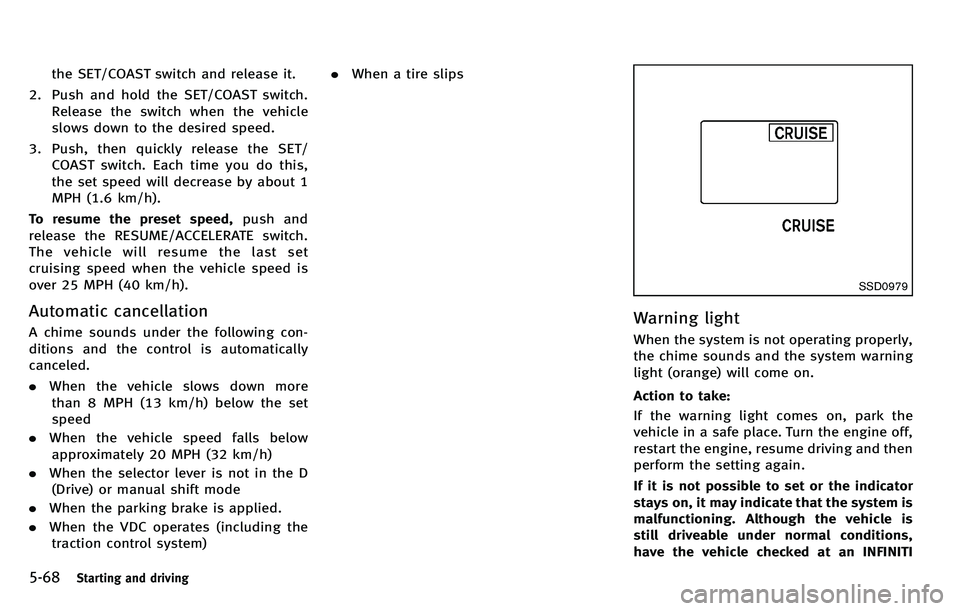
Warning light
When the system is not operating properly,
the chime sounds and the system warning
light (orange) will come on.
Action to take:
If the warning light comes on, park the
vehicle in a safe place. Turn the engine off,
restart the engine, resume driving and then
perform the setting again.
If it is not possible to set or the indicator
stays on, it may indicate that the system is
malfunctioning. Although the vehicle is
still driveable under normal conditions,
have the vehicle checked at an INFINITI
Page 411 of 522

5-98Starting and driving
The Vehicle Dynamic Control (VDC) system
uses various sensors to monitor driver
inputs and vehicle motion. Under certain
driving conditions, the VDC system helps
to perform the following functions.
.Controls brake pressure to reduce
wheel slip on one slipping drive wheel
so power is transferred to a non
slipping drive wheel on the same axle.
. Controls brake pressure and engine
output to reduce drive wheel slip based
on vehicle speed (traction control func-
tion).
. Controls brake pressure at individual
wheels and engine output to help the
driver maintain control of the vehicle in
the following conditions:
— understeer (vehicle tends to not
follow the steered path despite
increased steering input)
— oversteer (vehicle tends to spin due
to certain road or driving condi-
tions).
The VDC system can help the driver to
maintain control of the vehicle, but it
cannot prevent loss of vehicle control in
all driving situations.
When the VDC system operates, the VDC
warning light
in the instrument panel flashes so note the following:
.
The road may be slippery or the system
may determine some action is required
to help keep the vehicle on the steered
path.
. You may feel a pulsation in the brake
pedal and hear a noise or vibration
from under the hood. This is normal
and indicates that the VDC system is
working properly.
. Adjust your speed and driving to the
road conditions.
See “Vehicle Dynamic Control (VDC) warn-
ing light” in the“2. Instruments and
controls ”section.
If a malfunction occurs in the system, the
VDC warning light
illuminates in the
instrument panel. The VDC system auto-
matically turns off.
The VDC OFF switch is used to turn off the
VDC system. The VDC off indicator
illuminates to indicate the VDC system is
off. When the VDC switch is used to turn off
the system, the VDC system still operates
to prevent one drive wheel from slipping by
transferring power to a non slipping drive
wheel. The VDC warning light
flashes if
this occurs. All other VDC functions are off,
except for rise-up and build-up and brake force distribution, and the VDC warning
light
will not flash. The VDC system is
automatically reset to on when the ignition
switch is placed in the off position then
back to the on position.
See “Vehicle Dynamic Control (VDC) warn-
ing light” in the“2. Instruments and
controls ”section and “Vehicle Dynamic
Control (VDC) off indicator light” in the“2.
Instruments and controls ”section.
The computer has a built-in diagnostic
feature that tests the system each time you
start the engine and move the vehicle
forward or in reverse at a slow speed.
When the self-test occurs, you may hear a
“ clunk ”noise and/or feel a pulsation in the
brake pedal. This is normal and is not an
indication of a malfunction.
ACTIVE TRACE CONTROL (if so
equipped)
This system senses driving based on the
driver ’s steering and acceleration/braking
patterns, and controls brake pressure at
individual wheels and engine output to
help smooth vehicle response.
When the drive mode selector switch is set
to the “SPORT ”mode, the amount of brake
control provided by active trace control is
VEHICLE DYNAMIC CONTROL (VDC) SYSTEM
Page 420 of 522

vehicle speed, pull off the road to a safe
location and stop the vehicle as soon as
possible. Driving with under-inflated
tires may permanently damage the tires
and increase the likelihood of tire fail-
ure. Serious vehicle damage could occur
and may lead to an accident and could
result in serious personal injury. Check
the tire pressure for all four tires. Adjust
the tire pressure to the recommended
COLD tire pressure shown on the Tire
and Loading Information label to turn
the low tire pressure warning light OFF. If
the light still illuminates while driving
after adjusting the tire pressure, a tire
may be flat. If you have a flat tire,
replace it with a spare tire as soon as
possible.
. When a spare tire is mounted or a wheel
is replaced, the TPMS will not function
and the low tire pressure warning light
will flash for approximately 1 minute.
The light will remain on after 1 minute.
Contact your INFINITI retailer as soon as
possible for tire replacement and/or
system resetting.
. Replacing tires with those not originally
specified by INFINITI could affect the
proper operation of the TPMS. .
Do not inject any tire liquid or aerosol
tire sealant into the tires, as this may
cause a malfunction of the tire pressure
sensors.
CHANGING A FLAT TIRE
If you have a flat tire, follow the instruc-
tions below.
Stopping the vehicle
1. Safely move the vehicle off the road
and away from traffic.
2. Turn on the hazard warning flashers.
3. Park on a level surface and apply the parking brake. Move the selector lever
to the P (Park) position.
4. Turn off the engine.
5. Raise the hood to warn other traffic, and to signal professional road assis-
tance personnel that you need assis-
tance.
6. Have all passengers get out of the vehicle and stand in a safe place, away
from traffic and clear of the vehicle.
WARNING
. Make sure the parking brake is securely
applied and the automatic transmission
into P (Park).
. Never change tires when the vehicle is
on a slope, ice or slippery areas. This is
hazardous.
. Never change tires if oncoming traffic is
close to your vehicle. Wait for profes-
sional road assistance.
In case of emergency6-3