tires INFINITI M 2013 Owner's Manual
[x] Cancel search | Manufacturer: INFINITI, Model Year: 2013, Model line: M, Model: INFINITI M 2013Pages: 522, PDF Size: 3.72 MB
Page 10 of 522
SSI0686
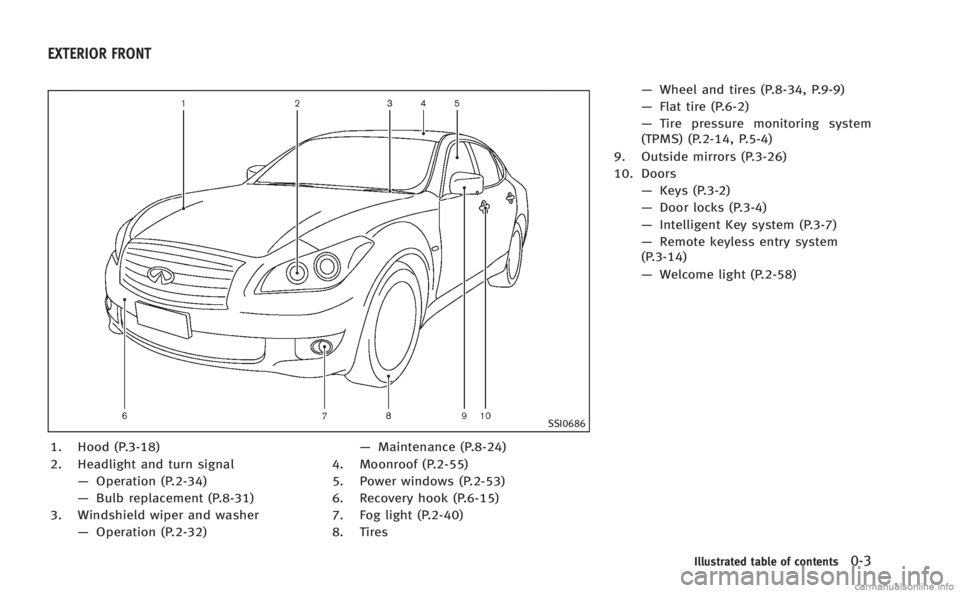
1. Hood (P.3-18)
2. Headlight and turn signal—Operation (P.2-34)
— Bulb replacement (P.8-31)
3. Windshield wiper and washer —Operation (P.2-32) —
Maintenance (P.8-24)
4. Moonroof (P.2-55)
5. Power windows (P.2-53)
6. Recovery hook (P.6-15)
7. Fog light (P.2-40)
8. Tires —
Wheel and tires (P.8-34, P.9-9)
— Flat tire (P.6-2)
— Tire pressure monitoring system
(TPMS) (P.2-14, P.5-4)
9. Outside mirrors (P.3-26)
10. Doors —Keys (P.3-2)
— Door locks (P.3-4)
— Intelligent Key system (P.3-7)
— Remote keyless entry system
(P.3-14)
— Welcome light (P.2-58)
Illustrated table of contents0-3
EXTERIOR FRONT
Page 84 of 522
WARNING LIGHTS
All-Wheel Drive (AWD) warning
light (if so equipped)
Thewarning light comes on when the
ignition switch is pushed to ON. It turns off
soon after the engine is started.
If the Intelligent AWD system malfunctions,
or the diameter of the front and the rear
wheels are different, the warning light will
either remain illuminated or blink. (See
“Intelligent All-Wheel Drive (AWD)” in the
“5. Starting and driving” section.)
CAUTION
.If the warning light comes on while
driving there may be a malfunction in
the Intelligent AWD system. Reduce the
vehicle speed and have your vehicle
checked by an INFINITI retailer as soon
as possible.
. If the AWD warning light blinks on when
you are driving:
—blinks rapidly (about twice a sec-
ond):
Pull off the road in a safe area, and
idle the engine. The driving mode will change to 2WD to prevent the AWD
system from malfunctioning. If the
warning light turns off, you can drive
again.
—blinks slowly (about once every 2
seconds):
Pull off the road in a safe area, and
idle the engine. Check that all tire
sizes are the same, tire pressure is
correct and tires are not worn.
. If the warning light is still on after the
above operations, have your vehicle
checked by an INFINITI retailer as soon
as possible.
orAnti-lock Braking
System (ABS) warning light
When the ignition switch is in the ON
position, the Anti-lock Braking System
(ABS) warning light illuminates and then
turns off. This indicates the ABS is opera-
tional.
If the ABS warning light illuminates while
the engine is running, or while driving, it
may indicate the ABS is not functioning
properly. Have the system checked by an
INFINITI retailer. If an ABS malfunction occurs, the anti-lock
function is turned off. The brake system
then operates normally, but without anti-
lock assistance. (See
“Brake system”in the
“5. Starting and driving” section.)
Automatic transmission check
warning light
When the ignition switch is pushed to the
ON position, the light comes on for 2
seconds. If the light comes on at any other
time, it may indicate the transmission is
not functioning properly. Have your INFINITI
retailer check and repair the transmission.
orBrake warning light
This light functions for both the parking
brake and the foot brake systems.
Parking brake indicator:
When the ignition switch is in the ON
position, the light comes on when the
parking brake is applied.
Low brake fluid warning light:
When the ignition switch is in the ON
position, the light warns of a low brake
fluid level. If the light comes on while the
engine is running with the parking brake
not applied, stop the vehicle and perform
the following:
Instruments and controls2-11
Page 87 of 522

2-14Instruments and controls
systems are not functioning properly. Have
the systems checked by an INFINITI retailer.
See“Lane Departure Warning (LDW) sys-
tem/Lane Departure Prevention (LDP) sys-
tem” in the “5. Starting and driving”
section.
Low tire pressure warning
light
Your vehicle is equipped with a Tire
Pressure Monitoring System (TPMS) that
monitors the tire pressure of all tires
except the spare.
The low tire pressure warning light warns
of low tire pressure or indicates that the
TPMS is not functioning properly.
After the ignition switch is pushed ON, this
light illuminates for about 1 second and
turns off.
Low tire pressure warning:
If the vehicle is being driven with low tire
pressure, the warning light will illuminate.
A CHECK TIRE PRESSURE warning also
appears in the dot matrix liquid crystal
display.
If you select tire pressure information in
the display, the LOW PRESSURE warning
message will be displayed. The tire pres- sure for each tire will also be displayed.
When the low tire pressure warning light
illuminates, you should stop and adjust
the tire pressure to the recommended
COLD tire pressure shown on the Tire and
Loading Information label. The low tire
pressure warning light does not automati-
cally turn off when the tire pressure is
adjusted. After the tire is inflated to the
recommended pressure, the vehicle must
be driven at speeds above 16 MPH (25
km/h) to activate the TPMS and turn off the
low tire pressure warning light. Use a tire
pressure gauge to check the tire pressure.
The CHECK TIRE PRESSURE warning is
active as long as the low tire pressure
warning light remains illuminated.
For additional information, see
“Dot matrix
liquid crystal display” later in this section,
“Tire Pressure Monitoring System (TPMS)”
in the “5. Starting and driving” section and
“Tire Pressure Monitoring System (TPMS)”
in the “6. In case of emergency” section.
TPMS malfunction:
If the TPMS is not functioning properly, the
low tire pressure warning light will flash for
approximately 1 minute when the ignition
switch is pushed ON. The light will remain on after the 1 minute. Have the system
checked by an INFINITI retailer. The CHECK
TIRE PRESSURE warning does not appear if
the low tire pressure warning light illumi-
nates to indicate a TPMS malfunction.
For additional information, see
“Tire Pres-
sure Monitoring System (TPMS)” in the“5.
Starting and driving” section.WARNING
.If the light does not illuminate with the
ignition switch pushed ON, have the
vehicle checked by an INFINITI retailer as
soon as possible.
. If the light illuminates while driving,
avoid sudden steering maneuvers or
abrupt braking, reduce vehicle speed,
pull off the road to a safe location and
stop the vehicle as soon as possible.
Driving with under-inflated tires may
permanently damage the tires and in-
crease the likelihood of tire failure.
Serious vehicle damage could occur
and may lead to an accident and could
result in serious personal injury. Check
the tire pressure for all four tires. Adjust
the tire pressure to the recommended
COLD tire pressure shown on the Tire
Page 88 of 522
and Loading Information label to turn
the low tire pressure warning light OFF. If
the light still illuminates while driving
after adjusting the tire pressure, a tire
may be flat. If you have a flat tire,
replace it with a spare tire as soon as
possible.
. When a spare tire is mounted or a wheel
is replaced, the TPMS will not function
and the low tire pressure warning light
will flash for approximately 1 minute.
The light will remain on after the 1
minute. Contact your INFINITI retailer as
soon as possible for tire replacement
and/or system resetting.
. Replacing tires with those not originally
specified by INFINITI could affect the
proper operation of the TPMS.
CAUTION
.The TPMS is not a substitute for the
regular tire pressure check. Be sure to
check the tire pressure regularly.
. If the vehicle is being driven at speeds of
less than 16 MPH (25 km/h), the TPMS
may not operate correctly. .
Be sure to install the specified size of
tires to the four wheels correctly.
Master warning light
When the ignition switch is in the ON
position, the master warning light illumi-
nates if any of the following are displayed
on the dot matrix liquid crystal display:
.No key warning
. Low fuel warning
. Low washer fluid warning
. Parking brake release warning
. Door/trunk open warning
. Loose fuel cap warning
. Check tire pressure warning
. Intelligent Key system warning
See “Dot matrix liquid crystal display” later
in this section.
Preview Function warning light
(orange; if so equipped)
The light comes on if there is a malfunction
in the Brake Assist (with Preview Function)
system.
If the warning light comes on, park the
vehicle in a safe place. Turn the engine off,
restart the engine, then resume driving. If the indicator stays on, it may indicate
that the system is malfunctioning.
Although the vehicle is still driveable
under normal conditions, have the vehicle
checked at an INFINITI retailer.
Seat belt warning light and
chime
The light and chime remind you to fasten
seat belts. The light illuminates whenever
the ignition switch is pushed to the ON
position, and will remain illuminated until
the driver’s seat belt is fastened. At the
same time, the chime will sound for about
6 seconds unless the driver’s seat belt is
securely fastened.
The seat belt warning light for the front
passenger will illuminate if the seat belt is
not fastened when the front passenger’s
seat is occupied. For 7 seconds after the
ignition switch is in the ON position, the
system does not activate the warning light
for the front passenger.
See “1. Seat belts” in the“1. Safety —
Seats, seat belts and supplemental re-
straint system” section for precautions on
seat belt usage.
Instruments and controls2-15
Page 98 of 522
INDICATORS FOR MAINTENANCE
1. Engine oil replacement indicator
This indicator appears when the customer
set time comes for changing the engine oil.
You can set or reset the distance for
changing the engine oil. (See“Trip compu-
ter” later in this section.)
2. Oil filter replacement indicator
This indicator appears when the customer
set time comes for replacing the oil filter.
You can set or reset the distance for
replacing the oil filter. (See “Trip compu-
ter” later in this section.)
3. Tire replacement indicator
This indicator appears when the customer
set distance comes for replacing tires. You
can set or reset the distance for replacing
tires. (See “Trip computer” later in this
section.)
WARNING
The tire replacement indicator is not a
substitute for regular tire checks, including
tire pressure checks. See “Changing wheels
and tires” in the“Maintenance and do-it- yourself”
section. Many factors including
tire inflation, alignment, driving habits and
road conditions affect tire wear and when
tires should be replaced. Setting the tire
replacement indicator for a certain driving
distance does not mean your tires will last
that long. Use the tire replacement indicator
as a guide only and always perform regular
tire checks. Failure to perform regular tire
checks, including tire pressure checks could
result in tire failure. Serious vehicle damage
could occur and may lead to a collision,
which could result in serious personal injury
or death.
4. “OTHER” indicator
This indicator appears when the customer
set time comes for replacing items other
than the engine oil, oil filter and tires. You
can set or reset the distance for replacing
the items. (See “Trip computer” later in
this section.)
More maintenance reminders are also
available on the center display. (See
“ How to use INFO button” in the“4.
Monitor, climate, audio, phone and voice
recognition systems” section.)
Instruments and controls2-25
Page 101 of 522
2-28Instruments and controls
affected by road or engine heat, wind
directions and other driving conditions.
The display may differ from the actual
outside temperature or the temperature
displayed on various signs or billboards.
6. Setting
Setting cannot be made while driving. A
message“Setting can only be operated
when stopped” is also displayed on the
dot matrix crystal display.
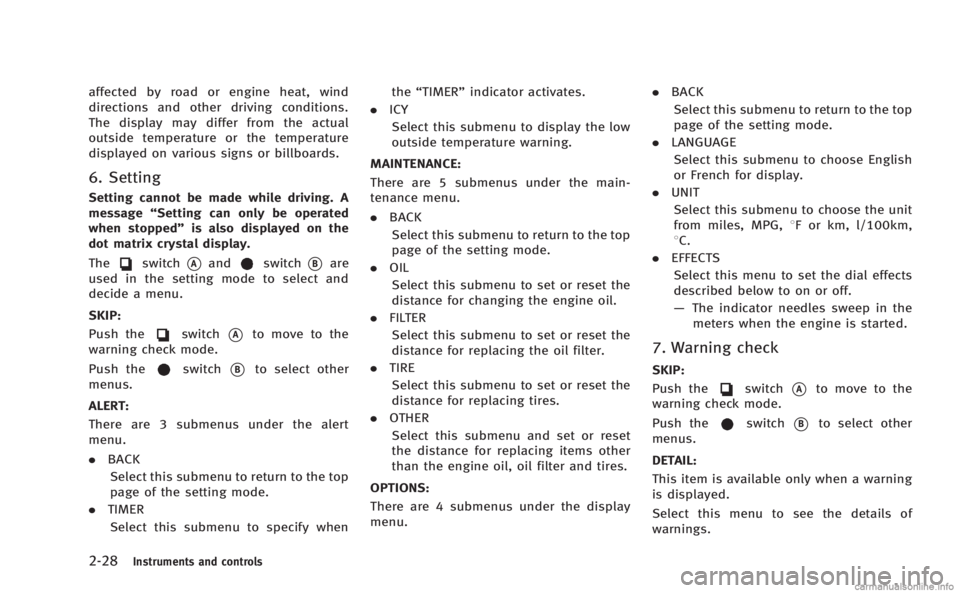
The
switch*Aandswitch*Bare
used in the setting mode to select and
decide a menu.
SKIP:
Push the
switch*Ato move to the
warning check mode.
Push the
switch*Bto select other
menus.
ALERT:
There are 3 submenus under the alert
menu.
. BACK
Select this submenu to return to the top
page of the setting mode.
. TIMER
Select this submenu to specify when the
“TIMER” indicator activates.
. ICY
Select this submenu to display the low
outside temperature warning.
MAINTENANCE: There are 5 submenus under the main-
tenance menu.
. BACK
Select this submenu to return to the top
page of the setting mode.
. OIL
Select this submenu to set or reset the
distance for changing the engine oil.
. FILTER
Select this submenu to set or reset the
distance for replacing the oil filter.
. TIRE
Select this submenu to set or reset the
distance for replacing tires.
. OTHER
Select this submenu and set or reset
the distance for replacing items other
than the engine oil, oil filter and tires.
OPTIONS:
There are 4 submenus under the display
menu. .
BACK
Select this submenu to return to the top
page of the setting mode.
. LANGUAGE
Select this submenu to choose English
or French for display.
. UNIT
Select this submenu to choose the unit
from miles, MPG, 8F or km, l/100km,
8C.
. EFFECTS
Select this menu to set the dial effects
described below to on or off.
— The indicator needles sweep in the
meters when the engine is started.
7. Warning check
SKIP:
Push the
switch*Ato move to the
warning check mode.
Push the
switch*Bto select other
menus.
DETAIL:
This item is available only when a warning
is displayed.
Select this menu to see the details of
warnings.
Page 183 of 522
4-12Monitor, climate, audio, phone and voice recognition systems
Fuel Economy information
The approximate distance to empty, aver-
age fuel economy and current fuel econo-
my will be displayed for reference.
To reset the average fuel economy (Avg
Fuel Econ), select the“Reset Fuel Eco”or
“Reset” key.
If the “Fuel Eco History” or“View” key is
selected, the average fuel consumption
history will be displayed in graph form
along with the average for the previous
Reset-to-Reset period.
The unit can be converted between “US”
and “Metric”. (See “How to use SETTING
button” later in this section.)
The fuel economy information may differ
from the information displayed on the
vehicle information display. This is due to
the timing difference in updating the
information and does not indicate a mal-
function.
For models without the navigation system,
the information can be displayed by
pushing the
ECON button on the
control panel.
JVH0248X
Models with navigation system
JVH0249X
Models without navigation system
TIRE PRESSURE information
WARNING
. When a spare tire is mounted or a wheel
is replaced, tire pressure will not be
indicated, the TPMS will not function
and the low tire pressure warning light
will flash for approximately 1 minute.
The light will remain on after 1 minute.
Contact your INFINITI retailer as soon as
possible for tire replacement and/or
system resetting.
. Replacing tires with those not originally
specified by INFINITI could affect the
proper operation of the TPMS.
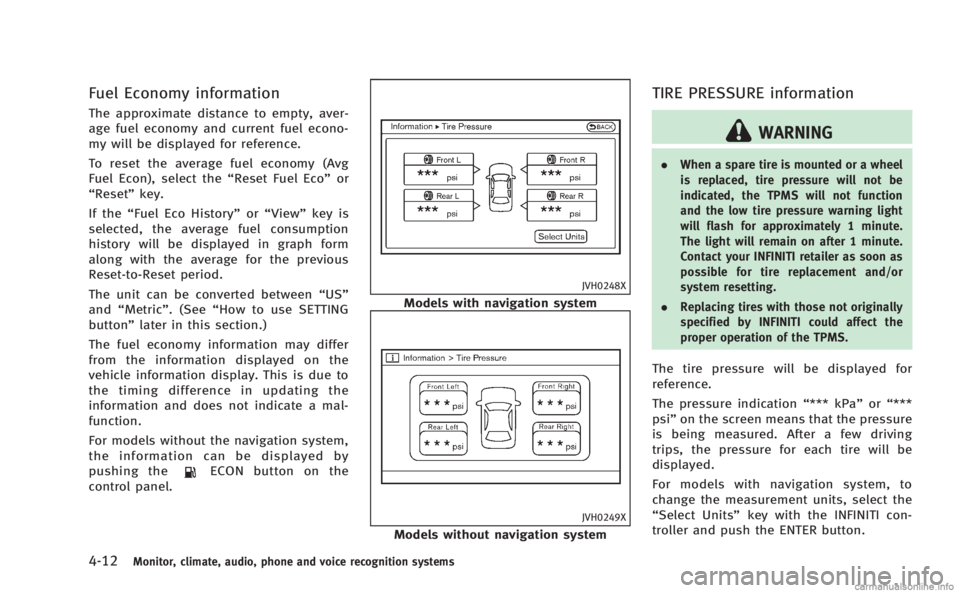
The tire pressure will be displayed for
reference.
The pressure indication “*** kPa”or“***
psi ”on the screen means that the pressure
is being measured. After a few driving
trips, the pressure for each tire will be
displayed.
For models with navigation system, to
change the measurement units, select the
“Select Units” key with the INFINITI con-
troller and push the ENTER button.
Page 184 of 522
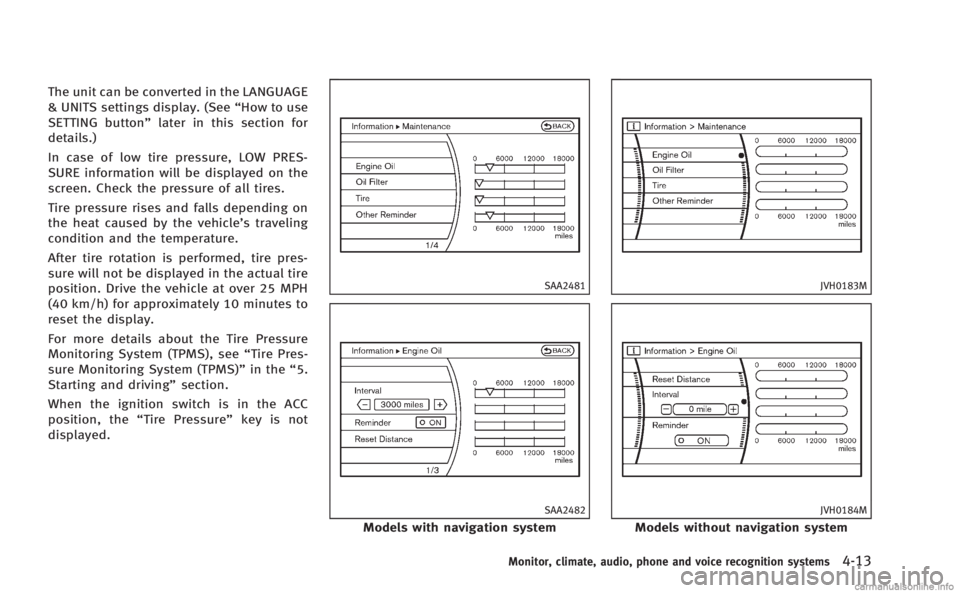
The unit can be converted in the LANGUAGE
& UNITS settings display. (See“How to use
SETTING button” later in this section for
details.)
In case of low tire pressure, LOW PRES-
SURE information will be displayed on the
screen. Check the pressure of all tires.
Tire pressure rises and falls depending on
the heat caused by the vehicle’s traveling
condition and the temperature.
After tire rotation is performed, tire pres-
sure will not be displayed in the actual tire
position. Drive the vehicle at over 25 MPH
(40 km/h) for approximately 10 minutes to
reset the display.
For more details about the Tire Pressure
Monitoring System (TPMS), see “Tire Pres-
sure Monitoring System (TPMS)” in the“5.
Starting and driving” section.
When the ignition switch is in the ACC
position, the “Tire Pressure” key is not
displayed.
SAA2481
SAA2482
Models with navigation system
JVH0183M
JVH0184M
Models without navigation system
Monitor, climate, audio, phone and voice recognition systems4-13
Page 199 of 522
4-28Monitor, climate, audio, phone and voice recognition systems
up.
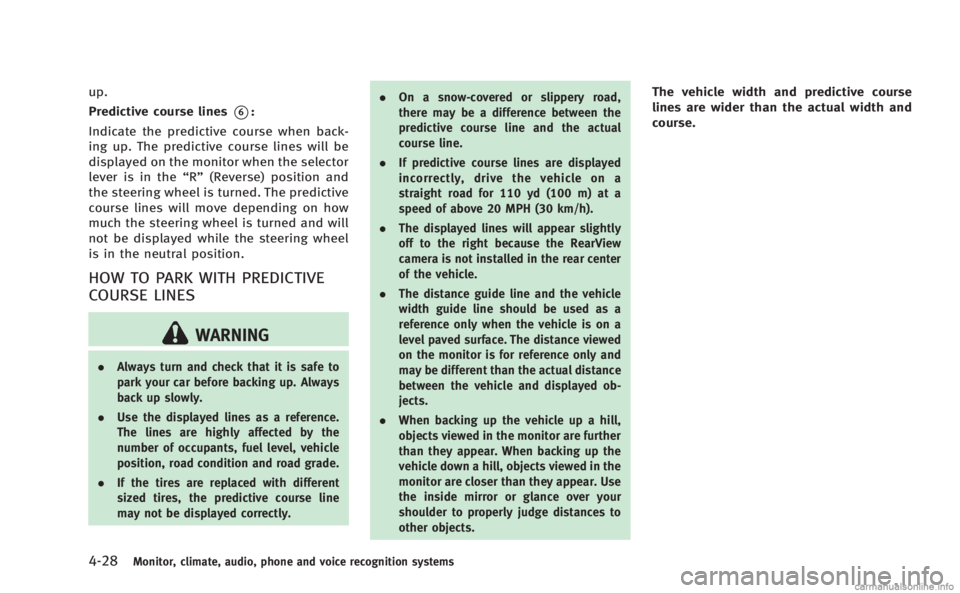
Predictive course lines
*6:
Indicate the predictive course when back-
ing up. The predictive course lines will be
displayed on the monitor when the selector
lever is in the “R”(Reverse) position and
the steering wheel is turned. The predictive
course lines will move depending on how
much the steering wheel is turned and will
not be displayed while the steering wheel
is in the neutral position.
HOW TO PARK WITH PREDICTIVE
COURSE LINES
WARNING
. Always turn and check that it is safe to
park your car before backing up. Always
back up slowly.
. Use the displayed lines as a reference.
The lines are highly affected by the
number of occupants, fuel level, vehicle
position, road condition and road grade.
. If the tires are replaced with different
sized tires, the predictive course line
may not be displayed correctly. .
On a snow-covered or slippery road,
there may be a difference between the
predictive course line and the actual
course line.
. If predictive course lines are displayed
incorrectly, drive the vehicle on a
straight road for 110 yd (100 m) at a
speed of above 20 MPH (30 km/h).
. The displayed lines will appear slightly
off to the right because the RearView
camera is not installed in the rear center
of the vehicle.
. The distance guide line and the vehicle
width guide line should be used as a
reference only when the vehicle is on a
level paved surface. The distance viewed
on the monitor is for reference only and
may be different than the actual distance
between the vehicle and displayed ob-
jects.
. When backing up the vehicle up a hill,
objects viewed in the monitor are further
than they appear. When backing up the
vehicle down a hill, objects viewed in the
monitor are closer than they appear. Use
the inside mirror or glance over your
shoulder to properly judge distances to
other objects.
The vehicle width and predictive course
lines are wider than the actual width and
course.
Page 315 of 522

5-4Starting and driving
THREE-WAY CATALYST
The three-way catalyst is an emission
control device installed in the exhaust
system. Exhaust gases in the three-way
catalyst are burned at high temperatures to
help reduce pollutants.
WARNING
.The exhaust gas and the exhaust system
are very hot. Keep people, animals or
flammable materials away from the
exhaust system components.
. Do not stop or park the vehicle over
flammable materials such as dry grass,
waste paper or rags. They may ignite and
cause a fire.
CAUTION
.Do not use leaded gasoline. Deposits
from leaded gasoline seriously reduce
the three-way catalyst’s ability to help
reduce exhaust pollutants.
. Keep your engine tuned up. Malfunctions
in the ignition, fuel injection, or elec-
trical systems can cause overrich fuel flow into the three-way catalyst, causing
it to overheat. Do not keep driving if the
engine misfires, or if noticeable loss of
performance or other unusual operating
conditions are detected. Have the vehicle
inspected promptly by an INFINITI retai-
ler.
. Avoid driving with an extremely low fuel
level. Running out of fuel could cause
the engine to misfire, damaging the
three-way catalyst.
. Do not race the engine while warming it
up.
. Do not push or tow your vehicle to start
the engine.
TIRE PRESSURE MONITORING SYS-
TEM (TPMS)
Each tire, including the spare (if provided),
should be checked monthly when cold and
inflated to the inflation pressure recom-
mended by the vehicle manufacturer on the
vehicle placard or tire inflation pressure
label. (If your vehicle has tires of a different
size than the size indicated on the vehicle
placard or tire inflation pressure label, you
should determine the proper tire inflation
pressure for those tires.) As an added safety feature, your vehicle
has been equipped with a Tire Pressure
Monitoring System (TPMS) that illuminates
a low tire pressure telltale when one or
more of your tires is significantly under-
inflated. Accordingly, when the low tire
pressure telltale illuminates, you should
stop and check your tires as soon as
possible, and inflate them to the proper
pressure. Driving on a significantly under-
inflated tire causes the tire to overheat and
can lead to tire failure. Under-inflation also
reduces fuel efficiency and tire tread life,
and may affect the vehicle’s handling and
stopping ability.
Please note that the TPMS is not a
substitute for proper tire maintenance,
and it is the driver’ s responsibility to
maintain correct tire pressure, even if
under-inflation has not reached the level
to trigger illumination of the TPMS low tire
pressure telltale.
Your vehicle has also been equipped with a
TPMS malfunction indicator to indicate
when the system is not operating properly.
The TPMS malfunction indicator is com-
bined with the low tire pressure telltale.
When the system detects a malfunction,
the telltale will flash for approximately one